 US – English
 UK – English
 Canada – English
 Australia – English
 Danmark – Dansk
 DACH - Deutsch
 France – Français
 España – Español
 Sverige – Svenska
 Italia – Italiano
 Nederland – Nederlands
 Portugal – Português
 Suomi – Suomi
 Norge – Norsk
 日本 – 日本語
 Romanian – Română












Key features of practice management software for accountants

Run your entire firm on one platform
With accountants relying on technology more than ever, choosing the right practice management software is one of the most important decisions your accounting firm can make. Practice management software combines multiple tools in a single platform, allowing you to consolidate your tech stack, centralize data and streamline processes.
In this article, we’ll run through the key features you can expect from accounting practice management software — and how they can help you create more efficient workflows.
Let’s dive in.
Table of сontents
Project and task management
Accounting involves a lot of moving parts, with teams managing multiple clients, projects and tasks simultaneously. Without the right technology, keeping track of everything can be challenging, potentially leading to mistakes or delays.
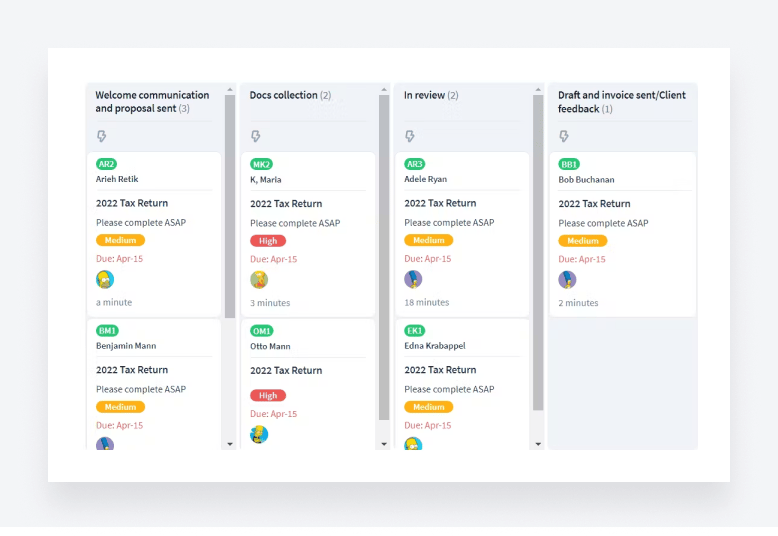
Practice management software allows you to assign projects and tasks and track progress toward completion. This brings a new level of transparency and visibility to work, allowing team members to see who’s working on what at any given time.
The best practice management platforms also offer task automation. In TaxDome, you can automatically create and assign tasks as part of a wider automated workflow. So when a job enters the “prepare tax return” stage of a tax return workflow, for example, the assigned accountant will automatically be notified about the task.
Team management
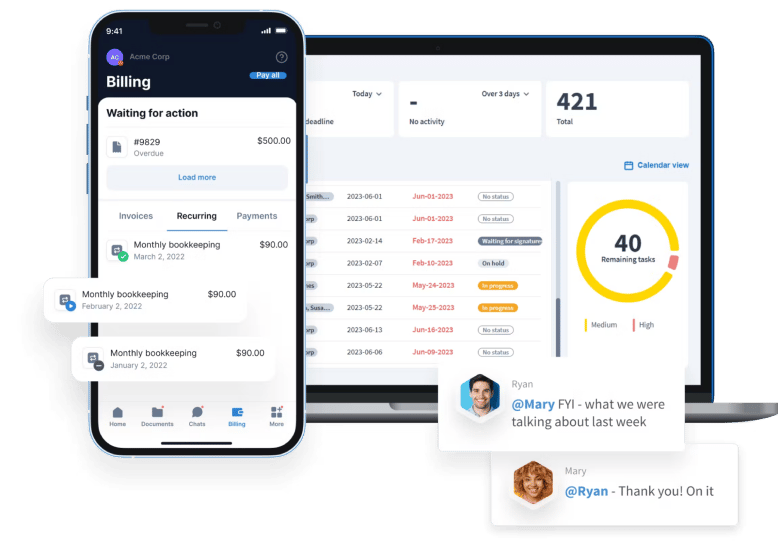
Effective team management is critical for a well-functioning accounting practice. With practice management software, you can get a bird’s-eye view of what your team is working on, assign accountants to different tasks or clients, and set access rights on a granular level. Accountants can also communicate with one another via internal chats.
Some platforms go the extra mile by offering team analytics and dashboards, giving you a real-time view of workloads and resources. In TaxDome, you can even create standard operating procedures (SOPs) that help guide your team through internal processes.
Workflow automation
Whether it’s communicating with clients or updating data, accounting is full of repetitive tasks. Automating these tasks frees up accountants from mundane work, provides consistency to processes and eliminates the risk of error. The best practice management software not only automates individual tasks but entire workflows.
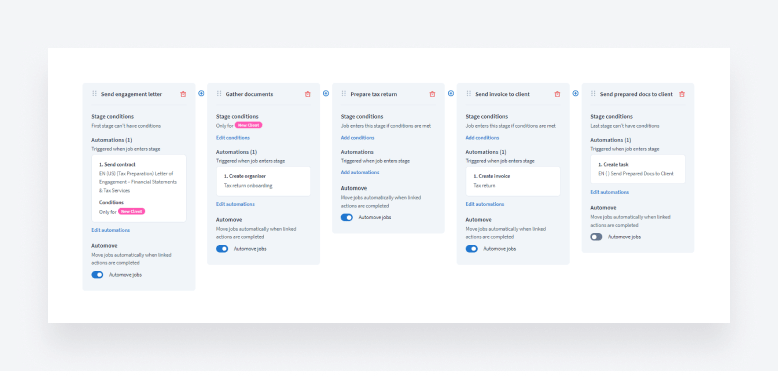
Let’s take the example of preparing tax returns. Apart from actually filling out the form, most of the steps — including communicating with clients, sending out proposals and engagement letters, gathering documents and requesting payment — can be entirely automated.
In TaxDome, you can create workflows comprising multiple stages. Each stage can contain its own automations that trigger when a job enters that stage. Once certain tasks are completed, the job then automatically moves to the next stage, triggering a new round of automations — and so on.
You can also use templates for client emails, proposals, tasks, invoices and even entire workflows — and customize them using shortcodes. The result is a seamless automated process where everything runs on autopilot. And this doesn’t just benefit accountants. With all communication automated and personalized, clients are kept in the loop at all times.
Document management
Accountants deal with a lot of documents, many of which contain highly sensitive personal or financial information. This makes effective document management a priority for accounting firms.
Practice management software acts as a central hub for all your client documents, allowing you to easily upload, share and collaborate on documents at scale — without compromising on security. Instead of having to jump between separate document management and CRM systems, you have a single source of truth.
Some platforms offer secure client portals, where clients can upload, manage and e-sign documents with ease. This makes document management a collaborative effort between clients and accountants.
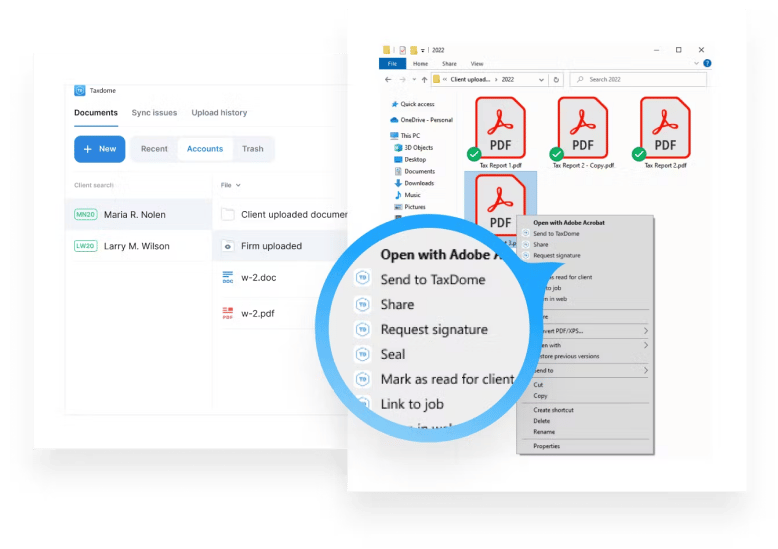
Additional document-related features to look out for include legally binding e-signatures, PDF editors and built-in proposals. TaxDome even offers a Windows app that allows you to bulk upload folders, view and edit files, link documents to jobs and request e-signatures without having to log in to the TaxDome workspace.
Client management
Practice management software provides the tools and processes you need to manage client relationships effectively. Most platforms come with a CRM, where you can manage all client data, records, documents and communications in one place.
On the client side, practice management platforms such as TaxDome also offer client portals. These are secure workspaces where clients can interact with the firm, view tasks, upload documents and make payments — on any device, anywhere.
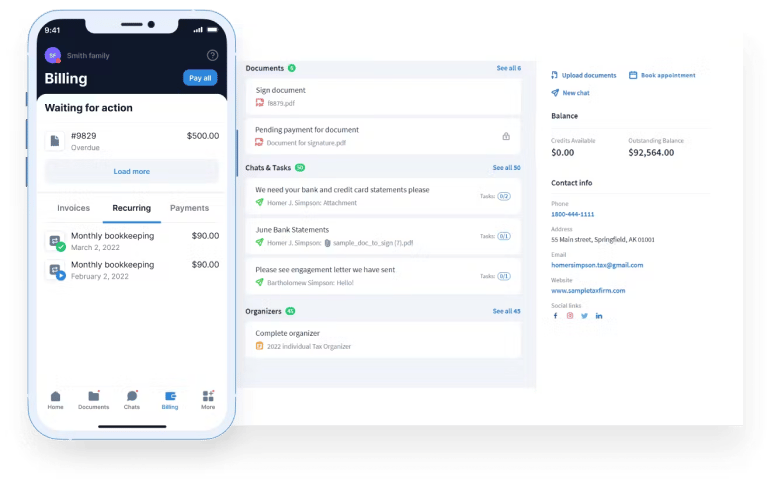
Client portals take client management to the next level, providing clients with a seamless digital experience and a single point of contact for all of their accounting needs.
Time tracking and invoicing
Accounting firms often operate using billable hours, so having an effective time-tracking system is critical to understanding how much to bill clients. It also helps to get a clearer picture of how productive accounting teams are. When coupled with time and billing capabilities, you can use your time-tracking data to automatically generate and send accurate invoices.
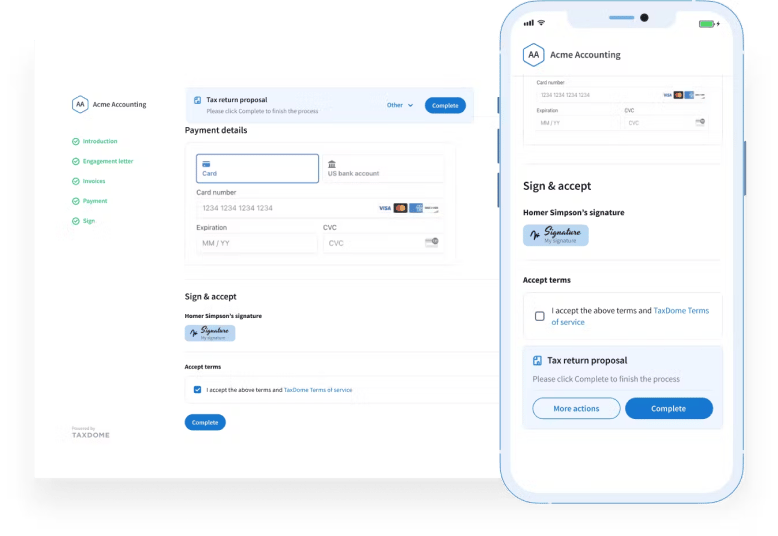
Automating this process eliminates the need to manually create and send invoices, and with a platform such as TaxDome, you can build invoicing into your automated workflows. You can also establish payment terms and billing during the proposal stage, with the option to set up one-off or recurring invoices. You can even collect money upfront in the form of a deposit.
When it comes to getting paid, most practice management systems allow you to process payments securely. In TaxDome, for example, you can accept credit, debit cards and ACH payments by connecting your Stripe account.
Reporting
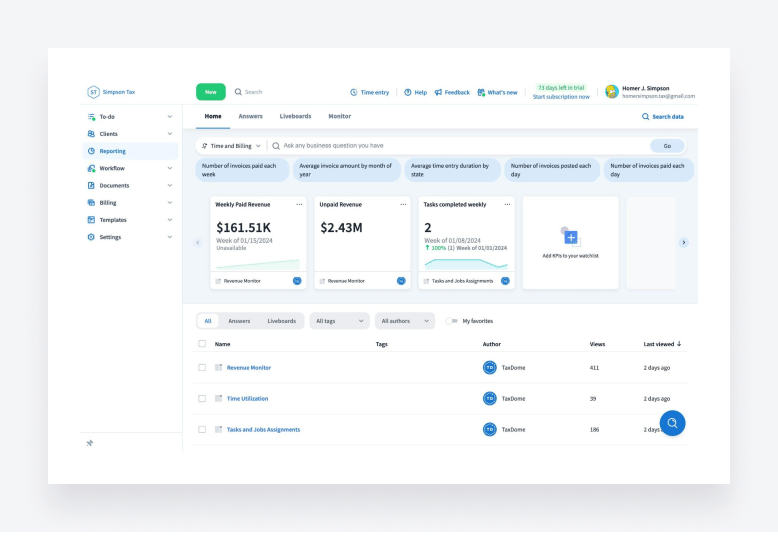
With all those tools and processes under one roof, practice management software contains a huge amount of data. With reporting capabilities, you can harness the power of that data, transforming it into powerful insights that can drive smarter decision-making across your firm.
The best practice management platforms allow you to drill down into your data to uncover insights relating to team productivity, revenue, task completion and much more. They also allow you to generate and export customized reports.
Pricing
Pricing isn’t exactly a feature, but it’s still an important factor to consider when choosing accounting practice management software.
Pricing differs from product to product. Most software providers offer pricing tiers, with more expensive tiers unlocking a broader range of features. Sometimes, different pricing tiers cater to different team sizes as well. Other providers, such as TaxDome, keep it simple with a single pricing plan for all customers — so whether you’re a solo practitioner or a multinational tax firm, you’ll have access to the same great tools.
It’s also important to look out for hidden costs. Some providers charge extra for certain services, product features or add-ons, and the real cost can greatly exceed that advertised on the website.
Conclusion
Practice management software combines multiple capabilities in one place. Not only does this allow you to simplify your accounting tech stack, but it also ensures more joined-up processes, centralized data and a superior experience for accountants and clients alike.
We’ve covered some of the key features of practice management software in this article, but this list is not exhaustive. When deciding which solution is right for you, we recommend taking the time to understand your specific needs and goals.
After all, choosing the right practice management platform is one of the most important decisions your firm could make.

Nicholas produces TaxDome content focused on how technology improves accounting workflows and everyday firm operations.

Get your free guide

Thank you!
The guide copy has been sent to your email. Please check your inbox!
Recommended articles
9 best QuickBooks alternatives in 2026 for every business type
65+ key accounting statistics and insights for 2026

How to start an accounting firm: a step-by-step guide to running your own practice