 US – English
 UK – English
 Canada – English
 Australia – English
 Danmark – Dansk
 DACH - Deutsch
 France – Français
 España – Español
 Sverige – Svenska
 Italia – Italiano
 Nederland – Nederlands
 Portugal – Português
 Suomi – Suomi
 Norge – Norsk
 日本 – 日本語
 Romanian – Română

Browse and search everything
TaxDome Drive works like any other disk on your computer, except it’s connected directly to TaxDome and takes up no space on your PC.
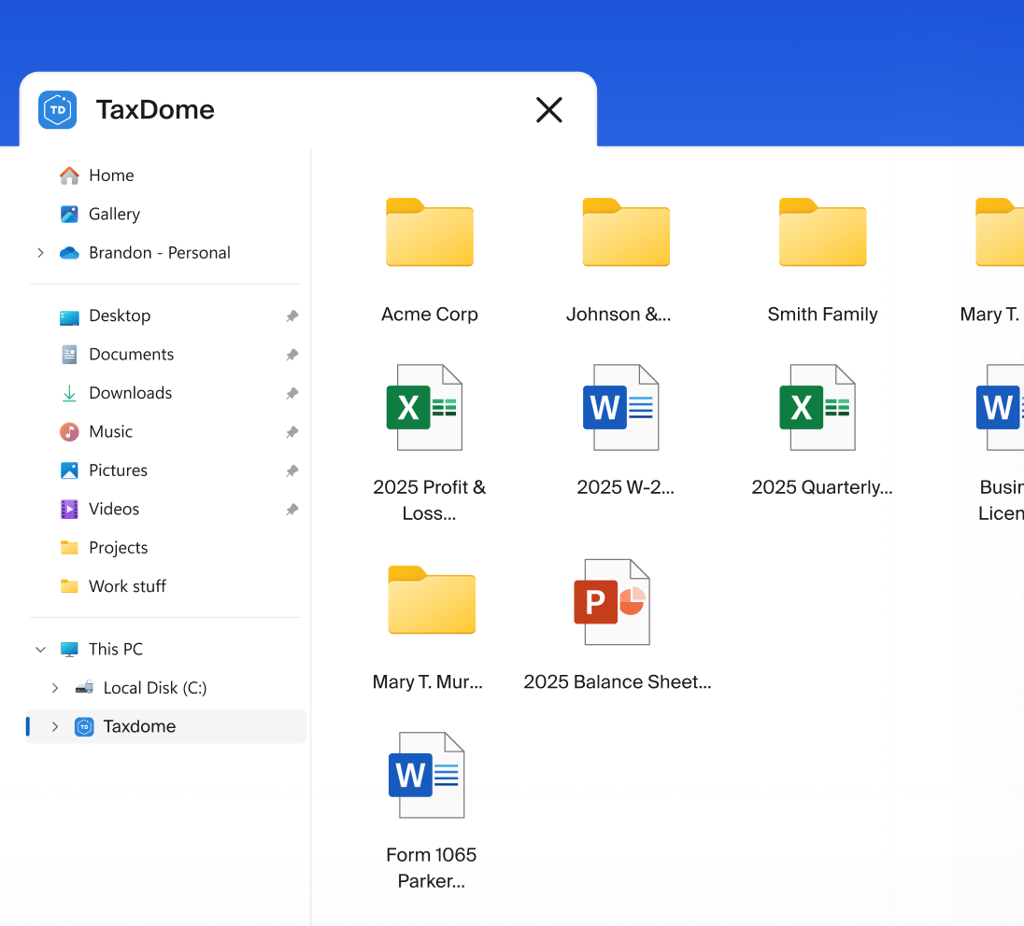
TaxDome Drive puts every client folder in Windows Explorer, so you open and edit files as if they were local. The TaxDome printer takes returns out of Drake, Lacerte, or any tax program and into TaxDome, ready to send for signature or delivery.
TaxDome Drive works like any other disk on your computer, except it’s connected directly to TaxDome and takes up no space on your PC. Open a PDF or a spreadsheet straight from a client folder, edit it, and your changes save back to TaxDome automatically.
TaxDome Drive works like any other disk on your computer, except it’s connected directly to TaxDome and takes up no space on your PC.
Use Excel, Word, Acrobat, or whatever your team already works in. The file updates in the client’s account as you save, and everyone sees the new version immediately.
Drag documents into a client’s folder and they’re in TaxDome. Or use the wizard to select a client, link documents to specific folders, and upload a batch in one pass.
Create folders and subfolders, move files between them, and rename as you go. Upload a folder, and its structure carries over intact.
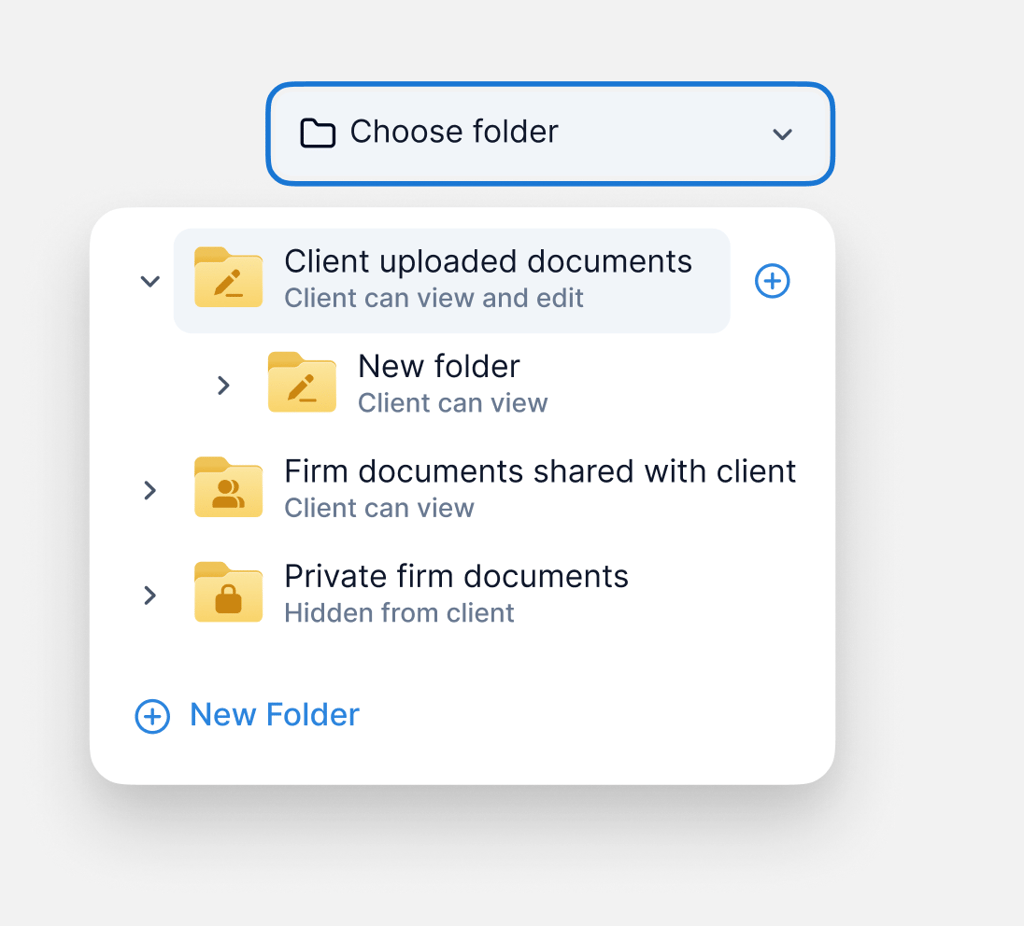
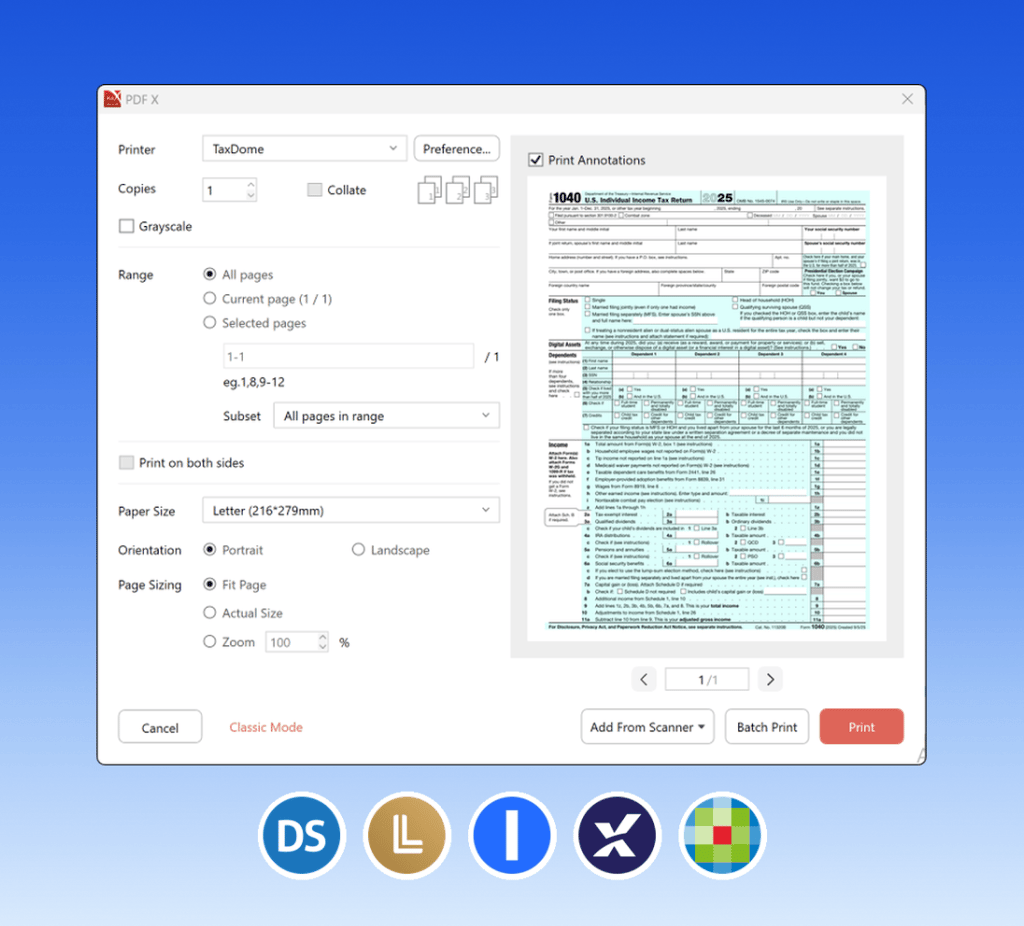
TaxDome becomes a printer on your computer. Install the app and it shows up in your print dialog, alongside your office printer.
Send it out in the same pass, whether it’s a tax return for signature and payment or engagement letters, 8879s, and organizers, without opening your browser.
Print from anything: tax software, Word, Excel, Acrobat, or scanning software. If it prints, it goes to TaxDome.
Works on a normal PC and on any remote desktop environment. Hosting partners like Rightworks and Verito install it for you.

“It’s easy to use, it’s easy to implement, it’s easy for our clients to use. There’s not a big learning curve internally or externally, which is huge.”

Andrew Payne
Manager, Nonprofit Tax Services, Foundation Group, 95 staff

“When he showed me TaxDome, I was like, ‘That’s what I need. I need that visibility.’ I feel so much more confident. I can open a pipeline and know exactly what’s happening with each client, who’s working on it, and what’s missing.”

Olga Hurtado
Founder, NeatBooks, 20+ staff
Get your free guide
Thank you!
The guide copy has been sent to your email. Please check your inbox.
Download it from your TaxDome account, or follow the steps in our Help Center.
Yes. TaxDome runs in any browser, with everything your team needs: documents, e-signatures, invoicing, workflows. The desktop app and TaxDome Drive are Windows-only for now, so files from a Mac are uploaded through the browser instead. A Mac app is in the works, and we’ll update this page when it’s ready.
Any program that can print, including Drake, Lacerte, UltraTax, ProSeries, ProConnect, CCH Axcess, ATX, TaxSlayer, and TaxAct. TaxDome installs as a printer on your computer, so there’s nothing to connect or configure per program.
Yes, on any remote desktop environment. Our hosting partners, including Rightworks and Verito, can install it for you.
Yes, for files that are already synced to your computer. Open them once while connected and you can edit them offline. Your changes upload automatically when you’re back online.
Yes. Everything is stored in the cloud and available from any browser, straight away.
Yes. Open a file from TaxDome Drive in any application on your PC, and your changes save back to the client’s account automatically. No downloading and re-uploading.
Log in to your portal
“With everything organized and in one spot, we look competent and successful. We look good to our clients. We look like we’re worth what we’re charging.”
Hope Siebert
Office Manager, Siebert & Associates, CPAs, 10 staff