TaxDome Kiosk – the in-person digital experience for your office

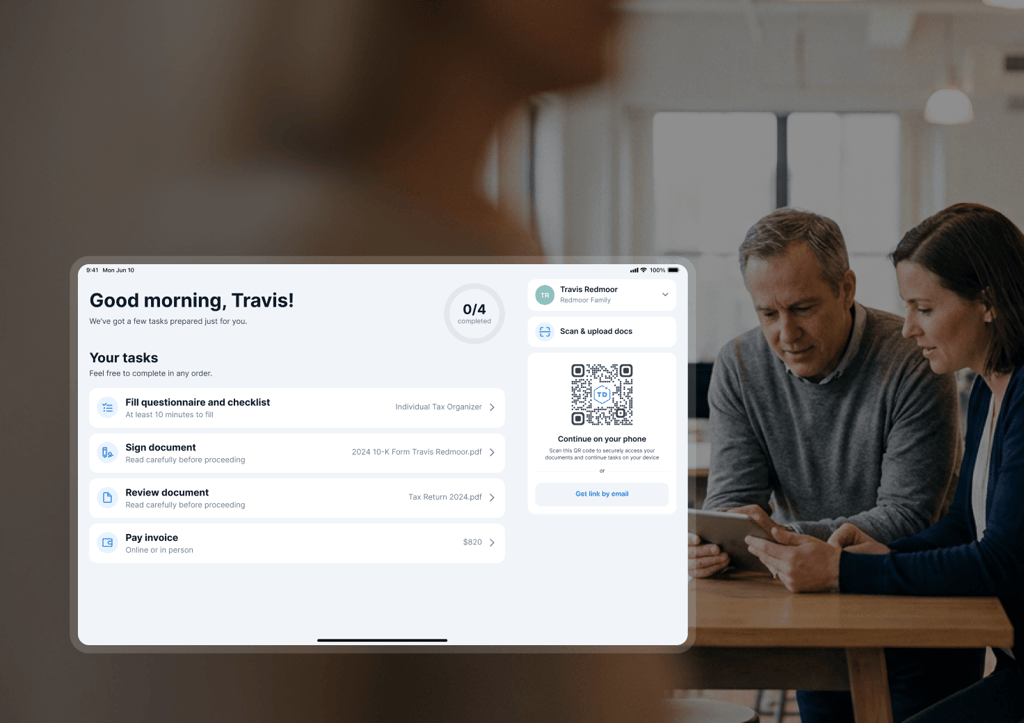
TaxDome is the first modern practice management platform with an in-office client experience built in. Some clients book online and never come in. Others show up every year with a folder of papers and wouldn’t log into a portal if you paid them. Both are your clients. Both should live in your system. TaxDome Kiosk is the bridge between the relationship in the room and the system behind it. Signatures, payments, documents, and scanning — all of it, done on a tablet before they leave.
TaxDome Kiosk – the in-person digital experience for your office TaxDome Kiosk – the in-person digital experience for your office

Walk through a real in-office client visit

Try Kiosk and see exactly what your client sees from the moment you hand them the tablet to the moment the session closes.

See Kiosk in action

1 Fill in the form
2 Experience the client Kiosk
If the form doesn’t load, please call us at +1-833-TAX-DOME or email [email protected] — we’ll help you schedule a meeting.

Our client experience speaks for itself

"I think Kiosk is going to be a MAJOR game changer for those clients who insist on still doing everything in paper."

Alison Mora, Owner at 6-person firm Mora Chapman CPAs

Our client experience speaks for itself

"Very nice! I’m hoping our office staff will take advantage of this."

Angie Lowery, Manages TaxDome for 5-person firm Henderson, Grealis & Assoc.

Readers Choice

Winner Comprehensive Firm Workflow Solution

TaxDome – Momentum Leader, G2 Winter 2024
TaxDome – Small Business Leader, G2 Winter 2024
TaxDome – Accounting Practice Management Leader, G2 Winter 2024
TaxDome – Users Love Us, G2 Award
TaxDome – High Performer Americas, G2 Winter 2024
TaxDome – Small Business Leader Americas, G2 Winter 2024

Seamless in-office experience
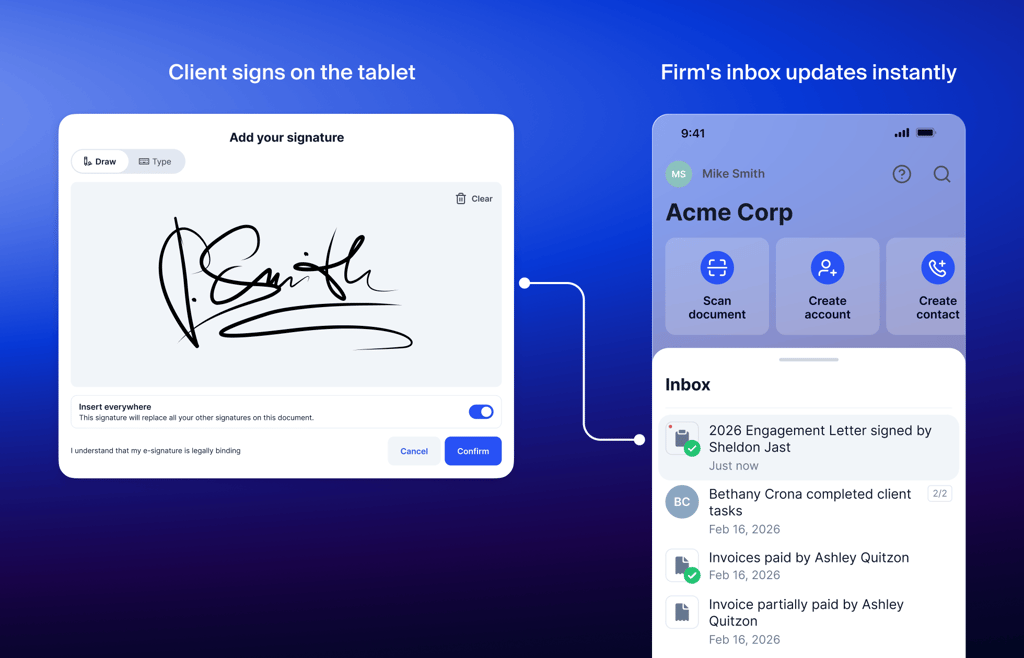
Just like checking in at a doctor’s office: the client arrives, your front desk hands them a tablet, and they complete everything before they leave. By the time they walk out, their record in TaxDome is already up to date.
Seamless in-office experienceSeamless in-office experience

Select the client

Open TaxDome Kiosk on your office tablet and find the client you’re meeting with. No login required from them. You pull them up.

Hand them the tablet

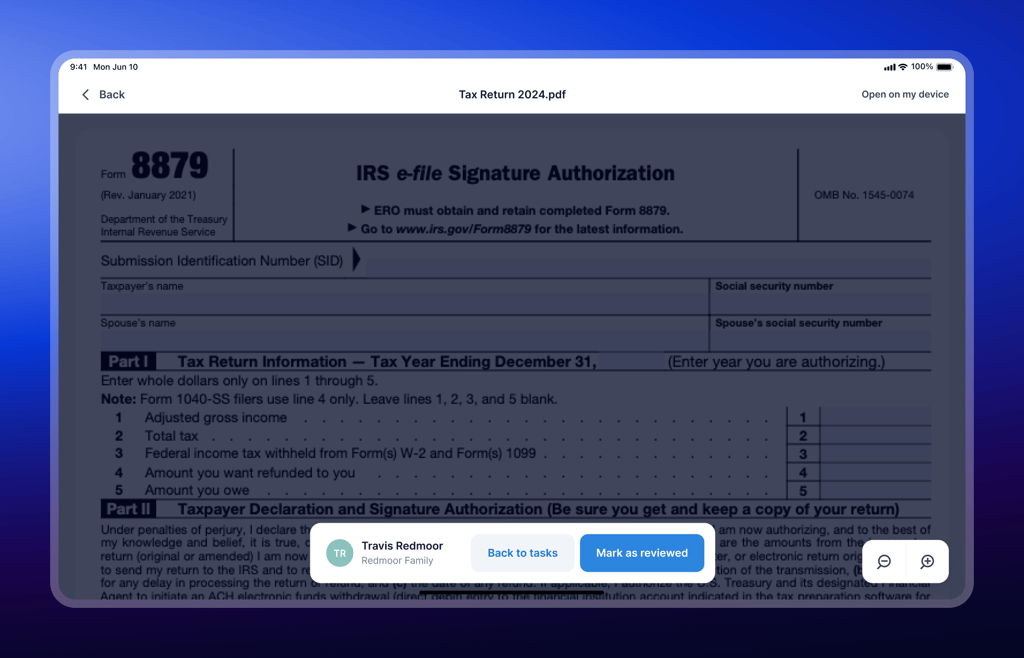
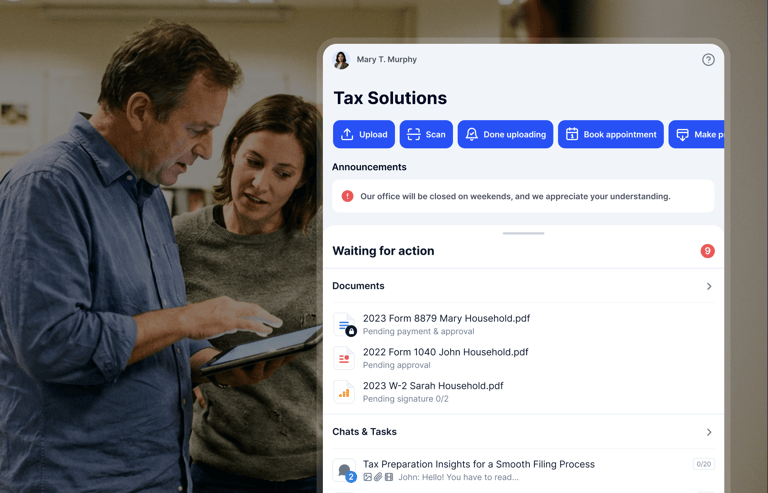
The client sees only what’s relevant to them: documents, forms, invoices. Guided steps. Nothing exposed that shouldn’t be.

Session resets automatically

When the visit ends, the session closes. Everything is already in their TaxDome record, and you’re ready for the next client.


Every client. One system. No exceptions.

Everything clients do in Kiosk lives in the same place as everything they do online. Same record, same automations, same billing. Kiosk operates inside TaxDome, not alongside it.
Same client record

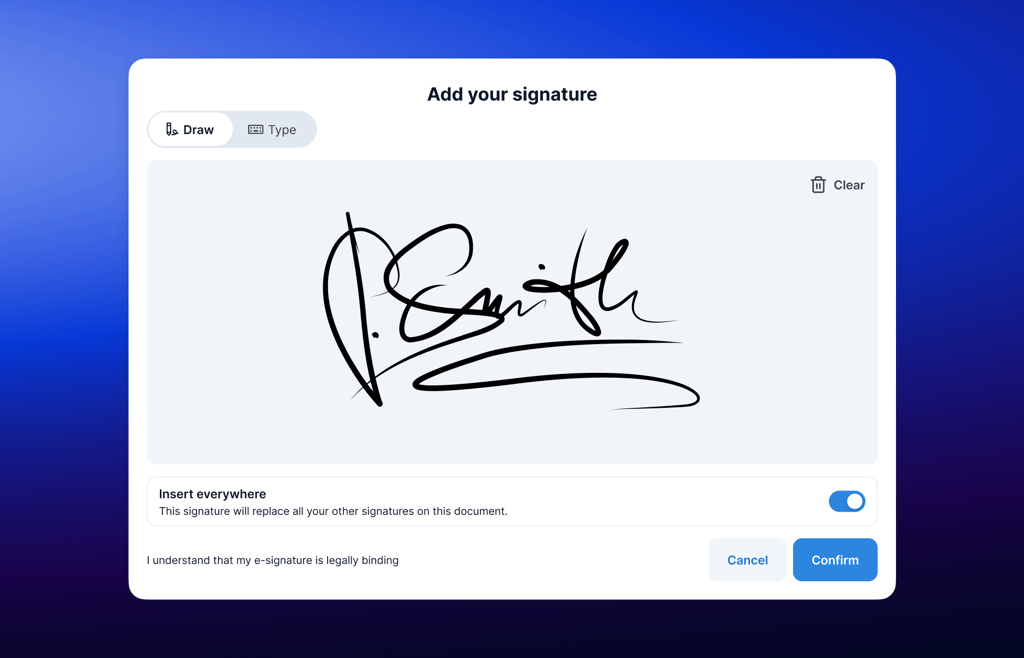
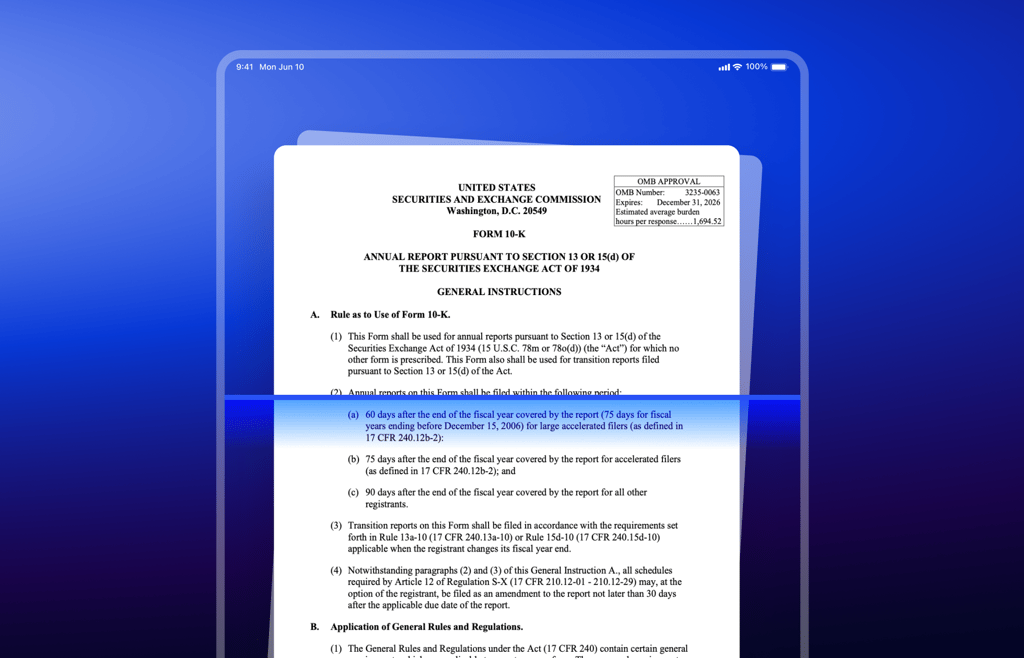
Signatures, payments, and scanned documents go directly into the client file. Online and in-office activities are indistinguishable because they are the same system.

Same automations

Kiosk actions trigger the same automations as online actions. A signed document in the office completes the same task and moves the job forward automatically.

Same billing view

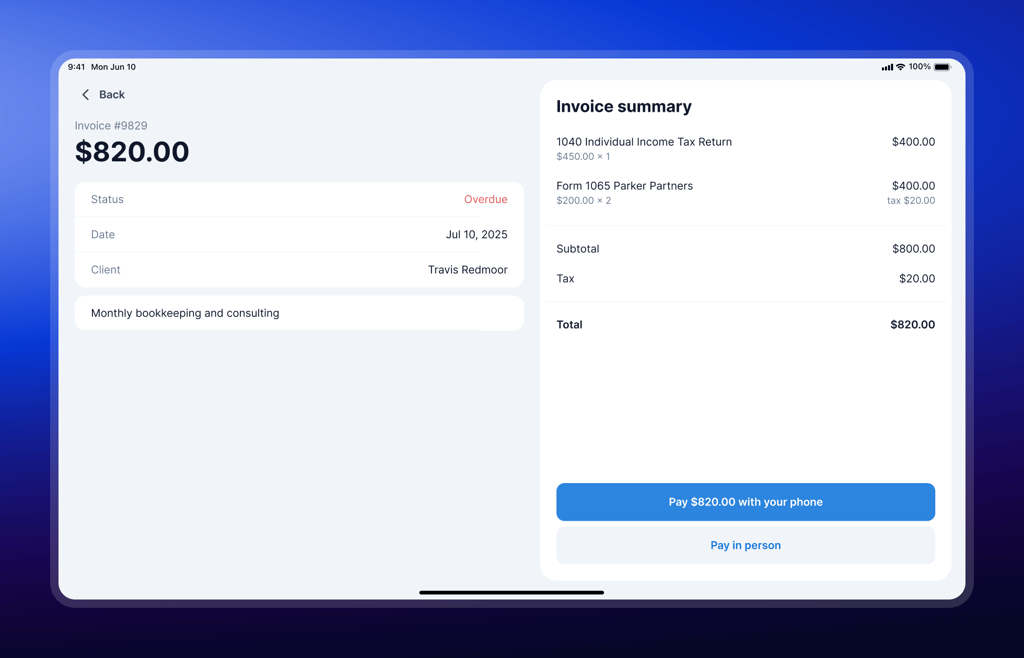
Payments collected in the office appear alongside online payments. No separate log, nothing to reconcile.

One client journey, one source of truth, whether that client walked in or logged in

No setup or logins between clients

Sessions are isolated and reset automatically between clients. Secure and consistent without staff managing logins.

Works across locations

Same standards across every office. Centralized records, regardless of where the visit happens.

Ready immediately

Install the TaxDome firm mobile app on a tablet. Select a client. You’re running. No complex setup, no separate platform.

Frequently asked questions

What is TaxDome Kiosk, and who is it for?

TaxDome Kiosk is for accounting firms that serve in-office or paper-based clients: elderly clients, low-tech clients, or anyone who prefers face-to-face. It lets firms handle those visits through a guided tablet experience that syncs directly to TaxDome, so no client interaction lives outside the system.

What can clients do during a Kiosk session?

Clients can sign documents, pay invoices, review firm-prepared documents, and scan and upload paper using the tablet camera. Everything completes in real time and goes directly into their TaxDome record.

Do clients need an account, email, or app?

No. Clients don’t need login credentials, an email address, or anything on their own device. The session runs on your firm’s tablet and connects to their existing client profile.

How is this different from opening the client portal on a tablet?

TaxDome Kiosk is built specifically for shared, in-office use. It has guided steps, session isolation, and automatic reset between clients, so data doesn’t carry between sessions and staff don’t have to manage logins.

Is client data secure?

Yes. Each session is fully isolated and resets after completion. Clients only see what’s intended for them. Firm workflows, dashboards, and internal data are never accessible.

Will this replace the client portal?

No. It complements it. Clients who use the portal keep using it. TaxDome Kiosk handles those who don’t, and over time, in-office clients often become portal users once they’re familiar with the experience.

How do we get started?

Install the TaxDome firm mobile app on a tablet. Select a client, hand them the tablet, and the session begins. No complex setup, no separate platform to manage.

See TaxDome in action with a free demo
If the form doesn’t load, please call us at +1-833-TAX-DOME or email [email protected] — we’ll help you schedule a meeting.
Voted #1 across all 9 practice management categories
Read more
Benchmark your firm against data from 15,000+ accounting firms in the Accounting Industry Index.
Get your copy
Explore the trends shaping the future of accounting and why its best years are ahead.
Download the 2025 TaxDome Annual Report
350+ companies surveyed: How business clients choose accountants and what they're willing to pay.
Download the report
Download the security guide to learn how to protect client data and build lasting trust.
Get the quide
Discover how a team of 10 with 1,000+ clients achieved 5-star loyalty.
Read the story