 US – English
 UK – English
 Canada – English
 Australia – English
 Danmark – Dansk
 DACH - Deutsch
 France – Français
 España – Español
 Sverige – Svenska
 Italia – Italiano
 Nederland – Nederlands
 Portugal – Português
 Suomi – Suomi
 Norge – Norsk
 日本 – 日本語
 Romanian – Română












9 best QuickBooks alternatives in 2026 for every business type

Run your entire firm on one platform
Last Updated: September 2026
TL;DR:
- Xero is the best QuickBooks alternative for accounting teams that want unlimited users
- Sage Intacct is best for enterprise and multi-entity organizations
- Zoho Books is the best budget-friendly QuickBooks alternative for small businesses
- FreshBooks is the best option for small service-based businesses and freelancers
- NetSuite is the best QuickBooks alternative for enterprise firms that need a complete ERP
- CustomBooks is the best tool for eCommerce and inventory-heavy businesses
- Wave is the best free accounting tool for freelancers and micro-businesses
- Kashoo is the simple, affordable QuickBooks alternative with a flat-rate pricing model
Methodology: how do we choose?
We analyze each product and customer reviews vs the top alternatives. The percentages below indicate the weighting of each feature category in our recommendations:
- Workflow automation — 25%
- Client features — 20%
- Pricing — 20%
- Integrations — 15%
- Mobile apps — 10%
- Usability — 5%
- Reporting — 5%
There are no paid placements and no affiliate links in this article. We only recommend tools that deserve your consideration, and our goal is to help you make an informed decision with transparent and accurate information.
Last Updated: September 2026
QuickBooks is the most popular cloud accounting system for businesses around the world. It consistently tops the list of “best accounting software” recommendations with comprehensive solutions for small-to-medium businesses.
Popularity doesn’t make it the perfect fit for everyone, though. Many smaller businesses need something simpler and more affordable, while larger companies may need something more advanced.
Whatever your priorities, we’ve carefully selected the best QuickBooks alternatives in 2026 for every business type.
Table of сontents
Why do companies look for QuickBooks alternatives?
With an average score of 4.0/5 on G2, QuickBooks customers are generally happy with the platform. That being said, if we dig a little deeper into the reviews, you can start to see why some companies look for alternatives.
Firstly, out of 3,708 reviews in total, 2,129 (57%) are from small businesses, which says a lot about the most common complaints:
- Limited scalability for larger businesses means enterprise and multi-entity operations can outgrow QuickBooks as they scale
- Missing advanced features for complex needs makes it harder to manage inventory, job costing, or industry-specific workflows
- Basic inventory and eCommerce functionality limit its suitability for product-based and multi-channel businesses
- Limited reporting flexibility makes it difficult to generate deeper financial insights without workarounds
- Reliance on integrations for key functionality forces businesses to depend on third-party apps to extend core features
- Performance issues at higher volumes can slow down workflows as transaction volumes and data increase
- Not tailored to specific business types means other tools often provide a better fit for freelancers, service businesses, or enterprise organizations
You could summarize most of these complaints into one, broader issue: scalability for growing mid-to-large companies. QuickBooks is highly regarded in the small business world and it can meet the needs of many mid-size businesses, too. That being said, it’s usually the growing mid-sized businesses or specialist industries, such as retailers, that start looking elsewhere.
Then you have the very small and micro businesses that are better off with a cheaper and simpler QuickBooks alternative.
BBest QuickBooks alternatives for accounting firms (2026)
We’ve pinpointed nine QuickBooks alternatives for companies that need something different. Before we take a closer look at each accounting software tool, let’s explain what sets each of them apart.
- Xero: a direct QuickBooks competitor that offers unlimited users and greater scalability
- Sage Intacct: a finance management system for medium-to-large and multi-entity companies
- Zoho Books: a budget-friendly option for small businesses with seamless Zoho integrations
- FreshBooks: the simpler, cheaper alternative for freelancers and service-based businesses
- NetSuite: a complete ERP system for growing and enterprise organizations
- CustomBooks: the highly customizable option, ideal for eCommerce and inventory-heavy businesses
- Wave: the best free plan for freelancers and micro-businesses (with affordable upgrades)
- Kashoo: a simple, flat-rate accounting tool for freelancers and small businesses
- Cashflowy: an AI-assisted bookkeeping tool for US solopreneurs, with a human bookkeeper included
The table below gives you a preview of how these tools compare on pricing, strengths, weaknesses, and migrating from QuickBooks.
| Xero | Sage Intacct | Zoho Books | FreshBooks | NetSuite | CustomBooks | Wave | Kashoo | Cashflowy | |
| Ideal user | Accounting teams | Large enterprises | Small businesses | Freelancers | ERP-level firms | eCommerce SMBs | Freelancers | Microbusinesses | Solopreneurs |
| Starting price | $27/mo | custom | Free | $23/mo | Custom | $27/mo | Free | $324/yr | $39/mo |
| Top strength | Unlimited users | Automation | Affordability | Client management | Full ERP | Inventory | Free invoicing | Simplicity | Human bookkeeper |
| Top weakness | Learning curve | Costly setup | Limited scale | Reporting | Complex setup | Dated UI | Limited features | Limited features | Solo use only |
| Migration | ⭐⭐⭐☆☆Moderate | ⭐☆☆☆☆Complex | ⭐⭐⭐⭐☆Easy | ⭐⭐⭐⭐☆Easy | ⭐☆☆☆☆Complex | ⭐⭐⭐☆☆Moderate | Partial | Partial | ⭐⭐⭐⭐☆ Easy |
Each of these QuickBooks alternatives serves a different type of business. Some are built for freelancers and small teams that want something simpler and more affordable. Others are designed for larger companies that need a more advanced upgrade than QuickBooks provides.
1. Xero
Best for: overall value for money for accounting teams
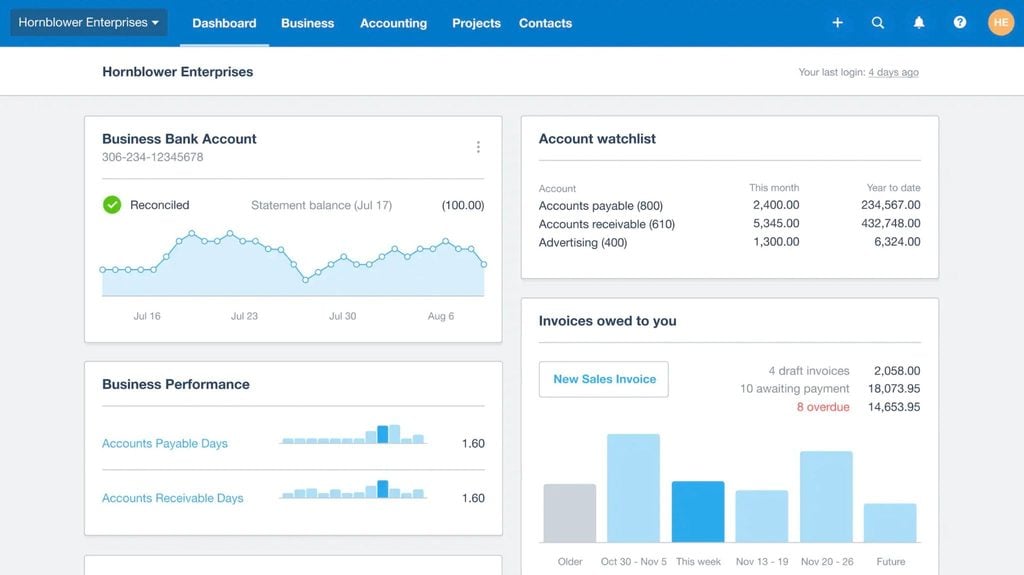
Xero is probably the first QuickBooks alternative most people think of. It offers a full range of tools for managing accounting, tax, and payroll — with a focus on collaboration and real-time visibility.
Key features:
- Automated data entry
- Real-time transaction updates
- Intelligent bank reconciliation
- Online billing and payments
- Automated reporting
- Customizable dashboards
Designed for accountants and bookkeepers, Xero offers an affordable option for teams that want pro functionality without enterprise pricing.
Xero pros and cons
| 👍 Pros | 👎 Cons |
| Cheaper than QuickBooks | Fewer business management features |
| Similarly easy to use | No mileage tracking |
| Unlimited users on all plans | No income tax estimates |
| Designed for accounting and payroll teams | Reliance on integrations can be expensive |
| App store with 1,000+ integrations |
How much does Xero cost?
As of October 2026, Xero runs three plans, all billed monthly:
- Early: $27/month
- Growing: $59/month
- Established: $97/month

Xero integrations
Xero’s app store includes more than 1,000 native and third-party apps, including nine Xero-built apps:
- Syft
- Planday
- Shopify
- Xero Practice Manager
- Hubdoc
- Stripe
- Xero Bill Payments
- Etsy
- Xero Workpapers
The app store also includes extensive third-party apps for CRMs, invoicing and jobs, time tracking, payments, inventory, and plenty more.
Xero reviews

Xero has an average rating of 4.4/5 on G2 from 1,620 reviews. Overall, Xero customers praise the platform for its usability and the simplicity of core features, particularly invoicing, payment tracking, and bank reconciliation. Compared to QuickBooks, Xero is generally seen as easier to use, especially for day-to-day accounting tasks and team collaboration.
Most Xero complaints relate to feature depth. Some users point to missing features in areas like inventory management, reporting customization, and job costing. As a result, many businesses rely on third-party apps to fill these gaps, which can add complexity as their needs grow.
| What do customers like/dislike about Xero? | |||||
|---|---|---|---|---|---|
| 👍 Likes | ✅ Ease of use | ✅ Invoice management | ✅ Simplicity of transactions | ✅ Payment tracking | ✅ Overall simplicity |
| 👎 Dislikes | ❌ Missing features | ❌ Limited reporting | ❌ Lack of customization | ❌ Slow support | ❌ Dislike |
Who should use Xero?
Where QuickBooks targets businesses of all sizes, Xero is designed with accounting and payroll teams in mind. So, although Xero offers fewer features, it’s actually the more specialized tool for internal teams. This is reinforced by the unlimited user access it provides across all plans.
Reasons to choose Xero:
✅ Unlimited users
✅ Easy invoicing and payment tracking
✅ Strong fit for internal accounting teams
2. Sage Intacct
Best for: large, multi-entity enterprises
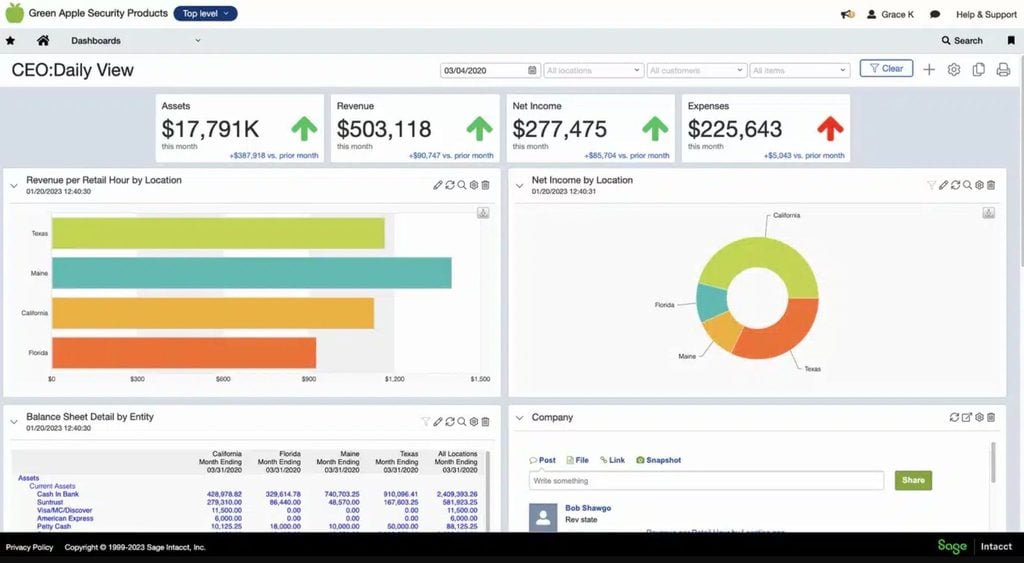
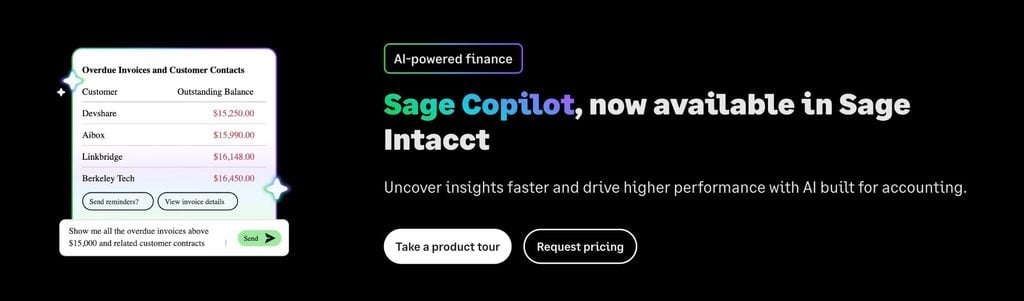
Sage Intacct is a cloud-based financial management system built for larger or multi-entity firms that have outgrown entry-level accounting tools. The AI-powered platform connects accounting automation with payroll, HR, and real-time reporting.
Key features:
- AI-powered anomaly detection in the general ledger
- Real-time dashboards and automated reporting
- Multi-entity consolidation and currency support
- Seamless integrations for payroll and HR
- Advanced budgeting and forecasting tools
- Multi-entity insights that support larger, multinational companies
Sage Intacct is aimed at larger, multi-entity companies with complex finance operations. It’s not a like-for-like QuickBooks alternative for smaller and medium businesses.
Sage Intacct pros and cons
| 👍 Pros | 👎 Cons |
| More advanced accounting and financing system than QuickBooks | Significantly more expensive than QuickBooks |
| Built for multi-entity and high-volume finance operations | Steeper learning curve and implementation process |
| Strong automation features, including anomaly detection | Not suitable for smaller businesses or simple accounting needs |
| Extensive reporting capabilities for complex financial analysis | Longer deployment time compared to entry-level tools |
| Seamless data sharing between accounting, payroll, and HR functions | Higher ongoing costs as complexity increases |
How much does Sage Intacct cost?
As of September 2026, Sage doesn’t publicly share its pricing for Sage Intacct. You have to request pricing from the company’s sales team to get a custom quote.
Sage Intacct integrations
Sage Intacct has an extensive marketplace with hundreds of dedicated apps for integrating with tools across a wide range of solutions, including:
- Accounts payable and receivable
- Budgeting, forecasting, and planning
- Close management
- CRM
- Document management and workflow automation
- E-commerce, EDI, and point of sale
- Expense management and travel
- Finance and business management
- Fixed asset management and leasing
- Human capital management (HCM) and payroll
- Incentive commission management
- Inventory and warehouse management
- Spend management and procurement
- Tax compliance
- Time tracking and attendance
Sage Intacct reviews
Sage Intacct has an average rating of 4.3/5 on G2 from 4,100+ reviews.
Users generally appreciate the platform’s usability and intuitiveness once they’re up and running, although the implementation and learning curve are often raised as initial barriers.
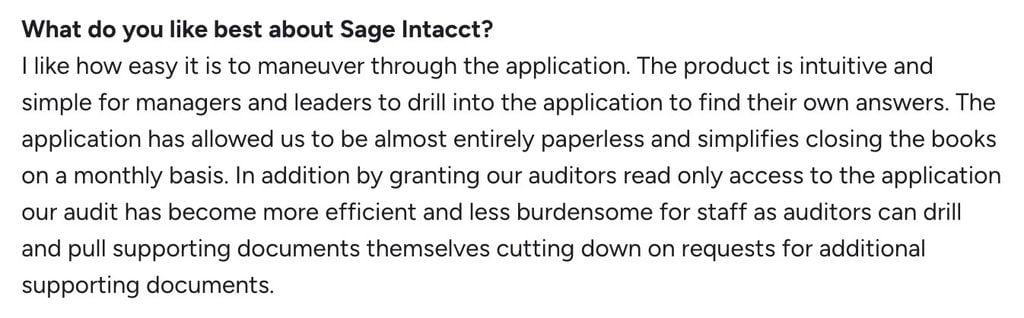
Usability aside, the interface itself is frequently described as “dated” and it may feel like a step backward from the current version of QuickBooks in this regard. It certainly doesn’t have the modern feel teams might associate with the latest generation of SaaS products.
| What do customers like/dislike about Sage Intacct? | |||||
|---|---|---|---|---|---|
| 👍 Likes | ✅ Easy to use | ✅ Intuitive interface | ✅ Automation capabilities | ✅ Reporting capabilities | |
| 👎 Dislikes | ❌ Implementation time | ❌ Learning curve | ❌ Dated interface | ❌ Limited customization | ❌ Reliance on integrations |
Who should use Sage Intacct?
As a QuickBooks alternative, Sage Intacct is a major step up in capabilities for multi-entity firms. You’re not getting a new interface and a few extra features here. You’re looking at Sage Intacct because you’ve outgrown the capabilities of QuickBooks and similar alternatives.
Reasons to choose Sage Intacct:
✅ Advanced reporting and financial insights
✅ Strong multi-entity capabilities
✅ Built for complex and growing organizations
3. Zoho Books
Best for: small businesses that want an affordable, all-in-one solution
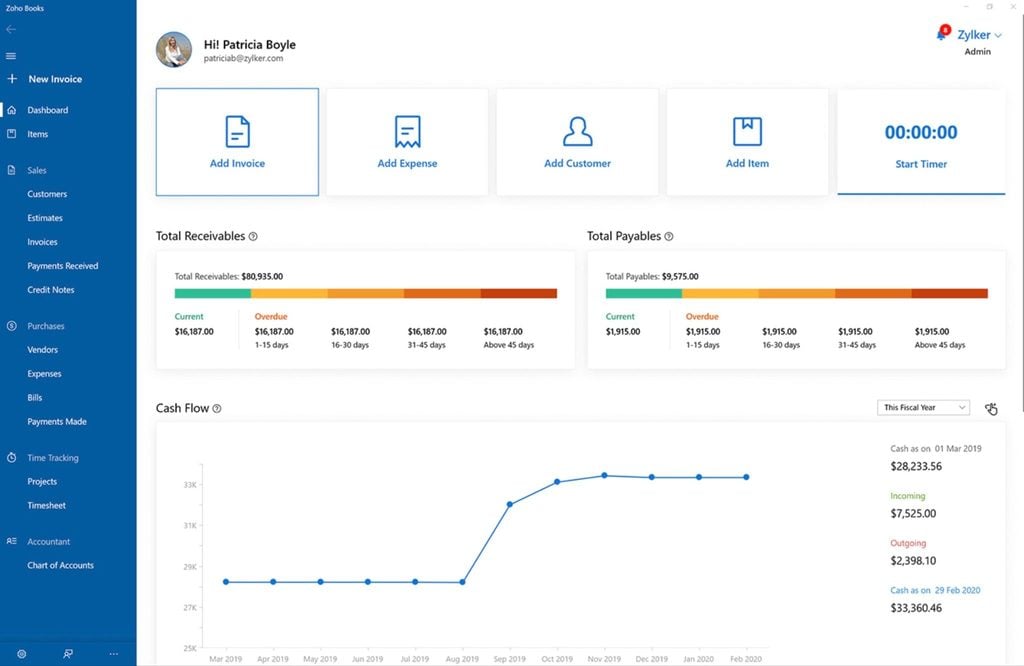
Zoho Books is part of the Zoho suite of cloud solutions for small businesses — the company’s answer to accounting software. It offers small and growing businesses an affordable alternative to QuickBooks, including a free plan for solopreneurs and micro businesses.
Key features:
- Automated invoicing, payments, and reminders
- Real-time dashboards and analytics
- Bank feeds and reconciliation
- Inventory and stock management
- Accountant collaboration
- Integration with Zoho CRM, Payroll, and Projects
Zoho Books wants to be the accounting system that grows with your business, and this is reflected in the structure of its plans and pricing.
Zoho Books pros and cons
| 👍 Pros | 👎 Cons |
| Cost-effective QuickBooks alternative | User limits restrict use for larger businesses |
| Free plan available for single users | Core functionality only available on more expensive plans |
| Stronger automation for invoicing and workflows | Lacks more advanced accounting features and customization options |
| Seamless integration with other Zoho tools | Lacks the advanced payroll features and reporting capabilities of QuickBooks |
| Excellent choice for small businesses and solopreneurs |
How much does Zoho Books cost?
As of April 2026, Zoho Books offers six plans for businesses at different growth stages:
- Free: $0/month
- Standard: from $180/year (equivalent to $15/month)
- Professional: from $480/year (equivalent to $40/month)
- Premium: from $720/year (equivalent to $60/month)
- Elite: from $1,440/year (equivalent to $120/month)
- Ultimate: from $2,880/year (equivalent to $240/month)

As a QuickBooks alternative, Zoho Books is cheaper throughout the upgrade path, and it competes strongly on features, too. In fact, Zoho Books offers superior automation and advanced inventory features, but lacks the same reporting depth and payroll features of QuickBooks.
Zoho Books integrations
Zoho Books supports 50+ integrations with apps in the following categories:
- Payment gateways
- Zoho apps
- POS (Square Register)
- Payroll apps
- Taxes
- Documents
- G Suite
- Zapier
Payment gateway integrations include Stripe, PayPal, and plenty of others — as well as Zoho Payments. Avalara is among the tax software integrations, while Zoho’s WorkDrive adds to the document management integrations alongside Google Drive, OneDrive, Dropbox, and more.
Zoho Books reviews

Zoho Books has an average rating of 4.4/5 on G2 from 300+ reviews. Overall, users praise its user-friendly interface and automation features, which make it easy to manage day-to-day accounting tasks. The integration with other Zoho products is a big positive for businesses already using its other tools, or looking to expand beyond Zoho Books.
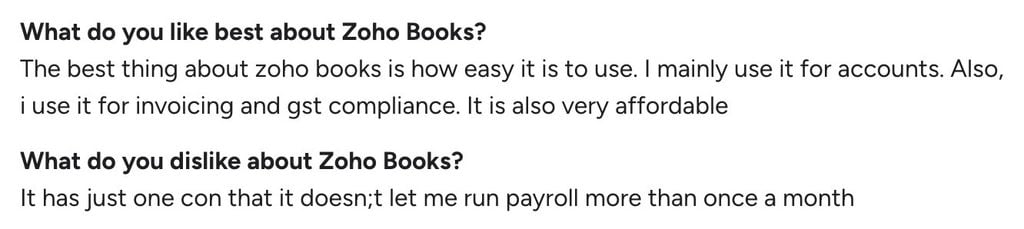
Unsurprisingly, for a simpler alternative to QuickBooks, feature limitations are the most common complaint about Zoho Books. Others reference limited customization and some suggest the upgrade fees are a little expensive for smaller companies.
| What do customers like/dislike about Zoho Books? | |||||
|---|---|---|---|---|---|
| 👍 Likes | ✅ Usability | ✅ Easy setup | ✅ Invoicing automation | ✅ Efficient tax management | ✅ Zoho integrations |
| 👎 Dislikes | ❌ Limited features | ❌ Upgrade fees | ❌ Limited customization | ❌ Slow support | |
Who should use Zoho Books?
Weighing up the pros and cons, Zoho Books is the ideal QuickBooks alternative for new and smaller businesses. Aside from the free plan for solo ventures, it’s more affordable at every price point. However, it still offers enough powerful features on each plan as your company grows.
Reasons to choose Zoho Books:
✅ Affordable pricing with a free plan available
✅ Easy to use for small businesses
✅ Strong integration with the Zoho ecosystem
4. FreshBooks
Best for: freelancers and service-based businesses
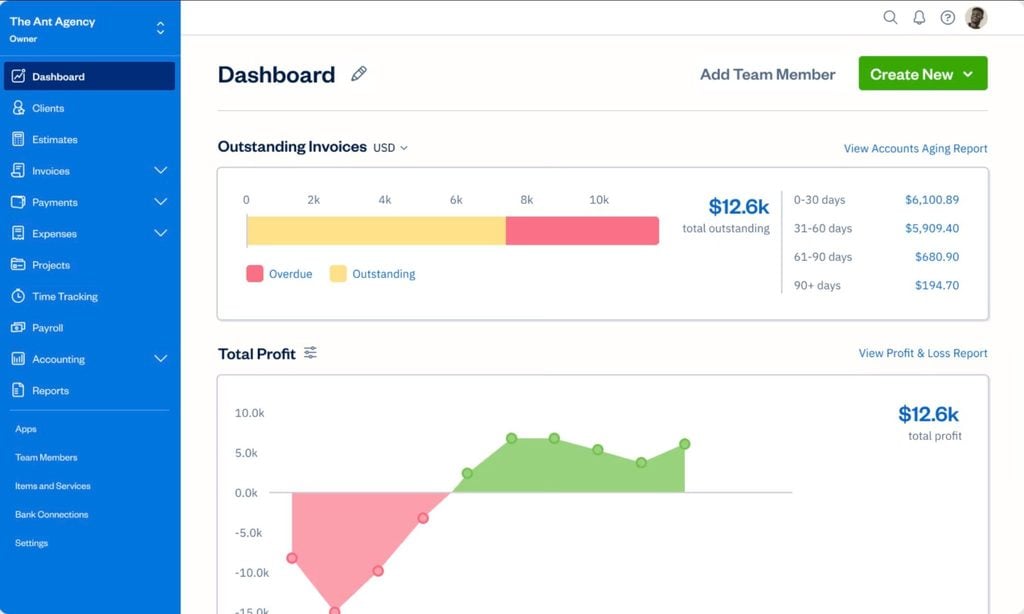
FreshBooks is a simple, affordable accounting platform designed for freelancers and service providers. It’s a great fit for independent business owners who deliver services to clients. You can manage accounting and taxes, invoicing and payments, and client communication — as well as payroll and team management for employees and contractors.
Key features:
- Accounting, bookkeeping, and taxes
- Billing and payments
- Recurring invoicing and payment reminders
- Expenses, time, and mileage tracking
- Estimates and proposals
- Client and project management
FreshBooks also offers an Accounting Hub to help accountants manage clients. However, you essentially become a FreshBooks partner and encourage clients to use FreshBooks themselves.
For accounting firms and professionals, TaxDome is the complete practice management platform. And it’s 100% built to drive growth for your firm, not turn your client relationships into leads for us.
FreshBooks pros and cons
| 👍 Pros | 👎 Cons |
| More affordable than QuickBooks Online | Less advanced accounting features than QuickBooks |
| Ideal for freelancers and service providers | No budgeting or inventory management tools |
| Client management features | Basic reporting features |
| Strong invoicing and client billing features | Limited customization options |
| Intuitive interface for non-accountants |
How much does FreshBooks cost?
As of September 2026, FreshBooks offers four plans, billed monthly:
- Lite: $23/month
- Plus: $43/month
- Premium: $70/month
- Select: custom pricing
Yearly billing takes an extra 10% off.
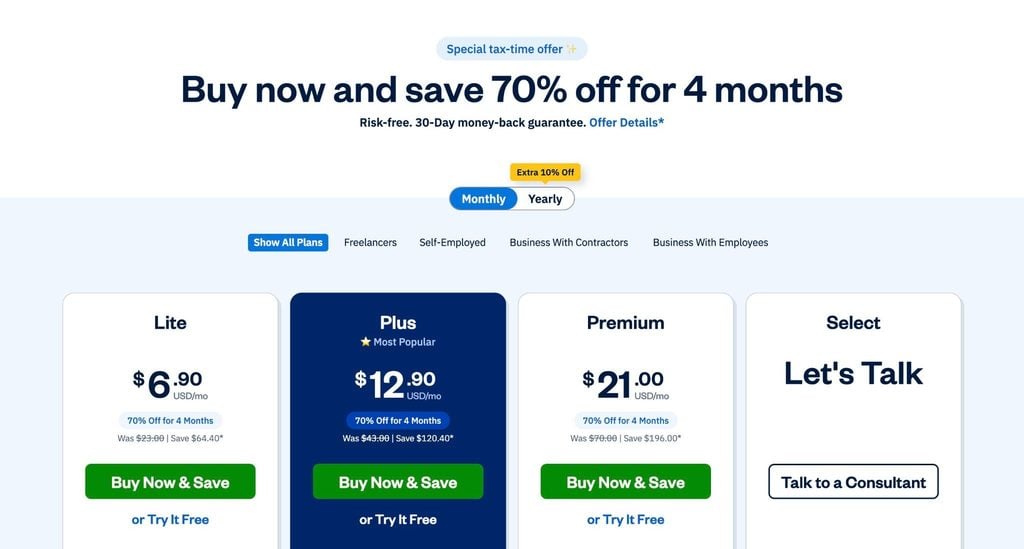
At the time of writing, FreshBooks is offering new customers the Lite plan for $1/month for the first year, or 80% off Plus or Premium for the first three months.
FreshBooks integrations
The FreshBooks app store includes 100+ apps for integrating with third-party tools in the following categories:
- Book appointments
- Analyze data
- Create proposals
- Mailing and shipping
- Manage customers
- Manage finances
- Manage projects
- Manage team
- Nurture customers
- Prepare taxes
- Run payroll
- Track sale orders
- Track time
FreshBooks reviews
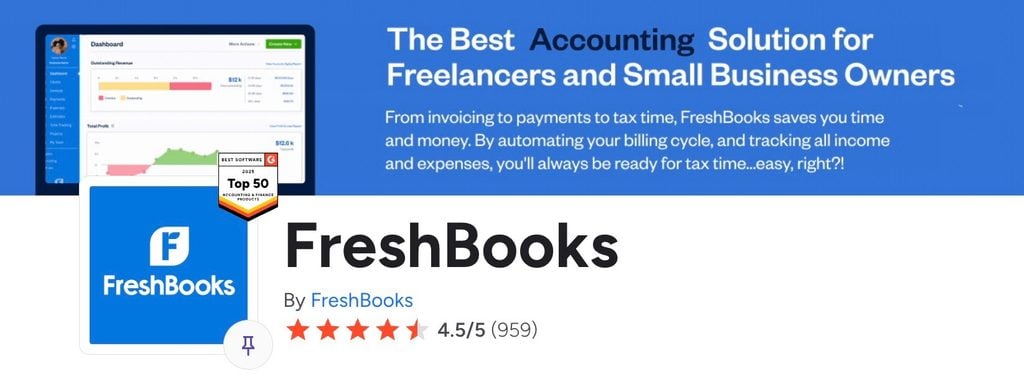
FreshBooks has an average rating of 4.5/5 on G2 from 900+ reviews. For the most part, users praise the ease of use and simple, intuitive approach to invoicing, with features like auto-payments helping small businesses manage billing more efficiently. Users also highlight the quality of customer support, particularly for onboarding and day-to-day technical issues.
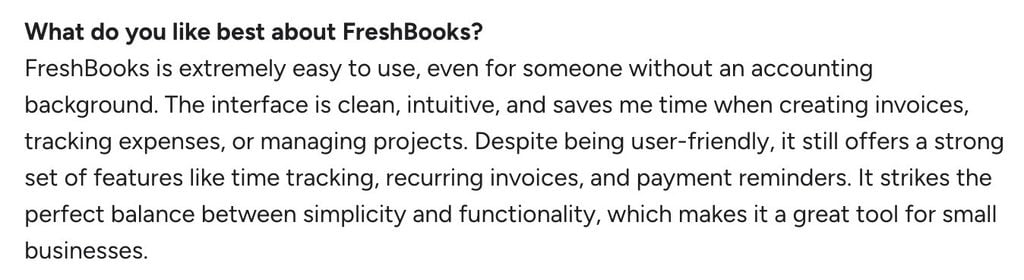
Most negative comments point to limitations as business needs grow. Users frequently mention missing features and reporting constraints, along with restrictions in invoicing functionality.
Pricing is occasionally raised as a concern, mostly for solopreneurs, with some users noting cost increases over time.
| What do customers like/dislike about FreshBooks? | |||||
|---|---|---|---|---|---|
| 👍 Likes | ✅ Ease of use | ✅ Simple invoicing | ✅ Easy auto-payments | ✅ Customer support | |
| 👎 Dislikes | ❌ Missing features | ❌ Invoicing restrictions | ❌ Reporting | ❌ Cost for solopreneurs | ❌ Price increases |
Who should use FreshBooks?
FreshBooks is the obvious QuickBooks alternative for freelancers and small businesses that provide services to clients. Although it lacks the same depth of accounting features, it’s an easier and more affordable option for independents and small businesses. Plus, it delivers a more rounded toolkit for client management and communication.
Reasons to choose FreshBooks:
✅ Simple QuickBooks alternative
✅ Built for freelancers and service businesses
✅ Easy invoicing and billing
5. Netsuite
Best for: enterprise retailers that need a full ERP system
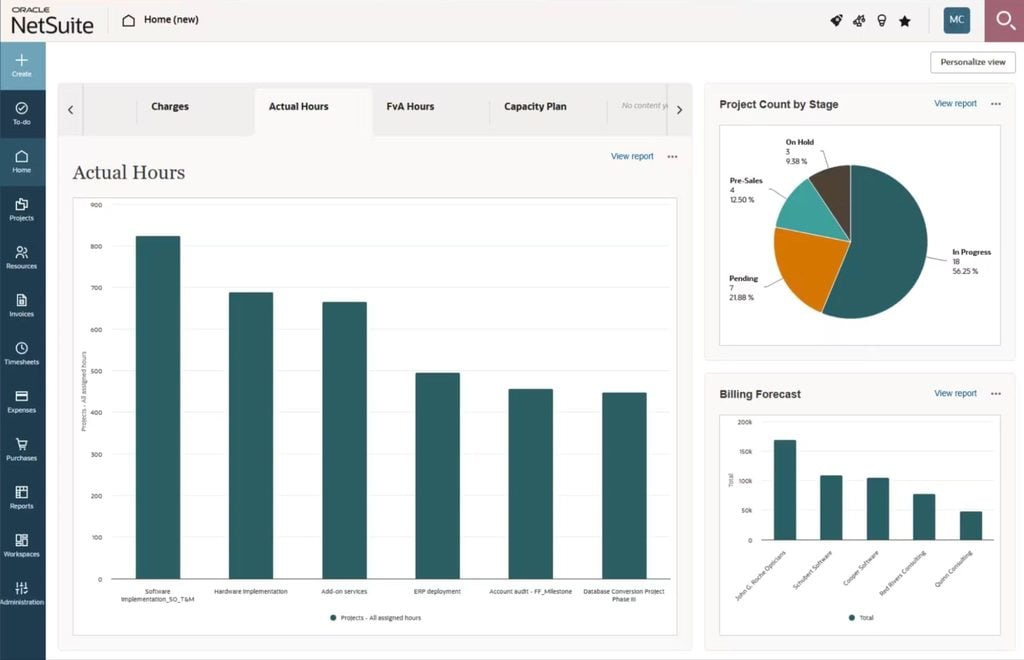
Oracle’s NetSuite is an enterprise resource planning (ERP) system for larger companies. The platform is designed to help enterprise organizations manage every aspect of operations from one system.
Key features:
- Enterprise accounting and tax management tools
- Extensive financial management features
- Supply chain management
- Inventory and warehouse management
- Payroll and HR
- Built-in CRM
- Reporting and analytics
NetSuite is best suited to larger organizations with complex, multi-department workflows. Its comprehensive ERP system provides a unified data source for finance, operations, and management — but it comes with greater implementation demands.
NetSuite pros and cons
Visual: HTML table
| 👍 Pros | 👎 Cons |
| Complete ERP system | Complicated to set up and implement |
| Comprehensive accounting features | Steep learning curve for teams |
| Ideal for multi-entity enterprises | Not suitable for smaller businesses |
| Customization often requires developer support |
How much does NetSuite cost?
NetSuite doesn’t disclose pricing on its website, but you should expect enterprise fees at every level, plus additional implementation costs.
NetSuite integrations
NetSuite integrations are supported by NetSuite Connector, a paid add-on module, that supports a variety of integrations across five main categories:
- E-commerce
- Marketplaces
- CRM
- Logistics
- Point of Sale (POS)
This includes integrations for Shopify and other major e-commerce systems, plus marketplaces including Amazon and eBay. Connector also supports integrations with Salesforce and POS via Shopify, Square, and Oracle Simphony POS.
NetSuite reviews
NetSuite has an average rating of 4.1/5 on G2 from 4,600+ reviews. Overall, it’s strongly rated for its full ERP capabilities, with users highlighting its ability to bring together accounting, reporting, and other business functions in a single platform. Its reporting and customization features are particularly well regarded, allowing businesses to tailor the system to their specific needs and gain deeper visibility into operations.
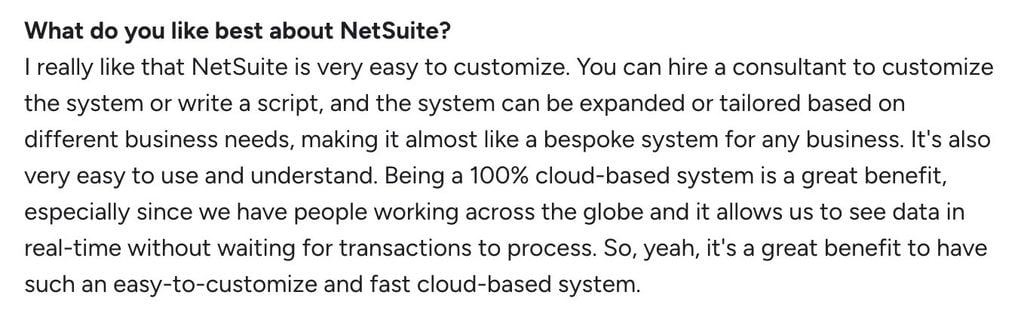
Negative reviews typically mention the complexity of implementation and steep learning curve. The total cost of implementing the system and the ongoing system management requirements are also raised in many reviews, while complaints about the interface design are fairly common, too.
| What do customers like/dislike about NetSuite? | |||||
|---|---|---|---|---|---|
| 👍 Likes | ✅ Full ERP | ✅ Retail integrations | ✅ Reporting | ✅ Customization | |
| 👎 Dislikes | ❌ Implementation time | ❌ Learning curve | ❌ Overall cost | ❌ Interface design | ❌ Limited support |
Who should use NetSuite?
NetSuite is a strong fit for companies that need to connect every corner of their operations — accounting, inventory, CRM, and beyond. For firms ready to invest in full business visibility, it’s a clear step up from QuickBooks.
Reasons to choose NetSuite:
✅ Full ERP for enterprise retailers
✅ Built for large and growing enterprises
✅ Advanced reporting and customization
6. CustomBooks
Best for: e-commerce and inventory-heavy businesses
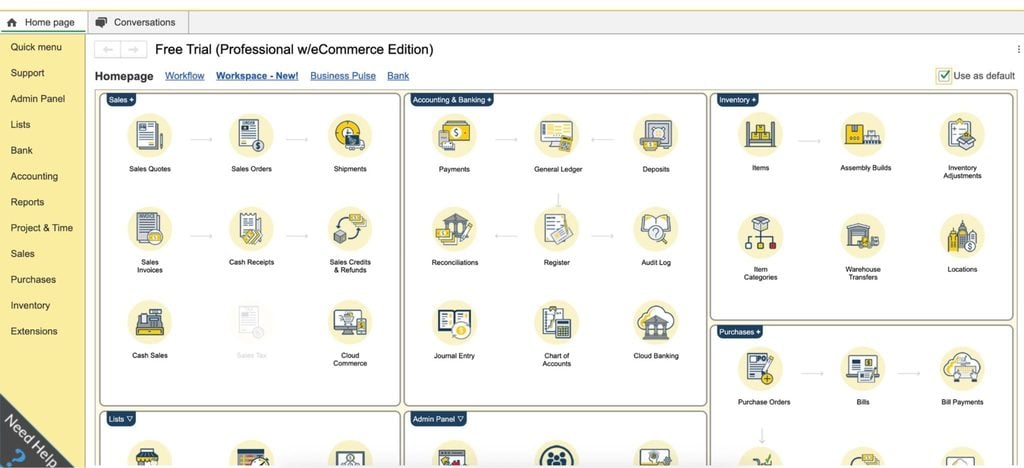
CustomBooks (formerly AccountingSuite) is the more flexible QuickBooks alternative for companies that need a fully customized solution. It offers cheaper starting prices with an upgrade path that promises to grow with your business as its accounting and inventory needs increase.
Key features:
- Accounting and reporting
- Automatic transaction sync
- Automated sales tax calculation and reporting
- Inventory and purchase order management
- Integrated payroll and time tracking
- Project management
- e-commerce and multi-channel sales tracking
- Customizable workflows for industry-specific needs
Flexibility is CustomBooks’ biggest strength. Businesses can tailor the platform to fit their needs with customized workflows and reporting.
CustomBooks pros and cons
| 👍 Pros | 👎 Cons |
| Strong e-commerce and inventory management features | Messy, old-fashioned-looking interface |
| Built-in sales tax compliance | Performance issues and system lag |
| Startup plan is highly affordable | Inventory management and e-commerce support are only available on more expensive plans |
| Project management and time tracking | Limited reporting depth |
| Expensive upgrade path |
How much does CustomBooks cost
As of September 2026, CustomBooks offers the following four plans:
- Start-Up: from $329/year (equivalent to $27/month)
- Business: from $1,199/year (equivalent to $100/month)
- Professional: from $3,199/year (equivalent to $267/month)
- Pro w/eCommerce: from $4,299/year (equivalent to $358/month)
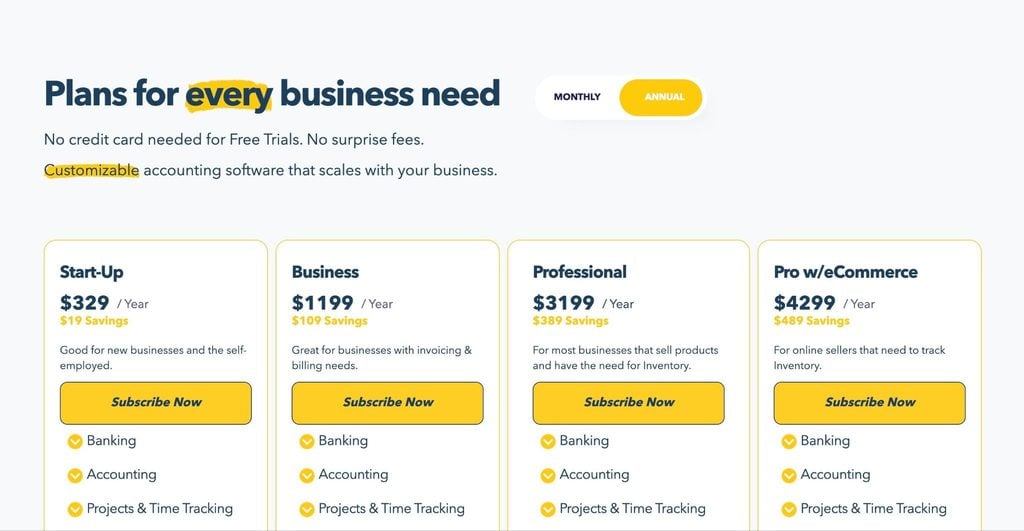
At these price points, CustomBooks starts out as the cheaper alternative to QuickBooks but the upgrade path is more expensive than QuickBooks Online. As the plans give you more advanced e-commerce and inventory management features, the fees climb higher.
CustomBooks integrations
CustomBooks currently supports 15 integrations for payments, payroll, POS, and other purposes:
- Stripe
- Zoho CRM
- Square POS
- Bill.com
- ShipStation
- Tax1099.com
- Gusto
- Checkbook.io
- Coinbase
- Avalara
- ADP import
- Paya
- SurePayroll import
- Efile4Biz
- Zapier
CustomBooks reviews
CustomBooks has an average score of 4.4/5 on G2 from 73 reviews. While the company itself isn’t currently active on G2, it’s still getting reviews on the platform and other review sites, although we have to take the low number of total reviews into account.
Customers generally appreciate the platform’s inventory management capabilities as part of a wider accounting system.

Most complaints focus on a lack of customization and flexibility, particularly when it comes to reporting. You‘ll also find some complaints about the speed of data syncs, but we’re only talking about a couple of reviews from barely more than 70 in total.
| What do customers like/dislike about CustomBooks? | |||||
|---|---|---|---|---|---|
| 👍 Likes | ✅ Inventory management | ✅ Usability | ✅ Easy implementation | ✅ Data accuracy | |
| 👎 Dislikes | ❌ Limited customization | ❌ Reporting flexibility | ❌ Data sync rate | ❌ Lacking mobile support | ❌ Upgrade fees |
Who should use CustomBooks?
CustomBooks is ideal for businesses that sell products online or manage inventory across multiple channels. If QuickBooks no longer fits your growing operational needs, CustomBooks offers a more tailored, scalable alternative without the enterprise complexity.
Reasons to choose CustomBooks:
✅ Built for inventory and eCommerce businesses
✅ Supports multi-channel sales
✅ Strong stock and order management
7. Wave
Best for: free option for freelancers and microbusinesses
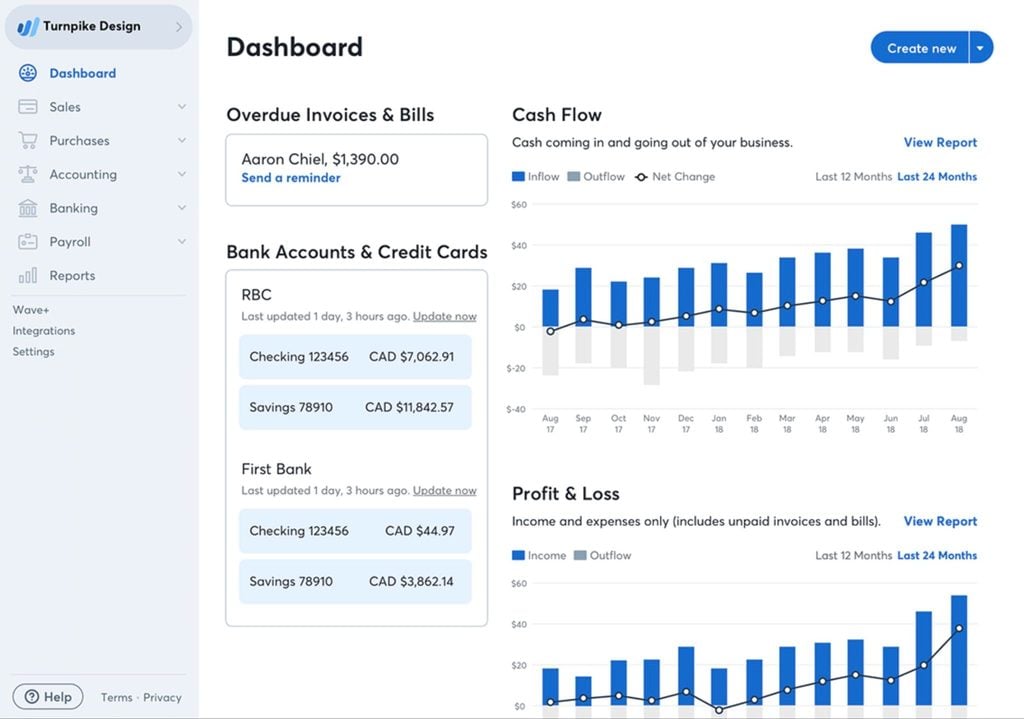
Wave is the simplest QuickBooks alternative we’re looking at and also the most affordable. It’s ideal for freelancers and small business owners with no accounting or bookkeeping experience who want the simplest tool for invoicing and basic bookkeeping.
Key features:
- Unlimited invoices, estimates, and bills
- Automated expense tracking with bank connections
- Built-in payment processing and receipts app
- Optional payroll add-on for U.S. businesses
- Real-time reporting and financial dashboards
Wave is designed for microbusinesses and professionals who don’t need everything QuickBooks has to offer. Even on the free Starter plan, you can create unlimited estimates, invoices, bills, and bookkeeping records.
Wave pros and cons
| 👍 Pros | 👎 Cons |
| Very simple to use | Missing some core accounting features |
| Excellent invoicing tools | No time-tracking tools |
| Free version available | Payroll add-on increases the price significantly |
| Basic inventory features |
How much does Wave cost?
As of September 2026, Wave runs two plans:
- Starter: $0/month
- Pro: from $190/year (equivalent to $15.80/month)
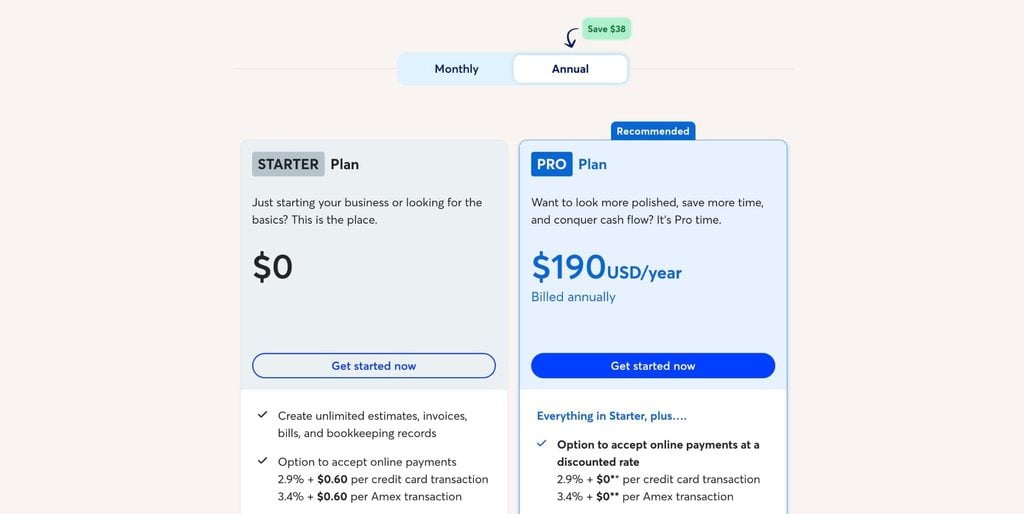
You can also sign up for the Pro plan on a monthly basis for $19/month. Keep in mind that online payments are only available as a paid add-on across both plans.
Wave integrations
Wave integrates natively with Google Sheets, and you can also integrate with a limited range of partner apps on its Pro plan:
- Driversnote
- Capsule
- MinuteDock
- BlueCamroo
- Taxomate
- Swell Scheduling
- Swell Time Tracking
- Online Check Writer
You can also use Zapier on the free Starter plan to create workflows with other apps, and the Pro plan opens more options via Make (think of it as a more advanced version of Zapier).
Wave reviews

Wave has an average rating of 4.3/5 on G2 from 300+ reviews. Unsurprisingly, 93% of these reviews come from small businesses that mostly praise the usability and the overall affordability.
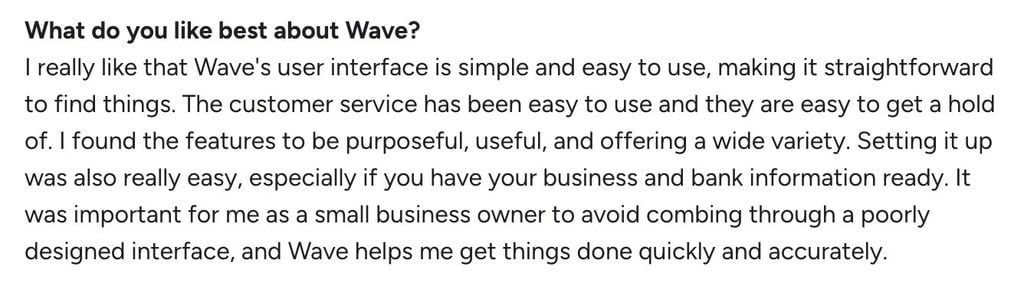
The main criticisms are easy to guess, too. The lack of advanced features tops the list, which is expected in any QuickBooks comparison, and you’ll see some comments related to support, integrations, and the cost of optional add-ons.
| What do customers like/dislike about Wave? | |||||
|---|---|---|---|---|---|
| 👍 Likes | ✅ Ease of use | ✅ Free plan | ✅ Easy setup | ✅ Recurring invoices | ✅ Automatic reminders |
| 👎 Dislikes | ❌ Missing features | ❌ Limited customer support | ❌ Paid add-ons | ❌ Limited integrations | |
Who should use Wave?
Wave is a solid entry point for freelancers or very small businesses that need to manage income, expenses, and client billing without paying for software. It’s not built to scale, but for early-stage entrepreneurs, it delivers strong value at zero cost.
Reasons to choose Wave:
✅ Free accounting software
✅ Easy to use for basic needs
✅ Built for freelancers and small businesses
8. Kashoo
Best for: simplicity and flat-rate pricing
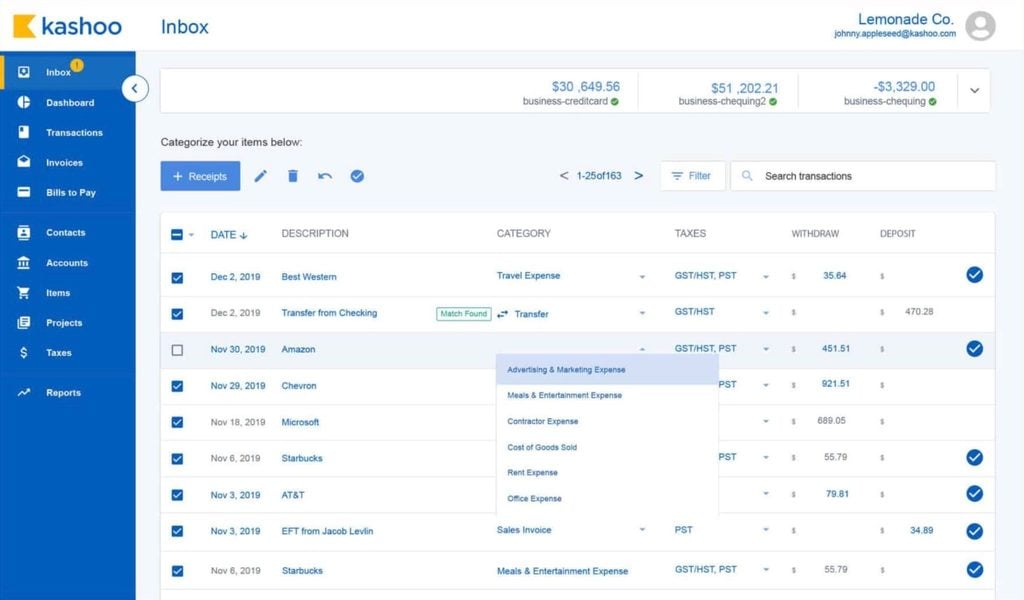
Kashoo calls itself “the world’s simplest accounting software” for small businesses and freelancers. It offers a more extensive platform than Wave, but a simpler option than the likes of FreshBooks and ZohoBooks. As a QuickBooks alternative, Kashoo is considerably simpler, easier to use, and more affordable.
Key features:
- Auto bank feed imports
- Bank reconciliation
- Expense tracking
- Invoicing and payments
- Integrated payroll
- Detailed reporting
With a flat-rate pricing model and unlimited users, Kashoo is excellent value for small businesses where multiple people need access to the platform.
Kashoo pros and cons
| 👍 Pros | 👎 Cons |
| Easy to set up and use | Missing more advanced accounting features |
| Ideal for small businesses looking for a pared-back platform | Limited integration options compared to alternatives |
| Flat-rate pricing | Limited reporting features |
| Unlimited users at no extra cost | Not the best choice for larger or fast-growing businesses |
How much does Kashoo cost
As of April 2026, Kashoo runs a flat-rate pricing model with two payment options for monthly and annual billing:
- Monthly: $30/month
- Annual: $324/year (equivalent to $27/month)
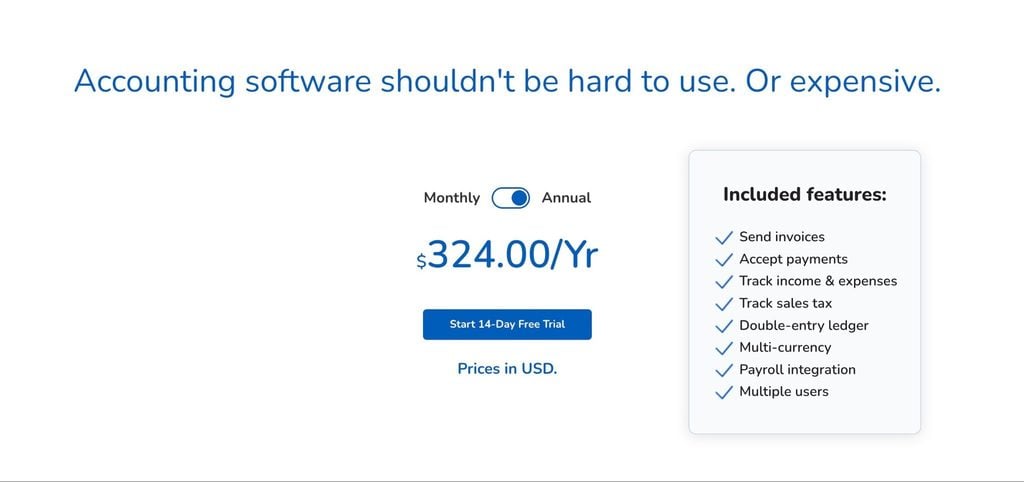
You can also sign up for a 14-day free trial to test Kashoo before deciding whether it’s the right QuickBooks alternative for your needs.
Kashoo integrations
Kashoo connects to more than 5,000 banks and credit unions through Plaid, and integrates with a small number of business tools:
- Square
- Stripe
- PaymentEvolution (payroll)
Kashoo reviews

Kashoo has an average rating of 4.6/5 on G2 from 50+ reviews. Given the low volume of total reviews, we shouldn’t read too much into the complaints, but users generally praise the platform’s ease of use and overall value for money.
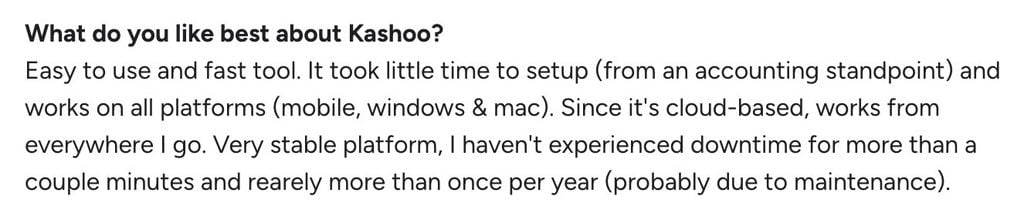
Most complaints raise feature limitations, which you would expect from a more affordable alternative to QuickBooks.
| What do customers like/dislike about Kashoo? | |||||
|---|---|---|---|---|---|
| 👍 Likes | ✅ Ease of use | ✅ Simple setup | ✅ Customer support | ✅ Like | ✅ Like |
| 👎 Dislikes | ❌ Limited reporting | ❌ Limited automation | ❌ Bank feed issues | ❌ Price increases | |
Who should use Kashoo?
Kashoo is the best option for businesses that need a more capable accounting tool than Wave, but a simpler alternative to the likes of Zoho Books and FreshBooks. It’s ideal for small businesses that want to keep things simple, but it might not keep up with fast-growing companies looking for a more scalable platform.
Reasons to choose Kashoo:
✅ Simple, easy-to-use accounting software
✅ Quick setup for small businesses
✅ Automated transaction categorization
9. Cashflowy
Best for: US-based solo service businesses that want their bookkeeping handled for them,” which matches the rest of the section more closely
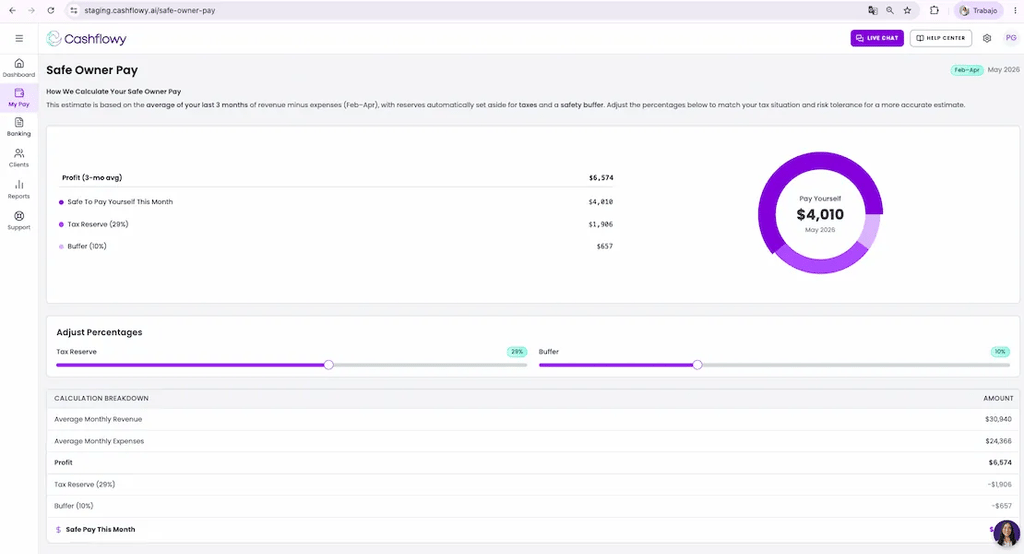
Cashflowy is a bookkeeping and financial coaching platform for one-person service businesses in the US. It connects to your bank accounts, keeps your books categorized and reconciled, and tells you what you can safely pay yourself and what to set aside for taxes. A human bookkeeper is included in the price.
Key features:
- Automated bookkeeping with bank sync, categorization, and reconciliation
- Human bookkeeper included, with unlimited calls and replies usually within 24 hours
- Clara AI financial coach that answers questions using your actual numbers
- Owner’s pay calculator
- Real-time tax set-aside estimates
- 90-day cash-flow forecast
- One-click invoicing with automatic tracking of unpaid invoices
- Unlimited users at no extra cost
As a QuickBooks alternative, Cashflowy is far narrower. There’s no inventory management or W-2 payroll, and it’s built for one-person service businesses only. For that audience, though, it answers the questions most solo owners end up asking an accountant: what’s mine, what’s for taxes, and what can I afford.
Cashflowy pros and cons
| 👍 Pros | 👎 Cons |
| Human bookkeeper included at no extra cost | Available to US businesses only |
| Calculates owner’s pay and tax set-aside automatically | Built for one-person service businesses only |
| Simple, flat pricing with unlimited users | No inventory management or W-2 payroll |
| Plain-English dashboard for non-accountants | Integrations limited to bank and payment accounts |
| Built-in invoicing and 90-day cash-flow forecast | Not designed for firms managing multiple clients |
How much does Cashflowy cost?
As of September 2026, Cashflowy runs one core subscription with monthly and annual billing:
- Monthly: $39/month
- Annual: $390/year (equivalent to $32.50/month)
 |  |
Every feature is included in the one plan. You can test it with a 7-day free trial, and Cashflowy also offers a 30-day money-back guarantee. At the time of writing, businesses switching from QuickBooks can get 30% off their first three months with the code QUICK30.
Tax filing is available through Taxflowy, a separate paid service for 2026 returns. Cashflowy is currently available to US businesses only.
Cashflowy integrations
Cashflowy connects to more than 12,000 banks and payment apps through Plaid, including:
- Chase
- Relay
- Mercury
- PayPal
- Venmo
- Bank of America
- Wells Fargo
- American Express
- Capital One
Cashflowy doesn’t list any integrations with other business apps, such as CRMs, payroll, or project management tools. If your business depends on a wider software stack, one of the other tools on this list will be a better fit.
Cashflowy reviews
Cashflowy has an average rating of 4.8/5 on G2 from three reviews. That’s far too few to draw firm conclusions, but all three reviewers praise its simplicity and the human bookkeeper support included in the plan.

The complaints so far are minor. One reviewer finds the invoicing basic, and another would like to rearrange the widgets on the dashboard.
| What do customers like/dislike about Cashflowy? | |||||
| 👍 Likes | ✅ Ease of use | ✅ Human bookkeeper support | ✅ Automated bookkeeping | ✅ Clear financial insights | ✅ Affordability |
| 👎 Dislikes | ❌ Basic invoicing | ❌ Limited dashboard customization | |||
Who should use Cashflowy?
Cashflowy is a strong fit for US-based solo service providers, such as coaches, consultants, freelancers, therapists, and real estate agents, who want their books handled and plain-English answers about their money. If you sell physical products, employ W-2 staff, or manage books for multiple clients, look at the other options on this list instead.
Reasons to choose Cashflowy:
✅ Human bookkeeper included at no extra cost
✅ Owner’s pay and tax set-aside calculated automatically
✅ Flat pricing with unlimited users
Which QuickBooks alternative is right for your business?
Now that we’ve looked at the best QuickBooks alternatives, the question is: which one is right for your business?
We’ve covered a wide range of tools in this comparison — from free options for freelancers to enterprise-level ERP systems. So, before diving into specific use cases, let’s take a step back and compare how QuickBooks stacks up against these alternatives across the features that matter most.
| Comparison: QuickBooks vs best alternatives | ||||||||||
|---|---|---|---|---|---|---|---|---|---|---|
| QuickBooks | Xero | Sage Intacct | Zoho Books | FreshBooks | NetSuite | CustomBooks | Wave | Kashoo | Cashflowy | |
| Best fit | Growing SMBs | Accounting teams | Enterprise finance | Small businesses | Freelancers | Enterprise | eCommerce | Freelancers | Small businesses | Solopreneurs |
| Value for money | ★★★☆☆ | ★★★★☆ | ★★☆☆☆ | ★★★★★ | ★★★★☆ | ★★☆☆☆ | ★★★☆☆ | ★★★★★ | ★★★★☆ | ★★★★☆ |
| Reporting | Advanced | Moderate | Enterprise | Moderate | Basic | Enterprise | Moderate | Basic | Basic | Basic |
| Inventory | Moderate | Moderate | Advanced | Advanced | Basic | Enterprise | Enterprise | Basic | Basic | None |
| Automation | Advanced | Advanced | Enterprise | Advanced | Moderate | Enterprise | Advanced | Basic | Basic | Moderate |
| Scalability | Moderate | Moderate | Enterprise | Moderate | Limited | Enterprise | Advanced | Limited | Limited | Limited |
| Integrations | Advanced | Advanced | Advanced | Moderate | Moderate | Advanced | Moderate | Basic | Basic | Basic |
| Time tracking | Moderate | Moderate | Moderate | Moderate | Advanced | Advanced | Moderate | Basic | Basic | None |
| Payroll | Moderate | Moderate | Advanced | Moderate | Moderate | Advanced | Moderate | Moderate | Limited | None |
| G2 rating | 4.0/5 ★★★★☆ | 4.4/5 ★★★★☆ | 4.3/5 ★★★★☆ | 4.4/5 ★★★★☆ | 4.5/5 ★★★★★ | 4.1/5 ★★★★☆ | 4.4/5 ★★★★☆ | 4.3/5 ★★★★☆ | 4.6/5 ★★★★★ | 4.8/5 ★★★★★ |
QuickBooks is the market leader in accounting software for small and medium-sized businesses. Few products offer as much in a single accounting system for companies in these categories. However, this leaves a lot of room for QuickBooks alternatives at both the smaller and larger ends of the scale.
For growing SMEs, QuickBooks and Xero are hard to beat. But freelancers and micro-businesses should look at Zoho Books, Wave, and Kashoo. FreshBooks is the obvious alternative for service providers, while CustomBooks is ideal for eCommerce brands. Solo service providers who want a human bookkeeper included should look at Cashflowy.
To make that decision easier, we’ve broken these tools down by use case.
Each of the QuickBooks alternatives in this list is built for a different type of business — from freelancers and small teams to larger, multi-entity organizations. The rankings below highlight the best options for each scenario.
| Best free QuickBooks alternatives | ||
| First place 🥇 | Second place 🥈 | Third place 🥉 |
| Wave | Zoho Books | – |
| Best for freelancers | ||
| First place 🥇 | Second place 🥈 | Third place 🥉 |
| Wave | FreshBooks | Kashoo |
| Best for SMBs | ||
| First place 🥇 | Second place 🥈 | Third place 🥉 |
| Xero | Zoho Books | QuickBooks |
| Best for enterprise and multi-entities | ||
| First place 🥇 | Second place 🥈 | Third place 🥉 |
| NetSuite | Sage Intacct | CustomBooks |
For many years, QuickBooks was the obvious choice for small and medium businesses. If you needed accounting software, QuickBooks was the default option.
Now, the accounting software market is filled with options for different business needs. QuickBooks is still the all-rounder for many, but smaller businesses have a wealth of cheaper and simpler alternatives. Retailers have specialist accounting systems capable of supporting their inventory needs, while freelancers and independents can get started with genuinely capable tools for free.
FAQ: QuickBooks alternatives
What is the best free QuickBooks alternative?
Wave is the best free QuickBooks alternative for freelancers and small businesses. Zoho Books also offers a free starter plan, but it’s designed as an entry point for businesses that will upgrade. Wave offers a more complete solution for freelancers and micro-businesses.
Which QuickBooks alternative is best for small businesses on a budget?
Xero and Zoho Books are the best QuickBooks alternatives for small businesses on a budget. Zoho Books is the more budget-friendly option, including a free starter plan, but Xero is excellent value for internal accounting teams.
Which QuickBooks alternative is cheapest for freelancers?
Wave is the only realistic free-forever option with an affordable Pro plan also available. Zoho Books and FreshBooks are the two other most affordable alternatives for freelancers.
Which accounting software is the closest match to QuickBooks features?
Xero is the closest match with extensive accounting features, payroll integrations, and unlimited users. QuickBooks offers more features overall, but Xero is as close as it gets — and unlimited users on all plans is great for accounting teams.
Which QuickBooks alternative is best for large or multi-entity businesses?
Sage Intacct and NetSuite are best for larger firms. Both offer multi-entity consolidation, AI-powered automation, and enterprise reporting beyond what QuickBooks provides.
Which QuickBooks alternative is easiest to use?
Wave and FreshBooks are the easiest tools for people with no accounting experience. Wave is the simplest product overall, but FreshBooks offers a fine balance between features and simplicity.

Jeff writes for TaxDome with experience in accounting, finance, and invoicing industries. He focuses on educating users about accounting trends and maximizing productivity through practical guidance on TaxDome’s features.

Get your free guide

Thank you!
The guide copy has been sent to your email. Please check your inbox!
Recommended articles
65+ key accounting statistics and insights for 2026

How to start an accounting firm: a step-by-step guide to running your own practice

Top 13 project & task management software for accountants and tax professionals in 2026