 US – English
 UK – English
 Canada – English
 Australia – English
 Danmark – Dansk
 DACH - Deutsch
 France – Français
 España – Español
 Sverige – Svenska
 Italia – Italiano
 Nederland – Nederlands
 Portugal – Português
 Suomi – Suomi
 Norge – Norsk
 日本 – 日本語
 Romanian – Română

#Industry news, #Practice management
Best Karbon alternatives for accounting firms (2026 pricing)
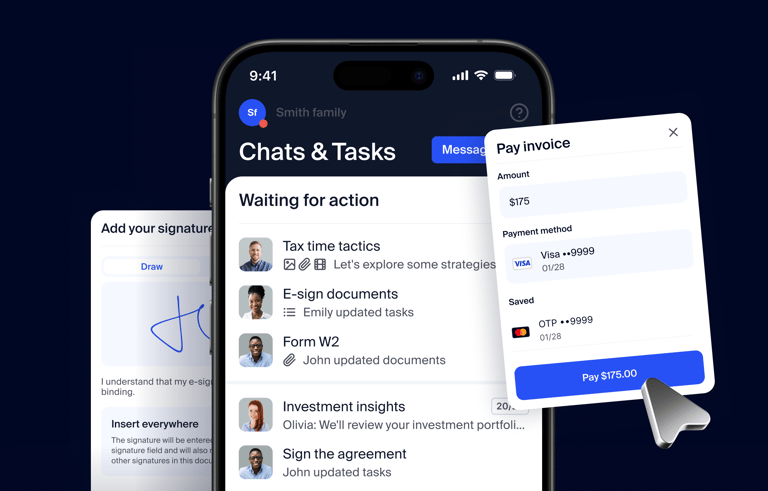
Run your entire firm on one platform

Karbon is known for its workflow and team collaboration tools, but most firms reach a point where they need more than a productivity boost. Not to mention, you have to sign up for the Business plan to access most of these features, making Karbon a more expensive option than it first appears.
If you’re considering Karbon or you’re an existing customer looking for alternatives, this comparison is for you. We compare the best Karbon alternatives in 2026: pricing, where they’re a stronger option, and where Karbon still has the edge. All prices in this article were checked in September 2026. For a broader look at the category, see our guide to accounting practice management software.
Key takeaways:
- Karbon is highly rated for workflow automation and team collaboration, but you have to sign up for the Business plan or higher to access its best features
- Karbon’s Team plan caps firms at 1,000 contacts and 40 work templates and does not include automatic client reminders or tasklist automators
- The total cost of Karbon and limited client-facing features are among the top complaints from Karbon users
- TaxDome is the best Karbon alternative for accounting, tax, and bookkeeping firms of all sizes
- Financial Cents is the best budget alternative for solos and small teams
- Jetpack Workflow is the simple task management tool for accountants
- Xero Practice Manager and QuickBooks Online Accountant are the best free options for accountants tied into these tools
Table of сontents
- Karbon alternatives at a glance
- Karbon at a glance: strengths, 2026 pricing and plan limits
- Why firms look for Karbon alternatives
- TaxDome: best for accounting, tax, and bookkeeping firms of all sizes
- Financial Cents: best for small teams that want a lighter workflow tool
- Canopy: best for tax resolution and IRS-heavy firms
- Jetpack Workflow: best for deadline and recurring-work tracking only
- Xero Practice Manager: best for firms already built on Xero
- QuickBooks Online Accountant: best for QuickBooks-centric bookkeeping firms on a zero software budget
- How to choose a Karbon alternative by firm size
- FAQ
- To sum up
Table of сontents
- Karbon alternatives at a glance
- Karbon at a glance: strengths, 2026 pricing and plan limits
- Why firms look for Karbon alternatives
- TaxDome: best for accounting, tax, and bookkeeping firms of all sizes
- Financial Cents: best for small teams that want a lighter workflow tool
- Canopy: best for tax resolution and IRS-heavy firms
- Jetpack Workflow: best for deadline and recurring-work tracking only
- Xero Practice Manager: best for firms already built on Xero
- QuickBooks Online Accountant: best for QuickBooks-centric bookkeeping firms on a zero software budget
- How to choose a Karbon alternative by firm size
- FAQ
- To sum up
Karbon alternatives at a glance
Here are our quick picks by firm type, followed by a side-by-side comparison table.
- Growing and high-performance firms: TaxDome, the growth platform for accounting, tax, and bookkeeping firms of all sizes that want to deliver consistent service quality and client experiences as they scale
- Solo practitioner on a budget: Financial Cents Solo ($19/month) or QuickBooks Online Accountant (free)
- Small team (2–5 staff) consolidating tools: Financial Cents Team, which covers workflows, a client portal, and basic billing at a lower price point
- Tax resolution and IRS-heavy work: Canopy, with built-in transcript retrieval and notice workflows
- Deadline tracking only, no extras needed: Jetpack Workflow, the simplest and lowest-cost option
- UK or international firm already on Xero: Xero Practice Manager, free for Silver+ Xero partners
| Tool | Best for | Starting price | Pricing model | Client portal + client mobile app | E-signatures | Billing and payments | Free trial |
| Karbon (baseline) | Email-heavy teams of 10+ | $59/user/month (annual) | Per user | Portal yes, client mobile app yes (iOS/Android) | Purchased as credit bundles | Yes, 2.6% + $0.30 card / 1% + $0.30 ACH (capped $5) | No (demo only) |
| TaxDome | Accounting, tax, and bookkeeping firms of all sizes | From $1,500/year (150 active clients, up to 20 team members) | Priced by the clients you serve | Yes + branded client mobile app (4.9 stars iOS) | Built in (no credit system) | Yes, integrated | No in US (demo) |
| Financial Cents | Small teams, simpler workflows | $19/user/month (Solo, annual) | Per user | Portal yes, no client mobile app | Yes | Basic invoicing | 14-day free trial |
| Canopy | Tax resolution, IRS-heavy firms | $74/user/month (Standard, annual) | Per user + metered tax add-ons | Portal yes + client mobile app | Included | Yes | No |
| Jetpack Workflow | Deadline and recurring-work tracking | $40/user/month (annual) | Per user | No | No | No native billing | No |
| Xero Practice Manager | Firms already on Xero | Free for Silver+ partners | Depends on partner tier | Basic client collaboration | No | Invoicing via Xero | 30-day trial |
| QuickBooks Online Accountant | QuickBooks-centric bookkeeping | Free (client QBO subscriptions separate) | Per client (wholesale or direct) | Work tab + client requests (inside client’s QBO) | No | Via QuickBooks | Free |
Karbon at a glance: strengths, 2026 pricing and plan limits
Karbon is practice management software built around shared email triage and team collaboration. Every client email lands in a shared inbox where team members can comment, assign, and resolve threads without forwarding or CC chains. For firms where email volume drives the daily workload, that single feature can justify the platform.
Its genuine strengths deserve credit. Email triage and in-thread commenting keep conversations visible across the team. The work scheduler and repeating-job templates handle recurring engagements well. Karbon for Clients gives clients a portal to upload documents, complete tasks, and view progress. Engagements let firms scope and track work at the engagement level. And the platform now includes Kai AI Coworker, AI agents, and Close Automation, though these are newer features worth evaluating in a trial rather than taking at face value.
All plans include email triage, workflow, client management, Karbon for Clients, document management, billing and payments, engagements, and iOS/Android apps.
The limits show up by plan.
| Team | Business (most popular) | Enterprise | |
| Annual billing | $59/user/month | $89/user/month | Custom |
| Monthly billing (4+ users only) | $79/user/month | $99/user/month | Custom |
| Contacts | 1,000 | Unlimited | Unlimited |
| Contact types | 10 | 25 | Unlimited |
| Work templates | 40 | 75 | Unlimited |
| Workflow statuses | 35 | — | — |
| Automatic client reminders | No | Yes | Yes |
| Tasklist automators | No | Yes | Yes |
| Client groups | No | Yes | Yes |
| User permissions | No | Yes | Yes |
| API access | No | Yes | Yes |
| E-signatures | Purchased as credit bundles (100 for $100, 1,000 for $800). KBA uses 2 credits per request. | Same | Same |
| Custom reporting | Not available | Paid add-on | Included |
| Email Insights, team training, dedicated CSM | Paid add-ons | Paid add-ons | Included |
| Payment processing | 2.6% + $0.30 (card), 1% + $0.30 ACH (capped at $5) | Same | Same |
Why firms look for Karbon alternatives
Accounting firms use an average of eight different digital tools, and 66% of accountants say they feel overwhelmed by their tech stack at least once a week. Karbon covers a lot of ground, but the gaps below are what push firms to evaluate whether a different platform, or a more consolidated one, would fit better.
The automation you need is on the Business plan
Karbon’s Team plan covers the basics: email triage, workflows, client management, and billing. But automatic client reminders and task list automators, the features that actually reduce the time your team spends chasing clients for documents, are only available on Business ($89/user/month annually).
For a firm of five, that upgrade moves the annual bill from $3,540 to $5,340 before any add-ons. The gap matters most during tax season, when manual follow-ups on missing documents eat hours every week.
What to check in any alternative: whether the automation features you need are included at the plan you can afford, not locked behind a higher tier.
Team plan caps hit sooner than expected
Karbon’s Team plan allows 1,000 contacts, 10 contact types, and 40 work templates. The contact limit is the one that catches firms off guard. Contacts are not the same as clients. A single business client can have three or more contacts: the owner, a bookkeeper, a spouse on a joint return. A firm with 300 clients can easily generate 900 or more contacts, which puts it within striking distance of the Team plan’s 1,000-contact cap before the firm outgrows the plan in any other way.
Work templates cap at 40 on Team and 75 on Business. Firms that run separate templates for individual returns, business returns, bookkeeping, payroll, and advisory can reach 40 faster than the number sounds.
What to check in any alternative: whether contacts, clients, and templates are capped on any plan, and how the platform counts contacts versus clients.
Add-ons change the real price
Karbon’s headline price does not include e-signatures, custom reporting, Email Insights, team training, or a dedicated CSM.
E-signatures are purchased as credit bundles: 100 credits for $100 or 1,000 credits for $800. A KBA (knowledge-based authentication) request uses two credits. A firm e-signing 500 returns with KBA would need 1,000 credits, which is the $800 bundle, on top of the per-user subscription.
Custom reporting is a paid add-on on Business and unavailable on Team. Email Insights and team training are paid add-ons below Enterprise.
What to check in any alternative: whether e-signatures, reporting, and onboarding support are included or sold separately, and what the total cost looks like once you add them.
Seasonal staff and seat pricing
Tax season hiring is temporary, but most per-user subscriptions charge the same rate year-round. Karbon prices every seat at the same monthly or annual rate regardless of how long that person is active.
TaxDome includes up to 20 team members, so you can add people without changing your price. Financial Cents charges per user per month with no annual commitment on its monthly billing option. Jetpack Workflow’s per-user pricing is straightforward but has no seasonal discount. Canopy, Xero Practice Manager, and QuickBooks Online Accountant each handle temporary users differently; confirm current terms before signing.
What to check in any alternative: how the platform handles temporary or seasonal users, whether you can add and remove seats without penalty, and what a four-month seasonal preparer actually costs.
Client adoption
Karbon for Clients now gives clients a portal to upload documents, complete tasks, and view progress. The feature set has grown since Karbon’s earlier versions, and it should not be dismissed without testing it.
The question is whether your clients will actually use it. The test that matters most is mobile. Ask clients to upload a document, sign an engagement letter, and pay an invoice from their phone. If any step requires a workaround or a desktop browser, adoption will stall with the clients who need the most hand-holding.
What to check in any alternative: whether the client portal has a dedicated mobile app, what clients can do from it (upload, sign, pay, message), and whether you can test it with real clients before committing.
Implementation time
Every platform in this article requires setup time. Karbon’s email triage, workflow templates, and automator logic are powerful, but they take weeks to configure properly. Smaller firms without dedicated operations staff often struggle to get the system fully running before the next busy season arrives.
One G2 reviewer noted it takes “several months before it’s smooth.”
What to check in any alternative: what the vendor’s typical implementation timeline looks like, whether onboarding is included or costs extra, and whether you will have a dedicated onboarding contact or a general support queue.
1. TaxDome: best for accounting, tax, and bookkeeping firms of all sizes
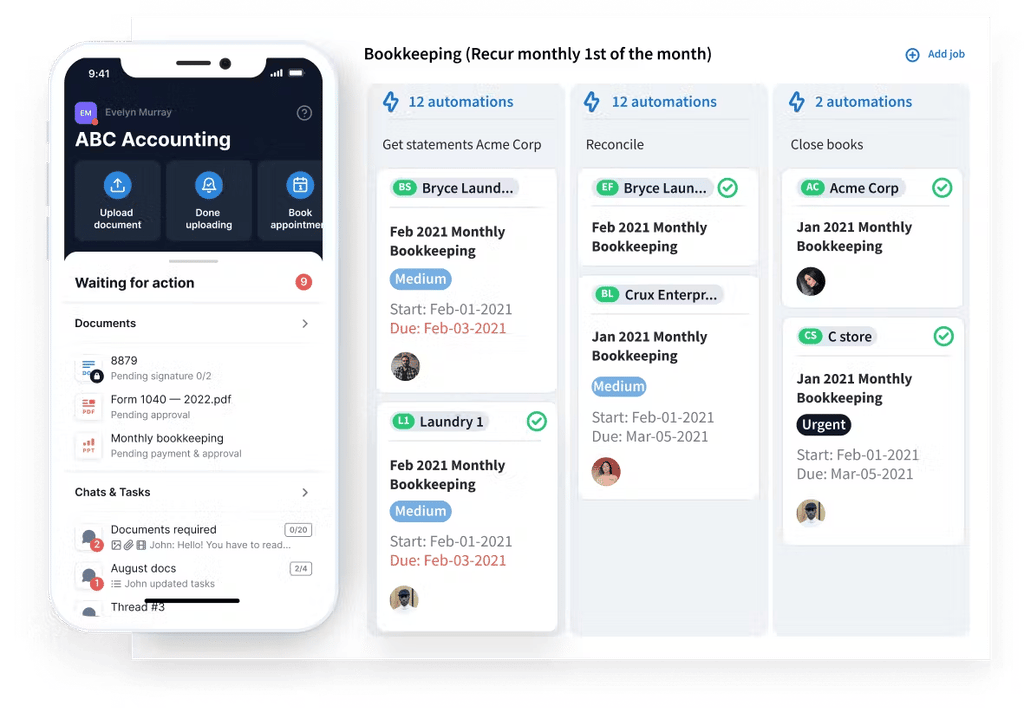
TaxDome is the AI-powered practice management platform built for growth. It replaces the patchwork of disconnected tools most firms run on with a single system, so firms can maintain the same service quality and client experience at 25 staff that they delivered at five. Fifteen thousand firms use TaxDome, and clients rate the TaxDome app 4.7 out of 5 across 7,600+ reviews. AI handles intake and delivery: checklists are generated from last year’s return, and tax returns are sorted and packaged for your review so delivery takes minutes. With Atlas, TaxDome is building a full-time AI operations assistant, and through MCP and a public API, it’s opening the platform to the AI tools firms already use, like Claude and ChatGPT.
Where TaxDome beats Karbon
- A branded client portal plus a dedicated client mobile app (4.9 stars on iOS) where clients upload, sign, pay, and message in one place
- Built-in e-signatures with no credit system or per-bundle purchasing
- Tax organizers and client requests for collecting structured data without email back-and-forth
- Deliverables locked to invoices, so documents release only after payment
- Two-way SMS and a global inbox centralizing communication across channels
- Bookkeeping Hub for uncategorized transactions; includes 120 client general ledger connections with no per-client fees, plus IRS transcript downloads
- Up to 20 team members included; add people without changing your price
Where Karbon is stronger
- Email triage as the core team workflow: every client email visible, commentable, and assignable in a shared inbox. Nothing in TaxDome replicates this model.
Pricing
TaxDome has one plan with everything you use to work with your clients, from intake and document requests to tax return delivery, proposals, and payments. It’s priced by the clients you serve, with up to 20 team members included. Pricing starts at 150 active clients for $1,500 a year, about $0.83 per client a month, and the price per client goes down as your client base grows.
Most firms go live in 6–8 weeks with a dedicated onboarding manager, and switching firms can get a credit of up to 6 months free.
Verdict
TaxDome is a more complete practice management platform without the feature limitations or surprise expenses. Your team gets everything it needs to manage workflows, teams, and clients. Meanwhile, every client gets the same experience rated 4.9/5 by 40,000+ clients just like them as you scale your firm.
For a detailed feature-by-feature breakdown, see our TaxDome vs Karbon comparison.
2. Financial Cents: best for small teams that want a lighter workflow tool
Financial Cents is practice management software built specifically for small accounting, bookkeeping, and tax firms. Its pitch is visibility without complexity: the team that built it designed it for firm owners who still answer their own client emails and need a system their staff can pick up in days, not weeks. Over 10,000 accountants, bookkeepers, and CPAs use it, and it holds Capterra’s 2026 Best Ease of Use award in the accounting practice management category.
Where Financial Cents beats Karbon
- Lower entry price: Solo at $19/month (annual), Team at $49/month (annual), Scale at $69/month (annual). A 14-day free trial lets you test before buying, while Karbon only sells through demos.
- Month-end close tools with QuickBooks Online integration for bookkeeping firms
- Passwordless client portal that removes the login barrier most clients trip on
- AI file validator that checks each upload against the request and flags wrong documents before they reach the team
Where Karbon is stronger
- Email triage and in-thread team collaboration. Financial Cents does not replicate the shared-inbox model that anchors Karbon’s daily workflow.
- Native mobile apps. Financial Cents’ own Karbon alternatives article lists the lack of a mobile app as a con.
- Deeper workflow automation on the Business plan, including tasklist automators and conditional logic that Financial Cents does not match at any tier.
Pricing
Financial Cents charges per user across four tiers, with annual billing saving roughly 30% over monthly.
| Plan | Annual billing | Monthly billing |
| Solo (single-user firms) | $19/user/month | — |
| Team | $49/user/month | $69/user/month |
| Scale | $69/user/month | $89/user/month |
| Enterprise | Custom | Custom |
Verdict
Financial Cents is the strongest option for firms that want clear workflow visibility at a price that does not scale as aggressively with headcount. For a side-by-side with TaxDome, see our Financial Cents vs TaxDome comparison.
3. Canopy: best for tax resolution and IRS-heavy firms
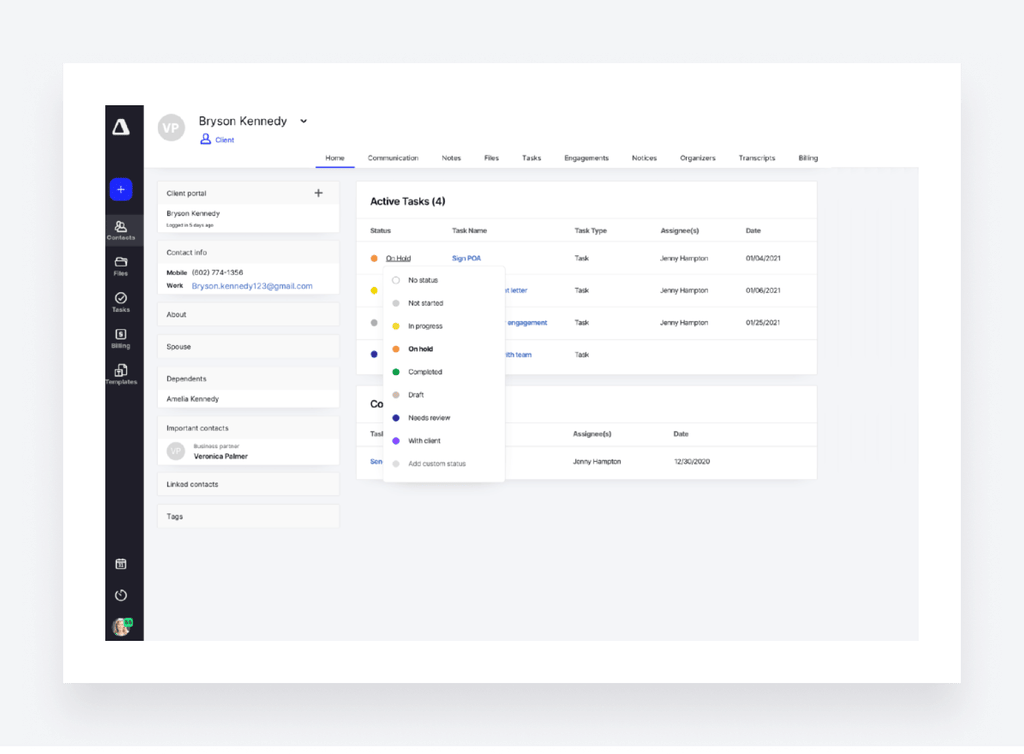
Canopy is a cloud-native practice management platform that positions itself as an all-in-one system for U.S. accounting, CPA, tax, and bookkeeping firms. Its differentiator is IRS-specific tooling: built-in transcript retrieval, notice management, and tax resolution workflows that no other platform in this article matches. Canopy also ships an AI assistant called Canopy Coworker that works across tasks, workflows, and document management.
Where Canopy beats Karbon
- IRS transcript retrieval and notice workflows built into the platform, not bolted on as an integration
- Tax resolution case management for firms handling IRS collections, penalty abatement, and installment agreements
- Unlimited e-signatures and document storage included on all plans, while Karbon sells e-signatures as credit bundles
Where Karbon is stronger
- Email triage and team collaboration remain Karbon’s core advantage. Canopy has no equivalent shared-inbox model.
- Simpler pricing structure. Canopy meters tax work separately (Tax Workflow Automation, Tax Resolution, and Transcripts and Notices are consumption-based add-ons), which makes the total monthly bill harder to predict than Karbon’s flat per-user rate.
Pricing
Canopy restructured its pricing in 2026, moving from modular per-feature pricing to flat per-seat tiers.
| Plan | Annual billing |
| Standard | $74/user/month |
| Plus | $109/user/month |
| Premium | $149/user/month |
| Enterprise | Custom |
Tax Workflow Automation, Tax Resolution, and Transcripts and Notices are consumption-based add-ons on top of the per-seat price.
Verdict
Canopy is the clear choice for firms where IRS transcript work and tax resolution are a meaningful share of revenue. For firms without that specialization, the consumption-based add-ons can push the total cost well above Karbon’s flat rate. See our Canopy vs TaxDome comparison and our guide to Canopy alternatives for more detail.
4. Jetpack Workflow: best for deadline and recurring-work tracking only
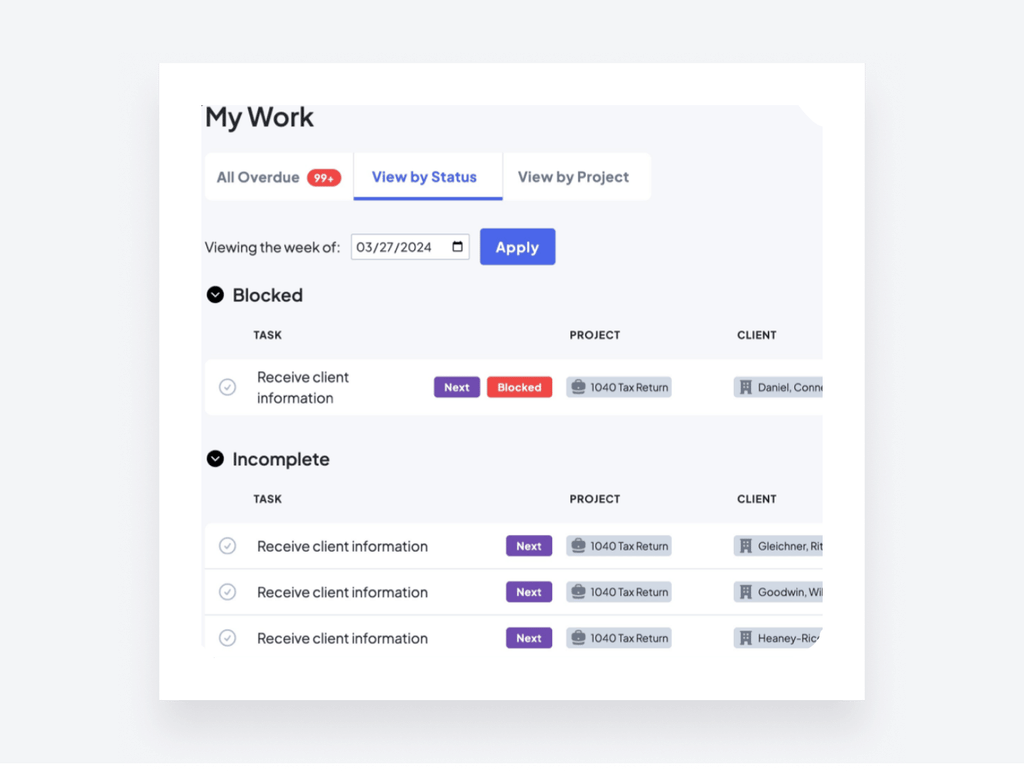
Jetpack Workflow is workflow and project management software built for accountants, bookkeepers, and CPA firms. It does one thing and keeps it simple: standardize recurring work, automate deadlines, and give the firm owner a clear view of what is done, what is due, and who owns it. The company has been focused on this single problem since 2014, and firms can be up and running in days rather than weeks.
Where Jetpack Workflow beats Karbon
- Simpler and cheaper. At roughly $40/user/month on annual billing, it is the lowest per-user cost in this article after Financial Cents Solo.
- Faster implementation. The learning curve is minimal compared to Karbon’s triage and automator setup.
- Unlimited clients and contacts on all plans, with no cap equivalent to Karbon’s Team plan limits.
Where Karbon is stronger
- Email triage, client portal, billing, and document management. Jetpack Workflow does not include any of these. Firms choosing Jetpack will need separate tools for client communication, invoicing, and document storage.
- Financial Cents lists no native billing as a con of Jetpack, which matches. Check whether Jetpack now sells a client portal add-on before writing “no client portal” at publish time.
Pricing
Jetpack Workflow charges per user on a single-tier plan with annual and monthly billing.
| Plan | Annual billing | Monthly billing |
| Starter | $40/user/month | $50/user/month |
Verdict
Jetpack Workflow is the right tool for firms that have already solved client communication, billing, and document management elsewhere and need only a deadline tracker to keep recurring work on schedule. For a direct comparison, see our Jetpack Workflow vs TaxDome comparison.
5. Xero Practice Manager: best for firms already built on Xero
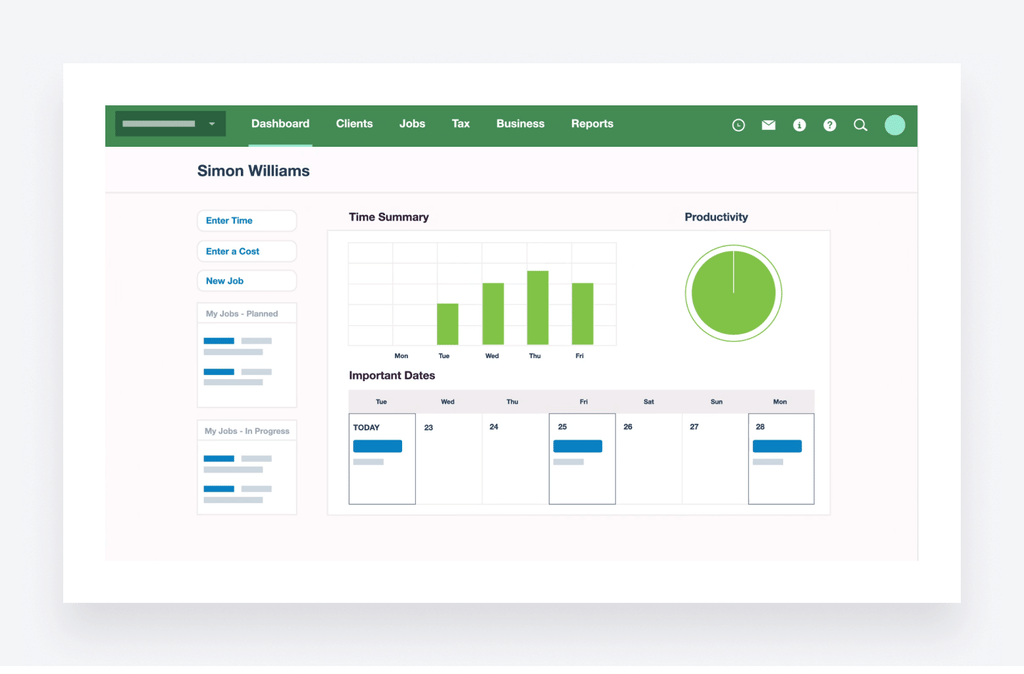
Xero Practice Manager (XPM) is the practice management layer inside the Xero ecosystem. It shares a single client record with Xero accounting software and Xero HQ, so jobs, timesheets, and invoices all flow through one system without manual re-entry. For firms that already run their clients on Xero, adding XPM means practice management sits next to the ledger rather than in a separate tool. Xero Workpapers is included at no extra cost.
Where Xero Practice Manager beats Karbon
- Native two-way sync with Xero and a shared client record across XPM, Xero HQ, and Xero Workpapers. No other tool in this article matches that depth of integration with Xero’s accounting platform.
- Xero Workpapers included, giving firms a paperless working-paper solution alongside job tracking and invoicing.
- Free for Silver+ Xero partners. This is the biggest cost gap in the article: a firm that qualifies pays nothing for practice management while Karbon Business runs $89/user/month.
Where Karbon is stronger
- Email triage and team collaboration. XPM has no shared-inbox model, and team communication features are basic compared to Karbon’s.
- Usefulness for clients who are not on Xero. If a firm manages a mix of QuickBooks and Xero clients, XPM only covers half the book.
- Pricing predictability. XPM’s cost depends on Xero partner tier. Firms below Silver pay $149/month for up to 10 users, but the jump from free (Silver+) to paid (Bronze and below) is steep and tied to factors outside the firm’s direct control.
Pricing
Xero Practice Manager is free for Silver+ Xero partners. New partners or those at Bronze level can try XPM free for 14 days, then subscribe for $149/month for up to 10 users.
Verdict
Xero Practice Manager is a strong pick for Xero partners who mainly need jobs, time tracking, and invoicing inside the ecosystem they already use. Firms with mixed QuickBooks and Xero clients, or those that need heavy client communication and portal features, will outgrow it.
6. QuickBooks Online Accountant: best for QuickBooks-centric bookkeeping firms on a zero software budget
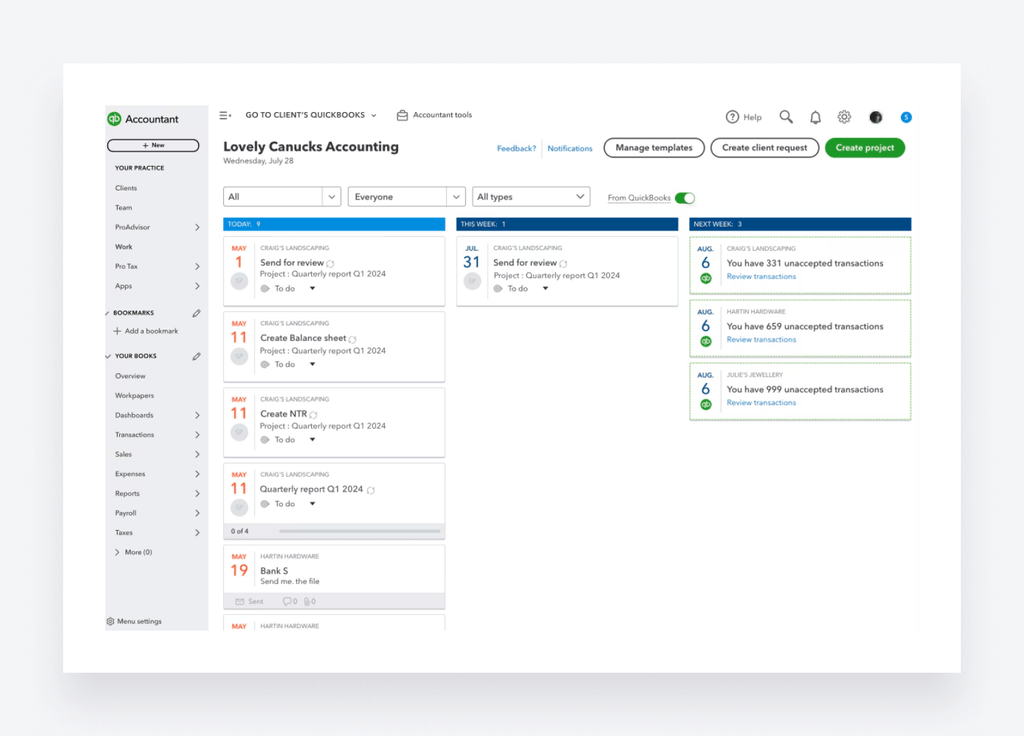
QuickBooks Online Accountant is Intuit’s free platform for accounting and bookkeeping professionals. It gives firms a single login to access every client’s QuickBooks Online company, and its Work tab adds project tracking, task management, and client requests directly alongside the books. For bookkeeping firms where every client already uses QuickBooks Online, it removes the cost of a separate practice management tool entirely.
Where QuickBooks Online Accountant beats Karbon
- Free. The platform costs nothing to the firm. Clients pay for their own QuickBooks Online subscriptions (or the firm buys them wholesale at up to 50% off), but the accountant-side tools carry no per-user fee.
- Work tracking sits next to the client’s live books. The Work tab covers projects, tasks, and client requests without switching to a separate app.
- Automatic client data sync. Client records import directly from QuickBooks Online, so there is no manual setup or duplicate entry.
Where Karbon is stronger
- Workflow automation depth. QuickBooks Online Accountant’s task management is basic compared to Karbon’s automators, conditional logic, and repeating-job templates.
- Email triage and team collaboration. QuickBooks has no shared-inbox model for client email.
- Client collaboration outside QuickBooks. Client requests land inside the client’s own QuickBooks company, not a standalone portal. Clients who do not use QuickBooks Online have no way to interact with the firm through this tool.
Pricing
QuickBooks Online Accountant is free for accountants and bookkeepers. Costs come from client subscriptions: direct billing (each client buys their own QuickBooks Online plan) or wholesale billing (the firm purchases subscriptions at a discounted rate). The firm-side tools carry no separate fee.
For firms that also use TaxDome, the QuickBooks Online integration syncs portal payments and invoices to QuickBooks Online.
Verdict
QuickBooks Online Accountant fits when every client is on QuickBooks Online and the firm’s main need is bookkeeping workflow visibility at zero software cost. Tax-heavy firms, firms with clients on mixed ledger platforms, and firms that need a standalone client portal will need a separate tool alongside it or in place of it.
How to choose a Karbon alternative by firm size
The right alternative depends less on which platform has the most features and more on how your firm operates today and where it needs to be in two years. Here is how the options stack up at each stage.
Solo practitioners
Price sensitivity is the defining constraint. A solo practitioner needs automation to replace the admin work a second hire would do, not a platform designed for team collaboration.
1. TaxDome (from $1,500 a year for 150 active clients)
Portal, e-signatures, billing, and workflow automation in one annual cost. Covers the full client lifecycle without stitching together separate tools.
2. QuickBooks Online Accountant (free)
Zero cost if every client is already on QuickBooks Online. Work tracking sits next to the books. Falls short when clients are on mixed ledgers or need a standalone portal.
3. Financial Cents Solo ($19/month)
Lowest per-user entry price with a 14-day free trial. Gives solo practitioners workflow visibility and a client portal without a long-term commitment.
Firms with 2–4 staff
This is the stage where firms start consolidating. The first hire created a need for shared visibility, and the second made it non-negotiable. Onboarding quality decides whether features actually get used.
1. TaxDome (from $1,500 a year for 150 active clients)
Bundles portal, e-signatures, billing, workflow, and client communication. Up to 20 team members are included, so you can add people without changing your price.
2. Financial Cents Team ($49/user/month)
Lighter, faster to set up, and less expensive per seat. The right fit when the firm needs workflow visibility and a client portal but does not need the depth of TaxDome’s automation.
3. Jetpack Workflow ($40/user/month)
Covers deadlines and recurring tasks at the lowest team-plan cost. Requires separate tools for billing, documents, and client communication.
Firms with 5–9 staff
The largest segment of firms evaluating Karbon alternatives. Seasonal preparers and admin staff handle client communication alongside the core team, so workflow, documents, and the client portal matter most. Staff adoption is the risk.
1. TaxDome (from $1,500 a year for 150 active clients)
Up to 20 team members are included, so you can add people without changing your price. The client mobile app (4.9 on iOS) reduces the client follow-up load on admin staff.
2. Karbon Business ($5,340/year for 5 users)
The strongest fit for email-heavy teams that have already adopted the shared-inbox workflow. Automatic client reminders and tasklist automators justify the price at this size.
3. Financial Cents Scale ($4,140/year for 5 users)
Adds capacity management and advanced reporting over the Team plan. Lighter than TaxDome or Karbon but meaningfully cheaper.
Firms with 10–24 staff
Batch staff onboarding, integrations with tax prep software, and reporting become priorities. Managers or an IT lead join the evaluation.
1. TaxDome
This is where consolidation pays off most. One platform replacing portal, billing, documents, workflow, and CRM means fewer handoffs, consistent client experiences across the team, and less risk of service quality dropping as the firm adds staff.
2. Karbon Business or Enterprise
Email triage justifies itself at this size, where high email volume across multiple team members makes the shared-inbox model genuinely productive. Enterprise adds API access, custom reporting, and a dedicated CSM.
3. Canopy Plus or Premium ($109–$149/user/month)
The pick when IRS transcript work and tax resolution are a significant share of revenue. Consumption-based tax add-ons make total cost harder to predict.
Firms with 25–49 staff
Multi-office setups, CRM depth, and API access drive the decision. At this size, the evaluation typically involves an IT lead or operations manager alongside firm leadership.
1. TaxDome (a custom plan built around the firm)
The firms that benefit most from TaxDome at this scale are the ones that need every client touchpoint, portal, mobile app, e-signatures, billing, and communication, running through the same system their team already works in. That consistency is what keeps service quality from degrading as the firm grows across offices and departments.
2. Karbon Enterprise
API access, custom reporting, dedicated CSM, and the email triage model that scales well across large teams and multiple offices.
3. Canopy Enterprise (custom)
Enterprise-grade tax resolution and transcript tooling with capacity planning and analytics. Best justified when IRS-heavy work is central to the firm’s revenue.
5-user annual cost comparison
The table below uses list prices on annual billing, before add-ons and payment processing fees. Each platform includes different features at these price points, so this is a budgeting starting point, not a value comparison.
| Tool | Plan | Price per user/year | 5-user annual cost | What is not included at this price |
| Karbon | Team | $708 | $3,540 | Automatic client reminders, tasklist automators, client groups, user permissions, API. E-signatures sold separately. |
| Karbon | Business | $1,068 | $5,340 | Custom reporting is a paid add-on. Email Insights, team training, and dedicated CSM are paid add-ons. E-signatures still sold separately. |
| TaxDome | One plan | No per-user fees | From $1,500/year (150 active clients, up to 20 team members) | Priced by the clients you serve, with up to 20 team members included. |
| Financial Cents | Team | $588 | $2,940 | No client mobile app. Lighter automation than Karbon Business or TaxDome. |
| Financial Cents | Scale | $828 | $4,140 | Same limitations as Team; adds capacity management and advanced reporting. |
| Canopy | Standard | $888 | $4,440 | Tax resolution, transcripts, and advanced tax workflows are consumption-based add-ons. |
| Jetpack Workflow | Starter | $480 | $2,400 | No client portal, no billing, no document management. |
| Xero Practice Manager | Silver+ partner | $0 | $0 | Requires Silver+ Xero partner status. No standalone client portal or workflow automation comparable to the other tools here. |
| QuickBooks Online Accountant | Free | $0 | $0 | Clients must have their own QuickBooks Online subscriptions (separate cost). No standalone portal, limited workflow automation. |
FAQ
These are the questions that come up most often when firms compare Karbon alternatives.
What are the best Karbon alternatives in 2026?
The six alternatives compared in this article are TaxDome, Financial Cents, Canopy, Jetpack Workflow, Xero Practice Manager, and QuickBooks Online Accountant. The best fit depends on firm size, budget, and which Karbon limitation is driving the switch.
How much does Karbon cost per user?
Karbon Team starts at $59/user/month on annual billing. Business is $89/user/month. Enterprise is custom. Monthly billing requires a minimum of four users. E-signatures, custom reporting, and several support features are paid add-ons or plan-restricted.
Is Karbon worth it for a small firm?
It can be, if the firm uses enough of the platform to justify the per-seat cost. Firms that only need workflow tracking and a client portal often find lighter tools cover their needs at a lower price.
Can I switch from Karbon to another platform mid-contract?
Migration processes vary by vendor. Most platforms in this article offer onboarding support for firms switching from another tool. Check each vendor’s data export options and migration timeline before committing.
Does Karbon have a client mobile app?
Yes. Karbon offers iOS and Android apps for the firm team, and Karbon for Clients provides a portal where clients can upload documents, complete tasks, and view progress.
Are there any other Karbon (Karbon HQ) alternatives not listed in this article?
Yes. Platforms like Clinked, Uku, and Xenett appear in other comparison articles. We focused on the six tools most commonly evaluated by accounting, tax, and bookkeeping firms switching from Karbon, based on pricing transparency, feature overlap, and firm-size fit.
To sum up
Karbon is strong software for the right firm. Its email triage model, team collaboration tools, and workflow engine serve email-heavy teams of 10 or more users well. This article is not about convincing every reader to leave Karbon.
It is about making sure firms that have hit a real limit, whether that is Team plan caps, add-on costs, client-side adoption, or a pricing structure that does not fit their size, can see exactly what the alternatives cost, what they include, and where each one is stronger or weaker than what they have today.
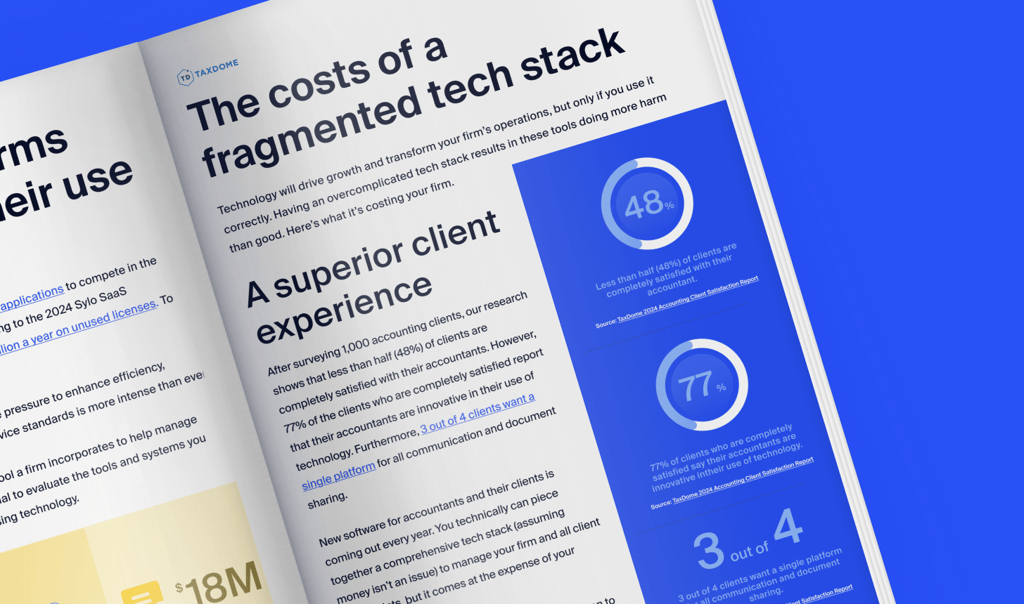
TaxDome is used by 15,000 firms and rated 4.7 out of 5 across 7,600+ reviews. Clients rate the TaxDome mobile app 4.9 stars on iOS. In TaxDome’s own Client Satisfaction Report, based on a survey of 1,000 taxpayers, the firms that scored highest on client satisfaction were the ones that made every touchpoint, documents, signatures, payments, and communication, accessible from one place.
If that is the direction your firm is heading, see how TaxDome works for practices like yours.

Mari develops TaxDome content by combining customer insights, industry research, and real-world trends. Her structured, automation-driven approach ensures messaging is clear, relevant, and supports more connected and efficient accounting firms.
Get your free guide

Thank you!
The guide copy has been sent to your email. Please check your inbox!
Recommended articles

The Q3 2026 Accounting Industry Index: midpoint findings and benchmarks from 15,000+ firms

Accounting Industry Index statistics: Tax season findings from the Q2 2026 edition

Client Satisfaction Report statistics: what taxpayers expect from their accountants