 US – English
 UK – English
 Canada – English
 Australia – English
 Danmark – Dansk
 DACH - Deutsch
 France – Français
 España – Español
 Sverige – Svenska
 Italia – Italiano
 Nederland – Nederlands
 Portugal – Português
 Suomi – Suomi
 Norge – Norsk
 日本 – 日本語
 Romanian – Română












Accounting practice management software: complete guide and comparison

Run your entire firm on one platform

Accounting practice management software should combine most of the tools you need to run your firm into one platform. We’re talking about centralizing workflows, client data, documents, communication, billing, and more, instead of juggling half a dozen separate tools to keep everything running.
Below, we compare the most popular accounting practice management software platforms based on automation capabilities, client experience, CRM functionality, billing, integrations, scalability, onboarding complexity, and user reviews.
Information in this guide is based on publicly available product information, published prices, and user reviews on independent platforms. Please verify details with vendors before making any decisions.
Key takeaways:
- Practice management software should give your firm most of the tools it needs to operate in one platform.
- The winners are TaxDome (best for growing firms), Karbon (best for team collaboration), and Financial Cents (best for solos).
- Xero Practice Manager and QuickBooks Online Accountant integrate well with accounting software but lack workflow automation and client features.
- Pricing and features matter, but the right platform also depends on your firm’s size and growth plans.
Accounting firms can manage hundreds of recurring workflows every month: client requests, documents, deadlines, invoices, and internal tasks. Running these across separate tools turns the organization work into a full-time job of its own. You spend all of your time trying to keep workflows moving between disconnected tools, and you’re constantly chasing team members and clients to keep everything moving.
Accounting practice management software helps solve these operational challenges by centralizing client communication, workflow automation, document management, CRM, billing, reporting, and team collaboration into one platform.
So, let’s dive in!
Table of сontents
- What is accounting practice management software?
- What are the benefits of using practice management software for your accounting firm?
- Key features of accounting practice management software
- How to evaluate accounting practice management software (step-by-step framework + scorecard)
- Security and compliance checklist for accounting firms
- Best accounting practice management software in 2026
- Best accounting practice management software by firm type and use case
- What should accounting firms prioritize when choosing practice management software?
- How different accounting practice management platforms compare
- TaxDome
- Why firms choose TaxDome
- Karbon
- Jetpack Workflow
- Financial Cents
- QuickBooks Online Accountant
- Canopy
- Xero Practice Manager
- CountingWorks PRO
- Double (formerly Keeper)
- Onvio Firm Management
- Aero Workflow
- OfficeTools WorkSpace
- A comparison of the best accounting practice management software
- KPIs to track after implementing practice management software
- Case study: a real-life example of accounting practice management software in action
- FAQ
- How to choose the right practice management software for your firm
Table of сontents
- What is accounting practice management software?
- What are the benefits of using practice management software for your accounting firm?
- Key features of accounting practice management software
- How to evaluate accounting practice management software (step-by-step framework + scorecard)
- Security and compliance checklist for accounting firms
- Best accounting practice management software in 2026
- Best accounting practice management software by firm type and use case
- What should accounting firms prioritize when choosing practice management software?
- How different accounting practice management platforms compare
- TaxDome
- Why firms choose TaxDome
- Karbon
- Jetpack Workflow
- Financial Cents
- QuickBooks Online Accountant
- Canopy
- Xero Practice Manager
- CountingWorks PRO
- Double (formerly Keeper)
- Onvio Firm Management
- Aero Workflow
- OfficeTools WorkSpace
- A comparison of the best accounting practice management software
- KPIs to track after implementing practice management software
- Case study: a real-life example of accounting practice management software in action
- FAQ
- How to choose the right practice management software for your firm
What is accounting practice management software?
Accounting practice management software provides all the tools accounting firms need to efficiently manage their daily operations. This spans client communication, document management, task automation, team collaboration, time and billing, and more.
To learn more about practice management software and watch a video explainer, check out this article: Accounting practice management software in action.
What are the benefits of using practice management software for your accounting firm?
Increased efficiency. Instead of copying data between tools and manually building invoices, your team can focus on advisory, client calls, or just getting through tax season without burning out.
Simple and effective communication. Managing client relationships becomes impossible when conversations are split between email, text, and phone. A centralized platform keeps every exchange in one place. No more digging through inboxes to find an attachment a client swears they sent.
Increased accuracy. When your team has to move information between systems manually, time is wasted and mistakes happen. Connect tools and automated workflows delivery consistency. They run the same sequence for every client, which means fewer of those small errors that add up over a busy season.
Happy clients who keep coming back. Clients hire your firm for two reasons: to make their lives easier and their business more profitable. Practice management software helps achieve the first by simplifying the client experience and the second by freeing up time for your team to focus on advisory.
Key features of accounting practice management software
Not all accounting software is created equal. Some are better for certain tasks than others, but any system should give your firm most of the tools it needs to run on a daily basis. So, here are the most important features you should look for in any practice management platform.
Project and task management
Accounting firms juggle hundreds of recurring engagements with overlapping deadlines. Project and task management tools give you visibility into what’s due, who’s responsible, and where work is stalling. This replaces the mental tracking and status meetings that eat into productive hours for growing firms.
Team management
Firms need to control who can access what, plan capacity across the team, and bring new people on board quickly. Team management covers permissions, access controls, capacity planning, and onboarding. This matters most during filing season, when firms often need to add temporary staff and get them productive within days.
Workflow automation
Recurring work follows predictable steps. Workflow automation lets you define that sequence once and have the platform run it every time. Automation capabilities vary across practice management platforms, so this is something you want to pay particular attention to when reviewing your options.
Document management
Accounting firms work with confidential client records year-round, and the volume increases sharply during filing season. Document management covers secure storage, folder organization, e-signatures, and access controls. Having this inside the practice management platform eliminates the need to maintain a separate file storage tool.
Client management
As your firm handles more clients, the admin work multiplies until you reach a point where your team spends more time organizing work than actually doing it. Your practice management platform should handle most of this admin for you, so you can continue delivering value to clients as you scale.
Time tracking and invoicing
Firms that bill by the hour need to record time accurately and turn those hours into invoices without delays or re-entry. When time tracking and invoicing are connected inside the platform, billing cycles get shorter and fewer hours fall through the cracks.
Reporting
Firm owners need to see how the business is performing, not just whether individual jobs are getting done. You want reporting tools that help your team achieve their full potential and your firm identify areas for improvement. Who are your most valuable clients? Which services generate the most revenue for your firm? Who is the ideal client profile that will get your firm to the next growth stage, and how many do you need to hit targets next year?
Pricing
Most providers run multiple plans at different price points, with feature availability generally increasing on each plan. Keep an eye out for usage limits across plans, such as how many workflows you can automate, and any add-ons or extra fees you may have to consider. Carefully calculate the full cost of each option and think about what your firm will need in 3-5 years’ time, not only today.
Onboarding and support
Switching practice management software is a significant commitment. So, you want to know what kind of onboarding and implementation support is available to you. Most providers offer onboarding assistance services, but the level of support and fees can vary greatly. It’s always worth doing your homework and checking if you’ll receive dedicated advice and support on how to implement accounting practice management software.
Integration with other software
Your firm already runs on other tools for tax prep, accounting, and email. The practice management platform needs to connect with those systems cleanly. Strong native integrations reduce manual data entry between tools. Before committing, ask how data migration from your current setup works and how long the transition typically takes.
To explore essential practice management features in more detail, check out this detailed guide: Key features of practice management software for accountants.
How to evaluate accounting practice management software (step-by-step framework + scorecard)
Here’s the thing about feature lists: they’re easy to read and easy to compare, but they don’t actually tell you which platform will work for your firm. A tool can check every box above and still fall flat once your team is trying to use it during the first week of tax season.
So before you sign up for demos, it helps to have a process, something a little more structured than “this one has more features than that one.” Here’s a five-step framework to help you turn everything above into an actual decision.
Step 1: Know what really matters to your firm
Not every feature carries the same weight for every firm. If you’re a solo bookkeeper, deep team management tools probably matter less to you than a rock-solid client portal. If you’re drowning in client documents every March, document management and automation should be at the top of your list, not an afterthought.
Go back through the key features we covered above and pick your top 3-5 priorities. Be honest about what’s actually slowing your firm down today — that list becomes the backbone of the scorecard in Step 3.
Step 2: Set a pricing ceiling that you can live with
Pricing for accounting practice management software varies a lot from around $8 per client per month on the low end to $89+ per user per month for some all-in-one platforms, with most landing somewhere between $50-$92 per user, per month.
Before you get attached to any one platform, work out:
- What it’ll cost you per year at your current headcount
- What it’ll cost you in 12-24 months, if your team grows the way you’re hoping
- What’s actually included, versus what gets added on later
That last one matters more than it sounds. Some platforms look affordable at first glance, then get expensive fast once you add the modules you actually need — document management, workflow automation, billing. A platform that seems cheap today but nickel-and-dimes you as you grow isn’t the deal it looks like.
Step 3: Score your shortlist
Once you know what matters most, scoring is simple. Rate each platform you’re considering from 1 to 5 on the features you prioritized (1 = doesn’t come close, 5 = exactly what you need), and weight the ones that matter most to your firm a little more heavily.
Here’s what that looks like filled in for 3 platforms we covered above, treat the scores as a starting point, not gospel. Your weights (and your scores, based on your own demos) should reflect your firm, not ours.
| Feature | Weight (1-3) | TaxDome | Karbon | Financial Cents |
| Project and task management | ||||
| Team management | ||||
| Workflow automation | ||||
| Document management | ||||
| Client portal / client management | ||||
| Time tracking and invoicing | ||||
| Reporting | ||||
| Integrations | ||||
| Onboarding and support | ||||
| Pricing (fit for budget and growth) | ||||
| Weighted total |
Multiply each score by its weight, add up the columns, and you’ve got something a lot more useful than “this one has more features.” You’ve got a number that reflects what your firm actually needs which makes it a lot easier to get everyone on the same page if more than one person is weighing in on the decision.
Step 4: Identify the weak spots, as well as the highlights
Every demo is built to show you a platform at its best. That’s fine but it also means the real test happens when you push past the highlight reel. When you’re in a demo or trial, spend most of your time on whatever scored lowest on your scorecard, not the features the vendor is proudest of.
Usually, that means digging into workflow automation depth or how the platform actually plays with your existing tax software. Those are the places where “looks great in the demo” and “works for my firm on a Tuesday in March” tend to part ways.
Step 5: Nail down onboarding before you sign anything
Even the right platform can go sideways if onboarding is a mess. Before you commit, ask each vendor directly:
- How many onboarding sessions are included, and over what timeframe?
- Is data migration handled for you, or is that a separate cost?
- Is support based in the US, and how fast do they typically respond during busy season?
- Will you have a dedicated point of contact, or a general support queue?
The answers here tell you almost as much about what it’ll be like to work with this company as the software itself does.
Security and compliance checklist for accounting firms
Your firm holds some of the most sensitive information a client will ever hand over — Social Security numbers, tax returns, banking details, business financials. If a client wouldn’t want it posted on a bulletin board, it’s probably sitting somewhere in your practice management software right now.
That’s why security shouldn’t be a “nice to have” further down your list. It should be one of the first things you check, before you fall in love with a slick interface or a long feature list.
Here’s what to look for.
The non-negotiables
Whatever platform you’re considering, these shouldn’t be optional extras or something you have to ask about twice:
- Multi-factor authentication (MFA): for every user, not just admins. If your junior staff can log in with a password alone, that’s a door left open.
- Role-based access control: your team should only see what they need to do their job, and clients should only ever see their own information. Nobody should be able to browse another client’s files by accident.
- Encryption in transit and at rest: your data should be protected both while it’s moving (between your browser and the platform) and while it’s sitting in storage.
- Independent security certification, such as SOC 2 Type II: this means an outside auditor has actually verified the platform’s security controls, rather than just taking the vendor’s word for it.
If a vendor is vague or evasive about any of these during a sales call, treat that as useful information in itself.
Key questions to ask each provider
You don’t need to be a security expert to have this conversation, you just need to ask directly, and pay attention to how confidently (and specifically) the answer comes back:
- Who at your company can access our data, and under what circumstances?
- What happens if there’s a breach, how would we be notified, and how quickly?
- Where is our data actually stored, and does that matter for our clients’ compliance requirements?
- Can we set different permission levels for staff, partners, and seasonal or contract workers?
- What audit trail do you keep, and can we access it if we ever need to show a client or a regulator, exactly who touched what, and when?
Don’t accept compromises on security
A data breach at an accounting firm isn’t just an IT headache, it’s a client trust problem, and for some clients, a compliance problem too. The software you choose to run your practice on is effectively an extension of your own security posture. If it falls short, that’s your name on the notification letter, not the vendor’s.
It’s worth treating this section of your evaluation with the same seriousness you’d want a client to bring to protecting your firm’s information. Curious how TaxDome approaches this? Our Trust Center walks through our security practices in detail.
Best accounting practice management software in 2026
Choosing practice management software can be a tricky process. There’s no shortage of practice management platforms on the market, and they all promise roughly the same thing. The differences are in the details: features, pricing, and how well the platform actually fits the way your firm works.
As leading New York-based CPA Kelly Rohrs points out, committing to the right one can genuinely change how your practice operates:
To help you choose the right practice management software for your needs, we’ve narrowed down the best options for every type of firm:
- TaxDome
- Karbon
- Jetpack Workflow
- Financial Cents
- QuickBooks Online Accountant
- Canopy
- Xero Practice Manager
- CountingWorks Pro
- Keeper
- Onvio Firm Management
- Aero Workflow
- OfficeTools
Best accounting practice management software by firm type and use case
You have a lot of things to consider when choosing practice management software. Aside from pricing and features, you also need to think about your firm’s size, your growth goals, and the complexity of your workflows.
Here’s a quick breakdown of the best accounting practice management software by use case:
- Best accounting practice management software for all firm sizes: TaxDome
- Best for collaboration-heavy accounting firms: Karbon
- Best affordable option for small firms: Financial Cents
- Best lightweight workflow software: Jetpack Workflow
- Best for firms using QuickBooks: QuickBooks Online Accountant
- Best for firms using Xero: Xero Practice Manager
- Best for marketing-focused accounting firms: CountingWorks PRO
- Best for bookkeeping-focused firms: Keeper
| Software | Best for | Starting price | Workflow automation | CRM | Client portal | Mobile apps | Billing & invoicing | Biggest limitation |
| TaxDome | All-in-one accounting practice management for firms of all sizes | From $700/year | Advanced workflow automations with recurring jobs and dependencies | Built-in CRM with unlimited contacts | Fully branded client portal | Firm + client mobile apps | Built-in invoicing, payments, recurring billing | Learning curve due to broad feature set |
| Karbon | Collaboration-heavy accounting firms | From $708/year | Advanced automations and task management | Limited CRM functionality | Secure client portal | No client mobile app | Billing included | Expensive for growing firms |
| Jetpack Workflow | Small firms needing lightweight workflow management | From $480/year | Basic workflow automation | Minimal CRM capabilities | No dedicated client portal | No mobile apps | Limited billing functionality | Limited document management and collaboration tools |
| Financial Cents | Budget-conscious small accounting firms | From $228/year | Moderate workflow automation | Built-in CRM | Client portal included | No mobile apps | Basic invoicing features | Limited scalability for larger firms |
| Canopy | Mid-sized firms wanting modular functionality | From $888/year | Strong workflow automation | Built-in CRM | Client portal + mobile app | Client mobile app only | Add-on billing modules | Complex pricing structure |
| QuickBooks Online Accountant | Firms already using QuickBooks ecosystem | Per-client pricing | Basic workflow features | Limited CRM functionality | Client collaboration tools | Limited mobile functionality | Strong QuickBooks billing integration | Weak practice management depth |
| Xero Practice Manager | Small firms using Xero products | Pricing unclear | Basic workflow automation | Minimal CRM functionality | Basic client collaboration | No dedicated client app | Time tracking + invoicing | Limited team management |
| CountingWorks PRO | Firms prioritizing marketing and lead generation | From $1,800/year | Limited workflow automation | Built-in CRM | Client portal included | No dedicated mobile app | Basic invoicing | More marketing-focused than operational |
| Keeper | Bookkeeping-focused firms | From $120/year | Moderate workflow automation | Limited CRM | Client portal included | Mobile-friendly platform | Basic billing features | Less suitable for tax-focused firms |
| Onvio Firm Management | Firms using Thomson Reuters ecosystem | Pricing unclear | Moderate workflow management | Limited CRM | Client portal + document sharing | Client mobile functionality | Time and expense tracking | Technical performance concerns |
| Aero Workflow | Firms focused on recurring accounting workflows | From $1,620/year | Basic recurring workflows | No advanced CRM | No advanced portal features | No mobile apps | Limited invoicing tools | Not a full practice management suite |
| OfficeTools WorkSpace | Traditional firms needing billing and document management | Pricing unclear | Limited automation | Basic CRM | Client portal included | Firm mobile app only | Strong billing tools | Outdated interface and performance issues |
Best accounting practice management software for small firms
If you’re a solo practitioner or a firm under five people, you probably don’t need the deepest automation engine on the market. You need something affordable that handles recurring workflows without a steep learning curve. Financial Cents and Jetpack Workflow both fit that profile. TaxDome is worth a look if you’re a smaller firm with big ambitions, since re-platforming later is expensive and disruptive.
Best accounting practice management software for bookkeeping firms
Bookkeeping is repetitive by nature: monthly closes, recurring document requests, and ongoing client communication. Your platform needs to support these workflows without creating unnecessary admin. TaxDome, Karbon, and Double all serve bookkeeping firms, though they come at it differently. Double is built specifically around the monthly close, Karbon leans into team collaboration, and TaxDome covers the widest operational ground.
Best accounting practice management software for growing accounting firms
Growth is where a lot of firms hit the wall with their current tools. What worked for a five-person team starts breaking at fifteen. You need standardized workflows, a real CRM, automated billing, and a client portal that doesn’t embarrass you. TaxDome is a common choice here because it consolidates those systems instead of adding another integration to manage.
Best accounting practice management software for workflow automation
If your firm runs hundreds of recurring jobs a month, then automation depth is the single most important feature. TaxDome and Karbon both offer conditional logic, task dependencies, and automated reminders that lighter platforms like Jetpack Workflow and Financial Cents don’t match.
What should accounting firms prioritize when choosing practice management software?
There’s no single right answer here — it depends on what’s actually slowing your firm down. A solo bookkeeper drowning in document requests has a different problem than a 20-person firm struggling with inconsistent workflows across offices. These are the factors worth weighing before you commit:
Workflow automation
If your team spends half its week chasing the same reminders and kicking off the same tasks by hand, automation depth should be at the top of your list. The platforms that do this well let you build a workflow once and run it hundreds of times. The ones that don’t will have you doing the same manual follow-ups you were doing before you bought the software.
Client communication
Email works until it doesn’t. And, for most firms, it stops working right around the point where you’re managing more than a few dozen active clients. Messages get buried, attachments go missing, and sensitive documents end up in unsecured inboxes. A platform with a proper client portal and centralized messaging solves most of this overnight.
CRM and document management
How much time does your team spend looking for things: a client’s engagement letter, last year’s return, the email where they confirmed their entity structure? A CRM that’s actually built for accounting work, combined with document storage your whole team can navigate, eliminates most of that searching.
Billing and payments
If invoicing lives in a separate tool, someone on your team is re-entering data every billing cycle. Built-in billing, especially with recurring invoices and online payments, means clients pay faster and your team spends less time on admin that doesn’t generate revenue.
Scalability
This one’s easy to ignore when you’re a five-person firm, but switching platforms at fifteen people is painful and expensive. If growth is in your plans, it’s worth asking now: will this platform still work when my team doubles? Or will I be shopping again in two years?
Ease of onboarding and adoption
The best platform in the world doesn’t help if your team won’t use it. Ask for an accurate implementation time frame and whether you’ll get dedicated onboarding support. Have honest conversations about getting your team up to speed with the new platform the plan for getting clients onboard before the next tax season. That last question tends to get a revealing answer.
How different accounting practice management platforms compare
These are the comparisons we get asked about most. Each pairing comes down to a different trade-off, and the right answer depends on what your firm actually needs day to day.
TaxDome vs Karbon
This one usually comes down to scope. TaxDome covers more operational ground — workflow automation, CRM, billing, document management, client portal, mobile apps — all in one system. Karbon is narrower but goes deeper on internal collaboration: shared email, team visibility, and workflow coordination. If your biggest pain point is getting your team on the same page, Karbon fits. If you want to replace multiple tools with one platform, TaxDome fits.
TaxDome vs Financial Cents
Financial Cents is the lighter, cheaper option — and for small firms that just need to track recurring work and stay on top of deadlines, it does the job well. The gap shows up when a firm starts growing: TaxDome’s automation, client portal, billing, and document management go significantly deeper, and switching later means migrating everything.
TaxDome vs Jetpack Workflow
Jetpack Workflow does one thing — recurring task management — and keeps it simple. If that’s all you need, it’s an affordable choice. TaxDome is a different category: full practice management with CRM, client portal, document management, invoicing, e-signatures, and automation. The question is whether your firm needs a task tracker or an operating system.
1. TaxDome
Best for
Growing accounting, tax, and bookkeeping firms that want to continue scaling without compromising service quality or client experiences.
Biggest strength
Manage higher workloads without the seasonal stress and deliver the same 5-star client experience as you grow.
Biggest limitation
Firms looking only for lightweight task management may not need the broader operational functionality included in the platform.
Ideal firm size
Firms of all sizes: growing accounting firms, multi-office practices, and operationally mature firms managing large volumes of recurring client work and internal collaboration.
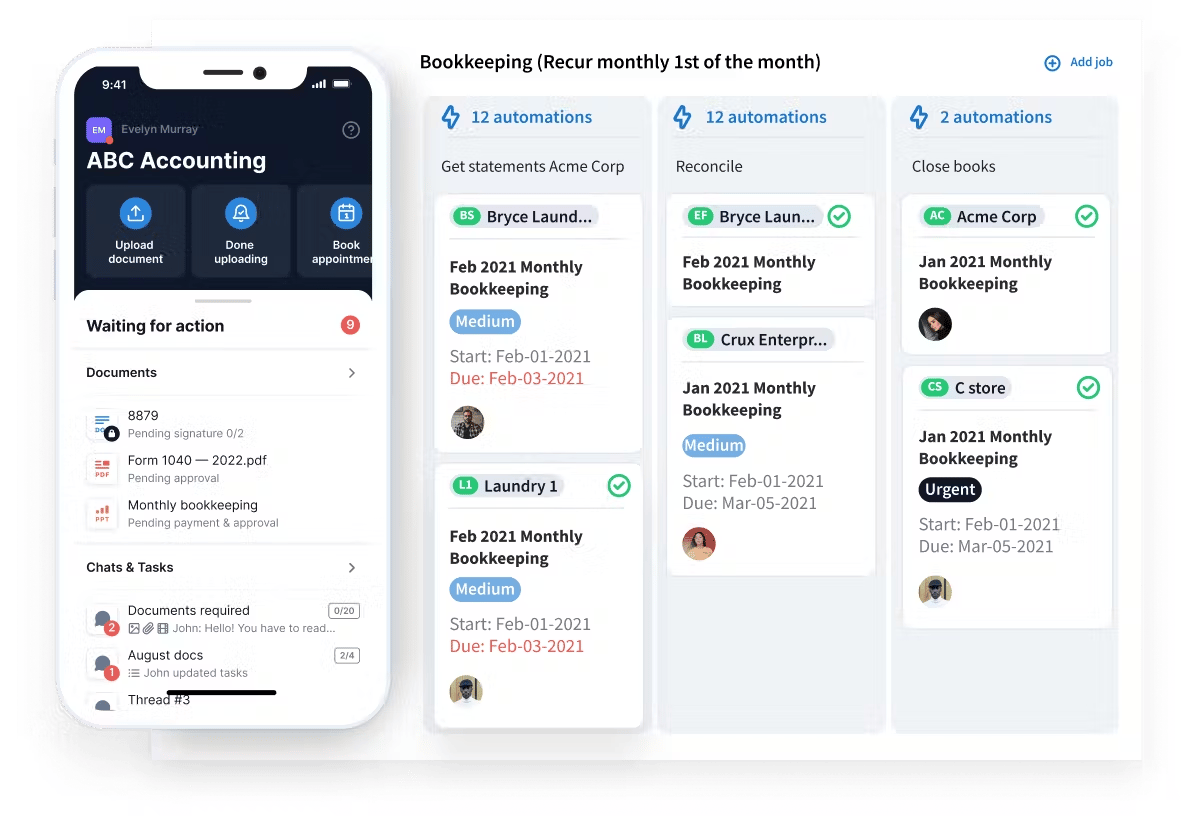
TaxDome is an all-in-one cloud-based platform that helps tax, bookkeeping, and accounting firms of all sizes manage their practices. It’s easy to use and has many useful features to simplify your processes and make your work more efficient.
Key features
Workflow automation: build a workflow template once and let it automate the entire job from there. Client communication, document requests, invoicing, status updates. Set it up, and the platform runs it the same way every time.
Task and team management: see who’s working on what across your whole firm. Auto-assign jobs, control access by role, and stop asking around to find out where things stand.
Document management: store, organize, and share client documents in one secure place. Clients can upload straight to your portal, and your team can request legally binding e-signatures (including KBA, AdES, and QES) without leaving the platform. The mobile app has a built-in scanner for on-the-go work.
CRM: every client’s contact details, documents, conversations, and job history live in one record. No more switching between tools to piece together where things stand with a particular client.
Time and billing: track billable hours against any job, then generate the invoice directly from those hours. Set up recurring payments for ongoing engagements, and let clients pay online through the Stripe integration.
Proposals and engagement letters: send a proposal, get it signed, and collect the first payment in a single step. Clients see your services, your pricing, and a payment form all in one place.
AI document tagging and naming: when clients upload documents, TaxDome’s AI reads them, assigns the right name, and files them in the correct folder. During busy season, that saves hours of manual sorting every week.
Client communication: reach clients through secure chat, synced email, or SMS. Everything stays in one thread attached to the client record, so nothing gets lost across channels.
Client portal and mobile app: give clients a branded portal where they can upload documents, sign engagement letters, complete tasks, pay invoices, and message your team. Everything works on desktop and through the award-winning client mobile app.
What kind of practices use TaxDome?
TaxDome is well suited to accounting, tax, and bookkeeping businesses of all sizes — from solo practices to large firms. With its comprehensive feature set that’s available to all users, simple pricing, and zero restrictions on usage, TaxDome is able to scale as businesses grow.
Pricing
TaxDome has designed three plans tailored to meet your specific needs and goals:
- Essentials: from $700/year (equivalent to $58/month)
- Pro: from $900/year (equivalent to $75/month)
- Business: from $1,100/year (equivalent to $92/month)
Current Pricing:
Essentials: from $58/month per user (billed annually)
Pro: from $75/month per user (billed annually)
Business: from $92/month per user (billed annually)
Pros and cons
| 👍 Pros | 👎 Cons |
| Replace multiple apps with a single unified platform | No free trial in the US |
| Implement best practices faster with a library of templates for workflows, tasks, emails, and other components | Annual pricing only |
| Built-in CRM with unlimited contacts | |
| Client mobile app and user-friendly client portal | |
| Simple and transparent pricing plan | |
| Integrations with QuickBooks, Zapier, Calendly, MailChimp, Office 365, Stripe, and more | |
| Personalized support and onboarding sessions |
Missing or limited functionality
TaxDome has taken a more calculated approach to implementing AI features than many other providers. Instead of rushing to implement generative AI overlays and generic tools, it’s carefully building specialist AI features for real tax, accounting, and bookkeeping problems.
For example, its AI document renaming system automatically scans, renames, and tags client documents. This saves accountants from manually reading every doc clients send to them, and giving them descriptive file names. TaxDome AI has already named 2M+ documents and saved accounting teams 16,000+ hours during the busiest time of year.
Ratings and reviews
G2 rating: 4.7 from 680+ reviews
Capterra rating: 4.8 from 3500+ reviews
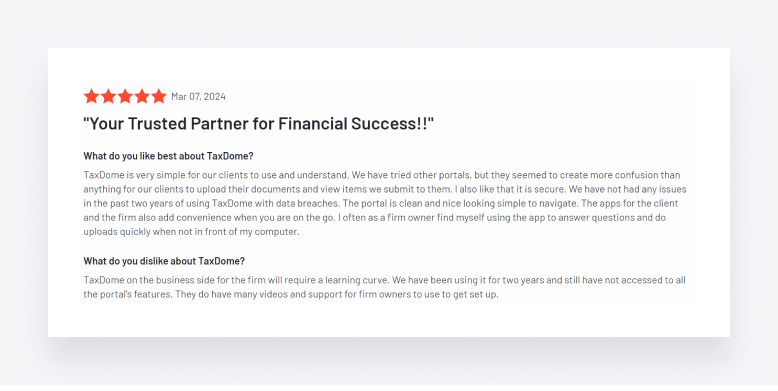
TaxDome has plenty of glowing reviews, with users enjoying the platform’s user-friendly interface, security, and ability to enhance the client experience. The firm and client mobile apps are also a big hit, allowing users to manage tasks and keep in touch on the go.
Because TaxDome’s capabilities are so broad, some reviewers mention that it can take time to learn how to use it to its full potential. But thankfully, TaxDome’s Help videos and other educational materials provide everything you need to get up and running.
See how TaxDome is helping accounting firms across the world drive efficiency, productivity, and growth:
- Polaris Tax & Accounting scaled its customer base from 50 to 1,500+
- BHR Finans & Regnskap AS grew by 9% in 12 months
- Athene Group replaced multiple apps and slashed onboarding times to a couple of minutes
Why firms choose TaxDome
Accounting firms often choose TaxDome because it combines workflow automation, CRM, document management, client communication, billing, e-signatures, and secure client portals in a single platform.
The platform is commonly used by firms looking to replace disconnected systems and centralize recurring workflows, client requests, internal processes, and document management in one place.
TaxDome is especially popular among growing accounting, bookkeeping, and tax firms that want to standardize operations, improve client experience, and reduce manual administrative work across teams.
2. Karbon
Best for
Accounting firms where internal coordination and shared email management are the biggest daily challenge.
Biggest strength
Shared email triage and team-wide visibility into who owns what and where every job stands.
Biggest limitation
The client portal is desktop-only, there’s no client mobile app, and client-facing features are thinner than broader platforms.
Ideal firm size
Small and mid-sized teams (5+ staff) where team coordination is more important than client-facing tools.
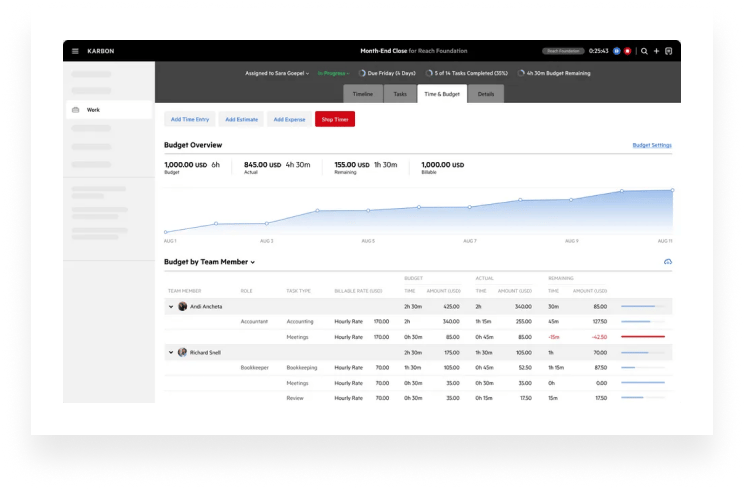
Karbon is a cloud-based practice management platform that helps accounting, bookkeeping, and CPA firms manage their day-to-day processes.
Key features
Karbon allows you to automate repetitive tasks, such as client data collection, file storage, or billing. You can also set auto-reminders at times of your choosing. There’s also a handy AI assistant that integrates with ChatGPT, enabling you to automatically summarize emails and compose client communications.
For team collaboration, you have internal and external messaging, collaborative task lists, kanban boards, and timelines to help you manage work more effectively as a team. On the client side, Karbon offers a secure client portal — available on desktop only — where you can assign tasks to clients and keep them in the loop.
Karbon also offers practice intelligence, allowing you to access real-time data insights about your firm’s performance.
What kind of practices use Karbon?
Karbon is designed for accounting firms with 5+ team members. Because of the pricing structure, smaller firms that are growing fast will have to upgrade to more expensive plans to unlock higher usage limits.
Pricing
Karbon offers three price plans:
- Team: from $708/year (equivalent to $59/month)
- Business: from $1,068/year (equivalent to $89/month)
- Enterprise: custom
Pros and cons
| 👍 Pros | 👎 Cons |
| User-friendly interface | Limited number of e-signatures |
| Secure client portal | You can’t send emails in bulk |
| Customer support available | You can’t custom-brand your website or choose a URL |
| Easy task management process | Paid setup and training only |
| Integrated AI and ChatGPT | No client mobile app |
Ratings and reviews
G2 rating: 4.8 from 500+ reviews
Capterra rating: 4.7 from 168 reviews
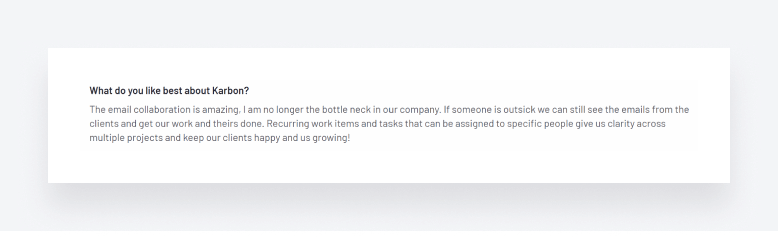
Most reviewers are happy with Karbon’s product offering, with several users singling out the platform’s email capabilities and task management for praise.
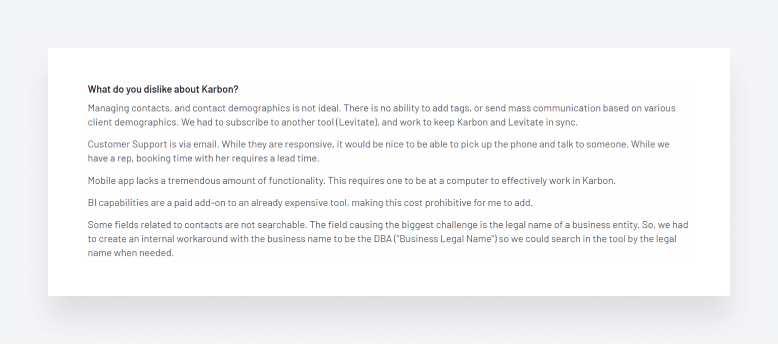
We also saw some major concerns that users have with certain features, however, including contact management, customer support, and the mobile app:
You can explore how Karbon compares with TaxDome in this detailed article: TaxDome vs Karbon.
3. Jetpack Workflow
Best for
Small accounting and bookkeeping firms looking for lightweight recurring workflow management.
Biggest strength
You can be up and running in a day with almost no learning curve.
Biggest limitation
No client portal, no real document management, and billing is bare-bones, so you’ll need other tools alongside it.
Ideal firm size
Solo accountants, small bookkeeping firms, and smaller accounting practices managing recurring workflows.
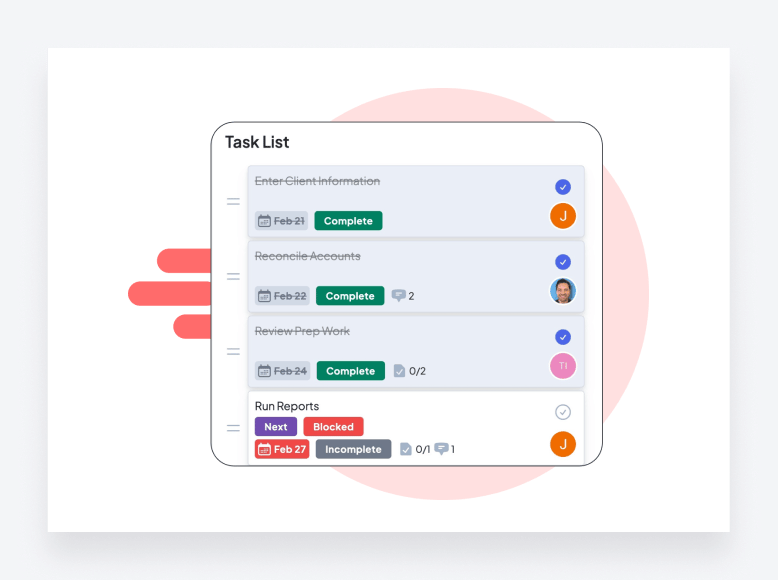
Founded in 2014, Jetpack Workflow is a practice management software for accounting and bookkeeping firms.
Key features
Jetpack Workflow offers basic task automation and allows you to set automations to repeat at custom intervals. There’s also a template library to help you standardize documents, processes, and checklists with ease.
In terms of team collaboration and task management, the platform allows you to view all client work at a glance — and filter and search for more detail. You also get internal communication and alerts.
What kind of practices use Jetpack Workflow?
Jetpack Workflow’s somewhat limited functionality make it well suited to smaller firms that don’t expect to scale significantly in the foreseeable future.
Pricing
Jetpack Workflow has one package with two different billing options:
- Starter: from $480/year (equivalent to $40/month)
- Premium: from $600/year (equivalent to $50/month)
Pros and cons
| 👍 Pros | 👎 Cons |
| Workflow library | Outdated interface |
| Rapid job creation process | Limited functionality |
| Unlimited clients and contacts | No client portal, only a Clients section within the platform |
| Integration with QuickBooks | Minimal email and document management tools |
Ratings and reviews
G2 rating: 4.1 from 11 reviews
Capterra rating: 4.8 from 50+ reviews
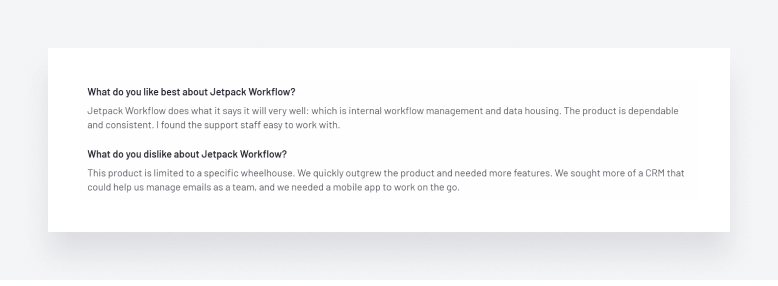
Reviewers are generally happy with Jetpack Workflow, but it’s clear that it’s not the most comprehensive platform, with minimal email and document management tools, and no client portal or mobile app:
Want to see a direct comparison between Jetpack Workflow and TaxDome? Then check out this article: TaxDome vs Jetpack Workflow.
4. Financial Cents
Best for
Small firms that need solid workflow tracking without paying for features they won’t use.
Biggest strength
Low entry price and a clean interface that most teams can pick up in a few days.
Biggest limitation
Firms that outgrow the automation and client portal capabilities will eventually need to re-platform.
Ideal firm size
Solo practitioners and small firms (under 5 people) that value simplicity over feature depth.
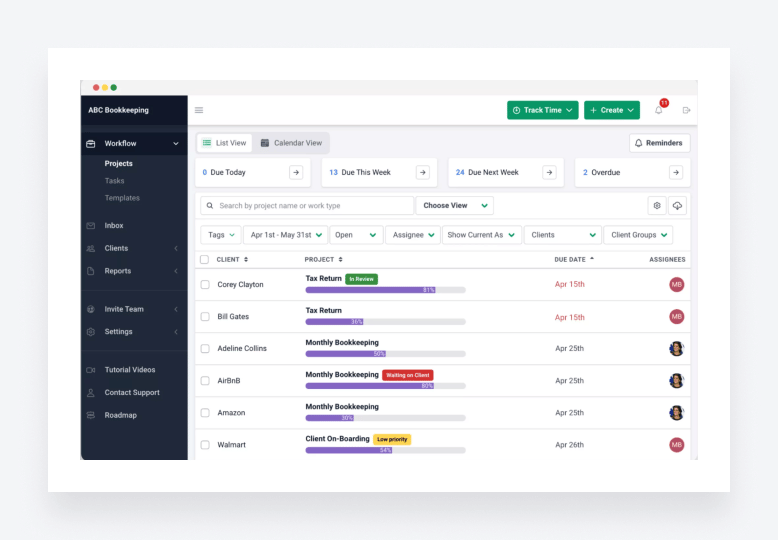
Financial Cents is another cloud-based practice management software that helps small and medium-sized accounting and bookkeeping companies handle daily tasks.
Key features
Financial Cents offers a range of workflow management tools, allowing you to understand staff capacity, assign work, and keep up to date on progress. You also get a simple task dashboard with dynamic progress bars.
In terms of automation, Financial Cents offers automated document requests and reminders. Then there’s a built-in CRM for all your client data, time tracking and billing, and a branded client portal.
What kind of practices use Financial Cents?
Financial Cents is designed for small and medium-sized accounting practices that are happy with a more basic, user-friendly platform.
Pricing
Financial Cents has four plans for different team sizes:
Enterprise: custom
- Solo: from $228/year (equivalent to $19/month)
- Team: from $588/year (equivalent to $49/month)
- Scale: from $828/year (equivalent to $69/month)
Pros and cons
Let’s take a look at some of the best features and drawbacks of Financial Cents.
| 👍 Pros | 👎 Cons |
| Various tools for workflow automation | Some users have reported complexity when integrating with Xero and QuickBooks Online |
| Built-in client portal | Issues with triggering events |
| User-friendly platform | No firm or client mobile app |
Ratings and reviews
G2 rating: 4.8 from 80+ reviews
Capterra rating: 4.8 from 120+ reviews
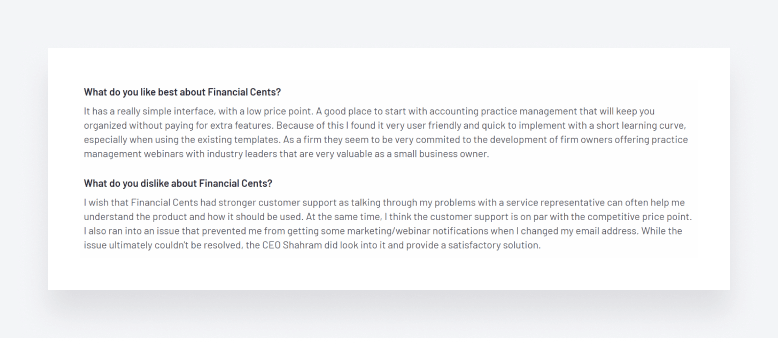
Based on user reviews, it’s clear that Financial Cents is relatively easy to use and cost-effective. At the same time, however, customer support can be lacking at times:
Explore how Financial Cents compares with TaxDome in this detailed guide: TaxDome vs Financial Cents.
5. QuickBooks Online Accountant
Best for
Firms already running their clients on QuickBooks Online who want one login to manage everything.
Biggest strength
Deep integration with QuickBooks Online and streamlined bookkeeping collaboration workflows.
Biggest limitation
More limited workflow automation and accounting practice management functionality outside the QuickBooks ecosystem.
Ideal firm size
Bookkeeping firms, QuickBooks-focused accountants, and smaller accounting practices.
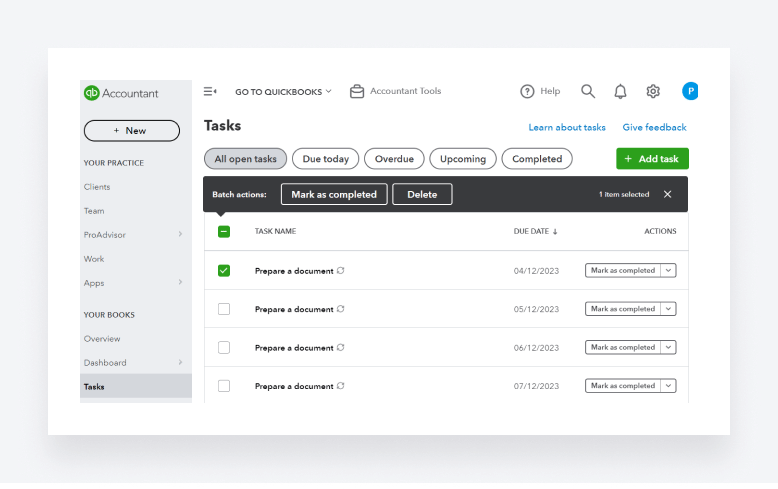
QuickBooks Online Accountant is a cloud-based accounting software with various smart tools for organizing your tasks and team management.
Key features
QuickBooks Online Accountant offers secure communication and document sharing. And with seamless integration with QuickBooks Online, you can also access your clients’ books for joined-up accounting workflows. You can also automate routine accounting tasks and sync with banks.
Like most other accounting software, this platform provides a range of task management tools, and you can easily track project expenses, income, time, and labor. You get some pretty standard reporting and analysis tools too, as well as time and billing capabilities.
What kind of practices use QuickBooks Online Accountant?
Like other QuickBooks products, QuickBooks Online Accountant is geared towards small and medium-sized accounting businesses.
Pricing
QuickBooks Online Accountant is available for free. You only pay for clients you add, depending on whether you offer the software through direct billing or wholesale.
If you choose direct billing, your clients will need to purchase their own QuickBooks Online subscription. Alternatively, with the wholesale option, your firm can purchase QuickBooks subscriptions for your clients, and save up to 50% on the cost of each subscription.
Pros and cons
| 👍 Pros | 👎 Cons |
| User-friendly and intuitive workflow | Has a different platform for time tracking |
| A vast library of workflow templates | There’s no “undo” button |
| Free access to the QuickBooks Online ProAdvisor program | Lacks payroll features |
| Seamless integration with QuickBooks Online | Not ideal if your clients don’t use QuickBooks Online |
Ratings and reviews
G2 rating: 4.4 from 80 reviews
Capterra rating: 4.6 from 30+ reviews
Reviewers frequently praise QuickBooks Online Accountant’s usability and simplicity:

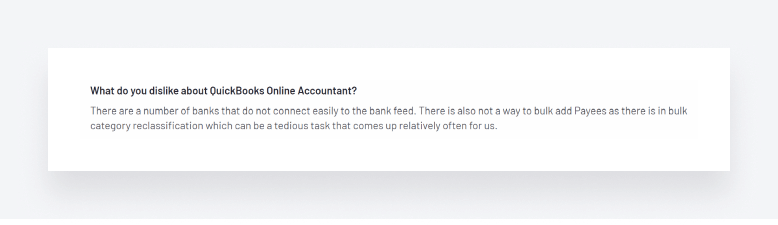
But there are a few minor gripes here and there, such as the inability to connect to certain banks:
6. Canopy
Best for
Tax-focused accounting firms needing integrated tax resolution and client management tools.
Biggest strength
Strong tax workflow functionality combined with document management, client portal, and practice management capabilities.
Biggest limitation
Pricing can increase significantly as additional modules and features are added.
Ideal firm size
Tax firms, mid-sized accounting firms, and practices handling tax resolution workflows.
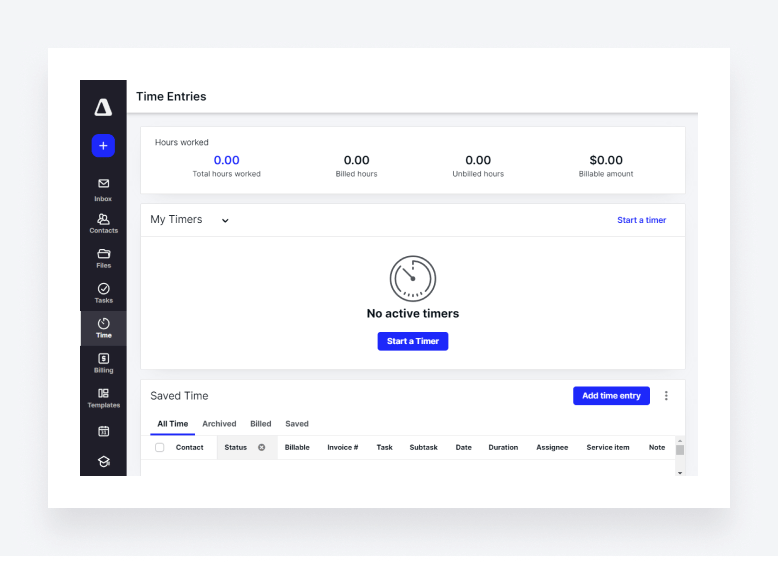
Canopy is a cloud-based practice management software designed to meet all your practice management needs.
Key features
Canopy has a pretty comprehensive set of features. As you’d expect from a practice management platform, you get standard stuff like document management, e-signatures, workflow automation, and task management.
On top of that, you get some interesting capabilities such as an AI assistant that drafts emails and answers queries with data insights, custom-branded client engagement letters, and a client portal mobile app.
What kind of practices use Canopy?
Canopy’s pricing specifies a minimum of five users, so small and solo practices will want to look elsewhere. Given Canopy’s complex, modular pricing, however, it may put off larger or fast-growing firms that want a complete feature set.
Pricing
Canopy offers four plans for firms of different sizes:
- Enterprise: custom
- Standard: from $888/year (equivalent to $74/month)
- Plus: from $1,308/year (equivalent to $109/month)
- Premium: from $1,788/year (equivalent to $149/month)
Pros and cons
| 👍 Pros | 👎 Cons |
| User-friendly interface | No website builder |
| Comprehensive feature set | You can’t set up your domain name |
| Client portal mobile app | Lack of document storage |
| Several reporting options | Limitations on the number of clients |
| Confusing pricing, with lots of add-ons and extra costs |
Ratings and reviews
G2 rating: 4.6 from 300+ reviews
Capterra rating: 4.5 from 220+ reviews
Reviewers love Canopy’s comprehensive feature set that allows them to replace multiple apps with a single platform.
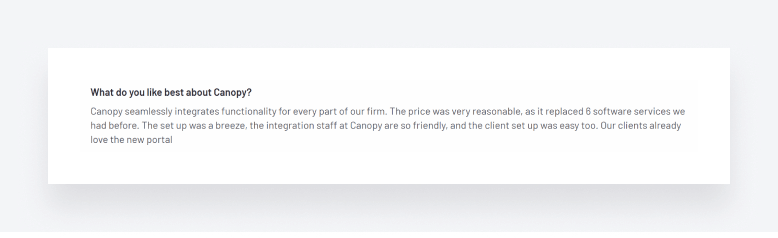
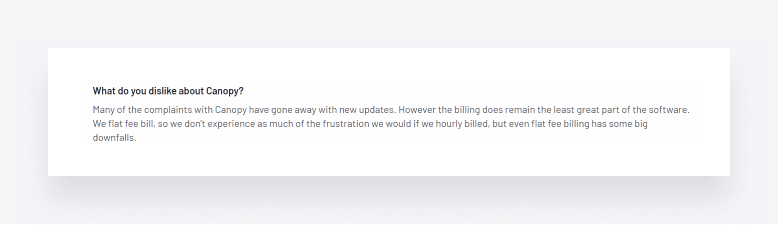
There are, however, some concerns over certain areas of the platform, such as Canopy’s time and billing functionality. For a detailed look at how Canopy stacks up against TaxDome, take a look at this article: TaxDome vs Canopy.
7. Xero Practice Manager
Best for
Firms already on Xero that would rather add practice management to their existing setup than start fresh somewhere else.
Biggest strength
Everything talks to Xero natively, so time entries and invoices sync without any manual work in between.
Biggest limitation
You’ll hit the ceiling quickly on automation and team management. There’s no dedicated client app either.
Ideal firm size
Xero-focused accounting firms, bookkeeping practices, and smaller advisory teams.
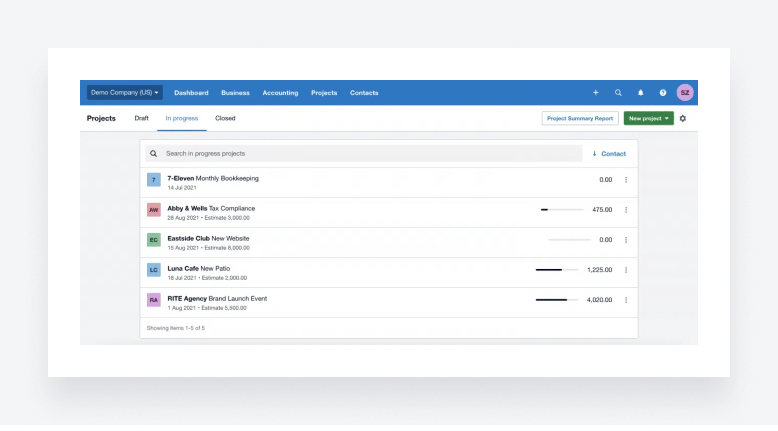
Xero Practice Manager is a practice management software for small accounting firms and solopreneurs.
Key features
As you’d expect, Xero Practice Manager offers seamless integration with Xero accounting software, providing a complete ecosystem for managing your clients’ books and your firm’s processes.
There are basic task management features, allowing you to assign work to team members, set deadlines, and monitor progress towards completion via a workflow dashboard. You can also track time and generate accurate invoices. On the data side, Xero Practice Manager offers customized reports and data visualizations.
What kind of practices use Xero Practice Manager?
Like Xero accounting software, Xero Practice Manager targets the small-business accounting market. It’s also a popular choice with users of other Xero products thanks to its seamless integration.
Pricing
We found it difficult to find clear information about the pricing of Xero Practice Management. The Xero website has a general pricing page, but the pricing options seem to be for Xero’s accounting software, not its practice management software.
Pros and cons
| 👍 Pros | 👎 Cons |
| Useful billing module | Not ideal if you don’t already use Xero |
| Good practice management features for solopreneurs | Xero is unable to connect with several banks |
| Seamless integration with Xero accounting software | Can be buggy at times |
| Not suitable for team management |
Ratings and reviews
G2 rating: 4.4 from 35 reviews
Capterra rating: N/A
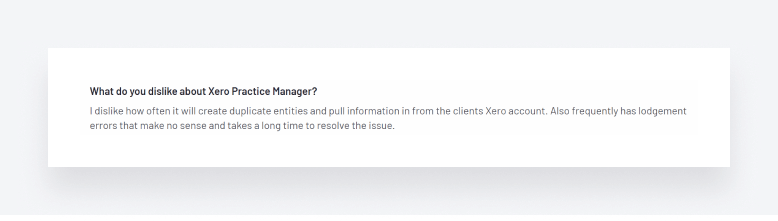
Clients love its simple user interface and ability to integrate with Xero accounting software:
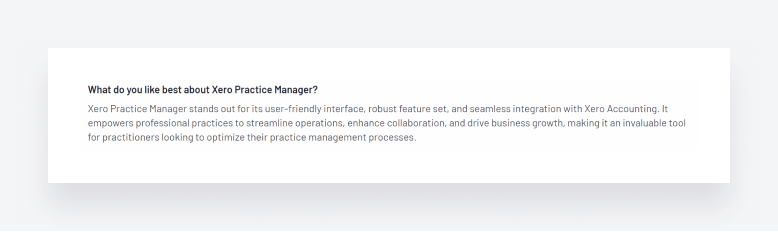
At the same time, some users state that the system can be a bit buggy at times, which can be complicated and time-consuming to fix.
8. CountingWorks PRO
Best for
Accounting firms that want their marketing and their practice management on the same platform.
Biggest strength
Marketing and SEO tools for accounting firms
Biggest limitation
The practice management side is shallow, so most firms will still need a separate tool for day-to-day operations.
Ideal firm size
Small and mid-sized accounting firms focused on marketing, client acquisition, and online visibility.
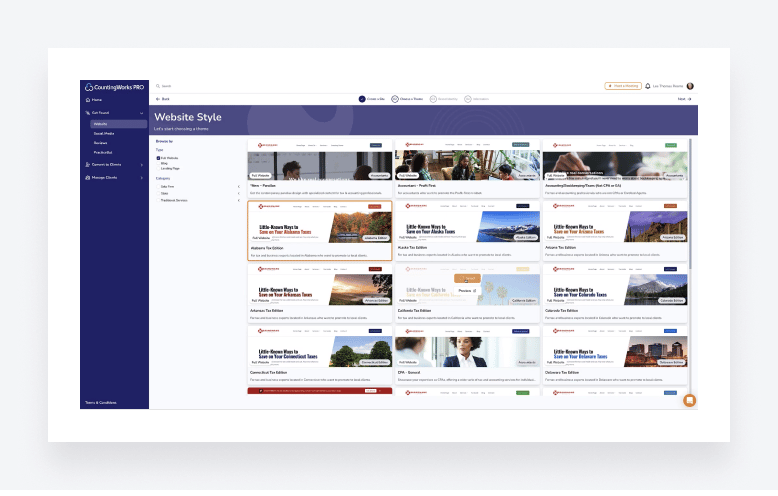
CountingWorks PRO is an all-in-one marketing and practice management software developed for small accounting firms and tax professionals.
Key features
As a slightly unconventional platform that leans more towards content marketing and lead generation than traditional practice management, you get some interesting and unique features on CountingWorks PRO.
For example, you can make use of the custom website and landing page builder to capture more clients. Then there are automated content, social media, and email marketing capabilities, as well as AI and templates for drafting content, communications, and documents faster.
On the more traditional side, you get a CRM for sharing documents and scheduling appointments, as well as secure chats and video conferencing.
What kind of practices use CountingWorks Pro?
CountingWorks Pro is aimed at a specific niche — accounting businesses looking for a platform that focuses primarily on content marketing and lead generation.
Pricing
CountingWorks PRO provides multiple pricing options for its services:
- Starter: from $1,800/year (equivalent to $150/month)
- Grow: from $2,400/year (equivalent to $200/month)
- Premier: from $3,600/year (equivalent to $300/month)
- Premier Plus: from $6,000/year (equivalent to $500/month)
There’s also an a la carte option, where you can pick and choose the packages you want.
Pros and cons
| 👍 Pros | 👎 Cons |
| Client hub and client portal | Limited workflow automation: no dependencies and recurring jobs |
| Interesting features for marketing your firm | Document upload times may be long |
| Modern and user-friendly interface | Marketing-first approach might not suit all firms |
Reviews and ratings
Capterra rating: 4.0 from 11 reviews.
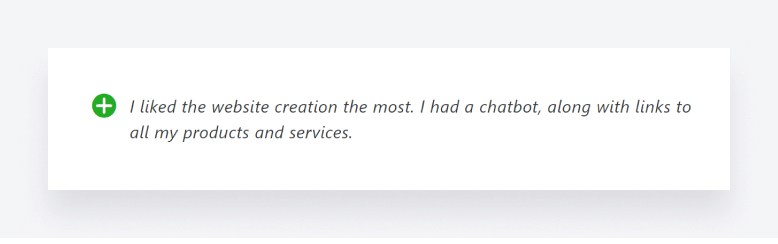
Users rate the platform’s web builder as well as its marketing and e-commerce capabilities:
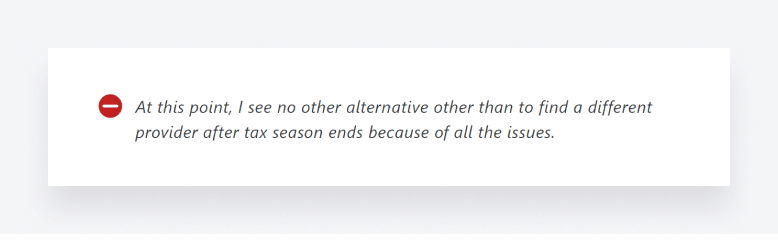
But there are also major concerns about its ability to streamline day-to-day accounting workflows:
9. Double (formerly Keeper)
Best for
Bookkeeping firms managing recurring monthly client communication and transaction review workflows.
Biggest strength
Streamlined bookkeeping-focused workflows with strong client communication and transaction review functionality.
Biggest limitation
More specialized toward bookkeeping workflows rather than full accounting practice management operations.
Ideal firm size
Bookkeeping firms, CAS practices, and firms managing recurring bookkeeping engagements.
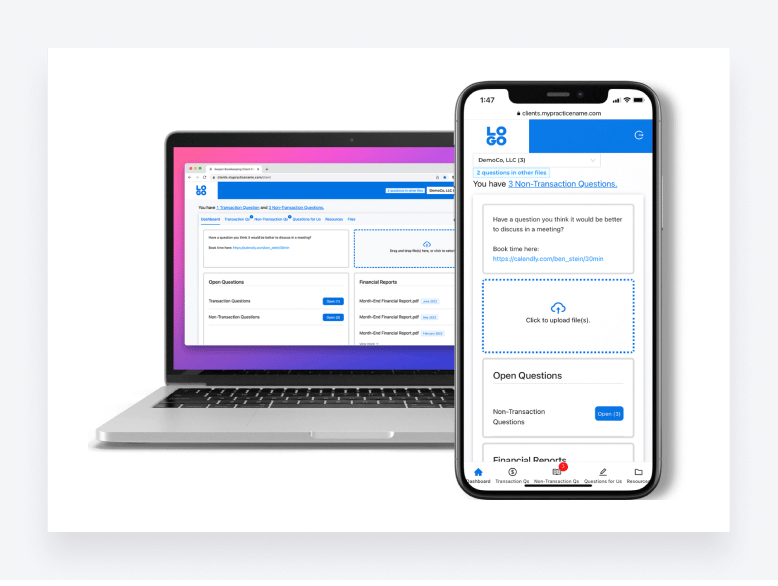
Double (formerly Keeper) is a practice management app designed to make it easier than ever to run a bookkeeping business.
Key features
So what does Double offer? First up, you get a host of features you’d expect from a well-rounded practice management platform, including document management, team collaboration, task management, a built-in CRM, and a custom-branded client portal.
On top of this, Double offers some interesting features such as a file review tool that automatically spots errors in client files.
What kind of practices use Double?
Double has pricing plans for businesses of all sizes, but it focuses more on the bookkeeping side of things than tax and accounting.
Pricing
Double offers three pricing options:
- Core: from $120/year (equivalent to $10/month)
- Plus: from $300/year (equivalent to $25/month)
- Scale: from $600/year (equivalent to $50/month)
Pros and cons
| 👍 Pros | 👎 Cons |
| The ability to automatically spot errors in client files | You have to pay more for key features |
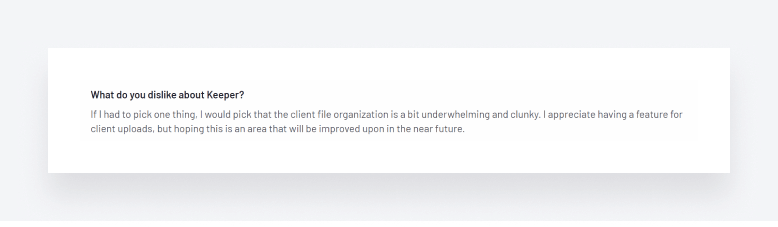
| Client portal for an enhanced client experience | File organization can be a bit clunky |
| Everything you need to streamline your monthly close | Focused more on bookkeeping than accounting and tax |
| Limited client management tools |
Ratings and reviews
G2 rating: 5.0 from 48 reviews
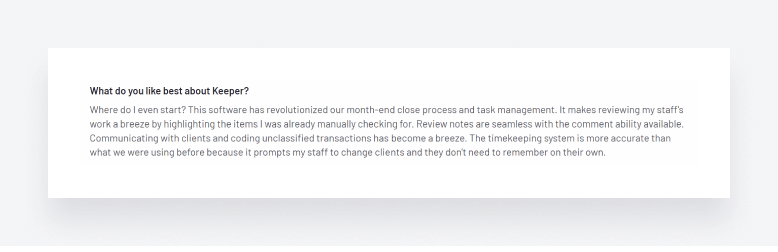
A lot of the positive reviews focus on Keeper’s ability to streamline the month-end close.
Some reviews claim that the platform’s file management system could be improved, however.
10. Onvio Firm Management
Best for
Accounting firms already using Thomson Reuters products and tax software.
Biggest strength
Integrated ecosystem for firms operating within the Thomson Reuters platform environment.
Biggest limitation
The interface feels dated and performance issues come up frequently in user reviews.
Ideal firm size
Established accounting firms, tax practices, and firms using Thomson Reuters products extensively.
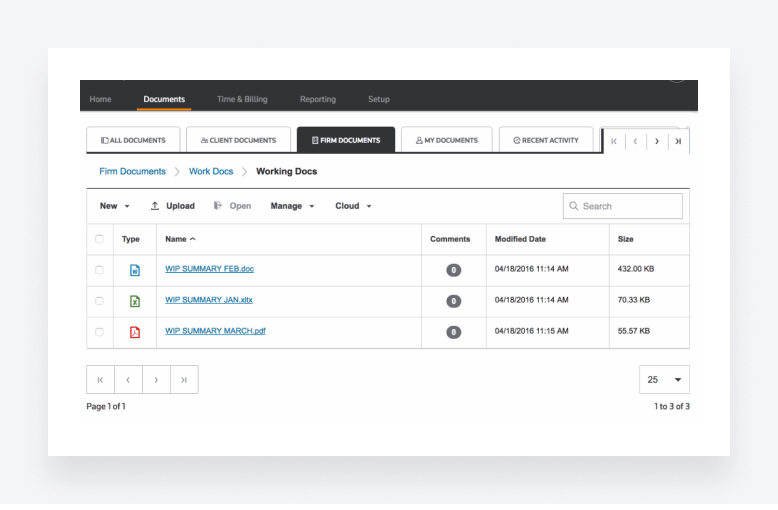
Part of the Thomson Reuters software ecosystem, Onvio Firm Management is a cloud-native solution that helps accountants and tax professionals run their firms.
Key features
Onvio Firm Management offers document management, with e-signatures and a mobile app where clients scan and upload documents. You also get a range of project management features, including task tracking and budgeting tools.
Onvio also offers time and expense tracking, billing, and the ability to communicate with clients on any device.
What kind of practices use Onvio Firm Management?
As a Thomson Reuters product, Onvio Firm Management is likely to be more popular with firms that use other Thomson Reuters software, such as UltraTax CS.
Pricing
We couldn’t find any information about pricing on the Thomson Reuters website.
Pros and cons
| 👍 Pros | 👎 Cons |
| Seamless integration with other Thomson Reuters software, including UltraTax CS | Unclear pricing |
| Mobile app with a document scanner | Server errors can lead to downtime |
| Limited integrations with third-party apps | |
| Not the most user-friendly |
Reviews and ratings
G2 rating: 3.5 from 12 reviews
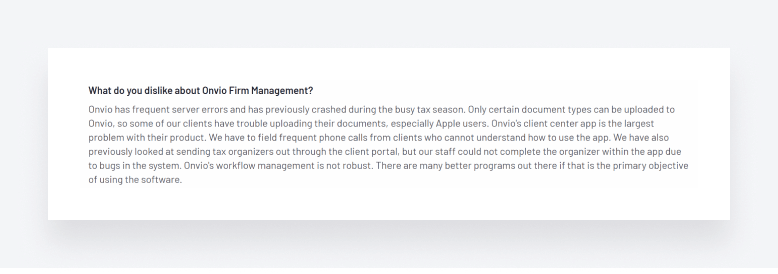
Based on user reviews, it’s clear that Onvio gets some of the basics of practice management right.

That said, there are some serious concerns about some of the technical issues and bugs that users are experiencing.
11. Aero Workflow
Best for
Small firms that mostly need to track recurring tasks and make sure nothing falls through the cracks.
Biggest strength
Dead simple workflow tracking. You can see what’s due and who’s behind without digging through menus.
Biggest limitation
There’s no CRM, no client portal, and billing is minimal. This is a workflow tracker, not a full practice management platform.
Ideal firm size
Small accounting firms, bookkeeping practices, and solo accountants.
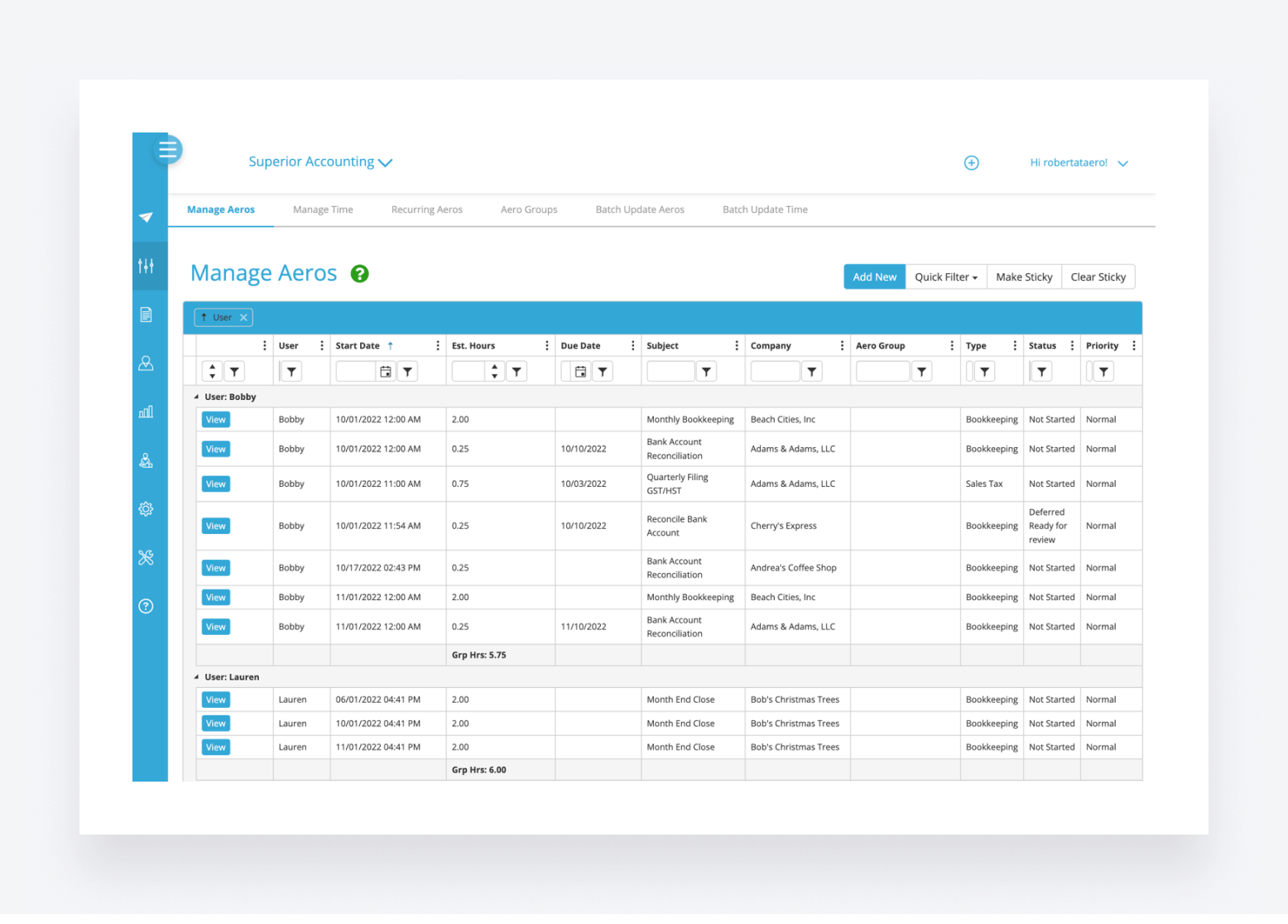
Aero Workflow is a practice management platform designed for accountants, by accountants. It offers a range of features designed to help you define, organize, and track your accounting workflows.
Key features
One of Aero’s strongest points is its ability to help you organize and define your firm’s processes. You can create accounting procedures and checklist templates, and then store them all in one centralized library for easy access.
On the work management front, you can easily schedule one-time or recurring tasks. There are tools for tracking work and time, with access to 20 customizable reports that provide real-time insights into your firm’s performance.
What kind of practices use Aero Workflow?
Aero Workflow is designed for accounting practices looking for a simple platform to help them standardize their accounting processes and procedures. Its lack of functionality will put firms with broader needs off, however.
Pricing
Aero’s pricing is based on the number of users and is broken down into three tiers:
- Startup: from $1,620/year (equivalent to $135/month)
- Growth: from $3,000/year (equivalent to $250/month)
- Scaling: from $4,380/year (equivalent to $365/month)
There are also cheaper rates when paid yearly.
Pros and cons
| 👍 Pros | 👎 Cons |
| Plenty of templates and checklists | Workflow automation is very basic |
| Customizable reports for tracking performance | No mobile apps |
| Suffers from system lags | |
| Not a complete practice management solution |
Reviews and ratings
G2 rating: 4.7 from just three reviews.
Aero doesn’t have enough user reviews to form a well-rounded view of its effectiveness, but the positive comments focus on the platform’s task management and time-tracking features.
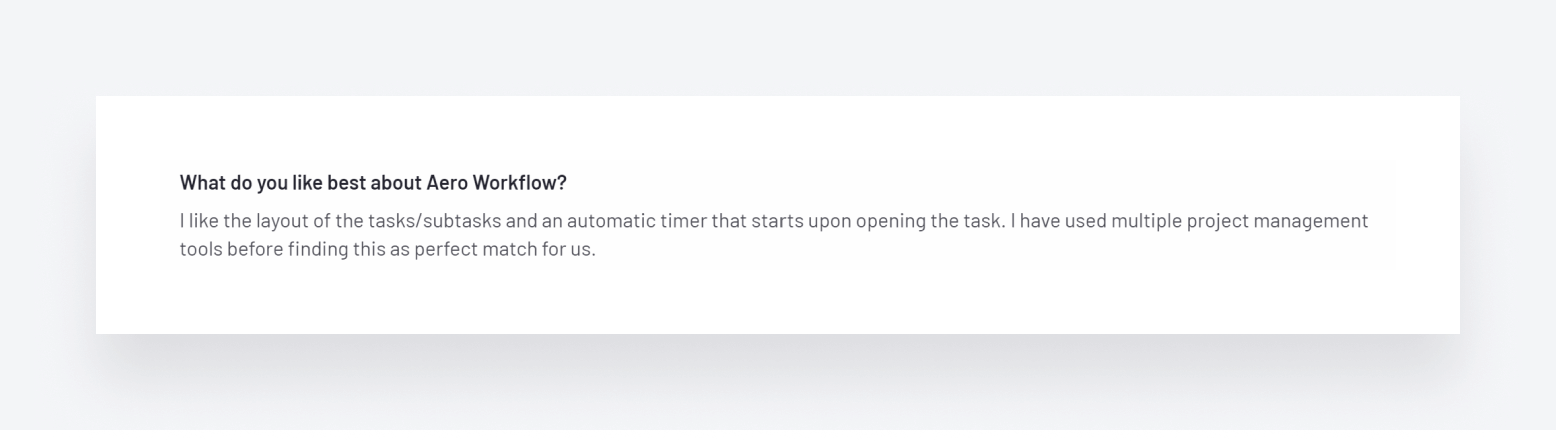
On the other hand, several users mention that the system is often slow and that reports are fiddly to use.

12. OfficeTools WorkSpace
Best for
Traditional accounting firms needing billing, contact management, and document organization tools.
Biggest strength
Strong billing and contact management functionality for established accounting workflows.
Biggest limitation
Outdated interface and more limited automation capabilities compared to newer cloud-based platforms.
Ideal firm size
Traditional accounting firms and established practices transitioning from legacy systems.
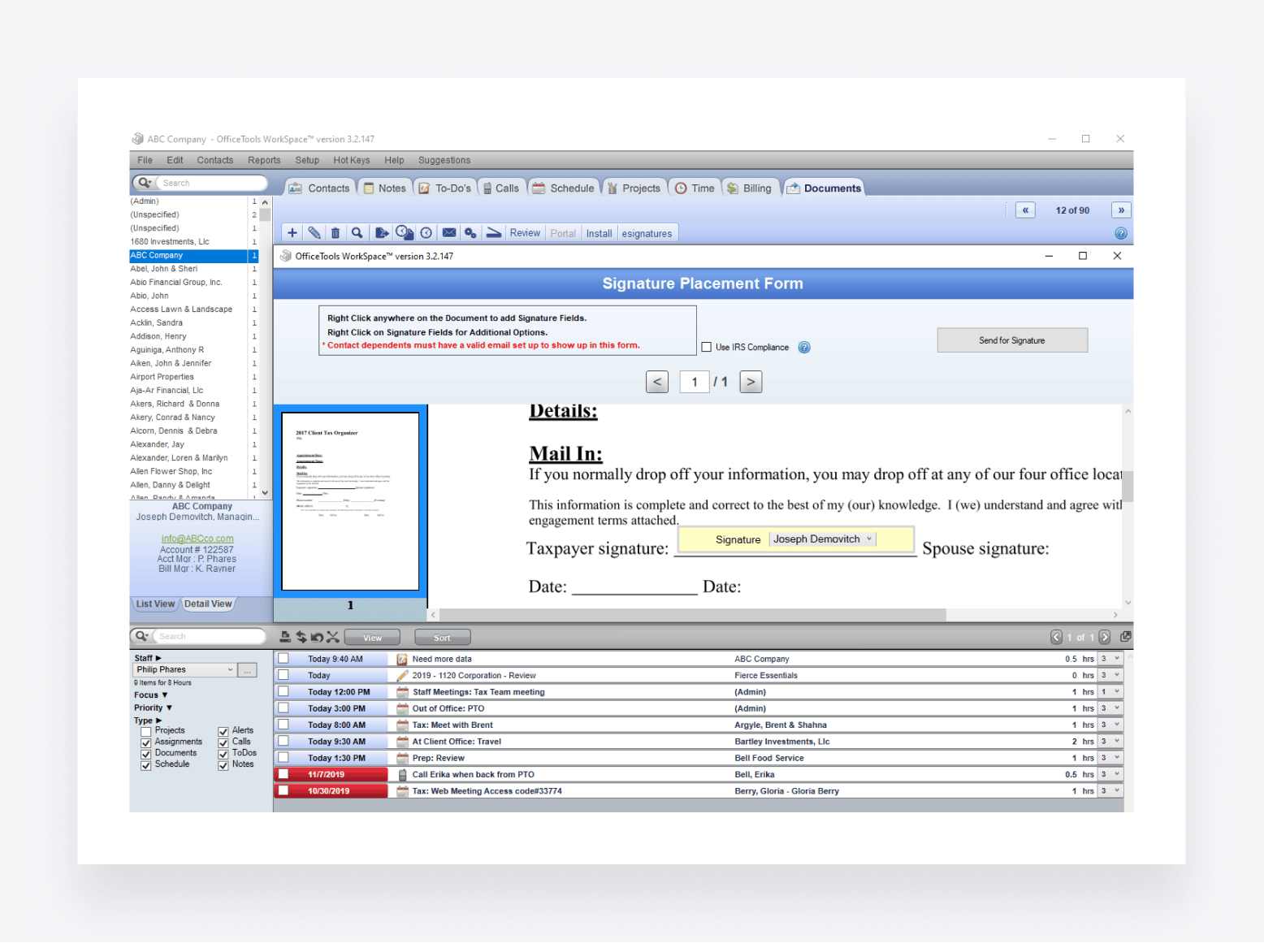
OfficeTools WorkSpace is an accounting practice management system developed by software company Caret, which also makes solutions for legal firms.
Key features
OfficeTools WorkSpace offers a range of features that help you organize client data, track due dates, and automate the billing process.
You get a customizable client portal, where clients can view, upload, and e-sign documents. There’s also a firm mobile app for running your practice on the go.
What kind of practices use OfficeTools Workspace?
With its outdated user interface and limited feature set, OfficeTools Workspace is more likely to appeal to older, slower-moving accounting firms.
Pricing
There are no details about pricing on the OfficeTools website. You have to call for more information.
Pros and cons
| 👍 Pros | 👎 Cons |
| Decent time and billing features | Outdated user interface |
| Firm mobile app | Slow and buggy |
| Custom-branded client portal | Limited automation features |
| No client mobile app | |
| Support can be slow to respond |
Reviews and ratings
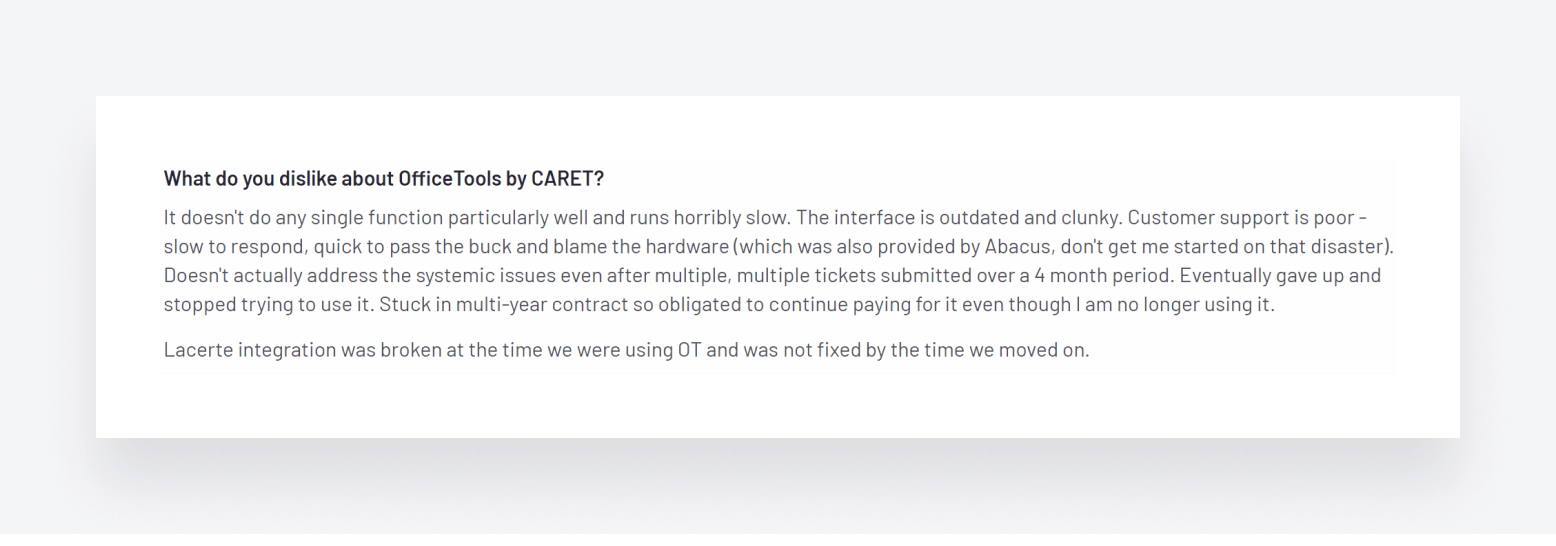
G2 rating: OfficeTools has a rather disappointing average rating of 3.6.
Based on user reviews, OfficeTools’ strongest suit seems to be its time and billing capabilities.

There are plenty of negative reviews, however, with users focusing on how buggy, slow, and outdated the system is. Customer support also seems to be an issue.
A comparison of the best accounting practice management software
We covered a lot of information in this guide so far. So, to help you understand how these different platforms stack up at a glance, here’s a handy comparison table.
| TaxDome | Karbon | JetPack Workflow | Financial Cents | QuickBooks Online Accountant | Canopy | Xero Practice Manager | CountingWorks PRO | Double (Keeper) | Onvio Firm management | Aero Workflow | OfficeTools | |
| Project and task management | ||||||||||||
| Team management | ||||||||||||
| Workflow automation | ||||||||||||
| Document management | ||||||||||||
| Time tracking and invoicing | ||||||||||||
| Reporting | ||||||||||||
| Client portal | ||||||||||||
| Firm and client mobile apps | ||||||||||||
| Pricing | $58 per user per month | From $59 per user per month | From $30 per user per month | From $39 per user per month | Paid on a per-client basis, with various pricing options | Depends on modules, users, and add-ons | Not clear | From $125 per month | From $8 per client per month | Not clear | Paid on a per-user basis, with three different pricing options | No info on the website. |
| ⭐G2 rating | 4.7 | 4.8 | 4.1 | 4.8 | 4.4 | 4.6 | 4.4 | 4.0 | 5.0 | 3.5 | 4.7 | 3.6 |
As we can see from this comparison, no two practice management solutions are the same. The ideal choice for you will depend on your firm’s needs.
For accountants, bookkeepers, and tax pros looking for a complete practice management platform, TaxDome is a standout choice that offers a full spectrum of features. Karbon, Jetpack Workflow, and Financial Cents are all solid contenders, but they lack some core functionality, while Canopy is let down by complex pricing. Aero Workflow has too many key features missing, and OfficeTools has clear issues with performance.
If you already use QuickBooks Online or Xero accounting software, then QuickBooks Online Accountant and Xero Practice Manager may seem like sensible choices. Unfortunately, however, both offer limited capabilities in key areas, such as workflow automation or mobile apps.
For firms wanting to prioritize marketing and lead generation, CountingWorks PRO is the standout platform. But if your focus is on running all aspects of your firm more efficiently, there are better options.
KPIs to track after implementing practice management software
Picking the right platform is only half the job. Once it’s up and running, the real question becomes: is it actually working? That’s where a handful of simple numbers can tell you more than a gut feeling ever will.
You don’t need a data science team for this — just four numbers, checked regularly, and the discipline to act on what they tell you.
Realization rate
This is the ratio of what you actually bill to the time your team actually spends. If your realization rate is sitting below 100%, you’re writing off work you’ve already done, often without anyone noticing, because it happens a little bit at a time, client by client.
Good practice management software should make this easy to see at a glance, instead of something you only discover when you’re reconciling books at year-end.
Staff utilization
Utilization tells you how much of your team’s available time is actually going toward billable work. It’s a backward-looking number, a read on how the last week, month, or quarter actually played out. It’s also one of the clearest signals of whether you’re overstaffed, understaffed, or about right for your current client load.
Staff workload
Utilization looks back; workload looks at right now. It answers a different question: who’s buried, and who has room to take on more? Checking this regularly, especially heading into a deadline, is often the difference between catching an overloaded team member early and finding out the hard way, when something slips.
WIP and accounts receivable aging
These two track different points in the same journey. Work in progress (WIP) is everything you’ve done but haven’t billed yet. Accounts receivable (AR) is everything you’ve billed but haven’t collected yet. Watching how long things sit in each bucket tells you whether any cash flow issues are a billing problem, a collections problem, or both.
Why bother tracking any of this?
None of these numbers exist to make you feel bad about your firm. They exist to catch small problems while they’re still small: a billing gap here, an overloaded associate there, instead of finding out three months later that margins have quietly slipped. The firms that get the most out of their practice management software aren’t necessarily using more of its features. They’re the ones actually looking at what it’s telling them, on a regular cadence, and doing something about it.
A quick gut check: if you implemented new software six months ago and you can’t say with confidence whether your realization rate has moved, that’s worth a look before you decide whether the platform itself is working for you.
Case study: a real-life example of accounting practice management software in action
In this section, we’ll explore how Evolution Accounting & Consulting, LLC used TaxDome to streamline their accounting workflows and drive efficiency.
About the company
Evolution Accounting & Consulting grew rapidly by acquiring paper-oriented firms and transforming them into remote ones. They needed the right technology to keep up with this rapid growth and continue delivering 5-star client experiences. They found the answer they needed in TaxDome.
Implementation
The firm set up TaxDome’s automation tools to handle client communication. With customized email templates, they’re using shortcodes to pull in each recipient’s name, address, and account details. So, now the firm can send personalized emails to clients without writing each one manually.
They also restructured their workflows around TaxDome’s project management features, with tags, pipelines, and task automation doing most of the heavy lifting.
Results
Evolution scaled to over 1,000 clients without losing the personal service their clients signed up for. Automating the repetitive stuff gave the team back dozens of hours a week: document requests, status, updates, billing, and manual follow-ups. Now, the team puts this time into client advisory and other priority work.
Eric Gray, CEO of Evolution Accounting & Consulting, shares his experience of working with TaxDome:
FAQ
What is the best accounting practice management software in 2026?
No single platform fits every firm. TaxDome covers the most ground as an all-in-one solution. Karbon is stronger for teams that live in email. Financial Cents keeps things simple and affordable for smaller practices.
What is the difference between accounting practice management software and project management software?
Practice management software is built for accounting firms — client portals, recurring tax workflows, e-signatures, billing. Tools like Asana or Monday.com are general-purpose project trackers that lack those accounting-specific features.
How much does accounting practice management software cost?
Expect to pay between $19 and $149 per user per month. The headline price can be misleading, though. Some vendors charge separately for document management or billing features that others include as standard.
What is the best accounting practice management software for small firms?
Financial Cents and Jetpack Workflow are the most affordable starting points. If you expect to outgrow a lightweight tool within a year or two, TaxDome gives you more room to scale without switching platforms later.
Is TaxDome good for bookkeeping firms?
Yes. The platform is built around the kind of recurring monthly work that bookkeeping firms run all year. Document collection, client messaging, invoicing, and workflow automation all live in one place, which helps during busy periods.
Which accounting practice management software has the best workflow automation?
TaxDome and Karbon are well ahead of the pack here. You can build a multi-step workflow once and let it run on its own from there. The lighter platforms like Jetpack Workflow and Financial Cents will cover simple recurring tasks, but the automation ceiling is low.
Which accounting practice management software has the best client portal?
TaxDome and Canopy. Both give clients a single login for messaging, document uploads, e-signatures, payments, and mobile access. Most other platforms cover some of those but not all.
How to choose the right practice management software for your firm
Every accounting practice management platform has its own set of strengths and trade-offs. The right choice depends less on which tool has the longest feature list and more on how well the platform fits your firm’s size, service mix, and growth plans.
Here’s a quick decision framework based on what we’ve covered in this guide:
- Solo practitioners and firms under 5 users: Financial Cents or TaxDome Essentials offer the best balance of functionality and price at this size. Avoid platforms that require a 5-user minimum.
- Growing firms (5–25 users): TaxDome and Karbon are the strongest choices. TaxDome wins if you need an integrated client portal, billing, and mobile apps; Karbon wins if team collaboration and email workflows are your top priority.
- Larger firms (25+ users): TaxDome Business or Karbon Enterprise both scale well. Canopy’s modular pricing can work here but adds complexity.
- QuickBooks-only firms: If you’re committed to the Intuit ecosystem, QuickBooks Online Accountant covers the basics but expect to add a second tool for workflow automation and client portal functionality.
- Firms prioritizing marketing and lead generation: CountingWorks PRO is the specialist choice, though most firms will still need a separate platform for day-to-day operations.
If you’d like to see how TaxDome handles your firm’s specific workflows, book a personalized demo, our team will walk you through exactly the features relevant to your practice size and service mix.

Nicholas produces TaxDome content focused on how technology improves accounting workflows and everyday firm operations.

Get your free guide

Thank you!
The guide copy has been sent to your email. Please check your inbox!
Recommended articles
65+ key accounting statistics and insights for 2026

How to start an accounting firm: a step-by-step guide to running your own practice
Accounting process improvement: Practical strategies, tools, and real-world examples