 US – English
 UK – English
 Canada – English
 Australia – English
 Danmark – Dansk
 DACH - Deutsch
 France – Français
 España – Español
 Sverige – Svenska
 Italia – Italiano
 Nederland – Nederlands
 Portugal – Português
 Suomi – Suomi
 Norge – Norsk
 日本 – 日本語
 Romanian – Română












Top 13 project & task management software for accountants and tax professionals in 2026
Run your entire firm on one platform

In any small or medium-sized accounting firm, project and task management software is highly important: managing the day-to-day in a structured, systematic way prevents avoidable issues and frees up time for work that requires attention.
However, implementing project management software is difficult when you have other tasks to juggle — and deadlines to stick to. On top of that, the market is flooded with different options, which can easily lead to choice paralysis.
So we set out to make your life easier by looking at what’s out there — and examining the best options for project management software in 2026. But first, a brief explanation of how a task and project management program can benefit your business.
Table of сontents
- Importance of project and task management software for accountants
- Key features of project management software
- How to evaluate project management software for your firm
- Best accounting project & tasks management software
- TaxDome
- Trello
- Cone
- Flowlu
- Nifty
- Asana
- Monday.com
- Wrike
- Basecamp
- Smartsheet
- Zoho Projects
- ClickUp
- Birdview PSA
- Comparison of project management software for accountants, bookkeepers, and tax professionals
- Case study: growing a national practice to 1000+ clients with project management software
- FAQ
- Final thoughts on choosing the best software for your accounting needs
Table of сontents
- Importance of project and task management software for accountants
- Key features of project management software
- How to evaluate project management software for your firm
- Best accounting project & tasks management software
- TaxDome
- Trello
- Cone
- Flowlu
- Nifty
- Asana
- Monday.com
- Wrike
- Basecamp
- Smartsheet
- Zoho Projects
- ClickUp
- Birdview PSA
- Comparison of project management software for accountants, bookkeepers, and tax professionals
- Case study: growing a national practice to 1000+ clients with project management software
- FAQ
- Final thoughts on choosing the best software for your accounting needs
Importance of project and task management software for accountants
CPAs need to manage multiple projects and tasks simultaneously: a project and task management software can help streamline their workflow and increase productivity. Such software offer other advantages too, such as:
- Better collaboration with team members: employees in a tax firm can easily work together on tasks using a central hub for project management
- Improved project tracking: a task management tool can help accountants and bookkeepers keep an eye on project deadlines, ensuring everything is completed on time.
- Increased efficiency: accountants can automate certain tasks and configure workflows, which will allow them to focus on more complex projects.
For a deeper dive into project management for accountants, take a look at our article: Accounting project management made easy: the ultimate guide.
Key features of project management software
When choosing project management software for your accounting firm, take a good look at the following feature sets:
- Task management: monitor progress, set deadlines, and assign tasks
- Accounting workflows: manage and automate accounting workflows out of the box
- Collaboration tools: help the team collaborate and communicate more effectively
- Client features: communicate and work with clients effortlessly
- Time tracking: keep tabs on the time needed to complete each project and assignment
- Reporting and analytics: generate and evaluate insights about project management
How to evaluate project management software for your firm
With this many options on the market, it’s easy to end up picking whatever tool a colleague mentioned, or whatever showed up first in a Google search. That’s not really a strategy, and for something your whole team will rely on every day, it’s worth five minutes of structure before you start booking demos.
Here’s a simple way to work through it.
Step 1: Decide if you need an accounting-specific tool, or a generic one
This is the fork in the road that shapes everything else. Generic tools like Trello, Asana, or Monday.com are built to work for any industry which means they’re flexible, but they won’t natively understand accounting workflows, client documents, or billing.
Accounting-specific platforms, on the other hand, come with things a generic tool simply won’t have out of the box: client portals, e-signatures, built-in CRM, and templates for tax season or recurring bookkeeping work.
If your firm’s projects mostly involve internal tasks with no client-facing component, a generic tool might genuinely be enough. But if your projects touch client documents, deadlines, or communication in any real way which, let’s be honest, is most accounting work, an accounting-specific platform will save you from stitching together three or four tools later.
Step 2: Map your busiest season, not your average week
Most project management tools look fine in a demo, during a calm week, with 3 sample tasks. The real test is whether the tool holds up when you’ve got 200 client engagements moving at once during tax season.
Before you evaluate anything, write down what your firm’s toughest week actually looks like: how many active projects, how many client requests, how many deadlines landing in the same few days. Then ask, for each platform you’re considering, whether it was actually built to handle that volume or whether it’s going to buckle under the exact conditions you need it most.
Step 3: Score your shortlist against what you actually do
Go back to the key features above and rate each platform you’re seriously considering on a simple 1–5 scale, weighting the features that matter most to your specific workflow.
| Feature | Weight (1-3) | TaxDome | Karbon | Asana |
| Task management | 3 | 5 | 5 | 4 |
| Accounting-specific workflows | 3 | 5 | 5 | 1 |
| Collaboration tools | 2 | 4 | 5 | 4 |
| Client features (portal, e-sign) | 3 | 5 | 3 | 1 |
| Time tracking | 2 | 5 | 4 | 3 |
| Reporting and analytics | 2 | 4 | 4 | 3 |
| Weighted total | 90 | 83 | 51 |
Treat this table as a starting point rather than a verdict. Your weights should reflect your firm, and your scores should come from your own trial or demo, not ours. The point isn’t the exact numbers; it’s forcing yourself to compare tools against your priorities instead of whichever one has the flashiest homepage.
Step 4: Add up the real cost, not just the sticker price
The advertised per-user price only tells part of the story. Before you commit, work out:
- What you’ll actually pay per year at your current headcount
- Whether the plan you need requires a minimum number of users or seats
- What’s genuinely included, versus what needs an add-on (accounting software integrations, e-signatures, and premium reporting are common places where “affordable” tools get expensive fast)
- What it’ll cost you in lost time if the tool doesn’t integrate with your tax software and your team ends up re-entering data by hand
A $12/month tool that needs three paid add-ons to actually work for your firm isn’t the bargain it looks like on the pricing page.
Best accounting project & tasks management software
1. TaxDome
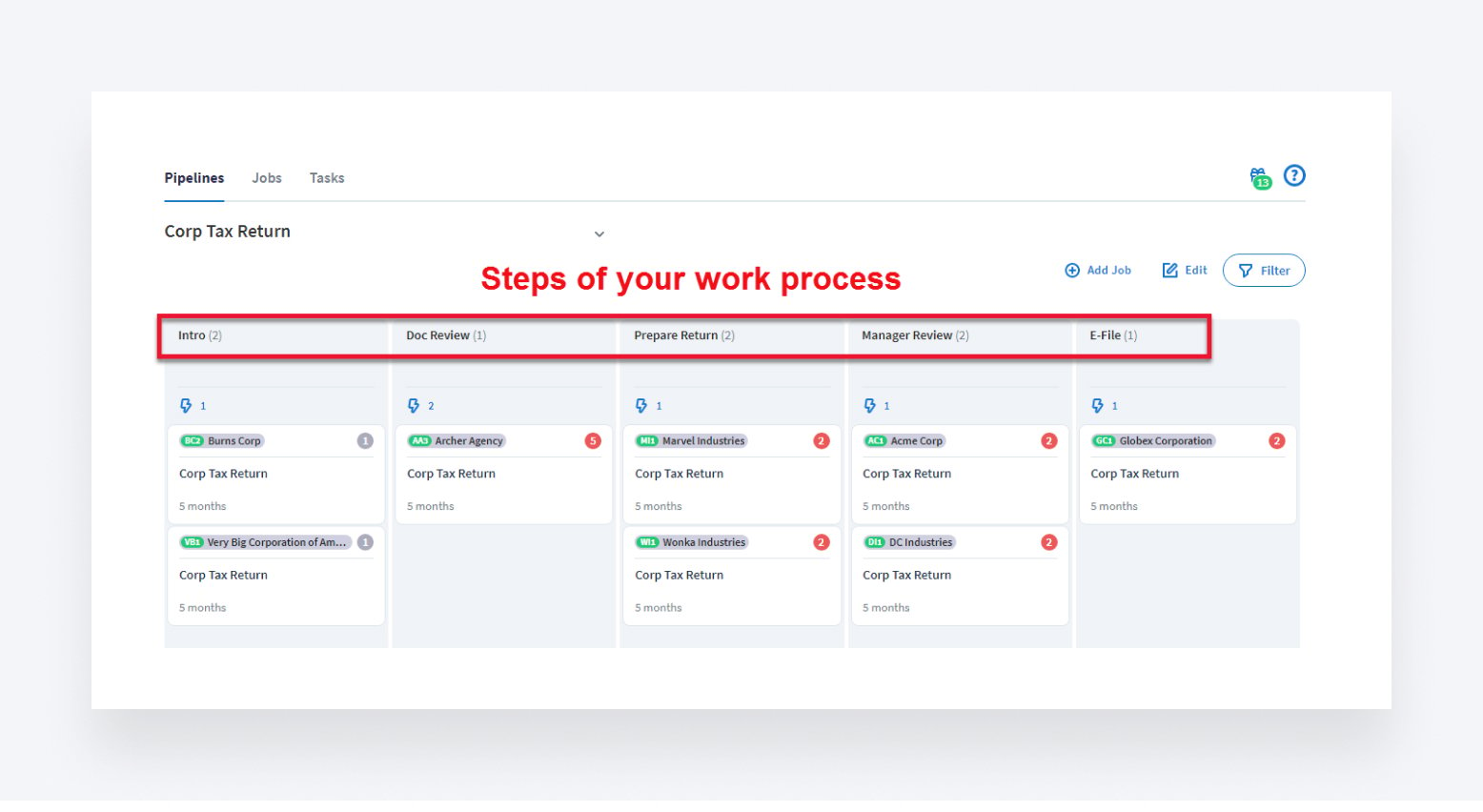
TaxDome is more than a project management platform; it’s a growth system designed for the most demanding needs of accounting firms. It removes productivity bottlenecks from every level of your practice, freeing up resources for high-value work. Here are some of the key functions you won’t easily find elsewhere:
- Accounting project management: handle every stage of accounting projects from start to finish
- Accounting automation: run full accounting processes and recurring services on autopilot
- Team and client collaboration: create effortless interactions between team members and clients throughout every project
- Secure client portal: clients and firm members can securely upload, edit, and e-sign documents, eliminating the need to send emails back and forth and print files out
- Client mobile apps: collaborate effortlessly with clients using the top-rated client apps on the App Store and Google Play
- Mobile doc scanning: allow clients to scan docs with their phones, convert them into PDFs, and sign on the go
- AI reporting: get valuable insights into your firm’s performance, manage workloads, and boost profitability
- AI doc organization: automatically rename and organize client documents with AI contextual analysis
- Unlimited document management: securely store and manage all documents with unlimited storage space
- Enterprise-grade security: handle clients’ sensitive data and documents with class-leading security
Pros
- Easy-to-use interface
- Designed specifically for project management professionals such as accountants, tax preparers and bookkeepers
- Comprehensive document management features
- Secure client portal
- Integration with QuickBooks Online
Cons
- Limited integrations with other software
- Limited customization options
Pricing
TaxDome has designed three plans tailored to meet your specific needs and goals:
- Essentials: from $58/month (billed annually at $700)
- Pro: from $75/month (billed annually at $900)
- Business: from $92/month (billed annually at $1,100)
Best for
TaxDome is the complete practice management platform for growing accounting firms. It integrates project management, workflow automation, and extensive collaboration tools into a single system designed for complex accounting processes. If you want to improve the efficiency of everything your accounting firm does, TaxDome is the platform for you.
2. Trello
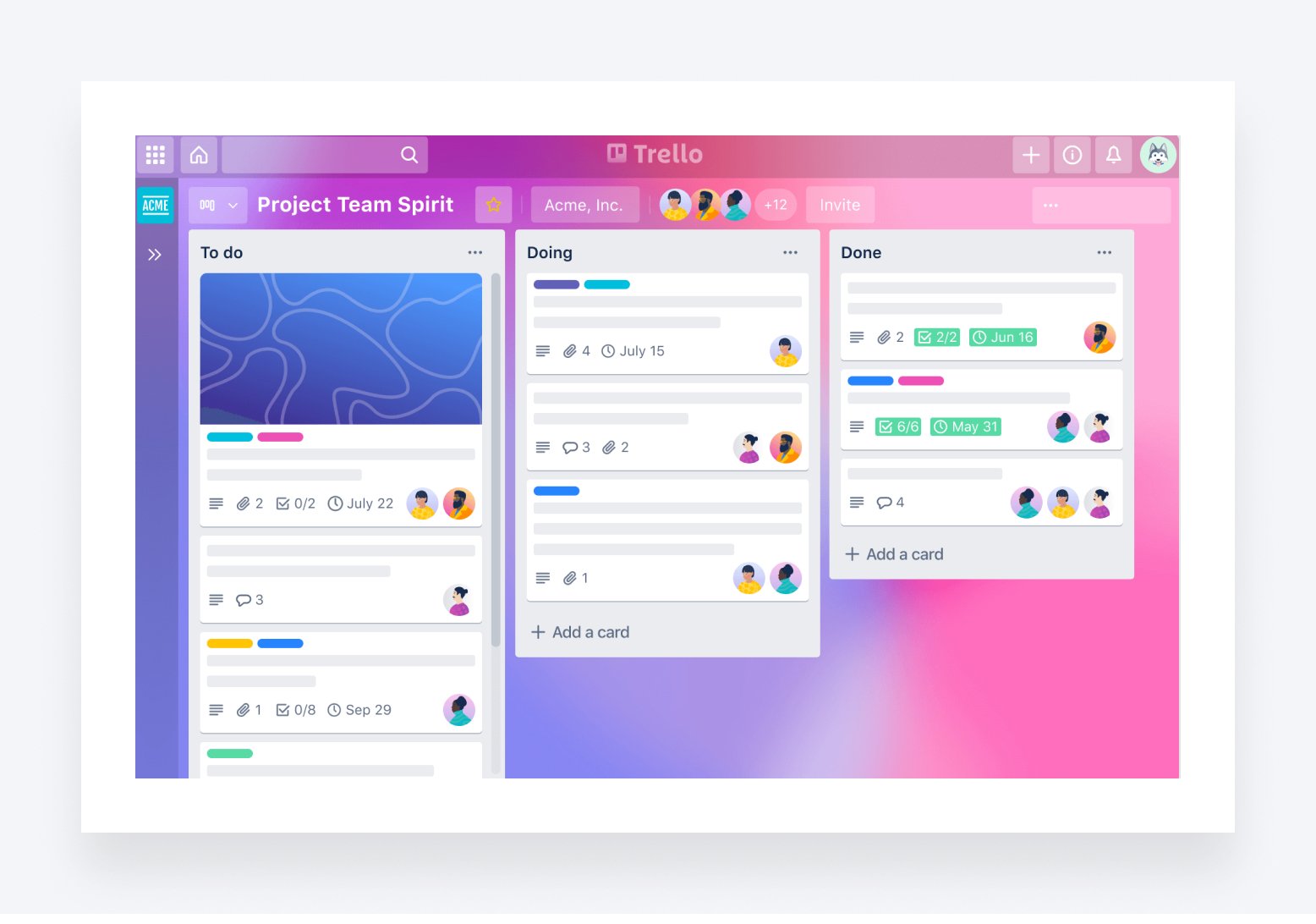
Trello is a popular and user-friendly project management tool that uses boards, lists, and cards to organize tasks and workflows. It allows team members to collaborate on projects and track progress in real-time.
- Incredible notification system
- Drag-and-drop interface for easy task management
- Responsive design
- Integration with various apps, such as Slack and Google Drive
- Easy to add new members to a project
Pros
- User-friendly tool
- Easy planning options
- The Kanban view is available
Cons
- Limited advanced features
- Steep learning curve
- Over-reliance on third-party tools
Pricing
- Free: $0
- Standard: from $5/month (billed annually at $60)
- Premium: from $10/month (billed annually at $120)
- Enterprise: from $17.50/month (billed annually at $210)
Best for
Trello has not picked one particular niche. The mission is to create an app “100 million people would use” — but it looks ideal for smaller teams. It is a cheaper alternative to most other options, with a straightforward interface.
3. Cone
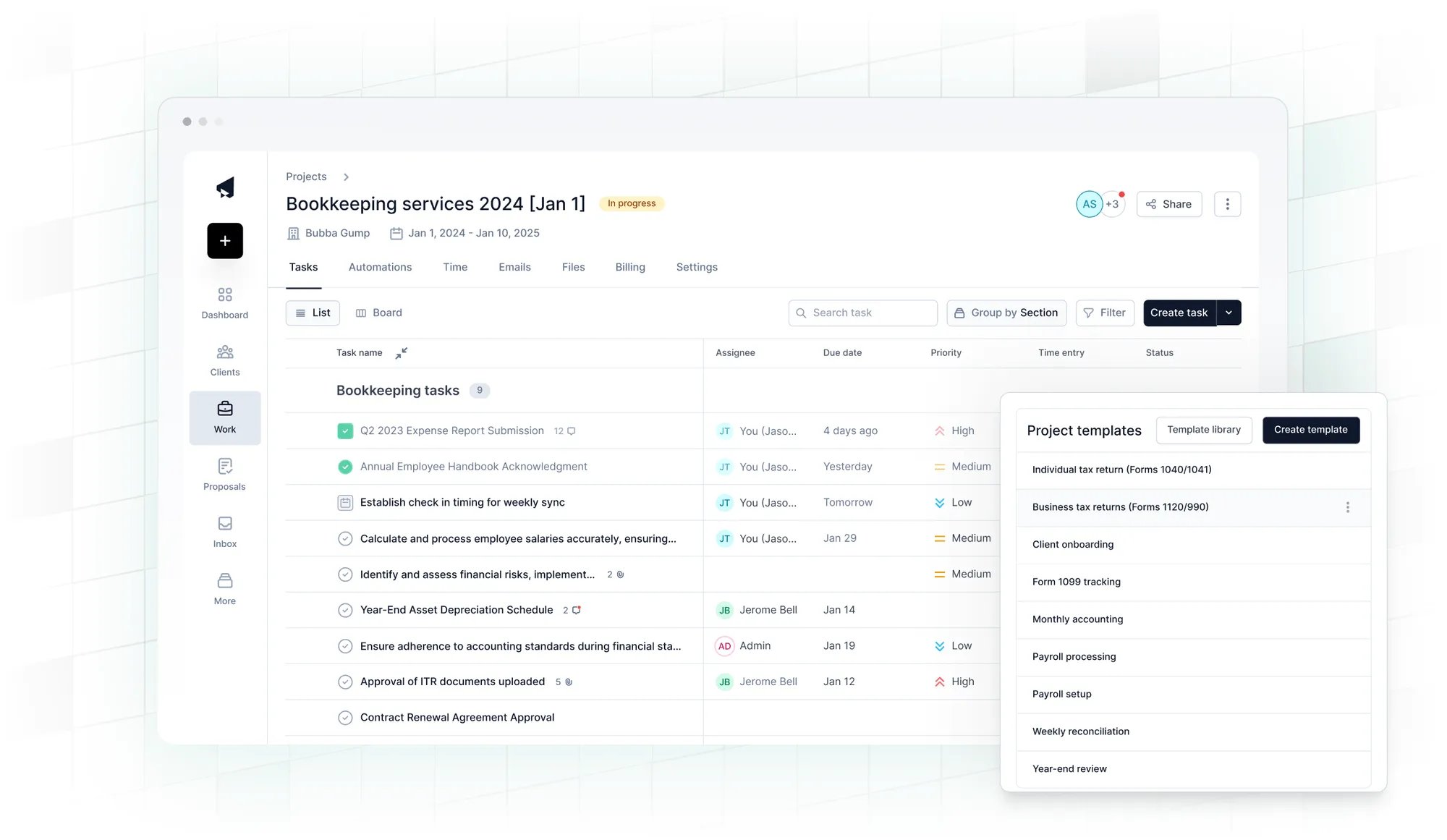
Cone is an affordable all-in-one proposal, billing, and practice management software built specifically for accountants, bookkeepers, and tax firms. It replaces multiple tools by combining proposals, projects, invoices, client communication, and workflow into a single, streamlined system.
- Proposal-to-Payment in one flow: Create branded proposals, automate client acceptance, and instantly set up one-off or recurring billing.
- Workflows: Track tasks, deadlines, and project progress to streamline work.
- Client portal: Collect forms, e-signatures, and request documents seamlessly through a secure and branded client portal.
- Billing: Generate invoices either from proposals or projects with support for ACH, Direct Debit, and credit/debit cards.
- Document Management: Store all client files in one place and integrate with Google Drive, SharePoint, and OneDrive.
- Email Management: Manage client communication seamlessly alongside workflows.
Pros
- Affordable price starting at just $5 per user/month
- Intuitive user experience
- All-in-one solution, no need for separate proposal software
- Designed for accountants and bookkeepers
- Secure, branded client portal
Cons
- Learning curve might be steep for some users
- Limited integrations with tax software
PricingCone is the most affordable practice management option on the market. There are 3 paid plans:
- Starter: from $5/month (billed annually at $60)
- Essentials: from $11/month (billed annually at $132)
- Growth: from $17/month (billed annually at $204)
Best for
Cone is ideal for accounting, bookkeeping and tax firms seeking a simple, affordable tool to manage workflows, collaboration, onboarding, and billing.
4. Flowlu
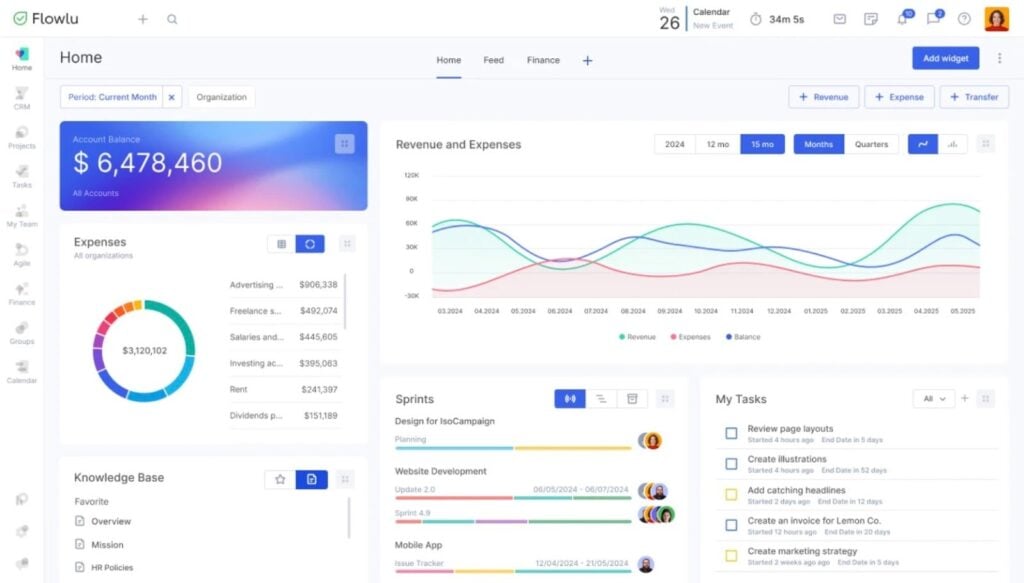
Flowlu combines project management, CRM, and financial tools. Accountants and tax professionals can track tasks while handling invoicing and budgeting in the same application. They can collaborate on internal operations and coordinate client updates during busy seasons.
Let’s take a look at its main features:
- Project profitability tracking alongside daily task lists
- Billable hour tracking using timers attached to specific assignments
- CRM tools to log leads and keep a central record of client emails
- Dedicated client portal for uploading tax documents and sending secure messages
- Customizable project templates and Kanban boards for mapping out audit workflows
Pros
- Puts task tracking and financial reporting in the same interface
- Allows extensive customization of project fields and task statuses
- Includes a free tier for solo practitioners or partnerships with up to two users
Cons
- The volume of features takes time to learn
- Misses direct integrations with most specialized tax preparation software
- Can feel heavy for firms that just want simple checklists
Pricing
Flowlu runs three paid plans as well as a free option for freelancers and teams of up to 2 members:
- Free: $0 (up to 2 users)
- Essential: from $9/month (billed annually at $108)
- Advanced: from $17/month (billed annually at $204)
- Ultimate: contact sales for custom pricing
Best for
Small firms and agencies that need a highly customizable, general-purpose business management tool. Flowlu works well for teams willing to build their own workflows to track internal budgets, sales leads, and daily operations, though it lacks the out-of-the-box, industry-specific features of dedicated accounting software.
5. Nifty
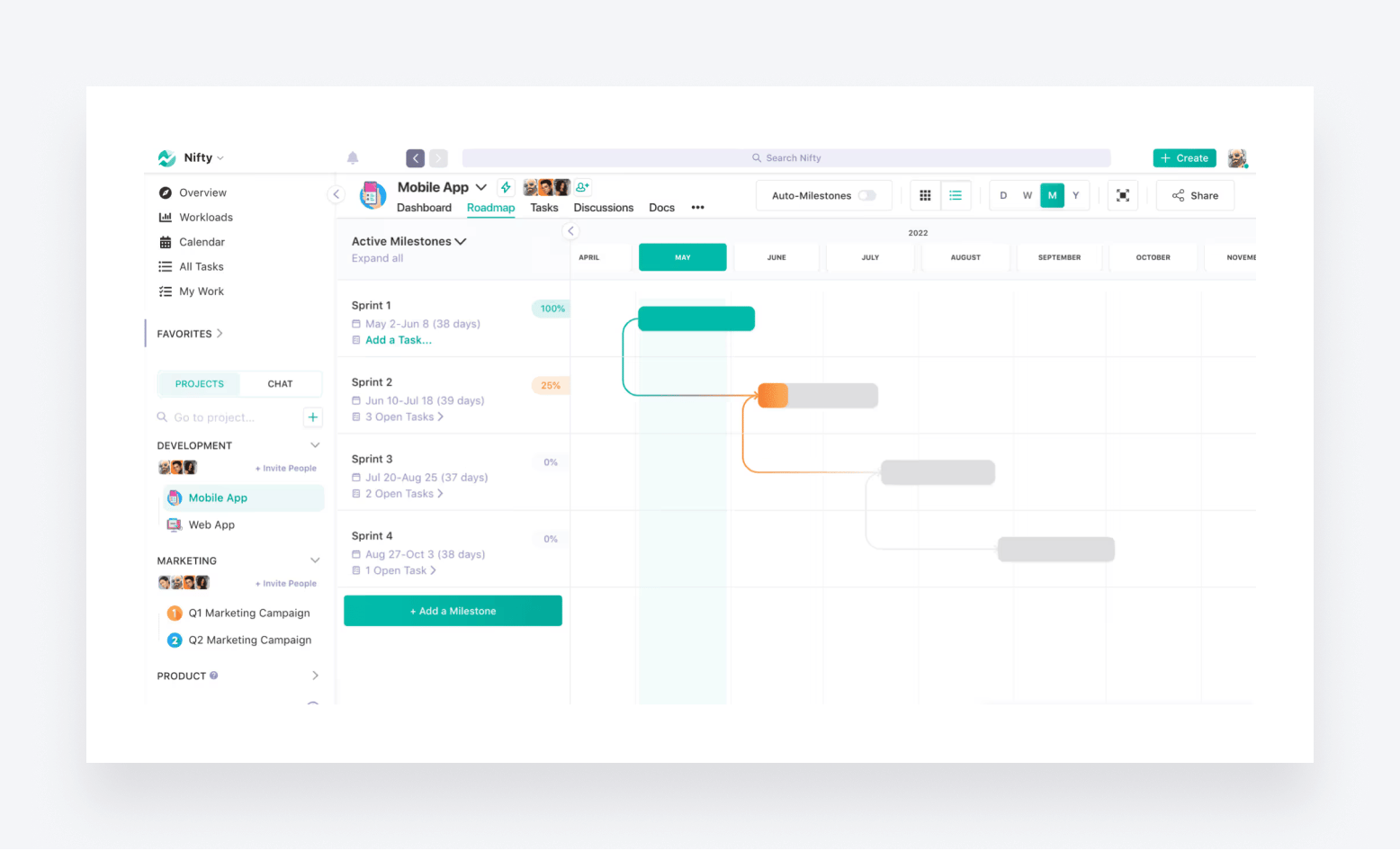
Described as “the ultimate project management OS”, Nifty provides an interesting range of features designed to align people and projects across your firm. Its intuitive design and clean user interface make it easy to organize workflows and collaborate with clients.
- Manage tasks and track billable hours seamlessly
- Share files and updates with clients in real time
- Clean UI with top-tier UX for simplicity
- Integrates with Google Drive, Slack, and more
Pros
- User-friendly interface
- Automated recurring tasks
- Built-in collaboration tools
Cons
- Advanced features only available on more expensive plans
- Limited integration options
Pricing
- Free: $0
- Personal: from $7/month (billed annually at $84)
- Business: from $16/month (billed annually at $192)
- Enterprise: custom pricing
Best for
Nifty is a decent choice for accountants seeking a straightforward yet powerful tool to organize their tasks, collaborate with clients, and manage multiple projects efficiently. It’s suitable for solo accountants and large teams alike.
6. Asana
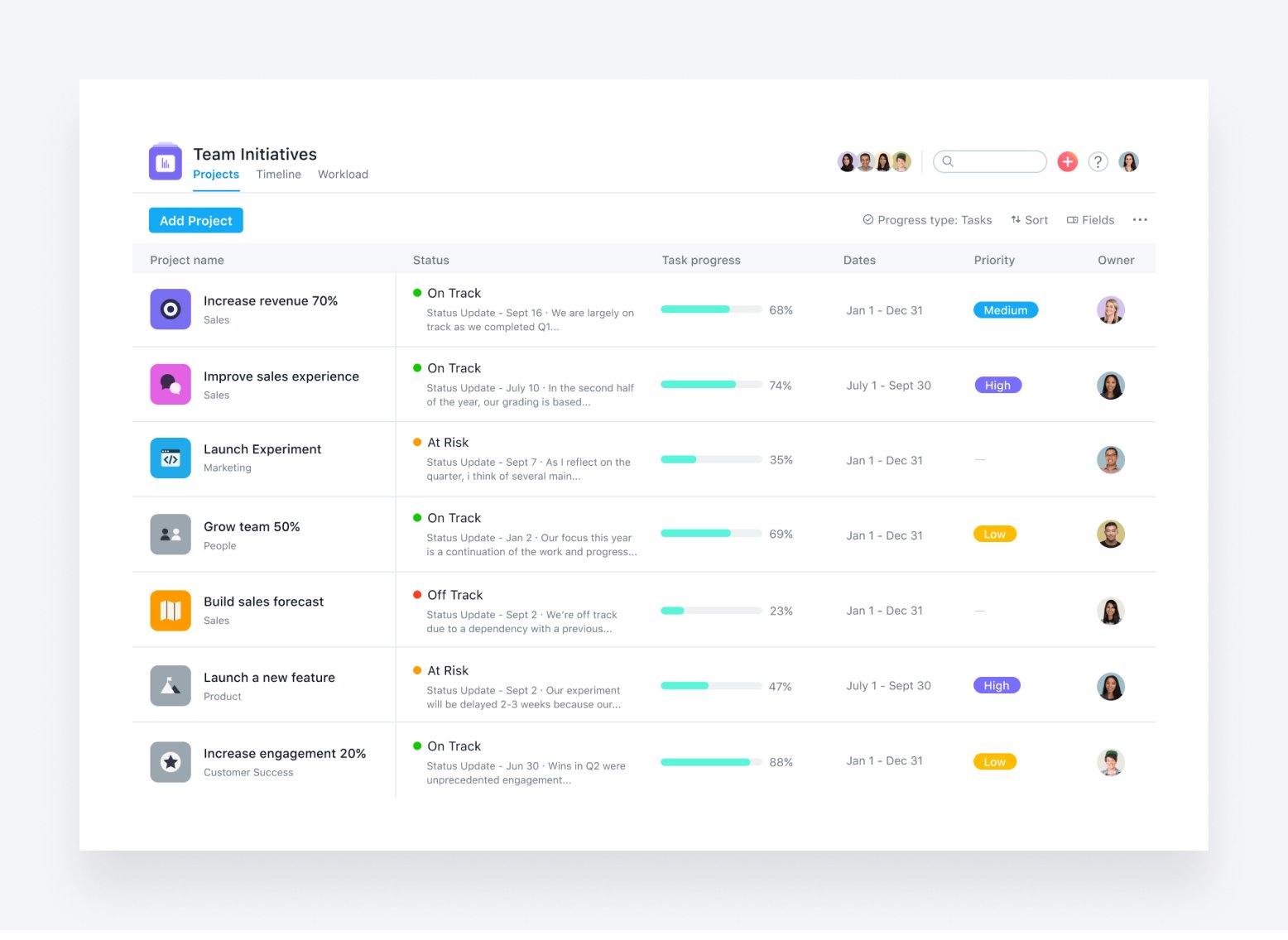
Asana is a project and task management software that helps teams organize and track their work. It offers various features to help streamline workflows and increase productivity.
- Customizable boards, lists, and tasks to organize work
- Collaboration tools that include commenting and file sharing
- Automation features, such as task assignments and reminders
- Integrations with various apps, such as Slack and Google Drive
- Mobile app for on-the-go access
Pros
- User-friendly interface
- Robust features and functionality to fit different teams and project needs
- Automation features to save time and increase productivity
Cons
- A steep learning curve for new users
- You’ll need the premium version to unlock more advanced features
Pricing
- Personal: $0 (for up to 10 users)
- Starter: from $10.99/month (billed annually at $132)
- Advanced: from $24.99/month (billed annually at $299)
- Enterprise: custom pricing
Best for
Asana is well-suited for larger organizations that engage in cross-team work. Johnson & Johnson, Procter & Gamble, as well as Amazon are among their clients. That tells you a lot about Asana’s target audience.
7. Monday.com
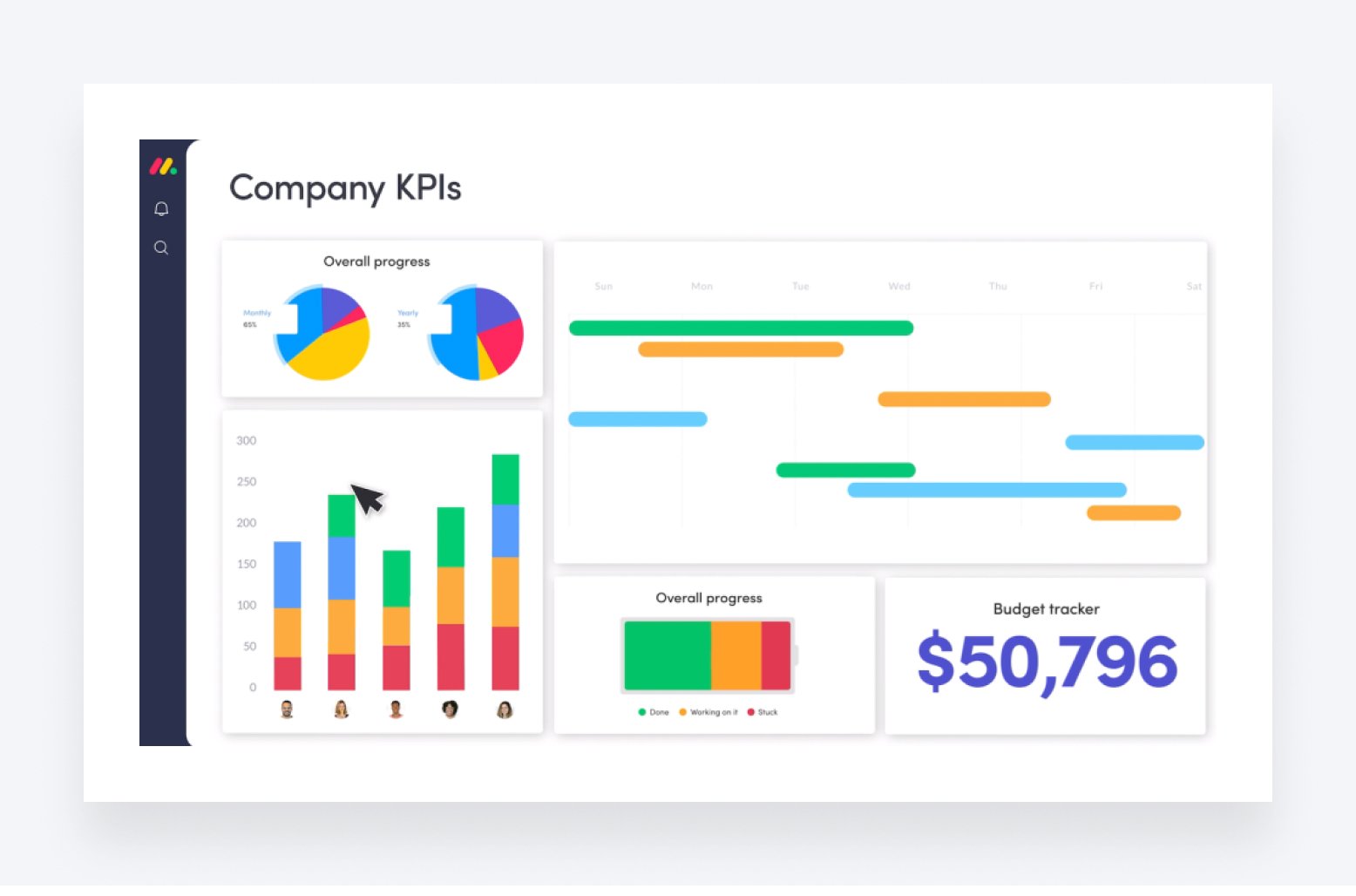
Monday.com is a popular project management tool that helps teams collaborate and manage workflows. It uses boards, timelines, and dashboards to organize and track work.
Other key features include:
- Collaboration tools, with commenting and file sharing
- Automations, such as task assignments and reminders
- Integration with various apps, such as Slack and Google Drive
- Mobile app for on-the-go access to project management
Pros
- Versatile and customizable to fit different teams and project needs
- User-friendly interface and easy to implement
- Automation features to save time and increase productivity
Cons
- Limited automation features compared to other tools
- Expensive pricing plans for large teams
Pricing
- Free: $0 (up to 2 seats)
- Standard: from $12/month (billed at $120)
- Pro: from $19/month (billed at $190)
- Enterprise: custom pricing
Best for
Monday is a good option if you want a highly-customizable tool. There are 200+ workflow templates and more than 15 ways to organize your work (boards, lists, etc.) Monday is also an ecosystem, with special developers and CRM add-ons. However, like many alternatives on the list, Monday adopts a one-size-fits-all approach. They are not industry-specific.
8. Wrike
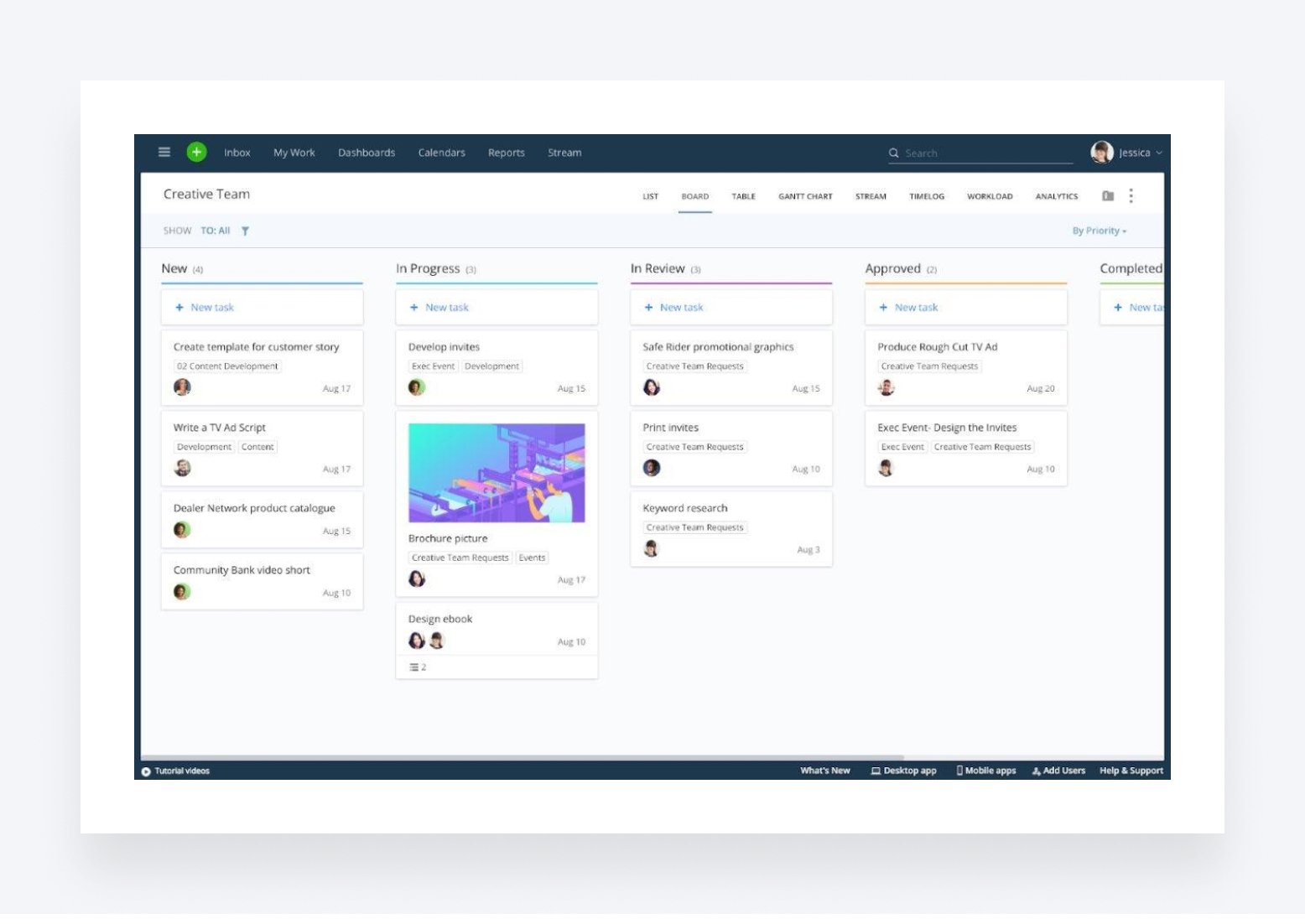
Wrike is a cloud-based project management tool that helps teams plan, track and manage their work. It offers a highly collaborative ecosystem for improving the productivity of remote and hybrid teams.
- Customizable workflows and templates for project management
- Time tracking and reporting
- Collaboration tools, including commenting and proofing
- Integration with various apps, such as Google Drive and Salesforce
Pros
- Robust features and functionality to fit different teams and project needs
- Easy-to-use interface with drag-and-drop capabilities
- Comprehensive reporting and analytics
Cons
- Few personalization options
- Some users cite poor customer service
Pricing
- Free: $0
- Team: from $10/month (billed annually at $120)
- Business: from $25/month (billed annually at $300)
- Enterprise: custom pricing
- Pinnacle: custom pricing
Best for
Wrike singles out professional services firms as the type of client they help. The company boasts Google, Siemens and Swarovski as their clients. Their two extra plans — Enterprise and Pinnacle — hint that big teams are their main focus.
9. Basecamp
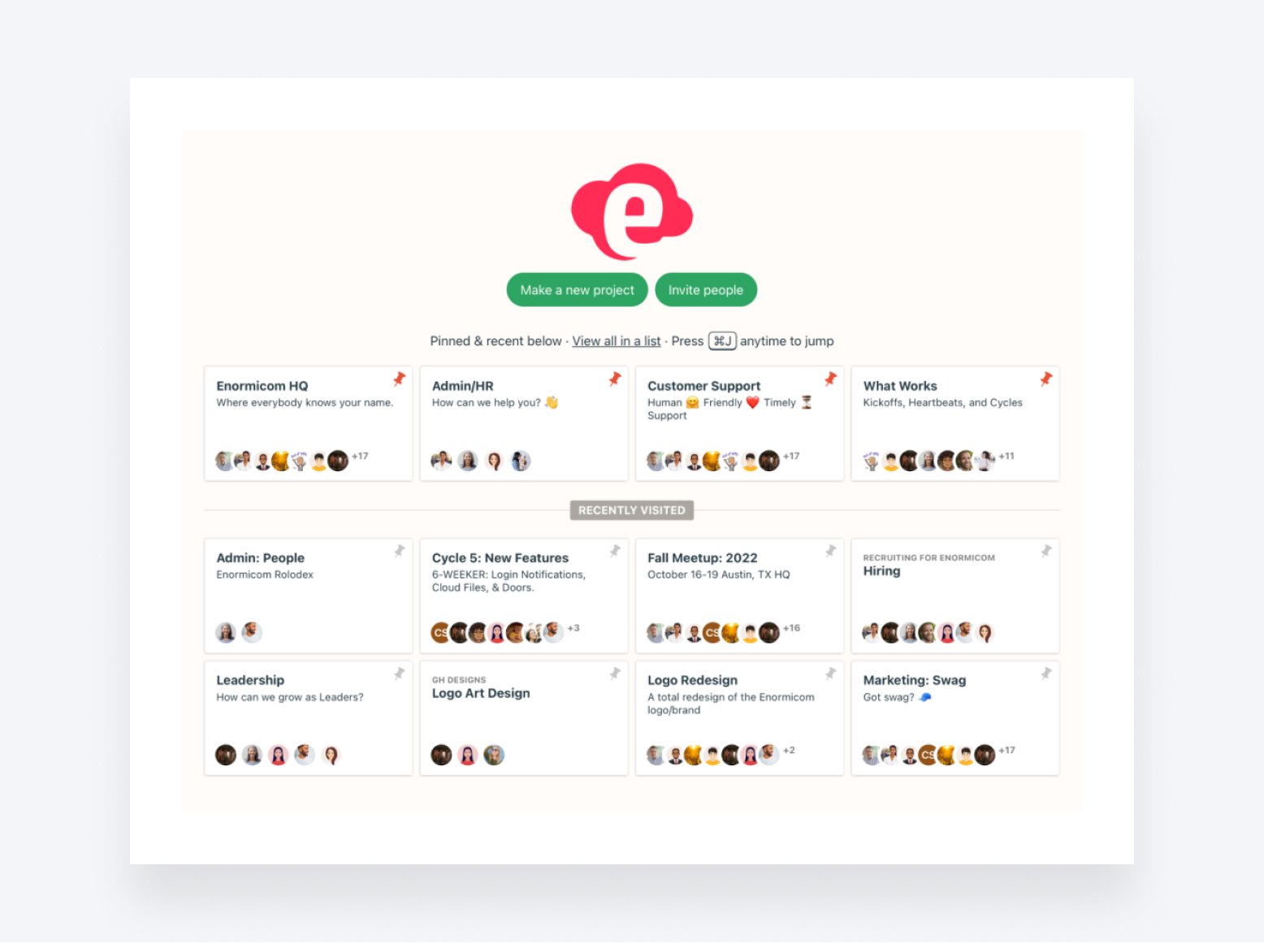
Basecamp is a project management software designed for small and medium-sized accounting firms. It offers a simple, intuitive interface for managing projects and in-team collaboration.
Other features include:
- To-do lists and schedules for organizing work
- Message boards for communication and collaboration
- Document and file-sharing capabilities
- Integration with an email to keep everyone in the loop
- Mobile app for on-the-go access
Pros
- Easy to learn and use, with a minimal learning curve
- Great for remote teams, with tools for communication and file sharing
- Affordable pricing for small accounting firms
Cons
- Limited functionality for larger or more complex project management tasks
- Lacks some advanced features, such as Gantt charts and time tracking
Pricing
- Free: $0
- Plus: from $15/month (billed monthly)
- Pro Unlimited: from $299/month (billed annually at $3,588)
Best for
If you have a large team, Basecamp offers a flat rate of $299 per month for unlimited users. That’s a neat perk, as their competitors operate on a “per user per month” basis — and fees can quickly become steep. Another argument to look into Basecamp is the many tools they offer alongside a project management system. You’ll be able to ditch messengers, emails and cloud storage with Basecamp.
10. Smartsheet
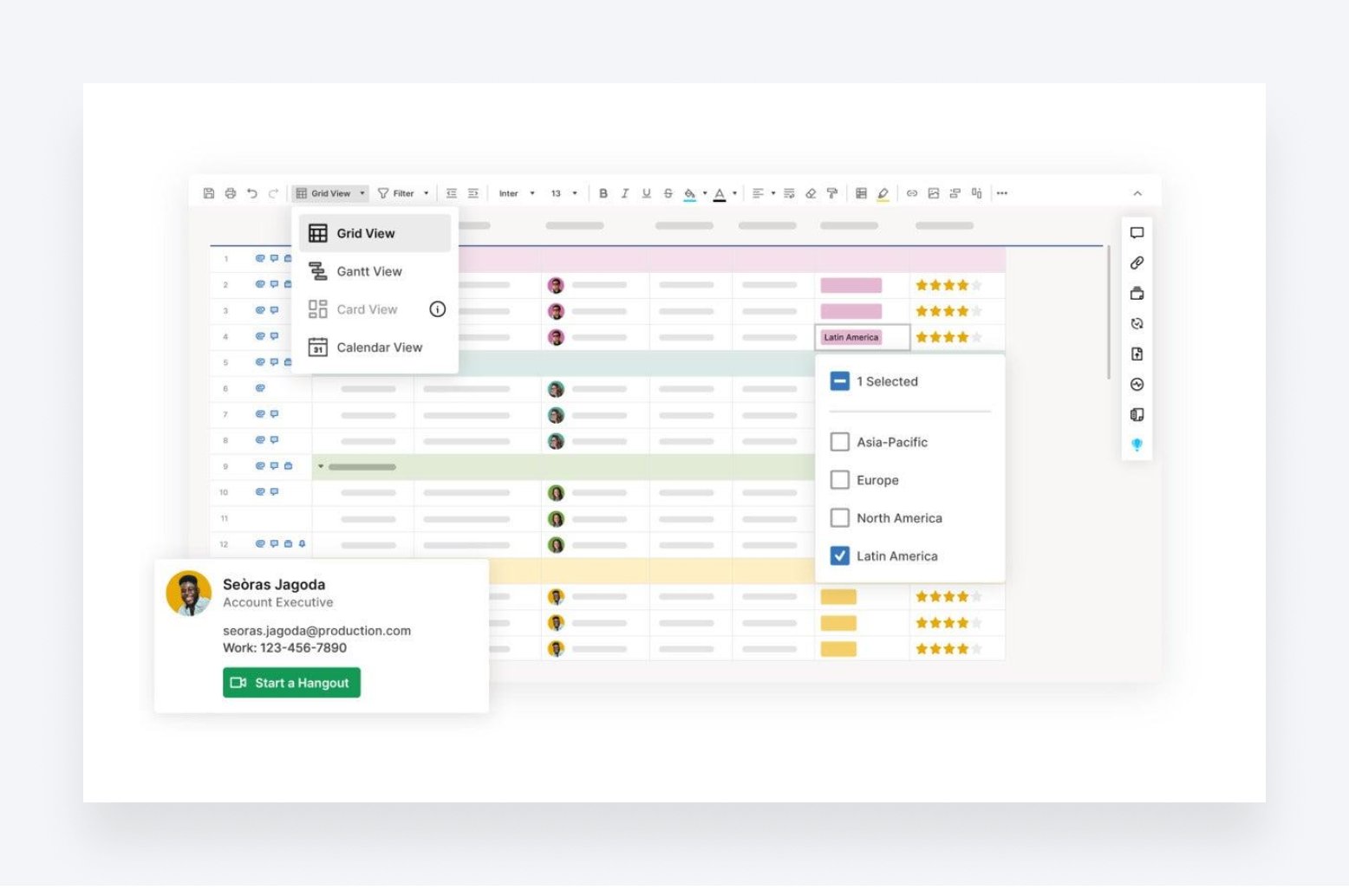
Smartsheet is a cloud-based platform that enables organizations to manage work, automate workflows, and collaborate on projects. It offers many features to help teams stay organized and productive, including project management, resource planning, and reporting.
Other features include:
- Customizable project and task templates to streamline work
- Resource management tools to optimize team’s resources
- Automation features, such as alerts and reminders
- Integration with various apps, such as Google Drive and Microsoft Office
- Mobile app for on-the-go access
Pros
- A flexible platform that can be tailored to fit different organizational needs
- Robust reporting and analytics features to track progress and performance
- Collaboration tools to promote team communication and coordination
Cons
- Some users may find the platform’s interface overwhelming or difficult to navigate
- Pricing can be relatively expensive compared to other project management tools
Pricing
- Pro: from $9/month (billed annually at $108)
- Business: from $19/month (billed annually at $228)
- Enterprise: custom pricing
- Advanced Work Management: custom pricing
Best for
Smartsheet’s versatility makes it a strong choice for firms that need a powerful, customizable project management system. It’s used by large organizations across many industries, which speaks to its flexibility and depth. However, it’s not designed to handle the most complex needs of accounting firms. It’s a powerful system for general project management, but it’s not automating accounting workflows out of the box or improving client relationships.
11. Zoho Projects
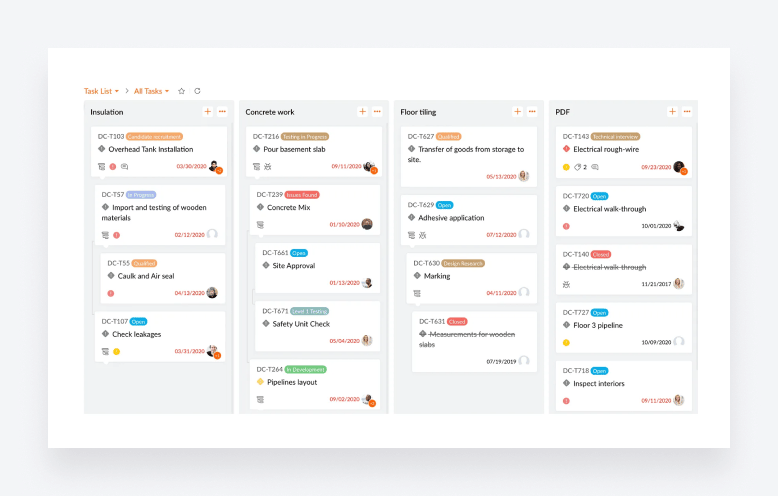
Zoho Projects offers robust project management and collaboration capabilities for teams of all sizes. It’s main features include:
- Gantt charts for building project plans
- Timesheets for logging billable and non-billable hours
- Task and workflow automation
- Customizable reporting and dashboards
- Issue tracking
Pros
- Zoho Projects integrates seamlessly with all of Zoho’s other products and apps
- Being able to track both billable and nonbillable hours is handy for accountants
- Plenty of customization options
Cons
- If you don’t already use other tools in the Zoho suite, you’ll miss out on key benefits
- Limited integration options with other software
- May not be as intuitive as some of the simpler competitors on the market
Pricing
- Free: $0
- Premium: from $4/month (billed annually at $48)
- Enterprise: from $9/month (billed annually at $108)
- Projects Plus: custom pricing
Best for
Zoho Projects is relatively inexpensive compared to some of the options on this list, making it a smart choice for small and growing businesses. It’s fine as a standalone tool, but it really comes into its own when coupled with Zoho’s other apps, allowing seamless integration across an entire ecosystem of sales and marketing tools.
12. ClickUp
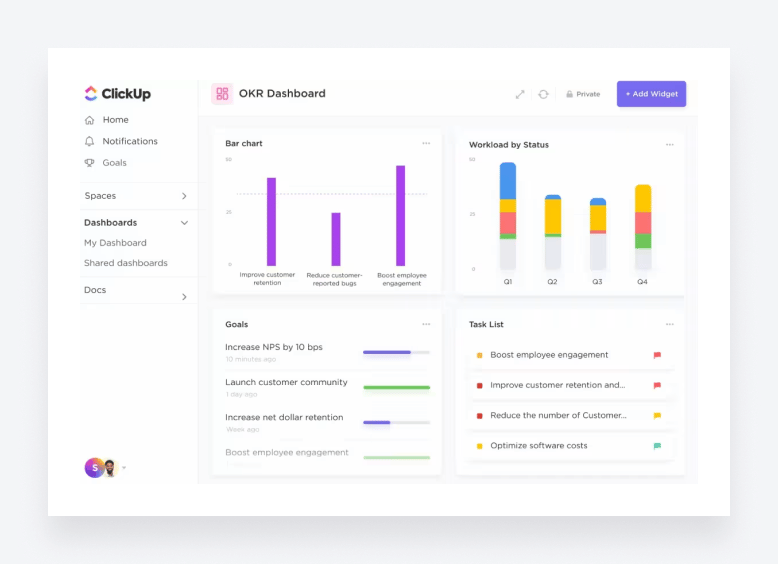
Described as an all-in-one productivity platform, ClickUp offers rich project management and collaboration features designed to supercharge teamwork. Let’s take a look at its core features:
- Digital whiteboards for brainstorming ideas
- AI-powered text and subtask generation
- Document collaboration tools
- Real-time chats
- Time tracking
Pros
- Slick user interface and UX
- One of the more generous free plans on the market
- Solid integration options
- Some features that competitors don’t have, such as document collaboration
Cons
- The collaboration tools aren’t good enough to replace standalone apps like Slack or Teams
- AI features are perhaps a work in progress
- Learning curve might be steep for some
- Some features may not be relevant to accountants, such as the whiteboard tool
Pricing
- Free: $0
- Unlimited: from $7/month (billed annually at $84)
- Business: from $12/month (billed annually at $144)
- Enterprise: custom pricing
Best for
With its strong focus on productivity, including AI-powered tools that speed up processes, ClickUp is a strong choice for accounting teams that want to work faster and smarter. ClickUp aims to replace multiple tools, including project management and communication, so it’s a good choice for teams that are looking to simplify their tech stack.
13. Birdview PSA
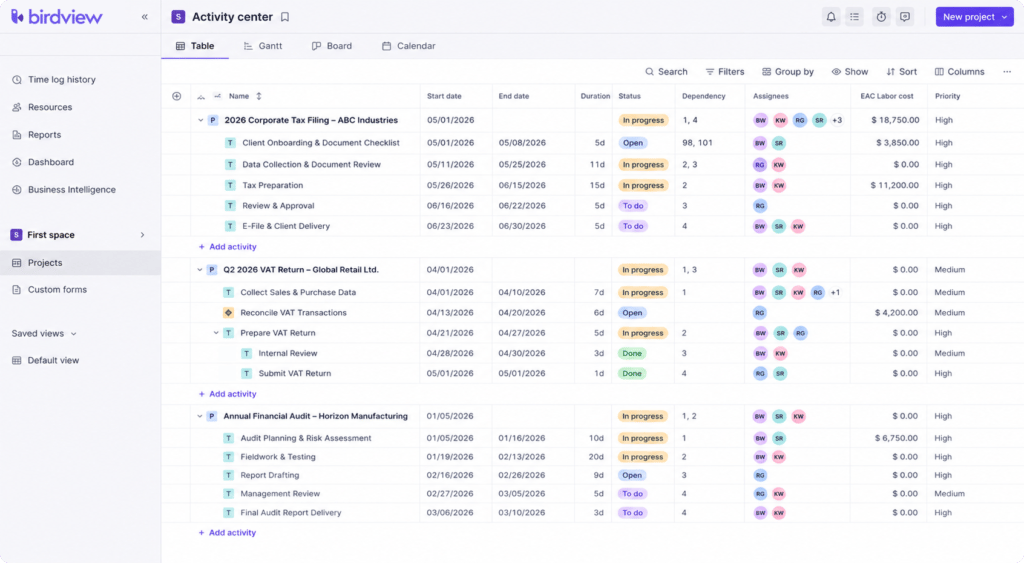
Birdview PSA helps accounting firms and tax professionals manage client work, resource capacity, and financial performance from a single platform. Teams can plan engagements, track billable time, monitor budgets, and balance workloads across multiple clients, making it easier to stay on top of deadlines during busy tax seasons.
- Manage projects, recurring work, and client engagements in one workspace
- Track billable time, expenses, budgets, and profitability in real time
- Balance workloads with resource planning and capacity management
- Create invoices from approved time and expenses with support for multiple billing models
- Monitor firm performance with built-in BI dashboards and customizable reports
Pros
- Combines project management, resource planning, billing, and reporting in one platform
- Strong workload visibility helps distribute work across the team
- Built-in financial management and BI dashboards provide real-time business insights
Cons
- Designed for firms managing multiple clients and projects, so smaller teams may not use every available feature
- Advanced reporting may require some initial setup
Pricing
Birdview Project Management
- Lite: from $9/user/month (billed annually)
- Team: from $24/user/month (billed annually)
- Enterprise: Custom pricing
Birdview PSA (Professional Services)
- Team: from $37/user/month (billed annually)
- Enterprise: Custom pricing
Best for
Accounting firms, tax practices, and other professional services organizations that need more than task management. Birdview PSA is a strong fit for firms that want to manage projects, balance workloads, track billable work, and monitor profitability from a single platform.
Comparison of project management software for accountants, bookkeepers, and tax professionals
We’ve put together a table outlining the tools we’ve discussed above. It will give you an overview and help you make an informed choice.
| Software / Feature | TaxDome | Trello | Cone | Flowlu | Nifty | Asana | Monday.com | Wrike | Basecamp | Smartsheet | Zoho Projects | ClickUp | Birdview PSA |
| Task management | ✅ | ✅ | ✅ | ✅ | ✅ | ✅ | ✅ | ✅ | ✅ | ✅ | ✅ | ✅ | ✅ |
| Time tracking | ✅ | ❌ | ✅ | ✅ | ✅ | ✅ | ✅ | ✅ | ✅ | ✅ | ✅ | ✅ | ✅ |
| Collaboration tools | ✅ | ✅ | ✅ | ✅ | ✅ | ✅ | ✅ | ✅ | ✅ | ✅ | ✅ | ✅ | ✅ |
| Designed for accountants | ✅ | ❌ | ✅ | ❌ | ❌ | ❌ | ❌ | ❌ | ❌ | ❌ | ❌ | ❌ | ❌ |
| Client mobile app | ✅ | ❌ | ❌ | ❌ | ✅ | ❌ | ❌ | ❌ | ❌ | ❌ | ❌ | ❌ | ❌ |
| Unlimited doc storage space | ✅ | ❌ | ❌ | ❌ | ❌ | ✅ | ❌ | ❌ | ❌ | ❌ | ❌ | ✅ | ❌ |
| Mobile doc scanning | ✅ | ❌ | ❌ | ❌ | ❌ | ❌ | ❌ | ❌ | ❌ | ❌ | ❌ | ❌ | ❌ |
| AI doc naming | ✅ | ❌ | ❌ | ❌ | ❌ | ❌ | ❌ | ❌ | ❌ | ❌ | ❌ | ❌ | ❌ |
| AI reporting | ✅ | ❌ | ❌ | ❌ | ❌ | ❌ | ❌ | ❌ | ❌ | ✅ | ✅ | ✅ | ✅ |
| SOC 2 Type II | ✅ | ✅ | ❌ | ❌ | ❌ | ✅ | ✅ | ✅ | ❌ | ✅ | ✅ | ✅ | ✅ |
Case study: growing a national practice to 1000+ clients with project management software
To appreciate how project management software can boost accounting firm productivity, let’s examine an actual case study in action.
Evolution Accounting & Consulting, LLC delivers tax, accounting, bookkeeping, CFO and many other services to 1000+ clients nationwide. As the firm expanded, CEO Eric Gray needed to maintain efficiency and quality service. TaxDome’s built-in project management capabilities were the answer.
Solution
To serve the growing clientele, Evolution Accounting leverages key features in TaxDome:
- Tags to segment clients, jobs and tasks by project
- Workflows to track due dates, status and responsible staff for each project
- Automatic task creation and assignment to keep everyone on point
As Eric explains, TaxDome removes the need for constant internal communication, facilitating easy transitions between staff and clear task statuses.
Results
While they have more to explore, TaxDome has already helped Evolution Accounting tremendously in scaling up productivity, team management and automating workflows.
See Eric’s feedback on streamlined project management with TaxDome:
FAQ
Q: What is the best project management software for accounting firms?
A: The best option depends on how much of your work is client-facing versus internal. TaxDome and other practice management systems are commonly used by firms that want project management built into a broader platform with client portals, document management, and billing. Generic tools like Asana, Trello, or Monday.com can work for firms with simpler, mostly internal workflows, but they don’t come with accounting-specific features like client portals or tax software integrations out of the box.
Q: Can project management software integrate with tax and accounting software?
A: It depends on the platform. Accounting-specific tools like TaxDome typically integrate directly with tax and accounting software such as QuickBooks Online. Generic project management tools usually don’t offer direct integrations with tax software, you’d need to rely on a connector like Zapier, or accept some manual work between systems.
Q: How much does project management software cost for an accounting firm?
A: Pricing varies widely depending on whether you choose a generic tool or an accounting-specific platform. Generic tools like Trello or Zoho Projects start as low as $0-$10 per user per month, while accounting-specific platforms with built-in client portals and billing, like TaxDome and others, typically run $50-$90 per user per month. The cheaper option isn’t always the better value once you factor in the extra tools you’d need to fill the gaps.
Q: Do I need accounting-specific project management software, or will a generic tool work?
A: If your projects mostly involve internal tasks with no client-facing component, a generic tool can be enough. But if your work involves client documents, deadlines, e-signatures, or billing — which is true for most accounting, tax, and bookkeeping firms — an accounting-specific platform will save you from having to connect several separate tools just to cover what one purpose-built platform already does.
Q: How long does it take to implement project management software at an accounting firm?
A: Most firms can expect anywhere from a couple of weeks to 2 months, depending on firm size, how many workflows need to be rebuilt in the new system, and how much historical client data needs to be migrated. Firms switching from spreadsheets or email typically move faster than firms migrating from another established platform with years of client history attached.
Q: Is project management software secure enough for sensitive client data?
A: It depends entirely on the platform, so this is worth checking directly rather than assuming. Look for multi-factor authentication, role-based access control, encryption in transit and at rest, and independent certification such as SOC 2 Type II. Generic project management tools don’t always meet the same security bar that accounting-specific platforms are built around, since they weren’t designed with client financial data in mind.
Q: What’s the difference between project management software and practice management software for accountants?
A: Project management software focuses on tasks, deadlines, and team collaboration for a specific piece of work. Practice management software is broader — it includes project management as one piece, alongside CRM, billing, client portals, and firm-wide reporting. Many accounting firms start out looking for “project management software” and end up choosing a practice management platform once they realize how much of their work is client-facing, not just internal task tracking.
Final thoughts on choosing the best software for your accounting needs
Project management software helps streamline internal processes and increase productivity. It offers other benefits too, such as enhanced collaboration between team members, improved time tracking and increased efficiency.
The best tools offer features which help establish effective time management and task tracking processes, while also encouraging and simplifying interactions between employees. Finally, they provide in-depth analytics and reporting on your workflow — and their interface and functionality are highly customizable.
There are many options on the market when it comes to choosing a suitable project management software tool — it all depends on your needs. TaxDome is ideal for a small or medium-sized accounting, bookkeeping or tax firm, while Wrike or Smartsheet might be the way to go if your team is fully remote and collaborates on projects in various industries.

Nicholas produces TaxDome content focused on how technology improves accounting workflows and everyday firm operations.
Get your free guide

Thank you!
The guide copy has been sent to your email. Please check your inbox!
Recommended articles
9 best QuickBooks alternatives in 2026 for every business type
65+ key accounting statistics and insights for 2026

How to start an accounting firm: a step-by-step guide to running your own practice