 US – English
 UK – English
 Canada – English
 Australia – English
 Danmark – Dansk
 DACH - Deutsch
 France – Français
 España – Español
 Sverige – Svenska
 Italia – Italiano
 Nederland – Nederlands
 Portugal – Português
 Suomi – Suomi
 Norge – Norsk
 日本 – 日本語
 Romanian – Română












Accounting project management made easy: the ultimate guide

Run your entire firm on one platform

Most accounting firms don’t struggle with technical expertise. The real challenge? Keeping up with client demands, deadlines, and team coordination without dropping the ball.
That’s why project management in accounting isn’t a luxury — it’s a necessity.
In this guide, we’ll break down what effective project management for accountants truly means, why it matters, and how to implement it effectively in your practice.
Table of сontents
Table of сontents
What is project management in accounting?
Accounting project management is about predictability and control. It ensures every engagement follows a structured process — so deadlines are met, team members know what to do, and clients stay informed without unnecessary back-and-forth.
Here’s what it looks like in action:
- Tasks are structured, not scattered. Every engagement has a step-by-step workflow, ensuring work doesn’t depend on memory or manual follow-ups.
- Project status is visible at all times. No more asking, “Where do we stand on this client’s tax return?” — you can see progress instantly.
- Deadlines are built into workflows. Instead of reminders buried in emails, deadlines are automated into project steps, reducing last-minute scrambles.
- Bottlenecks are identified before they cause delays. When a task is overdue, it’s flagged early — so you can fix issues before they become major problems.
At its core, project management in accounting shifts firms from reactive to proactive. Instead of constantly putting out fires, you’re running a structured, scalable practice.
Bringing structure to your firm is great, but the real impact goes beyond just organization.
1. Higher client satisfaction
Clients may not see what happens behind the scenes, but they feel the difference. Faster response times, clear expectations, and fewer errors make for a better client experience. When they know their accountant has everything under control, they stay loyal — and they refer others.
2. Increased team efficiency
Your team spends less time searching for information and more time getting things done. When everything is structured, there’s no second-guessing what needs to happen next. Productivity increases, stress levels drop, and high-value work gets the attention it deserves.
3. Easier firm growth
Adding new clients or training staff shouldn’t throw your firm into chaos. With structured processes, onboarding becomes seamless. Even tax season feels more manageable when work moves through a system instead of a scramble.
Stages of accounting project management
While approaches vary between firms, effective project management in accounting follows a clear framework that keeps work efficient and clients happy.
1. Project initiation: getting started right
Most projects go wrong before the work has even started. When you start with unclear expectations, you’re setting yourself up for headaches down the road.
Before jumping in, take time to ask the important questions:
- What does the client actually need?
- What documents and data are required before work starts?
- What are the deadlines, and are they realistic?
Kick-off meetings are essential — they get everyone on the same page from day one. To make these meetings even more effective, consider creating an engagement letter that clearly spells out what you’ll deliver and what you’ll need. This document becomes your north star when questions arise later.
2. Planning: making a clear path
Once you know what needs to be done, it’s time to map out how you’ll get there. Without a solid plan, you’ll constantly feel like you’re figuring things out as you go.
Good planning answers the basics:
- What happens first, second, and third?
- Who’s handling each part?
- What’s our backup plan if something goes wrong?
Look at your team’s current workload before assigning new tasks. There’s no point in setting deadlines that conflict with existing commitments.
3. Execution: doing the work effectively
With good planning in place, execution should feel almost automatic. Your team shouldn’t need constant direction — they should know exactly what to do next and when to do it.
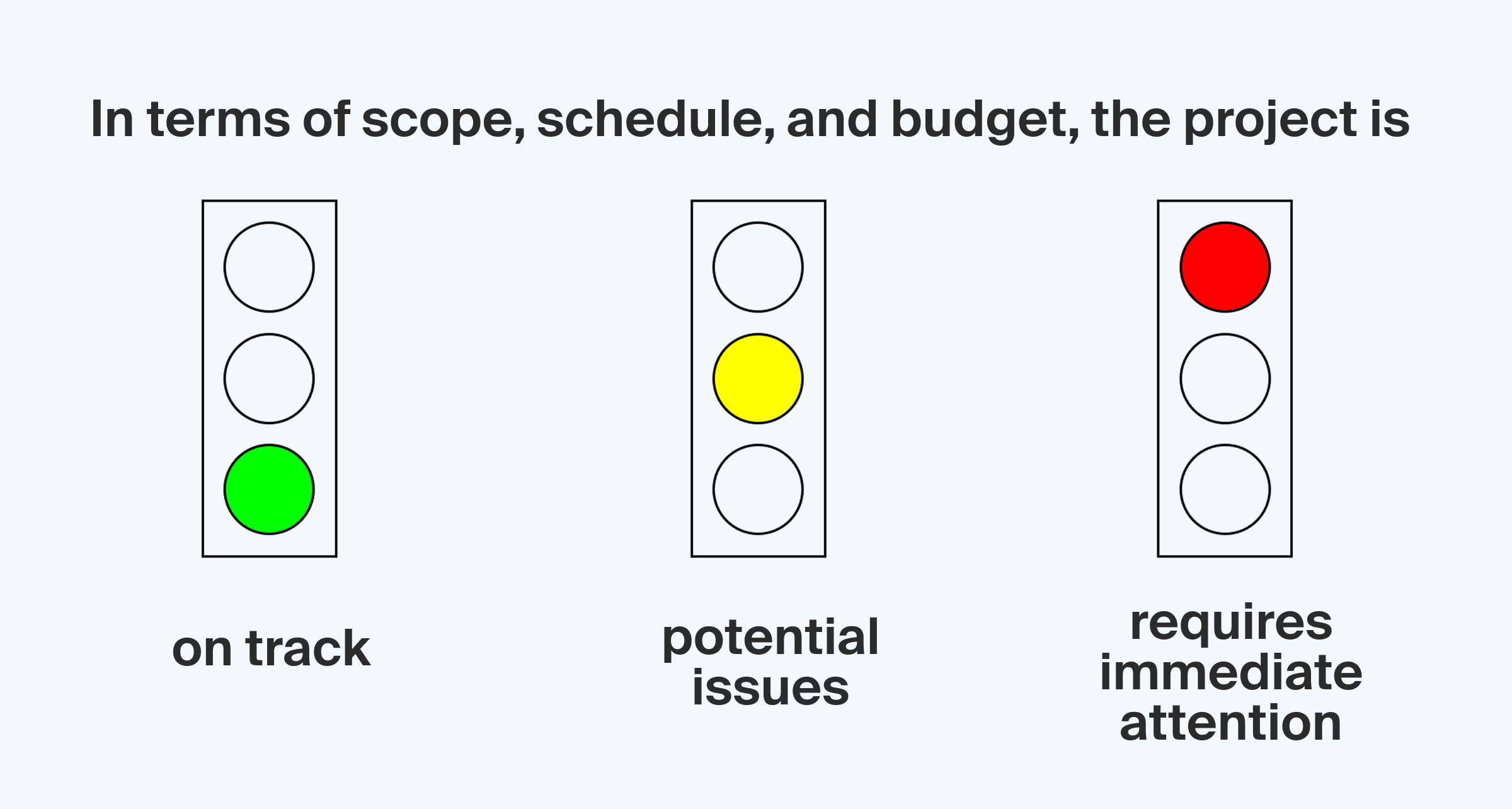
A simple traffic light system can keep everyone informed without meetings: green means on track, yellow signals potential issues, and red requires immediate attention.
During crunch times like tax season, quick daily check-ins (even just 10 minutes) can resolve small issues before they grow into project-killing problems. These touchpoints maintain momentum without pulling people away from their work for lengthy meetings.
4. Monitoring: catching issues early
Keeping an eye on progress isn’t micromanaging — it’s smart project management. The earlier you spot a problem, the easier and cheaper it is to fix.
Effective monitoring includes:
- Weekly milestone checks to give you the big picture view
- Tracking which tasks consistently take longer than expected
- Having team members flag external “blockers” immediately
And don’t forget to monitor client response times too. Even the best-planned project can stall if you’re waiting days for client feedback or missing documents.
5. Completion: learning from every project
The project isn’t truly complete until you’ve captured the lessons it taught you. This final step is what separates firms that gradually improve from those that make the same mistakes year after year.
Ask the essential questions:
- Did we hit our deadline and budget targets?
- Did unexpected issues come up?
- What did the client think of our work?
- Which team members found particularly effective approaches?
Turn these insights into process improvements by updating your templates for similar future projects. And consider building a searchable knowledge base where your team can find solutions to common problems. This prevents everyone from reinventing the wheel when they encounter situations you’ve already solved.
5 key strategies for successful accounting project management
Having a framework is just the beginning. Here’s how to ensure work flows efficiently through your process:
1. Develop repeatable workflows
Starting from scratch with every client is exhausting and inefficient. Instead, create standardized templates for common projects like tax returns, audits, and monthly bookkeeping work.
Remember to revisit your workflows quarterly to identify and remove steps that don’t add value. Those “we’ve always done it this way” tasks often stick around long after they’ve stopped being useful. Regular pruning keeps your processes lean and effective.
2. Keep everything in one place
Few things kill productivity faster than hunting through emails, shared drives, and messaging apps to find what you need. Creating a single source of truth for all project information saves countless hours of frustration.
Centralize these essential elements:
- Client contact details and history
- Project documentation and status
- Important communications and decisions
- Key dates and deadlines
- File attachments and reference materials
This is especially helpful during busy times or when someone is out.
3. Streamline client interactions
The easier it is for clients to work with you, the faster your projects will run. Such client-friendly improvements include:
- Self-service resources for common questions
- Automated document request systems with follow-ups
- Gradual onboarding processes instead of overwhelming paperwork
- Video walkthroughs for complex procedures
4. Make teamwork simple
Accounting projects rarely involve just one person. Without good coordination work gets duplicated and important details slip through the cracks.
To prevent this:
- Assign clear owners to each task
- Set up notifications when tasks are ready for the next person
- Use shared calendars for deadlines and meetings
- Create a project chat channel for quick questions
- Schedule regular check-ins during complex projects
Visual work boards help manage everyone’s workload by showing exactly how much each person is juggling at once. This transparency prevents the common problem of a few team members becoming overwhelmed while others have capacity to spare.
5. Use automation for routine tasks
Repetitive tasks like sending document reminders, assigning standard reviews, or generating status reports shouldn’t need your attention every time. Automation handles these predictably recurring activities so your team can focus on work that actually requires their expertise.
Start with these automations:
- Email templates with merge fields for personalized communications
- Conditional workflows that adapt to client responses
- Pre-populated templates that eliminate repetitive data entry
Even partial automation can have a big impact. The hours saved can be redirected to higher-value work that requires your expertise and attention.
Top project management software for accounting firms
Project management for accounting firms is much easier with the right tools. Here are three platforms that can help:
1. TaxDome
TaxDome is an all-in-one accounting practice management software built specifically for accountants, bookkeepers, and tax professionals. It combines project management, team collaboration, and client communication in a single system.
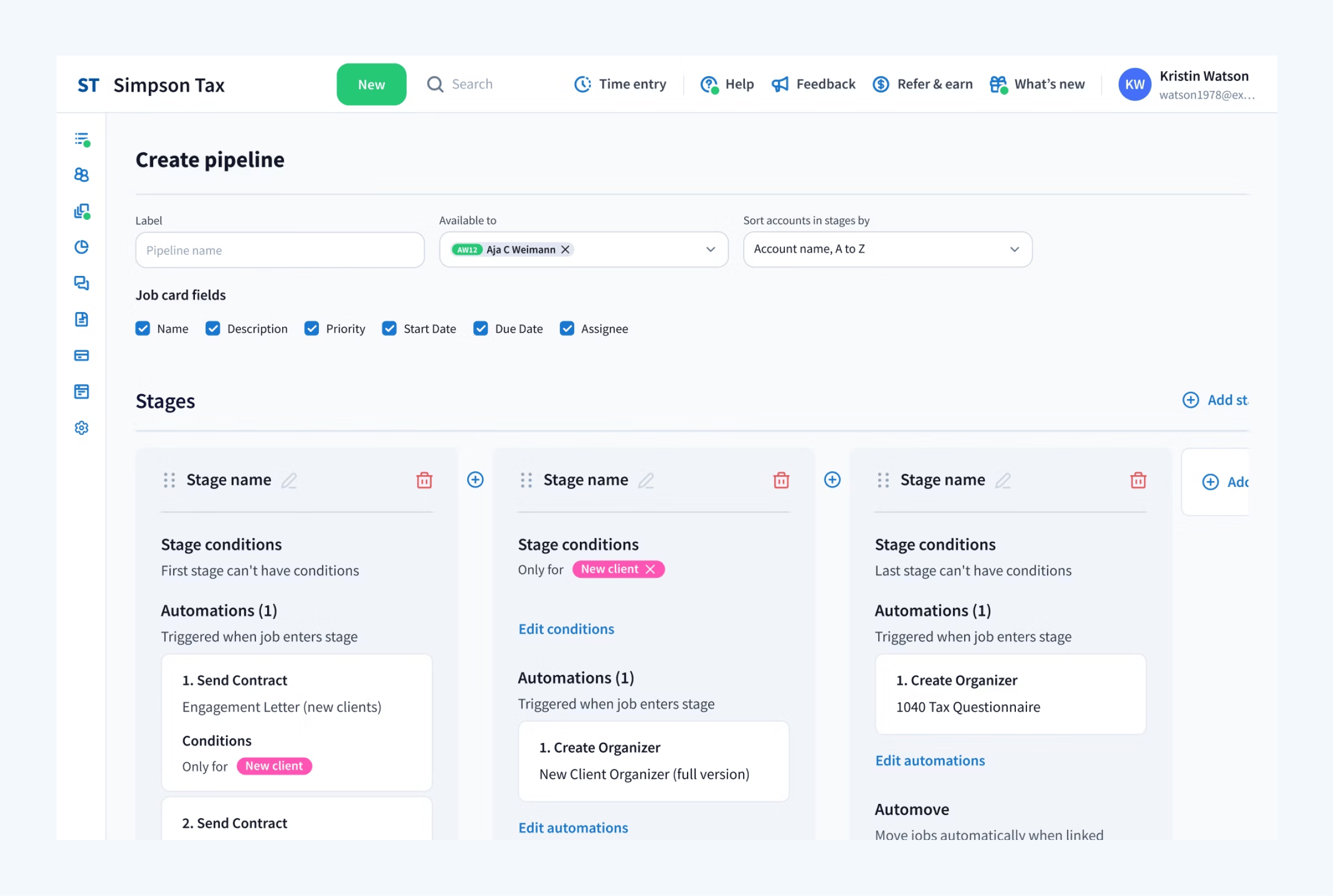
How TaxDome can help:
- Process management: Build workflows that fit your firm’s exact needs. Use pre-made templates from the TaxDome Marketplace or design your own.
- Information control: Store all client data, documents, messages, and tasks in one secure, searchable space.
- Client engagement: Keep clients informed with a secure portal for document sharing, chat, e-signatures, invoices, and payments — accessible from both desktop and mobile.
- Team productivity: Assign tasks, set access permissions, chat in real time, and track team performance with built-in reporting and analytics.
- Task automation: Reduce manual work by setting up dependencies for jobs to automove, while also automating client reminders, email follow-ups, status updates, and more.
Best for: Accounting firms wanting a complete solution without needing to piece together multiple software tools.
2. ClickUp
ClickUp is a versatile project management tool with extensive customization options. While not specifically designed for accountants, its flexibility makes it adaptable to various workflows.
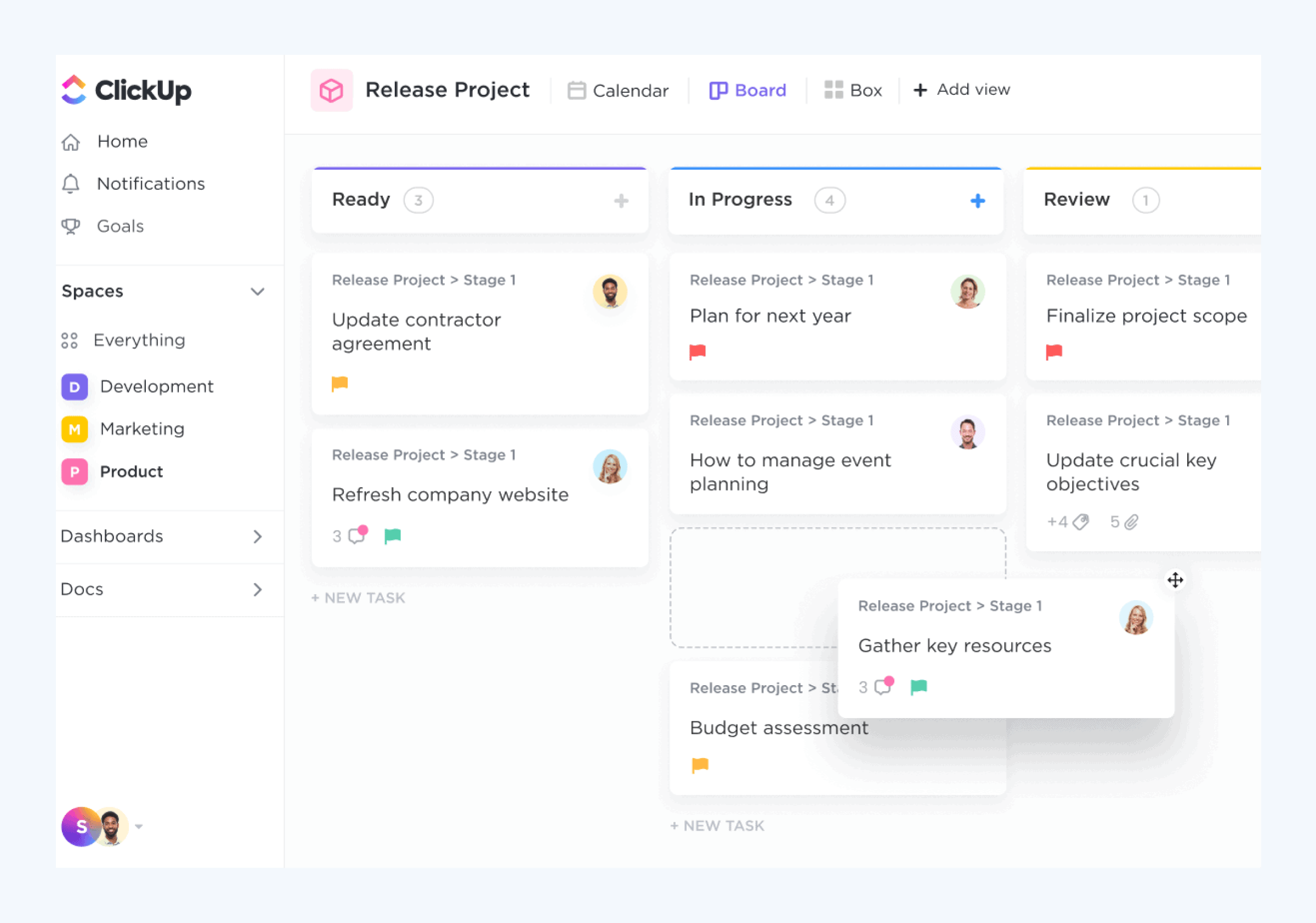
How ClickUp can help:
- Process management: Standardize workflows with task templates and automation, but expect to manually adjust them to fit accounting-specific processes.
- Information control: Store documents and notes, but without built-in features for managing client records, documents, and invoices.
- Client engagement: Manage client communication through external tools, as ClickUp has no dedicated space for client interactions.
- Team productivity: Assign tasks, create dashboards, and streamline internal coordination with team chat.
- Task automation: Set up automated workflows for task dependencies and notifications.
Best for: Firms that want flexibility in their project management approach and don’t mind some initial setup time.
3. Trello
Trello is a lightweight project management tool best suited for small teams or solo accountants who need a basic, visual way to track tasks.
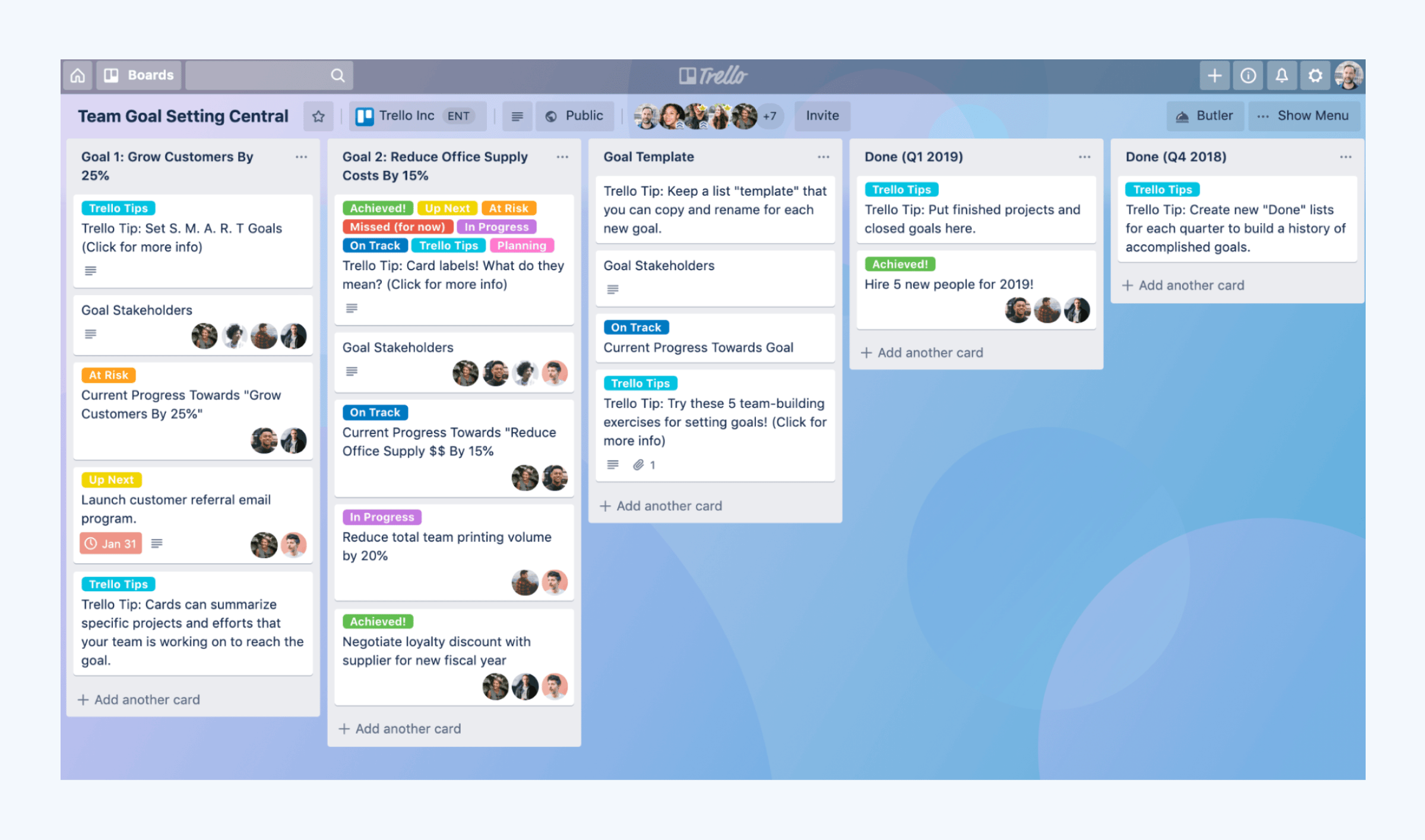
How Trello can help:
- Process management: Organize tasks visually with a board-and-card system, but without structured templates for accounting workflows.
- Information control: Attach files and track project progress, but without a built-in document management system or client database.
- Client engagement: Share project boards with clients, but all communication still happens through email.
- Team productivity: Assign tasks, create checklists, and collaborate, but without advanced reporting or built-in internal messaging.
- Task automation: Automate repetitive actions with Butler automation, but functionality is limited compared to more advanced tools.
Best for: Solo accountants or small teams looking for a simple, visual way to track tasks without a steep learning curve.
Common project management challenges in accounting and how to solve them
While implementing project management in accounting, firms often face challenges that can derail even well-planned engagements. Here are the most common issues and how to stay ahead of them:
Scope creep → Set clear project boundaries
We’ve all been there — what started as a straightforward tax return somehow expands into financial planning, business consulting, and personal advice.
Consider creating a small “scope bank” for minor additions that you can accommodate without changing fees. This goodwill gesture makes clients feel valued while still protecting you from major unpaid work.
When larger changes are requested, having pre-packaged “add-ons” with set pricing makes those conversations less awkward for everyone. And train your team to recognize and flag early warning signs of scope expansion.
Poor communication between teams → Centralize project data
When your tax department doesn’t talk to your audit team, or your bookkeepers aren’t coordinating with financial planning, you end up with duplicated work and conflicting advice to clients.
Solve this by using a single platform where everyone can track project progress, deadlines, and client updates in real-time instead of relying on scattered emails or meetings.
Data integration problems → Use connected systems
Working across disconnected systems is a recipe for errors and wasted time. When your project management lives in one system, client data in another, and communications in yet another, you’re constantly playing digital detective to piece together the full picture.
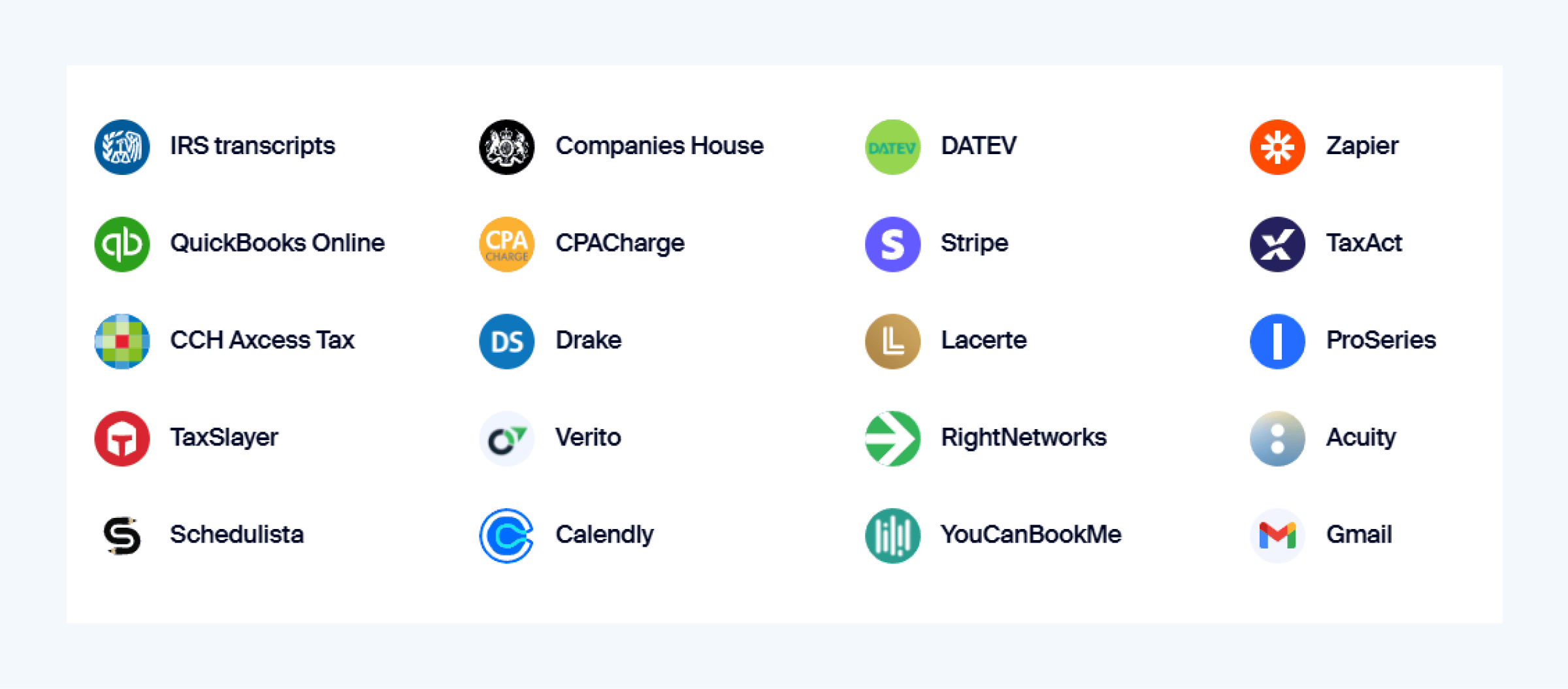
Choosing a project management system that integrates with accounting software eliminates manual data entry and keeps everything connected.
Lack of real-time project visibility → Implement live tracking
Flying blind on project status leads to missed deadlines, resource conflicts, and unpleasant client surprises. Without clear visibility, you’re constantly reacting to problems rather than preventing them.
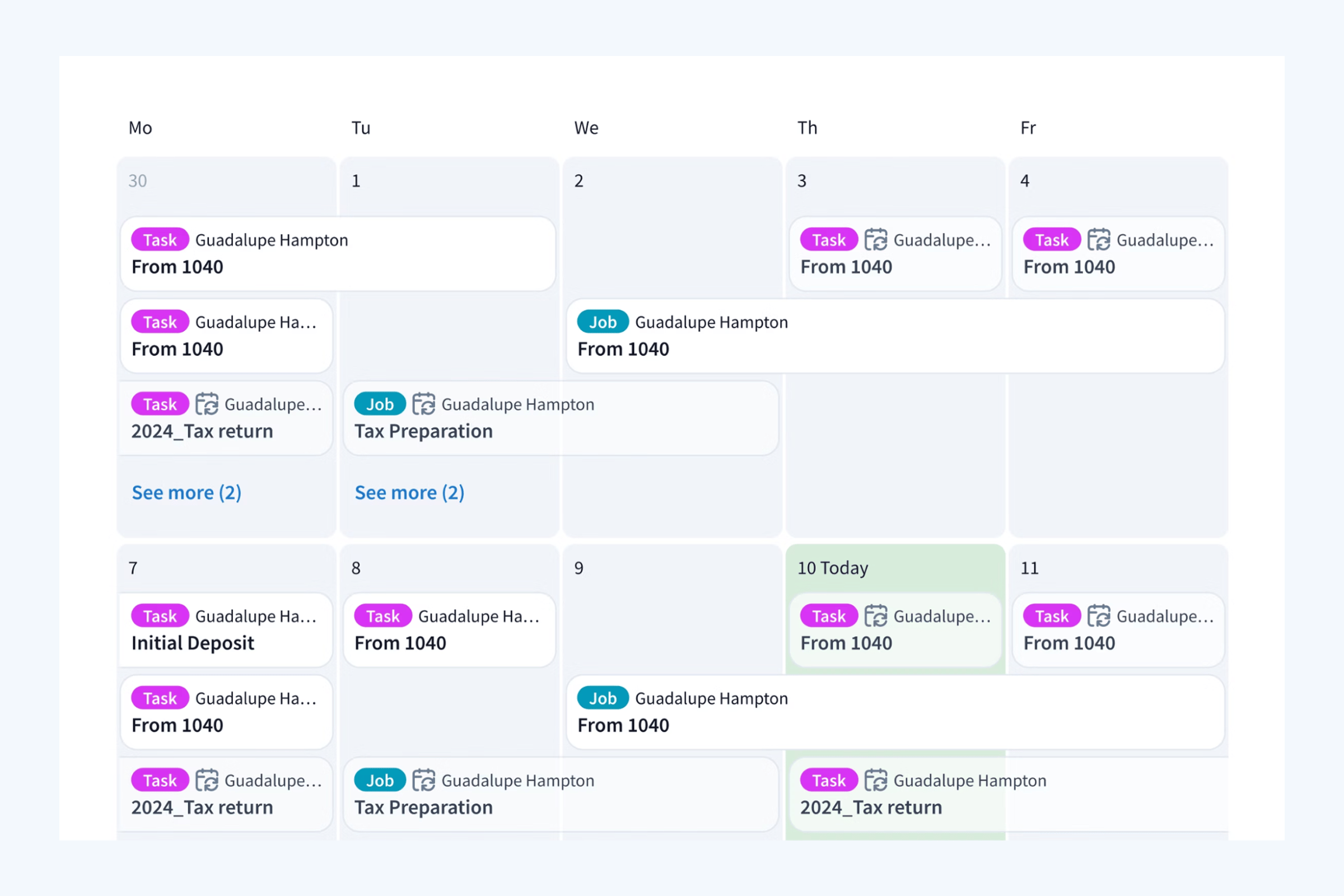
Customizable calendars can give you deadline visibility across projects, while Kanban and list views for your tasks can make it immediately obvious when something is stalled or needs attention before it impacts deadlines.
Resource allocation conflicts → Align project planning with team capacity
Uneven workloads create both burnout and inefficiency — some team members drowning in work while others have capacity to spare. That’s why strategic resource allocation is a critical aspect of project management in accounting, especially during seasonal peaks.
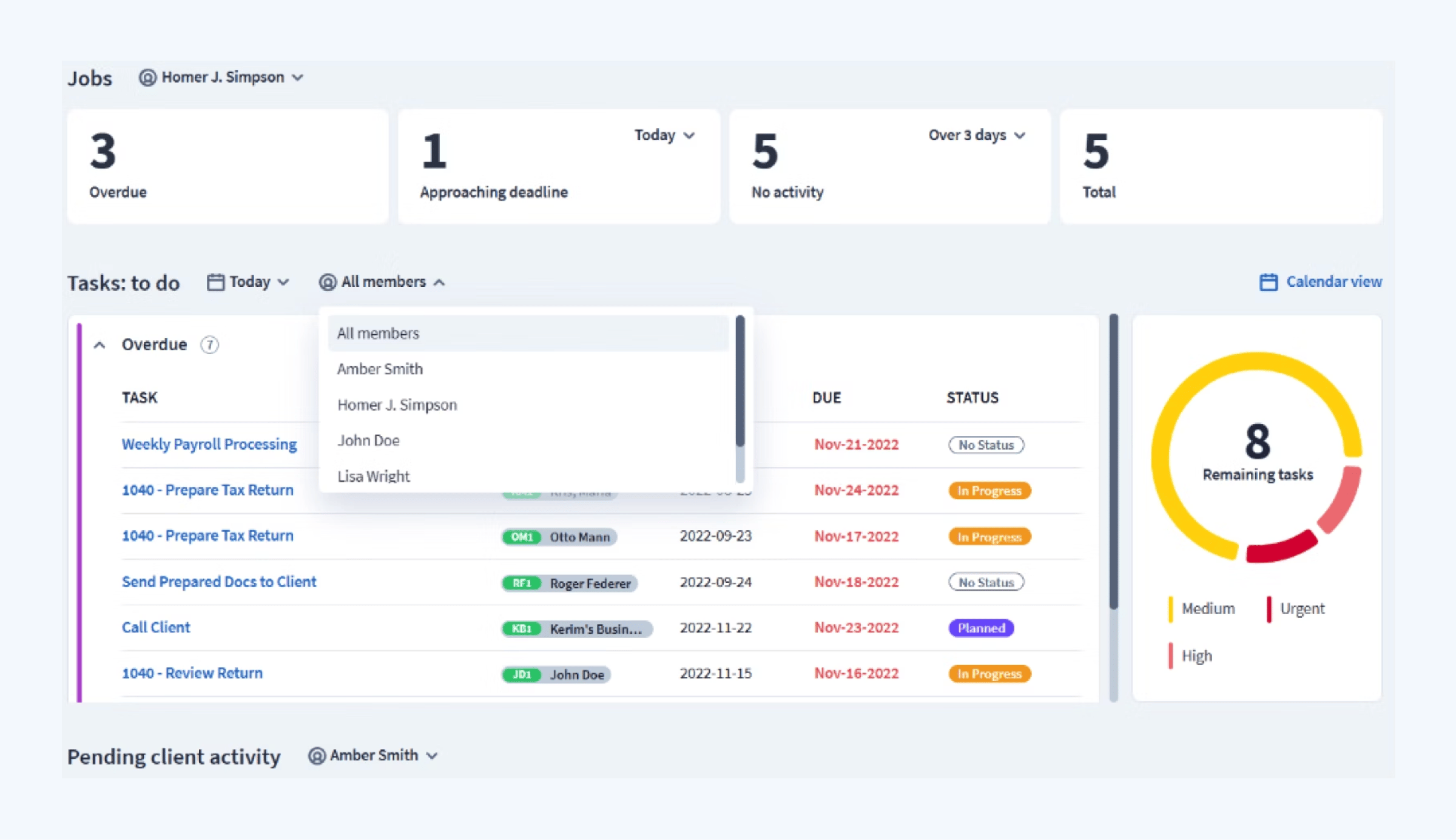
Review team performance regularly, collect data on critical output and efficiency metrics, and stay updated on pending client activities to ensure nothing falls through the cracks.
Final thoughts
Project management in accounting isn’t just about staying organized — it’s about creating a firm that runs efficiently, delivers consistent results, and provides an outstanding client experience. With the right approach, you can eliminate bottlenecks, improve team productivity, and make your firm more scalable.
Whether you’re implementing structured workflows, streamlining client communication, or leveraging automation, having the right system in place makes all the difference.
If you’re ready to see how accounting project management tools can transform your accounting firm, book a demo and experience TaxDome in action.

Mari develops TaxDome content by combining customer insights, industry research, and real-world trends. Her structured, automation-driven approach ensures messaging is clear, relevant, and supports more connected and efficient accounting firms.

Get your free guide

Thank you!
The guide copy has been sent to your email. Please check your inbox!
Recommended articles

9 best QuickBooks alternatives in 2026 for every business type
65+ key accounting statistics and insights for 2026

How to start an accounting firm: a step-by-step guide to running your own practice