 US – English
 UK – English
 Canada – English
 Australia – English
 Danmark – Dansk
 DACH - Deutsch
 France – Français
 España – Español
 Sverige – Svenska
 Italia – Italiano
 Nederland – Nederlands
 Portugal – Português
 Suomi – Suomi
 Norge – Norsk
 日本 – 日本語
 Romanian – Română












8 best tax practice management software for accountants and tax professionals in 2026

Run your entire firm on one platform
The best tax practice management software for accounting firms in 2026 is TaxDome — rated #1 on G2 with 4.7 stars from 3,500+ reviews and winner of the 2025 CPA Practice Advisor Readers’ Choice Award, trusted by 10,000+ firms worldwide. For team collaboration, Karbon is a strong alternative. For new or solo firms, Financial Cents offers the most affordable entry point.
Key takeaways:
- For tax and accounting firms, TaxDome stands out as the #1 rated practice management platform on G2 with 4.7 stars from 3,500+ reviews and winner of the 2025 CPA Practice Advisor Readers’ Choice Award
- Canopy makes sense for tax and accounting teams that only want a client management system but the add-ons make it expensive
- Karbon is the workflow automation tool for collaborative tax and accounting teams
- For new tax firms and professionals, Financial Cents is the affordable entry-level practice management platform
- For sole practitioners and small teams, Jetpack Workflow is the simple workflow management tool
Quick comparison of the 8 best tax practice management software platforms for accounting firms in 2026. Ratings sourced from G2 and Capterra.
| Platform | G2 Rating | Best for | Starting price | Client portal | Mobile app | Free trial |
| TaxDome#1 on G2 · CPA Award 2025 | ★★★★★4.7 · 3,500+ reviews | Growing firms wanting the most complete all-in-one platform | $58/mo per user | ✓ Desktop + mobile | ✓ Staff + client | Demo only |
| Canopy | ★★★★½4.5 · 250+ reviews | Teams wanting a client management system only | $150/mo flat | ✓ Desktop + mobile | ✓ Client only | Free trial |
| Karbon | ★★★★★4.7 · 200+ reviews | Collaborative teams focused on workflow and email management | $59/mo per user | ✓ Desktop only | ✗ None | Free trial |
| Jetpack Workflow | ★★★★4.8 · 50+ reviews | Sole practitioners needing simple workflow management | $40/mo per user | ✗ None | ✗ None | Free trial |
| Financial Cents | ★★★★½4.8 · 250+ reviews | New firms and solopreneurs on a tight budget | $19/mo per user | ✗ None | ✗ None | 14-day trial |
| Ignition | ★★★★½4.7 · 150+ reviews | Firms focused on proposals, engagement letters, and getting paid | $39/mo flat | ✗ Limited | ✗ None | Free trial |
| Mango | ★★★½3.9 · 60+ reviews | Small firms managing tasks, documents, and basic billing | $35/mo per user | ✓ Add-on | ✗ None | No trial |
| Pixie | ★★★★★4.8 · 32 reviews | Small teams wanting simple, flat-rate pricing per client count | $129/mo flat | ✓ Desktop only | ✗ None | Free trial |
*Prices shown are starting rates based on annual billing where applicable. Client portal and mobile app availability based on default plan features, some platforms charge extra for these. Rating counts rounded.
When tax season comes around, many accountants go into survival mode — and no wonder. Last tax season, the IRS received almost 140 million tax returns, with roughly half being filed by tax professionals. That’s a lot of extra work to get through.
This huge spike in demand, coupled with pressing deadlines and demanding clients, can make tax season a stressful and exhausting experience for even the most seasoned professionals. But it doesn’t have to be. With the right tools, accountants can not only survive but also thrive during tax season and beyond.
In this article, we’ll list 8 of the best tax practice management platforms. We’ll explore the key role that this software can play in driving efficiency, improving communication, and building truly scalable tax workflows.
Table of сontents
- What is tax practice management software?
- Why your firm needs tax practice management software
- How to choose the right tax practice management software
- Top 8 tax practice management software solutions
- TaxDome
- Canopy
- Karbon
- Jetpack Workflow
- Financial Cents
- Ignition
- Mango
- Pixie
- Which tax practice management platform is right for your firm?
- FAQ
Table of сontents
- What is tax practice management software?
- Why your firm needs tax practice management software
- How to choose the right tax practice management software
- Top 8 tax practice management software solutions
- TaxDome
- Canopy
- Karbon
- Jetpack Workflow
- Financial Cents
- Ignition
- Mango
- Pixie
- Which tax practice management platform is right for your firm?
- FAQ
What is tax practice management software?
Tax practice management software is a unified platform that simplifies the delivery of taxation services. The right system helps tax professionals manage every aspect of their business: workloads, client communication, document management, and more.
Essentially, tax firms need two core pieces of tech: their tax or accounting software and their practice management software. The former helps with the actual accounting work, such as tax preparation. The latter helps with everything else.
The best tax practice management software helps improve efficiency by automating and standardizing entire accounting workflows. At the same time, it boosts transparency, organization, and collaboration between teams — all while offering a slick digital experience for clients.
Why your firm needs tax practice management software
As a tax professional, you face all sorts of challenges in meeting your clients’ demands. These challenges can strain limited resources and act as a barrier to growth. For example, your firm has to:
- Juggle multiple clients: jumping between clients, each with their own needs, preferences, and goals. You’ve got documents to gather, deadlines to track, and queries to chase — a challenging workload at any time, but especially during tax season.
- Onboard new clients: an influx of new clients during tax season can overwhelm your practice. You have to qualify leads, send proposals, collect records, and complete onboarding before the billable work even starts. Doing this manually bottlenecks your firm at the most important time of the year.
- Work to tight deadlines: deadlines don’t care how busy you are. You have to file returns on time and hit deadlines along the way to ensure every client fulfils their obligations. The more you grow, the harder this gets without a dedicated system for tracking, assigning, and prioritizing tasks.
- Manage teams and delegate work: when 99% of tax pros experience burnout, the industry has a workload management problem. Many firms take on extra staff during the busy season, but this adds complexity instead of simplifying processes to ease the burden on everyone.
Tax practice management software can help you overcome these challenges with a suite of tools designed to help you manage your clients, teams, projects, and documents. And with workflow automation, you can put entire processes on autopilot. The result is:
- Automated client communication, document gathering, invoicing, and more
- Complete visibility into tasks, deadlines, and workloads
- Enhanced team collaboration and communication
- Highly efficient and scalable workflows
- An incredible client experience
In short, practice management software removes the barriers to productivity and growth for tax accountants. It helps your firm take on more clients without needing to scale your team. Using TaxDome, accounting firms across the world are saving time and scaling their client bases. For example:
- Sovereign Solutions ApS saved time while improving team organization and communication
- Polaris Tax & Accounting grew from 50 to 1,500+ clients with scalable automated pipelines
- Sydney H. Highly CPA transformed the way they interact with clients during tax season through automated updates
- Kompas Regnskab cut admin time by 50% while providing an incredible client experience
How to choose the right tax practice management software
Practice management is still an emerging software category, and there are more options to choose from each year. To help you make the right choice, here are some key criteria to consider:
- Ease of use
- Key features
- Integrations
- Scalability
- Customer support and education
Now, let’s break down these core elements of tax practice management software and how to evaluate them.
1. Ease of use
Why it matters:
- Easier learning curve
- Faster onboarding
- Stronger productivity gains
Software should be intuitive and easy to use. A practice management platform could have the most extensive feature set, but if it’s overly complex, you’ll struggle to maximize its value. Likewise, a steep learning curve can put staff and clients off, leading to poor adoption rates. Look for software that:
- Has a clean, easy-to-navigate interface
- Is flexible and customizable to your needs
- Comes with dedicated mobile apps for staff and clients
- Provides hands-on training and a range of educational resources
2. Key features
Why it matters:
- Maximize impact on firm processes
- Gain more from fewer tools
- Keep subscription fees in check
When it comes to features, no two practice management platforms are the same. Beyond the basics, look for software that has the following key features:
Workflow automation
Workflow automation is a true game-changer for tax practices. It allows accountants to set entire processes to autopilot. When one action is completed — e.g. signing an engagement letter — another is triggered — e.g. sending a welcome email. This way, you can onboard new clients or manage all administrative processes associated with tax preparation without lifting a finger.
Here’s what Joseph Serrone, Managing Partner at Polaris Tax & Accounting, had to say about how TaxDome’s workflow automation has transformed how they serve clients during tax season:
Secure client communication
Your practice management software should become the central hub for all interactions with your clients. And with email and SMS integration, you can contact your clients via multiple channels without jumping between different apps. Look for platforms that:
- Enable you to automate client communication via different channels
- Provide email integration with a shared inbox for your entire team
- Offer secure instant messaging and document exchange
Client portals
Client portals are essential for any firm looking to provide an outstanding client experience. They provide a secure environment where clients can manage all interactions with your firm — from uploading and e-signing documents to messaging accountants and paying bills.
While most platforms offer client portals on desktop, only a handful offer client mobile apps. So if you want your clients to be able to interact with you on the go, choose wisely.
Customisable forms
Look for practice management software with built-in forms and questionnaires. These enable you to automate the process of gathering client information and documents. With well-designed forms, you can cut out the back-and-forth communication that’s such a drain on resources and get the information you need faster.
Billing management
When you’re handling multiple client jobs at once, you don’t want to waste time manually creating invoices or chasing payments. The best practice management software comes with automated invoicing and payments collection — so you can get paid on time, every time.
3. Integrations
Why it matters:
- Sync with tax prep tools
- Reduce manual and duplicate work
- Automate actions between tools
While tax practice management software provides everything you need to run your firm from an operational perspective, you’ll still need to connect it to other systems, such as your accounting or tax preparation software.
Make sure your practice management software integrates seamlessly with your other core systems. Ideally, these integrations will be “out of the box” — i.e. native integrations that you can set up in just a few clicks. Alternatively, automation tools such as Zapier enable you to build custom integrations, but this requires more work on your part.
Beyond software integrations, look for practice management platforms that enable you to connect with tax authorities, such as the Internal Revenue Service (IRS). This way, you can download official client transcripts directly from your practice management system.
4. Scalability
Why it matters:
- Drive ongoing growth
- Minimize software switches
As your firm grows, you need software that will scale with you. The best practice management systems act as an accelerator of growth, enabling you to take on more clients without needing to grow your team. Price is also a factor here — beware of software that forces you to pay more to unlock advanced features or puts arbitrary usage limits on key functionality.
5. Customer support and education
Why it matters:
- Easier implementation
- Stronger adoption
- Ongoing training
Given the inherent complexity of practice management software, customer support is a crucial factor when choosing the right solution. Some software providers offer hands-on guidance during software migration and implementation — and 24/7 access to an expert thereafter. Others offer irregular support or limit your access to help depending on your pricing plan.
Likewise, education is key to getting to grips with your new system. Look for software providers that offer a range of educational materials, from hands-on training and webinars to help articles and videos.
Top 8 tax practice management software solutions
1. TaxDome
At a glance:
- Best for: growing tax and accounting firms looking to improve efficiency at every level of their firm
- Key strength: comprehensive firm, client, and workflow management
- Main limitation: implementation time (but TaxDome’s support team provides class-leading support)
- Pricing model: annual subscriptions with modest upgrade fees and no hidden costs
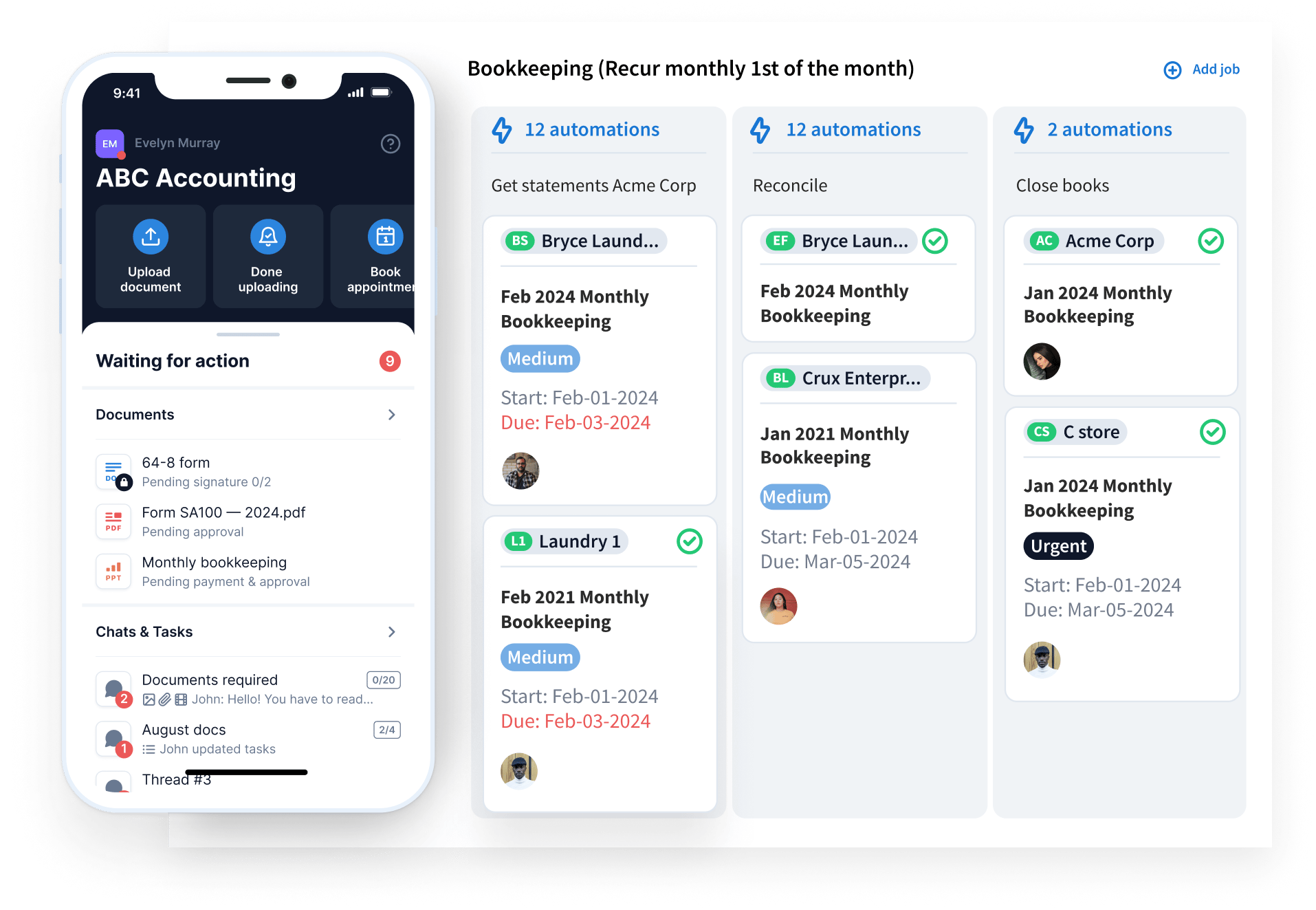
TaxDome is a market-leading practice management platform for accountants, tax professionals, and bookkeepers. Its extensive range of features, simple pricing, and scalability make it a popular choice with firms of all sizes.
TaxDome — Quick Facts
- G2 rating 4.7/5 from 680+ reviews
- Capterra rating 4.7/5 from 3,500+ reviews
- Founded 2017
- Customers 10,000+ firms in 25+ countries
- Starting price From $58/month per user (billed annually)
- Free trial Demo available
- Best for Accounting, tax, and bookkeeping firms of all sizes
- Awards G2 #1 Practice Management Software 2025, CPA Practice Advisor Readers’ Choice Award 7x winner
- Key features Workflow automation, client portal with mobile app, document management, CRM, billing and payments, e-signatures including KBA, AI-powered reporting
- Integrations QuickBooks Online, IRS, Companies House, Stripe, Zapier, Calendly
TaxDome key features
TaxDome is one of the broadest offerings on the market. It combines tools for managing clients, tasks, documents, teams, and workflows on one intuitive, easy-to-use platform. It’s impossible to explore all of its features in detail here, so we’ll focus on key features and how they help tax professionals. For a broader look at TaxDome’s capabilities, check out this product overview.
- Workflow automation. TaxDome enables you to automate entire workflows from start to finish, including all client communications, document management, task management, and more. Onboard clients, gather tax documents, and get paid without lifting a finger.
- Custom-branded client portal. Clients can communicate with tax pros, upload and e-sign documents, pay bills, and stay updated on progress — all in one secure portal available on desktop or our top-rated client mobile app.
- Proposals and engagement letters. Impress clients with slick proposals. Outline your services and pricing, capture e-signatures, and secure payment in one seamless digital workflow.
- Customizable organizers. Automate the process of gathering client information and documents with smart digital forms that are simple to complete. Cut out the back-and-forth and serve your clients faster.
- Time and billing. Use TaxDome’s built-in time-tracking tool to accurately capture billable hours. Automatically convert time data to professional invoices, or set up automated recurring payments.
- Smart team management. Gain top-down visibility into workloads, backlogs, and deadlines. Leverage AI-powered reporting to understand team performance, productivity, and profitability.
- Accounting CRM. Manage and track your customer relationships, data, and communications in one centralized hub. Store unlimited contacts, filter accounts using tags, and quickly send bulk messages.
- Integrations. TaxDome comes with native integrations for the most popular accounting and tax platforms, payment providers, and schedulers. You can also connect to the IRS (US) and Companies House (UK) in just a few clicks for seamless access to client transcripts and real-time account updates.
- Legally compliant e-signatures: In addition to regular e-signatures, TaxDome offers KBA signatures for tax filing with the IRS, as well as AdES and QES for use in the EU.
What kind of firms use TaxDome?
TaxDome is popular with tax firms of all sizes, as well as accounting and bookkeeping practices. In total, more than 10,000 businesses rely on TaxDome worldwide.
With its broad feature set and commitment to ongoing innovation, TaxDome is particularly popular with firms taking a tech-driven approach to improving efficiency, profitability, and the client experience.
TaxDome pricing
TaxDome has designed three plans tailored to meet your specific needs and goals:
- Essentials: from $700/year per user (≈$58/month)
- Pro: from $900/year per user (≈$75/month)
- Business: from $1,100/year per user (≈$90/month)
TaxDome user ratings
- G2: 4.7 out of 5 from 680+ reviews
- Capterra: 4.7 out of 5 from 3,500+ reviews
TaxDome customer reviews
A glance through user reviews shows appreciation for TaxDome’s broad capabilities, as well as its first-class customer support, education materials, and commitment to innovation — as Steve, a firm partner, points out in a recent review:
There’s generally a lot of love for TaxDome’s workflow automation, customizable organizers, and proposals and engagement letters, all of which are game-changers for tax professionals. The review below sums it up neatly:
The only downside to TaxDome is that it can involve a lot of learning. This is an inevitable side effect of such a comprehensive platform. But with TaxDome’s industry-leading support and education materials — including regular webinars, bootcamp events, and hands-on training — this initial hurdle can be easily overcome.
Pros and cons
TaxDome pros and cons
The good:
- Comprehensive features
- Powerful automation
- Client management
- Extensive integrations
The bad:
- Learning curve
| 👍 Pros | 👎 Cons |
| One of the most comprehensive offerings on the market | There’s a lot to learn! |
| Workflow automation saves you time and boosts scalability | |
| Client portal and client mobile app | |
| Customizable organizers for rapid client onboarding | |
| Industry-leading support and education | |
| Integrations with popular tax software, as well as the IRS and Companies House |
2. Canopy
At a glance:
- Best for: tax teams that want an affordable client management system
- Key strength: client management
- Main limitation: very expensive add-on products (workflow, document management, time and billing)
- Pricing model: complex, modular pricing model
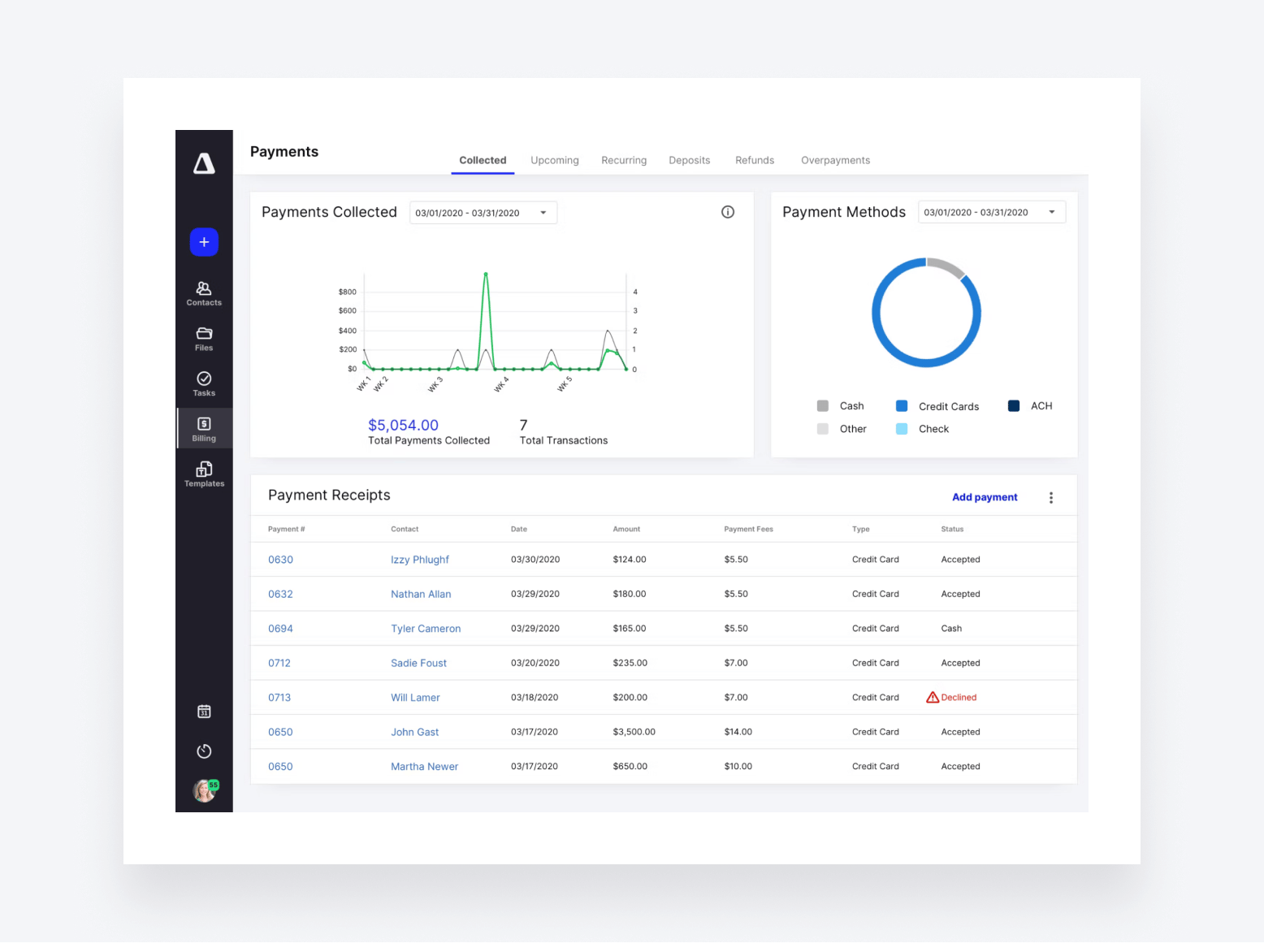
Canopy is another major player in the tax practice management software space. Launched back in 2014, it’s been a popular choice for accountants and tax professionals for a decade.
Canopy key features
Canopy is one of the more comprehensive offerings on the market. In addition to standard features such as document management, CRM, and time and billing, here are some of Canopy’s key features for tax professionals:
- Workflow management for increased efficiency
- Canopy AI — a ChatGPT-style assistant that drafts and summarizes communications
- Client portal on desktop and mobile
- Integrations with the IRS for accessing transcript data
- Tax resolution management
- Engagements and proposals
- Accounting intelligence for data-driven insights
What kind of firms use Canopy?
Canopy is popular with small and medium-sized accounting and tax practices. That said, its pricing structure stipulates a minimum of five users, which means very small teams and solopreneurs will want to look elsewhere.
Canopy pricing
Canopy takes a modular approach to pricing. All users start with its Client Engagement Platform as standard, and they can add the following additional modules at an extra cost:
- Client Engagement Platform: from $1,800/year (≈$150/month)
- Document Management: from $432/year per user (≈$36/month)
- Workflow: from $384/year per user (≈$32/month)
- Time & Billing: from $264/year per user (≈$22/month)
Each module is priced individually on a sliding scale — the more users you have, the more you pay. There are also add-on services that come at an additional cost, including Tax Resolution, Collection Cases, and Transcripts & Notices.
In practice, this makes Canopy’s pricing needlessly complicated. Moreover, if you want the platform’s full capabilities, it becomes very expensive.
Canopy user ratings
- G2: 4.6 out of 5 from 600+ reviews
- Capterra: 4.5 out of 5 from 250+ reviews
Canopy customer reviews
Canopy ranks highly for ease of use. Its broad capabilities enable accounting firms to consolidate and simplify their tech stacks — as this review from a CPA and firm owner explains:
But it’s not all positive. Some reviewers struggle to get to grips with Canopy’s steep learning curve. This issue is compounded by the fact that you may have to pay extra for hands-on training. Here’s what a president from a small accounting firm had to say in a recent review:
Canopy pros and cons
The good:
- Client management system
The bad:
- Very expensive
- Complex pricing model
- Add-ons and extra fees
| 👍 Pros | 👎 Cons |
| Client management platform with unlimited users | Steep learning curve |
| AI assistant for rapid email creation | Overly complex pricing structure |
| Client portal and mobile app | Gets very expensive if you want all modules |
| IRS integration + tax resolution management | You may have to pay extra for hands-on training |
3. Karbon
At a glance:
- Best for: collaborative accounting and tax teams
- Key strength: team collaboration and workflow management
- Main limitation: expensive upgrades, lacks client management features
- Pricing model: annual plans with a lot of feature limitations and expensive upgrades
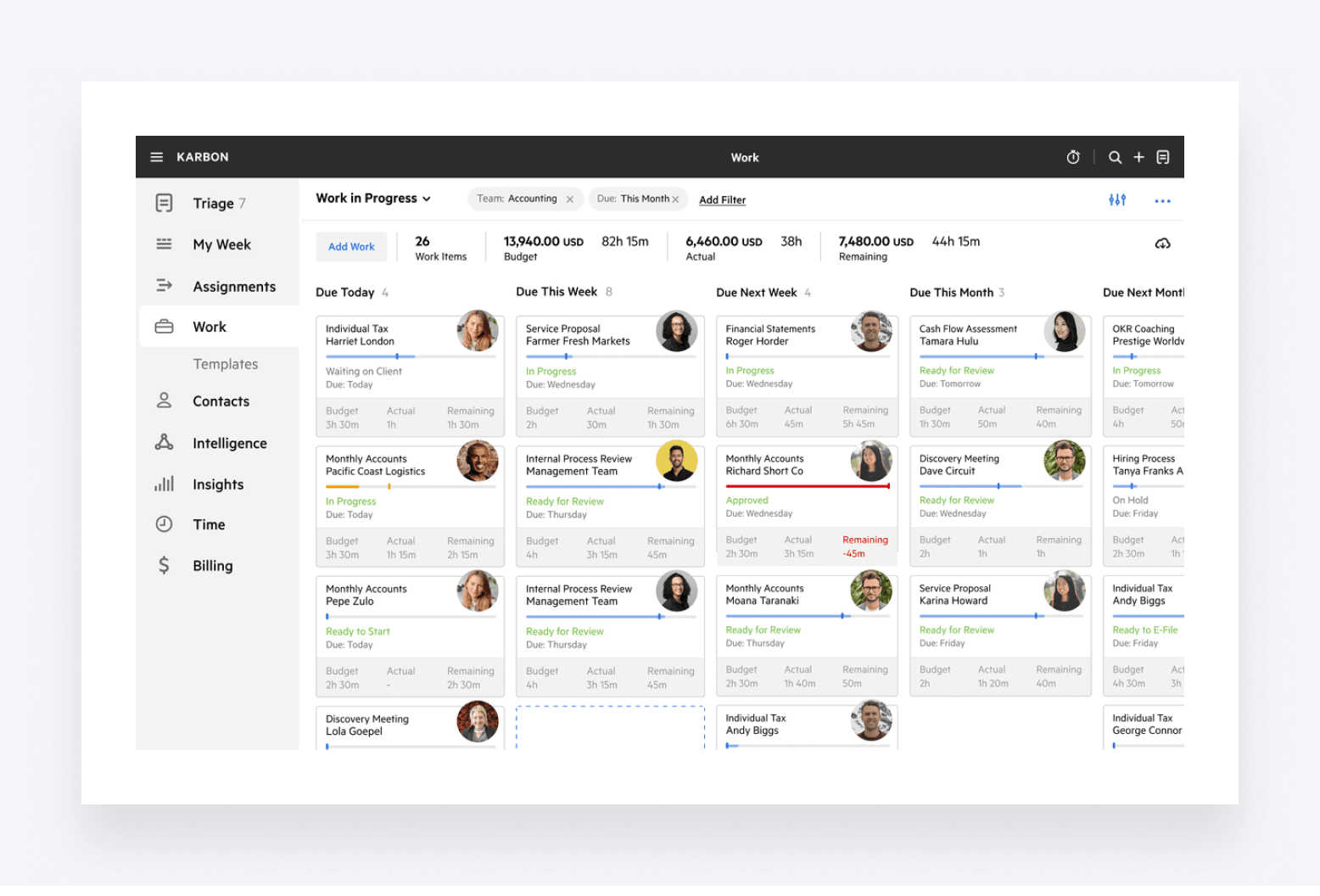
Karbon is another big-hitter in the tax practice management space. Founded ten years ago, it’s popular with accounting and tax firms looking to streamline workflows and boost collaboration.
Karbon key features
Karbon offers standard practice management features, including document management, team collaboration, and project management tools. In addition to the basics, there are some key features that tax professionals will be interested in:
- Client portal — although on desktop only, not on mobile
- AI-powered email drafting and insights
- Workflow automation and templates for standardizing processes
- Shared email inbox for smoother collaboration
- Tools for tracking time and budgets
- Data analytics for smarter decision-making
What kind of firms use Karbon?
Karbon is used by accounting and tax firms of all sizes. Given that its cheaper plans offer limited functionality and customer support, it may put off smaller firms looking for a comprehensive platform that will grow with them.
Karbon pricing
Karbon offers three pricing plans:
- Team: from $708/year per user (≈$59/month)
- Business: from $1,068/year per user (≈$89/month)
- Enterprise: custom pricing
The cheaper the plan, the fewer features you have access to. Cheaper plans also have stringent limitations on functionality, including templates, teams, and contacts. There are also limits on onboarding, support, and education. If you want hands-on support during setup, for example, you’ll need to pay extra.
Karbon user ratings
G2: 4.8 out of 5 from 750+ reviews
Capterra: 4.7 out of 5 from 200+ reviews
Karbon customer reviews
Karbon is praised for its ability to get teams organized and on the same page. Its task management capabilities have the most positive reviews of all its features. Here’s what one reviewer had to say:
On the negative side, numerous risers critisize its email integration functionality. Here’s one example from a recent review:
Karbon pros and cons
The good:
- Team collaboration
- Workflow management
The bad:
- Missing client management features
- Expensive upgrade path
- Paid add-ons for support
| 👍 Pros | 👎 Cons |
| Intuitive, easy-to-use interface | Limited functionality on some plans |
| Excellent task management features | You have to pay extra for hands-on support during migration, setup, and beyond |
| Innovative approach with AI and analytics | Missing client management features |
| Shared inbox with @mentions for internal collaboration | Issues with email integration |
| No IRS integration | |
| Not the most cost-effective |
4. Jetpack Workflow
At a glance:
- Best for: sole practitioners and small teams
- Key strength: simple workflow management
- Main limitation: lack of automation and features beyond basic workflow management
- Pricing model: yearly or monthly flat-rate pricing
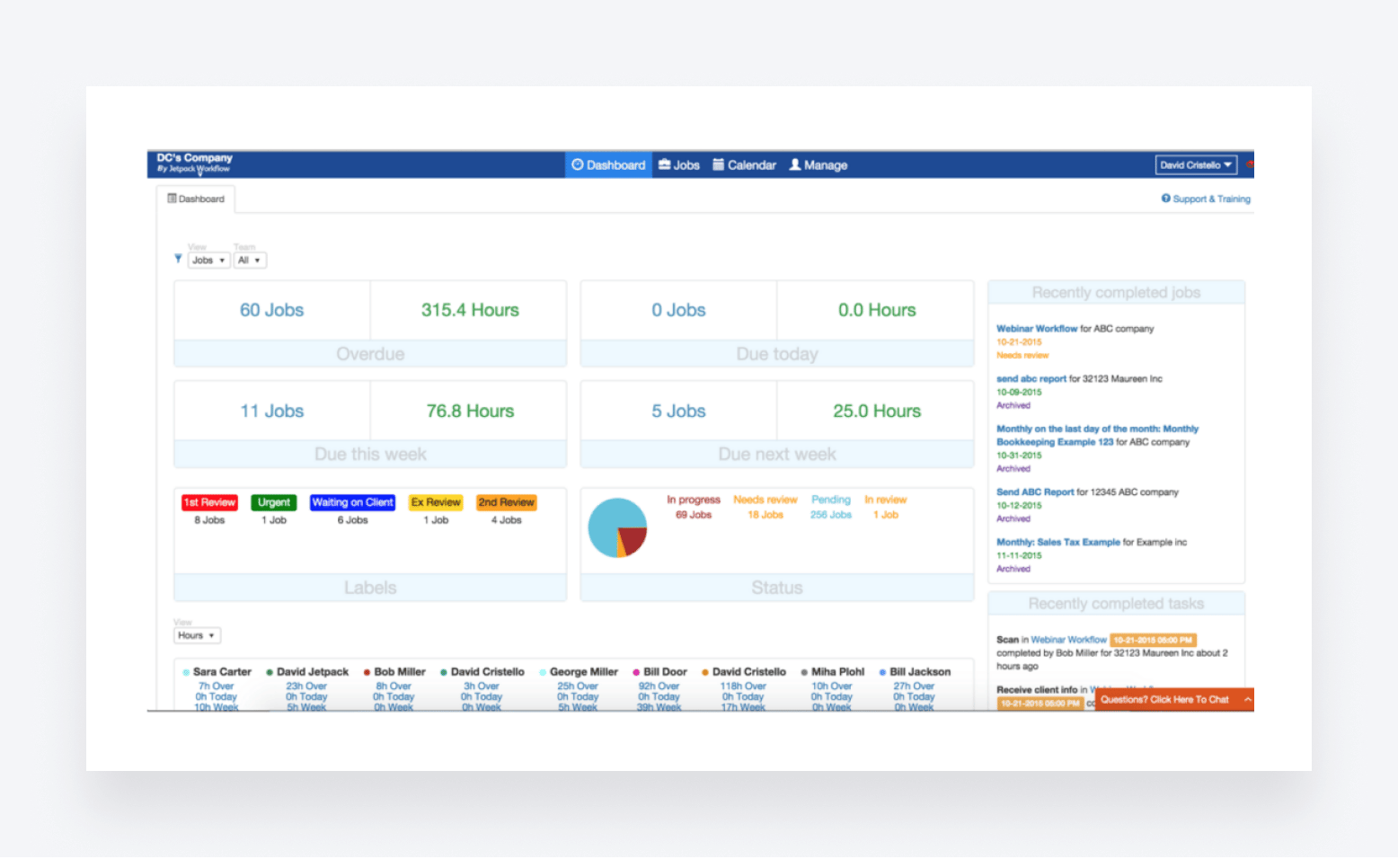
Jetpack Workflow is a practice management platform that enables accountants to standardize, organize, and automate accounting workflows. Founded eight years ago, it’s seen as a simpler alternative to some of its broader, more complex competitors.
Jetpack Workflow key features
Generally speaking, Jetpack Workflow lacks the scope and advanced features that competitors such as TaxDome, Canopy, and Karbon have. That said, it still has plenty to offer in terms of organizing and standardizing work, including:
- Template builder and library for standardizing work
- Automation for recurring tasks
- Global view of all tasks, projects, and deadlines
- CRM with unlimited contacts
- Team collaboration and communication tools
What kind of accounting firms use Jetpack Workflow?
Jetpack Workflow tends to be popular with smaller and medium-sized accounting, bookkeeping, and tax practices. Its lack of key practice management features makes it more suitable for businesses looking for a simple solution to organize tasks and workflows.
Jetpack Workflow pricing
Jetpack Workflow has a single plan with two payment options:
- Starter Yearly: $120/year per user (equivalent to $40/month)
- Starter Monthly: $49/month per user
Jetpack Workflow user ratings
G2 rating: 4.2 out of 5 from 12 reviews
Capterra rating: 4.8 out of 5 from 50+ reviews
Jetpack Workflow customer reviews
Jetpack Workflow has very few reviews overall compared to the bigger competitors on this list. This makes it harder to spot trends in positive and negative reviews. One thing is clear, however — Jetpack Workflow is a relatively simple offering with a narrow set of features. This is reflected in a recent G2 review that highlights both the benefits and drawbacks of Jetpack’s stripped-back approach:
Jetpack Workflow pros and cons
The good:
- Simple workflow management
The bad:
- Limited features
- No invoicing or billing
- Relatively expensive for a simple tool
Pros and cons
| 👍 Pros | 👎 Cons |
| Useful tools for organizing and standardizing work | Not a complete tax practice management solution |
| Template builder and library | No client portal or mobile apps |
| Simple and transparent pricing | No invoicing or payments |
| Limited task automation | |
| No document management or e-signatures |
5. Financial Cents
At a glance:
- Best for: sole practitioners and new firms
- Key strength: entry-level practice management system
- Main limitation: lack of feature depth
- Pricing model: annual plans with a relatively expensive upgrade path
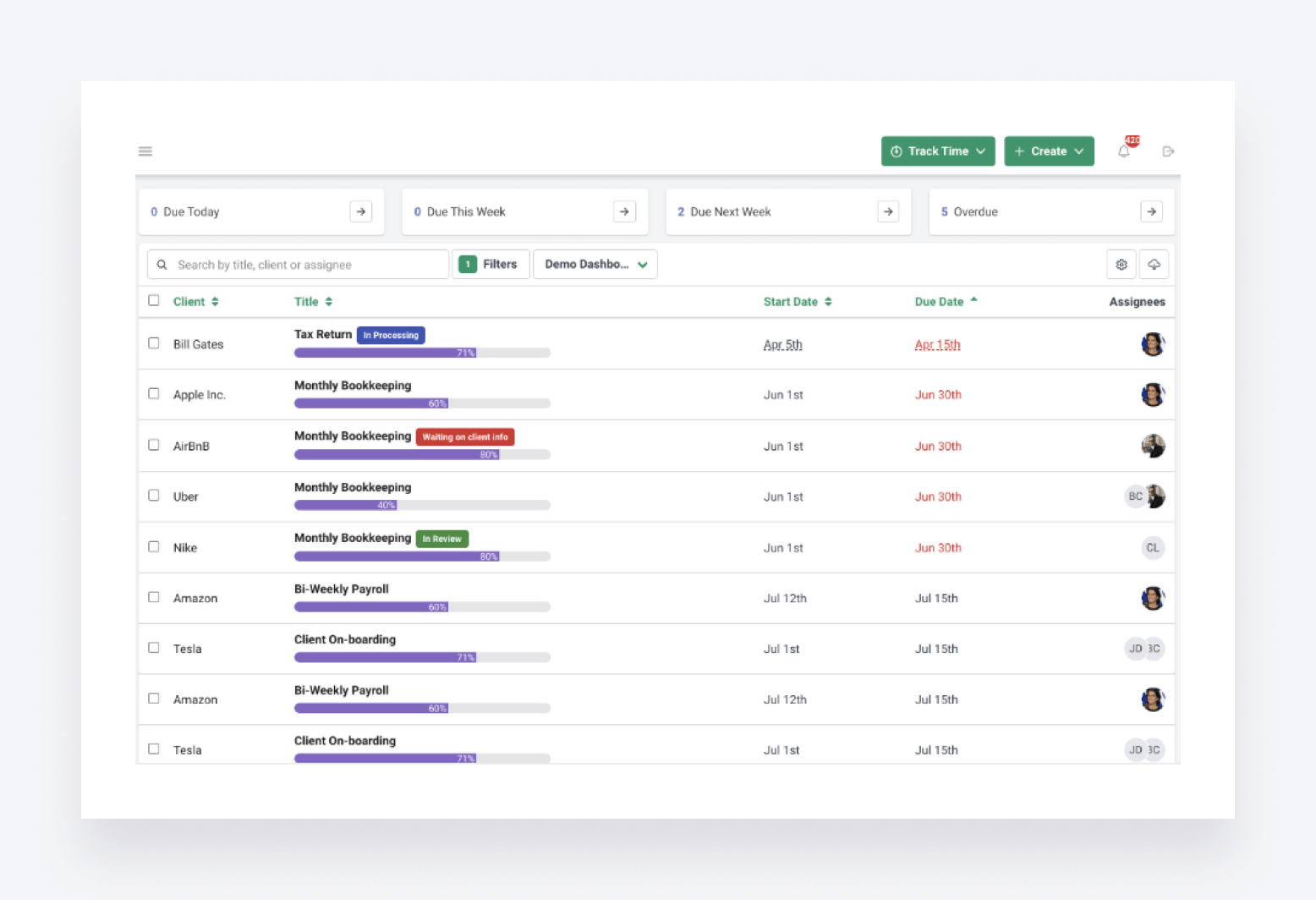
Financial Cents is a practice management platform for accounting and tax firms. It’s designed to help professional teams manage their work, streamline processes, and boost productivity. Launched in 2017, Financial Cents serves hundreds of accounting firms across North America.
Financial Cents key features
Financial Cents offers most of the basic tools you need to run a modern accounting and tax firm. Some major omissions hold it back, however. For example, there’s no client portal or mobile apps, and invoicing is only available through an integration with QuickBooks Online. Here are its key features:
- Workflow management to keep track of who’s working on what
- Automated client data collection and auto-reminders
- Accounting CRM for managing client relationships
- Capacity management for understanding workloads and identifying bottlenecks
- ReCats for managing uncategorized transactions
- Email integration for smoother collaboration
What kind of accounting firms use Financial Cents?
Financial Cents is designed for small and medium-sized accounting practices. It also has a dedicated pricing plan for solo firms, making it a cost-effective choice for those just starting out.
Financial Cents pricing
Financial Cents has four plans at the following price points:
- Solo: from $228/year per user (≈$19/month)
- Team: from $588/year per user (≈$49/month)
- Scale: from $828/year per user (≈$69/month)
- Enterprise: custom pricing
The prices above are available when you pay annually. For monthly billing, the cost goes up by 20%. As you’d expect, more expensive plans unlock more advanced features.
Financial Cents user ratings
G2: 4.7 out of 5 from 200+ review
Capterra: 4.8 out of 5 from 250+ reviews
Financial Cents customer reviews
With such high ratings, it’s clear that Financial Cents is doing a lot right. Its lack of core features may put some firms off, but what it does, it does well. Here’s what one user had to say in a recent review:
On the other hand, some users complain about the lack of bulk actions for client communication and file management. Several users call out the somewhat limited customer service options as well — like this recent review:
Financial Cents pros and cons
The good:
- Simple practice management
- Affordable starting price
The bad:
- Limited features
- Reliant on integrations
- Relatively expensive upgrade path vs feature gains
| 👍 Pros | 👎 Cons |
| Capacity management tools | Automation tools are rather basic |
| Email integration | Invoicing only available through QuickBooks Online integration |
| Decent option for solopreneurs on a budget | No client portal or mobile app |
| Lack of bulk actions | |
| Limited customer support |
6. Ignition
At a glance:
- Best for: firms managing low client volumes
- Key strength: client management
- Main limitation: strict client limits on each plan
- Pricing model: annual subscriptions, expensive upgrade path
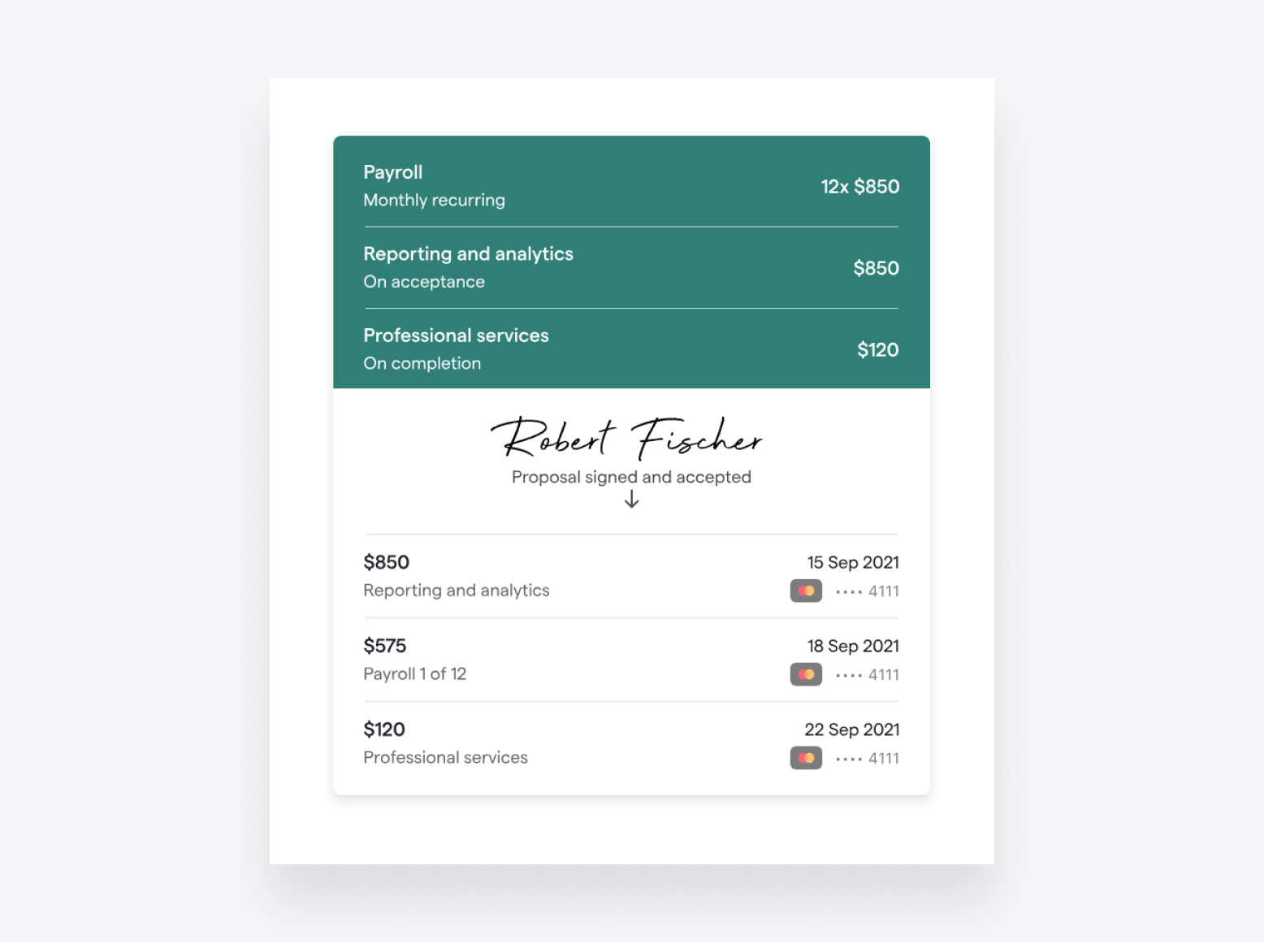
Ignition takes a different approach than the other platforms on this list. Instead of covering the broad spectrum of tools needed to run a modern tax practice, it focuses on a particular niche: engaging clients and getting paid.
Ignition key features
With its narrow focus, Ignition doesn’t offer standard practice management features such as a CRM, secure messages, task management, or broader workflow automation. For this reason, firms tend to use it alongside other practice management tools to complete their accounting tech stack. Here’s what it offers:
- Customizable proposals and engagement letters for engaging new clients
- A range of templates for speedy document creation
- Automated client billing and payments
- Analytics for tracking revenue, sales, and payments
What kind of accounting firms use Practice Ignition?
Ignition is used by firms of all sizes. Because of its limited scope, it tends to be used by firms who are happy to have a standalone tool dedicated to client engagement and payments, alongside a more general practice management system.
Ignition pricing
Ignition has four pricing plans. Unlike other systems on this list, it charges a flat rate for each rather than a per-user rate, but the two cheaper plans have limits on how many users and clients you can have. There are also limits on features, such as e-signatures and templates.
The prices below are when billing annually. If you choose to bill monthly, you’ll pay at least 20% more.
- Solo: from $468/year (≈$39/month) — max. 20 clients
- Core: from $1,188/year (≈$99/month) — max. 50 clients
- Pro: from $2,748/year (≈$229/month) — max 350 clients
- Pro+: from $4,788/year (≈$399/month) — max 600 clients
Ignition user ratings
G2 rating: 4.7 out of 5 from 100+ reviews
Capterra rating: 4.7 out of 5 from 150+ reviews
Ignition customer reviews
Unsurprisingly, Ignition excels when it comes to proposals, engagement letters, and getting paid. Users particularly like the ability to collect payment at the start of an engagement, which helps to improve cash flow. Here’s a recent review from a happy Ignition user:
There are a few gripes about functionality, however. Ignition only allows one e-signature per proposal on its cheapest plan, for example, which can be a stumbling block. Also, the lack of a “reject” function for clients causes unnecessary friction — as this user points out in a recent review:
Ignition pros and cons
The good:
- Proposals and engagement
The bad:
- Client limits on plans
- Lacks practice management features
- Reliant on integrations
| 👍 Pros | 👎 Cons |
| A market-leading tool for driving revenue | Max. client limits on plans |
| Excellent proposals and engagement letters | Could make your tech stack more complex than necessary |
| Automated billing and payments | Very limited usage options on the cheapest plan |
7. Mango
At a glance:
- Best for: tax professionals who want to manage workloads, docs, and invoicing
- Key strength: tasks, documents, and billing
- Main limitation: limited firm and client management features
- Pricing model: annual plans, moderate upgrade fees
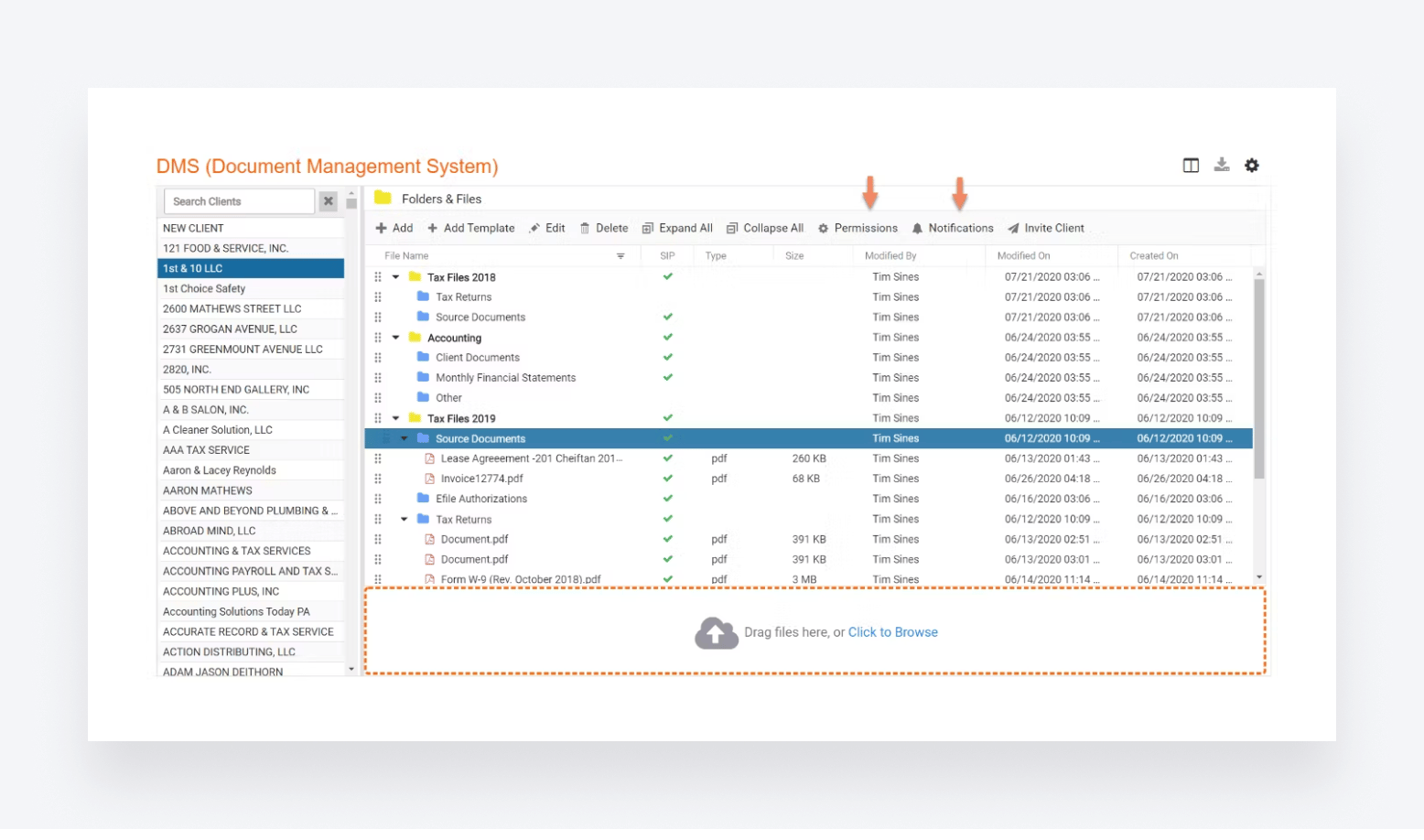
Mango is a practice management platform built by accountants, for accountants. Launched back in 1999 by a practising CPA, then-called ImagineTime became Mango back in 2020, following a change in the business’s ownership. Since that acquisition, Mango has grown by more than 200%.
Mango key features
Mango offers a broad range of practice management features. Here are some of its key offerings:
- Secure document management, file sharing, and e-signatures (including KBA)
- Workflow management and templates
- Project management tools and dashboard
- Built-in engagement letters
- Time, billing, and payments
- Client portal
- Firm analytics
What kind of accounting firms use Mango?
Mango has plans to suit accounting and tax firms of all sizes.
Mango pricing
Mango has three pricing plans:
- Basic: from $420/year per user (≈$35/month)
- Plus: from $660/year per user (≈$55/month)
- Pro: from $828/year per user (≈$69/month)
The cheaper the plan, the more limited the features. You’ll have to upgrade to Plus or Pro to unlock features such as project management and document management, for example.
Mango user ratings
G2 rating: 3.6 out of 5 from 20+ reviews
Capterra rating: 3.9 out of 5 from 60+ reviews
Mango customer reviews
Users are generally pleased with Mango’s ability to streamline core accounting and tax workflows. The addition of KBA signatures is also a handy perk for tax accountants, as this recent review explains:
However, there are some major concerns about Mango’s customer support. Several users complain that simply getting in touch with someone is challenging. The review below is a recent example:
Mango pros and cons
The good
- Practice management features
- Simple client portal
The bad
- Limited client management features
- Key features unavailable on cheaper plans
- Customer service complaints
| 👍 Pros | 👎 Cons |
| A broad set of practice management features | Limited client management features |
| KBA e-signatures for compliance with the IRS | Key features unavailable on cheaper plans |
| Client portal | Unreliable customer service |
| Performance issues that take a long time to resolve |
8. Pixie
At a glance:
- Best for: small teams managing relatively low client volumes
- Key strength: simple, affordable practice management (for the right kind of team)
- Main limitation: limited features and pricing model that only work for certain teams
- Pricing model: flat-rate, unlimited users, client-based pricing
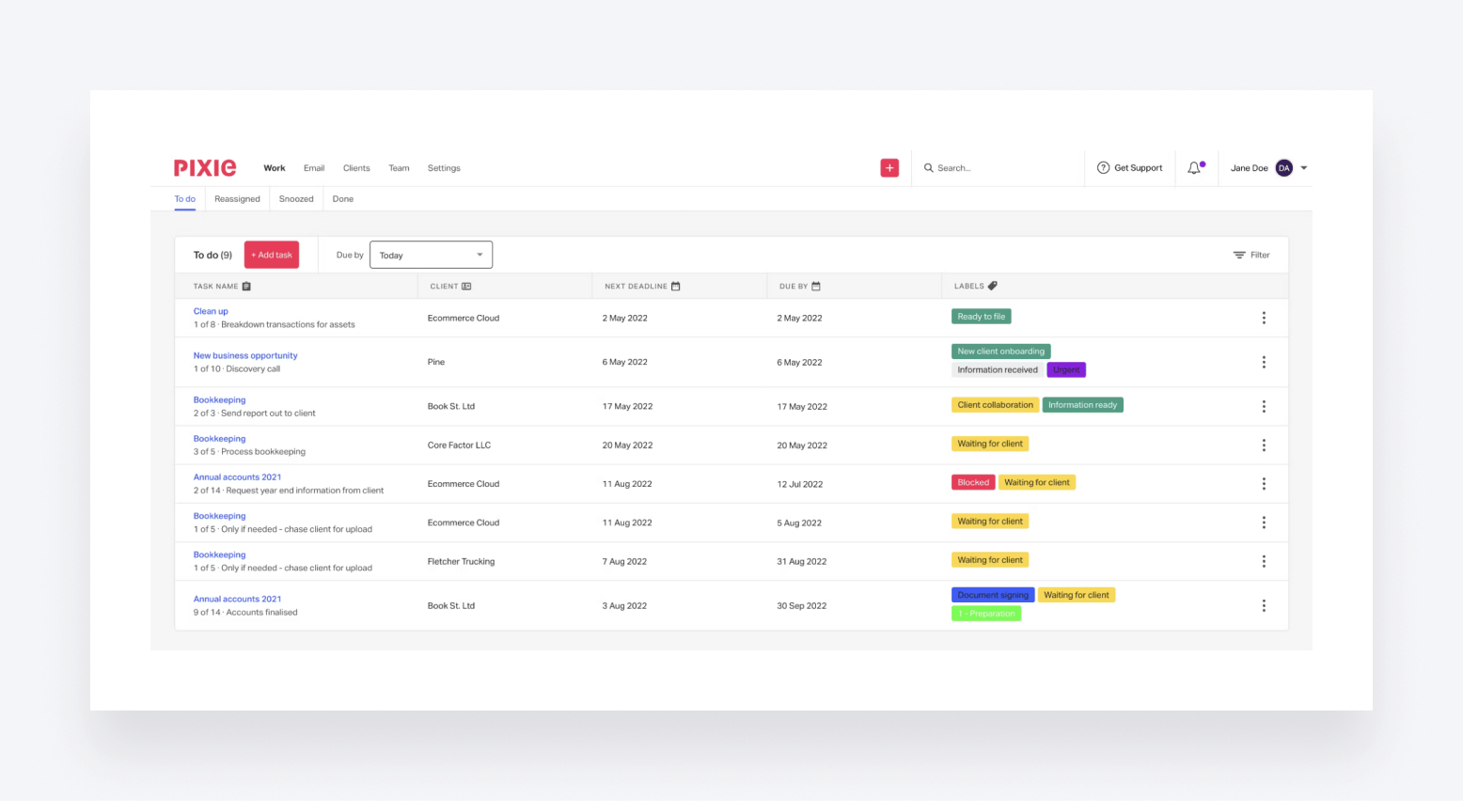
Wrapping up our list, Pixie is a relative newcomer to the practice management software scene. Launched in 2019, it’s designed to help small accounting, bookkeeping, and tax firms run like clockwork.
Pixie key features
When it comes to features, Pixie has a few glaring omissions. There are no mobile apps for staff or clients, for example. That said, it offers a fairly broad range of capabilities for tax accountants. Here are some of its key features:
- CRM for accountants
- A range of team and task management tools
- Workflow management with templates for rapid deployment
- Automated recurring tasks
- Email integration for smoother collaboration
- Streamlined client onboarding workflows
What kind of accounting firms use Pixie?
Pixie is designed for small and medium-sized accounting and bookkeeping practices. Its intuitive interface makes it a popular choice with firms looking for a relatively simple yet modern and easy-to-use platform. However, due to its per-client pricing model, firms with small teams may find more cost-effective solutions elsewhere.
Pixie pricing
Pixie prices its software based on the number of clients you have, using the following categories:
- Under 250 clients: from $1,548/year (≈$129/month)
- 251-500 clients: from $2,388/year (≈$199/month)
- 501-1,000 clients: from $3,948/year (≈$329/month)
- Over 1,000 clients: custom pricing
The above prices are all flat fees, with no limits on the number of people you have in your team.
Pixie user ratings
G2: 4.8 out of 5 from 11 reviews
Capterra: 4.8 out of 5from 32 reviews
Pixie customer reviews
A glance through Pixie’s online reviews shows that users love its intuitive, user-friendly interface and overall simplicity. It also does a great job simplifying processes, as this recent review explains:
The platform’s simple and clean approach can be a double-edged sword, however — especially if you’re looking for more advanced features. The review below sums this up perfectly:
Pixie pros and cons
The good
- Simple practice management
The bad:
- Lack of feature depth
- Missing client management features
- Pricing model only works for certain teams
| 👍 Pros | 👎 Cons |
| Intuitive and easy to use | No client or firm mobile apps |
| Decent client portal | Lacks the depth and complexity of its main competitors |
| All features are available to all users | Pricing structure doesn’t work for solo firms |
| No IRS integration or tax-specific features |
Which tax practice management platform is right for your firm?
Every tax practice is different and the variety of tools we’ve looked at today reflects this. Some focus on specific aspects of running a firm, such as workflow automation or client management. Others aim to provide a more comprehensive solution that impacts the whole practice.
So, which practice management platform is right for you? Well, let’s quickly summarize the key takeaways from our recommendations:
- TaxDome: best for growing firms that want the most complete practice management system to increase revenue by simplifying processes everywhere
- Canopy: best for teams that want a client management system only with unlimited user seats
- Karbon: best for team collaboration but light on client management features
- Jetpack Workflow: best for sole practitioners and small teams that want a simple workflow management tool
- Financial Cents: best for sole practitioners and new firms that want a simple practice management system
If you want the most advanced practice management system, or the best value for money in cost vs features, the answer is easy. TaxDome is the most complete solution for tax firms on the market, bringing the full suite of practice management, client management, and growth tools into one platform.This is why G2 names TaxDome the #1 practice management software and CPAs voted for it to win the Practice Management Systems award at the 2025 CPA Practice Advisor Readers’ Choice Awards.
FAQ
What is the best tax practice management software for accounting firms?
TaxDome is the best tax practice management software, rated #1 on G2 with 4.7 stars from 3,500+ reviews and winner of the 2025 CPA Practice Advisor Readers’ Choice Award. It combines workflow automation, client portal, document management, billing, and CRM in one flat-rate platform from $58/month per user.
What should I look for in tax practice management software?
The most important features are workflow automation, client portal with mobile access, document management, billing and payment processing, integrations with your existing tax software, and quality of customer support and onboarding.
What is the difference between TaxDome and Karbon?
TaxDome is a more complete all-in-one platform with a client mobile app, unlimited document storage, flat-rate pricing, and built-in billing. Karbon is stronger for internal team collaboration and email workflow but lacks a client mobile app and charges extra for hands-on support.
How much does tax practice management software cost?
Tax practice management software typically costs between $19 and $150 per user per month. TaxDome starts at $58/month, Karbon at $59/month, Financial Cents at $19/month, and Canopy at $150/month flat before add-ons.

Aaron produces practical content for TaxDome, drawing on 11 years in SaaS copywriting and marketing. He helps accounting and tax professionals get the most from TaxDome and other tools, making complex topics clear and actionable.

Get your free guide

Thank you!
The guide copy has been sent to your email. Please check your inbox!
Recommended articles

9 best QuickBooks alternatives in 2026 for every business type
65+ key accounting statistics and insights for 2026

How to start an accounting firm: a step-by-step guide to running your own practice