 US – English
 UK – English
 Canada – English
 Australia – English
 Danmark – Dansk
 DACH - Deutsch
 France – Français
 España – Español
 Sverige – Svenska
 Italia – Italiano
 Nederland – Nederlands
 Portugal – Português
 Suomi – Suomi
 Norge – Norsk
 日本 – 日本語
 Romanian – Română












New official IRS integration: download transcripts directly in TaxDome, streamline processes and save time

Run your entire firm on one platform
Tax season can be very hectic for accounting firms, especially when it comes to working with the IRS. The good news is that TaxDome is now an official IRS partner, and through TaxDome’s IRS-approved integration, you can now download transcripts – easily and securely – right from the TaxDome workspace without having to visit the IRS website. During the early access program, more than 100,000 transcripts were successfully pulled!
Through our integration, you can now access your clients’ essential financial information in one secure platform, saving time, boosting productivity and lowering administrative hassles during busy season.
Table of сontents
How to download IRS transcripts in TaxDome
Once you have enabled the integration in your settings, click +New from the left sidebar and request a transcript from any page, or navigate to any client’s account and access the Docs tab. You’ll find the “Request transcripts” button under the IRS subtab.
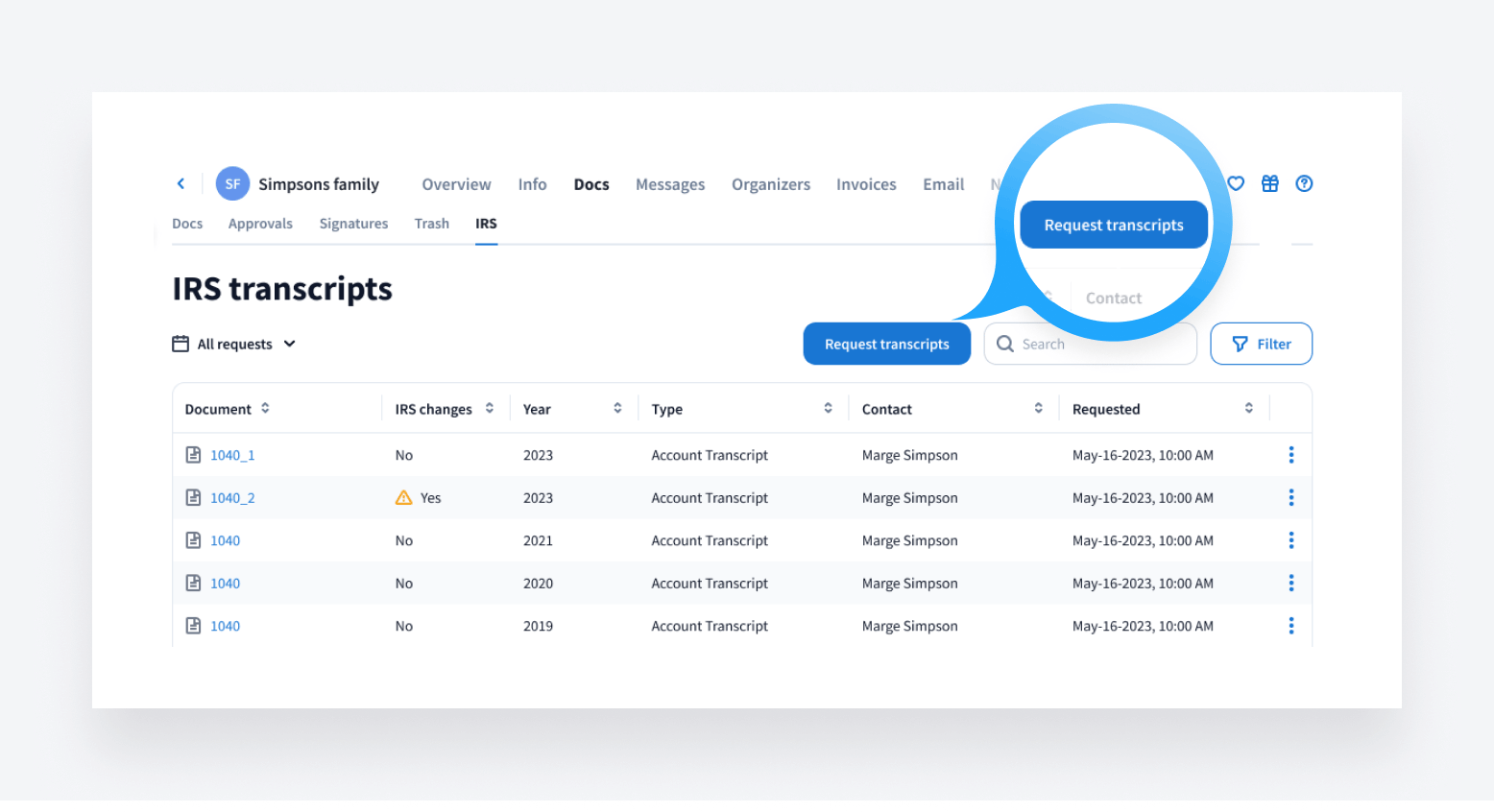
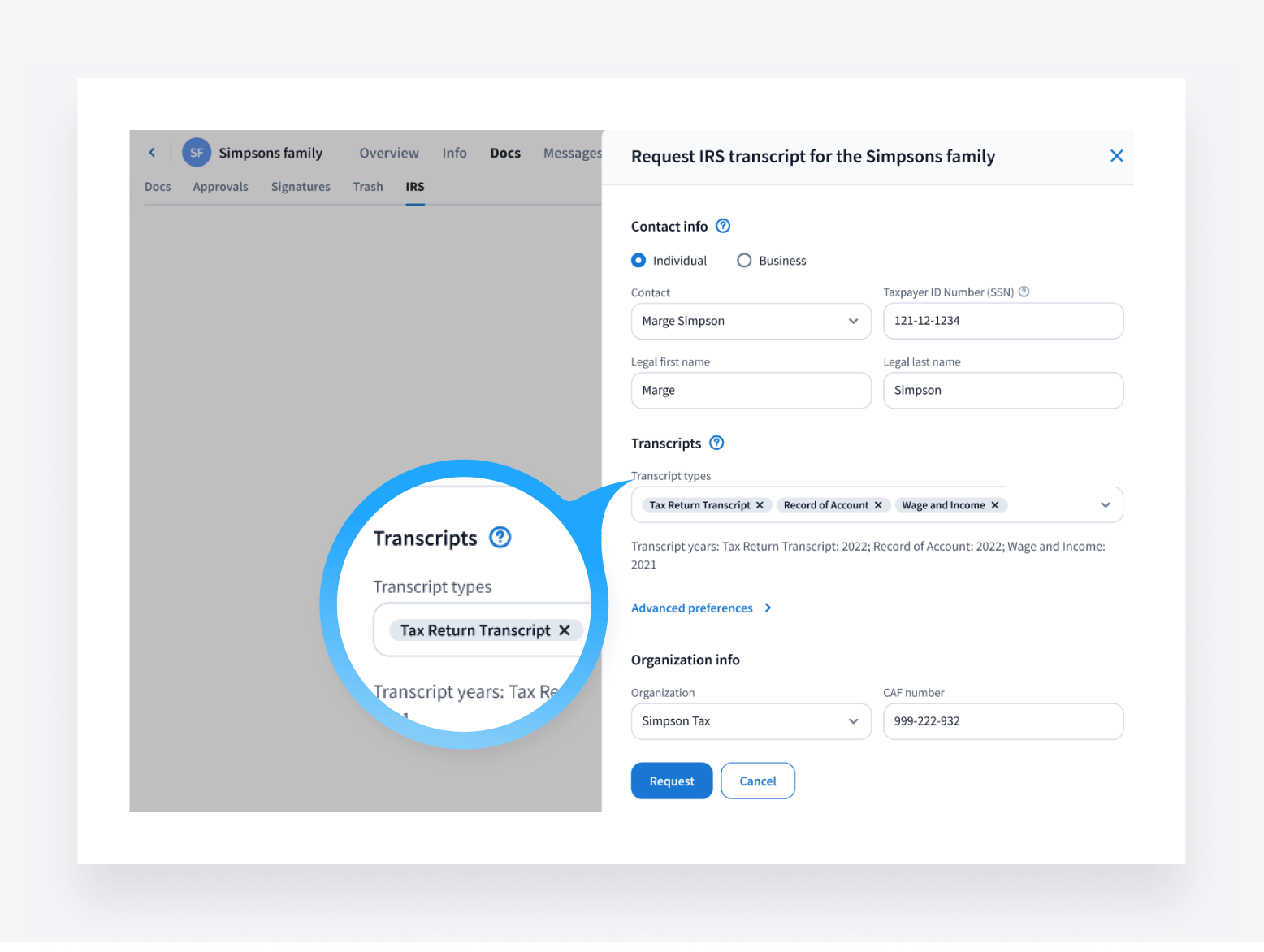
In order to pull transcripts, you must have an IRS e-Services account and a Centralized Authorization File (CAF) number. For more information, please see: how to download IRS transcripts in TaxDome.
Types of transcripts you can download
This new feature allows you to download the following types of transcripts directly through TaxDome.
- The Tax Return Transcript shows most line items from the original filed return. It’s handy for lending institutions and mortgages.
- The Tax Account Transcript displays basic tax data and any changes made after filing. It’s useful to confirm estimated payments before you submit returns.
- The Record of Account Transcript combines both the Tax Return and Tax Account transcripts for a comprehensive overview.
- The Wage and Income Transcript allows you to access Form W-2, 1098, 1099 and other income document data.
- The Verification of Non-Filing Letter confirms that the IRS has no record of a filed return for a given year.
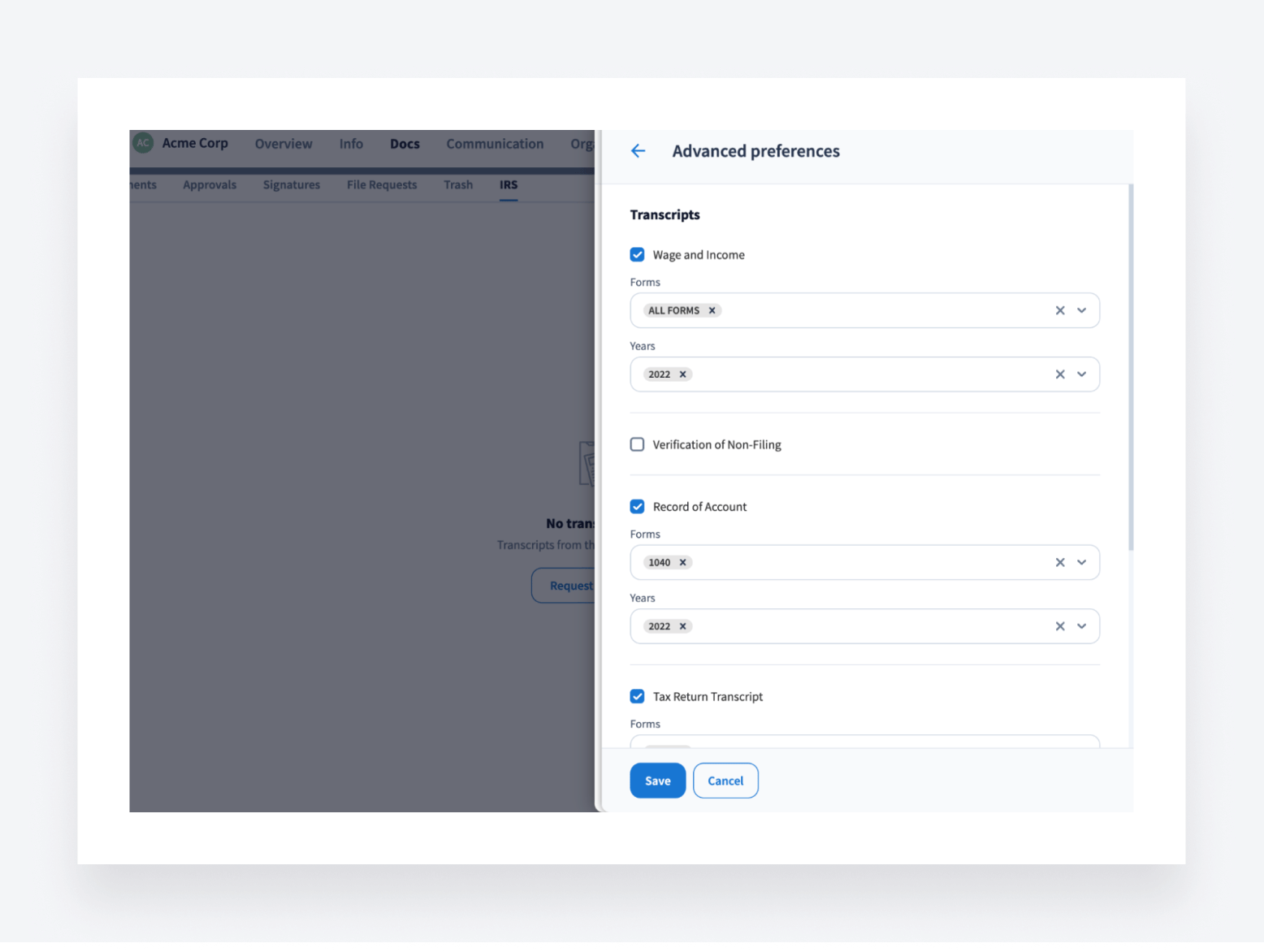
In the spirit of simplicity, transcripts are set for the previous year by default. However, you can customize the type, year and tax period for the requested transcripts by using the advanced preferences within the request transcripts sidebar menu. The exact years available depend on the transcript type and delivery method. Regardless of how you use them, TaxDome’s IRS integration makes downloading transcripts easy.
In the near future, we will also be adding the ability to obtain transcripts for Payroll forms as well as saving the CAF number on an individual level to reduce duplicate data entry.
Once your request has been completed, you will get a notification in your Inbox+ showing the account name and the number of transcripts received out of the total requested.
Keeping track of changes
After the first transcript pull, you will be alerted when new transcripts differ from prior versions after you request them for the same period of time as the previous ones. This allows you to carefully review changes and determine if any further actions are needed. Notifications about changes will be readily available within the “IRS changes column,” ensuring you have the complete information.
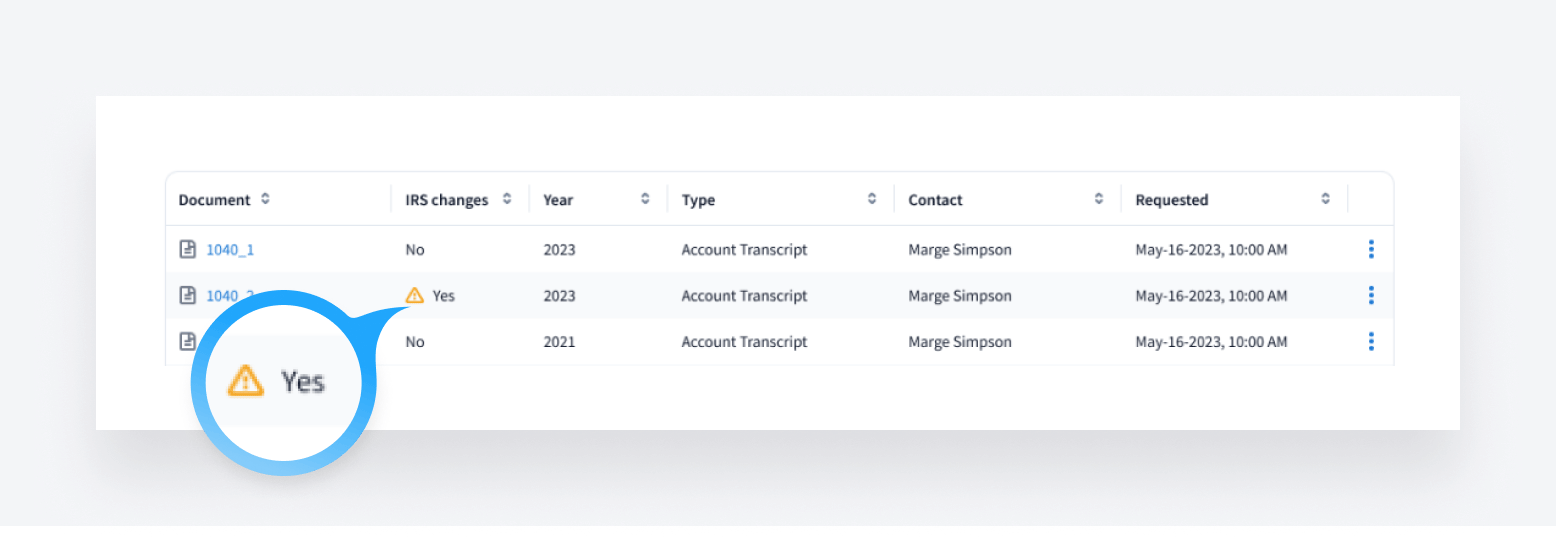
You will also get an email notifying you that the transcript request is complete. The email will specify the number of transcripts – with changes as compared to the previous version and with IRS error messages. Details will be provided in the attached file.
How to set up the IRS integration
Setting up the IRS integration takes only a few steps. To get started, navigate to Settings>Integrations and access the IRS subtab. Then, click “Connect.” You will be asked to enter your IRS e-Services account credentials to sign in and authorize TaxDome. Please check our help article for step-by-step instructions on getting fully enabled.
Once connected, your IRS organizations will be listed in TaxDome for easy transcript requests right within TaxDome. You can also add more organizations if needed.
Watch our tutorial video walking through the connection process to get started:
Our commitment to constant improvement
At TaxDome, we are dedicated to constantly improving and expanding our platform’s capabilities. As we have demonstrated through our release history since 2017, we are committed to regular enhancements that simplify workflows, boost efficiency and elevate our client experience.
The IRS integration is another step in positioning TaxDome as the market leader in practice management for tax, bookkeeping and accounting firms worldwide.

By choosing TaxDome as your practice management platform, you gain a dedicated partner for growth and innovation. We welcome your thoughts and feedback on how we can optimize TaxDome to power your firm’s success, both today and in the future. If you have any suggestions, let us know on the Feature request board!

Mari develops TaxDome content by combining customer insights, industry research, and real-world trends. Her structured, automation-driven approach ensures messaging is clear, relevant, and supports more connected and efficient accounting firms.

Get your free guide

Thank you!
The guide copy has been sent to your email. Please check your inbox!
Recommended articles

TaxDome AI: more than 2,000,000 documents organized for accountants this past tax season—and we’re just getting started

Webinar recap and Q&A: Summer Update 2026

Unpacking the differences between TaxDome Payments and Stripe