 US – English
 UK – English
 Canada – English
 Australia – English
 Danmark – Dansk
 DACH - Deutsch
 France – Français
 España – Español
 Sverige – Svenska
 Italia – Italiano
 Nederland – Nederlands
 Portugal – Português
 Suomi – Suomi
 Norge – Norsk
 日本 – 日本語
 Romanian – Română












Webinar recap and Q&A: Summer Update 2026
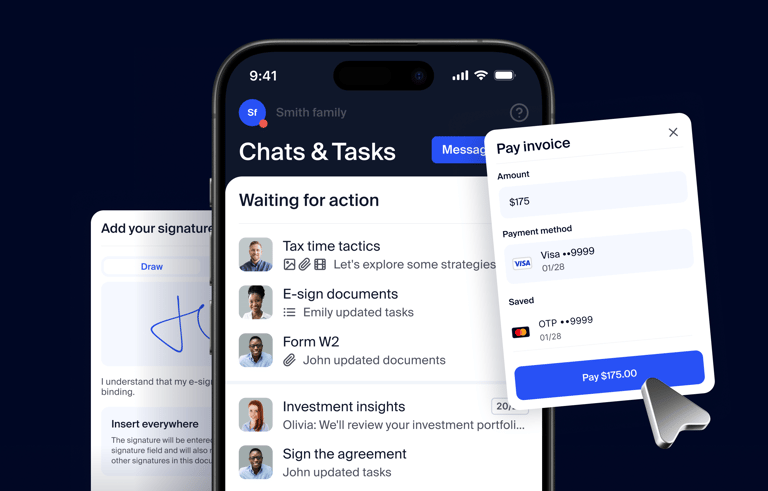
Run your entire firm on one platform

Last week, we brought together Ilya (Chief Product Officer) and Petar (Chief Revenue Officer) for a live webinar showcasing the Summer Update 2026. The session dived into how TaxDome is helping firms serve every client, grow without adding headcount, and deliver better experiences across every channel. Three accounting firm owners joined to show how this actually works in practice.
More than 1,000 firms tuned in live. The energy was real, questions came fast, and it was clear we’re heading in the right direction.
If you missed the live event, want to watch it again, or want to share it with your team, the full video recording is available here.
Table of сontents
Table of сontents
Here’s what we covered
The whole conversation came down to one thing: operating leverage. Ilya put it best in the session: “The more you consolidate into one system, the more you can automate. Add AI to do the cognitive work that’s been slowing your team down, and that’s when you get real operating leverage.” That’s the bet we’re making with everything in this update.
Here’s what gets you there:
- AI-generated checklists that show clients exactly what to submit and automatically check them off as they arrive
- Atlas, the AI agent that reads documents, extracts information, and creates tasks so your team focuses on what matters
- MCP and API that connect all your tools together so they talk to each other without manual work
- TaxDome Kiosk that brings a modern in-person digital experience to your office the way clients expect from a doctor or bank
- Tax Return Delivery that walks clients through their return so they understand it, then sign and pay in one place
- Work Forecaster that alerts you when a job is falling behind before your deadline is at risk
- Conditional automations that set up the complex workflows your firm needs
Want to know more about how these work? Check the Q&A section below.
Q&A transcript
Intake: smart document collection
What are document checklists, and what’s coming next season?
Checklists are an upgrade to your intake process: they let you build the exact list of documents you want a client to provide, so nothing gets missed. You can bundle a checklist into a broader organizer or send it on its own, and as clients upload, documents are automatically matched to the right items so you can see progress at a glance. More than 280,000 checklists were completed while in beta this season, and that feedback shaped a few big upgrades coming next year.
Reuse what you’ve already built. If you’ve created checklists before, you’ll be able to roll them over and use them again next season instead of starting from scratch.
Many checklists per client for more than tax. To make rollover possible, an account will be able to hold multiple checklists at once. That also opens checklists up well beyond tax: send a monthly bookkeeping checklist, a sales-tax checklist every quarter, or a one-time onboarding checklist — each client can have as many as their services require. It turns checklists from a tax-season tool into an intake tool for a full-service accounting firm.
Easier creation, in bulk. Today you create checklists one at a time, often with the AI creation assistant, which builds a checklist from a client’s prior-year tax return. For firms that haven’t started yet, we’re building bulk generation tools that let you create checklists across all your clients in a single operation.
Help: Document checklists
Workflow intelligence
What is the Work Forecaster?
We’ve already shipped a lot of its core building blocks, and Work Forecaster itself is coming to beta soon. It’s built to be predictive, flagging jobs trending toward trouble before the filing deadline is at risk, and separates what’s on track from what needs attention. It’s an internal planning view — clients never see it — and it’s designed to anchor your weekly team check-ins. Join the waitlist.
What’s new in automations?
Conditional automations now support multiple conditions at once, so you can trigger on real-world combinations. For example, tagged California, a specific business type, and not the final return → flag for review. More precision, fewer false triggers. This is live now. Conditional stages & automations.
Can jobs be marked complete?
Yes — manually, or set up an automation to mark jobs complete automatically when a job reaches a stage in your pipeline. Marking a job complete keeps your reporting accurate: you get a clean record of when work finished and how long it took, which also feeds tools like Work Forecaster. Automate job moves and statuses.
Bulk cleanup is coming too
You’ll be able to archive or complete jobs in bulk and clear out the linked items along with them — the chats, organizers, requests, and signatures that used to keep firing reminders and cluttering the client’s portal after a job was done — with a summary of everything that was cleaned up.
Tax Return Delivery
What is Tax Return Delivery, and how does it improve the client experience?
Instead of emailing a 100-page PDF, Tax Return Delivery lets you present the return as an experience: a short video walkthrough, highlighted sections, notes on key line items, e-signature, and payment — all in one flow, on any device. Clients understand what happened, sign, and pay without leaving the page, and you get paid faster. This season, firms delivered over 120,000 returns this way, with a 90%+ first-time completion rate.
Can I control what the client sees and how they pay?
Yes. You decide how the return is presented, gate it behind payment, and choose a personal video for a specific client or a reusable template for everyone. Today payment comes first in the flow; we will be adding the ability to reposition the paywall so it doesn’t have to be the first step — letting clients review the return before they reach payment.
What’s coming to TRD:
- A built-in approval step: let clients review and send back changes before they sign
- Faster setup with AI: payment details fill in automatically and signature fields are placed for you, so you’re not hunting for the signature on page 75
- More templating: building on the intro and custom-field templates already added
Help: Tax Return Delivery
The TaxDome AI ecosystem
Tell me more!
We’re building an AI ecosystem inside TaxDome, a connected set of ways to put AI to work in your practice. It starts with three channels, all in beta this summer and available to all firms at the end of Q3 2026. Join the waitlist.
- Atlas: the agent built into TaxDome. Atlas looks across everything in your account — clients, notes, jobs, invoices, your work forecast — and acts on what it finds: draft a client debrief, create an invoice for unbilled time, or surface the client threads your team hasn’t replied to. Anything you do once, you can save as a recurring agent that runs on its own, in the background or on a schedule. We’ll include recommended agents to start, and you build your own from there.
- MCP: connect the AI you already use. Connect TaxDome to Claude, ChatGPT, or Copilot to work with your TaxDome data alongside information that lives outside TaxDome — for example, compare your Calendly meetings against your job due dates and update those due dates back in TaxDome in one step.
- API: build your own connections. Connect TaxDome to the rest of your stack: close a deal in HubSpot and have TaxDome create the client, job, and engagement letter automatically, or have a notetaker drop call notes into the client record and advance the job.
What’s under my control?
You always are. AI access is opt-in and scoped to each user’s existing permissions — the AI can only see and do what that team member can already do in TaxDome.
TaxDome Kiosk: in-person, fully digital
What is TaxDome Kiosk, and is it available now?
Kiosk turns a tablet into an in-office experience for clients who still come in person — the way you’d sign in at a doctor’s office. It’s live now at no additional cost: download the firm app on an iPad or Android tablet, switch to Kiosk mode, and select the person. No login, no email, no password. See the Kiosk demo.
What can clients do on the Kiosk?
Sign documents, upload files, and scan W-2s, receipts, and statements with the tablet camera — all in one flow. Coming soon: completing organizers and reviewing returns through Tax Return Delivery right on the Kiosk, plus in-person payments with tap-to-pay.
Can I stay logged in on my desktop while the tablet runs Kiosk?
Yes. Your firm account can run Kiosk on the tablet while you stay logged into your admin account on your desktop — no lockout, no switching back and forth.
Help: TaxDome Kiosk
Payments: more ways to get paid
What’s new in TaxDome Payments?
- Pass card processing fees to clients with payment technology fees. How it works.
- Pay an invoice with a saved payment method — once a client’s card or bank is on file, charge their saved method directly when you issue an invoice, with no need for them to re-enter details; add, remove, or set a primary method anytime. Pay on a client’s behalf.
- Control when work moves forward — advance the job and unlock the delivered return as soon as a client submits payment, without waiting for it to fully clear. Automove on payment.
- Lock documents and returns to an invoice so clients pay before they can access them. Lock docs to invoices.
- Collected payment elsewhere? Record it as an offline payment to unlock. Offline payments.
What’s coming to payments?
In-person payments — tap-to-pay and an orderable terminal — plus buy-now-pay-later, so clients can pay over time while you’re paid up front.
Shape what’s next
We’re continuing the conversation in the TaxDome Community — Petar opened a Summer Update 2026 Q&A thread, and that’s also where you’ll find weekly best-practice sessions on the new AI tools. Join the community.
Have an idea? Share and vote at feedback.taxdome.com — features like granular conditional automations started exactly there!
Know how your growth stacks up
Everything in the webinar came down to one principle: consolidate, automate, and let AI do the cognitive work. That’s how modern firms grow.
But knowing it’s possible is different from knowing if you’re doing it. So we built the Accounting Industry Index, analyzing 15,000+ accounting firms operating on a single system to show you how firms are actually scaling.
Download the report to see how your firm compares.

Mari develops TaxDome content by combining customer insights, industry research, and real-world trends. Her structured, automation-driven approach ensures messaging is clear, relevant, and supports more connected and efficient accounting firms.
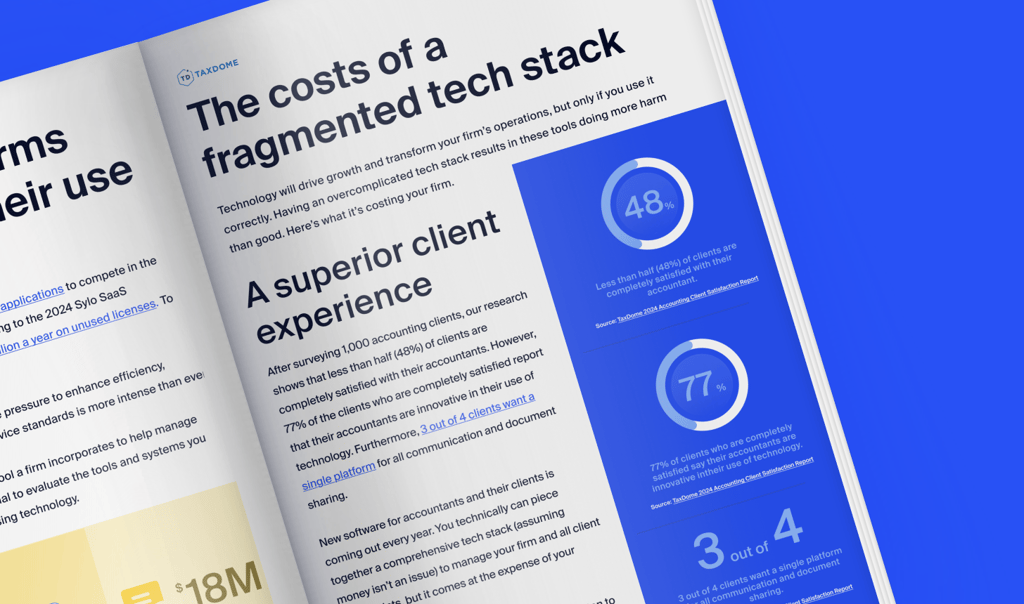
Get your free guide

Thank you!
The guide copy has been sent to your email. Please check your inbox!
Recommended articles
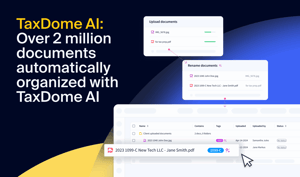
TaxDome AI: more than 2,000,000 documents organized for accountants this past tax season—and we’re just getting started

Unpacking the differences between TaxDome Payments and Stripe
Best payment processing for accounting firms in 2026