 US – English
 UK – English
 Canada – English
 Australia – English
 Danmark – Dansk
 DACH - Deutsch
 France – Français
 España – Español
 Sverige – Svenska
 Italia – Italiano
 Nederland – Nederlands
 Portugal – Português
 Suomi – Suomi
 Norge – Norsk
 日本 – 日本語
 Romanian – Română












How to Automate Client Onboarding With TaxDome

Run your entire firm on one platform

Even before the pandemic, modern firms using digital tools had already embraced remote working as part of their operations. But the COVID-19 pandemic has shown us that the ability to work remotely is a core necessity to ensure business survival. The need to modernize operations is growing more than ever. One efficient solution is adopting accounting workflow automation to improve lead capture and client onboarding.
Here, we look at the best practices onboarding new clients using TaxDome, an all-in-one practice management system for tax practitioners, bookkeepers and accounting firms, to streamline this process.
Today we’re sharing a simple onboarding a new client checklist.
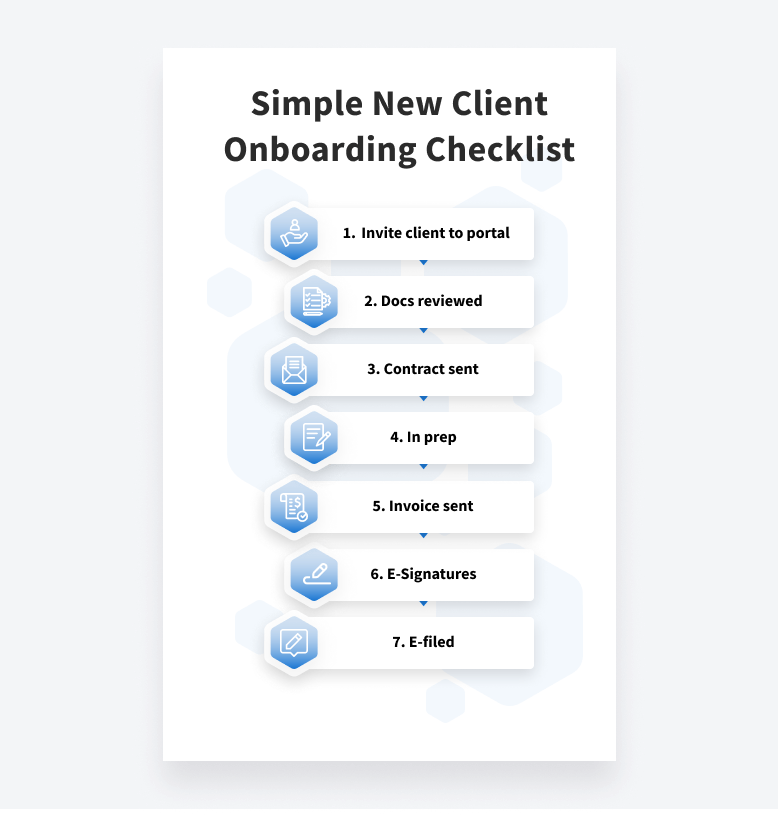
For more ideas feel free to check out other new client onboarding checklist templates and watch our webinar on how to streamline your 1040 tax return process.
Table of сontents
Table of сontents
Streamline Lead Capture
The first step in the process is when new client wants to sign up with your firm. You can use the TaxDome sign up form to streamline lead capture. The sign up form allows you to set up custom questions for clients so you can know the services they need, store contact information, and trigger other actions depending on their feedback automatically.
For example, if new client responds that they are interested in a corporate return — you can automate sending a business tax organizer automatically as soon as they sign up with your firm. If they’re interested in a Canadian T1 return, they can receive your Canadian organizer and contract, and if they just want information about your firm you can have automated emails go out explaining the various services you offer and price lists. In all scenarios, you can remove yourself from the initial ‘information’ stage and leverage automation to be your foolproof assistant.
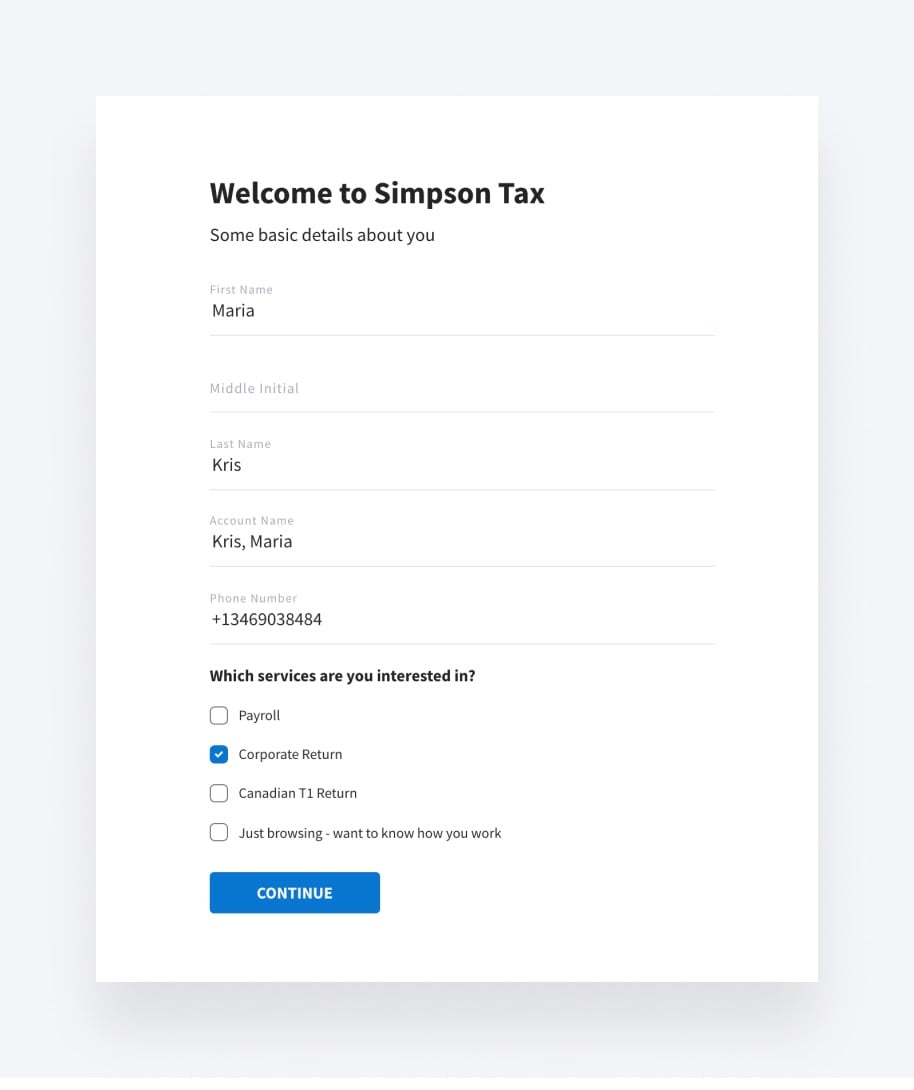
In addition to emails, contracts, organizers, etc – you can also use this step to automate your CRM inputs. You can also automatically apply tags to clients depending on their answers: e.g. ‘new client’, ‘business tax’, ‘1040’, etc. Tags are important as they help you quickly auto-organize clients in your CRM and find the right clients, segment your workflow, and facilitate targeted communication through automated actions triggered by clients’ answers.
The above can be used as a standalone link you provide to clients or as a ‘Sign up’ or ‘Get Started’ link on your website. If you don’t have a website, TaxDome has a website builder (with hosting) included into TaxDome Pro plan – hosting your website with TaxDome is not required for using any of the tools outlined in this article.
Watch how Total Tax Services automated their new client onboarding process.
Review Docs
Assuming the client chose a specific service they are interested in, a best practice is to get to know each other better. Sending welcome emails and messages is one of the best practices to set expectations and convey strong communication on behalf of your firm. You can streamline the process by sending welcome emails automatically as soon as new client signs up.
In addition to providing the client with communication about your firm, you also need to obtain information from them. With TaxDome, you can do it in an easy-to-use, mobile-friendly format — by sending organizers automatically. Organizers (sometimes known as forms or questionnaires) are customizable and can be as in-depth or general as you want.
By utilizing conditions, organizers can replace in-person or phone interviews and ask follow-up questions based on client answers. If someone says they have a business, you can ask them to upload their incorporation documents, if someone has children, you can ask them to provide their birth dates and social security numbers, etc. Just like across the desk in your office, but all automated. Clients love these organizers as they can fill them out on their phones and they never have to worry about saving as all answers will autosave.

Watch our webinar on how to give your clients a great user experience with TaxDome organizers.
Contract Sent
Contracts define the legal firm-client relationship and protect your firm if there’s a disagreement. However, preparing and sending contracts for every service you offer and every client you deal with can be time-consuming.
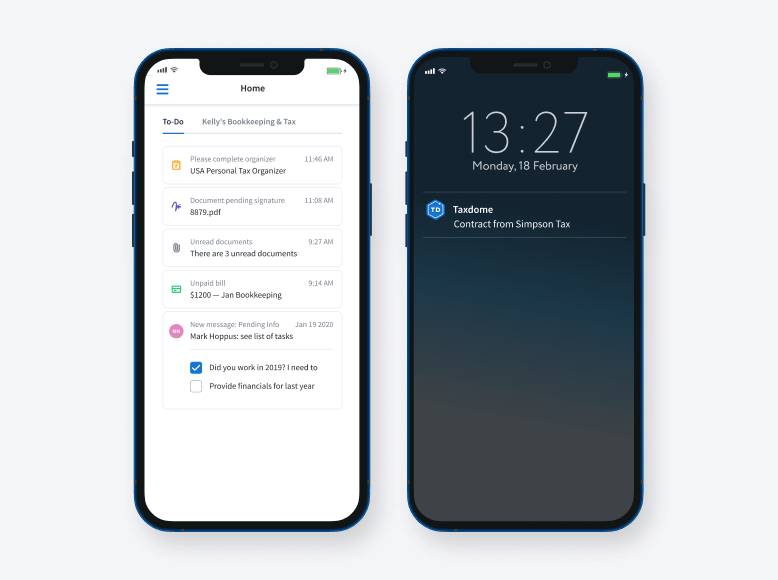
TaxDome helps you automate the whole process – clients get automatic push notifications of contracts that need their signature and when done, you get notified. If you need a married couple to sign — TaxDome will send contracts to both of them and highlight where they need to sign.
TaxDome is fully mobile friendly and includes intuitive mobile apps for iOS & Android that let you provide your clients the service quality they come to expect in 2022.
In Prep
By now, you already have all the responses and documents that clients sent you sorted automatically in their client profiles & contracts are signed TaxDome offers a smart notifications inbox that provides a 360° view over all your firm’s processes.
You can choose to prepare a return yourself or assign a task to employees and follow their progress. If you utilize automove – this can all happen automatically.
Invoice Sent
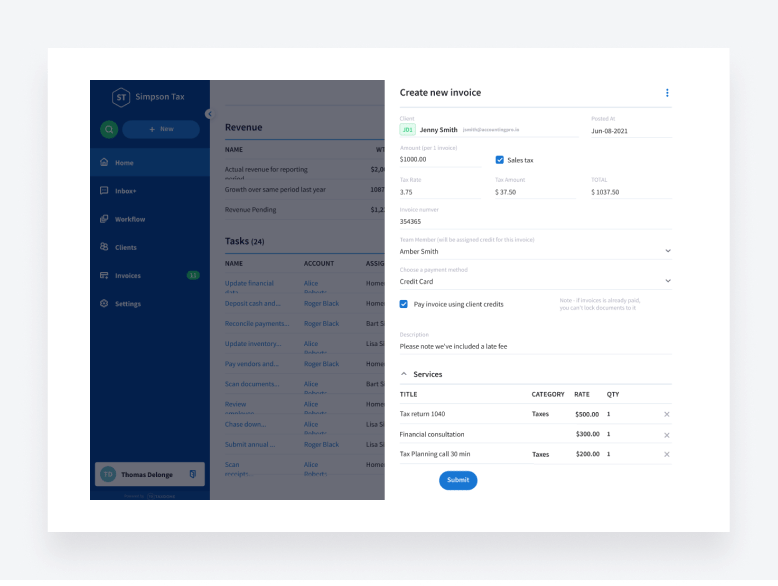
Using TaxDome automations, you can send out invoices automatically, including the ability to itemize invoices.
And here’s the best part: you can lock your prepared return to the invoice so that clients can’t access it until they pay you. No more A/R issues — you always get paid with TaxDome.
E-sign
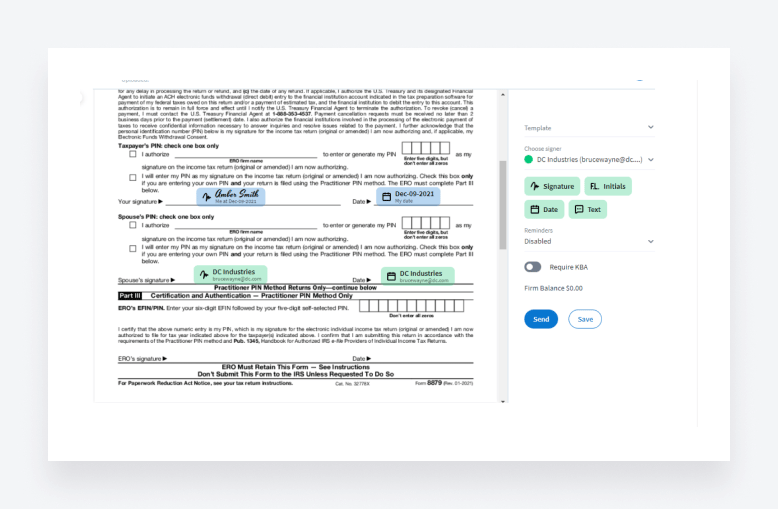
Once you’ve prepared their return, it’s time to get their signature. In TaxDome, you have unlimited e-signatures, and KBA is available, as well. Prepare form 8879 in your tax software, print it to TaxDome, and request for signature. You can request signatures from individuals, married couples, or many officers from a business. Once your client signs, it’s time to e-file!
E-file
At this stage, it’s time to e-file the return. We also recommend to send automated emails informing them that their return is being e-filed.
Streamline the way you and your team manage client onboarding. TaxDome will save you time and improve your overall efficiency. Get started with our daily demo.

Maria is a Marketer at TaxDome. Having been working in both custom software and product development, she knows what clients care about and how to help businesses succeed. Enjoys all sorts of writing. When not writing, she's looking for a new hypothesis to test.

Get your free guide

Thank you!
The guide copy has been sent to your email. Please check your inbox!
Recommended articles
9 best QuickBooks alternatives in 2026 for every business type
65+ key accounting statistics and insights for 2026

How to start an accounting firm: a step-by-step guide to running your own practice