 US – English
 UK – English
 Canada – English
 Australia – English
 Danmark – Dansk
 DACH - Deutsch
 France – Français
 España – Español
 Sverige – Svenska
 Italia – Italiano
 Nederland – Nederlands
 Portugal – Português
 Suomi – Suomi
 Norge – Norsk
 日本 – 日本語
 Romanian – Română












7 key steps to automate accounting workflow

Run your entire firm on one platform

Accounting tasks such as data entry and invoicing demand accuracy, increasing the potential for human error. Other tasks, such as writing emails and organizing documents, often consume more time than expected, which can make it difficult to maintain efficiency.
Thanks to automation, accounting tasks like these can be completed reliably and efficiently, freeing up time so that you can:
- Improve the value of your services
- Provide additional services
- Increase your capacity for more clients
So, how do you implement automation successfully? Here are seven key steps for automating your accounting workflows, from planning to optimization.
Table of сontents
Step 1: map out your current workflow
Whether you do tax preparation, bookkeeping, payroll, or any other accountancy work, mapping out your accounting workflow from start to finish is an important first step for effectively implementing automation.
Overall, your process map should give you a clear overview of your current workflow — so take an approach that works for you. You can map your process horizontally or vertically, and use colors and symbols to easily distinguish between different steps, such as alternate processes.
Step 2: identify inefficient processes
With your workflow mapped out, the next step is pinpointing inefficient areas. These can be repetitive or time-consuming manual processes, as well as bottlenecks that cause delays or prevent you from finishing a task.
Some of these might include writing and sending emails, invoicing, collecting and organizing documents, reporting, or any kind of manual data entry. By identifying any inefficiencies in your workflow, you’ll gain a better understanding of which processes are the best candidates for accounting workflow automation.
Step 3: choose the right automation software
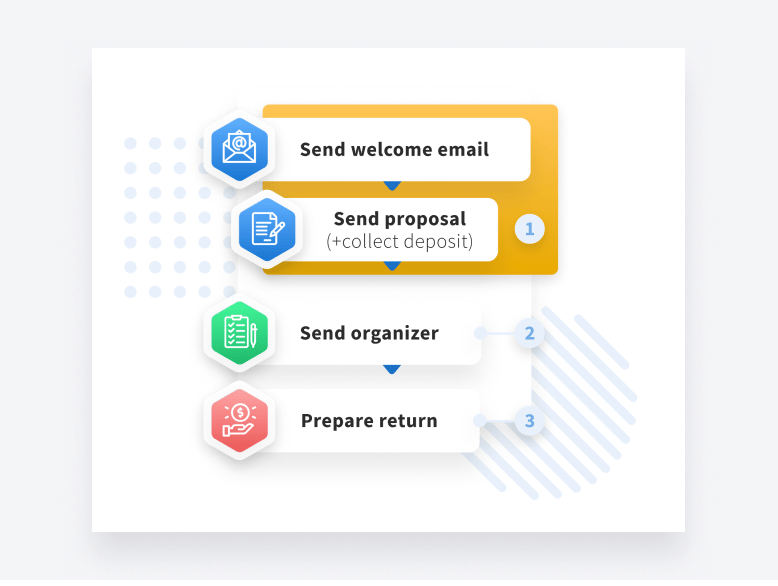
Singling out the best automation software for your firm can be overwhelming, but it ultimately comes down to finding a tool that will effectively automate all your inefficient processes — those you might have identified earlier.
Research different accounting workflow management software with your needs in mind, while considering important factors such as user-friendliness, customization, scalability, integrations, security features, and compliance.
When it’s time to make a final decision, it can help to weigh up the software’s pros and cons, check user reviews, and seek opinions from firm members or colleagues.
Step 4: set up and test your automations
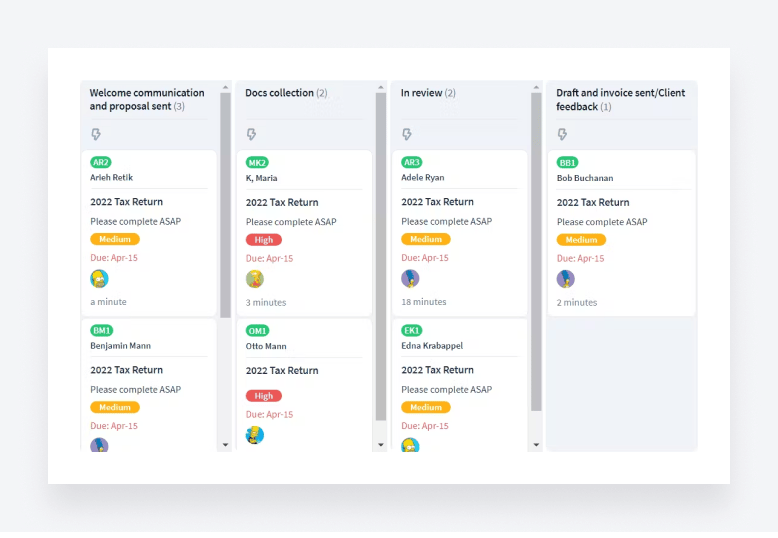
Once you’ve implemented your automation software, start configuring and testing different automations. Many software tools offer guides on how to use their automation features or automation templates that you can test out and customize, so taking advantage of these is the easiest way to get started.
At first, test out simple automations before moving on to complex automations that typically require additional rules and logic. As you gain a broader understanding of how the automation features work, you can start applying them to more of your processes.
Step 5: train staff to use automation

If you have staff, it’s essential that they also understand how to use the automation software you’ve implemented. This includes understanding how the automation features work and how to customize the automations to improve individual workflows.
Point your firm members toward any relevant guides, educational videos, and training courses the software has to offer. At the same time, seek their feedback on how automation will best fit into their workflows and other manual processes that could be automated.
Step 6: monitor performance
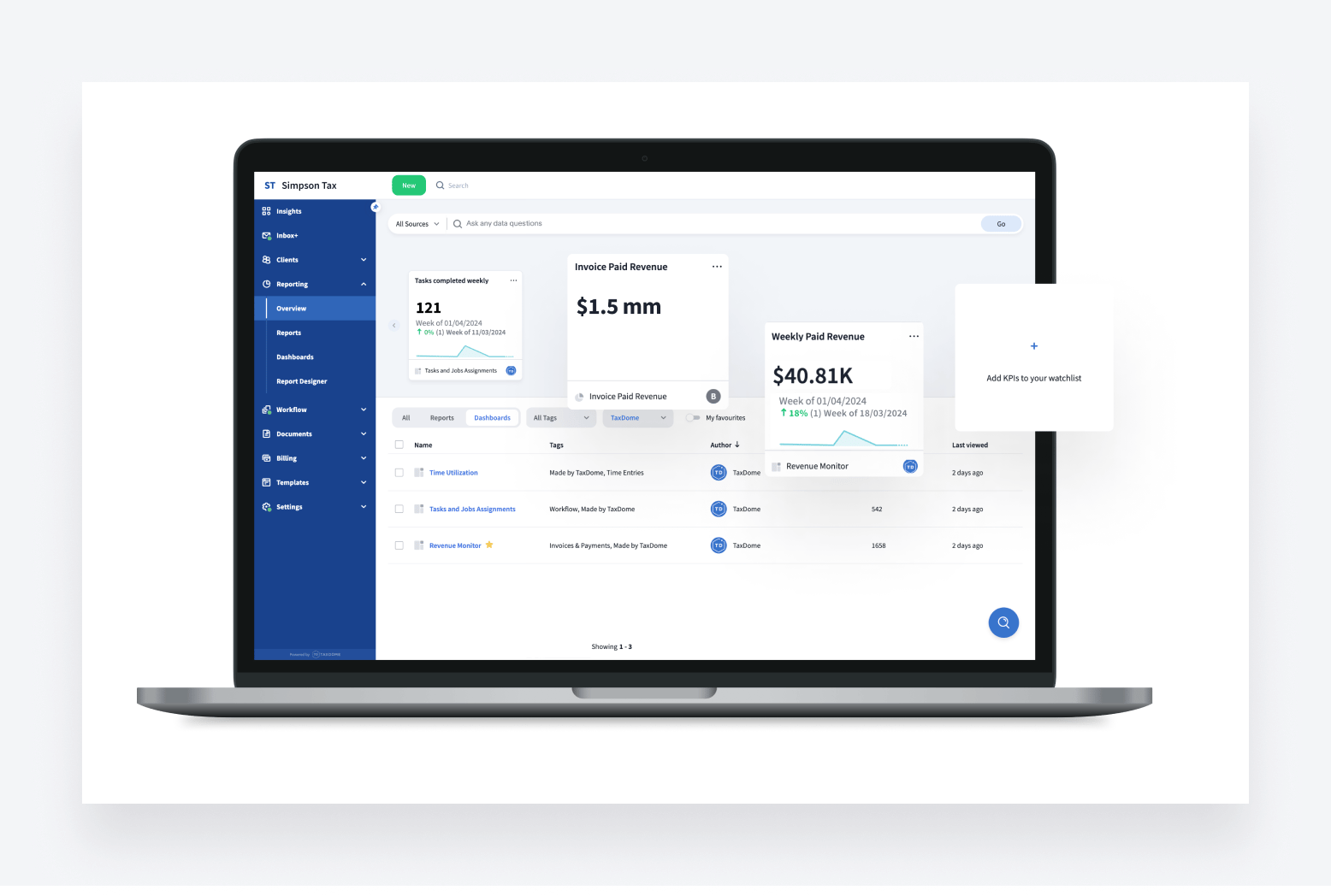
With workflow automations set up, start monitoring the performance of your newly automated processes. This should be done across regular periods, as it will provide you with actionable data that you can measure against various key performance indicators (KPIs), as well as your return on investment (ROI).
A few key examples of automation KPIs include time saved, cost saved, error rate, and staff productivity. All in all, the goal is to analyze whether the automations you’ve set up are benefitting your processes or not working as well as you initially thought.
Step 7: optimize your automations
The last step is continuous; it’s to regularly assess and optimize your workflow automations for greater efficiency.
Use regular performance data as signposts for decision-making, source feedback from staff and clients to glean insights into what can be improved, and always stay up to date on the latest automation trends and best practices.
As you incorporate more automations into your processes, you’ll also discover more ways you can utilize automation to streamline your firm’s operations — and set bigger goals for productivity, cost savings, and growth.
Conclusion
Automating your accounting workflows can offer major benefits such as improved efficiency, enhanced customer satisfaction, and an increased capacity for firm growth — but like any new process, it’s important to go in with a game plan.
As a final takeaway, remember that automation is just one way you can improve your firm’s operations. By implementing automation with practice management software such as TaxDome, you can also boost team collaboration, improve decision-making with real-time data reporting, enhance your client experience, and more.
Try TaxDome for free today to discover how its powerful workflow automations can fast-track your firm’s manual processes — and save you time.

Josef creates clear, actionable content at TaxDome, highlighting features, updates, and key accounting topics. His focus is on making complex ideas accessible and engaging, helping users understand and apply insights effectively.

Get your free guide

Thank you!
The guide copy has been sent to your email. Please check your inbox!
Recommended articles

What is accounting workflow management? The complete guide with real-world examples
ChatGPT for accountants: 12 strategies to automate your workflows

12 best free online accounting courses with certifications for 2026