 US – English
 UK – English
 Canada – English
 Australia – English
 Danmark – Dansk
 DACH - Deutsch
 France – Français
 España – Español
 Sverige – Svenska
 Italia – Italiano
 Nederland – Nederlands
 Portugal – Português
 Suomi – Suomi
 Norge – Norsk
 日本 – 日本語
 Romanian – Română

#Accounting workflow, #Productivity
Top 10 workflow tools accountants use in 2026
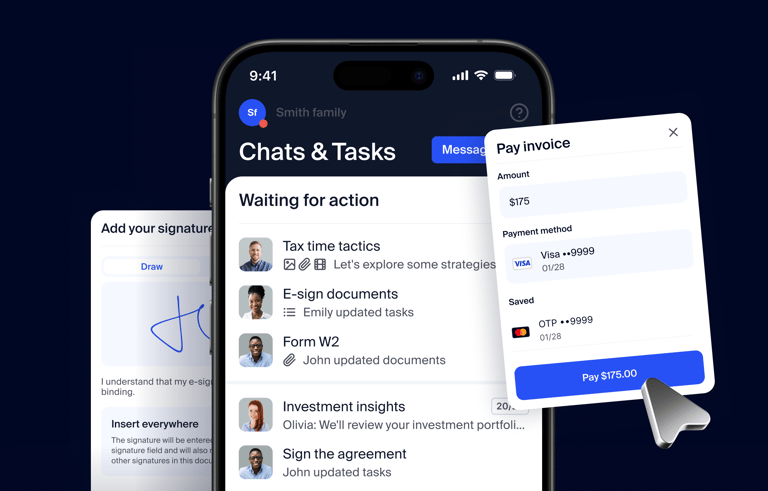
Run your entire firm on one platform

Key takeaways:
- Workflow management software helps accounting firms streamline, organize, and automate their workflows. The result is greater efficiency, productivity, and collaboration.
- The right workflow management software will depend on factors such as the size of your business, how many clients you have, your budget, and the type of services you offer.
- Comprehensive practice management platforms such as TaxDome, Canopy, and Karbon combine workflow management capabilities with all the tools you need to run a highly efficient firm.
- Other tools are designed for niche areas within accounting, such as TaxFlow, which focuses specifically on tax-related workflows.
- Workflow management platforms such as Trello are aimed at a more general market and aren’t designed with accountants in mind.
Choosing the right workflow tool for your firm starts with knowing how much of your practice you want it to manage. If you need software that manages both clients and workflow, look at TaxDome, Canopy, Karbon, and Firm360, which are full practice management platforms. Then, you have the lighter tools focused on workflows: Financial Cents, Jetpack Workflow, Pixie, and Aero Workflow. Finally, TaxFlow tracks tax returns only, and Trello is a general-purpose board that isn’t built for accountants.
In the 2025 Intuit QuickBooks Accountant Technology Survey, 95% of accountants said technology helps free up capacity for strategic advisory services, with boosting overall efficiency the top impact (55%)..However, given the highly specialized processes inherent to the industry, finding a tool that seamlessly aligns with these intricate workflows is paramount.
With this in mind, we thoroughly researched and compared the 10 best tools accountants use, most of them built specifically for accounting firms. In this article, we’ll cover their key features, pricing plans, client feedback, and more.
We wrote this article with the help of experienced CPA and cloud accounting expert Marie Greene. The founder of Connected Accounting LLC, Marie helps businesses and startups scale their operations and realize their financial goals through increased efficiency. Read on to hear her thoughts on the importance of workflow tools.
Table of сontents
- Benefits of accounting workflow management software
- Identifying the accounting workflow software that fits
- Top 10 workflow management software for accountants in 2025
- TaxDome
- Jetpack Workflow
- Financial Cents
- Trello
- Canopy
- TaxFlow
- Firm360
- Karbon
- Pixie
- Aero Workflow
- Workflow tools compared: pricing, ratings, and best fit
- Case study: how a California CPA firm streamlined its tax return workflow
- Conclusion
Table of сontents
- Benefits of accounting workflow management software
- Identifying the accounting workflow software that fits
- Top 10 workflow management software for accountants in 2025
- TaxDome
- Jetpack Workflow
- Financial Cents
- Trello
- Canopy
- TaxFlow
- Firm360
- Karbon
- Pixie
- Aero Workflow
- Workflow tools compared: pricing, ratings, and best fit
- Case study: how a California CPA firm streamlined its tax return workflow
- Conclusion
Benefits of accounting workflow management software
Task tracking and automation. Accountants often handle a large volume of documents and complete numerous repetitive tasks manually. Without the right tech, it can be difficult to understand who’s working on what at any given time. This leads to inefficient processes, poor communication, and disjointed collaboration.
Thankfully, it doesn’t have to be that way. “Workflow management software is essential because it provides visibility and control over ongoing tasks, ensuring deadlines are met and resources are used efficiently,” says Marie Greene, CPA.
To enhance consistency and reduce manual workloads, consider implementing systems with robust automation capabilities. “With automation features,” explains Greene, “firms can eliminate repetitive manual tasks, creating smoother, faster, and more reliable operations, ultimately enhancing client satisfaction and productivity.” For more details, check out our guide on how to automate accounting processes.
Time management. Accountants need to stay on top of deadlines and manage their time effectively. Missing a deadline or dropping a client project can have lasting consequences for both client relationships and the firm’s reputation.
Client communication. Chatting with clients is integral. However, it can become disruptive and messy when trying to keep track of information scattered across emails, phone calls, and text messages. Workflow management software can automate a good number of those.
Data security. Accountants deal with sensitive and personal client information — as a result, data security and confidentiality become integral.
Output analytics. To know the tools you use make a real impact on productivity and earnings, you want reporting features that show the gains in clear numbers.
Identifying the accounting workflow software that fits
Your organization’s needs determine which tool suits your practice best. A small firm would be overwhelmed with the pricing structure and functionality of software intended for a larger company, as the scale and complexity of their accounting workflows differ.
Here are some questions to consider before settling on one platform:
- How many firm members will use it?
- Should these users have different levels of access?
- How many clients does the firm handle?
- What sort of clients are those? Are they small businesses? Corporations? High-net-worth individuals?
- How does the firm track time? Billable vs. actual hours?
- What sort of work does the firm do? Accounting, bookkeeping, audit, tax prep, financial advisory, or a combination?
Answer these questions to help you determine which software solution fits your firm best.
Top 10 workflow management software for accountants in 2025
1. TaxDome

TaxDome is an AI-powered tool that can help you manage all sorts of accounting workflows. It works for accounting practices of all types, including payroll, tax preparation, and bookkeeping. TaxDome has won numerous awards, including CPA Practice Advisor’s Readers’ Choice Awards for Comprehensive Firm Workflow Solutions three years in a row (2024-2026). AI handles intake and delivery: checklists are generated from last year’s return, and tax returns are sorted and packaged for your review so delivery takes minutes. With Atlas, TaxDome is building a full-time AI operations assistant.
Key features
What sets TaxDome apart is that it’s a platform you can use both externally — to manage your clients — and internally — to organize your team, documents, and projects. It also offers some of the heavyweight perks right away. These include unlimited cloud storage, adding as many clients to the built-in CRM system as you need, and leveraging e-signatures to go paperless. Let’s look at some of the other core features in more detail.
Project and task management: TaxDome offers ready-made templates for all common accounting scenarios. This means accounting firms don’t have to invent internal processes from scratch, making implementation a breeze. Even better, those templates are fully customizable to fit your specific operations.
Workflow automation: you can automate client communication (e.g. sending emails and text messages, setting reminders) and unburden your team members from having to follow up with multiple clients.
Document management: you can store as many documents as you like using TaxDome’s cloud storage. The built-in client portal and mobile app make it easy to collect documents from clients and share your work with them.
E-invoicing: you won’t have to worry about typing and mailing invoices anymore — nor reminding clients to settle them. Invoices can be sent through the platform, made recurring, and even settled automatically*, while reminders can be set without your teammates lifting a finger. You can also lock documents to invoices: clients can view and download the results of your work only after they’ve paid for it.
Integrations: you’ll find the usual suspects — such as QuickBooks Online and Zoho Books — and a lot are also available through Zapier.
Proposals and engagement letters: you can create and customize proposals and engagement letters to pitch your services, secure on-time payments, and more.
A full suite of communication tools: you can meet clients at their preferred method of communication with secure chat, email, and SMS all on one platform.
In summary, TaxDome is a comprehensive practice management platform for accountants packed with powerful tools to streamline workflows for firms of all sizes.
What kind of businesses use TaxDome?
TaxDome is used by accounting, tax, and bookkeeping firms of all sizes – from solopreneurs to enterprises. TaxDome is popular with firms looking for a comprehensive practice management platform that can transform their accounting workflows, consolidate their accounting tech stack, and provide an outstanding client experience.
TaxDome’s simple and transparent pricing also makes it a great choice for fast-growing accounting practices. With clear pricing for all users, including access to all TaxDome features, there are no limitations or hidden costs as you scale.
To see how TaxDome’s pipelines, automations, and deadlines work, visit our workflow management software for accountants page.
Pricing
TaxDome has one plan with everything you use to work with your clients, from intake and document requests to tax return delivery, proposals, and payments. It’s priced by the clients you serve, with up to 20 team members included. Pricing starts at 150 active clients for $1,500 a year, about $0.83 per client a month, and the price per client goes down as your client base grows.
Pros and cons
| 👍 Pros | 👎 Cons |
| Ready-made templates for common accounting processes | With the breadth of features, maximizing the platform’s potential may require training |
| Ability to automate client communication, invoicing and admin tasks | |
| Firm and client mobile apps boost efficiency and satisfaction | |
| Unlimited cloud storage | |
| Integrations with 2000+ apps via Zapier | |
| Hands-on support and guidance helps drive full adoption |
Ratings and reviews
G2 rating: 4.7 out of 5
Capterra rating: 4.8 out of 5
Users say TaxDome is “very powerful” in their businesses and “a fantastic experience.” The fact that everything is in one place is the biggest selling point for users.

Looking for an all-in-one solution to manage documents and clients, and track your team’s work? Join our demo and see why you don’t need to look any further.
2. Jetpack Workflow

Jetpack Workflow is a way for accountants to juggle multiple clients, coordinate personnel for big projects, and ensure that clients and team members stay on the same page. It includes templates, integrations, and real-time project updates.
Key features
Jetpack has an extensive template library for just about anything you need: emails, to-do lists, project workflows and more.
Jetpack Workflow is a good to-do list: you can have an overview of what your employees are working on or apply filters. Jetpack Workflow integrates with 2000+ apps that accountants might need— but these integrations are not direct: they are only available through Zapier.
Unlike many other options, Jetpack doesn’t include document storage as standard. Attaching files to clients, projects, and tasks is a paid add-on, at $5 per 100GB.
What kind of businesses use Jetpack Workflow?
Jetpack Workflow is another platform designed for accountants and tax professionals. It’s a popular choice for firms looking to streamline their task and workflow management. That said, firms looking for a broader practice management platform with key features such as a client portal will want to look elsewhere.
Pricing
Jetpack Workflow has three plans for different team sizes:
- Starter: from $480/year (equivalent to $40/month)
- Premium: from $600/year (equivalent to $50/month)
- Enterprise: custom
Should you need help setting up Jetpack Workflow, it won’t be free: the onboarding setup and training package is a one-time $1,500 add-on.
Pros and cons
| 👍 Pros | 👎 Cons |
| Extensive library of templates | No built-in client portal |
| Unlimited cloud storage | Outdated user interface |
| Seamless integration with other tools | No free document storage |
Ratings and reviews
G2 rating: 4.1 out of 5
Capterra rating: 4.8 out of 5
Positive reviews focus on ease of use and increased firm organization and efficiency. The biggest complaint is that some users had outgrown the software and needed to find an alternative, but most other cons focused on small issues.

3. Financial Cents

Financial Cents’ sole focus is getting work done. Their subtler promises are time and cost savings: the company says firms save 56 hours a month and $19,200 a year on average. There’s also a free 14-day trial.
Key features
You have the run-of-the-mill workflow templates, but there’s a twist: you can upload your own or use AI to create some for you. You can set up recurring tasks, discuss work with your team members inside the workflow and generally track projects’ progress.
What we liked most is the smart way Financial Cents enables you to handle emails from clients. You can create a separate inbox for work-only emails from clients, track communication history within each task, pin important messages to the top and, most impressively, turn emails into projects and track their status.
On the downside, many of the more advanced features are reserved for the Scale plan and above, including task dependencies, a firm-branded client portal, Zapier, and integrations with Google Drive, OneDrive, and tax software.
What kind of businesses use Financial Cents?
Financial Cents is popular with small and medium-sized accounting practices looking for a relatively basic practice management platform for improving internal collaboration and organization. The platform lacks mobile apps, however, which will put off accountants looking to manage their work on the go.
Pricing
Financial Cents has four plans for different team sizes:
- Solo: from $228/year (equivalent to $19/month)
- Team: from $588/year (equivalent to $49/month)
- Scale: from $828/year (equivalent to $69/month)
- Enterprise: custom
Pros and cons
| 👍 Pros | 👎 Cons |
| Custom and AI-generated workflow templates | No mobile apps for firms or clients |
| Useful email management tools | Advanced automations and integrations only on Scale plan and above |
Ratings and reviews
G2 rating: 4.8 out of 5
Capterra rating: 4.8 out of 5
Positive reviews mention the lightning-fast speed of customer service and ease of implementation. Some users have complained about the software’s limited template import options and functional issues with workflow triggers.

4. Trello

Trello is a workflow organization software for solopreneurs and small teams. It is not specifically designed for accountants but could work well for a small accounting firm or a small team within a larger organization.
It allows every team member to see what tasks are in progress, which ones are in the backlog, and – most importantly – when each task is due.
Key features
Trello is a to-do list app that includes team communication capabilities. Your team members are assigned, or can pick, tasks from a Trello board. You can also add custom labels to tasks, to determine urgency, or highlight anything else you might need.
What differs based on the level of your subscription is the way you can visually organize work processes. The Free and Standard plans come only with the bog-standard Kanban view. More advanced options offer Timeline, Table, Calendar, Dashboard, Map and Workspace views.
Trello includes templates from the company and the Trello community. These offer a way out if you don’t want — or simply don’t have the time — to tinker with processes and build them from scratch.
Trello has its own built-in automation tool, Butler, for workflow automation. However, the number of automations you can run is limited and depends on your plan. Trello is also integrated with many apps you’re used to, such as Slack, Zoho, Gmail, and more.
What kind of businesses use Trello?
Unlike most of the tools on this list, Trello isn’t designed specifically for accountants. It’s a highly popular task and project management platform that’s used by a wide range of businesses, although it’s particularly popular with marketing, design, and other online businesses that enjoy its visual approach to task and workflow management.
Pricing
Trello offers a free plan and three paid tiers:
- Free: free
- Standard: from $60/year (equivalent to $5/month)
- Premium: from $120/year (equivalent to $10/month)
- Enterprise: from $210/year (equivalent to $17.50/month)
Pros and cons
| 👍 Pros | 👎 Cons |
| Kanban board interface for task management | Not built specifically for accounting workflows |
| Integrations with popular apps such as Slack, Gmail, etc. | Limited automation capabilities |
| Community templates to quickly setup workflows | No dedicated client portal or accounting-specific features |
| AI assistant for workflow automations | Limited storage capabilities |
Ratings and reviews
G2 rating: 4.4 out of 5
Capterra rating: 4.6 out of 5
Most users rated it as excellent for collaborative projects, especially remote ones. The negative reviews focused on UX issues, pricing, and customer support.

5. Canopy
Best for: Firms that specialize in tax resolution work and can accept the price of Canopy’s add-ons.

Canopy is a management software platform designed with accounting firms in mind. Canopy includes tools for client and project management, document organization and sharing, time tracking and billing. As the name suggests, it brings all the tools a firm needs under one canopy.
Key features
Canopy offers impressive functionality for automating your workflow. You have your usual tasks and sub-tasks for team members and a bunch of tools (such as organizers) that help clients — and can be sent automatically
You can also rely on ready-made templates to streamline internal work processes, track billable hours and, perhaps most impressively, leverage in-depth reporting. It helps you get an overview of the status of the tasks, who’s doing what, and how these processes can be made more efficient.
What kind of businesses use Canopy?
Canopy is used by accounting and tax professionals across the world, and it’s a natural fit for firms that offer tax resolution services. That said, its per-user pricing sits at the higher end of this list, and this is before you consider any of the paid add-ons.
Pricing
Canopy offers four plans for firms of different sizes:
- Standard: from $888/year (equivalent to $74/month)
- Plus: from $1,308/year (equivalent to $109/month)
- Premium: from $1,788/year (equivalent to $149/month)
- Enterprise: custom
Add-ons such as Tax Resolution ($50/month per user), Close Automation ($10 per connected client per month), and Tax Workflow Automation (from $34 per client) cost extra.
Pros and cons
| 👍 Pros | 👎 Cons |
| Ready-made templates for standardization | Higher per-user pricing than most tools on this list, plus paid add-ons |
| Workflow automation capabilities | Time-consuming setup, according to some reviews |
| No custom website capabilities | |
| Limited document storage, according to some reviews |
Ratings and reviews
G2 rating: 4.6 out of 5
Capterra rating: 4.5 out of 5
Most of the negative reviews focus on the pricing model and automation capabilities. On the positive side, the reviews praise the software’s ability to effectively organize files and folders.

6. TaxFlow

TaxFlow, as the name implies, is a workflow software specifically made for tax professionals. Instead of being a full-fledged CRM, it is a tool that focuses solely on tracking tax returns through the stages.
While it won’t suit all accountants, tax preparation is such a key piece of the work many accountants perform for their clients that we feel it merits a spot on our list.
Key features
TaxFlow allows accountants and tax preparers to monitor work status, check which tax preparers worked on each return, and make notes inside each return as it moves through stages.
Unlike other tools on the list, you cannot visually assess the work of your employees. The default screen is a list of clients your firm handles. Only when you click on a separate client (i.e. their return), can you create checklists with tasks, attach notes, add labels and more.
What kind of businesses use TaxFlow?
With its somewhat narrow use case, TaxFlow is used exclusively by tax professionals to streamline the tax preparation and filing process. Accounting firms with a broader focus will want to look for a more comprehensive workflow and practice management platform.
Pricing
TaxFlow keeps things simple with a single plan:
- TaxFlow: from $300/year (equivalent to $25/month)
Pros and cons
| 👍 Pros | 👎 Cons |
| Purpose-built for tax workflow management | Very tax-specific, may not suit broader accounting needs |
| Free setup and training | No visual workflow management views |
Ratings and reviews
Capterra rating: 4.9 out of 5
But there’s a catch: there are only 13 reviews in total.
Most users were upgrading to TaxFlow from Google Sheets, so it’s easy to see how it was an upgrade. Customers also appreciated the price point. However, note that TaxFlow cannot comprehensively automate all firm workflows on its own. Instead, it is best utilized as one component within a firm’s overall tech stack, supplementing other tools.

7. Firm360
Best for: Accounting firms that want an all-in-one platform and don’t need a client mobile app.

Firm360 is an accounting firm workflow management software that includes document, project, and client management, as well as time tracking, billing, and productivity management.
Key features
Firm360 positions itself as specialized software for accounting practices. You’ll find the usual package under the hood: client and project management, document management, time and billing and advanced reporting.
However, the pool of integrations is unclear: QuickBooks Online, MS Office and Adobe Acrobat are mentioned, with “1,000s more available through a Zapier integration.” Another potential downside is that Firm360 only supports Stripe as a payment provider. It does have the e-signature feature built into Firm360.
What kind of firms use Firm360?
Firm360 is designed to help accountants streamline their day-to-day workflows. Its plans are aimed at firms with fewer than 20 users, with custom pricing for larger teams, and its Standard and Premium plans require a minimum of three users.
Pricing
Firm360 offers three published plans, with custom pricing for 20+ users:
- Basic: from $588/year (equivalent to $49/month)
- Standard: from $948/year (equivalent to $79/month)
- Premium: from $1,188/year (equivalent to $99/month)
Pros and cons
| 👍 Pros | 👎 Cons |
| Designed specifically for accounting practices | Limited payment integration (Stripe only) |
| Integrations with QuickBooks, MS Office, Adobe | No client mobile app |
Ratings and reviews
G2 rating: 4.5 out of 5
Capterra rating: 4.7 out of 5
Some users mention that the implementation was confusing, and the workflows are complicated. On the whole, most users were satisfied with the value provided for the asking price.

8. Karbon

Karbon is the eighth entry on our list. One of Karbon’s main selling points is its promise to unite an accounting practice wherever its users might be. We won’t name it a unique proposition, though: many similar tools offer that benefit as well. In a more interesting twist, Karbon vows to save every employee at your firm 19.9 hours weekly with its automations.
Key features
Karbon’s workflow automation unites its top features under one roof. You have the usual client portal, built-in document storage, workflow templates, Kanban boards to visualize work, and automatic reminders to save your employees time chasing clients.
What makes Karbon stand out is the “My Week” feature, which promises to organize your team members’ weekly schedule.
What kind of businesses use Karbon?
Another comprehensive practice management platform, Karbon is built for accounting firms of all sizes. That said, its pricing structure means you have to pay more to unlock the full feature set, which may be an issue for smaller firms or those on a tight budget.
Pricing
Karbon offers three price plans:
- Team: from $708/year (equivalent to $59/month)
- Business: from $1,068/year (equivalent to $89/month)
- Enterprise: custom
Pros and cons
| 👍 Pros | 👎 Cons |
| “My Week” feature for team scheduling | Mixed reviews on to-do list usability |
| Client portal and workflow templates | New document management feature has areas for improvement |
Ratings and reviews
G2 rating: 4.8 out of 5
Capterra rating: 4.7 out of 5
The positive ones focus on time-saving, the ability to overview work, and workflow templates you can customize. On the negative side, users point to limitations in exporting tasks, new feature rollouts that fell short, and areas where the client experience could be better designed.

9. Pixie

Pixie is a platform offering various features to help accounting firms streamline their workflows, spend less time on admin, and organize client data – ultimately, to save time and get things done faster. In its own words, Pixie is designed to help firms run operations like clockwork.
Key features
Pixie’s key features include workflow automation (for example, recurring jobs), custom fields for clients, a client portal for sharing documents, client tasks and e-signatures, live chat support, and community-made templates for applying accounting best practices to your operations right off the bat.
What also stands out about Pixie is that pricing is tailored to scale with businesses. You will pay a monthly subscription fee based on the number of clients you manage.
What kind of businesses use Pixie?
Pixie is a solid choice for accounting practices that want a simple, easy-to-use workflow tool. However, its client-facing features are more limited than those of many tools on this list. It offers a client portal, but functionality is fairly basic, and there’s no client app for mobile document scanning or communication on the go.
Pricing
Pixie charges one flat fee for your whole firm, based on how many clients you have:
- Up to 250 clients: from $1,548/year (equivalent to $129/month)
- 251–500 clients: from $2,388/year (equivalent to $199/month)
- 501–1,000 clients: from $3,948/year (equivalent to $329/month)
- 1,000+ clients: priced on application
Pros and cons
| 👍 Pros | 👎 Cons |
| Ready-made templates for best practices | Inability to add internal notes to workflows |
| Live chat support and an active community | Limited client portal |
Ratings and reviews
G2 rating: 4.8 out of 5
Capterra rating: 4.8 out of 5
Positive user reviews state that Pixie is great for organization and is easy to set up and use, but negative user reviews state that Pixie lacks advanced features for more complex workflows.

10. Aero Workflow

Aero Workflow calls itself a workflow management tool for accountants, designed by accountants. It lets you create checklists for any accounting or bookkeeping process, set up one-time and recurring tasks, track work and staff, and get insights into your firm with customizable reports. It also offers several integrations – including QuickBooks Online.
Key features
Aero Workflow is a great platform for basic accounting and bookkeeping processes. It offers all the right tools and features that most accountants look for when it comes to streamlining their workflows, from client onboarding to organizing and tracking tasks.
It also offers a template and procedure library to help with best practices, plus useful integrations that include QuickBooks, Office 365, Zapier, and more. On top of that, Aero Workflow offers a free White Glove Onboarding service to help firms fully set up new workflows.
What kind of businesses use Aero Workflow?
Aero Workflow is a sensible choice for accounting practices looking for a reliable system for standardizing accounting workflows. It’s not a complete practice management platform, however, and its lack of key features means firms will need to use additional software alongside it.
Pricing
Aero Workflow charges a flat firm rate based on team size:
- Startup (1–5 users): from $1,296/year (equivalent to $108/month)
- Growth (6–25 users): from $2,400/year (equivalent to $200/month)
- Scaling (26–50 users): from $3,540/year (equivalent to $295/month)
There is no real difference between the plans except for the price you’ll pay based on the number of users.
Pros and cons
| 👍 Pros | 👎 Cons |
| Built specifically for accountants and bookkeepers | Lack of more robust document management capabilities |
| Process template library | No client portal for external collaboration |
| Useful integrations like QBO, Office 365 |
Ratings and reviews
G2 rating: 4.7 out of 5
Capterra rating: 4 out of 5
Pros that users mention include the layout of the tasks and subtasks, plus how straightforward it is to organize teams and projects. However, several cons stated difficulty of use, a dated interface and unhelpful customer service.

Workflow tools compared: pricing, ratings, and best fit
We’ve covered a lot of ground in this article, so to help you make the right choice, here’s a simplified chart of how these 10 solutions compare in terms of customer satisfaction, pricing, support and more.
| Tool | G2 rating | Free version | Starting price | Designed for accountants | 24/7 support | Client management |
| TaxDome | 4.7 | No | 700/year(58/month) per user | Yes | Yes | Built-in CRM, client portal, client app |
| Jetpack Workflow | 4.1 | No | 480/year(40/month) per user | Yes | No | Built-in CRM, no client portal |
| Financial Cents | 4.8 | No | 228/year(19/month) per user | Yes | Yes | Built-in CRM, client portal |
| Trello | 4.4 | Yes | 60/year(5/month) per user | No | Partial | No |
| Canopy | 4.6 | No | 888/year(74/month) per user* | Yes | No | Built-in CRM, client portal, client app |
| TaxFlow | n/a | No | 300/year(25/month) per user | Yes | No | Client list only |
| Firm360 | 4.5 | No | 588/year(49/month) per user | Yes | No | Client management, client portal |
| Karbon | 4.8 | No | 708/year(59/month) per user | Yes | Yes | Client portal |
| Pixie | 4.8 | No | 1,548/year(129/month) per firm | Yes | No | Built-in CRM, client portal |
| Aero Workflow | 4.7 | No | 1,296/year(108/month) per firm | Yes | No | No client portal |
After extensively researching and evaluating the available tool options, we’ve come to the following conclusions:
- If you need a simple and cost-effective Kanban board and to-do list, go with Trello
- If you need a straightforward upgrade to Google Sheets for your tax returns, TaxFlow is your buddy
- If you need serious analytics of internal processes, Canopy could be your go-to tool
- If you need a powerful, comprehensive solution to streamline the management of clients, employees, documents and more from a single platform tailored for accounting firms, TaxDome stands out as the best option
We encourage you to review our detailed feature comparisons to see how TaxDome differentiates itself and aligns with the needs of your accounting practice.
*Canopy charges extra for add-ons such as tax resolution and close automation.
Case study: how a California CPA firm streamlined its tax return workflow
To help you get a feeling for the effect the right workflow tool can have on your firm, let’s take a look at a real-life example.
Sydney H. Highley CPA is an accounting and bookkeeping firm based in California. With tax season looming, the firm was looking for a solution to help streamline their tax return workflow, increase efficiency, and improve the client experience. They settled on TaxDome.
Implementation
Implementing TaxDome allowed the firm to automate large parts of the tax return workflow, including client communications, document gathering, and invoicing.
At the same time, TaxDome’s pipelines simplified team management, providing complete visibility into who’s working on what and where each job is on its journey to completion.
Results
Thanks to TaxDome’s automated workflows, Sydney H. Highly CPA was able to complete more tax returns than ever despite limited staff resources. Not only did the team manage to unlock new levels of efficiency, but they also ensured that clients were kept in the loop throughout the tax return process.
Here’s what Sydney H. Highley had to say about his experience working with TaxDome:
FAQs
Q: Which workflow tool is best for a small accounting firm?
A: For solo practitioners and small teams, Jetpack Workflow, Financial Cents, and Pixie are simpler options, and Trello works if you only need a basic board. Firms that also want a client portal, document storage, and billing in one place, with room to grow, usually look at TaxDome. Canopy’s pricing sits at the higher end of this list, which may stretch firm budgets.
Q: Which workflow tools for accountants include a client portal?
A: TaxDome and Karbon include a client portal. Jetpack Workflow, Aero Workflow, and Trello don’t, so firms using them need a separate tool to collect documents from clients.
Q: Is Trello good for accountants?
A: Trello can work for a small accounting team that needs a simple Kanban board, and it has a free plan. But it isn’t built for accountants. It has no client portal or accounting-specific features, and its automations and storage are limited by plan.
Q: How much do workflow tools for accountants cost?
A: It depends on the pricing model. Most charge per user per month (TaxFlow, Jetpack Workflow, Financial Cents, Karbon, Canopy, and Trello). TaxDome charges per user per year, Pixie by number of clients, and Aero Workflow by user tier. Paid plans range from $60/year (equivalent to $5/month) for Trello Standard to $1,788/year (equivalent to $149/month) for Canopy Premium.
Q: What’s the difference between a workflow tool and a practice management platform?
A: A workflow tool tracks tasks, deadlines, and recurring jobs for your team. A practice management platform adds client-facing and business tools on top, such as a client portal, document storage, e-signatures, CRM, and billing. On this list, Jetpack Workflow, Pixie, Aero Workflow, and TaxFlow are workflow-focused, while TaxDome, Canopy, and Karbon are full practice management platforms.
Conclusion
A workflow tool helps optimize your firm’s internal processes. It provides an overview of where things stand and helps identify weak spots. If such a tool comes with automations, they can significantly unburden your team from routine tasks.
When choosing one tool over another, consider the size of your firm, your client base and the specifics of your services. These answers will filter out many options right away.
Want an overview of TaxDome’s capabilities? Join our demo below and discover the many ways it can benefit you in 30 minutes.

Mari develops TaxDome content by combining customer insights, industry research, and real-world trends. Her structured, automation-driven approach ensures messaging is clear, relevant, and supports more connected and efficient accounting firms.
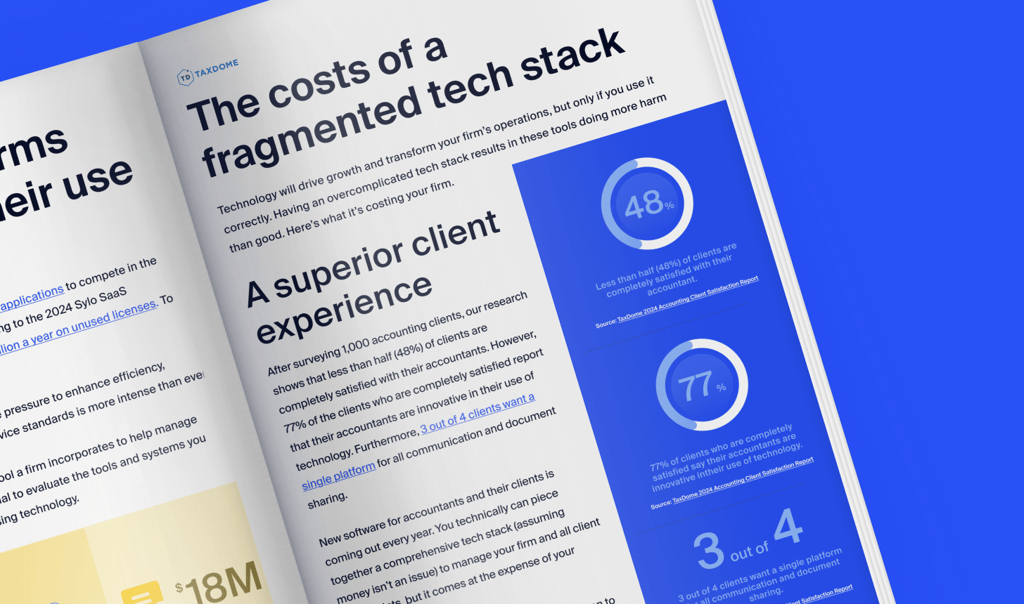
Get your free guide

Thank you!
The guide copy has been sent to your email. Please check your inbox!
Recommended articles

Accounting Industry Index statistics: Key findings from the Q1 2026 edition

In-house accounting vs outsourcing: costs, trade-offs, and the hybrid option (2026)
Niche Business Accounting Report statistics: what business clients will pay for specialized expertise