 US – English
 UK – English
 Canada – English
 Australia – English
 Danmark – Dansk
 DACH - Deutsch
 France – Français
 España – Español
 Sverige – Svenska
 Italia – Italiano
 Nederland – Nederlands
 Portugal – Português
 Suomi – Suomi
 Norge – Norsk
 日本 – 日本語
 Romanian – Română












Accounting automation software: how to pick the best fit for your business

Run your entire firm on one platform
The best accounting automation software in 2026 depends on what you’re trying to automate. For transaction-level automation (bank feeds, invoicing, reconciliation), QuickBooks Online and Xero lead the market. For full-firm automation covering client workflows, document collection, billing, and team coordination, TaxDome is the comprehensive choice. FreshBooks, Zoho Books, and Botkeeper each serve specific niches well.
Not all accounting tasks are created equal. Some eat up hours without adding strategic value. Others are essential but too manual. Accounting automation software offloads these tasks to systems that never sleep, never forget, and never complain and in 2026, the real question isn’t whether to automate, but which combination of tools will give you the biggest return on your time.
This guide covers what you can automate today, what to look for when choosing software, and a detailed comparison of the top tools for accounting automation updated for 2026.
Table of сontents
- What you can automate today — and how it can transform your business
- What to look for in automated accounting software
- Top 5 software options for automated accounting processes
- Comparison at a glance
- First steps toward smarter accounting automation
- Frequently asked questions
- Choosing the right automation software for your firm
Table of сontents
- What you can automate today — and how it can transform your business
- What to look for in automated accounting software
- Top 5 software options for automated accounting processes
- Comparison at a glance
- First steps toward smarter accounting automation
- Frequently asked questions
- Choosing the right automation software for your firm
What you can automate today — and how it can transform your business
Below, we’ve broken down what can be automated — from quick wins to game-changing improvements — and who benefits most from each.
1. Bookkeeping tasks
This is the most common entry point into automation — and for good reason. Bookkeeping involves categorizing transactions, reconciling bank feeds, syncing accounts, and preparing books for review. These are all frequent, time-sensitive tasks that automated accounting processes handle exceptionally well.
| Benefit | Business owners | Accounting firms |
| Time saved | Spend less time on spreadsheets | Free up billable hours for higher-value work |
| Lower costs | Reduce the need for extra staff or outsourcing | Increase client capacity without hiring |
| Consistency | No missed entries or gaps | Improve accuracy and reduce rework costs |
Firms and businesses that use automated bookkeeping systems often report a more efficient monthly close process, earlier detection of financial anomalies, and increased confidence when preparing for audits or financing opportunities.
2. Billing & invoicing
Every business — whether part of the accounting industry or not — relies heavily on billing to keep operations running. But despite its importance, invoicing often gets delayed, overlooked, or rushed. And it’s no wonder: manually creating, sending, and following up on invoices consumes valuable time and focus.
Automating billing transforms it from a reactive chore into a proactive, hands-off process. With the right billing software, revenue keeps moving seamlessly without micromanagement.
| Benefit | Business owners | Accounting firms |
| Faster cash flow | Get paid quicker with fewer delays | Shorten billing cycles and improve cash flow reliability |
| Less admin | Reduce time spent chasing payments | Let staff focus on client work, not collections |
| Fewer errors | Avoid billing mistakes or missed charges | Reduce disputes and protect client trust |
3. Financial reporting
Real-time reporting automation delivers more than just clean dashboards. It provides faster access to critical financial insights, allowing businesses to make sharper strategic decisions, respond quickly to financial changes, and build stronger budgeting and forecasting disciplines.
With automated accounting reporting in place, organizations move beyond simply viewing numbers. They gain the ability to manage risk proactively, plan for growth more confidently, and make smarter investment decisions.
| Benefit | Business owners | Accounting firms |
| Faster insights | Know where you stand without manual checks | Deliver real-time guidance to clients |
| Consistency | Standardized reports, no formatting delays | Seamless month-end closes across client books |
| Scalability | Track more metrics without extra work | Automate reporting for dozens of clients at once |
While the tasks above apply to nearly anyone handling finances, accounting firms have added complexity: managing client communications, chasing down documents, and coordinating internal teams. These are time sinks that automation can radically improve.
4. Document and client management
Every accounting firm knows the struggle: waiting for clients to send missing files, answer questions, or sign documents. All these things eat into billable time, delay project completions, and create bottlenecks across your workflows.
Automation systems remove these roadblocks. Instead of scrambling to stay on top of dozens of manual touchpoints, firms can keep client deliverables moving — predictably and with far less friction.
| Benefit | Accounting firms |
| Faster client responses | Clients get timely reminders and clear requests without constant follow-up |
| Reduced bottlenecks | Keep client deliverables moving on their own |
| Improved client experience | Communicate proactively and make interactions feel seamless |
A well-managed client experience strengthens your entire service model. Firms using accounting automation systems often see improvements in both client satisfaction and bottom-line results.
5. Workflow and task management
Automated accounting workflows fundamentally reshape how your firm operates, turning scattered tasks into structured, scalable processes:
- Work moves predictably, not reactively.
- Teams collaborate more efficiently without relying on micromanagement.
- Leadership spends less time firefighting and more time planning for growth.
As a result, firms scale faster, service delivery becomes more consistent, and teams experience less burnout — laying a stronger foundation for long-term success.
| Benefit | Accounting firms |
| Greater accountability | Everyone knows their tasks, deadlines, and dependencies |
| Higher efficiency | Standardized workflows reduce meetings, emails, and missed steps |
| Better scalability | Handle more clients with consistent service quality without burning out your team |
What to look for in automated accounting software
The right accounting automation software should do more than offer the features you need. It should genuinely change the way you work and keep pace as you grow. Here’s what separates great choices from good-enough ones:
1. Core automation capabilities
Strong automation starts with eliminating manual, repetitive tasks. Look for solutions that automate:
- Bank transaction imports and categorization
- Invoice creation, reminders, and payment tracking
- Document collection requests and client reminders
- Task status updates, team hand-offs, and due date alerts
- Monthly report generation and scheduled delivery
The more layers you can automate, the bigger the time savings (and margin gains) over time.
2. Flexibility and scalability
What works when you have 10 clients or a small internal team won’t necessarily work when you double or triple your workload. Choose software that offers:
- Customizable workflows to fit different service types (tax, bookkeeping, advisory)
- Role-based access controls for growing teams
- Open API or integrations with CRMs, payroll systems, and tax software
- Cloud-based access with strong mobile support (essential for hybrid work)
The best accounting automation software grows with you — adapting as you take on bigger clients, larger teams, and new service lines.
3. User experience
Software that’s technically brilliant but painfully hard to use will only frustrate your team — and slow your ROI. Look for platforms designed with your business’s needs in mind.
Key factors to assess:
- Intuitive interface that reduces training time
- Easy onboarding processes (templates, starter kits, training videos)
- Mobile app availability for managing work on the go
- Minimal clicks to complete routine tasks
Adoption matters no less than features. The best automated accounting platform is the one your team actually wants to use every day.
4. Support and trustworthiness
Even the best systems need backup sometimes. Look for signs of a solid, reliable partner:
- Responsive customer support (not just chatbot walls)
- Knowledge bases, onboarding guides, and training resources
- Strong user reviews and industry recognition
- Active product updates and community forums
You’re not just buying software — you’re joining an ecosystem.
Strong community + strong support = faster success.
Top 5 software options for automated accounting processes
Automation is the backbone of modern accounting operations. Whether you’re running an internal finance team or a full-service firm, these platforms offer strong features to streamline your accounting tasks and save hours every day.
QuickBooks Online
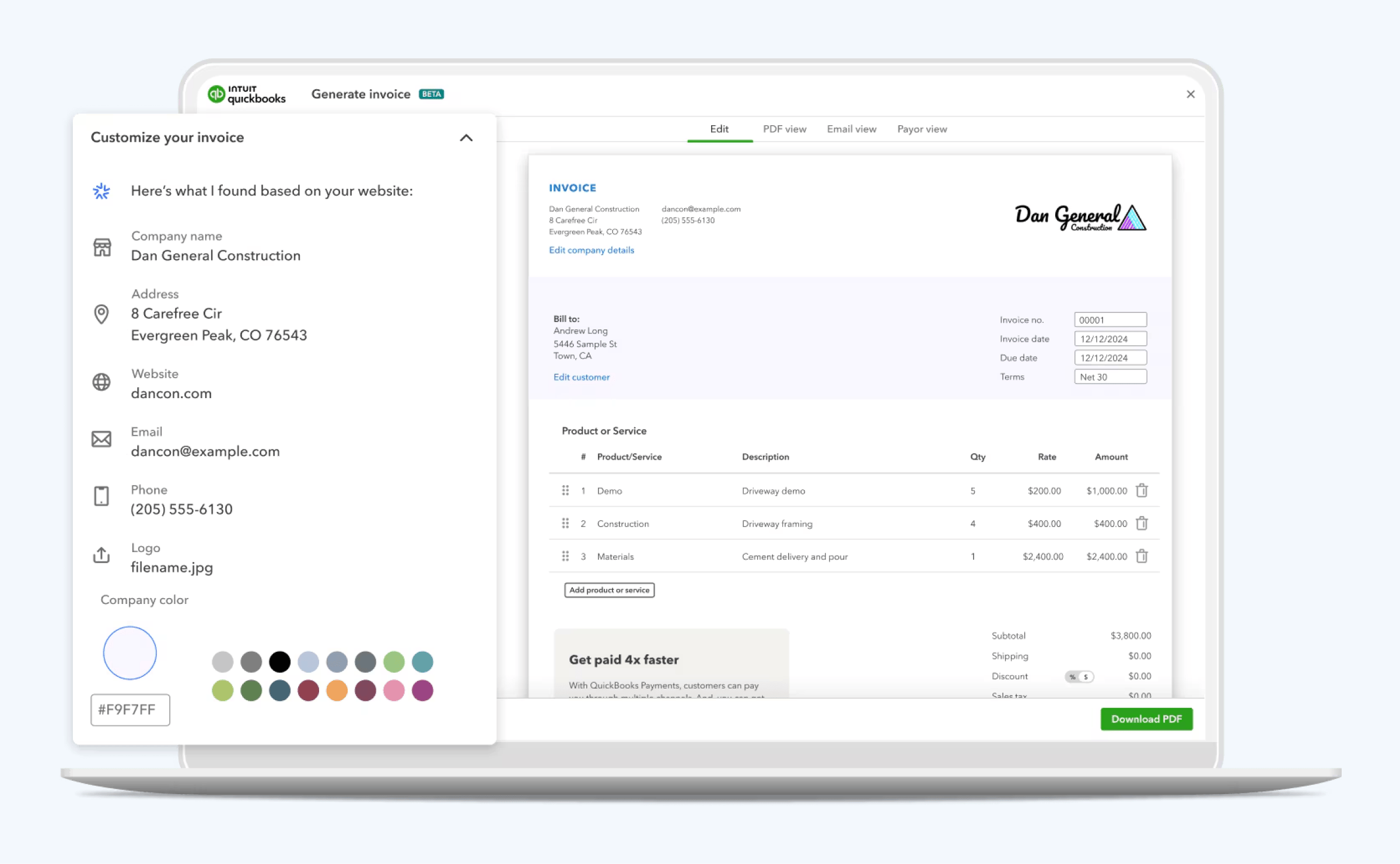
QuickBooks Online remains a dominant name for a reason. It offers strong features like automatic bank feeds, categorized transactions, scheduled invoicing, and basic cash flow forecasting.
Ideal for small businesses and solo accountants, it also supports a wide range of third-party integrations — making it easy to expand functionality as your needs evolve.
That said, while QuickBooks automates many essential financial tasks, users often need additional tools to handle full workflow automation, client portals, or deeper reporting needs.
Best for: Small businesses and solo accountants focused on transaction-level automation. Not a fit for firms needing client portal, workflow automation, or team coordination.
Xero
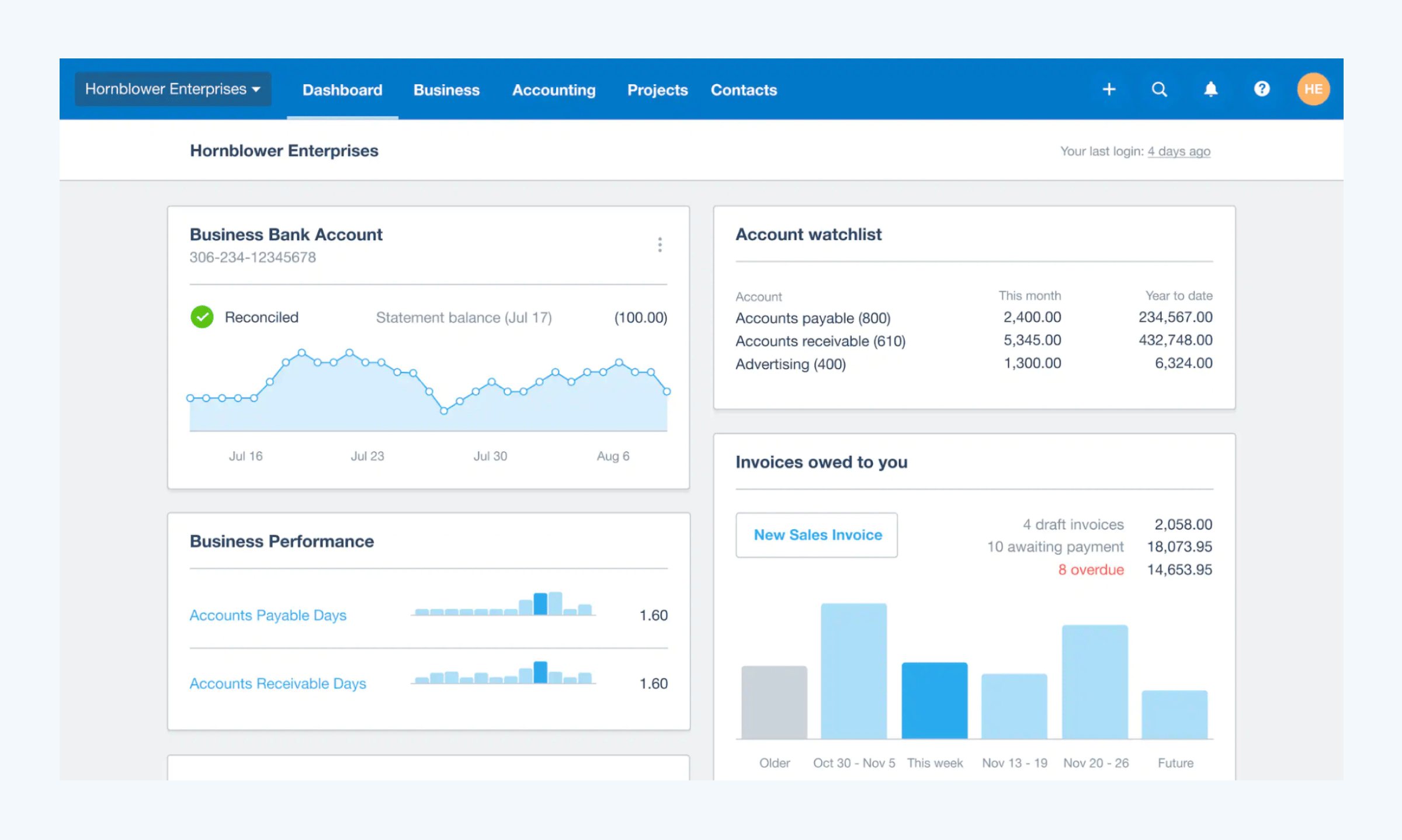
Xero is another powerful choice for businesses and firms looking for intuitive accounting automation. It shines with features like smart bank reconciliation, invoice and bill automation, and real-time cash flow monitoring.
Xero’s open ecosystem also means you can plug into hundreds of apps, from CRM systems to payroll services.
Where Xero particularly excels is its clean interface and strong mobile experience, making it a favorite for teams that need flexibility. However, like QuickBooks, it may require integrations to fully automate more complex client workflows or internal operations.
Best for: Businesses and small firms wanting strong bank reconciliation, bill automation, and a clean interface. Like QuickBooks, it’s a transaction-layer tool firms will need additional software for client-facing workflows.
For a more comprehensive comparison of Xero and QuickBooks, check out this
FreshBooks
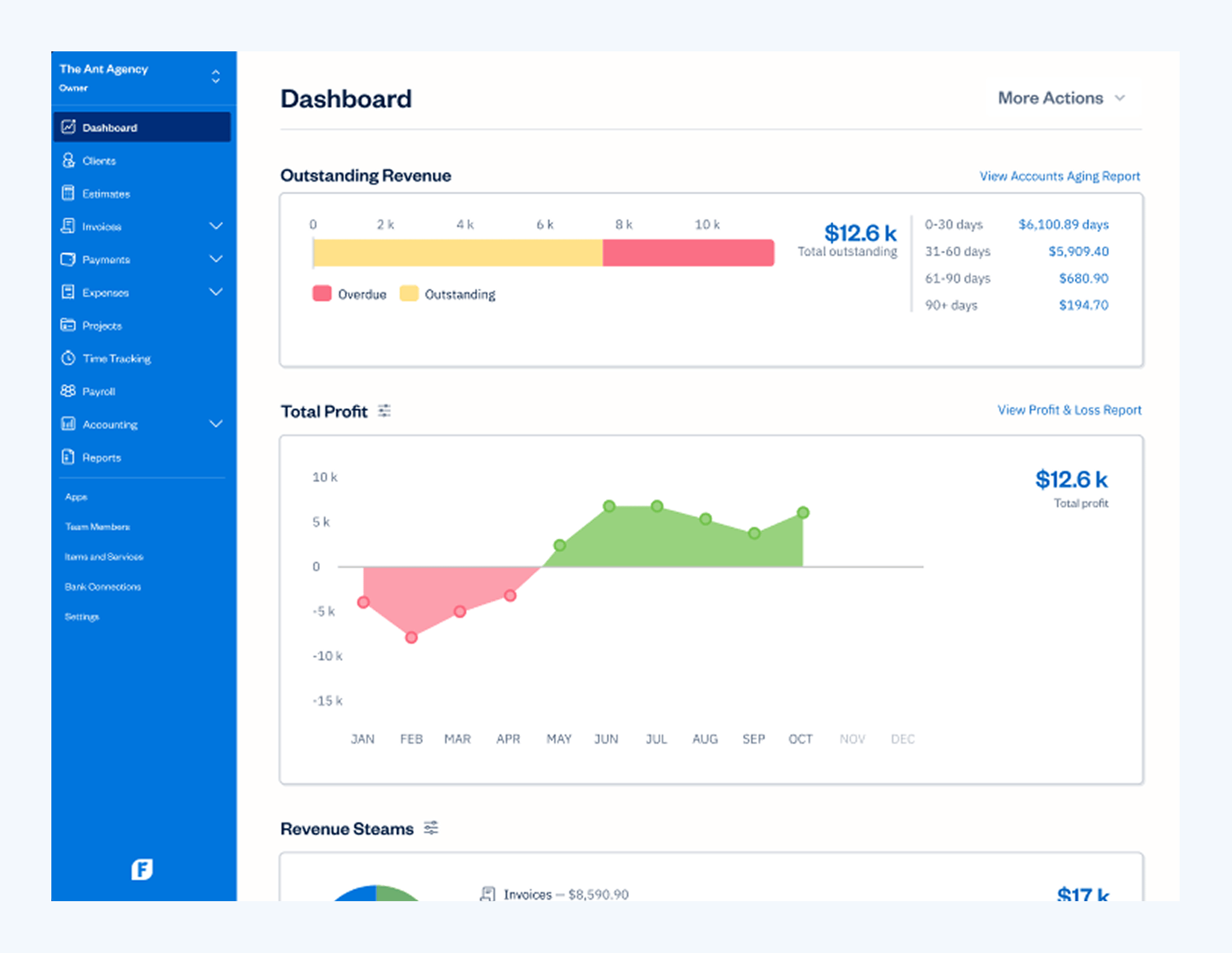
FreshBooks is built with small service businesses in mind. Its automation strengths include recurring invoices, automatic payment reminders, and expense tracking. FreshBooks also offers time-tracking features, making it easy for service providers to integrate billing with project timelines.
While it’s easy to set up and use, FreshBooks is best suited for businesses with relatively simple accounting needs. Firms requiring heavy client management, detailed reporting, or full-team workflows might find it limiting at scale.
Best for: Freelancers and small service businesses with simple invoicing needs. Not built for multi-client accounting firm operations.
Zoho Books
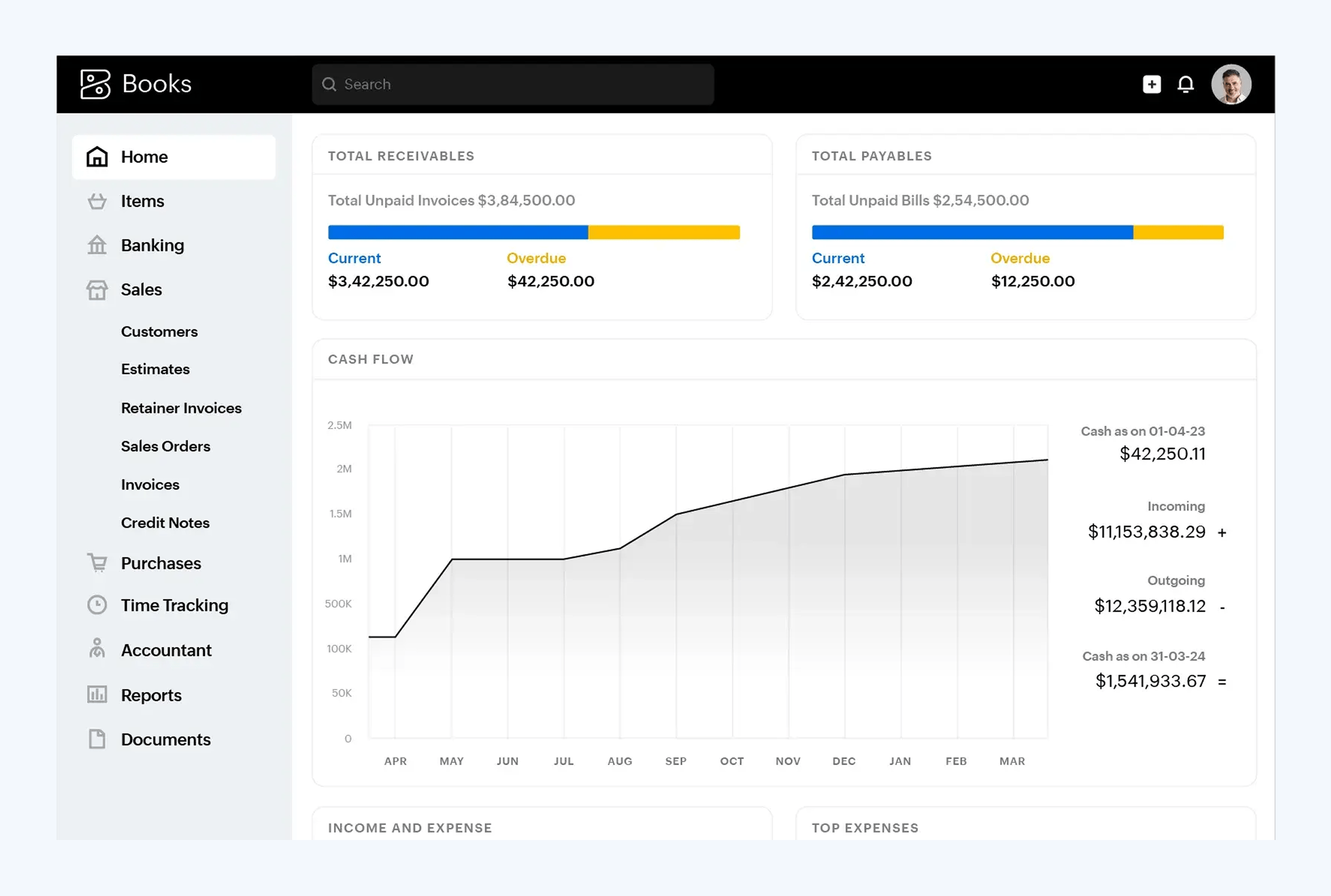
Zoho Books offers robust automation tools. It covers auto-invoicing, payment reminders, automatic expense categorization, and workflow rules for approvals and notifications. Zoho’s broader suite (Zoho CRM, Zoho Inventory, etc.) also gives users a fully integrated business management environment.
While Zoho Books is highly customizable, setting up more advanced automation flows can take some configuration — making it better suited for tech-savvy users or firms with in-house IT support.
Best for: Businesses already using the Zoho ecosystem, or tech-savvy firms that value customization over out-of-the-box simplicity.
TaxDome
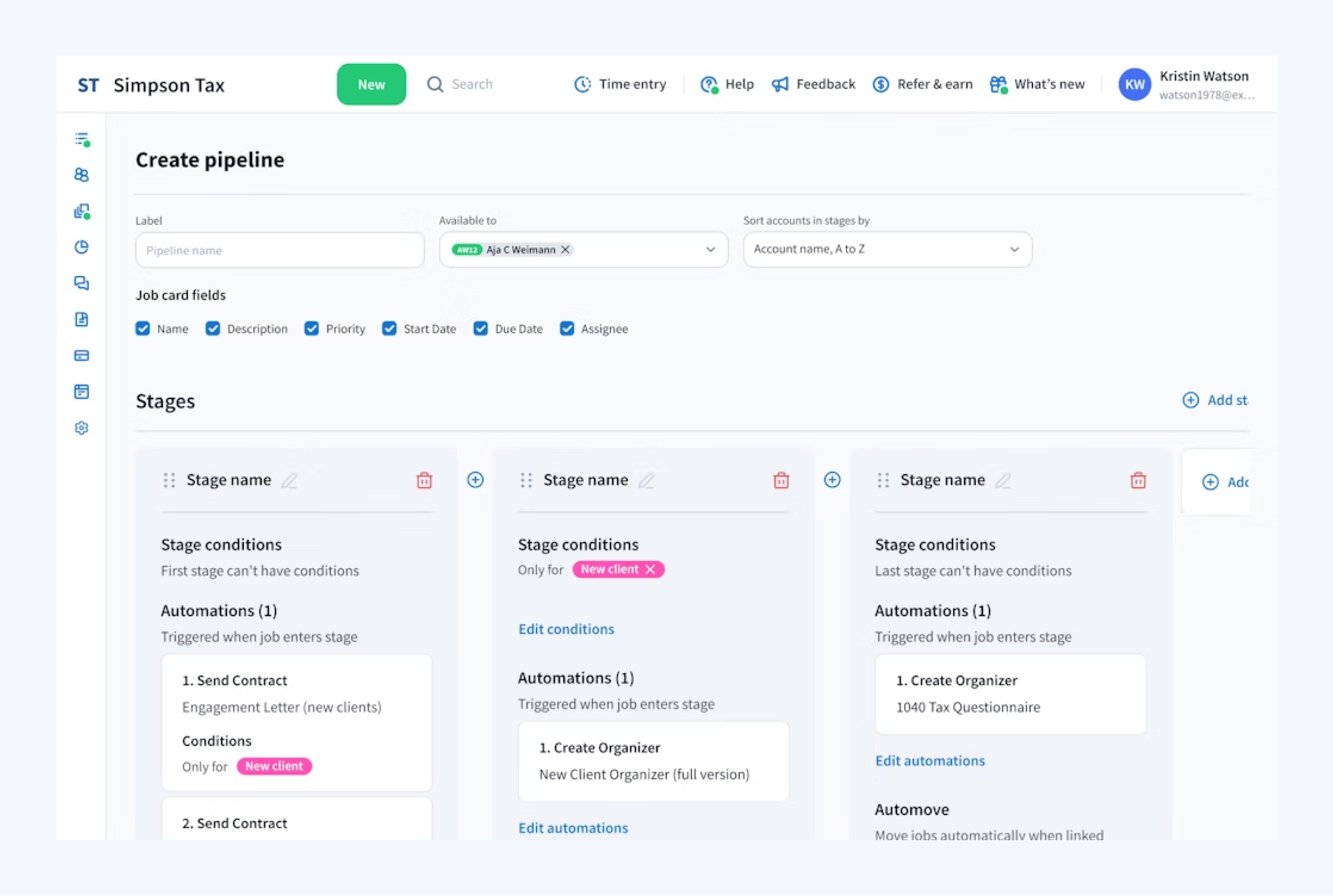
TaxDome takes accounting automation beyond transaction-level tasks, providing a complete, integrated platform where firms can automate entire client lifecycles — from first contact to final invoice. It’s rated #1 on G2 for practice management software and trusted by 10,000+ accounting, tax, and bookkeeping firms worldwide.
Key automation capabilities include:
- Automated client onboarding: branded organizers, engagement letters, and intake forms that go out automatically when a new client is added
- Workflow automation: trigger-based pipelines that move work forward without manual chasing (e.g., document received → assign preparer → request review → send invoice → archive)
- AI document tagging and naming: incoming client documents are automatically categorized and renamed, eliminating manual sorting
- Automated billing and payment collection: recurring invoices, payment reminders, and document-locked invoices that get paid before work is released
- Client communication automation: scheduled reminders, SMS nudges, and portal notifications without anyone on your team manually following up
- Integrated time tracking and reporting: automate the movement of billable time into invoices and firm-level performance reports
Unlike standalone bookkeeping apps, TaxDome replaces the fragmented stack most firms rely on (separate tools for CRM, billing, e-signatures, document management, and client portal) with a single integrated system. It’s built specifically for accounting, bookkeeping, and tax practices, not adapted from a generic project management or invoicing tool.
Best for: Accounting, bookkeeping, and tax firms of any size looking to automate the entire client and team workflow, not just transactions. Pricing starts at $700 per seat per year on a 3-year commitment.
Comparison at a glance
Here’s how the top five accounting automation platforms compare on the features that matter most:
| Feature | TaxDome | QuickBooks Online | Xero | FreshBooks | Zoho Books |
| Bank feed automation | Via integration | ✅ | ✅ | ✅ | ✅ |
| Automated invoicing | ✅ | ✅ | ✅ | ✅ | ✅ |
| Payment reminders | ✅ | ✅ | ✅ | ✅ | ✅ |
| Client portal | ✅ | Limited | Limited | ✅ | Limited |
| Document automation (AI tagging) | ✅ | ❌ | ❌ | ❌ | ❌ |
| E-signatures (built-in) | ✅ | ❌ | ❌ | ❌ | ❌ |
| Workflow automation | ✅ | Basic | Basic | Basic | ✅ |
| Client communication (email, chat, SMS) | ✅ | ❌ | ❌ | ❌ | Limited |
| Mobile apps (firm + client) | ✅ | ✅ | ✅ | ✅ | ✅ |
| Built specifically for accounting firms | ✅ | Partial | Partial | ❌ | ❌ |
| Starting price | $700/seat/year | $35/month | $20/month | $21/month | $20/month |
First steps toward smarter accounting automation
Rolling out automated accounting processes in your firm or business is simpler when you follow a clear plan.
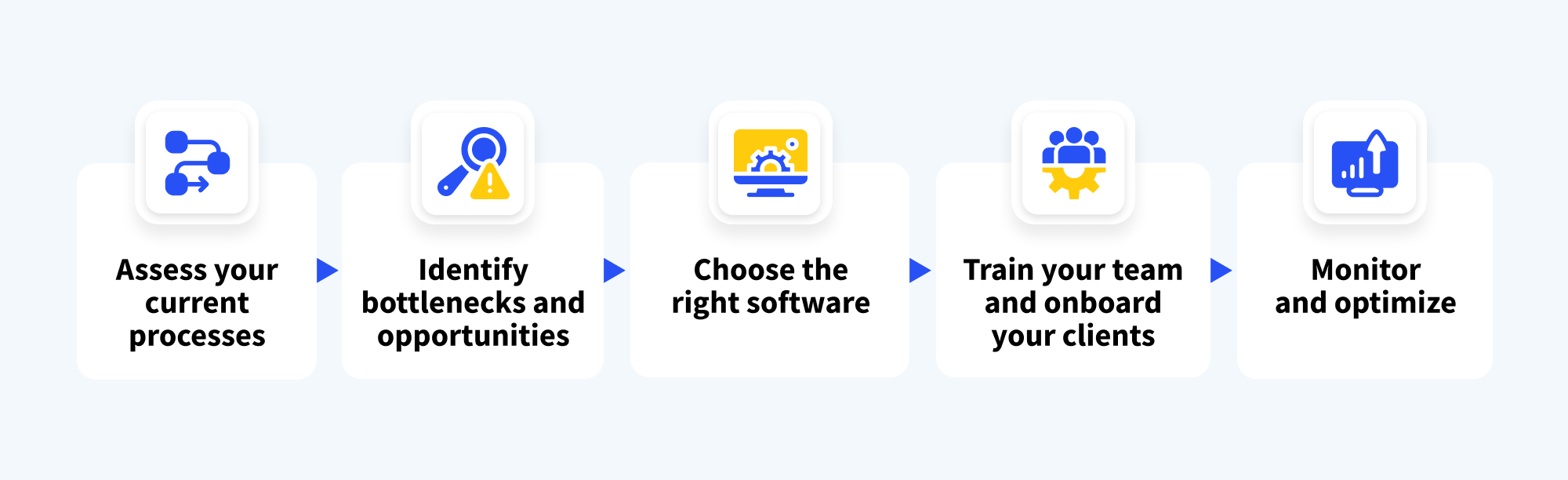
Assess your current processes
Take inventory of your manual tasks, from bookkeeping to billing to client communications. Identify the ones that happen frequently and eat up the most time.
Identify bottlenecks and opportunities
Look for areas where delays, errors, or frustrations happen most often. These are the kinds of tasks where automation can make a huge difference right away.
Choose the right software
Pick a platform that fits your workflow complexity, client volume, and growth goals. The right automated accounting software should help you achieve long-term scalability.
Train your team and onboard your clients
Get your staff comfortable with the new systems through training and clear expectations. Help clients adapt easily by explaining how the changes improve their experience.
Monitor and optimize
Automation isn’t a set-it-and-forget-it solution. Regularly review what’s working, gather feedback, and tweak workflows to stay aligned with evolving needs.
To dive deeper into building automated accounting workflows, explore our full step-by-step guide.
Frequently asked questions
What is accounting automation software?
Accounting automation software refers to tools that handle repetitive financial and operational tasks automatically from categorizing bank transactions and generating invoices to requesting client documents and moving work through a firm’s pipeline. The category ranges from transaction-level tools like QuickBooks Online and Xero to full-firm platforms like TaxDome that automate entire client workflows.
What accounting tasks can actually be automated?
Most firms can automate: bank transaction categorization and reconciliation, invoice creation and payment reminders, recurring billing, document requests and client reminders, engagement letter and proposal workflows, e-signature collection, task assignments and status updates, and standard monthly or quarterly report generation. Advisory work, complex judgment calls, and client relationship building still require human expertise.
Is accounting automation software worth it for small firms?
Yes, small firms often see the biggest relative gains from automation because the time savings per staff member are proportionally larger. A solo practitioner who automates client onboarding, document requests, and invoicing can often reclaim 10–15 hours per week, which translates directly into additional capacity for billable work.
How is accounting automation software different from accounting software?
Accounting software (QuickBooks, Xero, Sage) handles the core financial record-keeping: general ledger, accounts payable and receivable, bank feeds, and financial statements. Accounting automation software is a broader category that includes not just the financial tasks but also the workflow around them client communication, document management, billing, and team coordination. Many firms use both: an accounting software for the books, and a practice management platform for the operational automation.
Can AI replace manual accounting work entirely?
Not entirely. AI and automation are very effective at high-volume, rule-based tasks like document tagging, transaction categorization, reconciliation, and routine communication. But areas requiring judgment advisory work, complex tax planning, client relationship management, and handling exceptions still require qualified accountants. The firms seeing the strongest results combine automation for the routine work with human expertise for the high-value work.
What’s the best accounting automation software for a firm of 5-10 people?
For firms in this size range, the bottleneck usually isn’t the accounting software itself but the workflow around it. TaxDome, Karbon, and Canopy are the most commonly chosen practice management platforms for automating client workflows, document management, and billing alongside a transaction-layer tool like QuickBooks or Xero.
Choosing the right automation software for your firm
The best accounting automation software for your firm depends on what you’re actually trying to automate:
- Automating the books themselves (transactions, reconciliation, reporting): QuickBooks Online or Xero.
- Automating the client workflow around the books (onboarding, document collection, engagement letters, billing, team coordination): TaxDome.
- Automating for a small service business or freelancer with simple invoicing needs: FreshBooks.
- Automating within a broader business ecosystem: Zoho Books, especially if you already use other Zoho tools.
Most accounting firms don’t choose between these categories — they use both. A transaction-layer tool like QuickBooks for the books, plus a practice management platform like TaxDome for everything else. Together, they cover the full lifecycle of automation, from bank feeds to client portals.
Ready to automate your firm’s workflows?
TaxDome is the practice management platform built specifically for accounting, tax, and bookkeeping firms. Automate client onboarding, workflows, document management, billing, and communication, all in one platform, with AI-powered document tagging and reporting built in.

Mari develops TaxDome content by combining customer insights, industry research, and real-world trends. Her structured, automation-driven approach ensures messaging is clear, relevant, and supports more connected and efficient accounting firms.

Get your free guide

Thank you!
The guide copy has been sent to your email. Please check your inbox!
Recommended articles
Niche Business Accounting Report statistics: what business clients will pay for specialized expertise

Buy Now, Pay Later: offer clients payment flexibility
Top AI tools for accountants in 2026: key features and use cases compared