 US – English
 UK – English
 Canada – English
 Australia – English
 Danmark – Dansk
 DACH - Deutsch
 France – Français
 España – Español
 Sverige – Svenska
 Italia – Italiano
 Nederland – Nederlands
 Portugal – Português
 Suomi – Suomi
 Norge – Norsk
 日本 – 日本語
 Romanian – Română












Take full control of your workflow: turn exceptions into seamless processes with custom job statuses

Run your entire firm on one platform
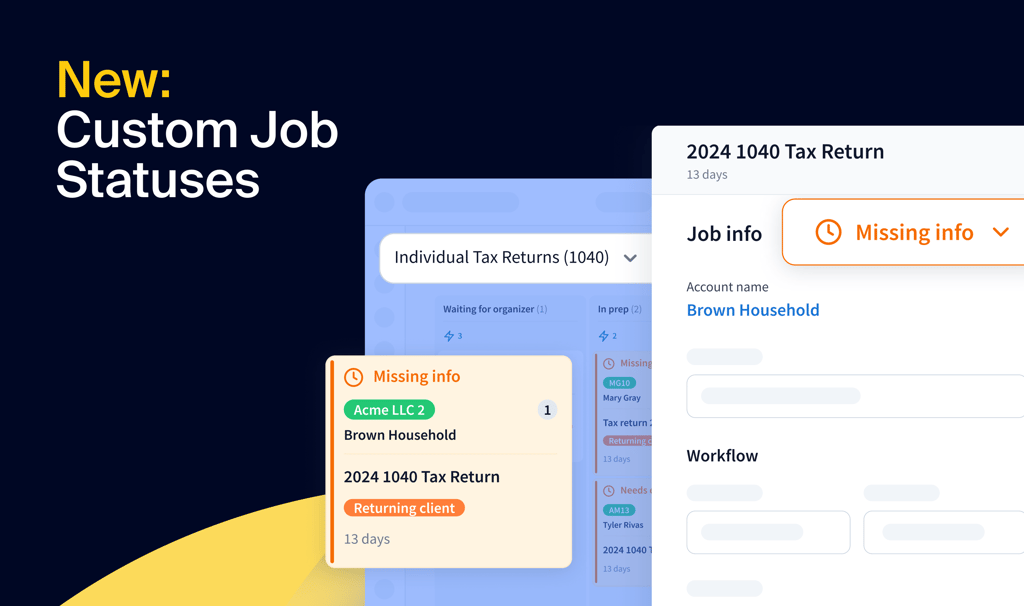
Workflows are rarely linear. Missed deadlines, incomplete tasks, unexpected extensions — these sudden changes can complicate even the most carefully planned pipelines. But what if your workflow could be as adaptable as your practice?
With custom job statuses, it can. Now you can turn exceptions into uniquely crafted rules customizable for each client. With custom job statuses, you can seamlessly manage parts of your process and ensure that every job progresses as you need it to.
It’s not just about tracking — it’s about giving you complete control, no matter how intricate things get.
Table of сontents
Keep jobs on the right track
Handling workflow exceptions starts with preserving your process. By default, jobs are either ‘active’ or ‘archived’ — but with custom job statuses, you can now more clearly delineate the status of your work without disrupting their context or flow.
Instead of moving jobs out of their stages, you can assign a unique status like “Missing info” or “Needs extension” to any job that needs it. This way, the job remains in its original stage, preserving its entire workflow history. You’ll never lose track of where a job was or worry about returning it to the correct stage.
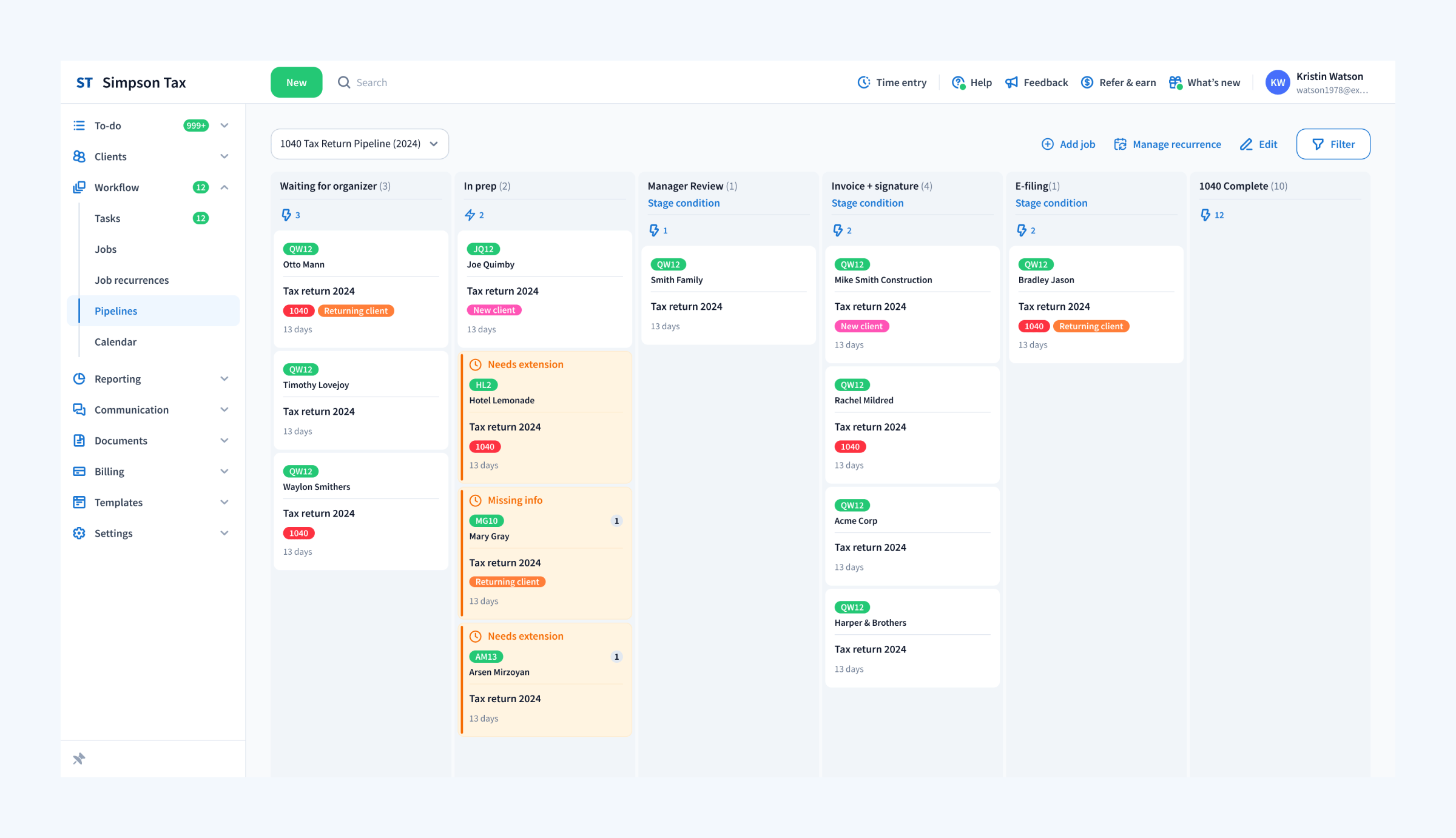
We’re here to help, so to get you started, we’ve pre-loaded some statuses for common scenarios. However, the real power here lies within the customization. Job custom statuses live up to their name, and you can create as many unique statuses as your firm needs.
See what matters when it matters
In a shared pipeline, priorities can blur. Which tasks are on hold? What needs to be worked on right now? With custom job statuses, it’s easy to tell at a glance.
With unique backgrounds and clear status bars, pending jobs stand out, ensuring your team knows exactly where to focus.
Want to zero in on jobs waiting for client information? Or track jobs with pending extensions? You’ll be able to focus on what’s most important with the easy-to-use filter.
This clarity helps your team work more efficiently, knowing exactly what to prioritize and where to focus their energy. Previously, this level of visual clarity was possible but required extra stages, which not only made processes seem more complex than they needed to be but also limited automation possibilities.
Set repetitive work on autopilot
Custom job statuses don’t just help you organize — they also ensure that jobs progress without manual intervention.
Let’s take two common workflows and go through in detail how they can be optimally set up. Some scenarios are one-offs, such as missing information, which in many cases require your team to indicate what specifically is missing. In this scenario, set the job status to “Missing information” and create a client request, itemizing the missing information. As soon as the client request is complete, the job status will revert to “Active” automatically.
While missing information is usually different every time, other scenarios are consistent and can be templated, such as extensions. In this scenario, you could utilize a custom job status of “Needs extension” and leverage status-based automations such as assigning a task to an administrator to file the extension. As soon as the administrator completes the task, the job can return to “Active” automatically.
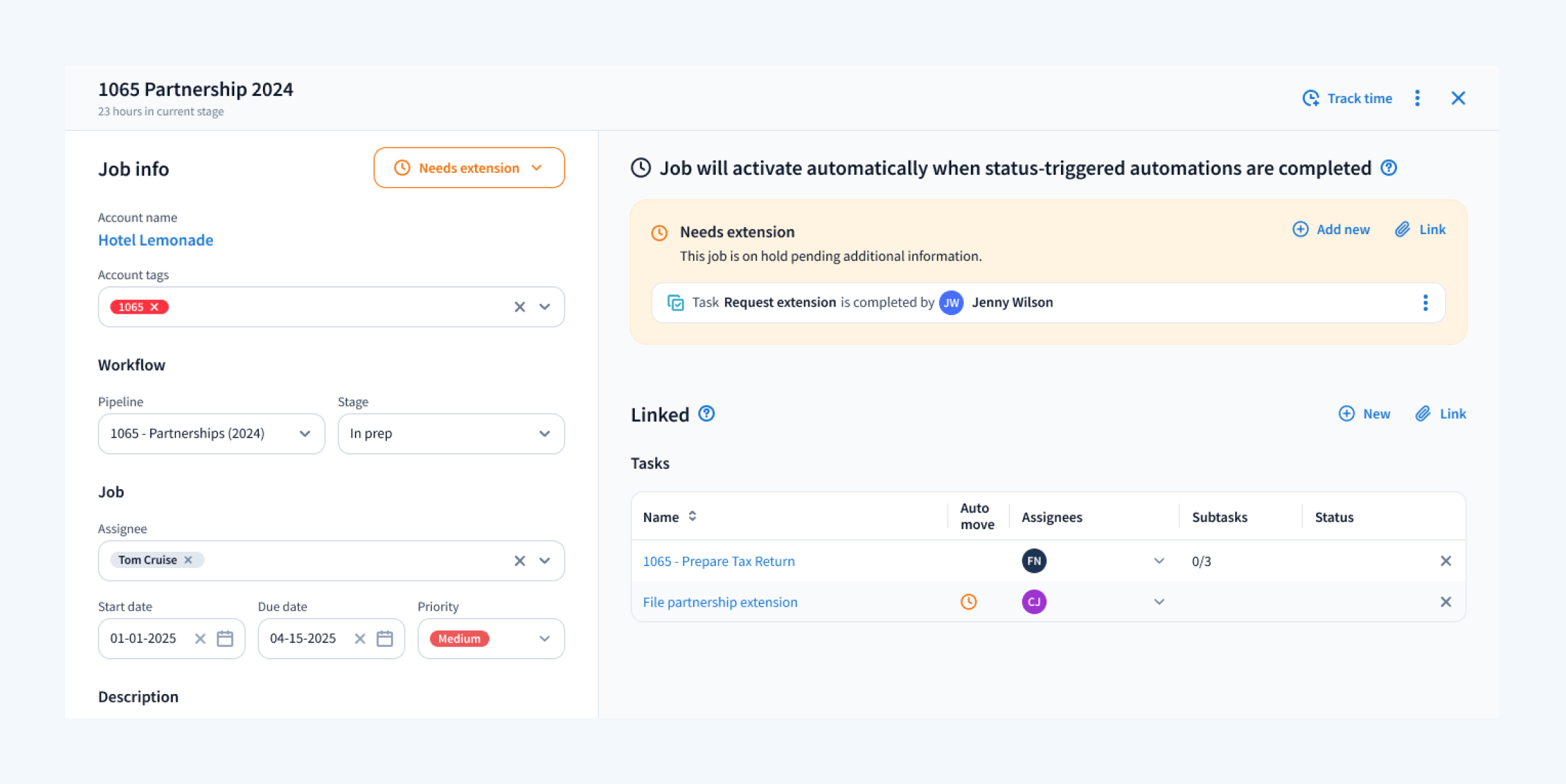
In either scenario — itemized, client-specific requests or standardized firm processes — jobs can remain in the same stage, your team always has full visibility over which jobs are outside of standard processes, and a clear process in which they automatically return to “Active” for your team to continue doing what it does best.
By automating these transitions, you reduce the risk of human error, save time, and ensure that jobs progress as soon as they’re ready. Your team can focus on high-value work, knowing that every task is exactly where it needs to be.
Take control with TaxDome
At TaxDome, we’re not just building software — we’re building solutions designed to support your success. From managing workflows to empowering your team, our platform helps you delegate more, save time, and focus on what really matters: delivering exceptional service to your clients.
Join the 10,000+ firms that trust TaxDome to manage their practices more effectively and grow their businesses with confidence. Request a demo today and discover the difference for yourself.

Mari develops TaxDome content by combining customer insights, industry research, and real-world trends. Her structured, automation-driven approach ensures messaging is clear, relevant, and supports more connected and efficient accounting firms.

Get your free guide

Thank you!
The guide copy has been sent to your email. Please check your inbox!
Recommended articles
TaxDome AI: more than 2,000,000 documents organized for accountants this past tax season—and we’re just getting started

Webinar recap and Q&A: Summer Update 2026

Unpacking the differences between TaxDome Payments and Stripe