 US – English
 UK – English
 Canada – English
 Australia – English
 Danmark – Dansk
 DACH - Deutsch
 France – Français
 España – Español
 Sverige – Svenska
 Italia – Italiano
 Nederland – Nederlands
 Portugal – Português
 Suomi – Suomi
 Norge – Norsk
 日本 – 日本語
 Romanian – Română












March 2024 update

Run your entire firm on one platform
In the middle of tax season, we know fast, efficient client communication is paramount — which is why we’re happy to announce that you can now send SMS messages to your clients directly through TaxDome! Given the stress of this time of year, we’re keeping the rest of our updates to a minimum — they’re helpful, but minor, so as not to interrupt your busy-season workflow.
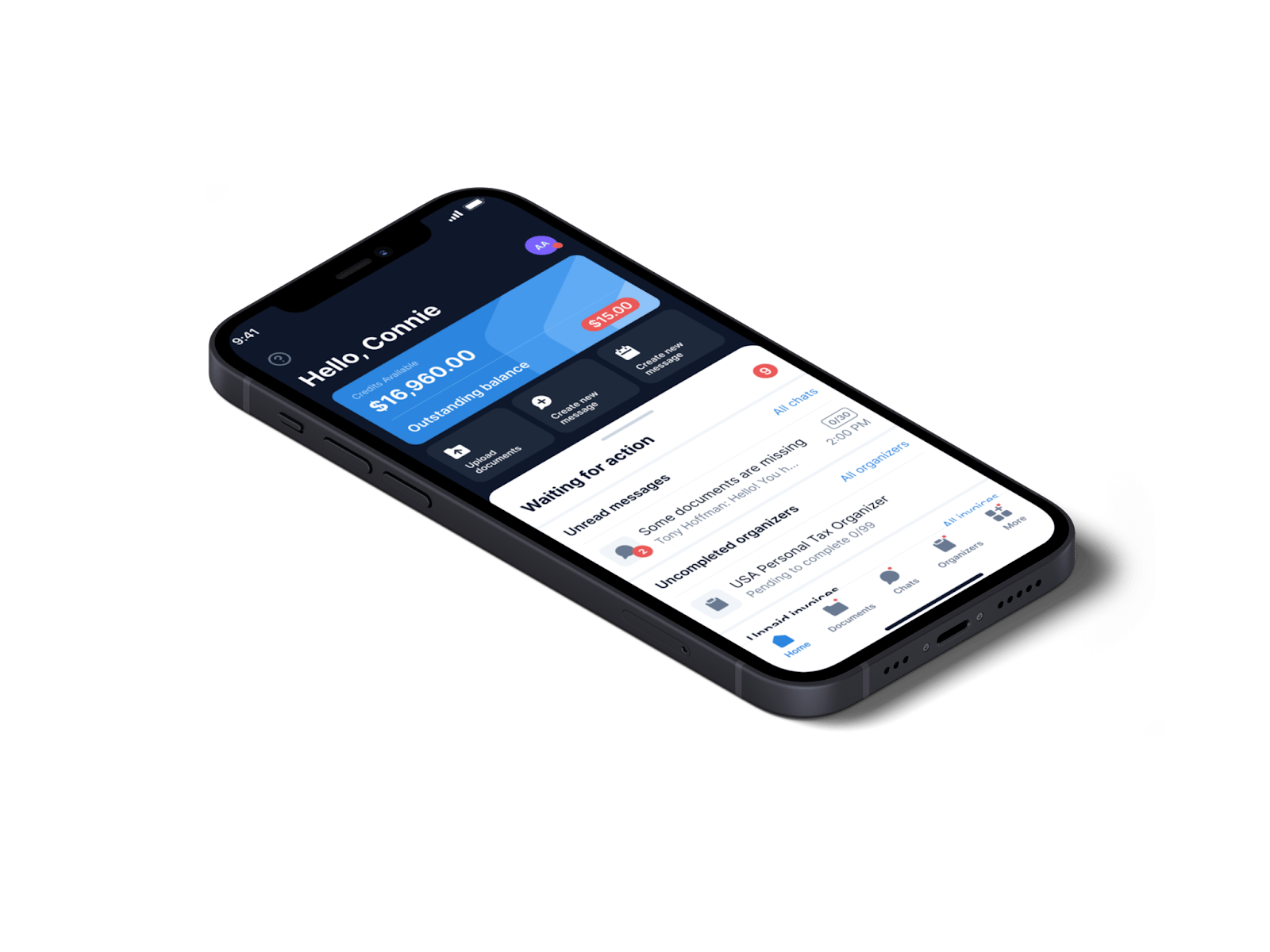
And, as a reminder, if you want to offer your clients a 5-star tax return experience this year, be sure to have them download TaxDome’s client mobile app. Last month, we shared our stellar ratings (top 100 in Finance apps) in the iOS and Android app stores, and every day, we’re receiving more amazing reviews about how our client mobile app has made tax season a breeze for our customers’ clients. Your clients will thank you.
This month, our SMS feature came out of Early Access and became available for all users, we streamlined the account import process, added additional e-signature options, and more. So, let’s get moving.
Sneak peek:
- AI-powered reporting in TaxDome: now in beta testing, this exciting new feature allows you to unlock the full potential of your data in TaxDome. Gain real-time insights into your team’s output, efficiency, and deliverables via interactive dashboards tailored to accounting workflows.
- Client-facing status “pizza tracker”: soon you’ll be able to provide your clients with more control and transparency through real-time status updates directly in their portal. Client-facing statuses change automatically as jobs progress through your workflow.
- Improved time tracking: streamline your workflows even more soon by creating time entries directly within tasks and from job sidebars instead of navigating to a separate page.
Watch a video overview of all our new features and improvements:
Table of сontents
Table of сontents
📲 SMS communication
Don’t miss our new SMS communication feature
Last month, we announced the release of SMS communication in TaxDome. This new feature will enable you to communicate with your clients in a way that is highly familiar and convenient. This brings together three key communication methods within one platform: email, secure chat, and SMS.
With 98% of SMS messages opened and read within three minutes of being sent, SMS is the best way to reach clients with:
- Reminders and follow-ups for appointments, important events, etc.
- Urgent notifications about impending deadlines, critical updates, or time-sensitive requests
By being able to immediately reach your clients through SMS, you’ll be able to get key information faster and avoid bottlenecks, allowing you to complete jobs (whether its tax, bookkeeping, or accounting) faster.
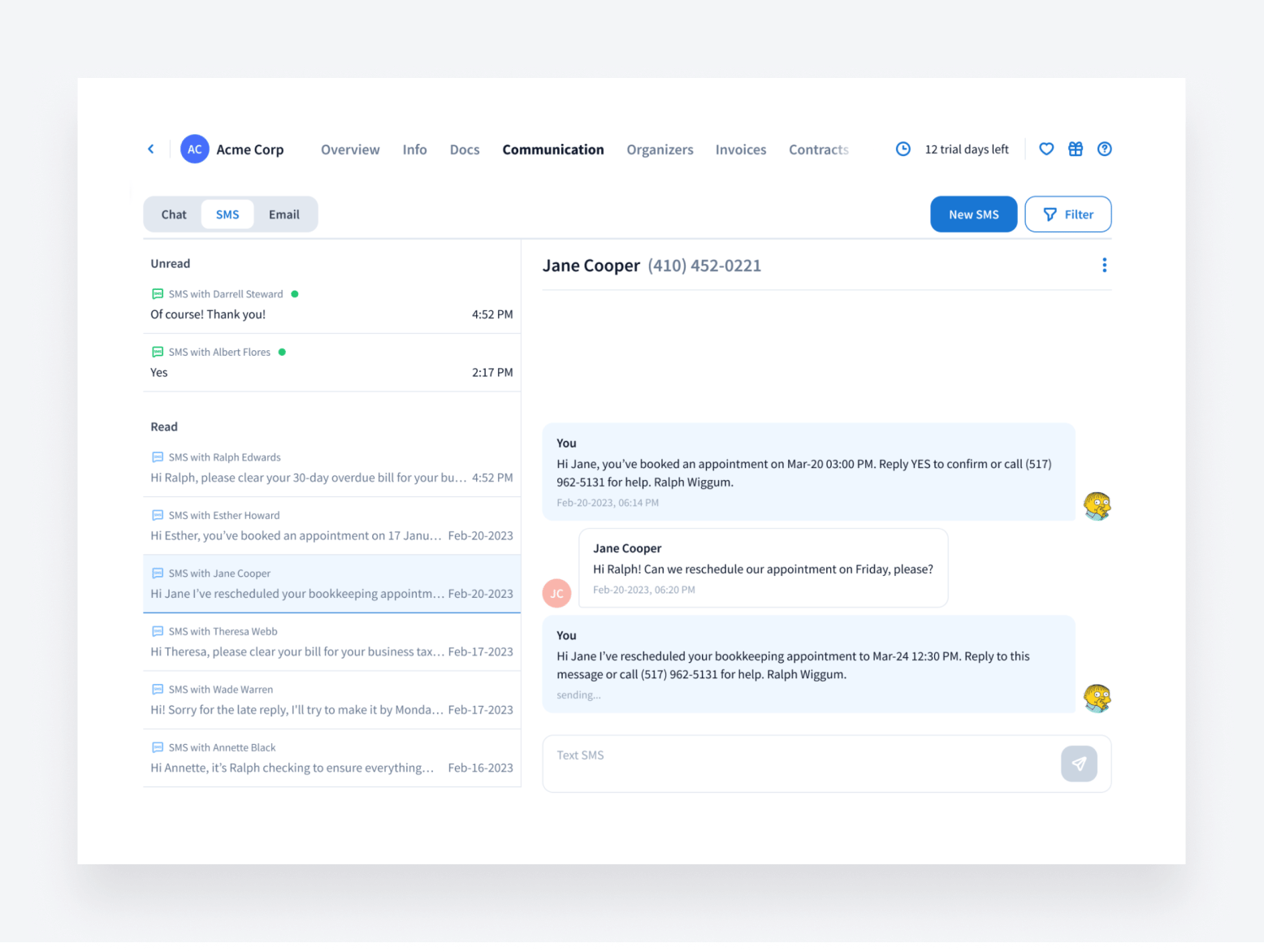
Discover how to get the most out of our new SMS feature by checking out our in-depth SMS webinar and utilizing our help article.
📑 Proposals
More control over proposals
You wanted more control when it comes to creating, saving, and tracking proposals, and we heard you. Now, when you create proposals:
- You’ll be prompted before leaving the Proposals page without saving — no more lost work!
- You can find partially signed proposals right on the Proposals page, so you know who still needs to sign
- You’ll be able to create different names for proposal templates and individual proposals just like with our organizer and email templates
This all further adds to the unique customization that only TaxDome offers.
📞 CRM
Faster import
We found a way to save you time during the import process by making it easier to define account types.
Now, assigning an account type is required in the second step of the import process, ensuring that you’ll never miss it. You can choose:
- Individual
- Company
- Other
- Use Account Type column (in your CSV file)
- Ignore (for when you’re updating existing accounts)
You can also now filter your client list to see who has yet to log into the client portal.
To learn more about importthis changes, we’ve updated the help page for importing clients into TaxDome. If you need any assistance with importing, just give our team a shout.
📚 Documents
Clients can upload entire folders
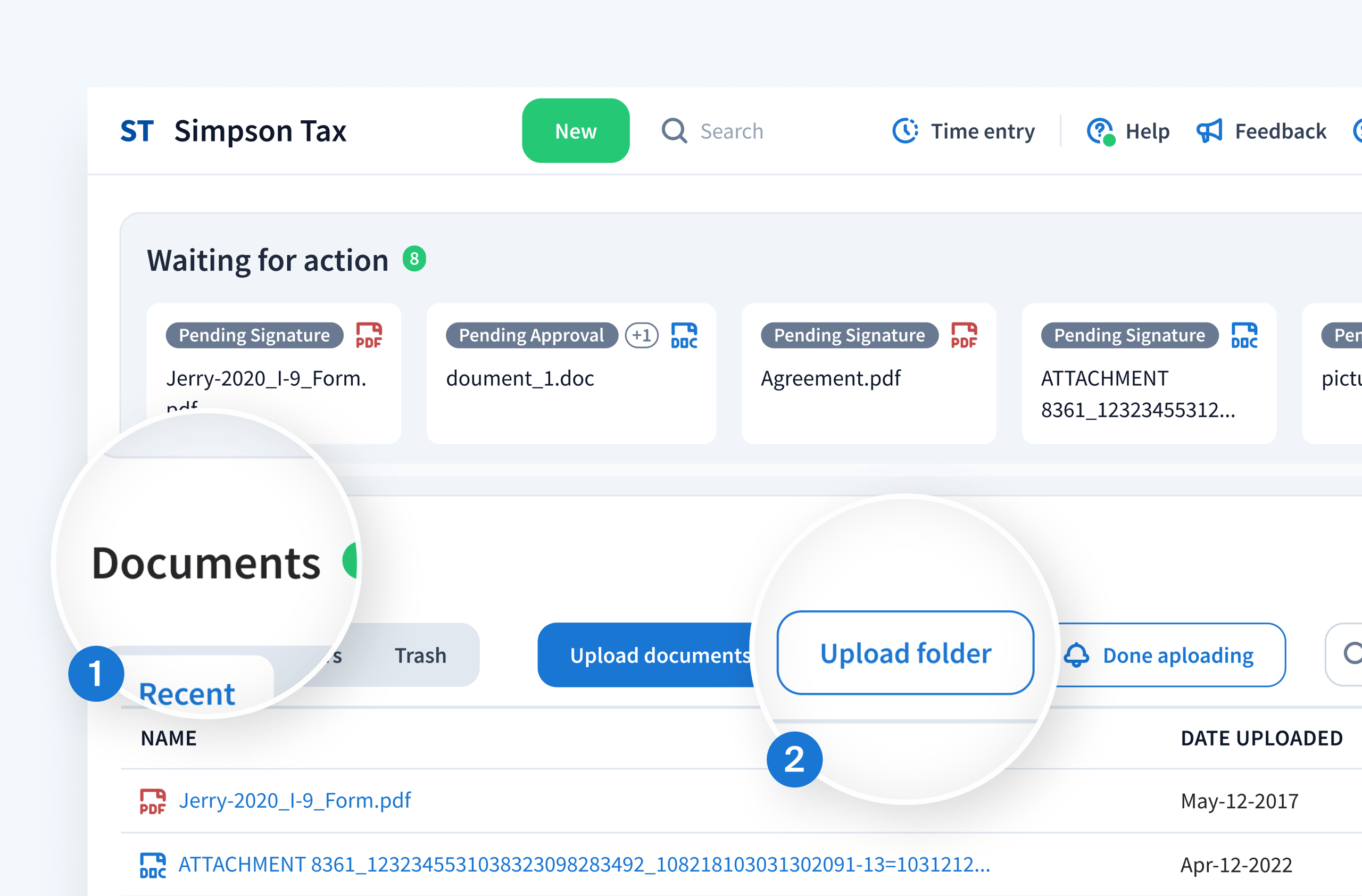
We have excellent news for your clients — which is also wonderful news for your organization. Clients can now upload whole folders and all the contents within them. This makes it easier for them to provide the information you need in a pre-organized folder, rather than having to upload documents one by one. This option has been available for firm staff but now has been added to the client portal.
To do this, they just have to use the “upload folder” button in the “documents” section of the client portal, or simply drag and drop the folder into the “documents” section.
Added e-signature options
Last month, we announced advanced electronic signatures (AdES) and qualified electronic signatures (QES) to further enhance our e-signature capabilities for accounting firms in the European Union (EU). In March, we’ve added even more verification vendors with D-Trust advanced signatures and ZealID.
These new options will make it easier for your clients to utilize secure e-signatures when signing proposals, tax returns, and other essential documents — further streamlining your workflow from end to end.
🔥 Other updates
- Webinars: discover how to master the e-signature process by checking out our webinar, where we cover a wide range of features — from requesting e-signatures to advanced authentication, templates, multiple signers, and more.
- TaxDome Academy: never miss a notification or message from clients, thanks to our brand new Client Communication Guide. This new set of courses covers how to set up your communication essentials and keep clients in the loop using chats, bulk emails, SMS, and other tools.
- Invoices: it’s now easier to track payment information for recurring invoices. They’ll show whether payment is set to automatically recur or if a request for payment has been sent or not. You can find this information in both the invoice list and the sidebar of your recurring invoices.
- Account filters: we’ve restored the ability to filter accounts that your clients have never logged into. To do this, you can select the “never” option in the dropdown menu of the “last login” filter. This allows you to see which clients have yet to utilize the client portal.
In March, we’re bringing you all of the above — plus 52 more tweaks and fixes!
Expect more exciting new features next month. Until then, join our Facebook Community to ask questions, request features, or chat with other TaxDome users.
And in case you missed it, here’s a summary of the major features we covered in our February 2024 update.

Jeff writes for TaxDome with experience in accounting, finance, and invoicing industries. He focuses on educating users about accounting trends and maximizing productivity through practical guidance on TaxDome’s features.

Get your free guide

Thank you!
The guide copy has been sent to your email. Please check your inbox!
Recommended articles
TaxDome AI: more than 2,000,000 documents organized for accountants this past tax season—and we’re just getting started

Webinar recap and Q&A: Summer Update 2026

Unpacking the differences between TaxDome Payments and Stripe