 US – English
 UK – English
 Canada – English
 Australia – English
 Danmark – Dansk
 DACH - Deutsch
 France – Français
 España – Español
 Sverige – Svenska
 Italia – Italiano
 Nederland – Nederlands
 Portugal – Português
 Suomi – Suomi
 Norge – Norsk
 日本 – 日本語
 Romanian – Română












Pixie vs Karbon vs TaxDome: which practice management software is better for accountants?

Run your entire firm on one platform
Key takeaways:
- Pixie is a simple, affordable solution built for small accounting teams and firms
- Karbon is a more complete product for collaborative accounting teams, but it lacks client management features
- Pixie’s flat-rate pricing model is affordable for small teams, but it lacks the features growing firms need
- Karbon limits key features to its most expensive plans and paid add-ons, making the true cost much higher than the starting price listed on its website
- TaxDome provides the complete practice management system for growing firms with no feature gaps or hidden costs
If you’re comparing Pixie and Karbon, the two platforms may look similar at a glance. Both position themselves as practice management systems for accounting firms, but the similarities end here.
One is a simple solution for smaller firms; the other is a more advanced system for collaborative teams. As you dig into the details, everything from feature depth and pricing to the everyday user experience is wildly different. Understanding these differences before you sign up for either product will save you a lot of wasted time and money testing the wrong tools.
Table of сontents
Table of сontents
Pixie vs Karbon: a quick overview
Before we compare Karbon and Pixie in more detail, let’s take a quick look at each tool individually.
What is Pixie?
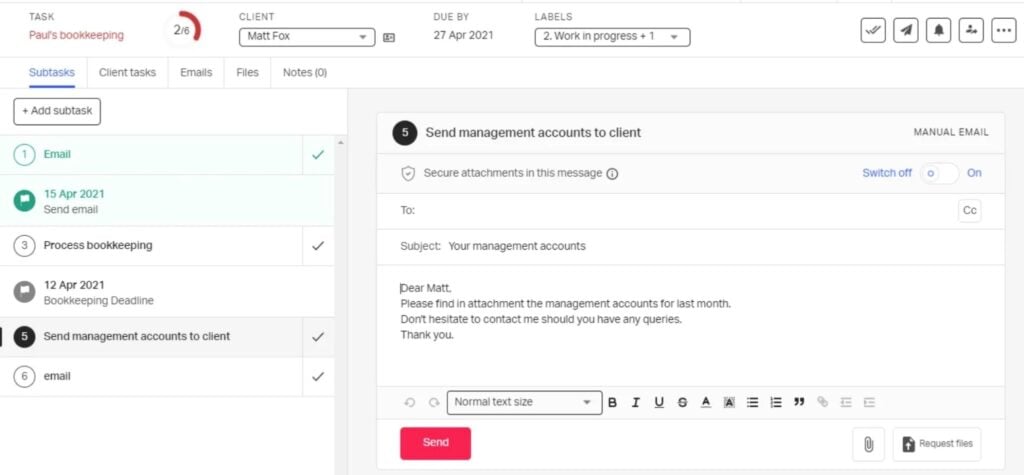
Pixie is a simple practice management solution built for small accounting teams and firms. It provides a rounded toolkit for organizing work, managing client data, and simplifying accounting tasks.
The company is based in the UK, and Pixie is geared towards the needs of accounting firms in the UK and Ireland. Although this mostly translates to a Companies House integration, Anti-Money Laundering (AML) checks, and promises of GDPR compliance.
Given Pixie’s simplicity, accounting teams outside of the UK have no reason to hesitate using the platform. In fact, Karbon also includes a Companies House integration and support for AML checks (integration required).
Pixie key features:
- Client CRM
- Task management
- Workflow automation
- Recurring jobs
- Client portal
- Document storage and e-signatures
- Integrated email
Pixie plans and pricing (early 2026)
- Under 250 clients: from $1,548/year (equivalent to $129/month)
- 251-500 clients: from $2,388/year (equivalent to $199/month)
- 501-1,000 clients: from $3,948/year (equivalent to $329/month)
- Over 1,000 clients: custom pricing
Pixie pros and cons
| 👍Pros | 👎Cons |
| Flat-rate pricing | Limited automation capabilities |
| Affordable for small teams | Weaker collaboration features than Karbon |
| Easier to set up and use than Karbon | Basic client portal |
| No time tracking or billing | |
| Lacks integrations | |
| Limited growth potential |
What is Karbon?

Karbon is a collaborative practice management platform built for accounting teams. It’s a more advanced system than Pixie, but it’s also significantly more expensive. Instead of focusing on simplicity, Karbon aims to tackle the biggest challenges of workload management for accounting professionals.
This is most obvious in Karbon’s workflow automation and collaboration features. Where Pixie brings workflows into one platform, Karbon helps teams complete them faster. Karbon also includes several features missing in Pixie — eg: billing and payments, and a client mobile app.
Karbon key features:
- Workflow automation
- Team collaboration
- Client management
- Client portal
- Document management and e-signatures
- Time and budget tracking
- Billing and payments
Karbon plans and pricing (early 2026)
- Team: from $708/year (equivalent to $59/month)
- Business: from $1,068/year (equivalent to $89/month)
- Enterprise: custom pricing
Karbon pros and cons
| 👍Pros | 👎Cons |
| Superior collaboration features | Limited features on Team plan |
| Stronger automation than Pixie | Expensive upgrade path |
| Built-in time tracking and billing | Paid add-ons |
| Missing client management features | |
| Underdeveloped client portal | |
| Extensive customization required |
Pixie vs Karbon: feature comparison
On paper, Karbon and Pixie offer a lot of the same features: task management, workflow automation, a client portal, and more. This doesn’t mean you’re getting the same depth or quality of features from both platforms, though.
So, let’s see how the two products compare in the most important feature categories.
Task and workload management
Pixie takes a simple approach to task management, allowing you to create and assign tasks to team members. The system is built around task lists, and you get a template library for common accounting, bookkeeping, and tax preparation tasks.
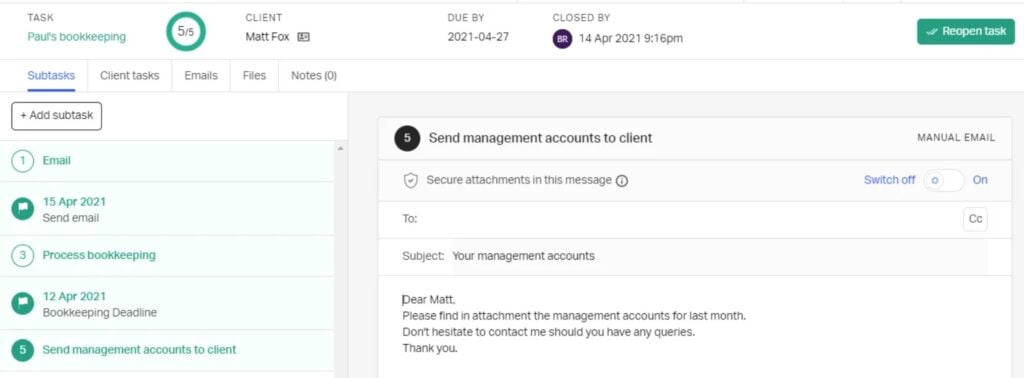
You can organize workflows into subtasks for team members to work through. It’s effective enough for simple processes but relies heavily on manual task completion and checking them off as complete.
Karbon gives you a more comprehensive toolkit for managing tasks and workloads. Firstly, it supports more advanced workflows, making it easier to manage complex sequences, such as client onboarding.
Like Pixie, team members can manage work from their personal Tasks section, but you also get a Kanban view for managing projects with greater visibility. Karbon also gives you significantly stronger reporting features for managing workloads and team productivity.
Workflow automation
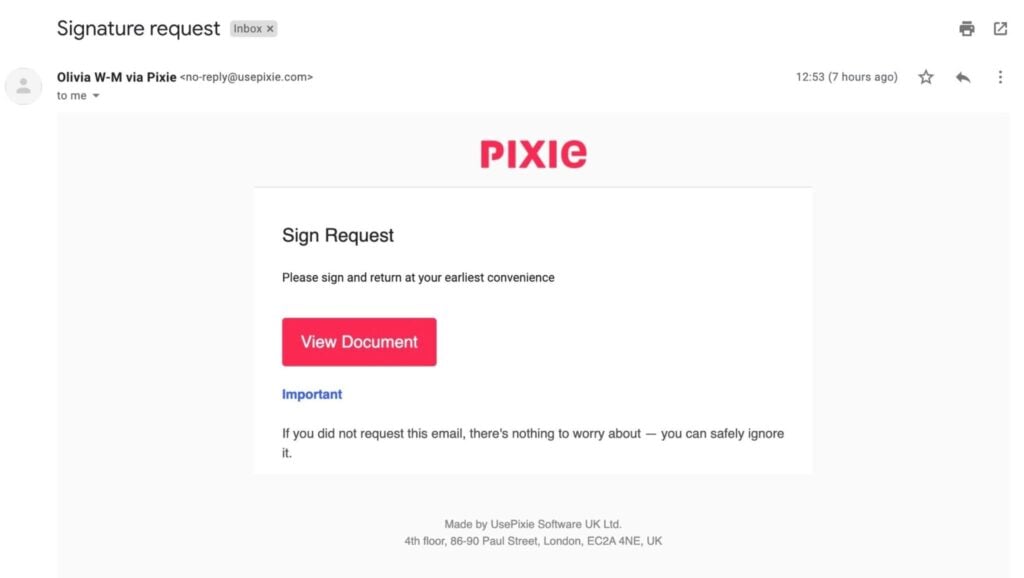
With Pixie, workflow automation is essentially limited to scheduling tasks and setting up recurring tasks. You can speed this up by using or editing workflow templates, and you can set up automatic reminders, but that’s about it.
Karbon is the more capable automation system for accounting firms. You can automate complex sequences using triggers, dependencies, and conditional logic.
Beyond scheduling tasks, this allows you to create workflows where stages automatically start once specific conditions are met.
Team collaboration
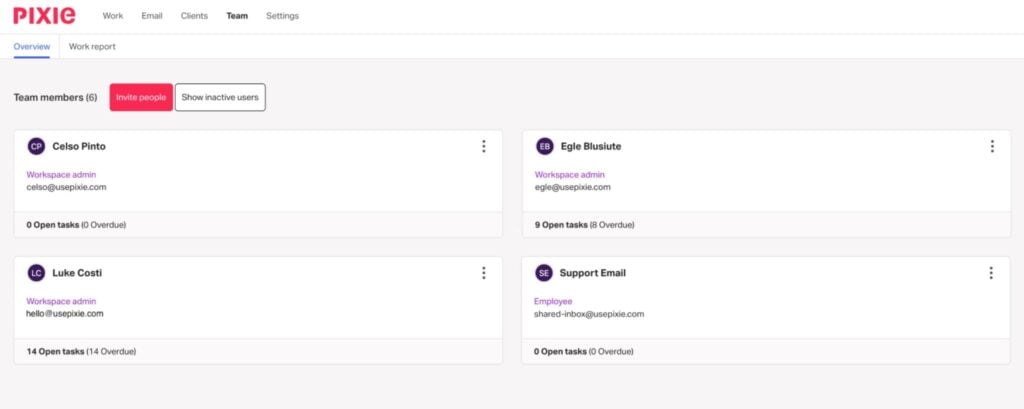
Similarly, Pixie supports the most basic collaboration functionality with its shared inbox and task management features. Beyond this, collaboration has to happen outside of the platform.
Karbon is the stronger team collaboration tool in every way. Team members can comment on tasks, attach files, leave notes, and @mention colleagues — none of which is possible with Pixie.
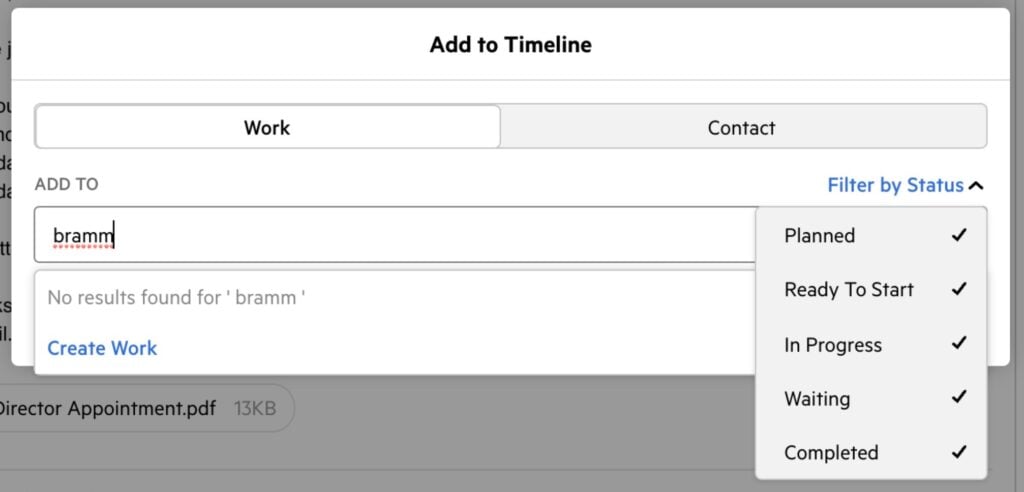
Karbon notifications keep everyone in the loop, while the Kanban view provides visibility of progress at the team level.
CRM and contact management
Pixie includes a simple, built-in CRM for storing and managing client information. You can create custom fields and automate bulk actions to send emails or start workflows for multiple clients from one place.
Karbon’s Contacts system incorporates several CRM-like capabilities for managing clients. Again, you can create contact profiles with custom fields, but you can also create client groups and segments to perform bulk tasks with greater control.
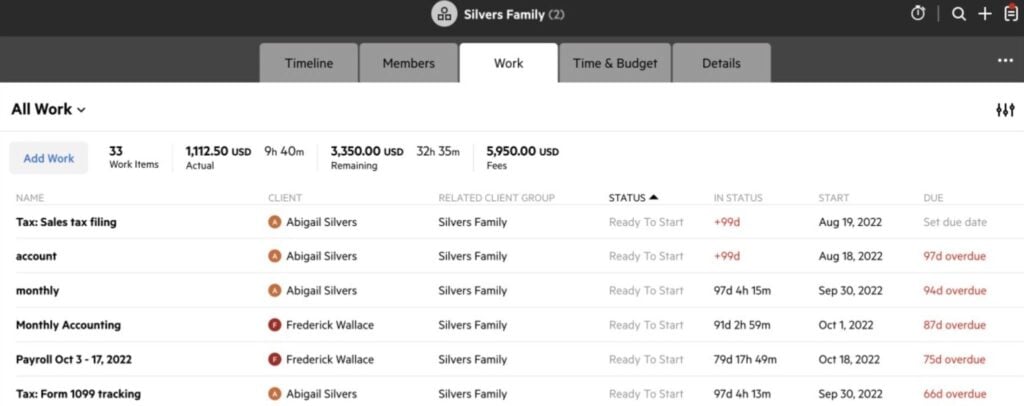
This is no replacement for a complete accounting CRM, but it’s still an improvement on Pixie’s offering.
Client experience
To manage client experiences, Pixie lets you set client tasks, send client requests, and upload signed documents.
Karbon goes further with its client portal, where teams can collaborate with clients: complete tasks, share documents, pay invoices, and more. This is a stronger offering than Pixie, but customer reviews raise some limitations in Karbon’s client management features — especially, lacking features in the client mobile app.
Document management
Pixie also includes a document management system with unlimited storage and e-signature support.
Again, it’s a simple system that can work for small teams, but some customers complain that it’s difficult to organize documents.
Unsurprisingly, Karbon is more robust as a document management system — as you would expect at this price point. It’s easier to organize files and link them to clients, jobs, or tasks.

The biggest issue is that you have to pay for e-signature credits in bundles, which can add hundreds to your bill. Each signature request costs one credit, while KBA signatures cost two credits.
Billing and payments
Pixie doesn’t include any time tracking, billing, or payments features at all. So, this is an easy win for Karbon, which covers you for all three. You can automatically track the time spent on client work, create invoices, and send them to clients without ever leaving Karbon.
Once invoices are sent, you can track payments and send automatic reminders to clients who don’t pay within your set timeframe.
Pixie vs Karbon: pricing comparison
Karbon and Pixie have completely different pricing models, but it’s important to understand the true cost of buying into a practice management tool. Starting prices don’t always reflect the ongoing costs of a product or any additional fees you might have to account for.
So, let’s dig into the numbers and see what you’re really looking at when you sign up for Pixie or Karbon.
How much does Pixie really cost?
Unlike most software providers, Pixie runs a flat-rate pricing model, which means you get access to all of its features from day one. There are no plans or upgrades to think about, and you’re also covered for unlimited users.
The only pricing factor is how many clients you have:
- Under 250 clients: from $1,548/year (equivalent to $129/month)
- 251-500 clients: from $2,388/year (equivalent to $199/month)
- 501-1,000 clients: from $3,948/year (equivalent to $329/month)
- Over 1,000 clients: custom pricing
Realistically, Pixie is a great option for small accounting teams that need a simple, affordable platform. But the lack of feature depth makes it difficult to manage complex workflows, which limits scalability for growing firms.
How much does Karbon really cost?
Karbon’s pricing model is more complex than Pixie’s. Firstly, you’ve got three plans with different feature offerings to choose from:
- Team: from $708/year (equivalent to $59/month)
- Business: from $1,068/year (equivalent to $89/month)
- Enterprise: custom pricing
So, right away, you have to think about the feature distribution across plans and the potential upgrade path you’re looking at. You also need to look out for paid add-ons and additional fees (spoiler alert: there are a lot of them).
The $708/year ($59/month) Team plan does not include the following:
- Integrations
- Automatic client reminders
- Sequential task automation
- Client groups
- User permissions
- Custom reporting
- Data import assistance
- Training support (paid add-on)
You also have usage limits in place for workflow management and other automation features. Then, you have paid add-ons for reporting, customer support, and many of Karbon’s most promising features.
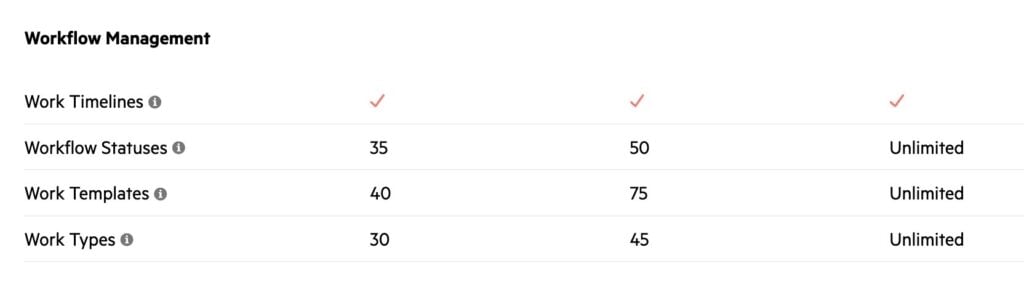
However, the biggest issue with the Teams plan is the lack of integrations. These are so important for accounting that it’s difficult to see how this plan is a serious option for individuals or teams.
Realistically, you have to sign up for the $1,068/year ($89/month) Business plan to start getting the best out of Karbon, but you’re still reliant on paid add-ons to unlock its best features.
Finally, whichever Karbon plan you sign up for, you’ll also need to consider the additional fees for e-signature credits and payment processing.
Payment processing fees vary, depending on the type of card you’re using, and e-signature credits come in bundles. The problem with bundles is that you end up paying over 4x as much once you pass 100 credits, and almost double again if you exceed 500.
As you can see, there’s a lot to weigh up with Karbon’s pricing, but you’re almost certainly going to pay far more than the starting prices listed on its website. In reality, you’re looking at a minimum starting price of $1,200/year, per team member, to get the features an accounting firm really needs from Karbon.
Pixie vs Karbon: how does the experience compare after you sign up?
Implementing a practice management system doesn’t happen overnight, so how do Pixie and Karbon compare after the initial signup? To answer this question, let’s explore the onboarding process, integration options, and customer support of both providers.
Which platform is easier to set up and use?
Pixie is a simpler platform overall, so it shouldn’t come as a surprise that it’s both easier to set up and use than Karbon. With Pixie, there’s less to set up, learn, and customize, while the lighter set of features results in a cleaner interface and simpler user experience.
You’ll see this sentiment in Pixie customer reviews, which generally praise its onboarding process and usability.
This is most evident with workflow management in Pixie. With minimal automation, you can set up workflows in hours or days rather than weeks. The question then becomes: is this simplicity an asset or a limitation for your firm?
Karbon is the complete opposite in this regard. You get stronger feature depth across the platform and a more sophisticated automation system, but you have to invest the time (and money) into setting it up properly.
Karbon being a more complex product also impacts the user experience. While customers generally praise its ease of use, the learning curve and usability issues are common complaints in customer reviews.
Which ecosystem offers the strongest integration options?
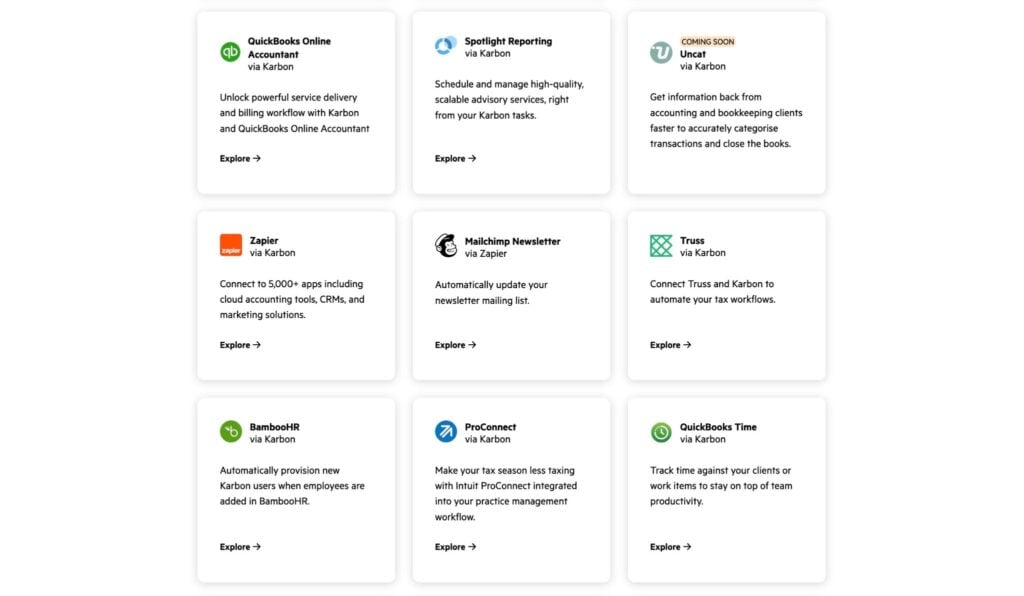
Karbon offers a far more comprehensive set of integration options than Pixie. This includes native integrations for QuickBooks Online and Xero for synchronizing client data.
You also get solid integration options for Google apps, including Gmail, Google Drive, Calendar, and more. And it’s a similar story with Microsoft apps: Office 365 (Outlook), OneDrive, Outlook Calendar, and more.
Keep in mind that you can’t access Karbon’s integration ecosystem on the Team plan; you have to sign up for the Business plan or higher.
Pixie is light on integrations. Aside from built-in support for Gmail and Office 365 (Outlook) integrations, you’ll have to use Pixie’s Zapier integration to connect with most tools. This opens up a lot of options, but it’s no replacement for direct integrations.
Crucially, Pixie doesn’t support any native integrations with accounting software, such as QuickBooks Online or Xero.
Keep in mind that you have to pay for monthly Zap allowances with Zapier, depending on how many automations you run.
UK firms can also integrate with Companies House to import client details and Xama for AML checks (Karbon supports both of these integrations, too).
Which company provides the better customer support?
Pixie doesn’t provide extensive onboarding support, but it does promise “same-day, response, live chat, and email support”. You also get product documentation and access to the Pixie Academy, which includes a 3-hour training course.
Given that Pixie is a relatively simple practice management system, this lightweight support package seems to work for customers. Take a look at Pixie reviews, and you’ll see that customers regularly praise the company’s support team.

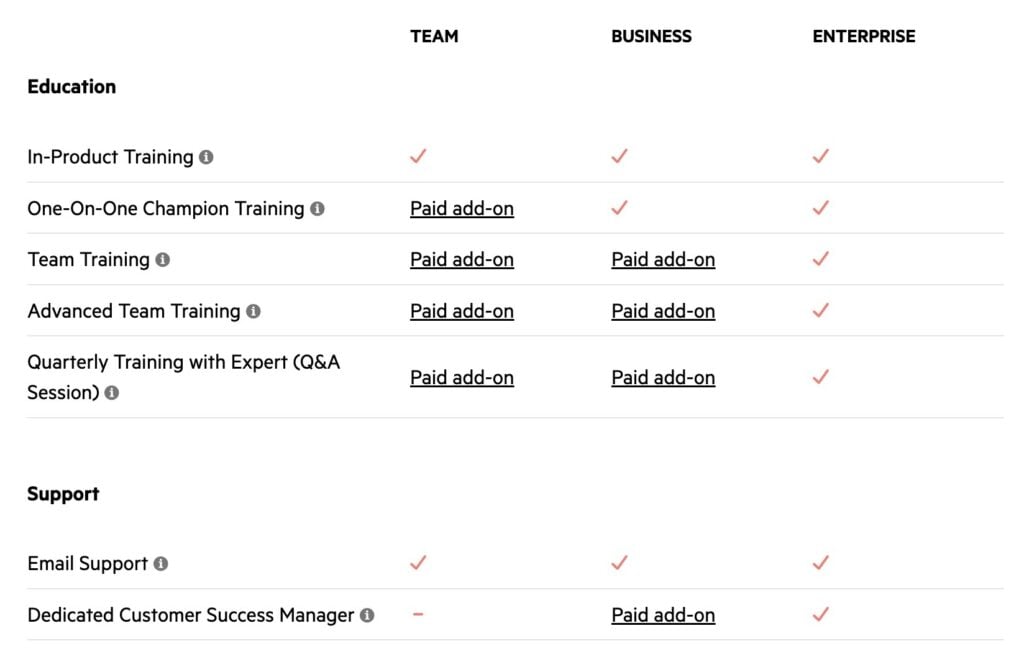
As a far more complex product, Karbon offers more comprehensive support options. This includes one-to-one training and several team training services, plus an optional dedicated success manager.
However, most of Karbon’s training and support options are only available as paid add-ons, unless you sign up for the Enterprise plan. So, if you’re signing up for the Team or Business plan, request a clear breakdown of pricing from the sales team to know exactly what you’re paying for.
Comparison summary: Pixie vs Karbon vs TaxDome
By this point, the differences between Pixie and Karbon should be clear. Pixie prioritizes simplicity and affordability. Karbon offers a stronger product overall, but it still has feature gaps, and the true cost runs higher than the starting price on its website.
If simplicity and price are important to you, then Pixie’s flat-rate model is hard to beat — as long as you’re happy with the feature offering. But what if you need something more advanced than Karbon, or you don’t want to deal with the escalating subscriptions and add-on fees?
TaxDome is the complete practice management platform for accounting firms. Where Karbon focuses on internal processes and collaboration, TaxDome puts equal emphasis on client management and growth.
You get a full accounting CRM with unlimited contacts, a secure client portal, and the top-rated client mobile app on iOS and Android.
Here’s a quick comparison of how Pixie and Karbon compare with TaxDome:
| Pixie | Karbon | TaxDome | |
| Built for | Small accounting firms in the UK | Collaborative accounting teams | High-growth accounting firms |
| Starting price | $1,548/year(≈ $129/month) | $708/year(≈ $59/month) | $700/year(≈ $58/month) |
| Value for money | Unlimited users | Additional costs | Excellent |
| Features | Moderate | Strong | Complete |
| Task and workload management | Simple | Advanced | Advanced |
| Workflow automation | Limited | Strong | Advanced |
| Team collaboration | Basic | Advanced | Advanced |
| CRM and contact management | Basic | Moderate | Full CRM |
| Client experience | Moderate | Strong | Complete |
| Client mobile app | Not included | Basic | Top-rated |
| Document management | Moderate | Strong | Unlimited |
| Billing and payments | Not included | Strong | Advanced |
| Reporting and insights | Basic | Paid add-ons | Included |
| Integrations | Limited | Extensive (on higher plans) | Extensive |
| Onboarding and support | Highly rated | Paid add-ons | Complete |
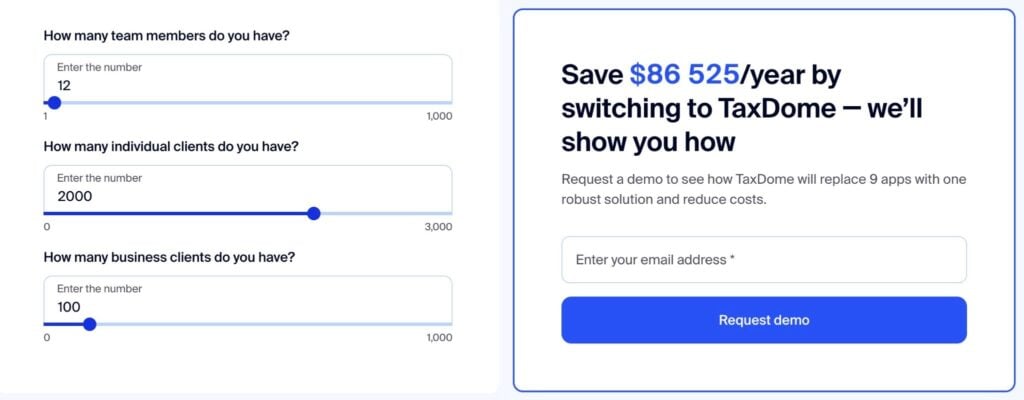
With TaxDome, you don’t need to pay for add-ons or extra tools for billing and payments, proposals and engagements, or IRS-compliant e-signatures. You get everything you need from one platform that saves firms tens of thousands in software fees every year.
Try our savings calculator to see how much you could save by replacing your tech stack with TaxDome.
Which practice management system is right for your accounting firm?
Hopefully, choosing the right system for your firm is much easier now. Certainly, if Pixie and Karbon are two of the key names on your shortlist, the differences between the two platforms should be clear by now.
Here’s a quick review of our findings:
- Pixie: the best choice for small accounting firms that want a simple, affordable solution.
- Karbon: the collaborative workload management system for accounting teams (just make sure you understand the pricing and what you’re buying into)
- TaxDome: the complete practice management platform and growth machine for accounting firms
Don’t take our word for it. Choose the platform named #1 practice management software by G2 and winner of the Practice Management Systems award at the 2025 CPA Practice Advisor Readers’ Choice Awards.

Aaron produces practical content for TaxDome, drawing on 11 years in SaaS copywriting and marketing. He helps accounting and tax professionals get the most from TaxDome and other tools, making complex topics clear and actionable.

Get your free guide

Thank you!
The guide copy has been sent to your email. Please check your inbox!
Recommended articles
9 best QuickBooks alternatives in 2026 for every business type
65+ key accounting statistics and insights for 2026

How to start an accounting firm: a step-by-step guide to running your own practice