 US – English
 UK – English
 Canada – English
 Australia – English
 Danmark – Dansk
 DACH - Deutsch
 France – Français
 España – Español
 Sverige – Svenska
 Italia – Italiano
 Nederland – Nederlands
 Portugal – Português
 Suomi – Suomi
 Norge – Norsk
 日本 – 日本語
 Romanian – Română












June 2024 update

Run your entire firm on one platform

Our June update is packed with new features and enhancements that we’re excited for you to check out. We also have some great news to share: TaxDome won big at the CPA Practice Advisor Readers’ Choice Awards!
More than 5,500 of your peers voted and TaxDome cleaned up, scoring top three in five categories and winning the overall Comprehensive Firm Workflow Solutions category.

On behalf of the entire TaxDome team, thank you so much to everyone who voted for us!
Our commitment to innovation continues. Over the past month, we’ve implemented a host of updates designed to enhance your user experience, streamline your processes, and level up your client experience.
In case you missed it, you’ll also find our newest live webinar below, where we introduced three major TaxDome product innovations: AI-powered reporting, client-facing job statuses, and redesigned invoices.
Sneak Peek
- New desktop Mac app for TaxDome: enjoy greater convenience on macOS — and boost your productivity
- Improved visibility for unread messages: firm members will have an indicator for new client messages right in the sidebar, plus a new table showing the number of unread emails, chats, and SMS messages for each client account
- Partial invoice payments: improve your means to get paid on time — and enhance your client experience — by giving clients greater flexibility over their invoice payments
Check out this video overview of all our new features and improvements:
Table of сontents
Table of сontents
📐 UX Changes
Revamped job sidebar
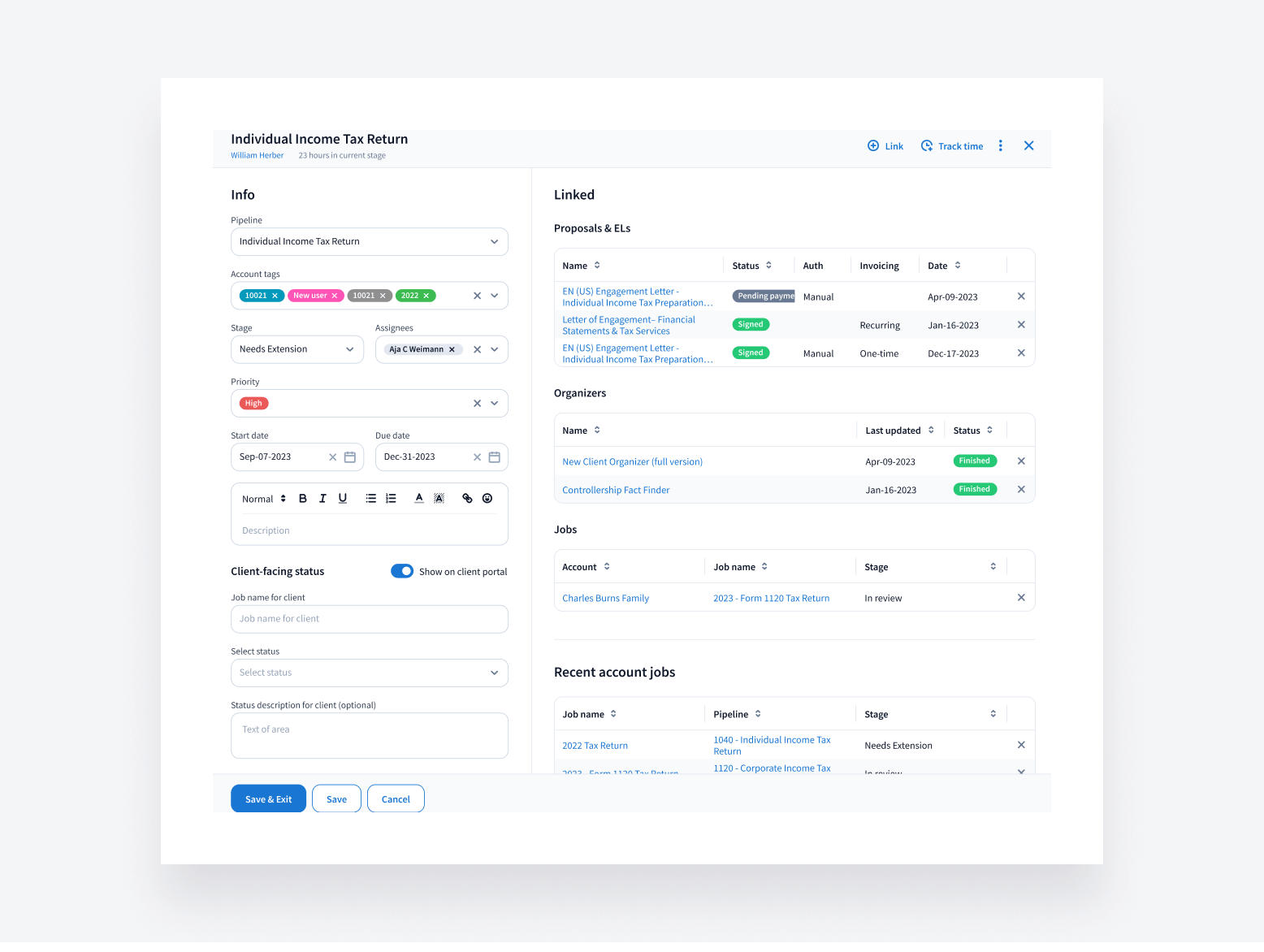
A new, wider job sidebar now allows you to view job-related info and access linked items in one place — no scrolling or searching needed.
Within the next few months, the comment area of the job sidebar will also be redesigned, making it easier to leave notes and mention your teammates.
Improved menu
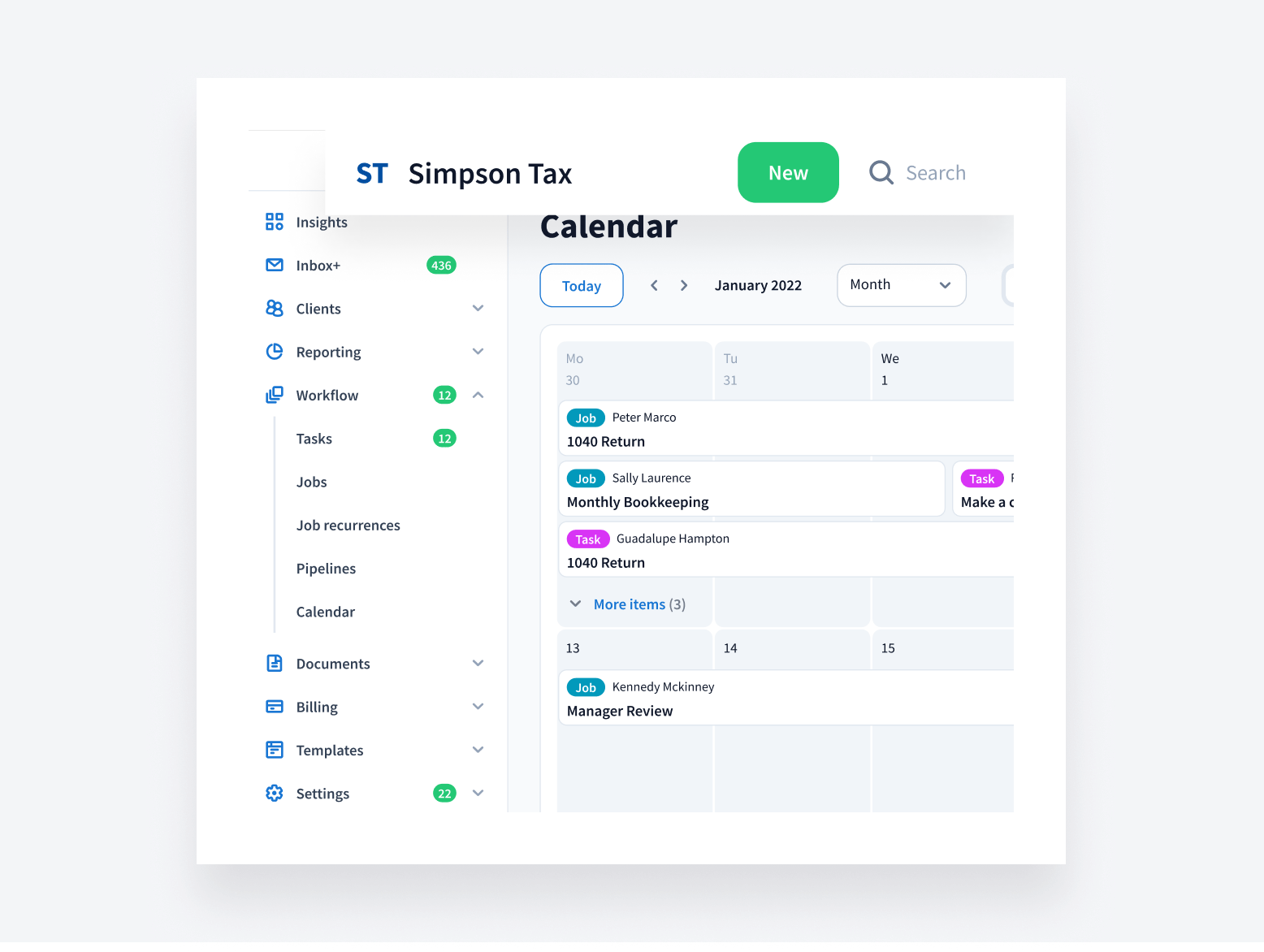
We’ve redesigned the navigation to allow you to get to where you need to go faster.
- Easily locate core features with a new drop-down design
- Enjoy a fixed header on all pages, providing easy access to a search bar and +New button
- Pin the menu to make it visible or leave unpinned to clear up screen space. When the menu is unpinned, simply hover over the icons to view the full menu
Polished interface
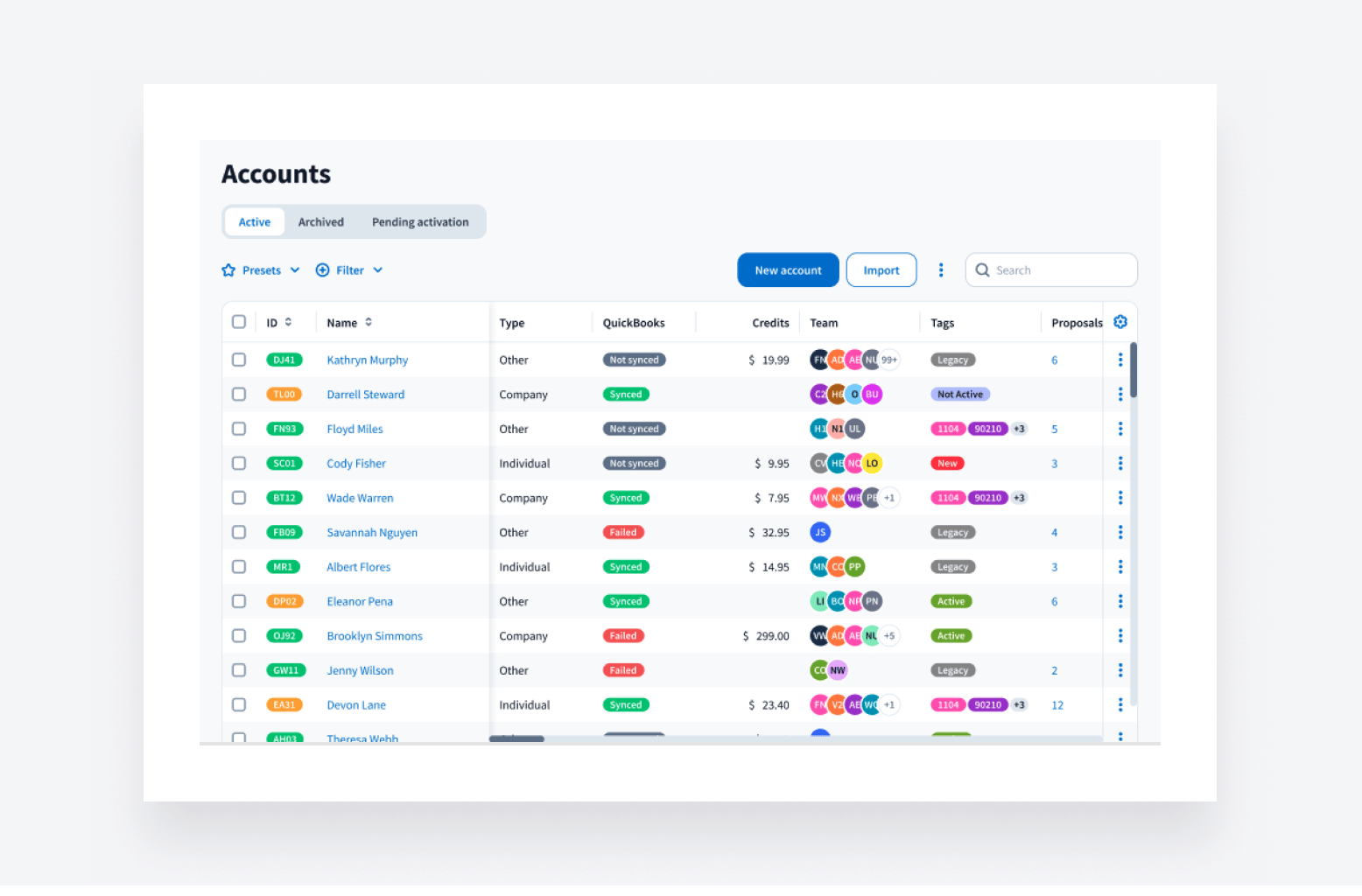
To complement these new usability upgrades, we’ve also polished the interface. It’s the TaxDome you know and love, but with improved visibility thanks to a redesigned color scheme.
Explore more of our new usability upgrades, all designed to enhance your TaxDome experience >>
🤖 Workflow
Easier time tracking
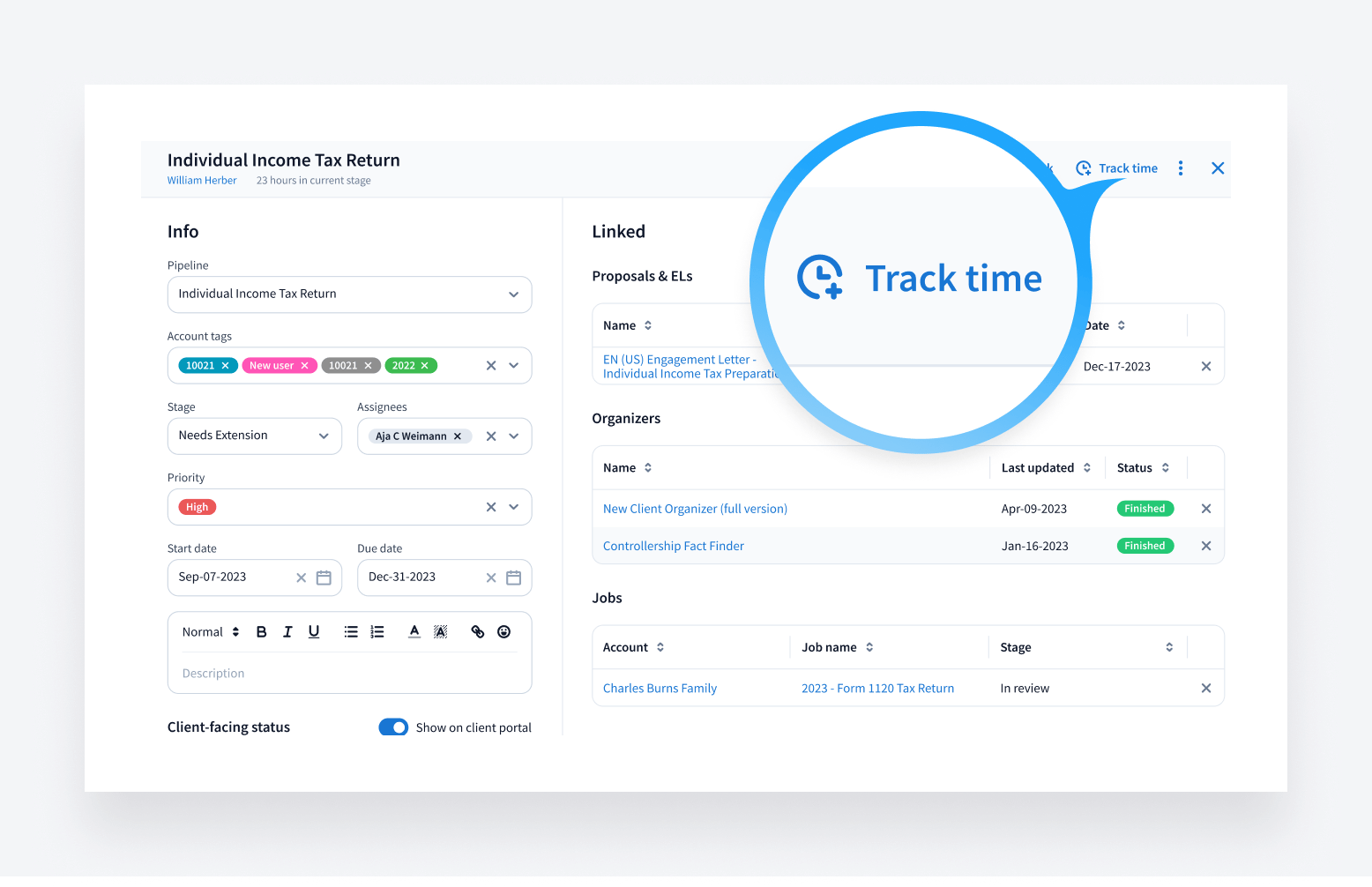
You can now initiate time tracking for jobs and tasks in just one click. This update also introduces more granular time-tracking capabilities. You’ll be able to track time on individual tasks as well as entire jobs, giving you greater control over your billable hours. You’ll also be able to access timers more quickly through the task and job sidebars.
New to TaxDome? Read more about how TaxDome makes it easy to bill time >>
Simplified service search when creating time entries
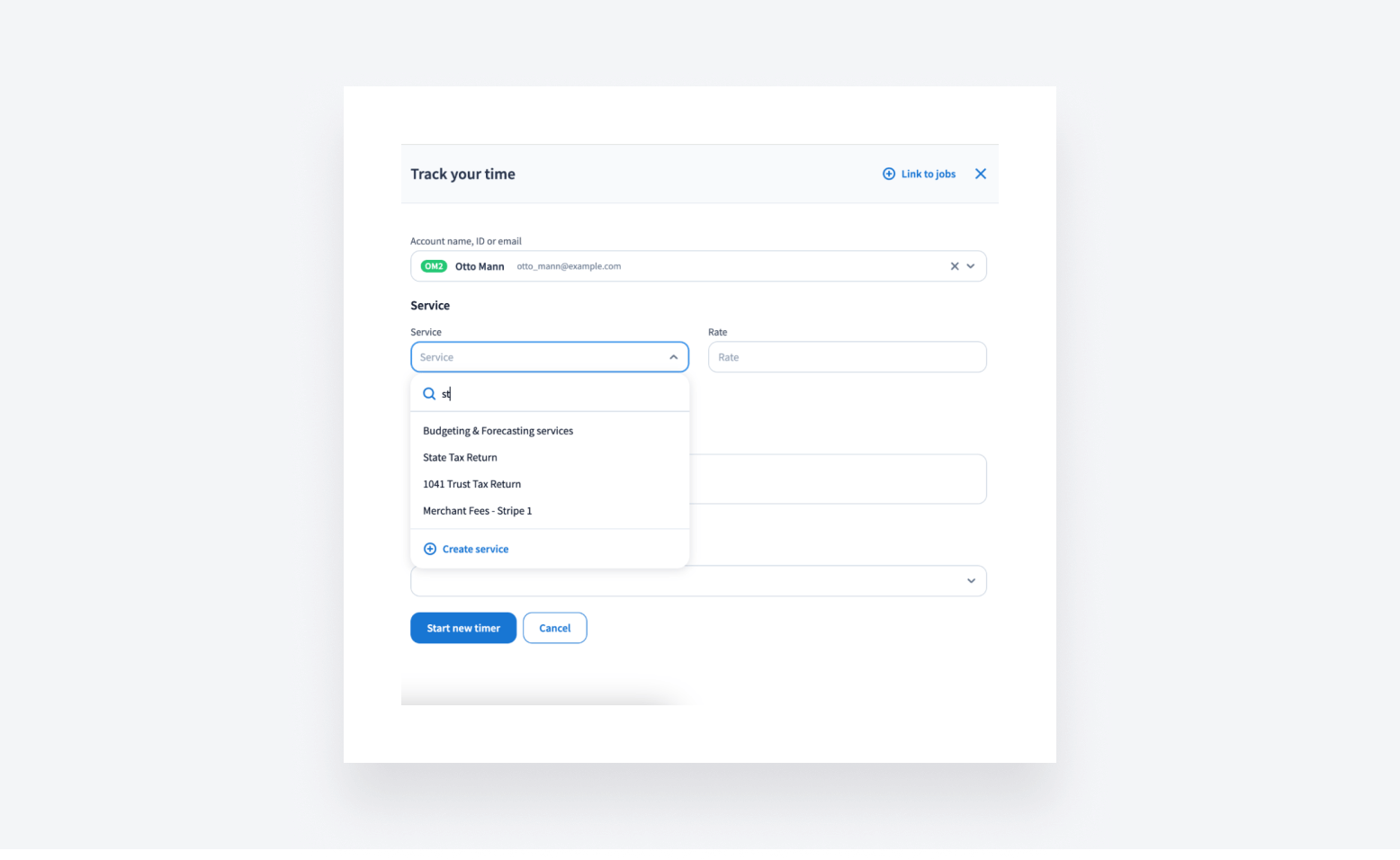
Within time tracking, we’ve also simplified the process of searching for services when creating time entries. Now, it’s possible to search for services by simply typing within the line item — no more scrolling, more time saved.
New to TaxDome? Explore TaxDome’s Services feature that simplifies invoice creation >>
New pipeline design page
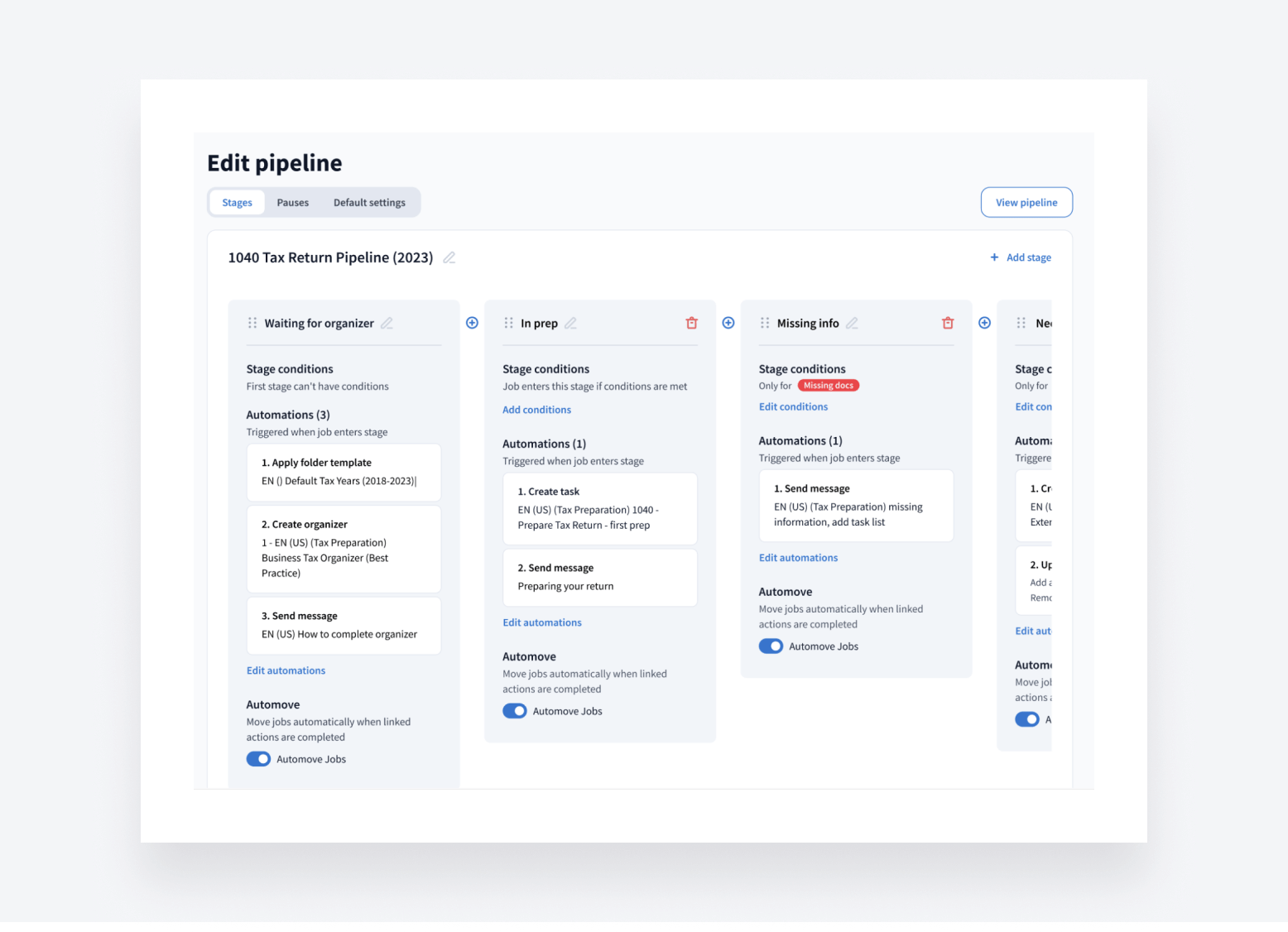
Our new and updated pipeline design page lets you create and modify your workflows faster — stages are visible right away so you can add automations or conditions quickly, while less frequently used settings have been moved to a separate page.
💬 Communications
Control whether your clients can create new chat threads
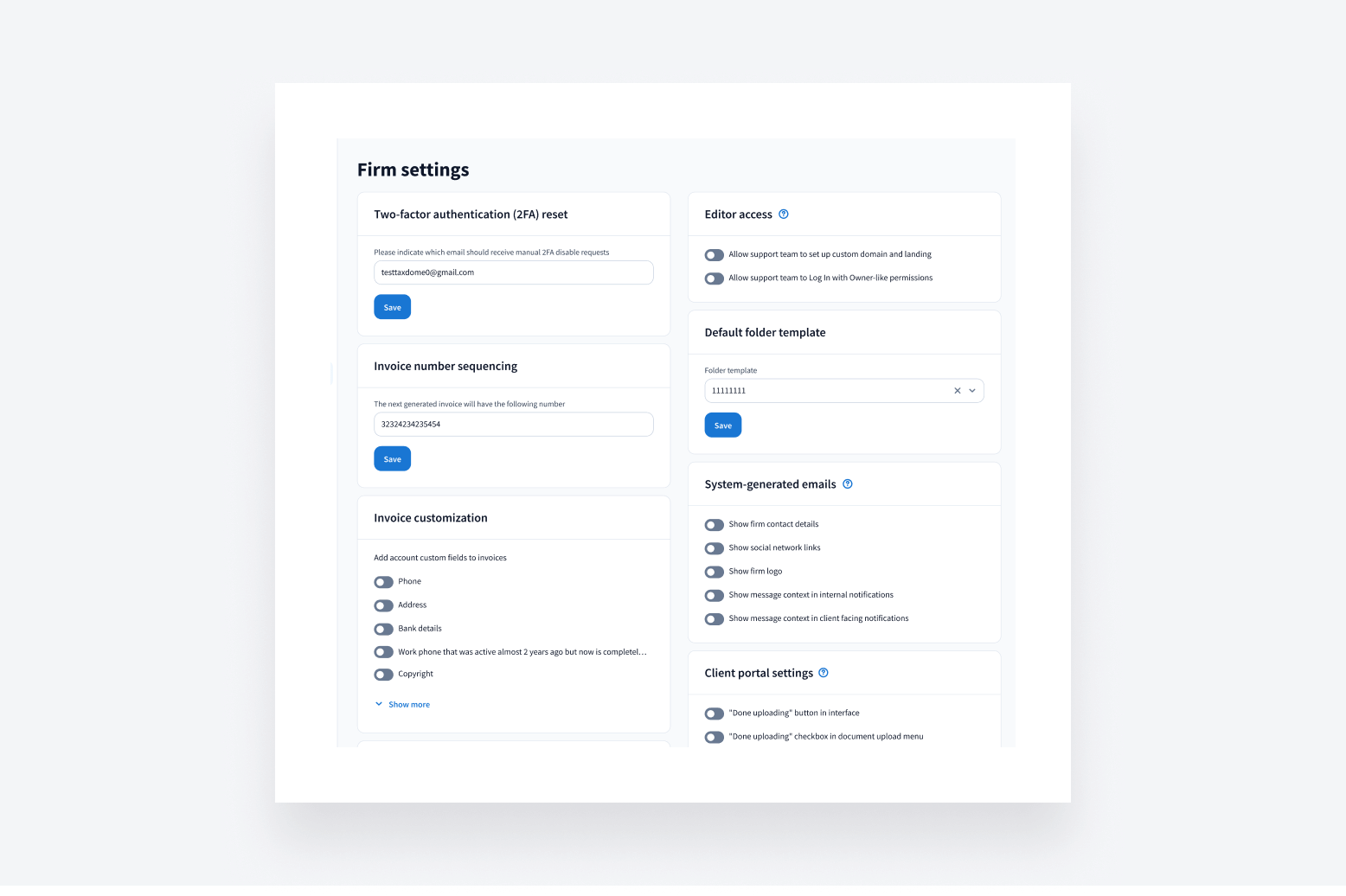
A new toggle in Firm Settings now allows your firm to choose whether clients can create new chat threads or only respond to existing threads sent by your firm — giving you another way to manage and keep track of your clients’ messages.
New to TaxDome? See more ways TaxDome helps you manage chats with clients >>
🎥 Webinar: TaxDome Q2 highlights
We recently hosted a live webinar covering three major new TaxDome product innovations: AI-powered reporting, client-facing jobs statuses, and redesigned invoices. More than 1,000 people joined co-founder and chief product officer Ilya Radzinsky, chief revenue officer Petar Iliev, and special guests Katie Conley and Candice Bruning.
If you weren’t able to join, we’ve got you covered. Watch a full recording of the webinar below, and check out the transcript of the Q&A session to answer any questions you may have.
🔥 Other
- More perks & offers to come — look out for new additions in the coming months
- If you haven’t yet had a chance to check out our latest bootcamp, register to receive recordings of five hands-on workshops that explore how to customize your CRM, automate workflows, and get paid faster
We’re bringing you all the above this month — plus 53 more tweaks and fixes!
We’ll have more updates for you in July. In the meantime, join our Facebook Community to ask questions, suggest new features, or chat with other TaxDome users.
And in case you missed it, here’s a summary of the major features we covered in our May 2024 update.

Josef creates clear, actionable content at TaxDome, highlighting features, updates, and key accounting topics. His focus is on making complex ideas accessible and engaging, helping users understand and apply insights effectively.

Get your free guide

Thank you!
The guide copy has been sent to your email. Please check your inbox!
Recommended articles

TaxDome AI: more than 2,000,000 documents organized for accountants this past tax season—and we’re just getting started

Webinar recap and Q&A: Summer Update 2026

Unpacking the differences between TaxDome Payments and Stripe