 US – English
 UK – English
 Canada – English
 Australia – English
 Danmark – Dansk
 DACH - Deutsch
 France – Français
 España – Español
 Sverige – Svenska
 Italia – Italiano
 Nederland – Nederlands
 Portugal – Português
 Suomi – Suomi
 Norge – Norsk
 日本 – 日本語
 Romanian – Română












Best payment processing for accounting firms in 2026

Run your entire firm on one platform
TL;DR
- TaxDome Payments is the only option on this list with a 4.9-star client mobile app rated by 35,000+ verified clients. Billing is fully integrated into the same app clients already use
- CPACharge is a well-established profession-specific processor, but operates as a standalone tool
- Stripe offers the most flexibility for firms that want full infrastructure control
- QuickBooks Payments is the natural fit for firms whose workflow lives in QuickBooks Online
- Canopy Payments is the integrated option for firms already on Canopy, though the rate gap and lack of fee passthrough are worth examining before committing.
Choosing a payment processor feels simple at first. You compare rates, pick the cheapest option, and move on.
But for accounting firms, the real cost goes beyond the transaction fee. It’s the hours spent following up on unpaid invoices. The manual reconciliation after every payment. The clients who delay paying because the process feels inconvenient.
This guide covers the five most relevant accounting firm payment software options for accounting firms in 2026. We evaluate each on processing fees, client experience, practice management integration, and total cost of ownership.
There are no paid placements or affiliate links in this article.
Table of сontents
- What to look for in accounting firm payment software
- At a glance: payment processing for accounting firms
- TaxDome Payments: best for fully integrated billing and client experience
- CPACharge: best standalone processor for accounting professionals
- Stripe: best for firms that want full infrastructure control
- QuickBooks Payments: best for QuickBooks-first firms
- Canopy Payments: best for Canopy platform users
- Which option is right for your firm?
Table of сontents
- What to look for in accounting firm payment software
- At a glance: payment processing for accounting firms
- TaxDome Payments: best for fully integrated billing and client experience
- CPACharge: best standalone processor for accounting professionals
- Stripe: best for firms that want full infrastructure control
- QuickBooks Payments: best for QuickBooks-first firms
- Canopy Payments: best for Canopy platform users
- Which option is right for your firm?
What to look for in accounting firm payment software
Most firms start by comparing transaction fees. That’s reasonable. But four other factors matter just as much.
Where billing lives in your workflow. Does the processor sit inside your practice management platform? Or is it a separate tool your team has to reconcile manually? When billing lives outside your workflow, the hidden cost is admin time: following up on invoices, updating job status by hand, logging into separate systems.
The client experience. A processor can have low fees and still create friction for clients. Clients who find payment confusing put it off. The best experience is one where clients pay inside a platform they already use, with saved payment methods, no separate login, and a simple checkout on any device.
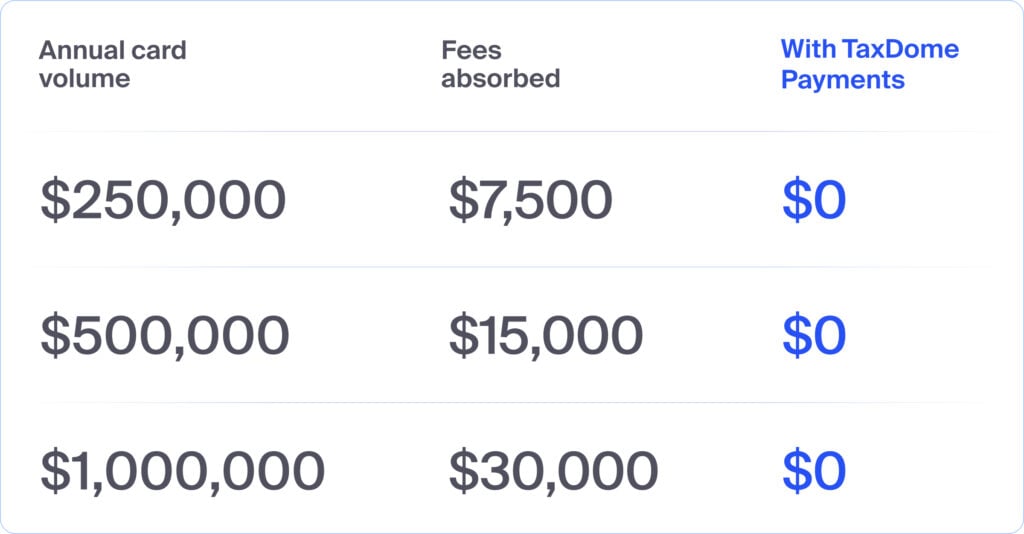
Fee passthrough options. Some processors let firms pass card processing costs to clients. At scale this matters significantly. A firm processing $500K in card payments annually absorbs $15,000 in fees at a standard 3% rate. Fee passthrough brings that to zero. Not every processor offers that.
Setup and ongoing admin. You’ll want to ask questions like: how long does setup take? What does your team handle manually each month? Are there hidden fees beyond the headline rate?
At a glance: payment processing for accounting firms
| TaxDome Payments | CPACharge | Stripe | QuickBooks Payments | Canopy Payments | |
| Card rate | 2.9% + $0.30 | 2.99% + $0.30 | 2.9% + $0.30 | 2.9% (invoiced) | 3.30% + $0.20 |
| ACH rate | 1%, max $10 | 1%, max $10 | 0.8%, max $5 | 1%, max $10 | 1%, max $10 |
| Monthly fee | None | From $10/month | None | None (with QBO) | None (with Canopy) |
| Fee passthrough | Yes | No | No | No | No |
| Built into practice management | Yes: TaxDome | No | No | Partial: QBO only | Yes: Canopy |
| Client mobile app | Yes: 4.9 stars, 35,000+ reviews | No | No | No | Yes |
| Document paywall | Yes | No | No | No | No |
| Pipeline automation on payment | Yes | No | No | No | No |
Variable card processing rates based on volume are available for TaxDome Payments. Book a demo to learn more.
1. TaxDome Payments: best for fully integrated billing and client experience
At a glance
- Best for: accounting and tax firms that want payments, document delivery, and pipeline automation in one place
- Key strength: billing fully integrated into the client workflow
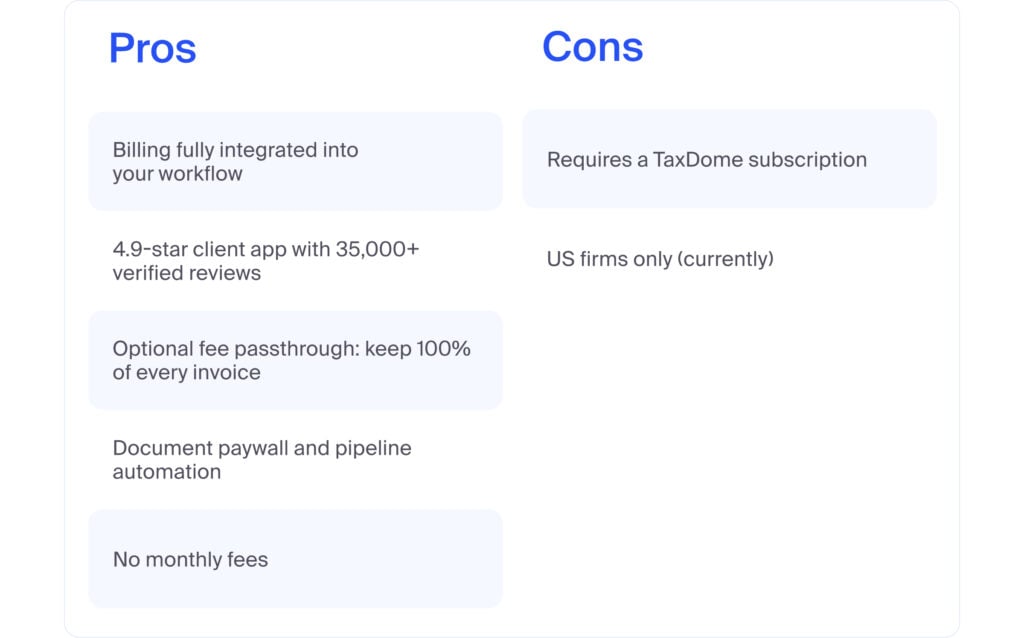
- TaxDome Payments: requires a TaxDome subscription. It’s not a standalone tool
TaxDome Payments is built directly into TaxDome’s practice management platform. It isn’t a standalone processor. Billing lives inside the same system your team uses to manage clients, documents, and workflows.
How it works for clients
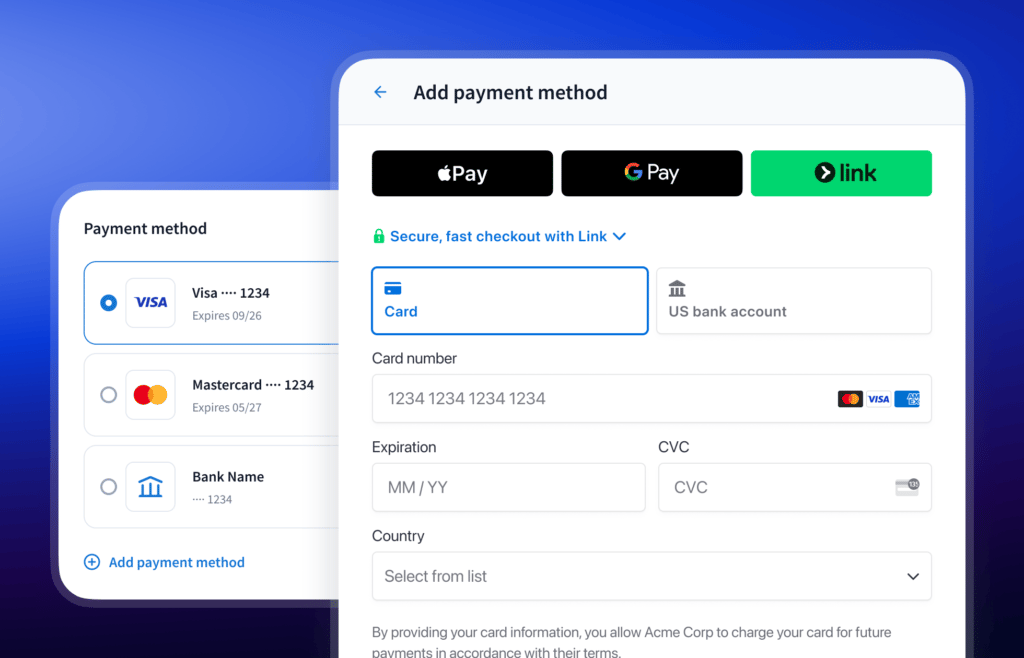
Clients receive an invoice inside the TaxDome client app, the same app they use to sign documents, upload files, and communicate with your firm. They pay by card, Apple Pay, Google Pay, or ACH without a separate login and without leaving the platform. For ACH, clients can connect their bank or enter their account details manually. Card and bank details are saved after the first payment, so repeat transactions require no re-entry.
The TaxDome client app carries a 4.9-star rating across 35,000+ reviews on the App Store and Google Play from accounting firm clients themselves. No other processor on this list has an equivalent proof point.
The reviews from clients put it simply:
“This was so easy to pay. Just scan your card in the camera and enter 3 numbers! Best payment method ever!
— JonnyD537
“Payments are secure and processed quickly, giving me peace of mind. Highly recommended for anyone who wants a smooth, efficient process managing their taxes!
— Our House 2
How it works for your firm
- Document paywall: documents lock to invoices. Clients access completed work only after payment. No following up required
- Deposit collection: clients pay a deposit at the moment they sign a proposal. Work starts with money already in hand. No separate follow-up required
- Pipeline automation: jobs advance automatically once a client pays. No manual reconciliation
- QuickBooks sync: all transactions sync to QuickBooks without manual adjustments.
- Saved payment methods: clients store card or bank details once. Repeat payments need no re-entry
- No monthly fees: pay per transaction only
The fee passthrough advantage
TaxDome Payments includes an option to pass the 3% payment technology cost to clients. Your firm keeps 100% of every invoice.
Processing rates
- Cards (Visa, Mastercard, Discover): 2.9% + $0.30
- American Express and non-US cards: additional 1%
- ACH bank debit: 1%, maximum $10
Pros and cons
2. CPACharge: best standalone processor for accounting professionals
At a glance
- Best for: firms that want a profession-specific standalone processor
- Key strength: built specifically for CPAs and accounting professionals
- Main consideration: operates as a standalone tool outside your practice management workflow
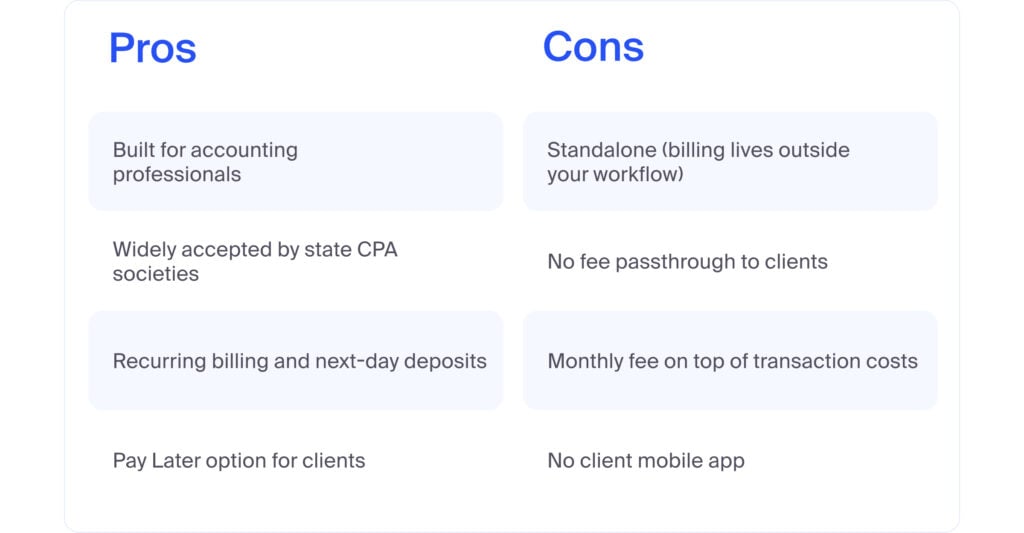
CPACharge is one of the most established payment processors in the accounting profession. It accepts card and ACH payments, offers recurring billing, integrates with QuickBooks, and includes a Pay Later option through Affirm that lets clients pay in installments while the firm receives 100% upfront.
It’s a solid standalone tool built for accounting firms. But it still operates outside your practice management platform. Clients pay through a separate portal, there’s no native workflow automation or document-linked payments, and your team handles reconciliation manually.
For firms actively looking for a CPACharge alternative that goes beyond standalone payment collection, an integrated solution is worth evaluating before committing to a like-for-like replacement.
Processing rates
- Standard cards (Visa, Mastercard, Discover): 2.99% + $0.30
- American Express: 3.50% + $0.20
- ACH/eCheck: 1%, maximum $10
- Monthly fee: from $10/month
Pros and cons
3. Stripe: best for firms that want full infrastructure control
At a glance
- Best for: firms that want full control over their payment infrastructure
- Key strength: competitive rates and broad payment method support
- Main consideration: no accounting-specific features. Billing stays entirely separate from your workflow
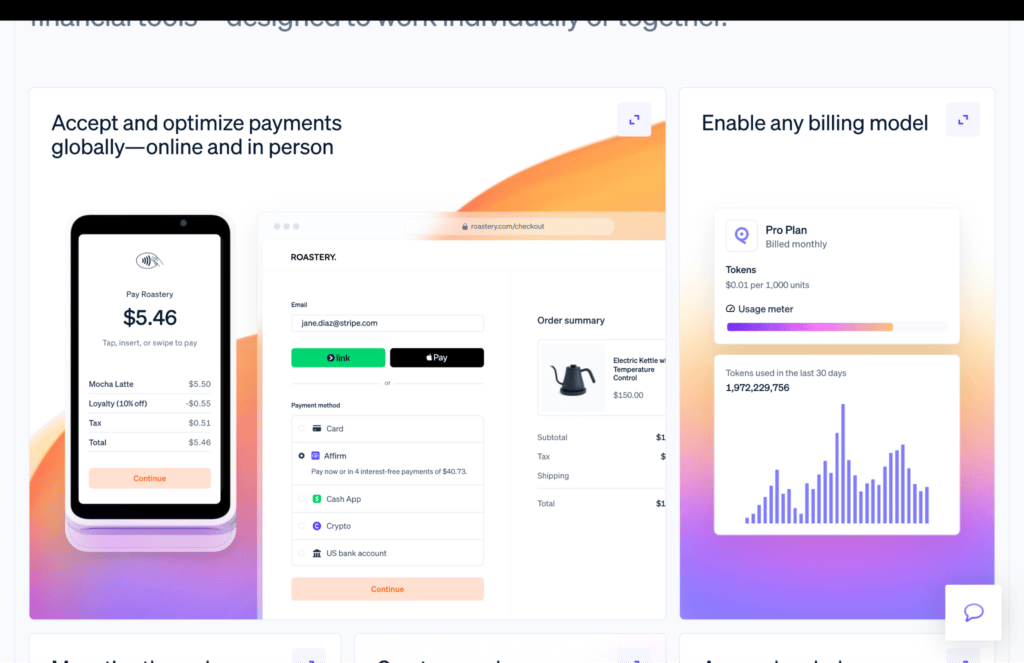
Stripe is the payment infrastructure behind a significant share of global online commerce, including TaxDome Payments.
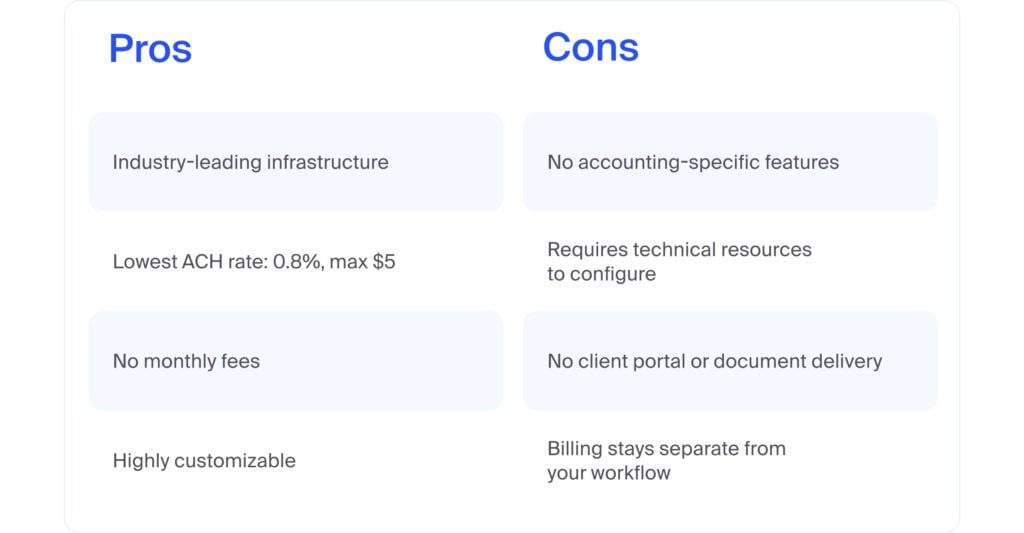
As a standalone option, it offers competitive rates and broad payment method support. But Stripe is infrastructure, not a practice management system. Payments run separately from your client workflows, with no built-in portal, document delivery, or pipeline automation for accounting firms.
It offers the lowest ACH rate on this list at 0.8%, capped at $5. For firms with high ACH volume that don’t need billing integrated into their workflow, that’s a meaningful advantage. For most accounting firms, the lack of accounting-specific features outweighs it.
Processing rates
- Cards: 2.9% + $0.30
- American Express and international cards: additional 1%
- ACH bank debit: 0.8%, maximum $5
- No monthly fees
Pros and cons
4. QuickBooks Payments: best for QuickBooks-first firms
At a glance
- Best for: firms whose primary workflow lives in QuickBooks Online
- Key strength: tightest native QBO sync
- Main consideration: part of QuickBooks. No connection to practice management platforms
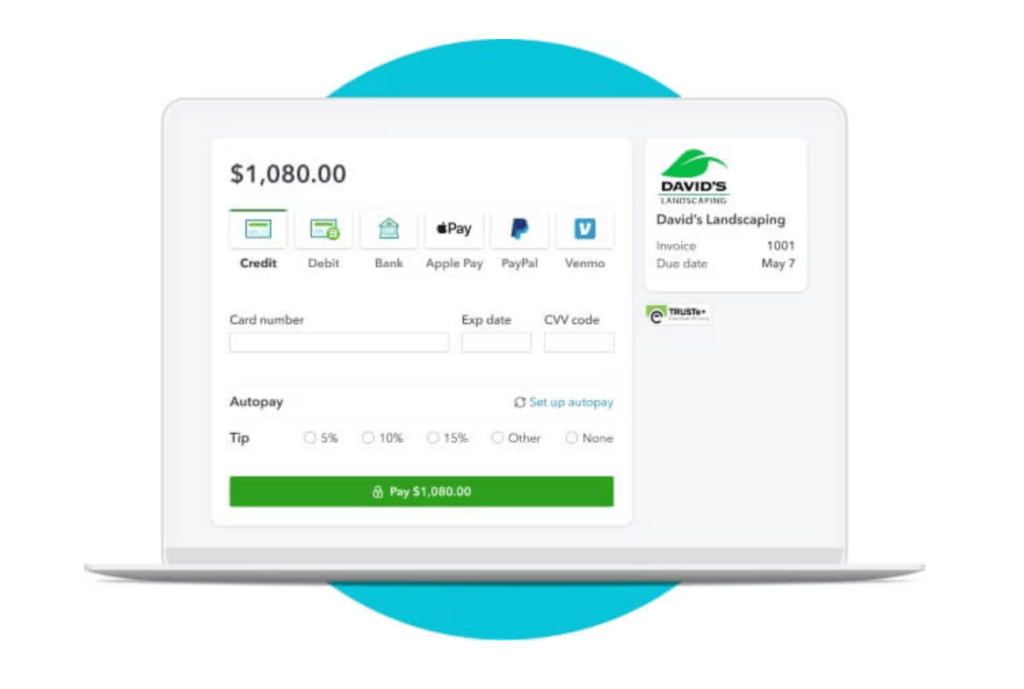
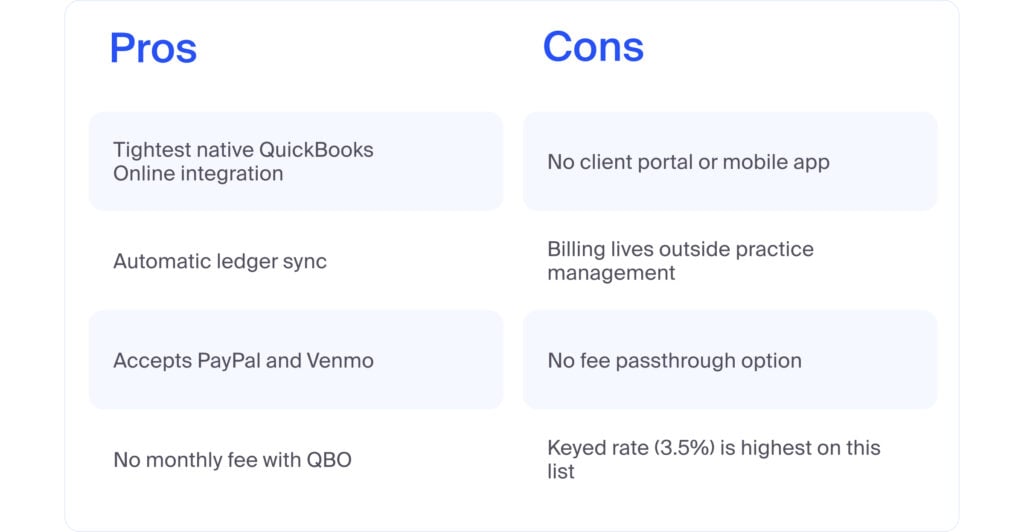
QuickBooks Payments is Intuit’s built-in payment solution for QuickBooks Online. For firms organized primarily around QBO, it offers the most seamless billing-to-bookkeeping experience here. Invoices and payments sync to the QBO ledger automatically with no manual entry.
The limitation is clear. There’s no client mobile app, no document delivery, and no practice management integration. Clients pay through an emailed link outside any practice management system. The keyed transaction rate of 3.5% is also the highest card rate on this list.
Processing rates
- Invoiced card transactions: 2.9%
- Keyed card transactions: 3.5%
- ACH: 1%, maximum $10
- No monthly fee with a QBO subscription
Pros and cons
5. Canopy Payments: best for Canopy platform users
At a glance
- Best for: accounting firms already on Canopy
- Key strength: billing integrated into Canopy’s client portal
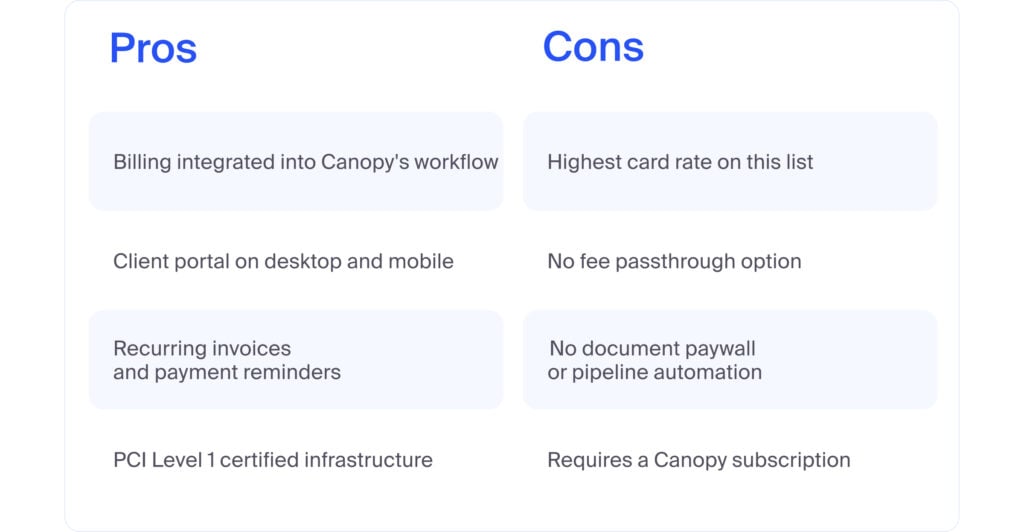
- Main consideration: highest card processing rate on this list with no fee passthrough option
Canopy Payments is the built-in payment solution for Canopy’s practice management platform. Like TaxDome Payments, it takes an integrated approach: billing lives inside the platform, and clients pay through the Canopy client portal on desktop or mobile.
The integrated approach is the right one. Billing inside the workflow is meaningfully better than billing outside it. But the specifics are worth examining before committing.
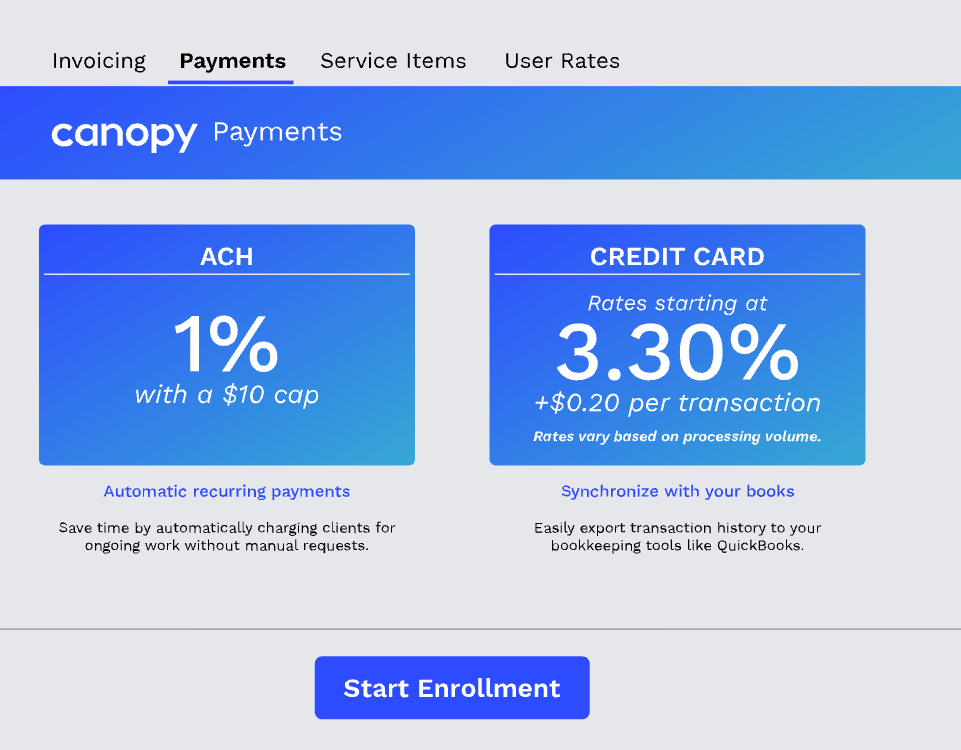
Canopy’s card rate starts at 3.30% + $0.20, compared to TaxDome Payments at 2.9% + $0.30. On $500K in annual card volume, that’s roughly $2,000 more per year in processing costs before the absence of a fee passthrough option is factored in. There’s no document paywall and no pipeline automation on payment either.
TaxDome’s client app has a 4.9-star rating from 35,000+ verified client reviews. Canopy’s client portal has a smaller and less independently verified review base.
For firms already deep in the Canopy ecosystem, switching is a real consideration that goes beyond payment processing. But for firms at an earlier stage of evaluating their options, the gap is worth examining carefully before settling on a platform.
Processing rates
- Credit cards: from 3.30% + $0.20
- ACH: 1%, maximum $10
- No monthly payment fee. Requires a Canopy subscription
Pros and cons
Which option is right for your firm?
With so many accounting firm payment software options available, the decision comes down to one question: does billing live inside your workflow or outside it?
For firms evaluating payment processing for accounting firms alongside their practice management platform, TaxDome Payments is the most complete option available. Billing is fully integrated, the client experience is independently verified at 4.9 stars from 35,000+ reviews, and the optional fee passthrough means firms can eliminate card processing costs entirely.
For firms on QuickBooks whose workflow doesn’t extend to a dedicated practice management platform, QuickBooks Payments is the natural fit. For firms that want full infrastructure control, Stripe offers the most flexibility.
For firms that want a standalone profession-specific processor, CPACharge is the established choice. Though firms actively looking for a CPACharge alternative that integrates billing into their practice management workflow will find TaxDome Payments the most direct comparison.

Josef creates clear, actionable content at TaxDome, highlighting features, updates, and key accounting topics. His focus is on making complex ideas accessible and engaging, helping users understand and apply insights effectively.

Get your free guide

Thank you!
The guide copy has been sent to your email. Please check your inbox!
Recommended articles

TaxDome AI: more than 2,000,000 documents organized for accountants this past tax season—and we’re just getting started

Webinar recap and Q&A: Summer Update 2026

Unpacking the differences between TaxDome Payments and Stripe