 US – English
 UK – English
 Canada – English
 Australia – English
 Danmark – Dansk
 DACH - Deutsch
 France – Français
 España – Español
 Sverige – Svenska
 Italia – Italiano
 Nederland – Nederlands
 Portugal – Português
 Suomi – Suomi
 Norge – Norsk
 日本 – 日本語
 Romanian – Română












What’s New: Mapped Virtual Drive, Task Templates, Windows App Updates

Run your entire firm on one platform
Lots of exciting product updates this month—and we’ve rounded them all up here, so you can stay in the know! In addition to releasing improvements to Pipelines & Tasks, our team has resolved a number of bugs and added UX improvements.
Table of сontents
1. Virtual Drive—Even Faster Access To Docs
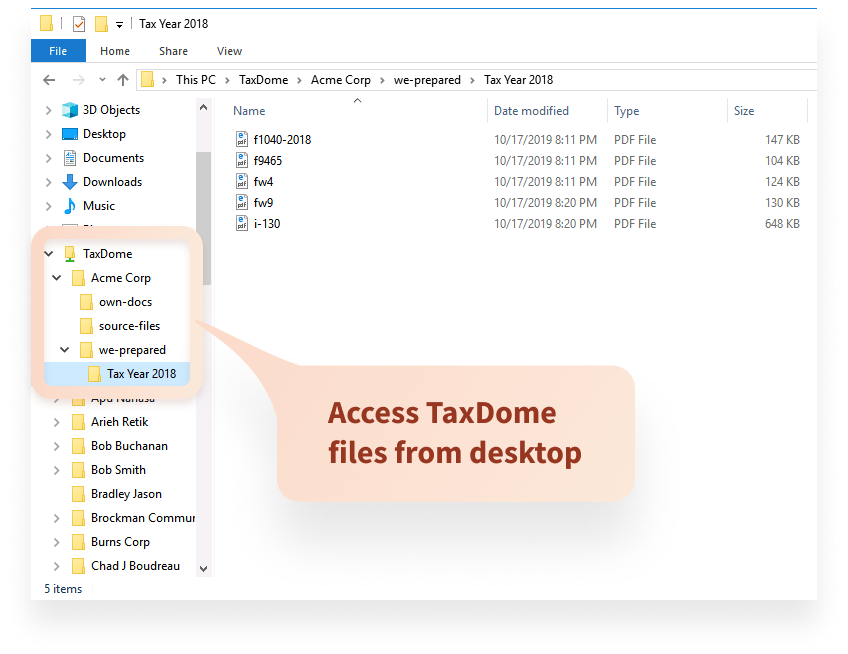
Create a mapped drive on your Windows or Mac to quickly access your files inside TaxDome. At the moment it is read-only, additional drag & drop functionality will come soon. The files take up practically no space on your hard drive! When you install the latest version of the windows app, it will prompt you to install this new feature.
2. Workflow—Improved Pipelines
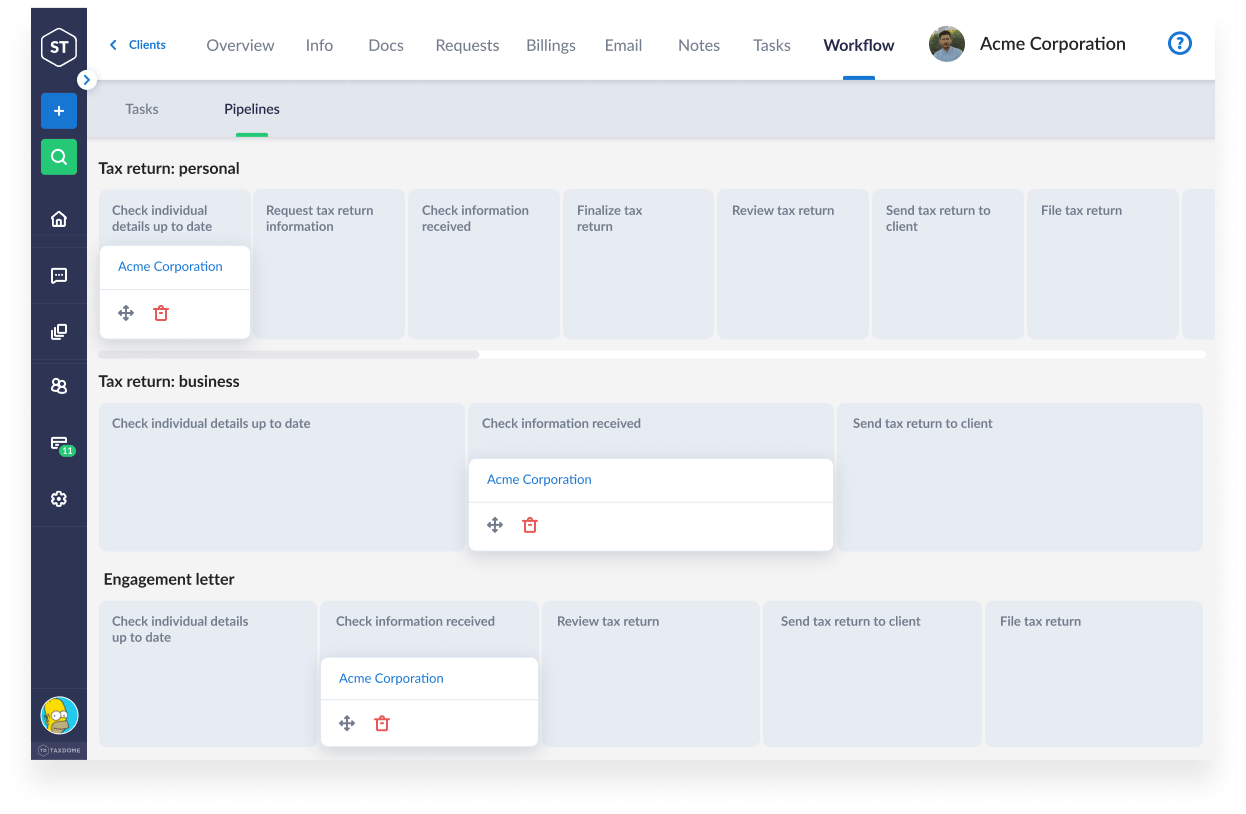
We’re developing our pipelines as fully customizable business processes to help you manage and keep close track of where clients are in the process. You can now see which pipeline(s) a client is in, and which stage, inside the client profile.
3. Workflow—More Task Enhancements
Tasks management is a top priority. That’s exactly why we’re excited to announce many updated tasks functionality that was added in the past month.
- Task Templates – Create re-usable templates to reduce data entry. Coming soon – automation with workflow.
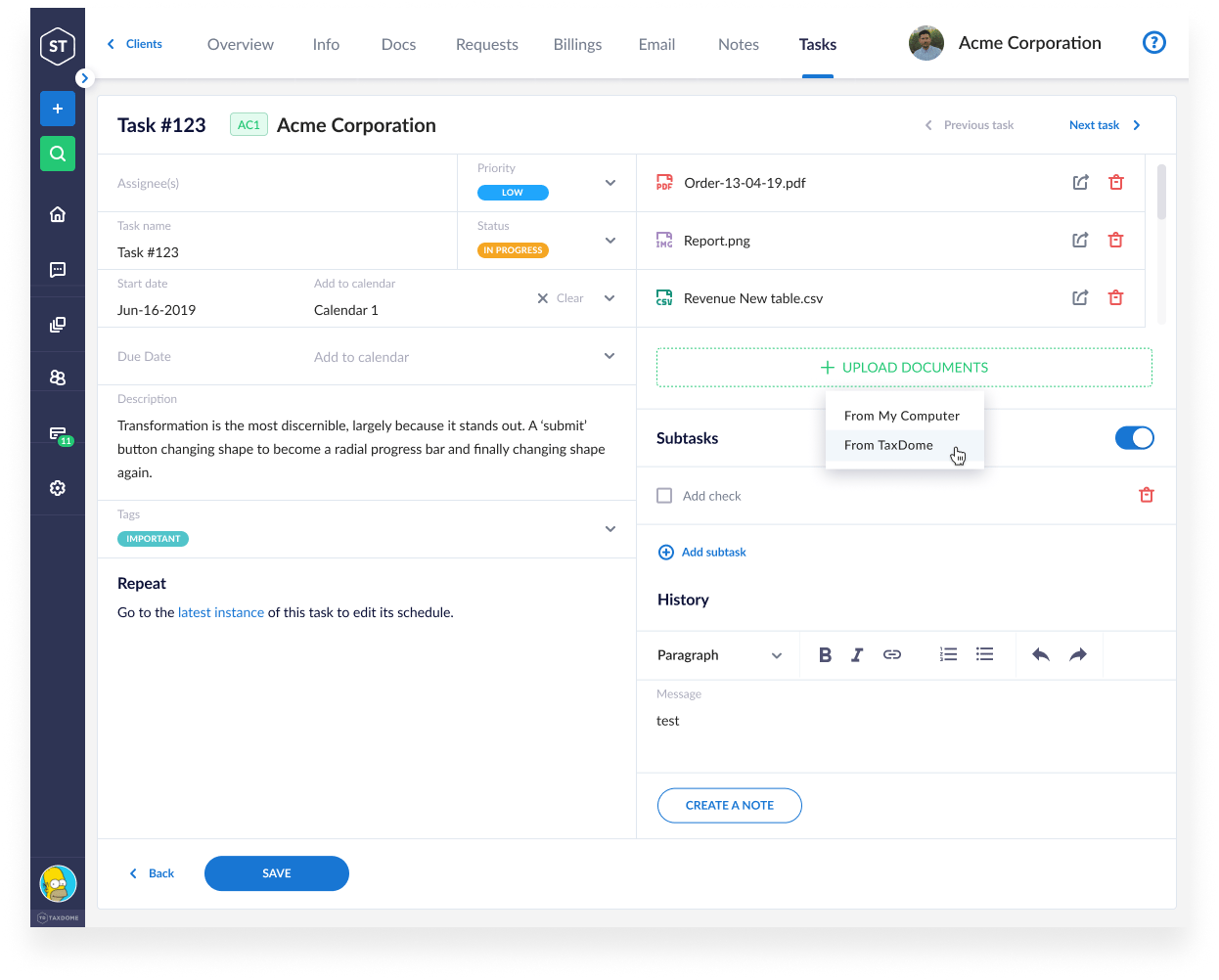
- Task Priorities – Some tasks are more urgent than others. You can now indicate the priority (LOW, MEDIUM, HIGH, or URGENT) while creating a task to ensure nothing slips through the cracks.
- Task Notes. As you work on a task, you will most likely come across information that you will need to keep in mind once preparing the client’s documents. From now on, you can store that kind of detail as internal notes inside your tasks. That way, all team members assigned to the task will also have access to such pertinent facts.
- Task Progress. Your tasks list just got better. You can now know the progress of your tasks at a glance. We show you the number of completed subtasks and the total number of subtasks in a task.
- Task History. We’ve recently added a task audit log, so you can always see the events that have taken place with any tasks (e.g., adding subtasks, adding tags, changing status, changing the start and due date, etc.).
- Task Attachments. You can now add attachments to your tasks to make sure your team is working on the right file. Add attachments either from your computer or from files within TaxDome.
4. Delete Files & Folders In Bulk
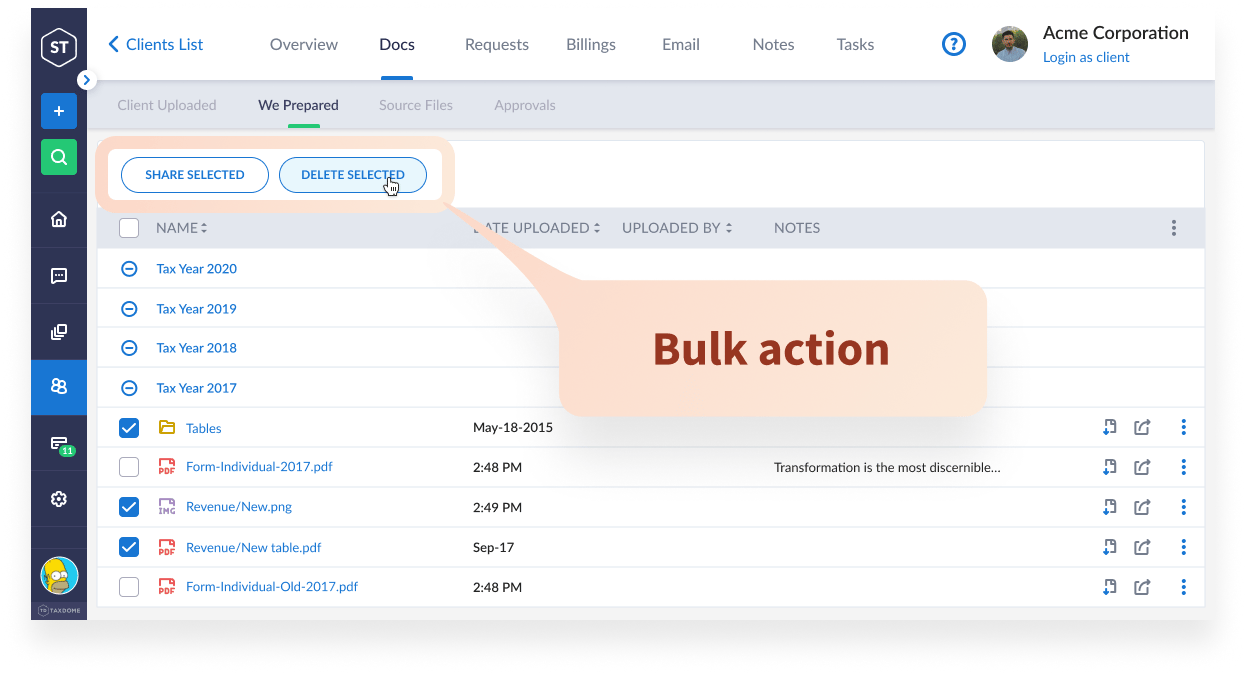
With Bulk Delete, you can delete files and folders in quantities larger than one, rather than delete them one at a time. This is a great feature for situations in which you have a folder that contains several files or sub-folders that must be deleted and other files you would like to keep. Simply select the files you don’t need and delete them all at once. Bulk Delete works in all silos: Client Uploaded, We Prepared, and Source Files.
5. Desktop App Improvements
We had several updates of our Windows App during the last month, so there’s a much to explore here:
- Always updated. A new version is now always downloaded in the background and can be installed immediately after the restart.
- No more extra clicks. The firm URL and username you’ve entered are saved when you launch the app again.
- No need to specify year. You can upload your files into the Unsorted folder and sort them later.
- Bulk Upload improvements. The app can now match clients by account name (e.g. Charles Burns) in addition to the internal code (e. g. CB1).
- Tray icon menu. You can now right-click in your system tray to close the app, log out, start the bulk upload, and more.
- And 10+ more performance and usability improvements.
6. Additional Improvements
But wait, there’s more!
- Usability: Client import now offers the option to send e-mail invite (previously mandatory).
- Usability: Use the +New button for client account creation.
- Usability: Mobile App iOS Improvements.
- Usability: Explore the redesigned Dashboard—precise, consistent and beautiful.
- Documents: You can now delete documents from the Client Uploaded section.
- Tags. You can now assign color-coded tags to time entries. Use them to aid time entry classification.
- Tons of quality improvements. This month we’ve made more than 55 fixes and improvements all across our platform.
We hope these features will help improve your day-to-day experience in TaxDome. If you have any other suggestions, let us know at [email protected] —we’d love to hear them!
In case you missed it, here’s a summary of the major features released last month.

Mary is a passionate technical writer who takes care of help documentation, social media and blog posts at TaxDome. She knows for sure that the best thing she can do to make the world a better place is to keep writing, so she does. And when she is not at her desk, you can find her traveling, doing yoga, gardening, or having fun with her kids.

Get your free guide

Thank you!
The guide copy has been sent to your email. Please check your inbox!
Recommended articles
TaxDome AI: more than 2,000,000 documents organized for accountants this past tax season—and we’re just getting started

Webinar recap and Q&A: Summer Update 2026

Unpacking the differences between TaxDome Payments and Stripe