 US – English
 UK – English
 Canada – English
 Australia – English
 Danmark – Dansk
 DACH - Deutsch
 France – Français
 España – Español
 Sverige – Svenska
 Italia – Italiano
 Nederland – Nederlands
 Portugal – Português
 Suomi – Suomi
 Norge – Norsk
 日本 – 日本語
 Romanian – Română












The complete guide to paperless accounting for modern firms

Run your entire firm on one platform

Key takeaways:
- Going paperless isn’t just about ditching paper. It’s an opportunity to rethink how your firm works, make things easier for your team, and deliver more value to clients.
- Clients now expect seamless digital workflows. It’s easier, faster, and more convenient — especially when the experience is unified (just one client portal and login, not multiple tools) and mobile-friendly.
- A fully digital workflow makes your team more efficient. There’s more structure and visibility. There’s far less time-consuming manual work.
- Paperless firms scale more easily due to standardized workflows, templates, and automations that speed up services, free up capacity, and support growth.
- To go paperless successfully, firms need a unified, end-to-end practice management platform that brings all their operations into one secure place — instead of recreating inefficiencies by piecing together disconnected tools.
A desk full of file folders might feel like control until a signature goes missing, a return gets misfiled, or your team spends more time chasing paperwork than doing meaningful work. The way firms manage information is changing fast, and the systems that used to work are starting to show their cracks.
This guide breaks down what paperless accounting really looks like today, why firms are making the switch, and how to do it without disrupting your team or clients.
And to provide a firsthand perspective, we’ve included expert guidance from Brian Davis, CPA, CFE. Brian founded One Stop CPA eight years ago with one clear goal: to make it a fully digital firm — and he has all the right insights to help firms not only go paperless, but build stronger, tighter processes for the future.
Table of сontents
What is paperless accounting?
Plenty of firms say they’re paperless, but what they really mean is digitized. They’ve moved some documents online — maybe workpapers live in a shared drive — but they still print tax returns or keep paper backups of payroll files “just in case.” Clients drop off physical forms that get scanned and emailed around. It might feel digital, but it’s not fully paperless.
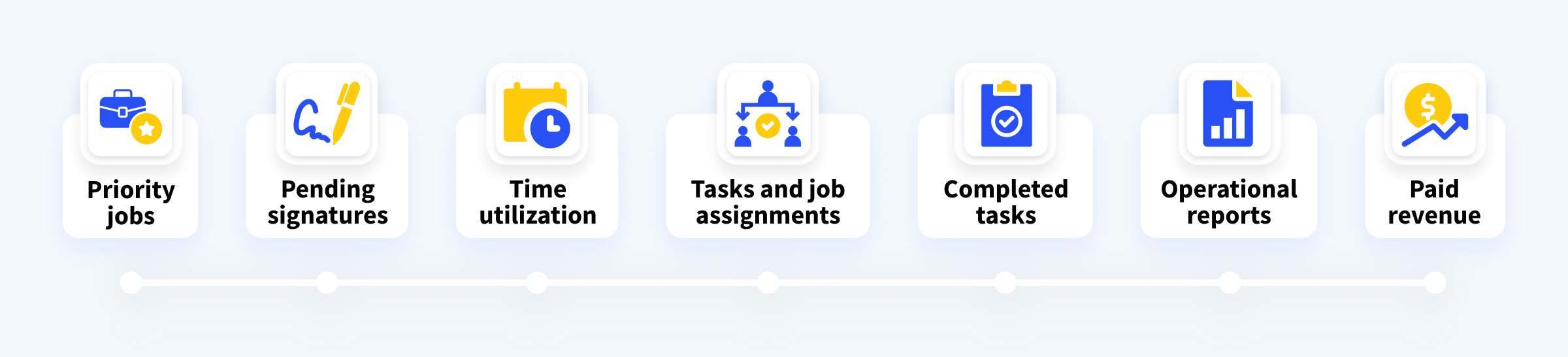
A true paperless accounting system is different. Every document — from engagement letters to tax forms — starts and stays digital. There’s no printing, scanning, or filing involved at any stage. Instead, documents move through the firm inside accounting software, where they’re uploaded, signed, shared, and securely stored in the cloud.
And that consistency matters. When everything follows the same digital path, you eliminate the gaps, workarounds, and manual steps that slow teams down and create risk.
Why accounting firms are going paperless
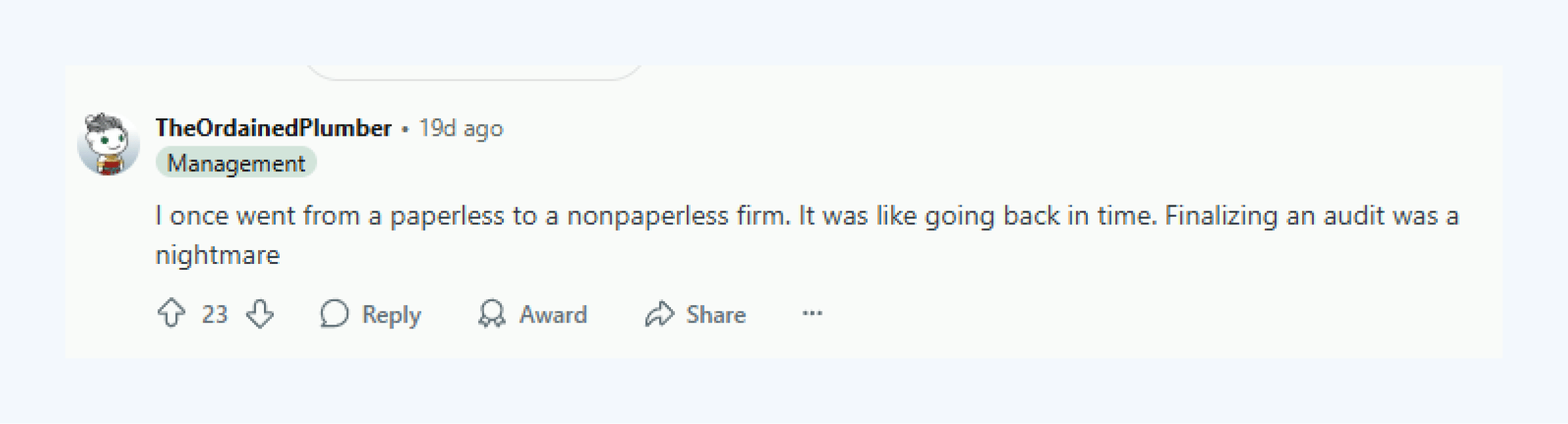
If you’ve worked at a truly paperless firm, it’s hard to unsee the difference. Going back to manual systems feels like flipping through a phone book after using Google. Still, if you’re looking for proof that ditching paper is more than a convenience upgrade, here are the most common reasons firms say they’d never go back.
“I’ve seen the other side — working in firms filled with paper files in storage rooms, sometimes we’d spend an entire day searching for something that wasn’t filed properly.”
Do you relate? If you’re like Brian and have worked at a truly paperless firm, it’s hard to unsee the difference. Going back to manual systems feels like flipping through a phone book after using Google. Still, if you’re looking for proof that ditching paper is more than a convenience upgrade, here are the most common reasons firms say they’d never go back.
Clients expect it
You might assume some clients — especially older or less tech-savvy ones — just prefer paper. But more often, it’s the process that gets in the way, not the person. With the right setup, though, even hesitant users adjust quickly.
After Brian went paperless, he also noticed that the convenience it offered clients went further:
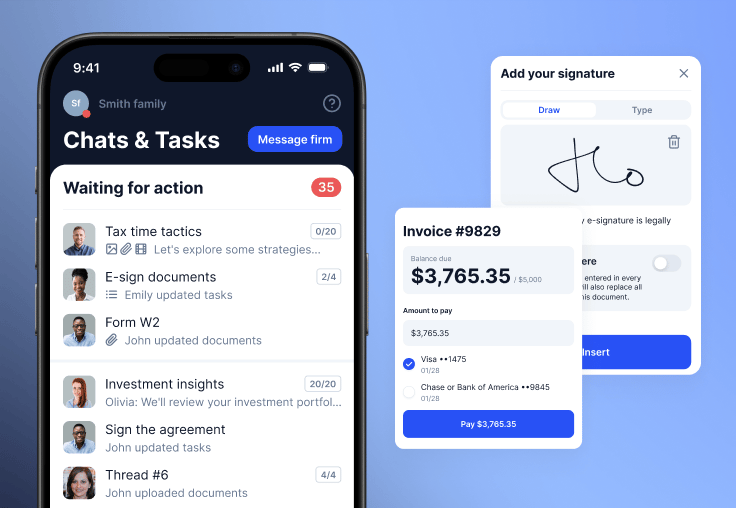
One firm told us about a retired dentist who had always avoided email and client portals. They used to drive hours just to deliver and collect paper documents. But after the firm switched to a more intuitive platform, he started uploading files and messaging from his phone on his own.
Your team gets more done
Real efficiency starts with removing the low-value tasks that pull your team away from meaningful work. Accounting process automation can help eliminate those distractions, but it only works when your workflows are fully digital.
If half your files are still in desk drawers, reminders can’t go out automatically. If signed forms are sitting in someone’s inbox, tasks can’t move forward without manual follow-up.
A paperless accounting workflow connects everything: documents, deadlines, team actions, and client inputs. Once it’s in place, software takes over routine follow-ups and status updates, allowing your team to focus fully on high-value work.
For Brian, digital workflows not only made his work move faster, but opened the door to run his entire firm from anywhere:
You build better security by default
Loose files, shared drives, no version control — paper-based processes are full of vulnerabilities. A paperless accounting system adds structure: encrypted storage, access logs, and digital trails. If an audit comes up, you know where everything is and who touched it.
It scales with you
The real value of going paperless shows up over time. As firms add services, hire staff, or grow through acquisition, digital systems create consistency. Everything, from how work gets assigned to how documents get reviewed, follows the same path. That kind of structure makes growth manageable.
A step-by-step guide to paperless accounting
Most firms don’t wake up one day and decide to ditch paper entirely. You need a clear path forward and systems that support how your firm already works.
Here’s how to make that transition in a way that actually works for your team and clients, with expert tips from Brian.
Step 1: Identify where paper still lives
Before you change anything, get a clear picture of where paper still shows up. Are you printing engagement letters? Manually collecting signed tax returns? Scanning W-9s into a shared drive? Walk through each service line and look for the points where manual handoffs are preventing a truly paperless workflow.
The key is to be thorough to stop paper bottlenecks from cropping up. Brian explains: “In my case, one of the last places this was still creeping in was with internal firm assets — things like SOPs, internal checklists, and templates that lived on separate drives or were shared inconsistently.”
A thorough audit helps you understand where inefficiencies hide and gives you a starting point for meaningful change.
Step 2: Document your existing workflows
Once you’ve mapped out where paper lives, it’s time to document how your processes actually work. That means writing down the steps for each service: who does what, in what order, using which tools, and where client input fits in.
While you’re at it, Brian also recommends using this stage to identify areas for improvement:
“For me, documenting workflows isn’t about creating a manual that collects dust — it’s about building a living system that keeps improving. Inside TaxDome, I’m constantly refining our pipelines to make them scalable.”
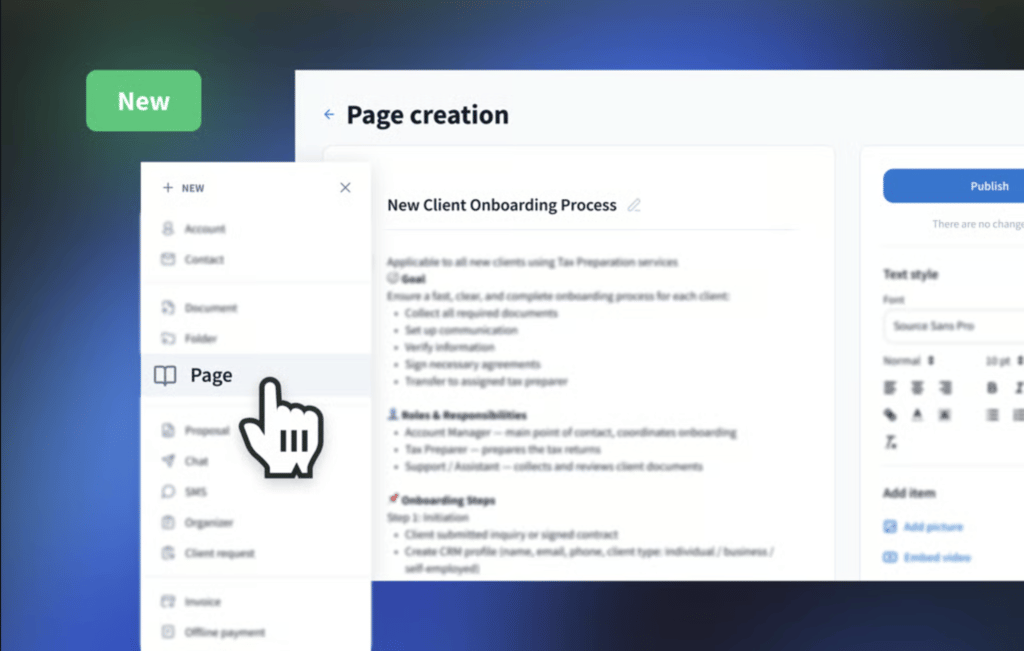
These standard operating procedures (SOPs) make it easier to recreate your workflows digitally and build consistency across the team.
Step 3: Choose software that fits your workflows
Now that your processes are mapped out, it’s time to find a platform that can support them. Many tools only handle one part of the job like e-signatures or file storage, which often means juggling multiple systems. Look for accounting software that supports paperless accounting end-to-end.
As Brian puts it: “Having everything in one system changes everything.”
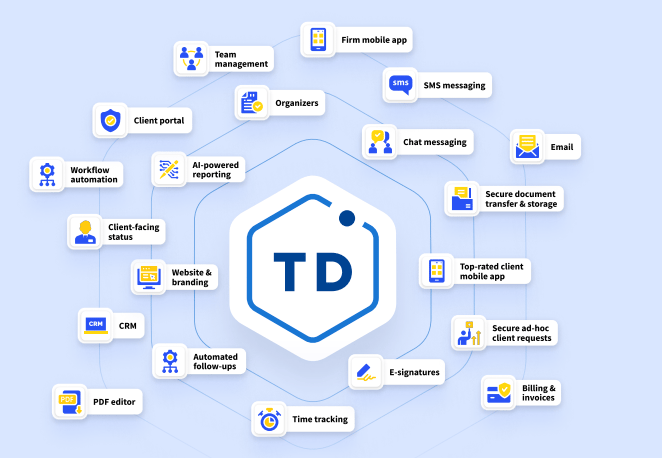
TaxDome brings everything into one place — internal operations, client communication, billing, reporting, and more — so your team isn’t jumping between tools or rebuilding the same process across disconnected systems. And with mobile apps for both your team and your clients, your workflows stay paperless and fully functional even when you’re on the go.
And if your clients prefer to use WhatsApp, you can still stay connected — without stepping outside your system. With ClientWindow, your team sends emails as usual, while clients receive and reply via WhatsApp. Every message stays synced within your workflow and meets your firm’s communication and compliance standards.
Step 4: Create repeatable templates
Templates are where the transition starts to pay off. Instead of rebuilding your process each time, you can standardize folder structures, client organizers, engagement emails, task lists, and automations.
Set these up for each core service you offer. For example, a paperless bookkeeping pipeline might include a recurring organizer for bank statements, automatically delivered invoices, and scheduled reminders.
Brian offers a perfect example of what a repeatable process looks like in practice:
“Instead of emailing back and forth asking for last year’s tax return, we built a simple ‘Client Request’ in TaxDome that automatically sends the same request to every new client as soon as they’re invited. It’s such a small change, but it saves hours every week.”
Step 5: Set up your workflows in the system
Once your templates are ready, start building out your digital workflows. In TaxDome, this means creating pipelines for each service, assigning automations, linking tasks and due dates, and mapping out client-facing steps like approvals and uploads.
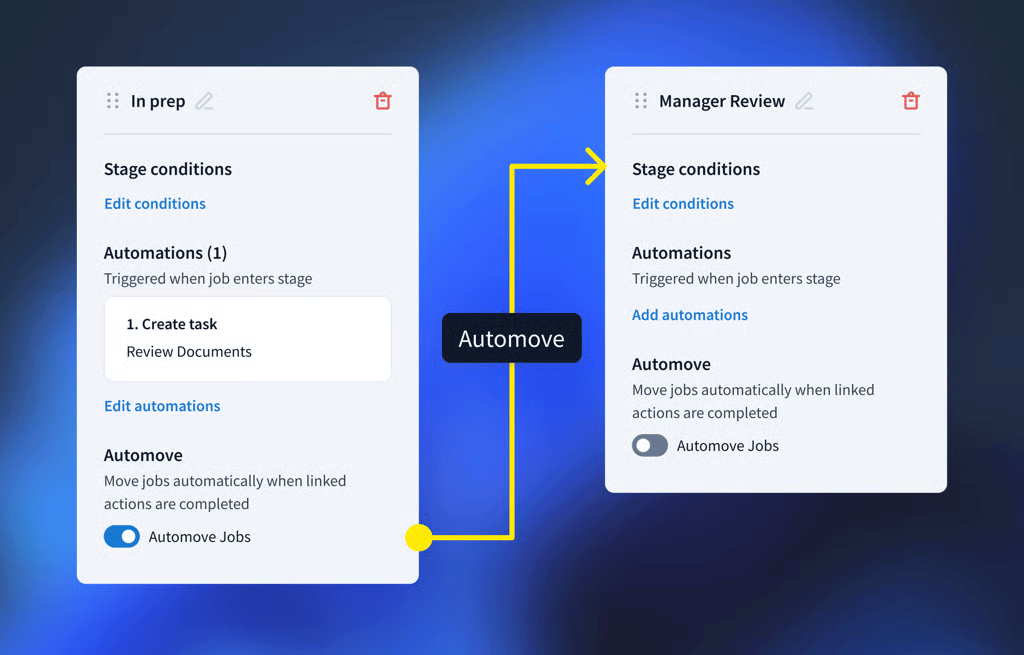
Don’t aim for perfection on day one. Start with a functional setup, test it with real client scenarios, and refine as your team gets more comfortable working in a fully paperless environment.
Brian’s smart tip here is to test your workflows — something he does using TaxDome’s client mobile app:
“I’ll log in on my phone as if I’m the client and go through every step, start to finish. It helps me see exactly what clients experience and catch any small issues before they go live.”
Step 6: Train your team
Even with the best tools, change can be hard. Make sure your team knows not just how to use the new system, but why the process is changing. Focus on showing them how these workflows reduce busywork and free them up for more valuable tasks.
Walk through the templates together, demonstrate real examples, and provide a space to give feedback or ask questions. As Brian puts it:
“The key is giving them ownership within the process. Show them how it makes their work easier. Once your team understands the “why”, the buy-in happens naturally. Most resistance comes from uncertainty, not unwillingness.”
But what’s just as important to get your team onboard is leading by example:
“Strong leadership means setting the standard, sticking to it, and showing the team that consistency matters. When everyone follows the same system, the technology works, the team stays aligned, and clients get a smoother experience.”
Step 7: Help your clients adjust
Clients don’t need handholding, but they do need clarity. Send a short message explaining what’s changing and why. Include a link to your client portal, outline what they’ll need to do, and offer a quick walkthrough or FAQ.
Brian has superb advice on how to frame this message to clients:
“The key is framing it as a long-term improvement, not just a one-time change. I’d say, ‘We’re setting this up so things run smoother every year from here on out.’ That gave clients confidence this wasn’t just for my convenience — it was for theirs too.”
To make things even easier, we’ve created a one-page guide you can share with your clients. It walks them through the basics of your paperless accounting system, so you don’t have to start from scratch.
Download our seven-step guide to going paperless, complete with Brian’s expert insights, to keep it on hand or share it with your peers.
For more useful resources, join Brian’s community, The Growth Lab for Accountants.
Common challenges (and how to overcome them)
Even well-planned systems can run into trouble once real work starts flowing through them. These are the hidden hurdles firms face after they’ve already “gone paperless,” and how to keep them from derailing your progress.
1. Workarounds that bypass the system
The biggest threat to your paperless accounting setup is when staff start reverting to old habits. They download files to their desktop “just for now” or print a return to review it manually. These small steps feel harmless but quickly break the system’s structure. You lose visibility, version control, and the very benefits you set out to gain.
Avoid it by:
- Creating clear SOPs for every core process
- Aligning digital workflows with how people already work
- Helping your team see how the system makes their job easier
2. Lack of accountability across the workflow
When something landed on your desk, you knew it was yours to handle. In a paperless system, that clarity can get lost unless workflows are built with accountability in mind. Tasks sit unclaimed, files don’t move forward, and no one’s quite sure what’s next.
Avoid it by:
- Assigning task ownership within each workflow
- Building deadlines and dependencies into templates
- Giving your team clear visibility into what’s active and what’s stalled
3. Over-customizing too early
Flexibility is great until it leads to chaos. Some firms over-design their paperless accounting system from day one, trying to solve every edge case with rules, tags, and branching automations. Instead of creating consistency, they build complexity. The result? Slower onboarding, more support questions, and a system no one wants to use.
Avoid it by:
- Starting with your most common, repeatable service lines
- Keeping workflows simple until your team is confident
- Expanding gradually based on real use and feedback
4. Not continuously optimizing your workflows
After going paperless, there’s one mistake firms make that Brian sees more than the rest:
“It’s assuming the system will just run itself — that everything will suddenly become more efficient overnight. Going paperless is a great first step, but it’s not the finish line. You still have to work on your operations and optimize your workflows… The setup and conversion might happen once, but the optimization never ends.”
Avoid it by:
- Reviewing workflows with staff and clients to spot bottlenecks
- Testing changes in small batches before full rollout
- Tracking what works with simple metrics and cutting what doesn’t
The future of paperless accounting
Paperless used to be about efficiency — a way to reduce admin work and automate repetitive tasks. But for many firms today, that’s just the starting point.
In Brian’s words: “Future-proofing starts with mindset, not software. The tools will always evolve — but if your firm has a culture of testing, learning, and adapting, you’ll stay ahead no matter what changes… The firms that win long-term are the ones that stay curious, keep refining, and use technology to make their firms more human, not less.”
As more accounting teams go remote and client bases grow beyond local markets, a paperless accounting system becomes the only way to stay organized, responsive, and scalable.
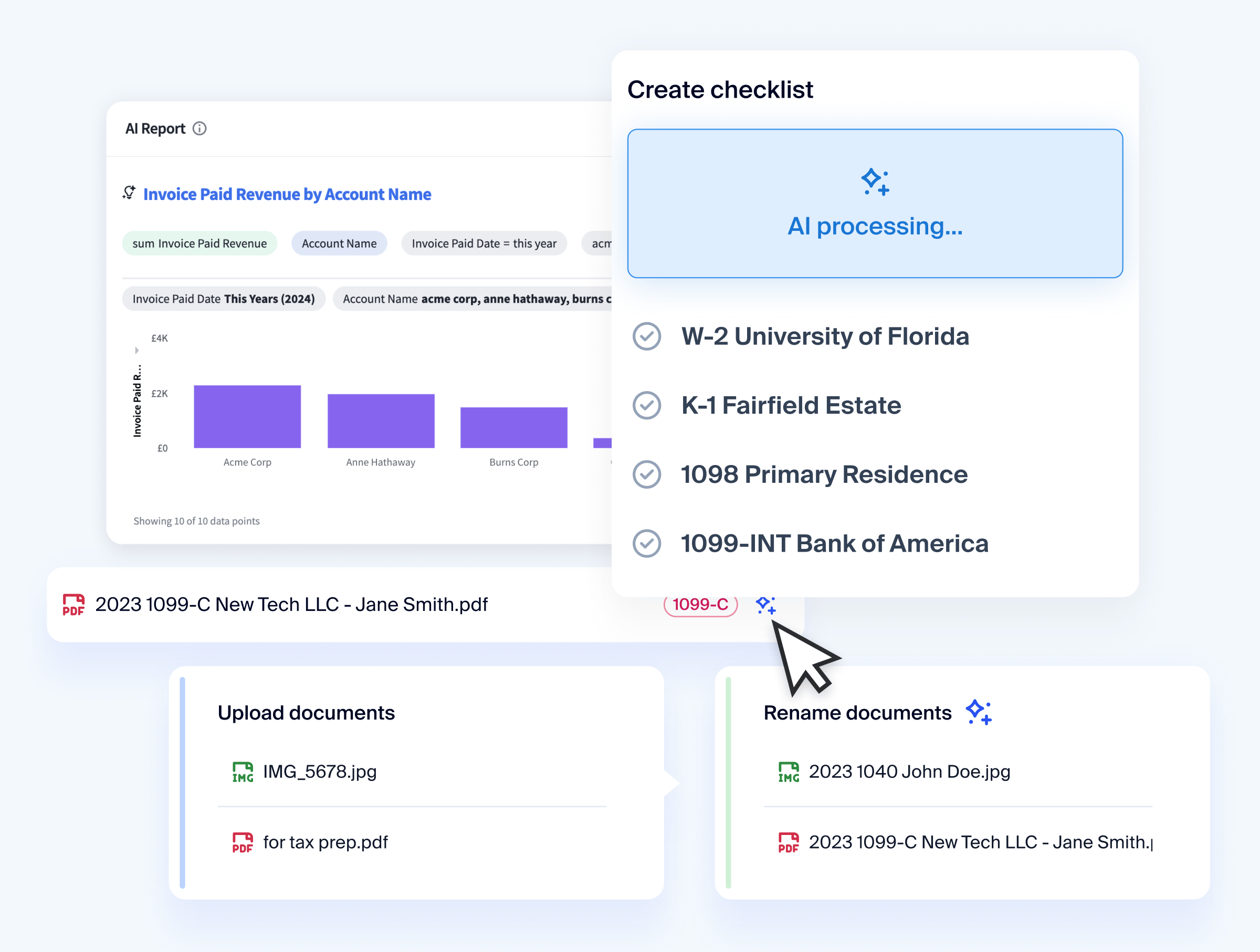
What’s next? AI, and that shift is already happening. In TaxDome, it’s helping firms save hours every week by automatically renaming uploaded documents and tagging them correctly. It generates custom reports with no manual formatting. And AI-assisted tax prep, powered by our Juno integration, is making it even easier to review, summarize, and move through return prep faster.

Josef creates clear, actionable content at TaxDome, highlighting features, updates, and key accounting topics. His focus is on making complex ideas accessible and engaging, helping users understand and apply insights effectively.

Get your free guide

Thank you!
The guide copy has been sent to your email. Please check your inbox!
Recommended articles

How to start an accounting firm: a step-by-step guide to running your own practice
Accounting process improvement: Practical strategies, tools, and real-world examples

Accounting practice management software: complete guide and comparison