 US – English
 UK – English
 Canada – English
 Australia – English
 Danmark – Dansk
 DACH - Deutsch
 France – Français
 España – Español
 Sverige – Svenska
 Italia – Italiano
 Nederland – Nederlands
 Portugal – Português
 Suomi – Suomi
 Norge – Norsk
 日本 – 日本語
 Romanian – Română












January 2024 update

Run your entire firm on one platform
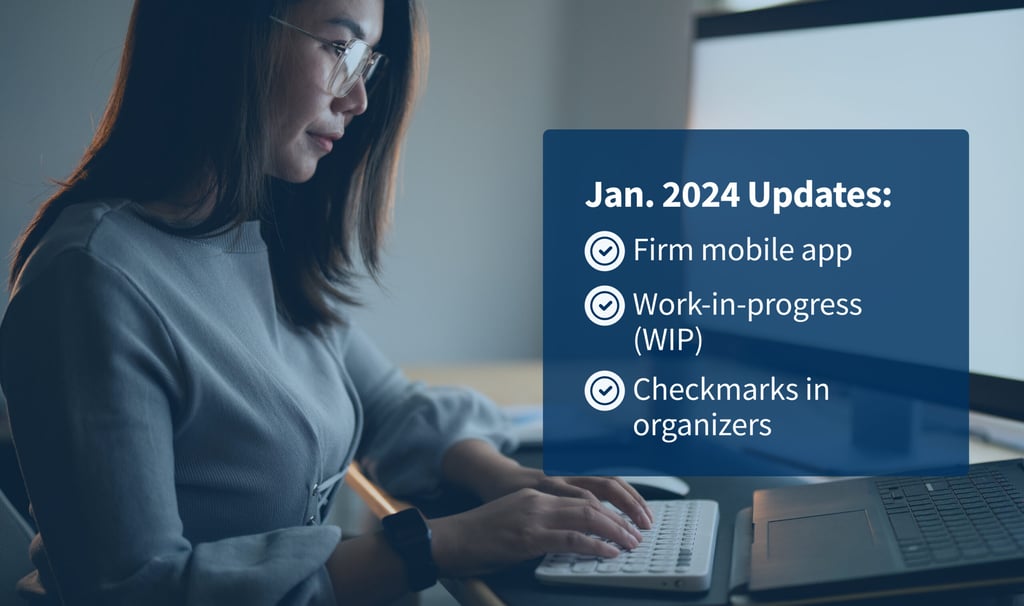
Tax season has begun, but it’s not too late to bolster your processes with all the latest TaxDome product updates.
What’s new: a redesigned firm mobile app, new work in progress (WIP) tab, checkmarks in organizers, improvements to e-signature requests, IRS and Companies House integration enhancements and more.
And for in-depth walkthroughs of our newest product updates — plus best practices that you can take advantage of this tax season — make sure to check out the full recordings and Q&A transcripts of all the webinars we hosted last month.
Sneak peek:
- SMS (now available in Early Access): send and receive SMS messages directly in TaxDome, allowing you to meet your clients where they are — their phones — and communicate in a way that’s highly familiar to them. We recently held a webinar on SMS communication — view the full recording and Q&A transcript in our blog
- TaxDome Marketplace: browse and download templates made by accounting, bookkeeping and tax experts for everything in TaxDome. Read more about the TaxDome Marketplace in our Help article
- New and improved left sidebar menu for faster, easier navigation: available in Early Access but releasing soon for all users
Watch a video overview of all our new features and improvements:
Table of сontents
📱 Firm mobile app
Available now for iOS and Android
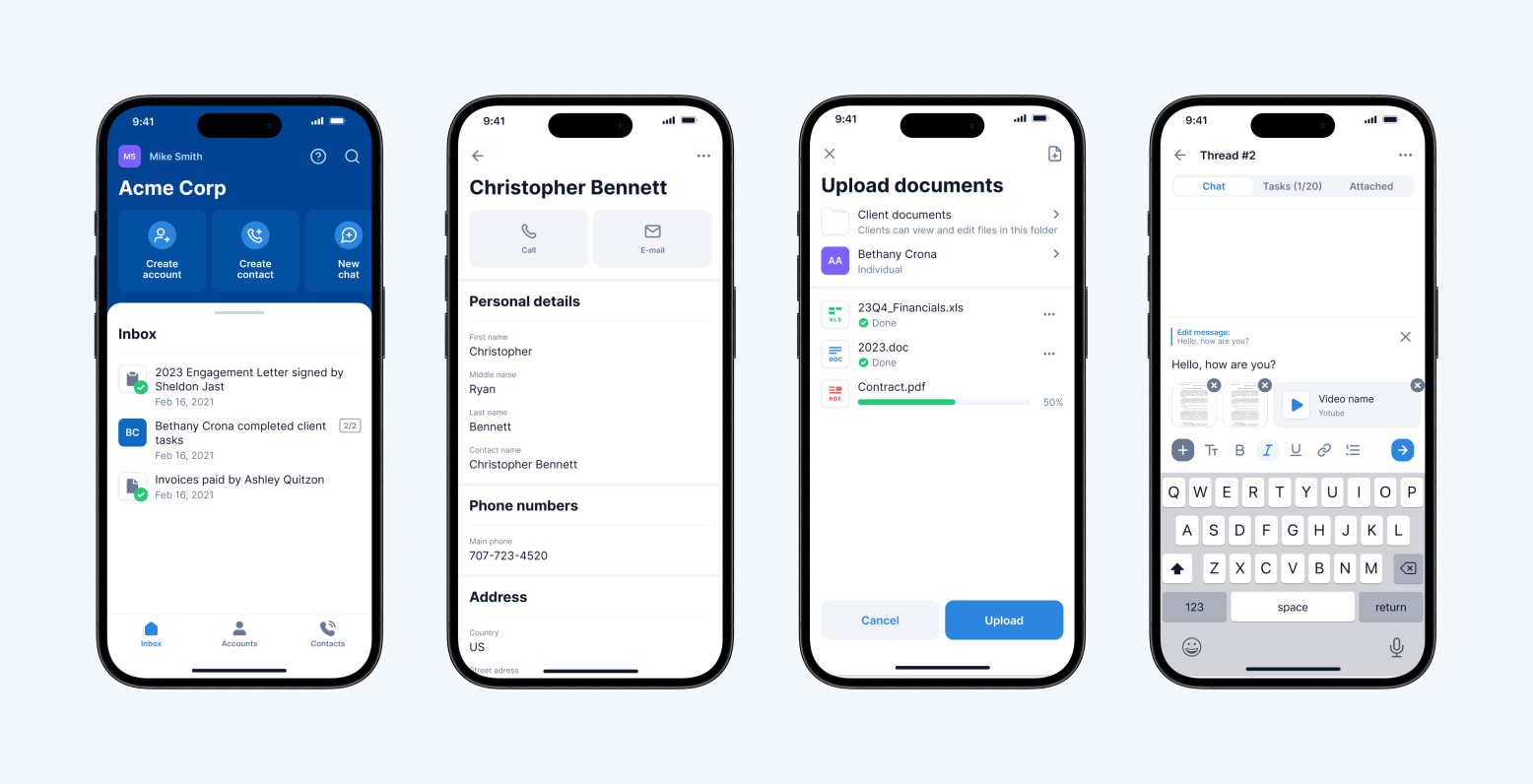
Download the new firm mobile app for iOS and Android — redesigned to make it easier than ever to manage your firm on your smartphone.
If you previously downloaded the mobile app for firms, it will be automatically updated on your phone. If you haven’t downloaded it yet, you can follow one of the links below:
Here’s everything the new firm mobile app offers:
- Redesigned home screen with inbox and “quick action” buttons — Upload document, Create chat, Create Account, Create Contact
- Access your firm’s CRM from anywhere: view, create and edit accounts and contacts — and see all activity associated with accounts
- View and upload client documents on your mobile device
- Communicate with clients via secure chat: new Chats section within each account to send secure messages, manage client tasks and exchange documents
- Adjustable push notifications: choose whether you want to receive automatic notifications when clients perform certain actions
- Face ID and Touch ID for an extra layer of security
💰 Time and billing
Track work in progress (WIP)
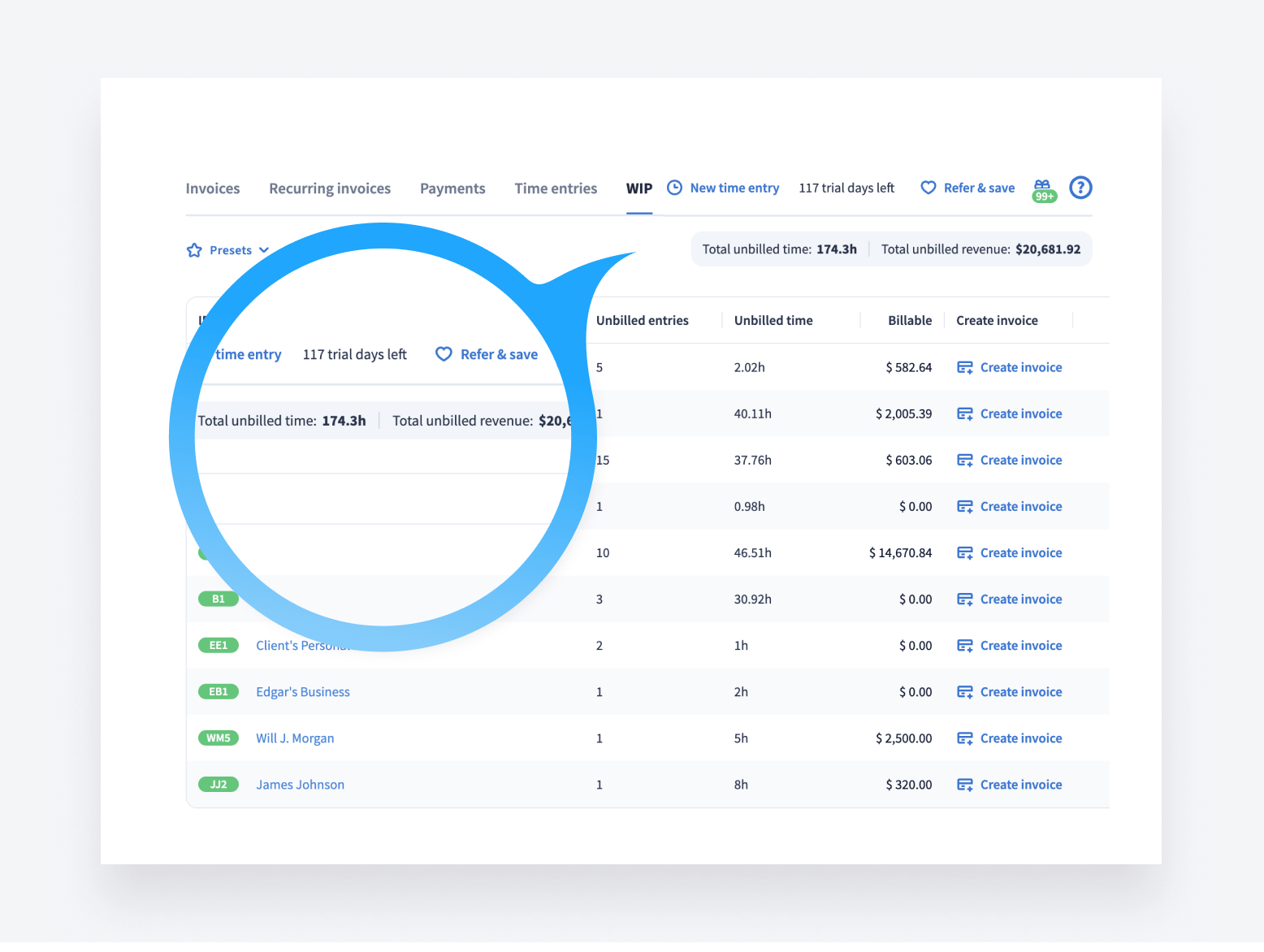
You can now track work in progress (WIP), allowing you to see unbilled work for each client and easily create invoices.
In the new section under Billing, access your firm’s WIP for:
- An immediate and transparent view of billable work in progress: see and manage all your un-invoiced work and create invoices easily
- Real-time revenue view: table showing unbilled time entries and estimated revenue per client based on your rates
- Analytics for smart decisions: analyze data and gain insights into billing patterns and client behaviors
We’ve also made it very easy to create invoices from unbilled time — by clicking “Create invoice,” you can then select the necessary time entries and create invoices in bulk. If you have time entries that you previously invoiced for, you can clear them by marking them “already billed”.
Expect several WIP updates soon: individual employee rates, a widget with a snapshot view of WIP stats and more.
Read more about time entries in our Help article >>
Improved PDF design for invoices
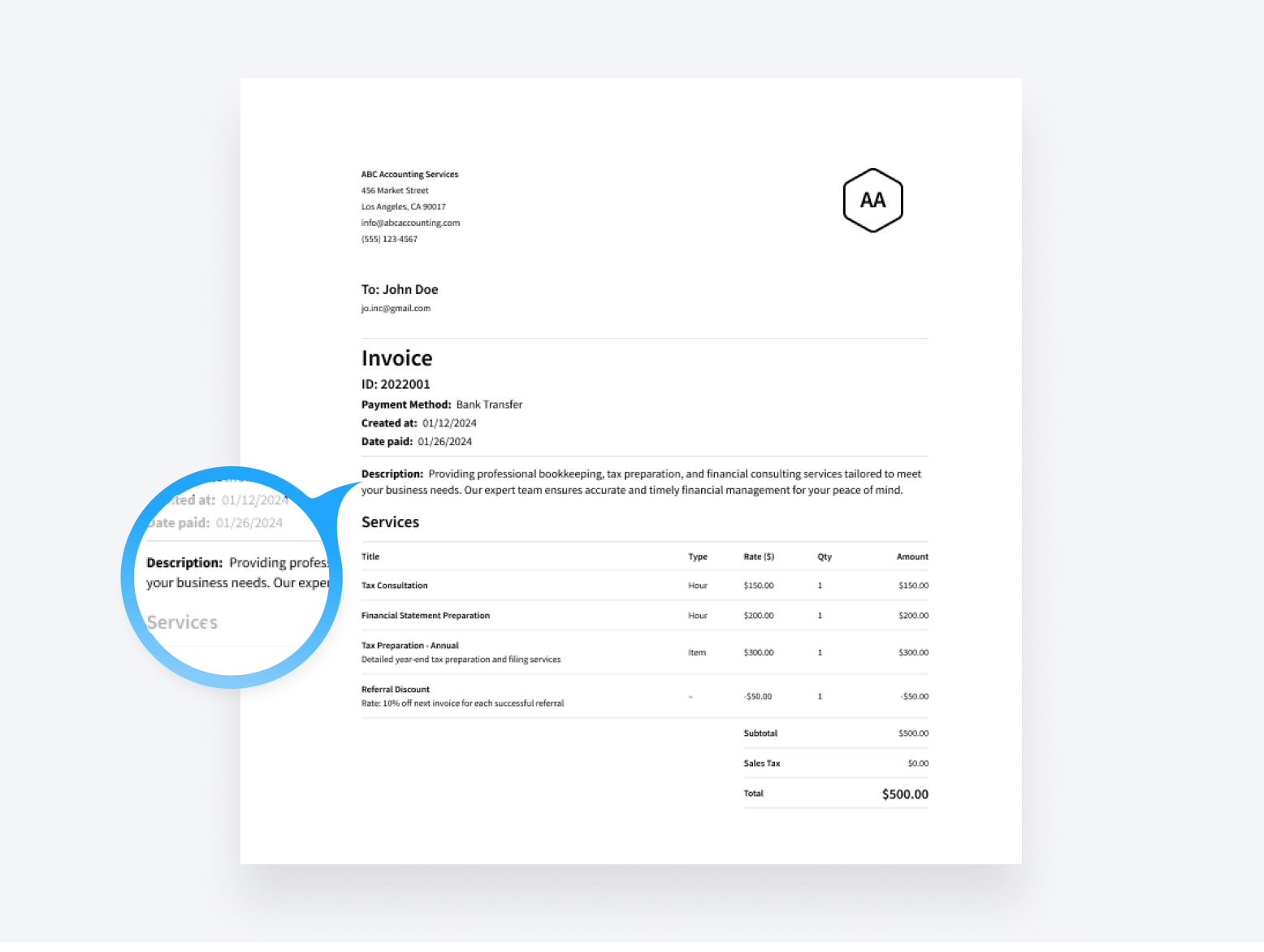
We’ve updated the PDF your clients receive when you send them an invoice. The new design has an improved layout and supports long descriptions, so you can now give your clients more information within the invoices about the work you’re doing.
Read more about invoices (how to edit invoices and more) in our Help article >>
🗂️ Organizers (forms)
Mark and lock client responses within organizers
During busy season, it’s imperative to look through client-provided information and quickly know what’s been added to your tax program and what hasn’t.
Given this need, we’ve added the ability to add checkmarks to questions. This allows you to mark responses that you have already viewed or processed — giving you greater control over the information and documents your clients have submitted.
Once you mark it off, your team knows that it’s been processed and your client will no longer be able to modify that answer.
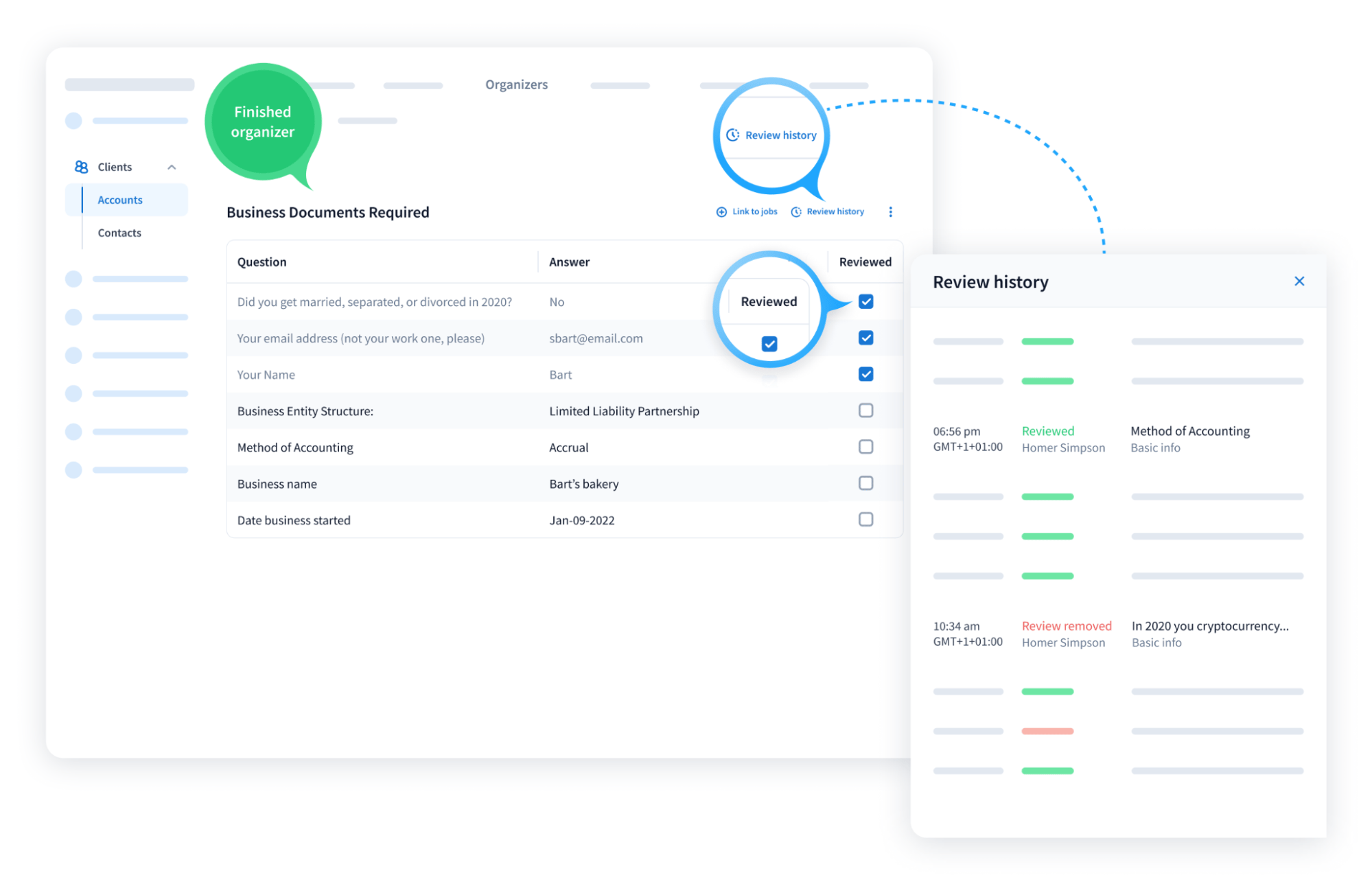
Read more about organizers and viewing client answers in our Help article >>
✍️ E-signatures
Link docs to jobs during signature request process
We’ve made it easier to automove jobs when an e-signature is complete.
For example: if you need to get Form 8879 e-signed, you can set it up so that once your client completes the signature, the job will automatically move forward in your workflow, creating a task for your admin to e-file the return.
This really powerful automation helps streamline workflows and save time for thousands of tax firms.
For the automove to work, the document being signed has to be linked to a job. To facilitate this, we’ve made it easier to link the document to the job when requesting a signature.
Now, wherever you trigger the signature request from — the desktop application or the web browser — you can make sure that the document is linked to the job to ensure the automation works smoothly.
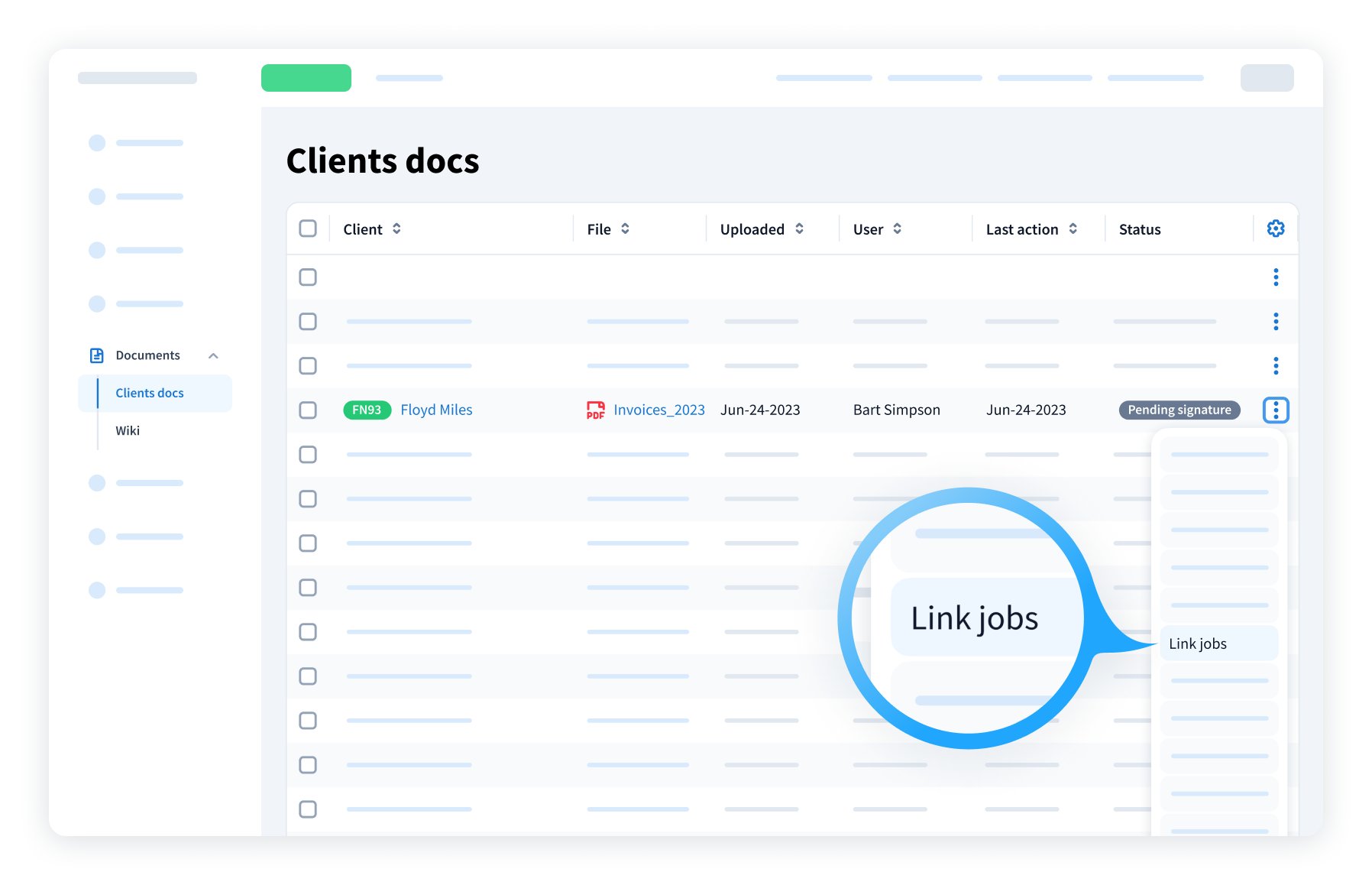
Read more about linking documents to jobs in our Help article >>
➕ Integrations
IRS integration
We’ve updated our IRS integration so that you can now request transcripts for the current year — in addition to transcripts for previous years.
This makes it easier than ever to request, view and manage transcripts for each client, whether individuals or businesses, right in TaxDome.
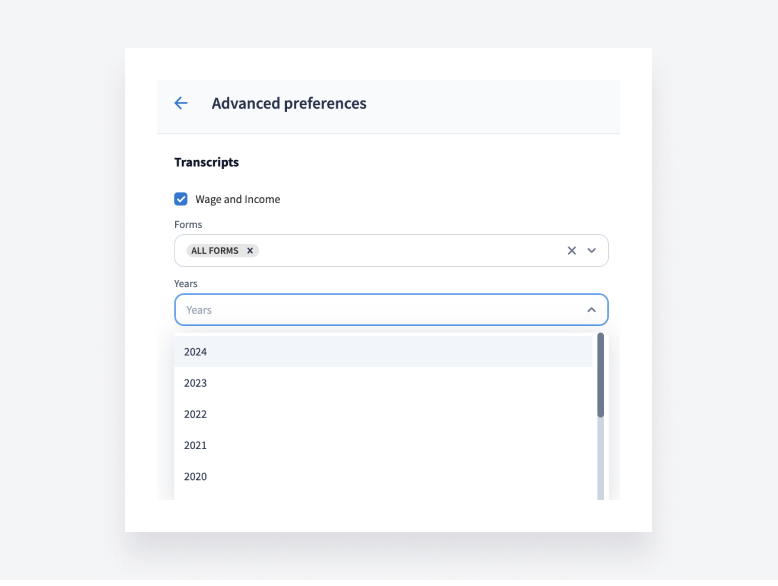
Read more about IRS integration (requesting and viewing transcripts) in our Help article >>
Companies House integration
We’ve also updated our Companies House integration so that you can automatically transfer client data from Companies House to TaxDome.
If you have UK-based clients, here’s how this update will benefit your firm:
- Sync and import Officers and people with significant control (PSC) to TaxDome contacts automatically
- Save time and reduce errors: add new accounts (entities) in TaxDome by pulling in data from Companies House
- Single and bulk accounts sync: ensure your client information is always up to date
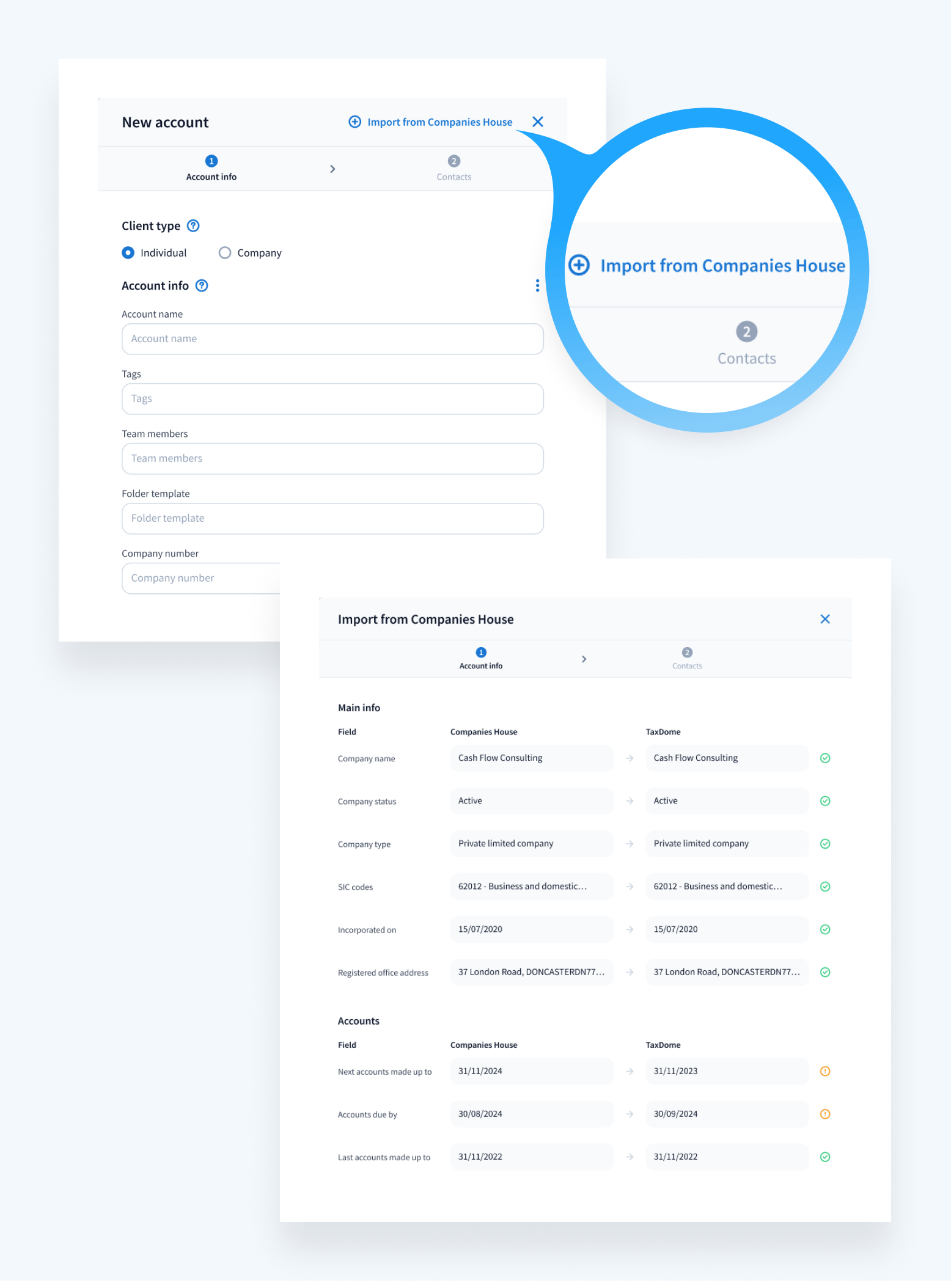
Read more about our Companies House integration in our Help article >>
🎥 Webinars
View the full recordings and Q&A transcripts of our most recent webinars
To help you prepare your firm for tax season, we hosted several live webinars in December where we deep-dived into various new product updates and workflow best practices.
If you missed them, you can watch the full recordings of each webinar and read the Q&A transcripts by clicking the links below:
- TaxDome Q4 product roundup
- Walkthrough of workflow automation, templates & best practices
- SMS Communication
- Proposals and Engagement Letters
🧠 TaxDome Implementation: educational guides and events
Year-end bootcamp recordings
You can now watch the five workshops (completely free) that our team of experts hosted for our year-end bootcamp. These are:
- First steps with TaxDome
- Importing your clients
- Customizing workflows
- Testing workflows and setting up payments
- Final steps, best practices and Q&A
If you’re ready to take your practice to the next level, these workshops will equip you with everything you need to kick-start your work with clients in TaxDome — and transform your accounting workflows.
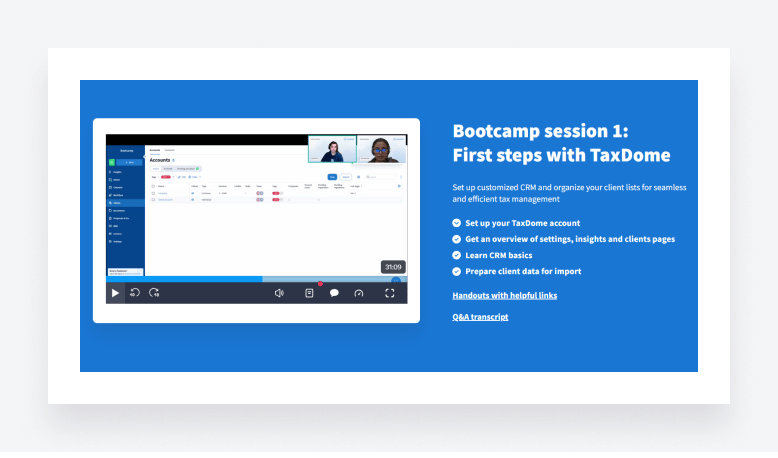
We’ll be hosting more live hands-on workshops — which you can join at no cost — so stay tuned for our next bootcamp!
New live daily webinars
Our live daily webinars are designed to get you up to speed on workflow automation, document management, team collaboration, billing and more.
And we recently launched three new webinars — listed below. You can catch them live every week (with Q&A), and you can also watch the recordings at any time.
- Client communication: emails, chats, firm announcements and more – Every Tuesday, 3 pm EST
- Team training on core functions: use TaxDome like a pro from day one – Every Wednesday, 3 pm EST
- Client onboarding: introducing TaxDome to your clients – Every Thursday, 3 pm EST
🔥 Other updates
- Email: when creating an email using contact shortcodes, firm managers can now select specific email addresses to send the email to — useful when a contact has more than one email address. See our Help article for more information
- E-signatures: redesigned first screen resembles the DocuSign experience to increase familiarity for your new clients when you send them a signature request
- CRM: import updates — semicolons are now accepted as separators in import files. Additionally, you can now import the account type (Company, Individual or Other) by including an “Account type” column in your spreadsheet
All of the above — plus 70 more tweaks and fixes!
Expect more exciting new features next month. Until then, join our Facebook Community to ask questions, request features or chat with other TaxDome users.
And in case you missed it, here’s a neat summary of the major features we covered in our December 2023 update.

Josef creates clear, actionable content at TaxDome, highlighting features, updates, and key accounting topics. His focus is on making complex ideas accessible and engaging, helping users understand and apply insights effectively.

Get your free guide

Thank you!
The guide copy has been sent to your email. Please check your inbox!
Recommended articles
TaxDome AI: more than 2,000,000 documents organized for accountants this past tax season—and we’re just getting started

Webinar recap and Q&A: Summer Update 2026

Unpacking the differences between TaxDome Payments and Stripe