 US – English
 UK – English
 Canada – English
 Australia – English
 Danmark – Dansk
 DACH - Deutsch
 France – Français
 España – Español
 Sverige – Svenska
 Italia – Italiano
 Nederland – Nederlands
 Portugal – Português
 Suomi – Suomi
 Norge – Norsk
 日本 – 日本語
 Romanian – Română












How to Introduce TaxDome to Your Non-Tech-Savvy Customers

Run your entire firm on one platform
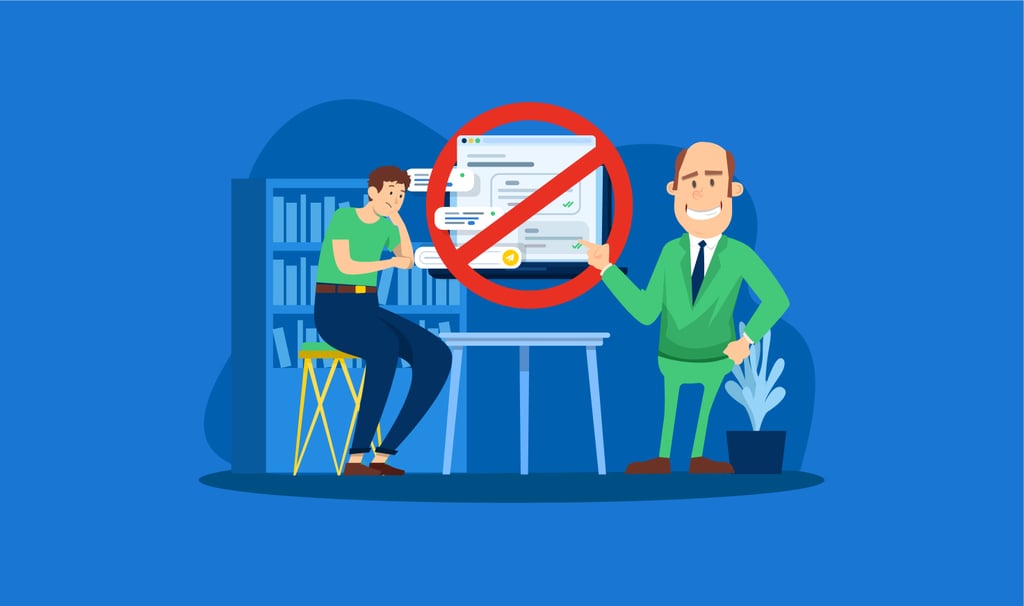
Because you want to scale your business and grow your customer base, moving to 100% remote is the best option. TaxDome helps by providing tax practice management workflow automation, so you can serve more clients in less time.
The key challenge here is that some accounting clients just can’t (or straight up refuse to) use the client portal or mobile app to upload documents, pay bills, communicate with your company, or e-sign documents. Even if these client portals/apps are as fine-tuned and client-centered as TaxDome’s, certain customers are non-tech-savvy or are just too stubborn to change.
How can your accounting business deal with non-tech-savvy customers? Below, we list several possible approaches, based on TaxDome team insights, client stories and FB community discussions.
Table of сontents
TaxDome helps to identify clients refusing to adopt technology
Here is what your usual workflow of introducing TaxDome to new clients looks like:
- Your firm emails your customers an invitation to register at the portal
- You can use the ready template for this or create a custom introduction (even make a demo to show all the essential functionality)
- Some clients will activate the portal but some won’t. TaxDome allows you to see who didn’t open the email, so you can resend the invitation.
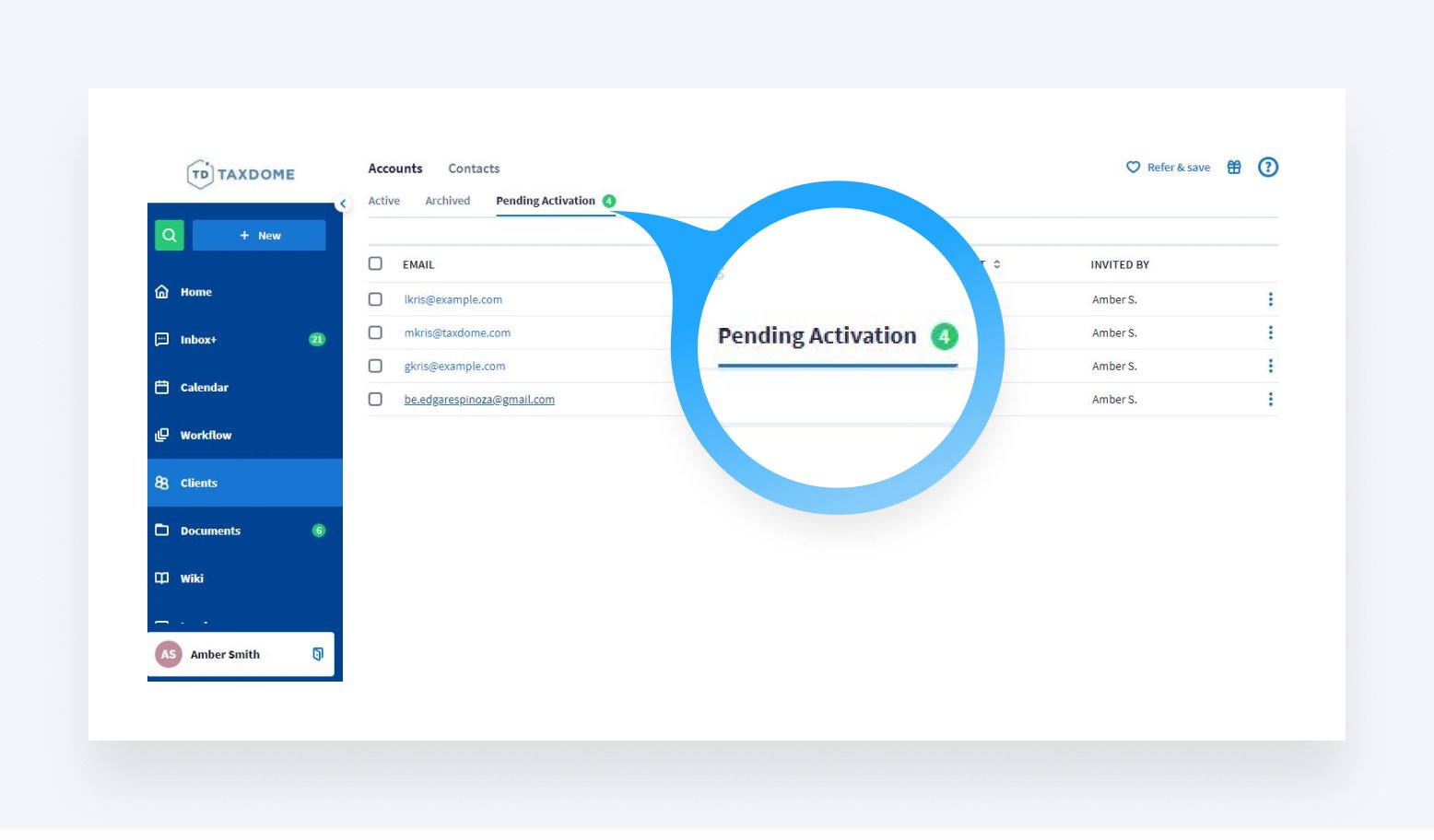
Those who did not activate their client portals, even after the second invitation, are your potential troublemakers: older people who fear technology, or are simply stubborn. You can filter out this segment of your customer base by adding a custom tag in your Settings ->Tags tab and tagging all the corresponding accounts/contacts with it.
Yes, tagging all your clients will take some time and effort initially, but it will allow you to quickly filter out the necessary segments in the future and help automate most of your repetitive tasks. For example, you can write them a bulk custom email and/or call them to find out the reasoning behind their unwillingness to use the portal. You can write down their replies using the Notes tab in their profiles to help select a further course of action.
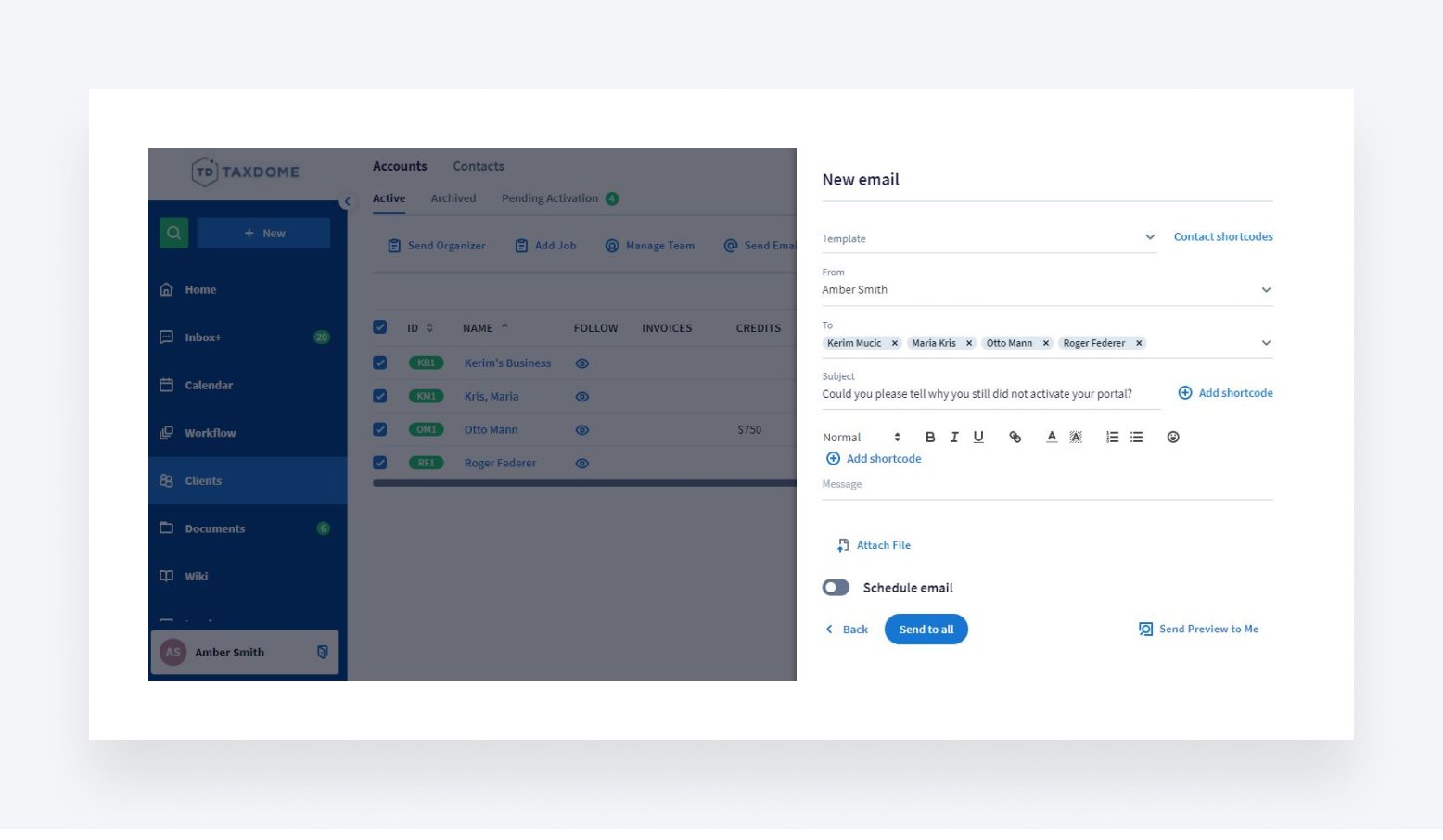
After you have identified the customers that didn’t activate the portal, tagged them and talked to them, you will see they can be split into two main groups:
- Non-tech-savvy senior people who can’t keep up with the technology
- Stubborn people who prefer “doing it the old-fashioned way”
All you need to do for the first group is simply help them navigate the learning curve. Make it easy for them, and you will earn their gratitude and word-of-mouth advocacy, along with sales invoices. For example, this is how it turned out for Amber Gray-Fenner, whose main client base is older people, and who loved the experience of going digital with TaxDome.
The latter group will require convincing arguments, financial incentives or, if nothing else works, the eventual parting of the ways.
Helping non-technical people learn to use TaxDome
As many of our customers have said, sometimes older clients just need some help and encouragement.
Here is how you can help non-tech savvy people use TaxDome:
- Prepare step-by-step guides and videos on using the client portal (like this one), and educational emails on working with the software. The more effort you dedicate to this from the get-go, the fewer frustrated emails and phone calls you will have to deal with through the busy times.
- Use our in-depth client help section and add help articles and video tutorials to your emails and guides.
- Complete TaxDome Academy courses. This way you can master all aspects of working with TaxDome and use these materials to help your customers build sufficient knowledge.
- Show clients the value they get out of it. Using a client portal can save them time and money on commuting to your office, and be as simple as viewing their family album on Facebook. For example, according to recent industry insights published on Accounting Today, 70% of customers would switch to tech-savvy accountants who would allow them to simply take photos of their documents for easy sharing.
- Offer a discount to clients who use the portal. This can get you a long way toward creating a satisfied customer (and also help protect your nervous system). One of TaxDome’s clients, Kristin Seaver Kippen, offered a $25 discount on her services with an introductory email, should her customers log into the portal prior to 12/31. As a result of clients answering organizers and uploading documents on their own during tax season, Kristin and her assistant saved a lot of time and effort on back-and-forth calls and emails.
- Emphasize the security of submitting financial documents online. Some senior clients don’t trust new technology, but they also have serious doubts about the mail system. They are afraid to send their financial data over snail mail, as “it might get lost (or stolen) along the way”. You can use such worries to convince them to use the portal.Kristin also faced a situation where customers demanded that they drop off the documents and sign the completed files in person. She solved this challenge by offering them the choice of ONLY doing one or the other. As the majority of clients preferred to sign the finalized documents personally, they had to upload the initial information through the TaxDome client portal or mobile app.
As you can see, by showing the value your clients can get with the client portal and by helping them learn how to use it, you can assist non-tech-savvy people in adopting TaxDome more easily.
But what about the stubborn ones?
Integrating TaxDome as a part of company policy
The best way to get stubborn clients to use the TaxDome client portal or mobile app might be to combine persuasion with financial incentives and showcase the value they get.
- Put their convenience first. Explain that it is easier for them to use a centralized portal/mobile app for uploading documents, paying their invoices and communicating with you – as opposed to the endless back-and-forth in emails
- Emphasize their security. Mention that with 2-Factor authentication and Email synchronization nothing gets lost and they have unlimited secure cloud storage for their tax-related data. .
- Have a transitional year. If you are switching your practice to remote work, spend half the time working with clients remotely, and half the time in the office. This helps them get used to emailing instead of calling and sending scans of documents instead of dropping them off.
- Show them various ways to submit their documents and data. With TaxDome, they can complete a digital organizer, drag and drop documents to their portal, use a mobile scanner or follow a secure upload link.
- Make it cheaper for them to upload documents and pay online. Limit the features and increase the prices of offline services packages, should they demand in-person meetings instead of emails or phone/video calls. As another TaxDome customer, Theresa Turner stated, she allows clients who are not tech people to drop off their documents through the mail slot in the door. Should they absolutely need to talk to her in person, then they do it one at a time; she stays in the hallway and the client stays in the lobby. This is not particularly comfortable for those customers. Hence, most prefer to submit their documents online, but a few stubborn ones will absolutely need to come in.
- Drop the ones who refuse to adapt. In order to survive the recession, you must be cost-efficient, so going 100% online is not an option – it is a necessity. And with the COVID pandemic still on the loose, risking your health (and the ability to serve the rest of your clientele during the tax season) for a selected few is not worth it. It’s best to firmly and politely part ways with clients who don’t (or won’t) understand it.
Applying one or more of these approaches can help you overcome the resistance from inflexible customers. Show them that the client portal or mobile app provides plenty of value for them, and not only for you. Should they still be unwilling to work remotely, it might be best to advise them to find a local specialist.
Conclusions
To sum up, TaxDome provides a variety of tools to help you move your practice to 100% remote and not lose half your customers in the process. You can help less tech-savvy people adapt to online tax management by using guides and videos (or doing the work for them). You also have a selection of approaches to handle the obstinate customers who refuse to follow your policies. We are sure that using TaxDome will help bring your tax management practice to a new and higher level.

Lisa manages TaxDome’s blog strategy, oversees email communications, and improves platform performance through review analysis and optimization, focusing on aligning messaging with user needs and strengthening brand positioning in the accounting industry.

Get your free guide

Thank you!
The guide copy has been sent to your email. Please check your inbox!
Recommended articles
10 best client portals for accountants in 2026: features, pricing, and reviews

Client onboarding software for accountants: Streamlining the first step in client relationships

12 best CRMs for accountants, bookkeepers and tax professionals in 2026