 US – English
 UK – English
 Canada – English
 Australia – English
 Danmark – Dansk
 DACH - Deutsch
 France – Français
 España – Español
 Sverige – Svenska
 Italia – Italiano
 Nederland – Nederlands
 Portugal – Português
 Suomi – Suomi
 Norge – Norsk
 日本 – 日本語
 Romanian – Română












Client onboarding software for accountants: Streamlining the first step in client relationships

Run your entire firm on one platform

Summary:
- Client onboarding sets the tone for the whole client relationship
- Inefficient onboarding stunts growth by limiting the number of clients firms can manage
- 71% of accounting clients value efficient onboarding and 1 in 5 will pay up to 50% more for faster service
- TaxDome is the only practice management platform that optimizes the whole client onboarding process
Methodology: how do we choose?
We analyze each product and customer reviews vs the top alternatives. The percentages below indicate the weighting of each feature category in our recommendations:
- Workflow automation — 25%
- Client features — 20%
- Pricing — 20%
- Integrations — 15%
- Mobile apps — 10%
- Usability — 5%
- Reporting — 5%
Last Updated: October 2025
Clients hire your firm to make their lives easier, but a complex onboarding process will have them questioning their decision. Every inefficiency adds to client frustration and creates unnecessary work for your team, slowing turnaround times.
This isn’t the start you want for new client relationships— and with the right systems in place, it’s entirely avoidable. The latest client onboarding software for accountants helps firms remove friction from these early interactions and deliver value to clients faster.
Table of сontents
Why efficient client onboarding matters in accounting
The onboarding experience shapes how clients perceive your firm from day one. When the process feels organized and transparent, it builds trust and reinforces your professionalism. It also reduces the burden of manually onboarding every client for your team.
With the right systems in place, you can automate every step of the onboarding process: welcome emails, data collection, doc requests, signatures, and more. So, instead of dedicating hours to onboarding each new client, your team can start working on billable tasks right away.
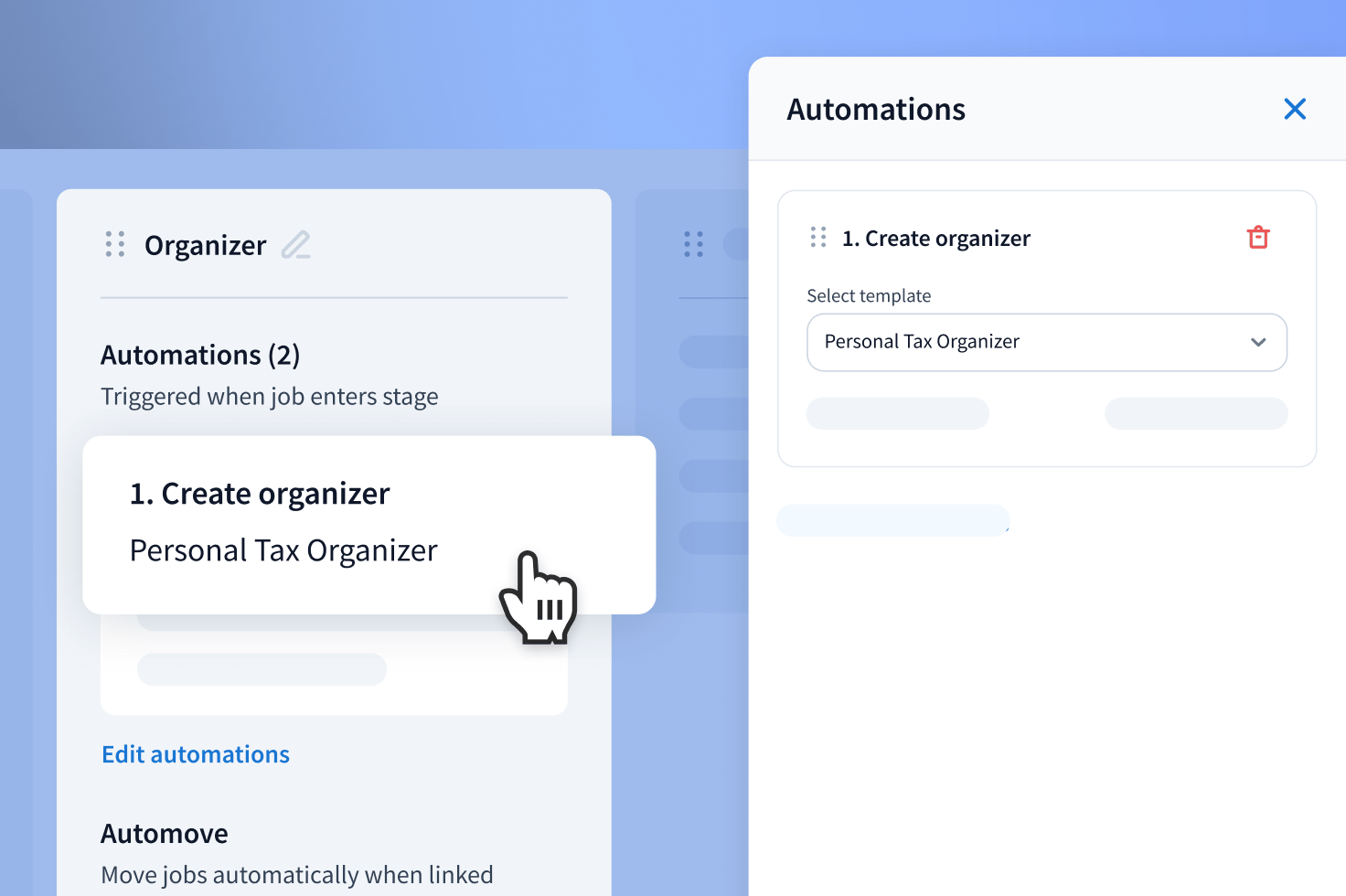
An efficient onboarding process also makes the experience effortless for clients. No more email back-and-forths, lost emails, or misunderstandings. Clients know exactly what they need to do and how to do it. You make it as easy as possible for them to provide the data, documents, and other resources your team needs to do their job.
When 1 in 5 clients say they’d pay up to 50% extra for faster service, efficient onboarding is the fastest way to prove they chose the right firm.
Key features to look for in client onboarding software
Choosing the right client onboarding software starts with knowing which features to look for. Many platforms offer a handful of tools that can improve client experiences, but few offer a complete set of features for optimizing the whole onboarding process:
- End-to-end onboarding automation: run client onboarding on autopilot, from start to finish
- Accounting workflow automation: kickstart client projects as soon as they complete onboarding
- Client portal: offer clients a secure place to upload files, sign documents, and communicate with your team
- Client mobile app: give clients access to their portal from anywhere
- Integrated communication: bring client and team communication into one connected platform
- CRM and contact management: keep client information organized and accessible in one shared system
- Proposals and organizers: send personalized proposals and collect data through customizable intake forms
- Document management and e-signatures: simplify requests, uploads, and signatures
- Templates and workflows: standardize onboarding steps across the firm for consistent client experiences
Ideally, you want one platform that provides all of the above in a complete practice management system. Otherwise, you’ll have to implement multiple tools to optimize the onboarding process.
Teams lose four hours per employee every week to switching between apps and 86% of clients say they only want to sign into one platform for accounting services.
Best client onboarding software for accountants
Now that we know which features really matter for accounting client onboarding, the question is: how many of these tools offer everything you need in one platform?
1. TaxDome
Best for: the most complete client onboarding platform for accounting firms
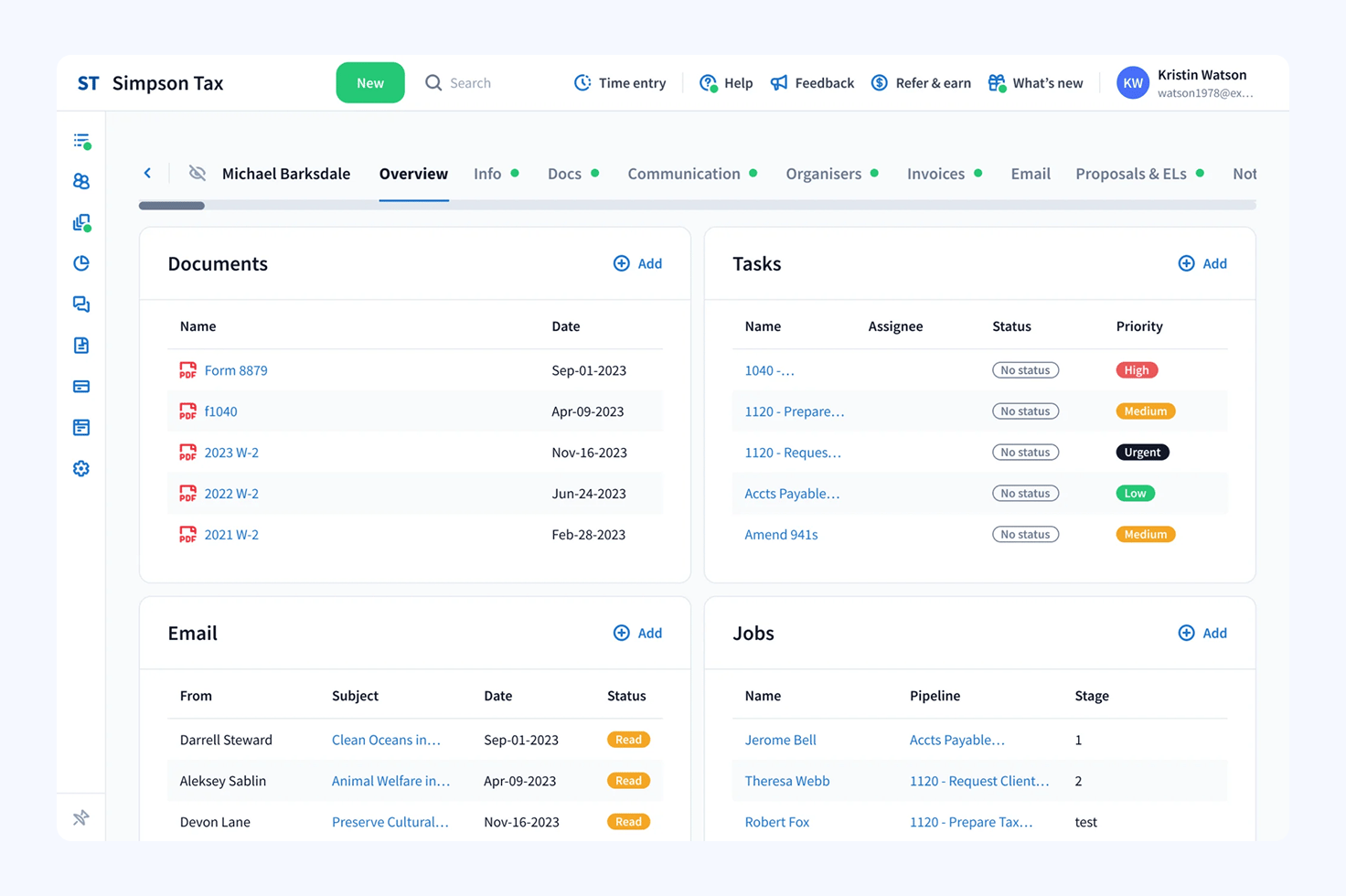
| Review score | ⭐4.7/5 (G2, 2025) |
| Key features | • End-to-end client onboarding automation • CRM and contact management • Proposals and organizers • Document management and e-signatures • Accounting templates • Client portal and mobile app • Integrated email, client, and SMS |
| Pros | ✅ Fully automates the client onboarding process
✅ Secure client portal and top-rated client mobile app ✅ Unlimited CRM and document storage ✅ One system for client onboarding, practice management, and client management |
| Cons | ❌ Onboarding workflows require some setup and training |
| Pricing | • One year: €58/month per user (billed annually at €700) • Two years: €63/month per user (billed annually at €750) • Three years: €67/month per user (billed annually at €800) |
| Integrations | • QuickBooks Online, Xero, and other accounting software • Juno for end-to-end tax preparation • Email integrations • Payment processors • Tax authorities |
TaxDome is the most complete client onboarding platform for accounting firms. It automates every step of the onboarding process, so accountants can get straight to work with new clients.
You can automate full onboarding sequences to trigger welcome emails, proposals, tax organizers, document requests, and everything your team needs to get started. You can even send the first invoice and automatically assign the job to the relevant team member once payment is cleared.
TaxDome makes onboarding effortless for clients, too. We give you a branded client portal and client mobile app where they can communicate, scan docs with their phone, and add signatures on the go.
Who should use TaxDome?
TaxDome is ideal for firms that want to drive growth and improve client experiences by fully automating the onboarding process.
2. Karbon
Best for: team collaboration and internal task management
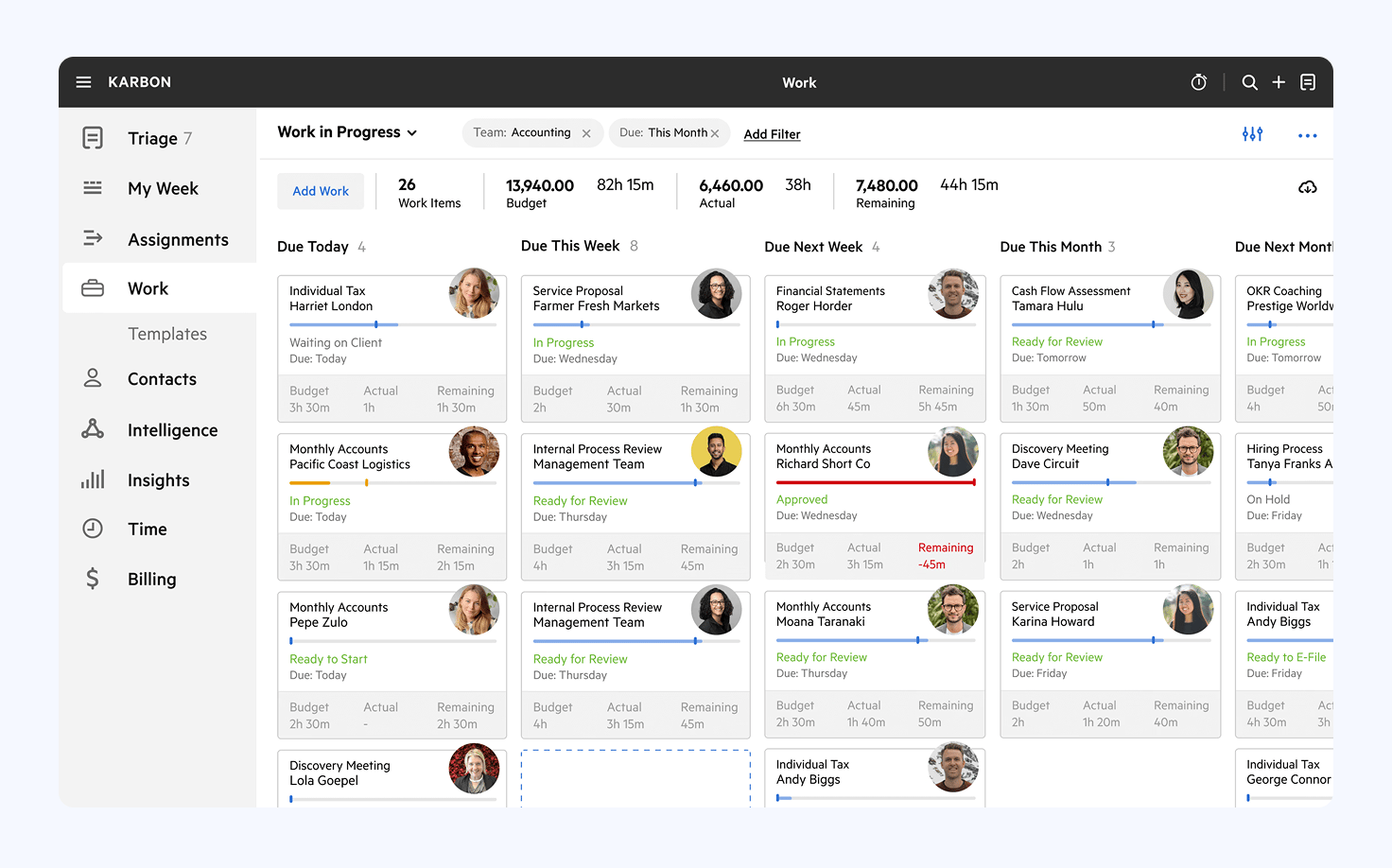
| Review score | ⭐4.8/5 (G2, 2025) |
| Key features | • Task management • Workflow automation • Team collaboration • Client portal • Proposals |
| Pros | ✅ Excellent team collaboration tools
✅ Solid task management features |
| Cons | ❌ No onboarding optimization system
❌ Lacking client management features ❌ Relies on integrations to automate key steps ❌ No tax organizers ❌ Limited client mobile app |
| Pricing | • Plan: $59/month per user (billed annually at $708) • Plan: $89/month per user (billed annually at $1,068) • Plan: custom pricing |
| Integrations | • Accounting software • Email integration • GoProposal • Zapier |
Karbon focuses on internal task management and team collaboration. You can automate workflow templates, manage shared inboxes, and collaborate within one workspace. This is fine for managing onboarding tasks internally, but you can’t fully automate the processes between clients and accountants.
For example, you have to integrate with third-party tools to automate next steps when clients accept a proposal.
Who should use Karbon?
Firms that are more focused on improving how internal teams work together, rather than fully automating the client onboarding process.
3. Canopy
Best for: small teams looking for a client management tool
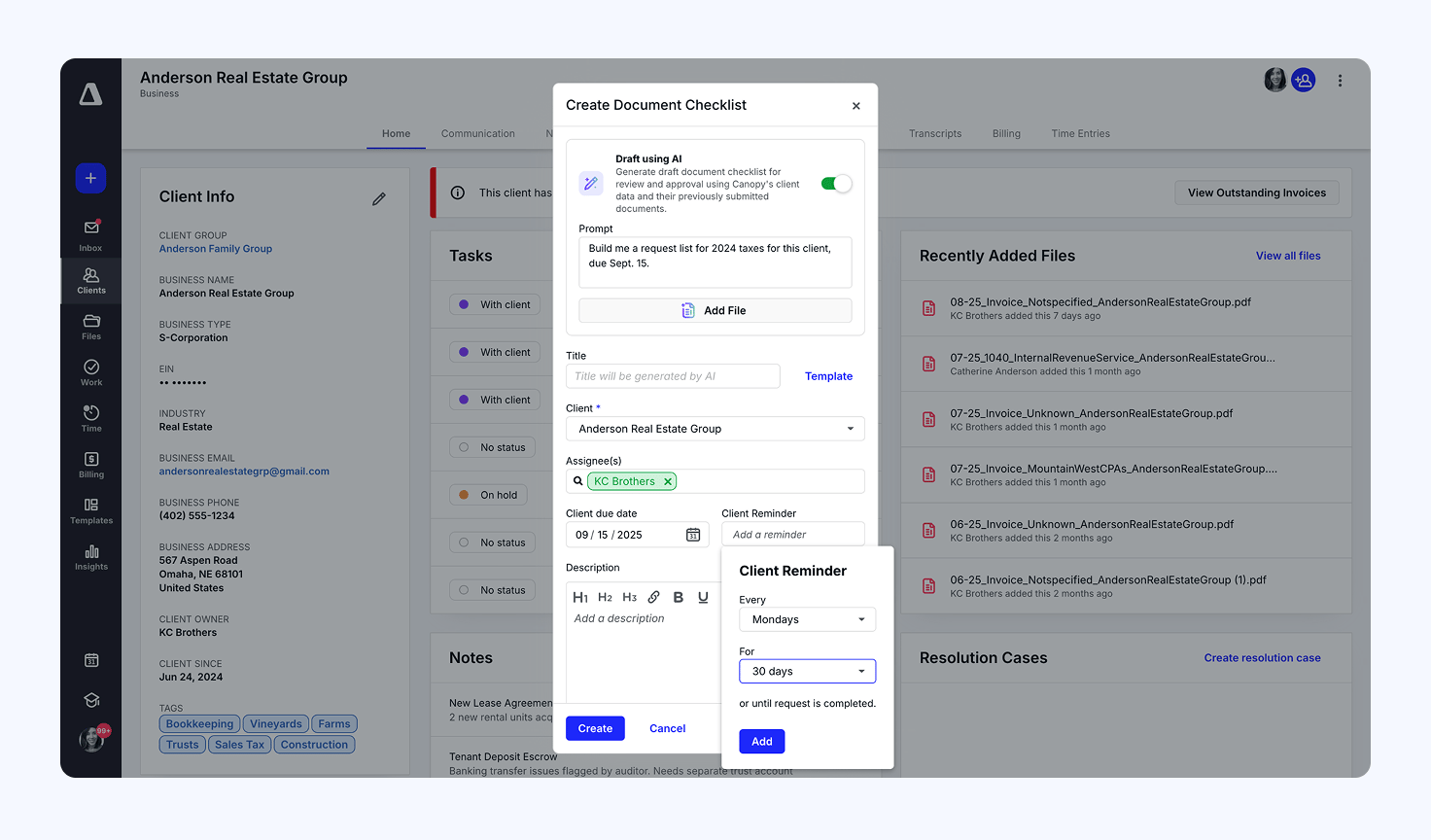
| Review score | ⭐4.6/5 (G2, 2025) |
| Key features | • Client management • Built-in CRM • Client portal • Engagements and proposals • Document management (paid add-on) |
| Pros | ✅ Capable client management tool
✅ Smart intake automation |
| Cons | ❌ No dedicated onboarding optimization system
❌ CRM contact limits ❌ Feature restrictions and added fees ❌ Limited client mobile app ❌ Complex modular pricing model |
| Pricing | • Client Engagement Platform: from $150/month (billed annually at $1,800) + implementation fee • Document Management: from $36/month per user (billed annually at $180+ for min. five users) • Workflow: from $32/month per user (billed annually at $160+ for min. five users) • Time & Billing: from $22/month per user (billed annually at $110+ for min. five users) |
| Integrations | • Accounting software • Email integration • Scheduling apps • Zapier |
Canopy takes the opposite direction to Karbon, focusing on client management features more than internal processes.
Unfortunately, this doesn’t include a dedicated system for optimizing onboarding experiences. The platform includes a Smart Intake system that partly automates the intake stage of onboarding, but that’s all you really get beyond standard workflow automation.
It’s a similar story with the client portal and mobile apps; they’re nice to have, but lack the depth of features to fully streamline client relationships.
Who should use Canopy?
Canopy is a capable client management tool, but make sure you know what you’re signing up for. The modular pricing means you have to pay for client engagement, document management, and other features separately. And pay close attention to the pricing small print — particularly the minimum user seats, usage restrictions, and additional fees.
4. BrightManager
Best for: basic client onboarding optimization for smaller firms
| Review score | N/A |
| Key features | • Workflow automation • Proposals and engagement • Email and SMS automation • Client portal (paid add-on) • Client timeline • AML checks and risk assessment |
| Pros | ✅ Simple client onboarding automation
✅ Integrated CRM and client communication ✅ Built for GDPR compliance ✅ Better balance of practice and client management features than Karbon and Canopy |
| Cons | ❌ Client portal charged separately
❌ No client mobile apps ❌ Bright’s product ecosystem can multiply software fees ❌ Relatively expensive for all team sizes |
| Pricing | • Standard: £33.60+VAT/month per user (billed annually at £403.20+VAT) • Standard: £42+VAT/month per user (billed monthly) • Enterprise: custom pricing • Client portal: £20.50/month |
| Integrations | • Bright software • Accounting software • Tax integrations • Zapier |
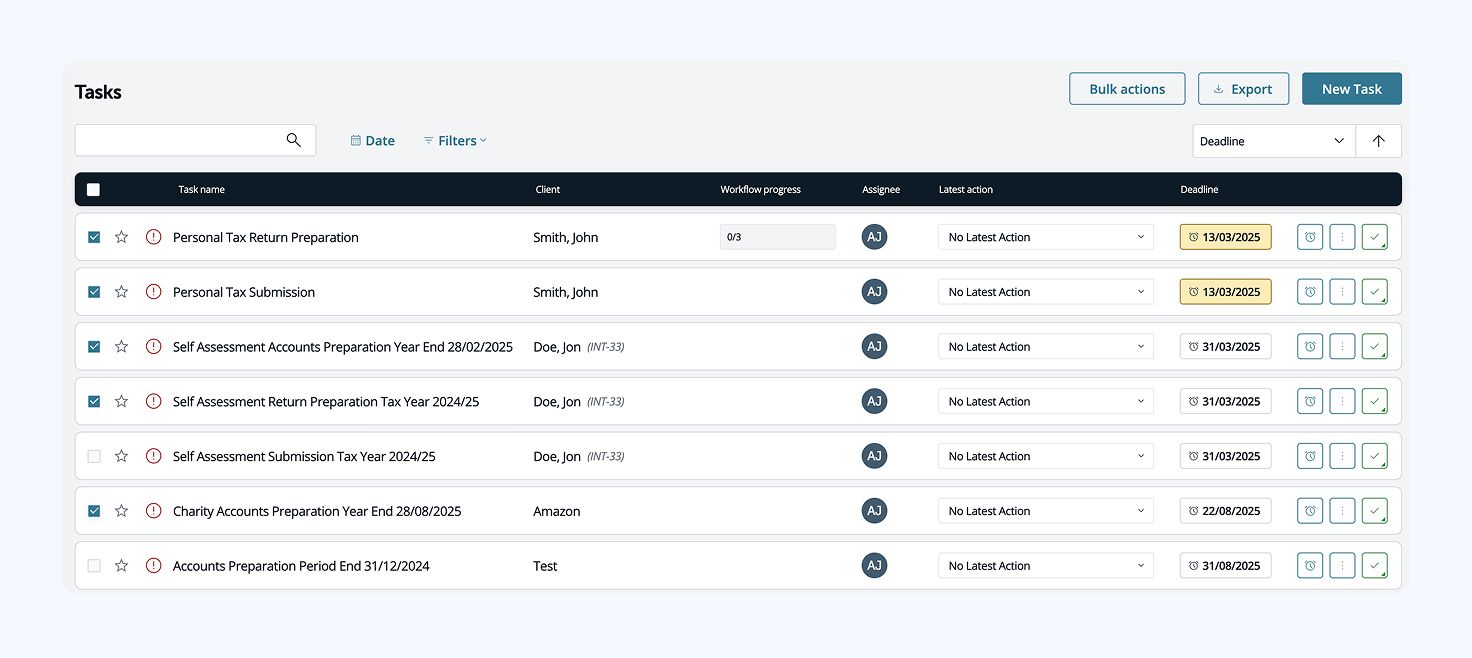
BrightManager provides basic client onboarding automation built into a broader practice management suite. Firms can create recurring onboarding tasks, send email reminders, and manage compliance checks directly from the CRM.
However, automation is limited to straightforward, recurring workflows—there’s no conditional logic, client-triggered automation, or full intake process customization. The client portal handles file sharing but lacks secure chat and mobile access, which can make onboarding less convenient for clients.
Who should use BrightManager?
BrightManager suits smaller firms in the UK and Ireland that want basic client onboarding optimization in a package that prioritizes AML and GDPR compliance.
5. Financial Cents
Best for: affordable entry to practice management software
| Review score | ⭐4.7/5 (G2, 2025) |
| Key features | • Client requests • E-signatures • Client CRM and portal • Proposals and engagements • Uncategorized transactions |
| Pros | ✅ Quick to set up and easy to use
✅ Client onboarding checklist ✅ Affordable entry-level pricing for small teams |
| Cons | ❌ No dedicated client onboarding system
❌ Basic client portal ❌ No client mobile app ❌ Relies on integrations for key features ❌ Expensive upgrades for the feature offering |
| Pricing | • Solo: $19/month per user (billed annually at $228) • Team: $49/month per user (billed annually at $588) • Scale: $69/month per user (billed annually at $828) • Enterprise: custom pricing |
| Integrations | • QuickBooks Online • Gmail and Outlook • Google Drive and OneDrive • Adobe Sign • Anchor • Zapier |
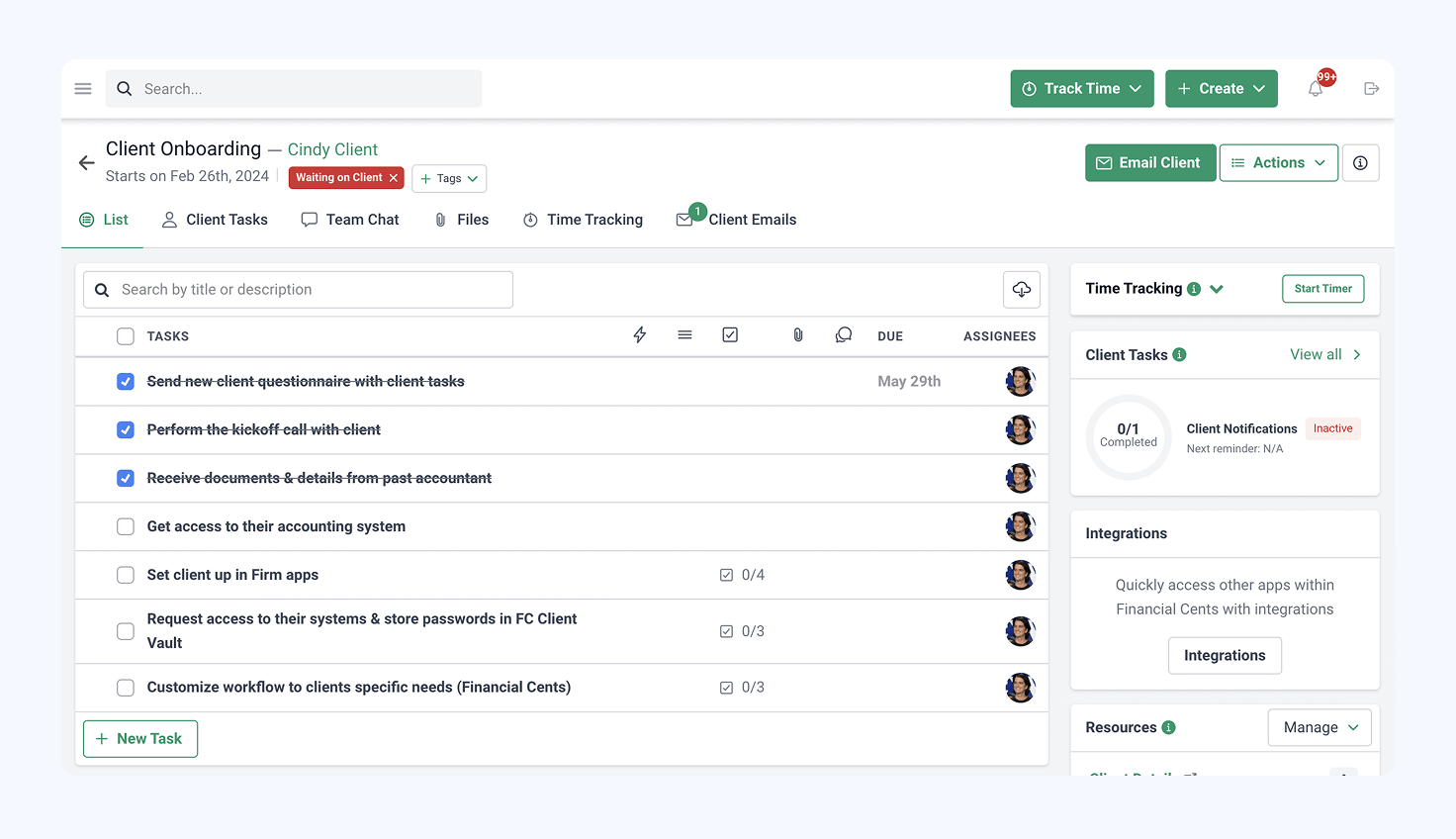
Financial Cents is an affordable, entry-level practice management platform. At this price point, you’re not getting a client onboarding optimization system. Instead, you get a checklist to help small teams make sure they cover everything in the onboarding process.
You also get basic workflow automation and recurring tasks to help manage onboarding, plus a built-in CRM and client portal. It’s a basic client portal, but a welcome addition that’s available on all plans.
Who should use Financial Cents?
Solo practitioners and small accounting teams that need an affordable productivity toolkit, rather than a complete client onboarding system.
Accounting efficiency starts with client onboarding
Internal efficiency only gets you so far if client onboarding holds your team back. Manual data collection, email back-and-forths, waiting for documents, and every other delay slows delivery. This limits the number of clients you can manage, creating bottlenecks from the first interaction.
71% of accounting clients value efficient onboarding because it helps them understand service workflows clearly and simplifies their responsibilities — for example, sharing the necessary documents.
TaxDome is the only practice management platform that streamlines every stage of onboarding — both for your team and your clients. See why 10,000+ firms across 25+ countries around the world run their practice on TaxDome.

Aaron produces practical content for TaxDome, drawing on 11 years in SaaS copywriting and marketing. He helps accounting and tax professionals get the most from TaxDome and other tools, making complex topics clear and actionable.

Get your free guide

Thank you!
The guide copy has been sent to your email. Please check your inbox!
Recommended articles

10 best client portals for accountants in 2026: features, pricing, and reviews

12 best CRMs for accountants, bookkeepers and tax professionals in 2026

Bookkeeping client onboarding checklist for 2026 (with templates inside)