 US – English
 UK – English
 Canada – English
 Australia – English
 Danmark – Dansk
 DACH - Deutsch
 France – Français
 España – Español
 Sverige – Svenska
 Italia – Italiano
 Nederland – Nederlands
 Portugal – Português
 Suomi – Suomi
 Norge – Norsk
 日本 – 日本語
 Romanian – Română












How to implement accounting practice management software

Run your entire firm on one platform
Practice management software has the potential to transform how your firm operates. Why? Because it combines all the tools you need to run a modern accounting business — from document and task management to client communication and workflow automation. And that’s just scratching the surface.
But picking the right practice management software is just part of the process. To maximize the value of your new investment, you need to ensure that the software you choose is implemented effectively.
In this article, we’ll show you how to do that.
Table of сontents
- Key steps to follow to implement practice management software:
- Understanding your accounting practice needs
- Choosing the right software
- Planning for implementation
- Data migration
- Training your team
- Integration with existing systems
- Testing and feedback
- Launching the software
- Post-implementation review
- Conclusion
Table of сontents
- Key steps to follow to implement practice management software:
- Understanding your accounting practice needs
- Choosing the right software
- Planning for implementation
- Data migration
- Training your team
- Integration with existing systems
- Testing and feedback
- Launching the software
- Post-implementation review
- Conclusion
Key steps to follow to implement practice management software:
By following these steps, you’ll have everything in place to ensure a smooth and successful implementation process.
- Understanding your accounting practice needs
- Choosing the right software
- Planning for implementation
- Data migration
- Training your team
- Integration with existing systems
- Testing and feedback
- Launching the software
- Post-implementation review
1. Understanding your accounting practice needs
Before you go shopping for practice management software, you need to understand exactly what your accounting practice needs to be successful. This allows you to narrow down the field and choose a practice management platform that aligns with your unique requirements and goals.
Here are some questions to ask to make this process easier:
- What do our current processes look like, and where could they be improved?
- What are our biggest challenges, pain points and barriers to success?
- What are our goals? (E.g. save money, increase efficiency, scale processes)
To get the best possible understanding of what you need, be sure to involve stakeholders from across your practice, including senior executives, managers and staff.
2. Choosing the right software
Once you’ve established what you need and why, you can start looking for the perfect software solution. This is a big decision that shouldn’t be rushed, so be sure to do your due diligence by looking at factors such as:
- Features
- Scalability
- Pricing
- Customer support
- Integrations
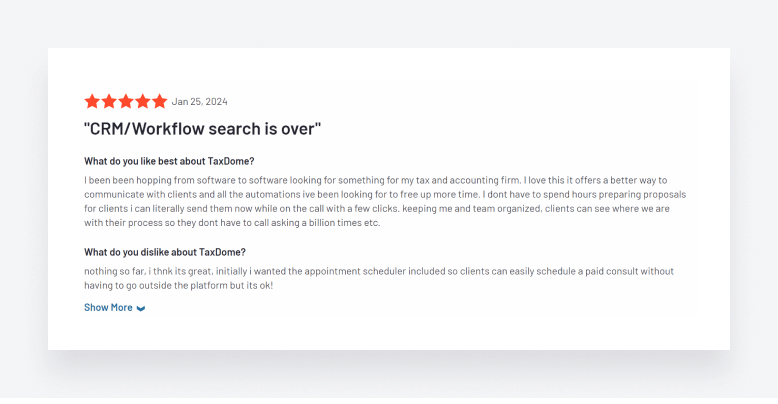
To get a real feel for how practice management platforms perform, check out user reviews on sites such as G2 and Capterra. Are the ratings good? Are customers generally happy? What complaints do they have about the software?
3. Planning for implementation
Once you’ve chosen the right practice management software, the next step is to plan the implementation stage in as much detail as possible. In practice, this means outlining the timelines, milestones and responsibilities for ensuring a successful implementation. You’ll also need to allocate resources and personnel to ensure that it goes smoothly.
It’s also worth communicating with your clients about the coming change. Most practice management platforms come with client portals, where clients can communicate with accountants, upload and view documents, and complete tasks. So a simple heads-up at this stage will make for a smoother transition when you start using your new software.
4. Data migration
The best practice management platforms act as a single source of truth for all your data — including client records, financial data and documents. So the next step is to transfer all that data from your existing CRM or document management system to your new software.
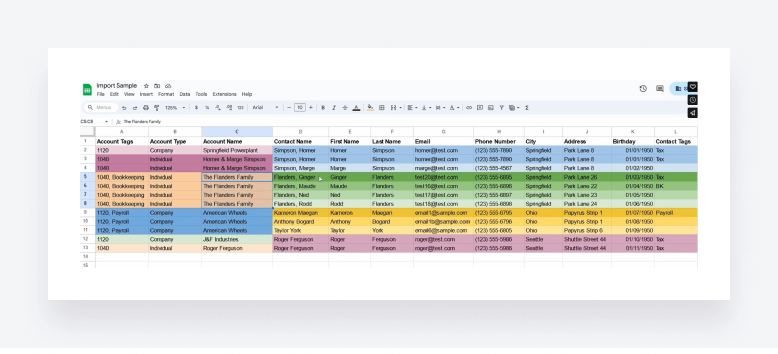
Each software will have its own way of doing this. In TaxDome, for example, you can use our import tool to quickly transfer client accounts and contact data from your existing CRM using a CSV file. You can also use our Windows app to upload documents and folders in a single click, without needing to log in to your TaxDome workspace.
5. Training your team
To maximize the potential of your new accounting practice management software, you need to ensure that your staff understands how to use it. Make sure you provide comprehensive training that’s tailored to different user roles.
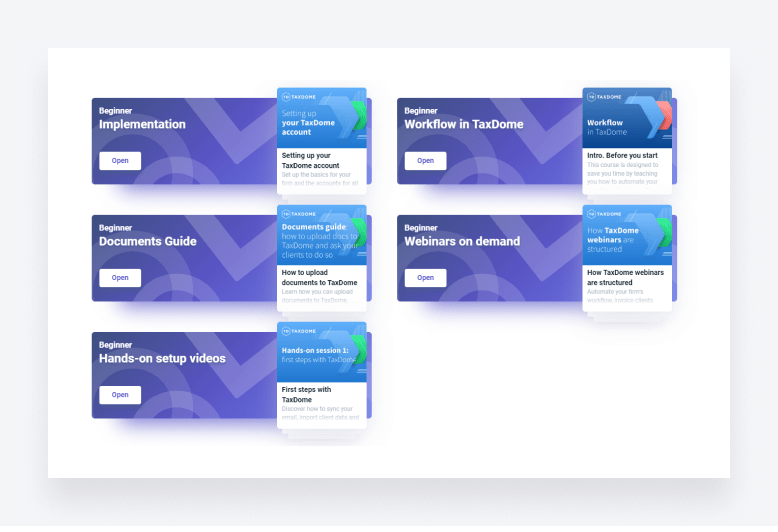
Some software providers will facilitate this process for you. At TaxDome, for example, all users have access to TaxDome Academy — a series of courses designed to help firms set up their workspace and get up to speed with our broad range of features and tools. We also offer regular webinars and workshops for continued learning.
To get buy-in from across your firm, you’ll also need to articulate why you’ve decided to switch to a practice management platform and how it will benefit your team.
6. Integration with existing systems
Practice management software combines multiple tools and processes in one place, allowing you to consolidate your accounting tech stack. Still, you’ll need to use your new platform alongside other tech, such as your accounting, bookkeeping or tax preparation software — and that means setting up integrations.
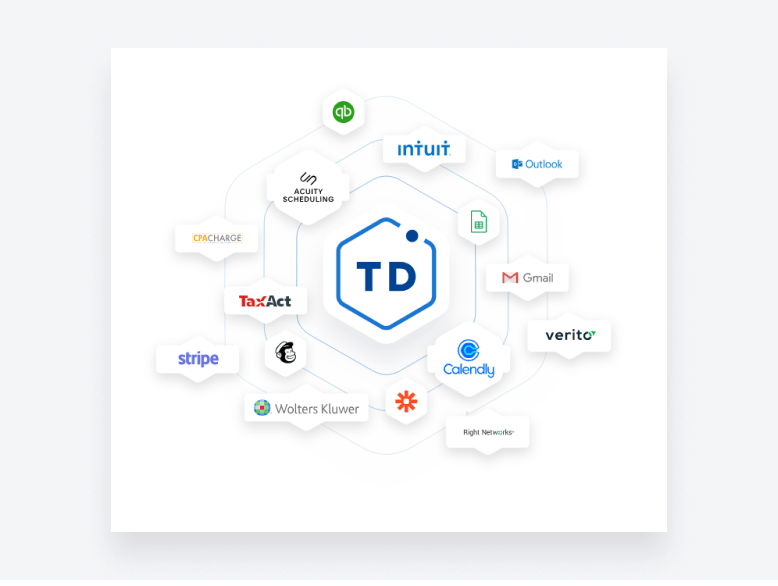
Some practice management platforms offer ready-made integrations with popular accounting and payment software. TaxDome, for example, allows you to easily sync with QuickBooks Online and Stripe, as well as scheduling tools like Calendly. You can also use Zapier to connect to thousands of other apps and create seamless automated processes.
7. Testing and feedback
Before you fully launch the software for everyday use, it’s worth spending some time testing it, looking closely at data accuracy and process efficiency. By setting up a dummy client account, you can see firsthand what your clients will see when they interact with you. This will help you fine-tune your workflows, templates and client communication.
Encourage users to provide feedback and report any issues or concerns. It’s easier to make adjustments at this stage rather than later on.
8. Launching the software
Finally, it’s time to start using the new software for real. Make sure you communicate the launch plan to all your staff, stakeholders and clients, explaining exactly when the change will take place and what impact they should expect on existing processes and workflows.
Your clients in particular may benefit from more hands-on support to ease the transition. You could arrange a webinar, for example, to run through how the client portal works and answer any questions they may have. Remember: clients may not like the idea of change — even if it benefits them — so emphasize how your new practice management software will make their lives easier.
9. Post-implementation review
Once you’re up and running, it’s time to take a moment to review how the implementation went. Focus on the successes, challenges and lessons learned. Get feedback from staff members and clients to identify areas for improvement and optimization.
You should also periodically assess whether your new software is helping you achieve the goals you initially set out. Are you saving more time or money? Are those efficiency bottlenecks still an issue? By working closely with the software provider, you can address any issues that are holding you back.
Conclusion
Choosing the right practice management software could completely transform the way you operate as an accounting firm. But without a successful and well-thought-out implementation process, you’ll struggle to maximize this opportunity for positive change.
By following the steps we’ve outlined in this article, you’ll be able to ensure a smooth and successful transition from your legacy tools to your new platform, paving the way for more efficient processes and happier clients.

Nicholas produces TaxDome content focused on how technology improves accounting workflows and everyday firm operations.

Get your free guide

Thank you!
The guide copy has been sent to your email. Please check your inbox!
Recommended articles

9 best QuickBooks alternatives in 2026 for every business type

65+ key accounting statistics and insights for 2026

How to start an accounting firm: a step-by-step guide to running your own practice