 US – English
 UK – English
 Canada – English
 Australia – English
 Danmark – Dansk
 DACH - Deutsch
 France – Français
 España – Español
 Sverige – Svenska
 Italia – Italiano
 Nederland – Nederlands
 Portugal – Português
 Suomi – Suomi
 Norge – Norsk
 日本 – 日本語
 Romanian – Română












Email Management Update: Delay or Schedule Sending Emails

Run your entire firm on one platform

Are you a night owl? Many of us are, too – but we may not want our clients to know that. Today we’re happy to introduce the ability to schedule emails in TaxDome.
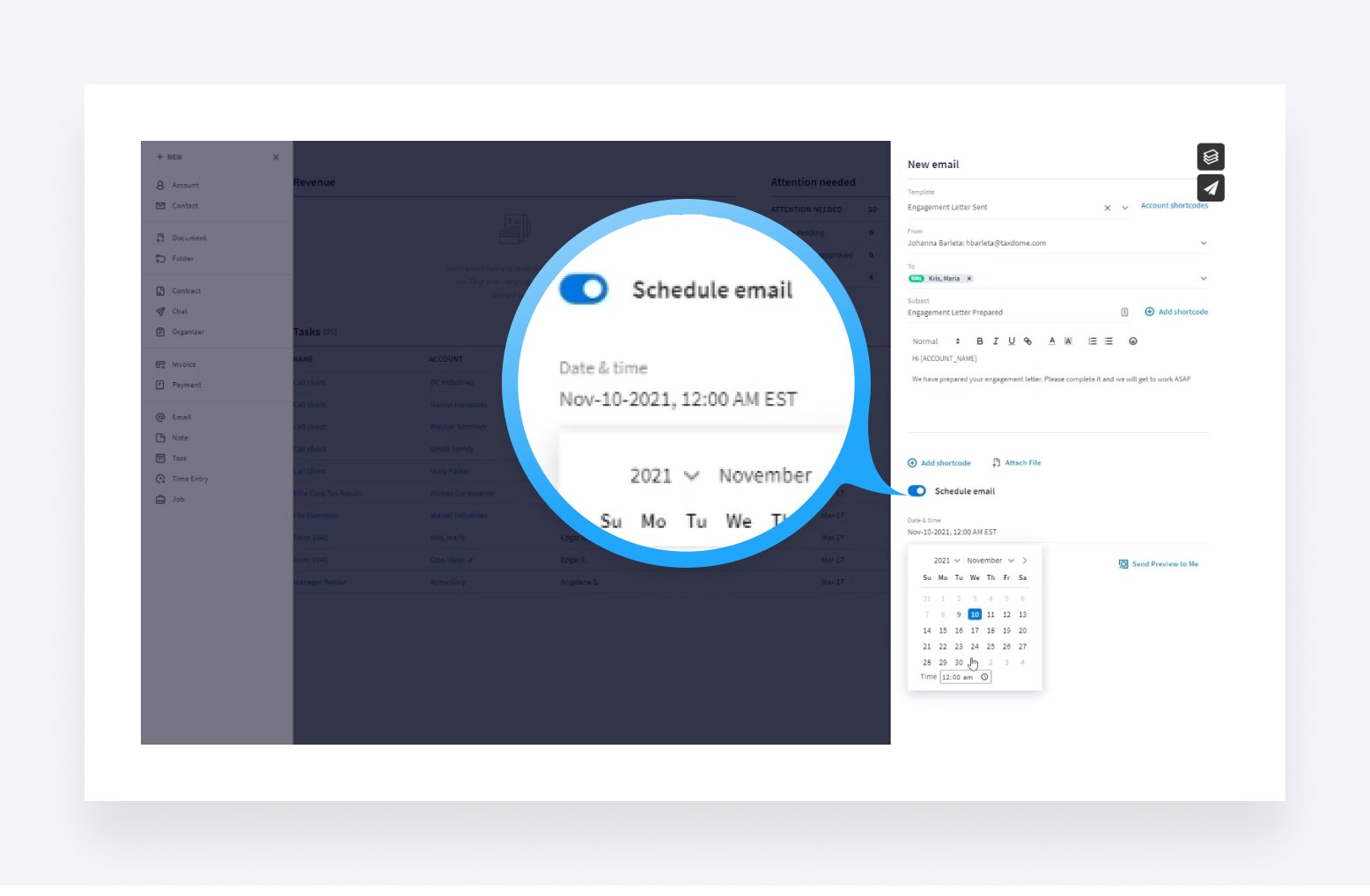
Use case: You have been working on your client’s tax return until 2am and you want to email them an update, but you don’t want them to know you are working at such late hours. Now you can schedule sends for the next morning using the schedule email feature.
Table of сontents
Table of сontents
What’s new
- You can schedule your emails to send at a later time. Toggle on ‘Schedule Email’ and indicate when you’d like it to be sent.
- Scheduled emails that have not yet been sent can be viewed on the Email tab of the client’s profile in the general list, marked with a special icon.
- In addition, a new Scheduled tab will appear on the Email tab with a list of all scheduled emails.
- You can cancel scheduled emails if you change your mind or want to make changes
Read how to create and manage the scheduled emails in our Help Center.
If you have any suggestions on how to improve the email management within TaxDome, just let us know in the Feature Request Board!

As a CPO, Constantine is responsible for TaxDome's constant improvement. His top priority is helping TaxDome users do their job more effectively and with less stress. He's passionate about collecting first-hand customer feedback and delivering the right features at the right time.

Get your free guide

Thank you!
The guide copy has been sent to your email. Please check your inbox!
Recommended articles

TaxDome AI: more than 2,000,000 documents organized for accountants this past tax season—and we’re just getting started

Webinar recap and Q&A: Summer Update 2026

Unpacking the differences between TaxDome Payments and Stripe