 US – English
 UK – English
 Canada – English
 Australia – English
 Danmark – Dansk
 DACH - Deutsch
 France – Français
 España – Español
 Sverige – Svenska
 Italia – Italiano
 Nederland – Nederlands
 Portugal – Português
 Suomi – Suomi
 Norge – Norsk
 日本 – 日本語
 Romanian – Română












Digital accounting: everything you need to know to go fully digital

Run your entire firm on one platform
If you’ve been treating digital transformation as a “someday” project, it might be time to rethink the timeline. Because here’s the real issue: it’s not just your team feeling the strain of outdated processes — it’s your clients.
According to the TaxDome Client Satisfaction Report, fewer than half of clients are completely satisfied with their accountant. But among those who are? 77% say their accountant uses technology in smart, innovative ways.
In this article, we’ll break down how digital accounting works, why manual processes fall short, and what tools and tactics can help you modernize your practice.
Table of сontents
Why manual accounting is slowing you down
Ask any accountant what holds up their day, and the list usually starts the same way: the client didn’t send the file, the spreadsheet didn’t update, someone forgot to follow up. One task turns into three, and by the end of the day, nothing is fully finished.
But the impact goes beyond daily irritation. Here’s what manual accounting processes really do to your firm:
- Clients feel the friction. Even if your work is flawless, they’ll lose patience if every document or signature requires a call, an email, or — worse — an office visit. When convenience is missing, loyalty slips.
- You’re leaving money on the table. Tracking down files, fixing formulas, and managing overdue tasks all take time away from billable work. These hidden inefficiencies limit your capacity and growth.
- You’re exposed to errors. Manual systems leave more room for compliance gaps and simple mistakes. Best case, you’re wasting time fixing them. Worst case, your reputation takes the hit.
From every angle, traditional workflows are costing more than they’re worth.
How digital accounting works in practice
Digital accounting changes how your firm operates by bringing structure and connectivity to tasks that were once handled separately. Every action supports the next, and nothing falls through the cracks.
The foundation of this shift is the cloud. Core functions like CRM, document management, client messaging, invoice processing, and task assignments are centralized and accessible from anywhere. That means no more digging through folders or chasing updates across multiple platforms.
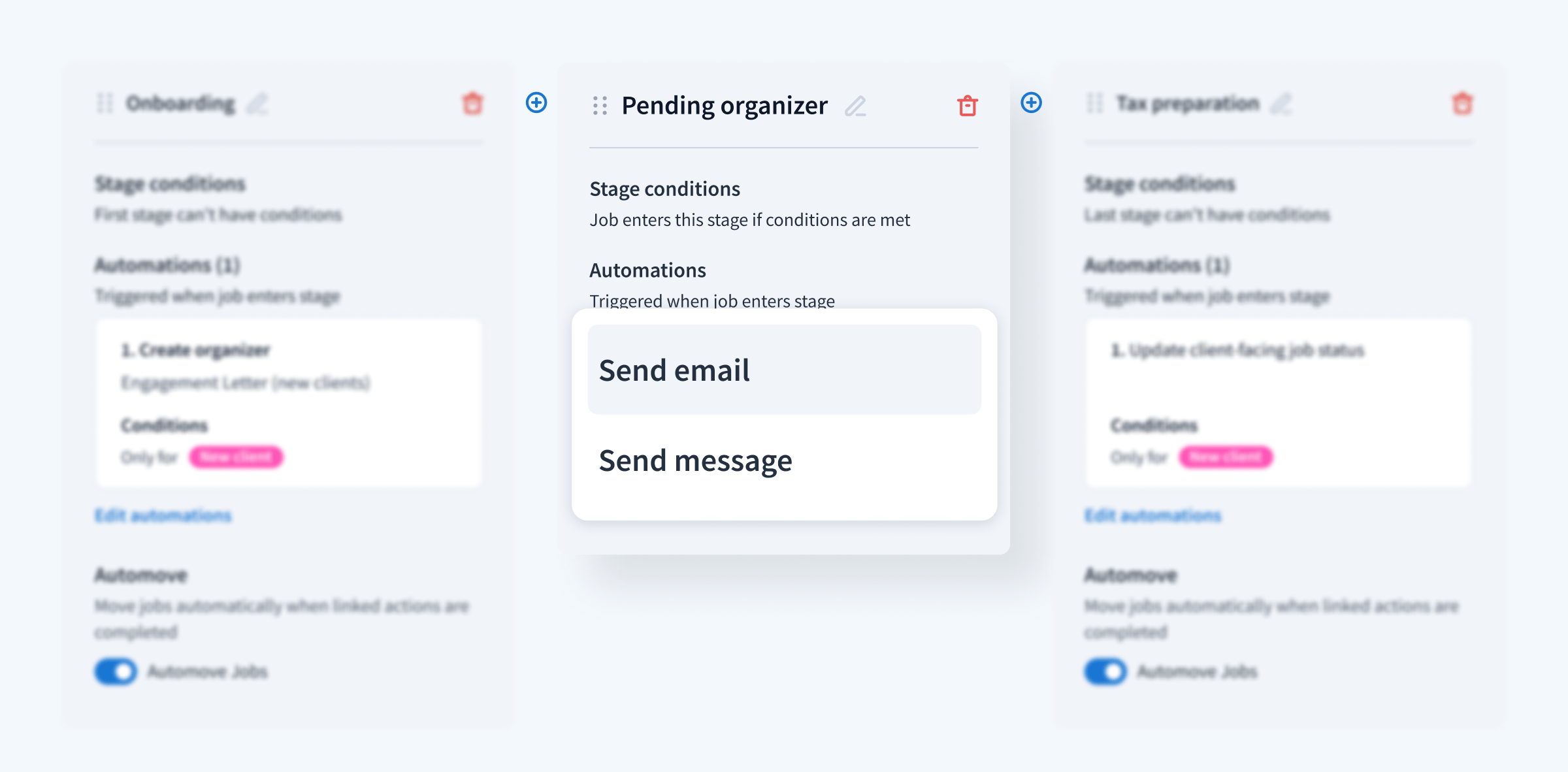
With this infrastructure in place, automation becomes possible. You can set up rules that create dependencies between steps — so when a client uploads a document, the system automatically assigns a task to your team. Or once an invoice is marked as paid, the workflow advances to the next phase. These triggers remove the need to check in on every little detail.
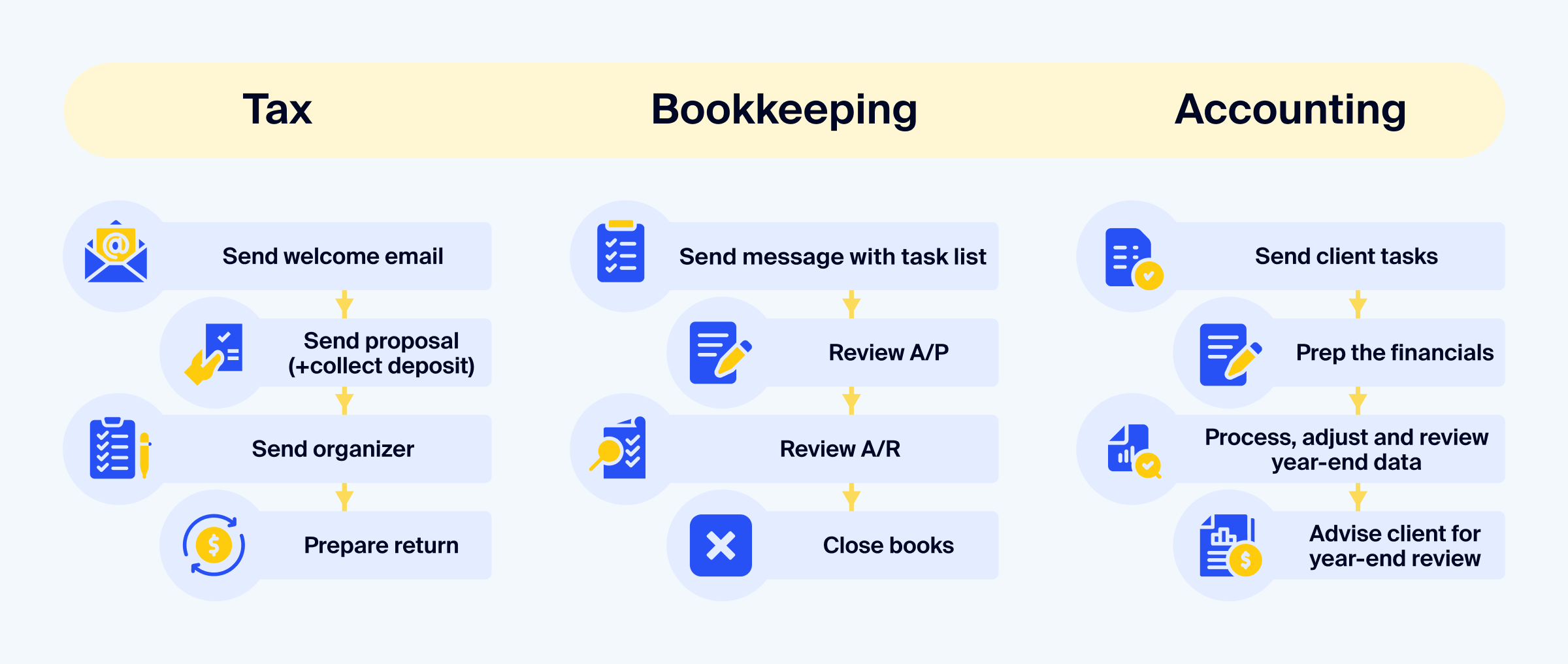
Here’s how a typical client onboarding process might run inside TaxDome:
- A potential client fills out a contact form on your website (built directly inside TaxDome, no third-party tool needed).
- Their information enters your CRM automatically, creating a new lead and triggering a pre-set workflow for new inquiries.
- An automated welcome email goes out immediately, introducing your firm and sharing next steps.
- Based on your workflow setup, you receive a task notification to review the lead and schedule a call — or, if you prefer, the system sends a calendar booking link automatically.
- Once the call is complete and the proposal is accepted, TaxDome moves the new client into your next pipeline: sending the proposal, collecting a deposit, requesting documents, and assigning the first task — all triggered by status changes.
Each action builds on the last, keeping the process clean, fast, and consistent — no manual data entry, no switching between tools, and no missed steps.
What are the real advantages of digital accounting?
Once your workflows, documents, and communication are centralized, the real benefits of this management system start to emerge. Below are the key advantages firms consistently report after making the shift.
1. Instant access to information from anywhere
When everything is cloud-based, your team and your clients can access exactly what they need at any time. Whether you’re reviewing tax documents during a call or a client is uploading receipts at midnight, real-time access makes your firm more responsive and easier to work with.
For team members, this also supports asynchronous collaboration. Work doesn’t stop when someone steps away, because everyone can see what’s done, what’s next, and where things stand.
2. Reduced manual work with higher accuracy
Document requests, reminders, e-signatures, status changes, task handoffs — all of these can be automated to run without manual involvement. And when information moves seamlessly, it lowers the chance of mistakes. And frees your team to focus on the work that actually needs their attention — reviewing, advising, and problem-solving.
3. Stronger data security and compliance
In a trust-driven profession, securing client data is non-negotiable. Cloud-based digital accounting systems include built-in protections like bank-level encryption, secure client portals, audit trails, and access controls. That means you can confidently handle sensitive financial documents without relying on email attachments or unsecured file shares.
Compliance becomes easier too. With a clear record of who did what, when, and how, your workflows naturally support regulatory requirements and help you stay audit-ready at all times.
4. Simpler client collaboration, especially remotely
Modern clients expect the same ease of use they experience with other service providers. Digital accounting systems make that possible. Clients can upload documents, sign forms, pay invoices, and send messages — all from one secure portal or mobile app.
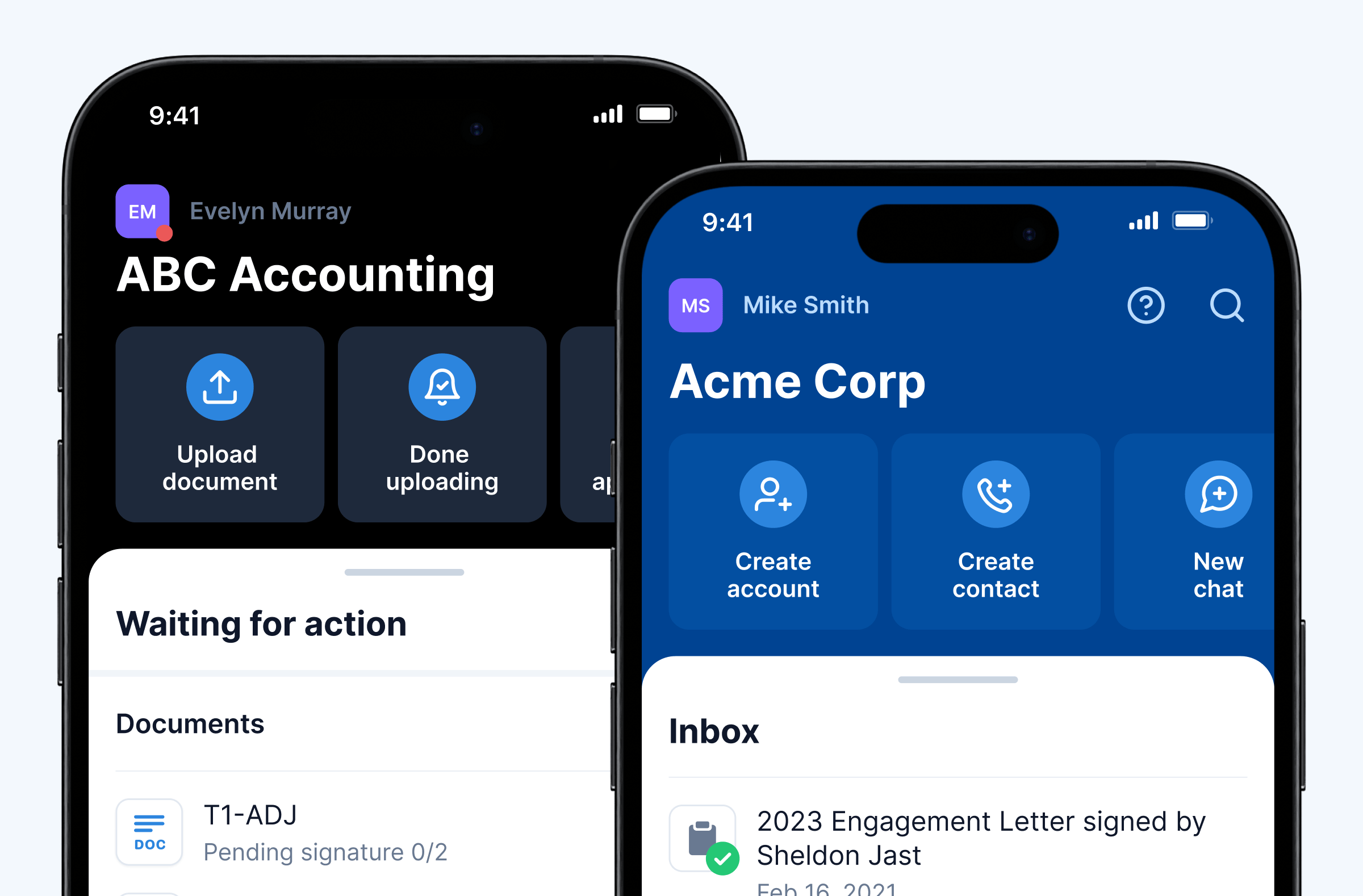
This cuts down on back-and-forth emails and limits the need for face-to-face meetings. It also improves response times and gives your team the tools to serve clients efficiently, even if you’re fully remote or working across time zones.
5. Built-in scalability for growth
As your firm expands, manual processes become harder to maintain. Digital workflows don’t just help you handle your current workload — they make it possible to grow without hiring for every new client. Automation, centralized systems, and templated workflows mean you can take on more work while maintaining consistency and quality.
With tools like TaxDome, scaling your firm isn’t about working longer hours — it’s about building systems that do more of the heavy lifting for you.
Key technologies that power digital accounting
Behind every efficient digital accounting practice is a set of technologies working together. Below are the core tools that make this shift possible.
Cloud platforms and integrations
Cloud infrastructure is the backbone of any digital accounting system. It gives firms 24/7 access to client data, financial documents, communication threads, and internal task boards — all from a browser or mobile device. That level of accessibility makes remote work possible and removes the need to manage local files or send endless email attachments.
A modern platform like TaxDome brings even more value by connecting multiple functions — CRM, document storage, e-signatures, workflow management, invoicing — into one place. Instead of switching between five different apps, your team can manage the entire client lifecycle without leaving the system.
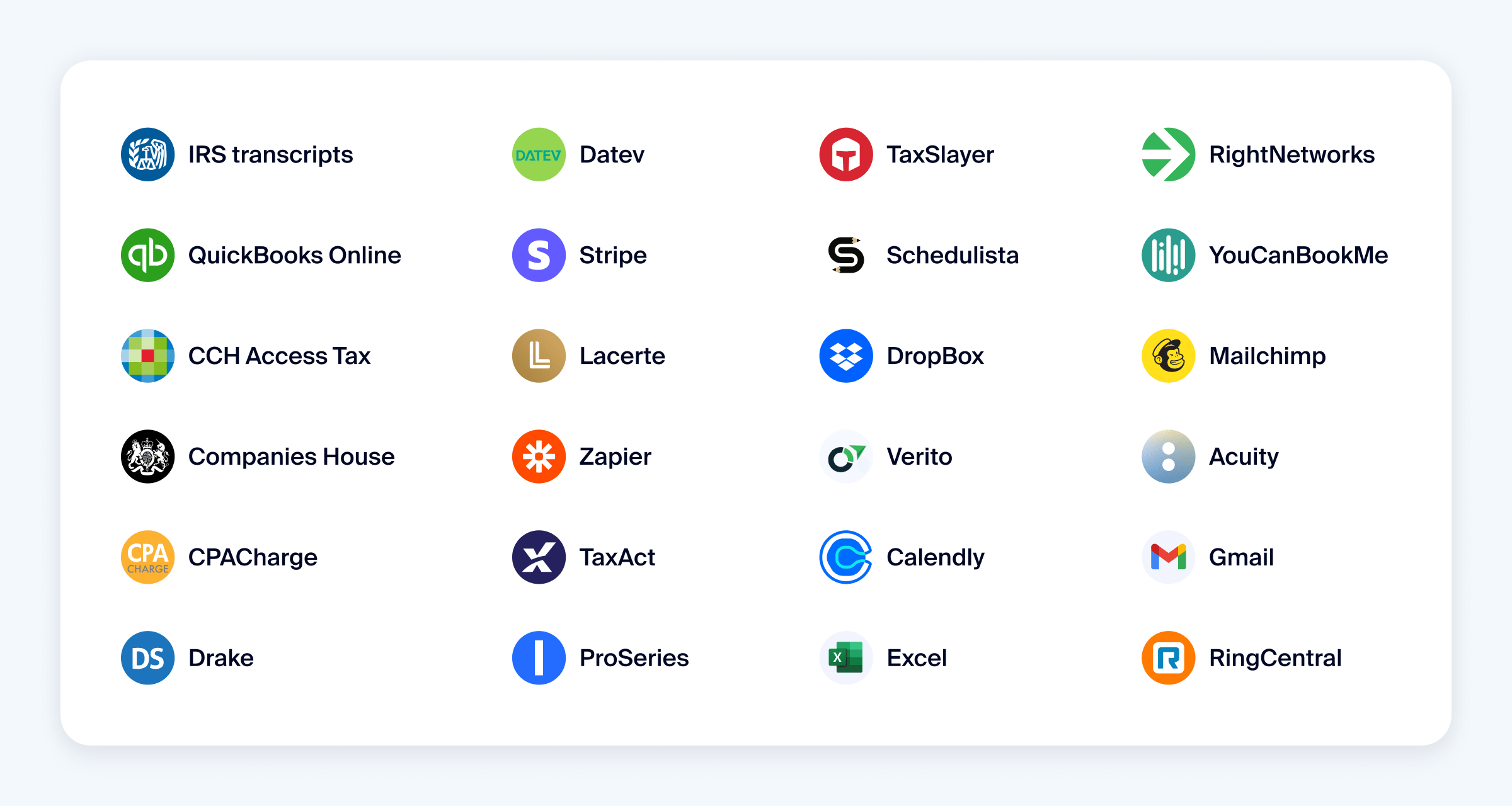
Integrations also play a key role. Whether you’re syncing data with QuickBooks, connecting to a calendar tool, or importing leads from your website, seamless integration cuts out manual input and ensures information stays accurate across systems.
OCR and smart document processing
Optical Character Recognition (OCR) plays a foundational role in digital accounting. It enables systems to extract text from scanned documents, PDFs, and image files — turning them into searchable, usable data. Instead of retyping values from bank statements, invoices, or receipts, OCR lets you digitize them instantly.
This is especially useful when working with paper-heavy clients or reviewing source documents during onboarding and tax season. By converting files into structured data, OCR lays the groundwork for more advanced automation and analytics.
AI-powered automation
With structured data in place, AI can take over to drive smarter workflows and reduce the need for manual intervention. For example, TaxDome AI analyzes and renames files as they come in — so you’re not stuck dealing with uploads like Scan_2024_04_19(3).pdf.
AI is also becoming a core feature in accounting software. Tools like QuickBooks use machine learning to flag discrepancies in financial data, suggest account categorizations, and detect duplicate transactions before they become a problem. Some platforms extend this even further with automated reconciliation, cash flow forecasting, and pattern recognition to highlight unusual spending.
Whether applied to operations, reporting, or client communication, AI helps firms move faster, avoid errors, and make more informed decisions — without increasing headcount or sacrificing control.
API-based data syncing
When tools speak the same language, your systems work like a single, coordinated platform. APIs (Application Programming Interfaces) allow different software platforms to exchange data automatically without the need for manual exports or file uploads.
With API integrations, updates in one system can instantly reflect in another. For example, when a payment is logged in your billing system, it can automatically update the client’s status in your CRM and trigger the next workflow step in TaxDome. That level of connectivity keeps processes moving without human follow-up.
Your roadmap to going fully digital
Moving to digital accounting doesn’t happen overnight. But with a structured approach, you can start seeing value quickly. Here’s a clear roadmap to guide your transition from manual systems to a fully digital, scalable practice.
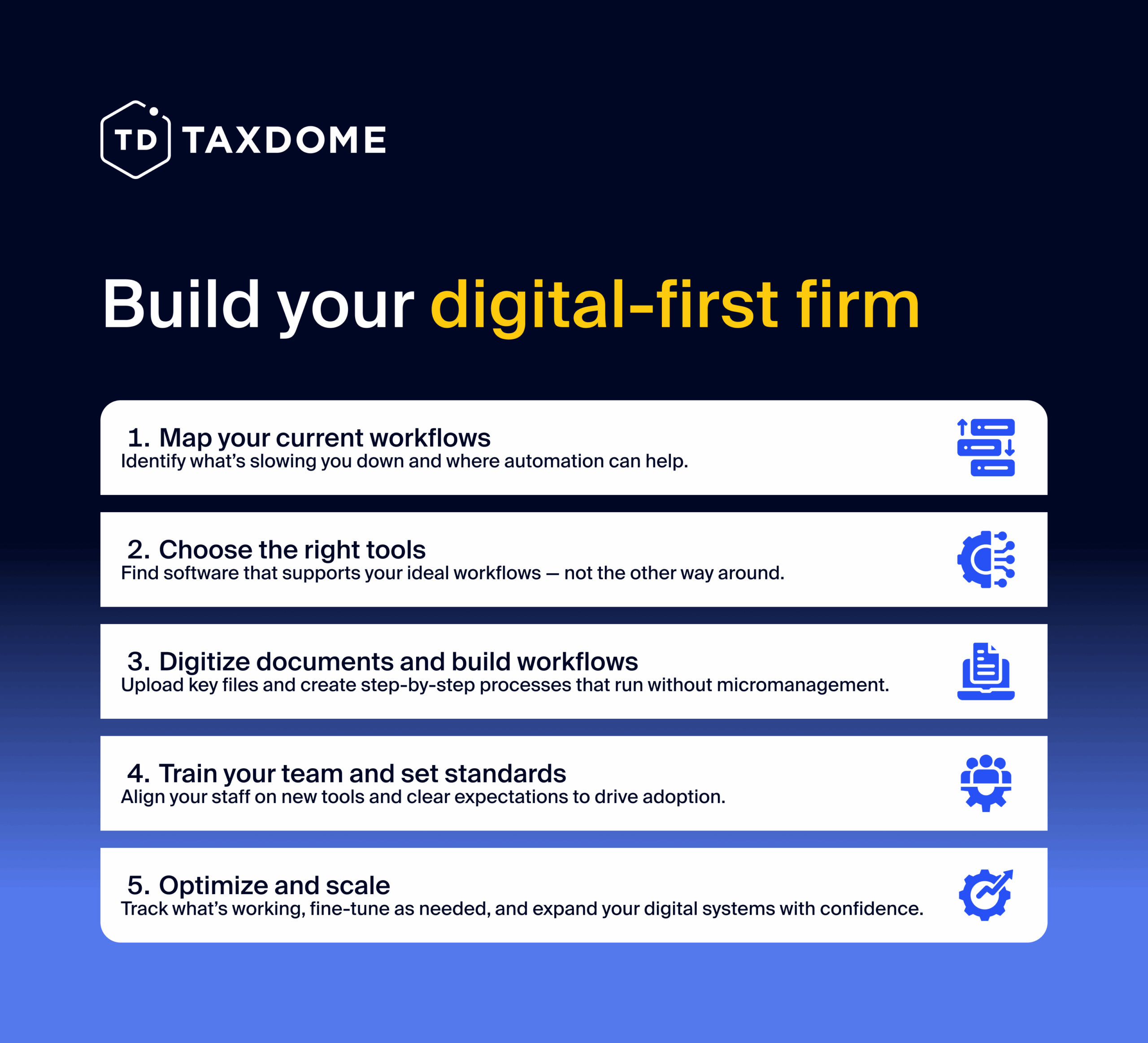
Step 1. Map your current workflows
Start by documenting how things work today. What tools do you use? Where do bottlenecks occur? Which tasks are repeated across clients? The goal is to pinpoint where your time is going and what’s creating friction.
Break this down by key functions: client onboarding, document collection, internal task management, invoicing, and reporting. It’s also helpful to involve team members at this stage — they often surface inefficiencies leadership might miss.
Step 2. Choose the right technology
Don’t start with features. Start with your workflow needs. The best tools are the ones that support your ideal way of working — not the other way around.
At a minimum, look for a platform that centralizes client communication, document storage, e-signatures, invoicing, and task management. For many firms, practice management software like TaxDome replaces the patchwork of disconnected tools and becomes the central hub for operations.
Also consider how well your new tools integrate with what you already use (like QuickBooks or Drake) and whether they’ll scale with your firm as you grow.
Step 3. Digitize your documents and build workflows
With tools selected, it’s time to start creating the systems that will power your firm going forward. First, scan and upload any legacy documents you need to keep. This is a good opportunity to clean house — archive outdated files and organize your digital folders clearly from the start.
Next, build your workflows. Start with one core process (like tax return prep or monthly bookkeeping). Define each stage, assign responsibilities, and add automation where it makes sense — reminders, task assignments, status updates. Start simple, and add complexity gradually as your workflows evolve.
Step 4. Train your team and align on new processes
Tools only work if people use them well. Before rolling out your new system firm-wide, make sure your team is prepared.Run short, focused training sessions and tailor them by role. Show team members not just how to use the software, but how it improves their day-to-day work.
Equally important: agree on process norms. Where should team communication live? How should tasks be updated? What happens when a client misses a document request? Clarity here prevents confusion later.
Step 5. Monitor, refine, and scale
Once your new workflows are live, make time to review how they’re working. Are projects moving faster? Are clients responding more quickly? Is your team saving time?
Many platforms include built-in reporting tools that can help you track efficiency and identify bottlenecks. Use that data to adjust your workflows, update automations, or roll out improvements.
Ready to future-proof your firm?
Digital accounting is all about building a practice that’s easier to run, easier to scale, and more rewarding to work in. Whether you’re managing a solo practice or leading a growing team, moving to digital workflows gives you the tools to operate with less friction and more clarity.
And if you’re ready to take that first step, TaxDome gives you everything you need to build and grow your digital-first firm — all in one place.

Mari develops TaxDome content by combining customer insights, industry research, and real-world trends. Her structured, automation-driven approach ensures messaging is clear, relevant, and supports more connected and efficient accounting firms.

Get your free guide

Thank you!
The guide copy has been sent to your email. Please check your inbox!
Recommended articles
Niche Business Accounting Report statistics: what business clients will pay for specialized expertise

Buy Now, Pay Later: offer clients payment flexibility
Top AI tools for accountants in 2026: key features and use cases compared