 US – English
 UK – English
 Canada – English
 Australia – English
 Danmark – Dansk
 DACH - Deutsch
 France – Français
 España – Español
 Sverige – Svenska
 Italia – Italiano
 Nederland – Nederlands
 Portugal – Português
 Suomi – Suomi
 Norge – Norsk
 日本 – 日本語
 Romanian – Română












Calendar: Manage Your Day, Workload and Due Dates in a Handy Timeline Format

Run your entire firm on one platform

What does your workday look like? What’s on your plate this week? With the new Calendar in TaxDome, you can see task and job due dates visualized in a handy timeline format. Manage your day, workload and due dates within one workspace!
It was a long-awaited feature, and we’re excited to deliver it prior to the upcoming tax season. Some of you have also asked about integration with Google Calendar to be able to see appointments in TaxDome. While we’re working on implementing this request, you can create tasks for meetings and calls so that they appear on the calendar.
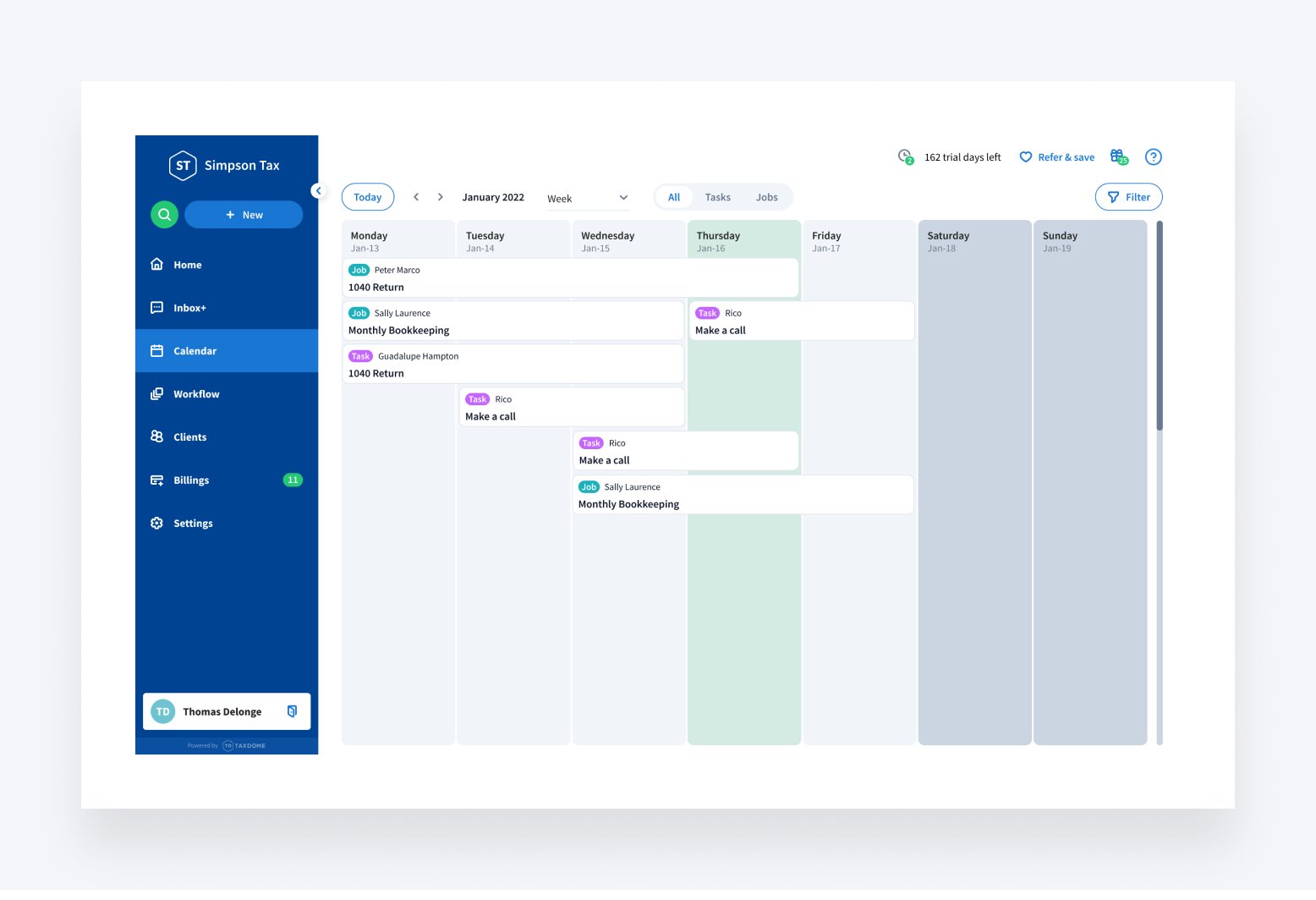
Table of сontents
Table of сontents
Streamlined Job and Task management
Calendar gives you the ability to manage the team’s jobs, tasks and deadlines better:
- Fewer clicks to update details and statuses — edit task and job details in the sidebar
- Split by day, week and month — less overdue task and even team’s workload
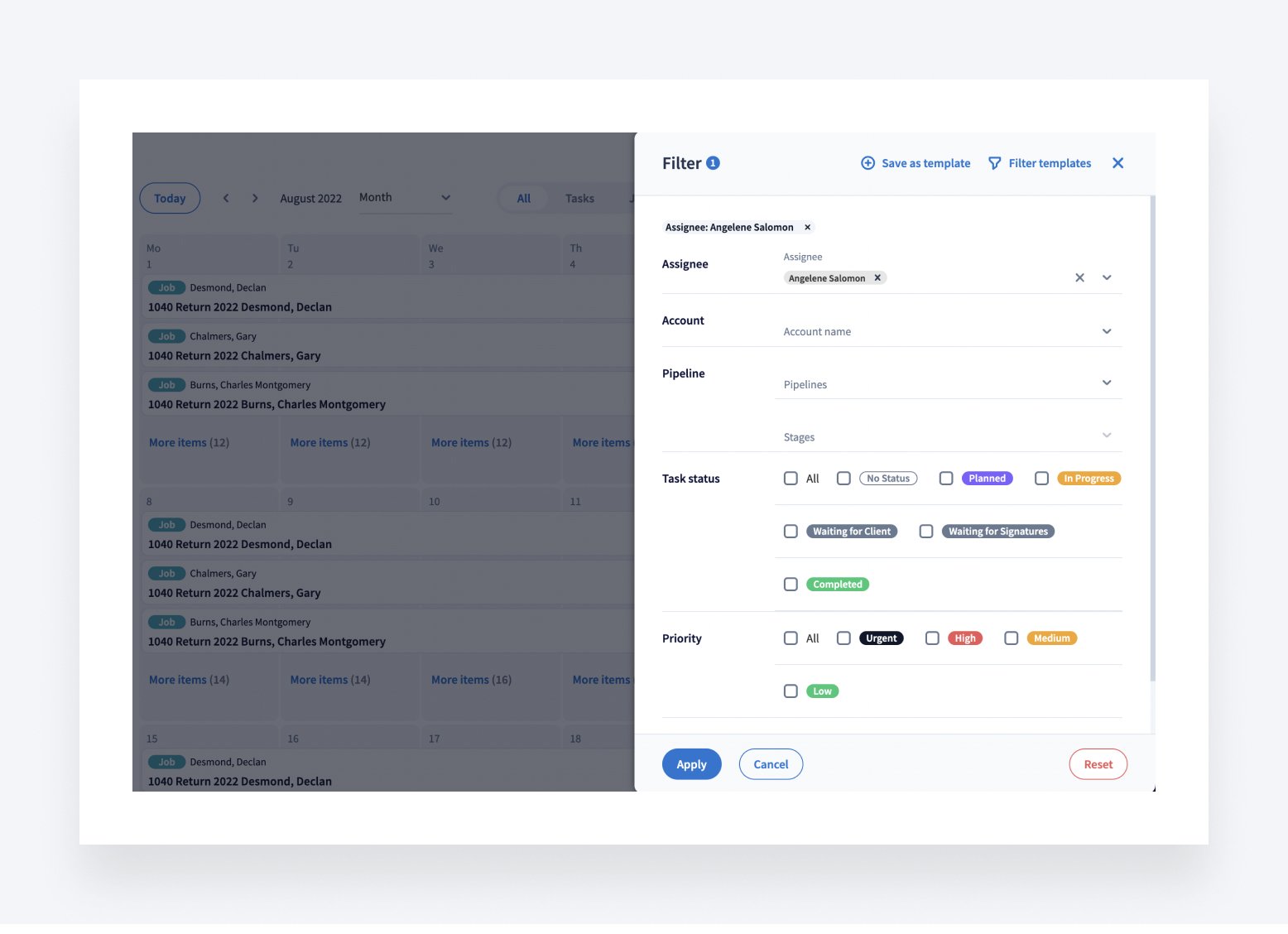
- Filtering by assignee, account, priority, status, start and due dates
Getting more with Calendar
You can customize the Calendar using filters and filter templates to better meet your needs as an employee or a team manager.
As an employee
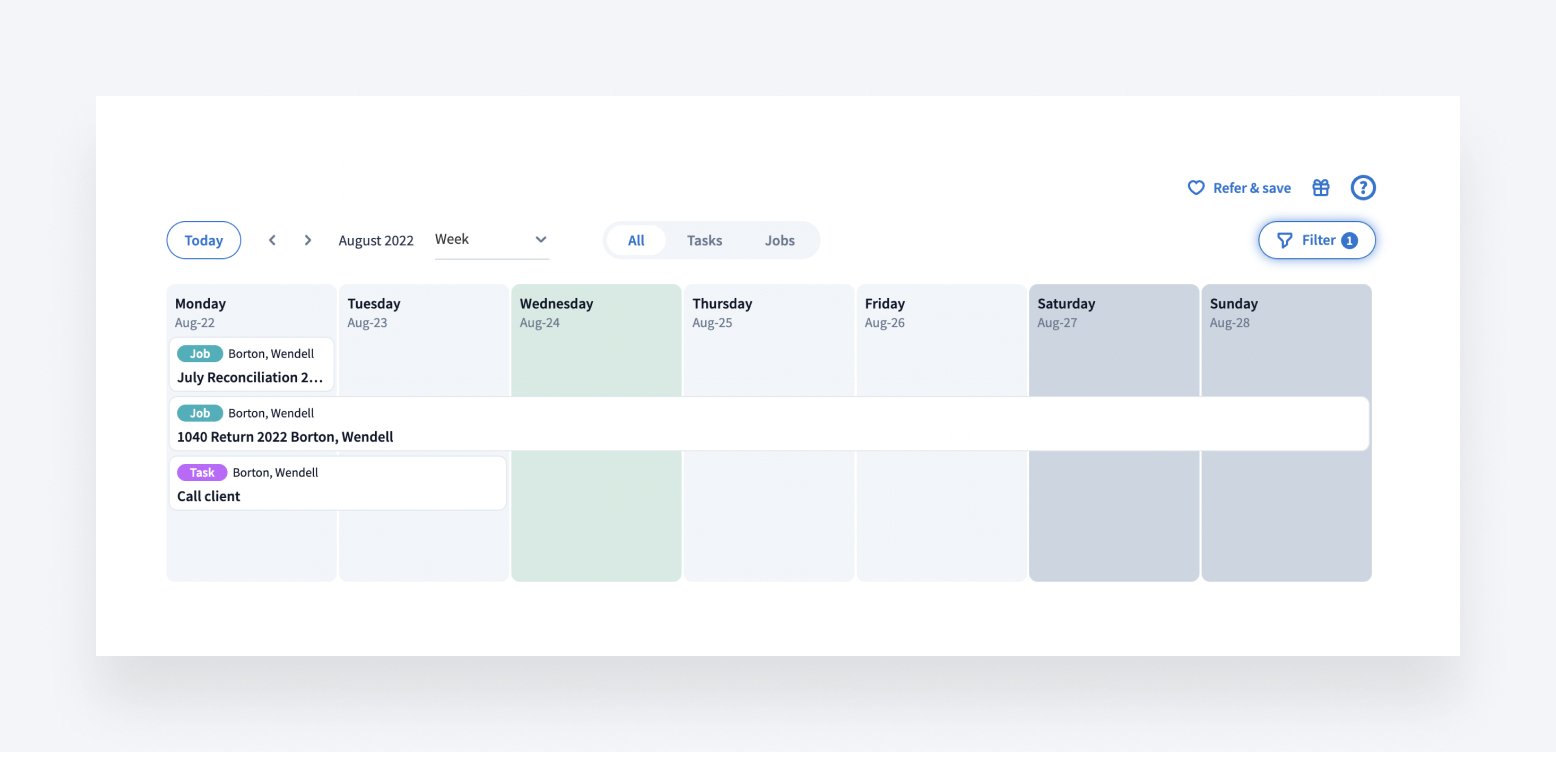
- Filter tasks and jobs by assignee to quickly access things you need to do — and don’t forget to save this as a filter template.
- Filter tasks by day to quickly evaluate how crowded your workday looks. If a particular day looks crowded, you can click a task to manage its deadline in the right sidebar.
As a team manager
- Filter tasks and jobs by priorities to quickly spot jobs and tasks that require your attention.
- Filter tasks by assignee to evaluate each team member’s workload and reassign tasks right away.
- Filter items by account to be able to see everything that is going on with a particular client.
What’s next?
We’re working on adding the ability to create new tasks, jobs, and appointments from the Calendar as well as the ability to drag-n-drop jobs/tasks to change deadlines. In future releases, we will also add synchronization with personal calendars (Google, Microsoft Office, etc), enabling practitioners to see personal events inside TaxDome.
In the meanwhile, a new dashboard to help you manage clients, employees, jobs and cash flow in one place with customizable widgets is coming very soon. Stay tuned!
As usual, feel free to shoot your suggestions on the Feature Request Board.

As a CPO, Constantine is responsible for TaxDome's constant improvement. His top priority is helping TaxDome users do their job more effectively and with less stress. He's passionate about collecting first-hand customer feedback and delivering the right features at the right time.

Get your free guide

Thank you!
The guide copy has been sent to your email. Please check your inbox!
Recommended articles
TaxDome AI: more than 2,000,000 documents organized for accountants this past tax season—and we’re just getting started

Webinar recap and Q&A: Summer Update 2026

Unpacking the differences between TaxDome Payments and Stripe