 US – English
 UK – English
 Canada – English
 Australia – English
 Danmark – Dansk
 DACH - Deutsch
 France – Français
 España – Español
 Sverige – Svenska
 Italia – Italiano
 Nederland – Nederlands
 Portugal – Português
 Suomi – Suomi
 Norge – Norsk
 日本 – 日本語
 Romanian – Română

SmartVault alternatives: 7 tools for tax and accounting firms compared (2026)
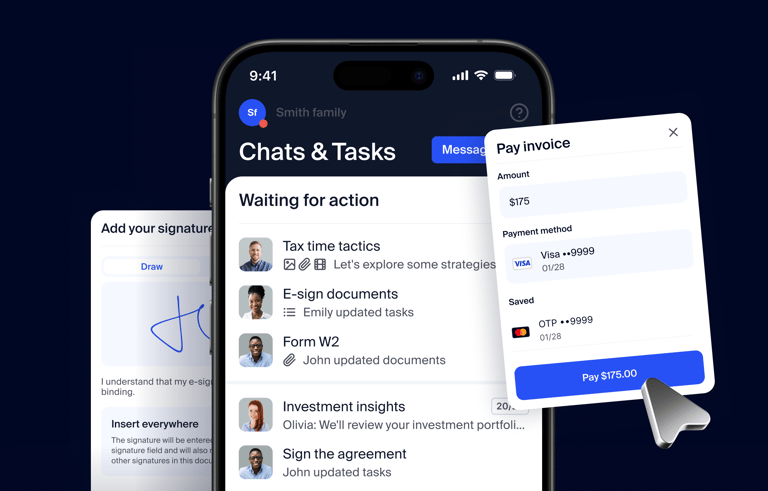
Run your entire firm on one platform
The best SmartVault alternatives for accounting firms in 2026 are TaxDome, Canopy, and Karbon. TaxDome suits firms that want documents, workflow, and billing in one place, while Canopy fits tax-heavy firms and Karbon email-driven teams. Liscio works as a client-communication layer and ShareFile is a like-for-like document swap. SafeSend covers tax return delivery, and Revver is another dedicated document management system.
Three things push firms toward SmartVault alternatives this year: per-user pricing, plan minimums, and unlimited e-signatures and KBA on the top plan only. Many firms then pay again for workflow, billing, and client communication on top of the vault. Many also still chase clients for documents.
We checked every vendor’s pricing page in November 2026. Our guide shows what each tool costs, where it beats SmartVault, where SmartVault is still stronger, and how to switch without losing a season.
Key takaways:
- SmartVault costs from $1,560/year (equivalent to $65/month per user; Nov 2026), with a 2- or 3-user minimum depending on plan selection.
- Unlimited e-signatures and KBA come only with Accounting Unlimited, from $2,040/year (equivalent to $85/month per user, 2-user minimum). Other plans sell them as add-ons.
- SmartVault automates document requests and reminders but lists no time tracking or practice workflow, so most firms pair it with other tools.
- TaxDome fits firms that want to replace the whole stack, with documents, workflow, and billing in one platform instead of several subscriptions.
- Canopy fits tax-heavy firms that want IRS resolution work beside their documents, and Karbon fits email-driven teams that run client work from the inbox.
- Liscio adds a client-communication layer, ShareFile swaps one document tool for another, SafeSend handles tax return delivery, and Revver is another dedicated document system.
Methodology:
- What we evaluated: how documents are requested and collected, storage and tax-software integration, e-signatures and KBA, workflow and billing, and price and plan minimums.
- We shortlisted 7 tools worth an accounting firm’s evaluation rather than listing every file-sharing app on the market.
- Prices checked in November 2026 on each vendor’s pricing page. TaxDome publishes this guide and lists where SmartVault and the other tools are stronger.
Table of сontents
SmartVault alternatives at a glance
Of the seven SmartVault alternatives below, start with TaxDome if you want to retire several subscriptions at once. Choose Canopy or Karbon if your work centers on tax resolution or shared email, and Liscio or ShareFile if you only need a client or document layer next to your current practice tool.
The table compares all eight tools on the same eight points, with SmartVault in the first row as the baseline. Read that row first, because SmartVault’s integrations and bulk print come with Accounting Pro and Accounting Unlimited only. Prices are shown annually, and where a plan has a user minimum, the price covers that minimum.
“Upgrade required” means the feature in question is only available on a higher plan than the starting price shown.
| Tool | Best for | Starting price | Pricing model | Client portal + mobile app | Unlimited e-signatures | Workflow | Billing and payments | Free trial |
|---|---|---|---|---|---|---|---|---|
| SmartVault | Document storage with tax-software print-to-folder | From $1,560/year (equivalent to $65/month per user, 2-user minimum) | Per user, 2- or 3-user minimum | Branded portal; mobile-enabled access | Accounting Unlimited only (upgrade required); add-on on other plans | Document requests, forms, and reminders; no practice workflow listed | Payments through DocuSign integration; no invoicing listed | By request through a product specialist; no self-serve trial |
| TaxDome | Replacing SmartVault and the tools around it | From $1,500/year (150 active clients, up to 20 team members) | Per active client; up to 20 team members included | Yes | Yes, unlimited, with KBA available | Yes | Yes | Free demo only |
| Canopy | Tax-heavy and IRS resolution firms | From $888/year (equivalent to $74/month per user) | Per user | Portal and client mobile app | E-signature included; KBA by credit | Yes | Invoicing and payments | Arranged through a demo |
| Karbon | Email-driven teams | From $708/year (equivalent to $59/month per user) | Per user | Client portal; iOS and Android apps | E-signature credits | Yes | Billing and payments | No self-serve trial; guided demo |
| Liscio | Client-communication layer | From $228/year (equivalent to $19/month per user) | Per user | Mobile apps and secure file exchange; client tasks and requests on the Liscio Platform plan (upgrade required) | Liscio Platform plan (upgrade required); KBA $2 per signer | Requests and organizers on the Liscio Platform plan (upgrade required) | No | Demo; no trial listed |
| ShareFile | Like-for-like document swap | From $594/year (equivalent to $16.50/month per user, 3-user minimum) | Per user, 3-user minimum (5 for Virtual Data Room) | Basic portal; enhanced portal from Premium (upgrade required) | Included from Premium (upgrade required), with KBA | Automated workflows from Premium (upgrade required) | No | Free trial on Premium, Enterprise, and Virtual Data Room |
| SafeSend | Tax return delivery | Custom pricing, by request | Per return or per delivery | Return delivery portal | Built into return delivery; no KBA fees | Return assembly and delivery | No | No |
| Revver | Dedicated document management | From $300/year (equivalent to $25/month per user) | Per user, no account minimums | Document portals | Integrated e-signature | No-code document workflows | No | 14-day free trial, no credit card |
Quick picks by firm need:
- Replace the whole stack: TaxDome puts documents, workflow, billing, and e-signatures in one platform, so firms can retire the tools around the vault.
- Tax organizers and IRS work: Canopy adds organizers, document checklists, and IRS tools to the same product that runs workflow.
- Email-centric teams: Karbon keeps client requests, files, and jobs next to the team’s shared email.
- Keep your practice management tool and only need a client layer: Liscio handles messaging and document requests around the client conversation.
- Documents only: ShareFile swaps one secure document tool for another and leaves the rest of your stack alone.
Only TaxDome, Canopy, and Karbon cover client management, workflows, and billing. The other tools need to work with a practice management system and other tools, while the likes of TaxDome bring everything into one platform.
SmartVault, Liscio, and ShareFile also put e-signatures behind a higher plan, so price the plan that includes the features you need.
The 7 best SmartVault alternatives for accounting firms
The right SmartVault alternative depends on whether you want a better vault or a platform that replaces the vault and the tools around it. Each tool below follows the same structure: what it is, how it’s better than SmartVault, where SmartVault is still stronger, what it costs, and the verdict.
1. TaxDome: best for firms that want to replace SmartVault and the tools around it
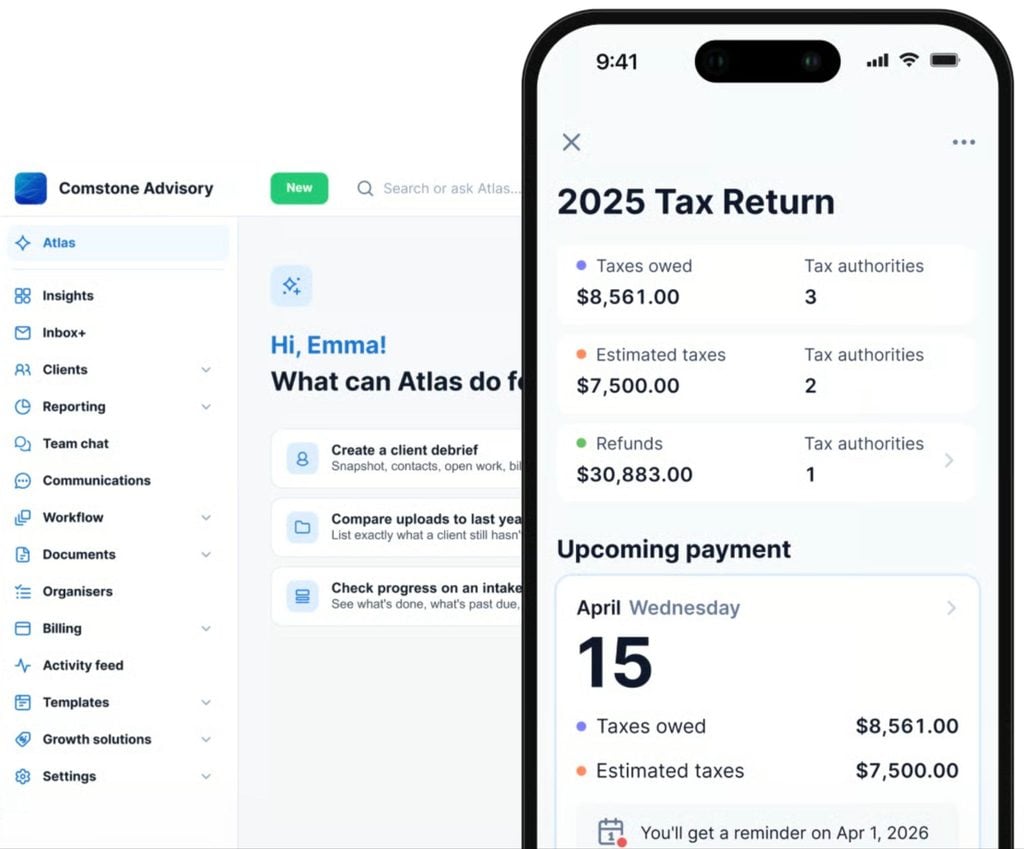
TaxDome is a practice management platform that runs a firm’s client work from intake to payment, with documents stored in the same system as the job. Because the whole engagement lives in one place, firms can retire the separate tools that usually sit around a document vault. Requests go out automatically from job templates, so staff spend less time chasing clients for documents. Clients get one app and one login to upload, sign, and pay, and a document can stay locked until its invoice is paid.
How is TaxDome better than SmartVault?
Documents live beside CRM, workflow automation, client requests, tax organizers, billing, and payments. Client requests go out without a client login and run automatically from job templates and pipelines. Document management includes unlimited document storage.
E-signatures are unlimited, with KBA available for IRS forms. You can also lock documents to invoices, so a client can’t open the deliverable until it’s paid.
Where SmartVault is still stronger
Print-to-folder from tax software is SmartVault’s core job. TaxDome is a full platform, so a firm that only needs a vault next to an existing practice tool won’t use most of it.
How much does TaxDome cost?
TaxDome has one plan that gives your firm everything it needs to work with your clients, from intake and document requests to tax return delivery, proposals, and payments:
- TaxDome: from $1,500/year for up to 20 team members and 150 clients
TaxDome is priced by the clients you serve, not the number of seats your team needs. So, your subscription increases gradually as your firm takes on more clients and generates more revenue, rather than adding to the costs of hiring new team members.
You manage your whole team, clients, workflows, and payments in one platform with an unlimited CRM, document storage, and e-signatures. Plus, the industry’s top-rated client experience with the client app and portal.
The optional AI Plan adds AI document organization, which auto-renames and tags incoming client documents, and AI tax return delivery. It also adds Atlas (coming soon), the API, and MCP.
Verdict: TaxDome is the best SmartVault alternative for firms that pay for separate workflow, billing, and e-signature tools around the vault. A firm that only needs print-to-folder from tax software next to a practice tool it likes will use little of the platform.
See how the two compare feature by feature in the full TaxDome vs SmartVault comparison. Then use the savings calculator to add up what you pay SmartVault and those other tools, and see what one platform would replace.
2. Canopy: best for tax-heavy and IRS resolution firms
Canopy is a practice management platform built for tax-heavy firms, with client work and documents managed in the same product. Its Tax Resolution add-on keeps IRS cases and their documents in one client record, which a document vault doesn’t offer.
How is Canopy better than SmartVault?
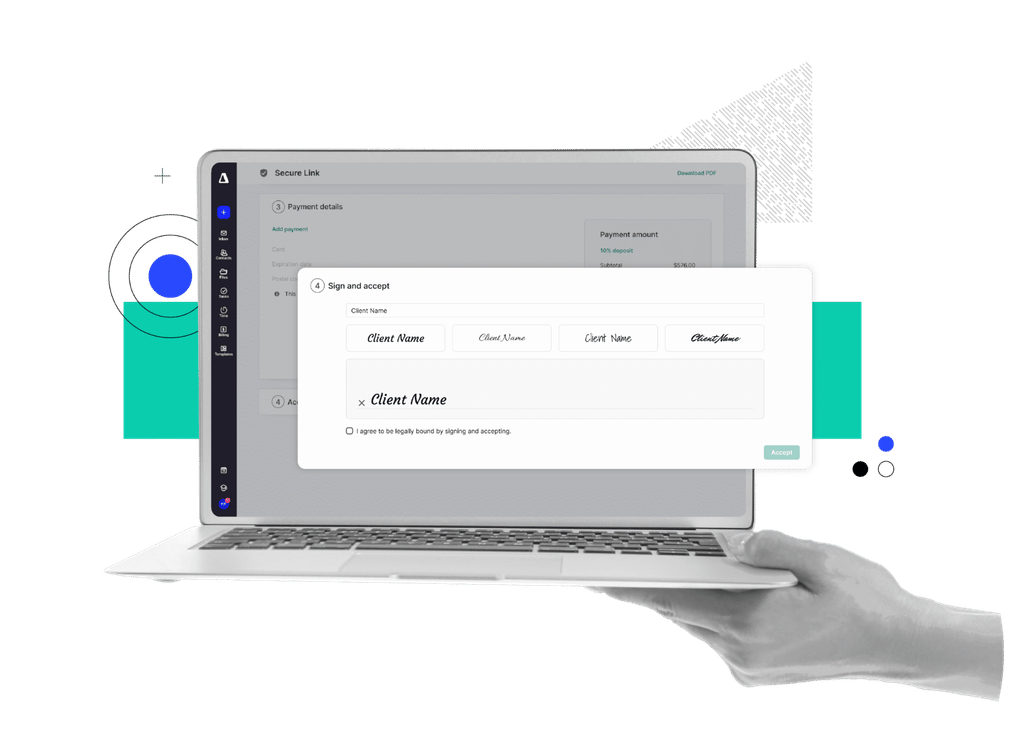
Organizers, document checklists, the client portal, and e-signatures sit in the same product as workflow. Canopy also covers IRS work through its Tax Resolution add-on: transcript pulls, notice tracking, and form automation.
Clients get a dedicated mobile app, and staff get a practitioner app. Tax resolution cases, notices, and documents stay in one client record.
Where SmartVault is still stronger
SmartVault goes deeper on document management and on print-to-folder from tax software. Canopy saves files from CCH Axcess Tax, UltraTax, Drake, Lacerte, ProConnect, ProSeries, and TaxWise, but its core job is practice management.
How much does Canopy cost?
Canopy has four plans, priced per user and billed annually. Every plan includes the full platform, and the higher tiers add automation and reporting. Premium is coming soon, and Tax Resolution, Tax Workflow Automation, and Close Automation are optional add-ons:
- Standard: from $888/year (equivalent to $74/month)
- Plus: from $1,308/year (equivalent to $109/month)
- Premium: from $1,788/year (equivalent to $149/month)
- Enterprise: custom pricing
Verdict: Canopy suits firms whose daily work is tax prep and IRS notices, and who want that work and the documents in one place. Read the TaxDome vs Canopy comparison for a closer look.
3. Karbon: best for email-driven teams
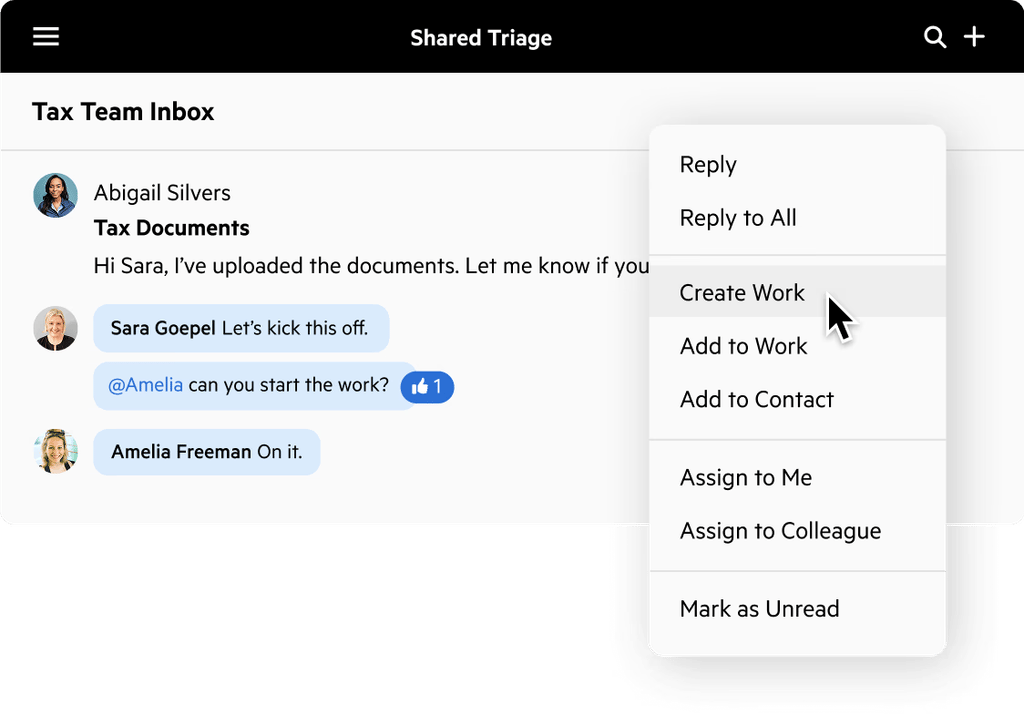
Karbon is a practice management platform that turns the team’s shared email into assigned work. A client message can be assigned and discussed where it arrives, so every request has an owner, which a document vault leaves to other tools. Time and billing live in the same system, so work that starts in the inbox ends in an invoice.
How is Karbon better than SmartVault?
Client requests, files, and jobs sit next to the team’s shared email. Staff can share, assign, and comment on emails, so a client conversation turns into assigned work without leaving the inbox.
Every plan includes a client portal, document management, billing and payments, and time tracking. Business adds automatic client reminders and task automation, which matter for firms that chase documents every season. Team caps contacts at 1,000 and work templates at 40, and Business raises those to unlimited contacts and 75 templates.
Where SmartVault is still stronger
SmartVault is stronger as a long-term records archive and offers a client-facing folder structure. Karbon has no self-serve trial, so you see it through a guided demo with a sample of your own data.
How much does Karbon cost?
Karbon has three plans, priced per user and billed annually. The second plan adds automatic client reminders and task automation, and the top plan is priced on request:
- Team: from $708/year (equivalent to $59/month)
- Business: from $1,068/year (equivalent to $89/month)
- Enterprise: custom pricing
Verdict: Karbon fits teams that already run client work out of the inbox. See the TaxDome vs Karbon comparison for more detail.
4. Liscio: best as a client-communication layer
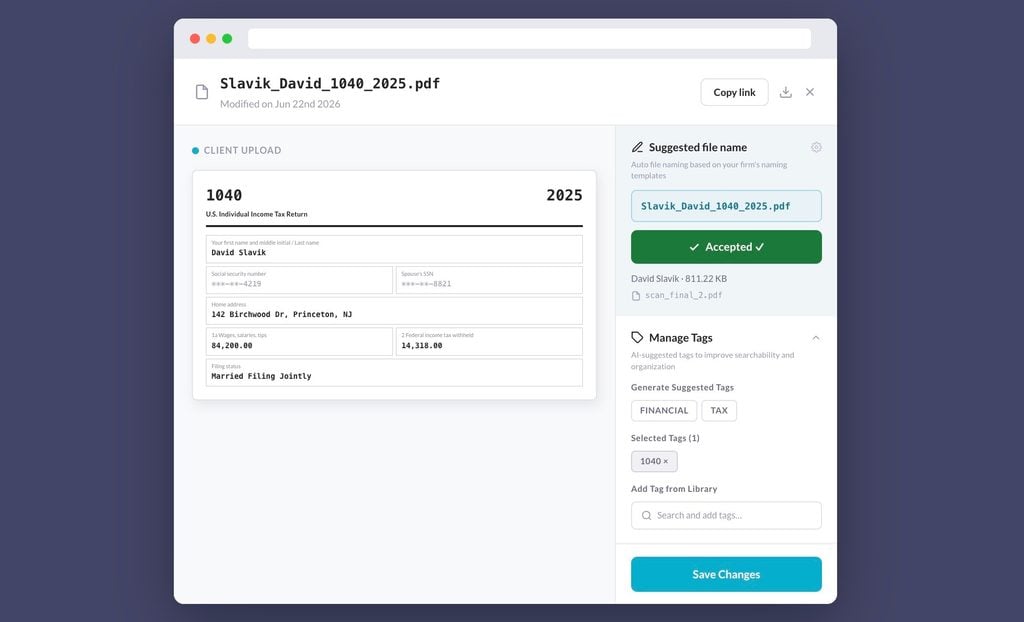
Liscio is a client-communication tool that handles secure messaging and document requests in a mobile-first experience, alongside the practice software a firm already uses. Each message links to the client’s files and requests, so the conversation carries the work, which a document vault doesn’t offer. Firms can text clients from a dedicated number, and SOC 2 compliance matters when the conversation includes tax documents.
How is Liscio better than SmartVault?
Messaging and document requests are built around the client conversation. Each secure message links to the client’s files, tasks, and requests, and firms can text clients from a dedicated firm number.
Liscio has branded iOS and Android apps with in-app client requests, plus organizers, e-signatures, and tax return delivery.
A request can combine questions and document requests, and firms build it from a template or from scratch. Liscio is SOC 2 compliant, which matters when the conversation includes tax documents.
Where SmartVault is still stronger
SmartVault goes deeper on document management. SmartVault also lists a Liscio integration, and Karbon lists one too, so some firms run Liscio next to their vault or practice tool.
How much does Liscio cost?
Liscio has three plans, priced per user and billed annually, with the third built for high-volume firms. Tax organizers and deliveries are bought separately:
- File Intelligence: from $228/year (equivalent to $19/month)
- Liscio Platform: from $588/year (equivalent to $49/month)
- Tax Enterprise: custom pricing
Verdict: Liscio makes sense when your practice tool already handles workflow and billing and the client conversation is the weak spot. Read the TaxDome vs Liscio comparison to see how a full platform compares.
5. ShareFile: best for a like-for-like document swap
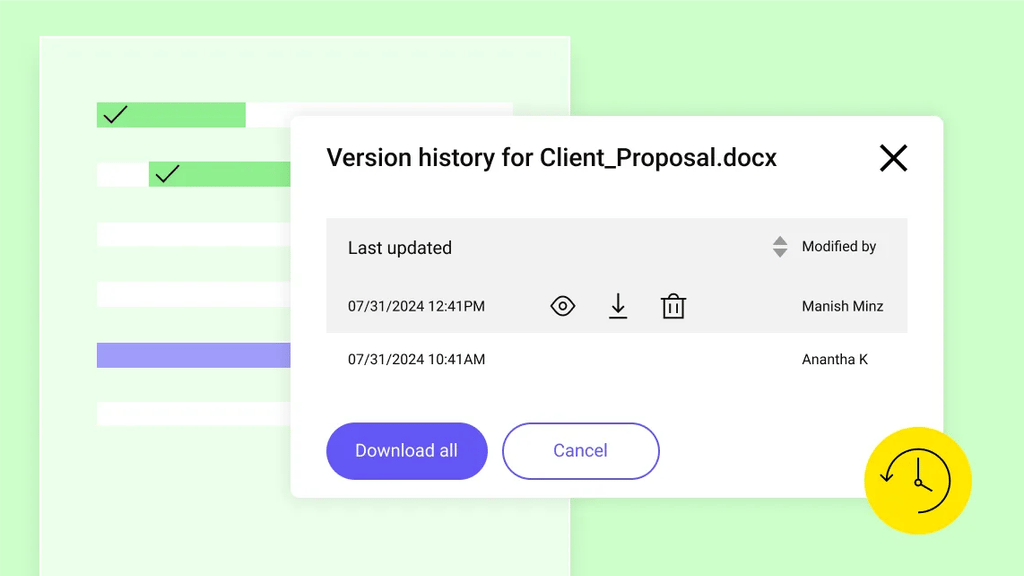
ShareFile is a secure file-sharing platform that lets firms exchange documents with clients and control who can see each file. Permissions work at the user, group, or file level, so it handles broader file sharing than a vault built around accounting folders. A data room plan also covers confidential deals and audits.
How is ShareFile better than SmartVault?
ShareFile offers secure file sharing, a Virtual Data Room plan for confidential deals, and integration with Microsoft 365 and Google Workspace. Role-based permissions work by user, group, or file, which helps when several people touch the same engagement. Its Virtual Data Room plan is built for M&A, audits, and confidential transactions.
Where SmartVault is still stronger
SmartVault builds accounting and tax folder templates into its Accounting plans and names its tax-software integrations, including Lacerte, ProConnect, ProSeries, UltraTax CS, Drake, and CCH Axcess Tax.
How much does ShareFile cost?
ShareFile has four plans, priced per user and billed annually. Each plan has a minimum number of users, 3 for most plans and 5 for the last one, so the annual prices below cover that minimum. The second plan adds integrated e-signature with KBA, and the third adds security and access controls:
- Advanced: from $594/year (equivalent to $16.50/month per user)
- Premium: from $936/year (equivalent to $26/month per user)
- Enterprise: from $1,260/year (equivalent to $35/month per user)
- Virtual Data Room: from $4,158/year (equivalent to $69.30/month per user)
Verdict: ShareFile fits firms that want to swap one document tool for another and keep everything else as it is. The TaxDome vs ShareFile comparison covers the trade-offs.
6. SafeSend: best for tax return delivery
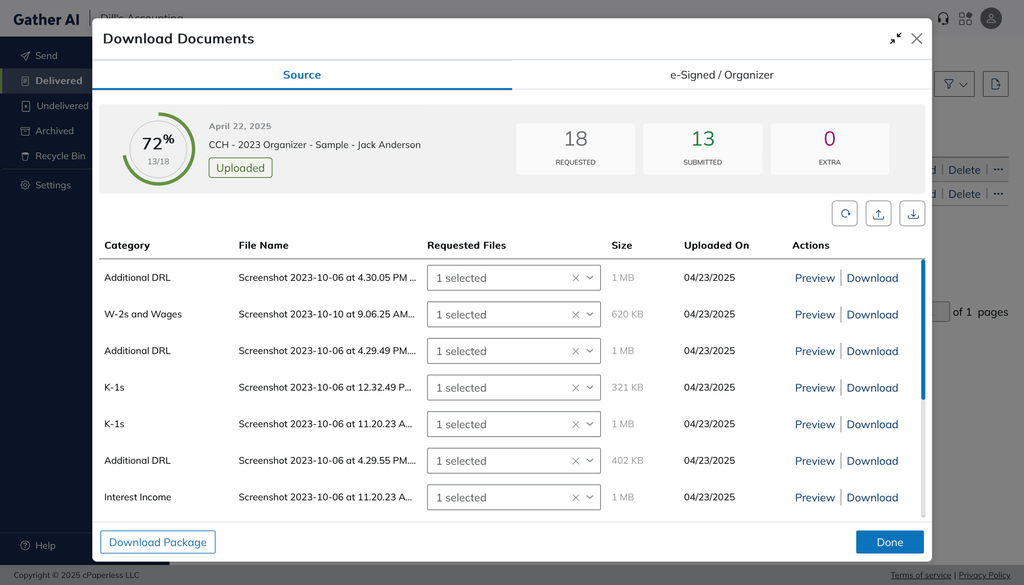
SafeSend is a tax return delivery tool that assembles returns, collects signatures, and sends them to clients. Every step is built around tax returns, including electronic K-1 distribution to partners and shareholders, which a general document vault isn’t designed for. SafeSend One reaches further back into the season with engagement letters and document gathering.
How is SafeSend better than SmartVault?
Return assembly, delivery, and e-signature are built specifically for tax returns. SafeSend also distributes K-1s electronically to partners and shareholders and sends automated reminders for signing.
SafeSend One adds engagement letters, organizers, and document gathering, so one tool covers more of the season than a delivery step alone. It supports in-office e-sign and parallel signing, and electronic K-1 distribution covers 1041, 1065, and 1120-S returns. Thomson Reuters added K-1 distribution on mobile in its Q1 2026 release.
SafeSend is owned by Thomson Reuters, and UltraTax CS can send organizers, e-signatures, and returns to it for 1040, 1065, 1120, and 990 returns.
Where SmartVault is still stronger
SmartVault stores documents year-round, while SafeSend centers on the delivery step at the end of the engagement. Most firms run SafeSend beside a document system.
How much does SafeSend cost?
SafeSend has three packages, and pricing is by request only, with pay-per-return or per-delivery options and no per-seat or KBA fees:
- Essential Gather: custom pricing
- Essential Deliver: custom pricing
- Premium: custom pricing
Verdict: SafeSend works best as a delivery step beside a document system. See the TaxDome vs SafeSend comparison for a full-platform alternative.
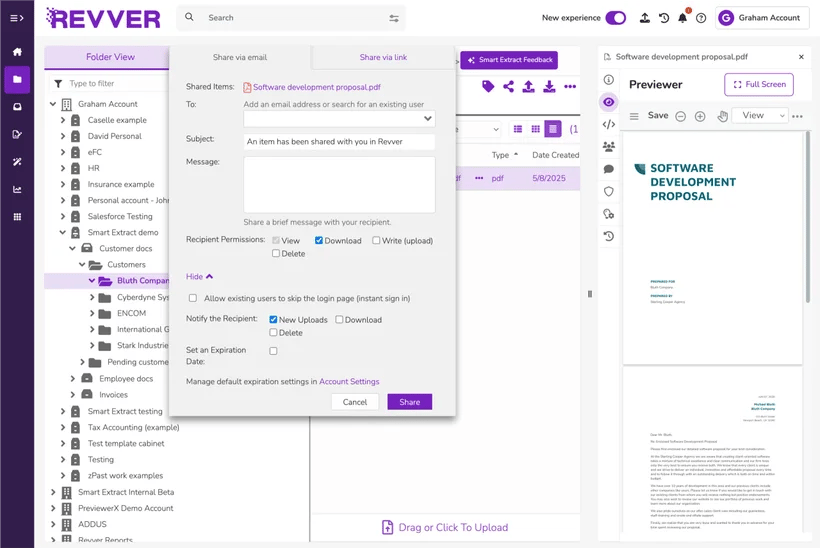
7. Revver (formerly eFileCabinet): best for firms that want another dedicated DMS
Revver is a document management system, formerly known as eFileCabinet, that organizes and secures client documents for accounting firms. No-code workflows route documents and handle approvals inside the system, so a firm can automate its paperwork without extra tools. Retention policies and an integrated e-signature suit firms with heavy records requirements.
How is Revver better than SmartVault?
Revver builds no-code workflow automation into the document system. Workflows route documents, handle approvals, and send document requests, and an integrated e-signature keeps signing inside the platform.
Revver also lists data extraction and retention policies, which suit firms with heavy records requirements. Its accounting page describes automated document intake, tagging, secure sharing, audit trails, and version control, and Revver says it is SOC 2 and GDPR compliant.
Where SmartVault is still stronger
SmartVault is stronger on the breadth of tax-software integrations. It names Lacerte, ProConnect, ProSeries, UltraTax CS, Drake, and CCH Axcess Tax, and it prints returns straight from five of them into client folders, with SmartRouting filing documents by client, form type, or year.
How much does Revver cost?
Revver has three license tiers, priced per user with no account minimums. You can mix tiers across your team, guest users are included, volume discounts lower the per-user price, and there is a 14-day free trial:
- Basic: from $300/year (equivalent to $25/month)
- Essentials: from $804/year (equivalent to $67/month)
- Full: from $1,044/year (equivalent to $87/month)
Verdict: A swap from one DMS to another makes sense when the vault’s features are the issue and the tools around it work fine.
How to choose: keep a vault, or replace the stack?
Choose by whether you want to keep a document layer next to your current practice tool or move documents into a platform and retire other subscriptions. The answer decides which of the SmartVault alternatives is worth your evaluation time.
Path 1: keep a document layer. ShareFile, Liscio, and Revver sit next to the practice tool you already run. This fits firms that are happy with their workflow and billing software and want a better place for documents or client conversations.
Path 2: replace the stack. TaxDome, Canopy, and Karbon move documents into a practice platform. You can retire separate e-signature, workflow, or billing subscriptions at the same time.
Firm size changes which path makes sense:
- Solo: Price and plan minimums matter most. SmartVault’s Accounting plans have a 2-user minimum, ShareFile requires at least 3 users, and Revver has no account minimums. TaxDome is priced by the clients you serve, from $1,500/year for up to 20 team members and 150 clients, and a solo firm that also pays for separate workflow, billing, or e-signature tools may spend less on one platform.
- 2-4 staff: Consolidation pays off here, but onboarding quality decides whether features get used. A platform firm that never turns on its workflow tools pays for them anyway.
- 5-9 staff: Seasonal preparers join, admin staff handle client communication, and staff adoption is the main risk. Check how each tool handles seasonal licenses before you commit.
- 10+ staff: Integrations, permissions, and multi-office needs weigh more than price.
When SmartVault is still the right choice: Firms whose workflow runs on Lacerte or UltraTax print-to-folder and who already have a practice tool they like should think twice about leaving. SmartVault prints returns straight from Lacerte, ProConnect, ProSeries, UltraTax CS, and Drake into client folders.
How to migrate off SmartVault without losing a tax season
Whichever of the SmartVault alternatives you pick, a safe migration happens in the quiet season, runs the old and new tools side by side for a short time, and keeps last year’s documents findable. Use this checklist.
- Export folder structure and permissions along with the files. Rebuilding permissions by hand is slow, so map family and multi-entity clients first, because they are the hardest to rebuild.
- Switch in the quiet season. Move after the October extension deadline and before January, not in March. A switch in the quiet season leaves time to fix problems before returns are due.
- Run new client requests in parallel for two weeks. Then stop using the old links. Clients who still have old links keep using them until you tell them to stop, and the overlap lets you compare results before you commit.
- Keep SmartVault read-only through one filing cycle. Last year’s source documents stay findable while you confirm the new system holds everything.
- Tell clients once, with a date. Follow up on the first request of the new season, because that request shows whether clients found the new portal.
- Check what the new vendor helps with. Ask about import assistance and contract credits before you sign, and get the migration plan in writing.
Move from SmartVault to TaxDome
TaxDome gives firms one place for documents, client requests, e-signatures, workflow, and billing. Clients use one login through the portal and mobile app.
Firms that pay SmartVault plus separate tools for each of these can retire several subscriptions at once. TaxDome offers import tools and client import assistance.
Firms leaving a contract early can claim the switch-and-save credit of up to 6 months. The credit equals 30 to 180 days of TaxDome service, depending on the remaining value of your current contract, and you need at least 3 months left on that contract. Read the break-free terms before you plan around it.
Setup takes longer than a DMS swap, and TaxDome’s email features trail Karbon’s. A firm that only needs a vault should compare the document-only options above first. Switching starts with a form, then a setup plan, then the migration itself. Every rollout begins with a kickoff roadmap and milestones, so you know the dates before you start.
FAQ
How much does SmartVault cost in 2026?
SmartVault starts at $1,560/year for the Accounting Pro plan, which has a 2-user minimum, working out to $65/month per user. Accounting Unlimited starts at $2,040/year, again with a 2-user minimum, which is equivalent to $85/month per user. Those two plans are designed for firms. Business Pro is built for businesses, starting at $2,340/year with a 3-user minimum that works out at $65/month per user.
Does SmartVault have a free trial?
SmartVault offers a free trial, but only by request. You meet a product specialist for guided setup, and there is no self-serve option on the pricing page. If a trial matters to you, confirm each alternative’s trial terms on its own site.
What is the difference between ShareFile and SmartVault?
SmartVault is built for accounting firms, with tax folder templates and print-to-folder from tax software. ShareFile is a secure file-sharing tool with data rooms and Microsoft 365 integration. The choice depends on whether you need accounting-specific folders or broader file sharing.
Is SmartVault worth it for a solo tax preparer?
SmartVault’s Accounting plans have a 2-user minimum, so a solo preparer pays for two users. On annual billing that is $1,560/year on Accounting Pro or $2,040/year on Accounting Unlimited. TaxDome starts at $1,500/year for up to 20 team members and 150 clients, and includes workflow, billing, and a client app that SmartVault doesn’t, so a solo firm that also pays for those separately may spend less on one platform.
Which SmartVault alternatives integrate with Drake, Lacerte, or UltraTax CS?
TaxDome and Canopy both connect to Drake, Lacerte, and UltraTax CS. TaxDome prints returns into client folders through its desktop app, and Canopy saves files from the tax program. Karbon integrates with ProConnect, so confirm your tax program on each vendor’s integrations page before you switch.
Can I move my files from SmartVault to another platform?
Yes. Export your folder structure and permissions along with the files, and map family and multi-entity clients first. Ask the new vendor about import assistance and contract credits, and keep SmartVault read-only through one filing cycle.
The decision that matters is whether you keep a vault next to your practice tool or move documents into a platform and retire other subscriptions. Price the switch against what you pay SmartVault at renewal, plus the tools around it. Switch in the quiet season, after the October extension deadline and before January. If most of your spend sits in separate tools for workflow, e-signatures, and billing, SmartVault alternatives that replace the stack are worth pricing.

Aaron produces practical content for TaxDome, drawing on 11 years in SaaS copywriting and marketing. He helps accounting and tax professionals get the most from TaxDome and other tools, making complex topics clear and actionable.
Get your free guide

Thank you!
The guide copy has been sent to your email. Please check your inbox!
Recommended articles

How much does a fractional CFO cost in 2026? Rates, retainers, and pricing models

20 questions to ask a CPA or accountant before hiring (plus red flags)

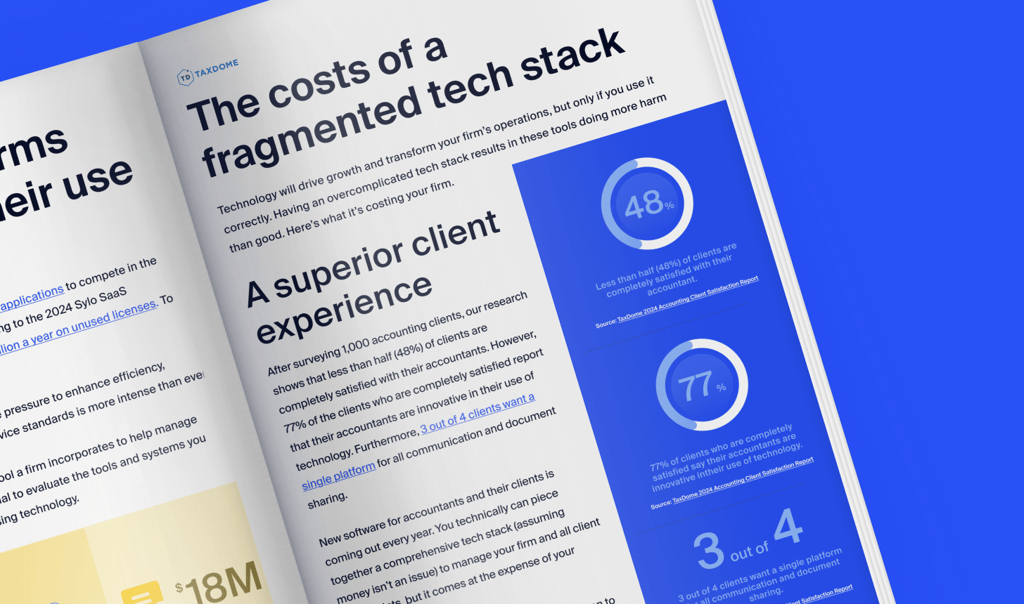
The Accounting Client Satisfaction Report: what 1,000 clients want from their accountants