 US – English
 UK – English
 Canada – English
 Australia – English
 Danmark – Dansk
 DACH - Deutsch
 France – Français
 España – Español
 Sverige – Svenska
 Italia – Italiano
 Nederland – Nederlands
 Portugal – Português
 Suomi – Suomi
 Norge – Norsk
 日本 – 日本語
 Romanian – Română












The Best PDF Readers for Accountants

Run your entire firm on one platform
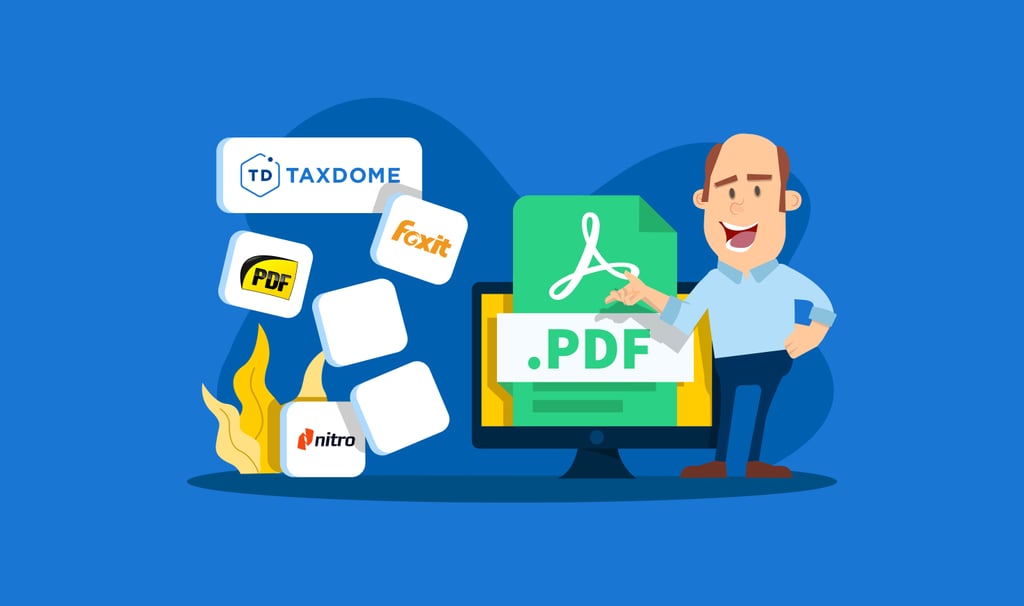
When your accounting firm needs to send large amounts of legal documents and other forms, PDFs offer the most secure and professional-looking solution. Therefore, it is important to have the best PDF reader and editor for your accounting practice. While there are a number of free PDF readers and editors available, it is important to find the right PDF reader that works for you and your team.
At TaxDome, we provide the latest and most innovative tools for accounting professionals. This includes PDF readers and editors that are designed for true security and scaling solutions. Here is a look at some free PDF editor options that are currently available for tax professionals.
Table of сontents
Top Free PDF Editor Software
The following PDF reader options run the gamut from simple “read-only” PDF solutions that are lightweight to full-featured applications which allow for annotations and highlighting. You will find that some of these applications offer advanced solutions not found on most PDF readers, such as editing capabilities.
Which Type of Free PDF Editor is Best for You?
Share read-only PDFs
The right PDF reader or editor will depend on what types of services you are looking for. If you simply want to share PDFs on a read-only basis, then some of the more lightweight solutions will be your best choice.
Sumatra PDF
Sumatra PDF is a lightweight and straightforward solution that makes it easy to share PDF documents. This is an open-source PDF read-only application that will allow you to send documents without much demand on your systems. The downside to Sumatra PDF is that you are not able to use annotations or highlighting. The Sumatra PDF solution is the ideal choice if you simply need a free solution for sharing documents and information.
Foxit Reader
If you are looking for a PDF reader that offers some more solutions than your basic lightweight PDF reader app, then Foxit Reader maybe your best option. Foxit Reader is one of the first mainstream alternatives to Adobe Reader. One of the reasons Foxit Reader is a top choice is its ability to integrate easily with Microsoft Office. In fact, Foxit Reader uses the same type of ribbon menu as Microsoft Office so the application feels seamless.
Another reason to consider Foxit Reader is that it has a rather high level of security features built into the application. For instance, you have the ability to disable JavaScript by using Safe Reading mode.
While there is a paid version of Foxit Reader, known as Foxit PDF Editor, the basic free PDF reader is enough for you to enjoy a safe and secure way to share PDF documents.
STDU Viewer
There comes a time when you may need to manage multiple documents at one time. In that case, you will want to consider STDU Viewer. This is a tabbed reader that is regarded as one of the best ways to handle multiple documents in a free PDF application. This PDF reader allows you to open documents in tabs and expand a navigation panel to better manage multiple PDF viewing. Some of the other features available on STDU Viewer include the ability to create and navigate bookmarks, view thumbnails, create highlights, and use color inversion (black on white to white on black to reduce eyestrain). Finally, STDU supports many types of electronic document formats such as TXT, PDF, TIFF, XPS, and DjVu).
Annotate & edit PDFs
If you are looking for the ability to annotate, highlight, or edit a PDF, then one of the most complex or all-in-one PDF editors will be the most logical choice.
PDF-XChange Editor
Looking for a solid PDF reader and editor that’s also free? The PDF-XChange Editor offers a number of useful features in its free version, including editing and annotations. Many users who give a positive review to this PDF editor say that the application is fast, intuitive, and easy to use. If you want to get more out of this application, then you will need to upgrade to the pro version. With the pro version of PDF-Xchange Editor, you will be able to add a watermark to your PDF documents.
Nitro PDF Reader
If your accounting practice uses Microsoft Office, then you and your team will feel right at home with Nitro PDF Reader. This PDF reader is a simple and slimmed-down version of Nitro Pro which shares the look and feel of Microsoft Office. One of the unique features of this free PDF reader is the ability to fill in forms and sign your documents using your digital ID.
Other features found on Nitro PDF Reader include the ability to add notes, extract images, and convert PDFs to plain text documents without the need for separate PDF printer drivers.
Overall, Nitro PDF Reader offers you a clean design that’s easy for just about anyone to use. If you are looking for a simple PDF reader that gives you a little more than other free PDF readers, the Nitro PDF Reader is worthy of consideration.
Incorporate PDFs into document management process
If you want to edit an unlimited no. of docs in a simple PDF editor, then TaxDome PDF Editor is the smartest choice for accounting professionals. The service is two times less than what you pay for DocuSign + Adobe and provides everything you need for sharing and editing PDF documents in a streamlined format.
TaxDome PDF Editor
TaxDome offers a PDF Editor that provides a better workflow experience for accountants. With the TaxDome PDF Editor, an accountant can upload docs into TaxDome, change PDFs in the editor, and then send the PDF for client approval or request an e-signature right away.
With TaxDome PDF Editor, there is no longer a need for Adobe Acrobat or other editors to annotate PDF documents. This all-in-one PDF editor allows you to make notes, highlight important information, and tick and tie your work papers without leaving your practice management platform or paying for additional tools.
The big advantage of TaxDome PDF Editor is its accounting-focused features that allow clients to complete fillable PDF forms without the need to upload or download documents. Everything happens directly in the portable from a desktop, Android, or iOS mobile app. Overall, this complete PDF editor solution is designed to reduce headaches and make the document sharing process as simple as possible.
Using the Best PDF Reader for Your Accounting Practice
The right PDF reader will allow your accounting practice to easily and securely share PDF documents. If you are looking for an all-in-one solution, then a PDF Editor will allow you more flexibility. At TaxDome, we can provide your accounting practice with a streamlined all-in-one system specifically designed around the needs of today’s accounting professional. Learn more about our TaxDome PDF Editor solution today.

Lisa manages TaxDome’s blog strategy, oversees email communications, and improves platform performance through review analysis and optimization, focusing on aligning messaging with user needs and strengthening brand positioning in the accounting industry.

Get your free guide

Thank you!
The guide copy has been sent to your email. Please check your inbox!
Recommended articles
Top 13 secure file-sharing tools for accountants
Best document management software for accountants in 2026: the ultimate guide
Top 15 Excel functions for accountants: take your Excel skills to the next level!