 US – English
 UK – English
 Canada – English
 Australia – English
 Danmark – Dansk
 DACH - Deutsch
 France – Français
 España – Español
 Sverige – Svenska
 Italia – Italiano
 Nederland – Nederlands
 Portugal – Português
 Suomi – Suomi
 Norge – Norsk
 日本 – 日本語
 Romanian – Română












How to Get an Electronic Signature From Tax Client, Including Form 8879

Run your entire firm on one platform
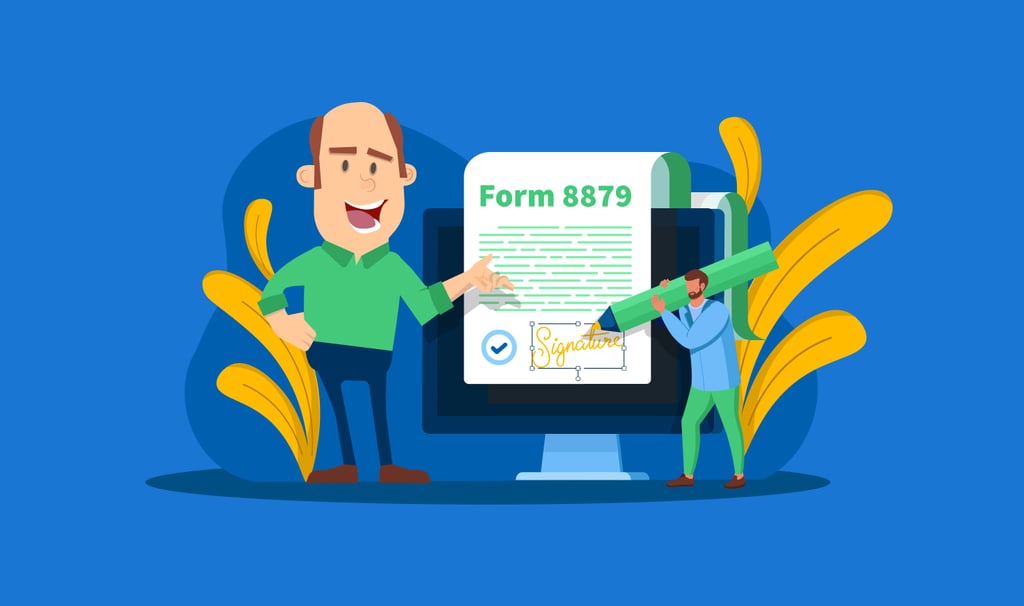
With the emergence of COVID-19, more and more accountants have shifted their practice to one that is operated completely online. This has made acquiring e-signatures from their clients more of a challenge, including those for tax form 8879.
There are a number of paperless and hybrid methods of getting e-signatures. They mostly depend on your client’s ability to learn and use technologies. Here, we discuss how you can initiate the e-signing process remotely and other options that you can offer to your clients.
Table of сontents
The most popular ways to get signatures from clients
There are four ways for a client to provide and send their signature to an accountant:
Physically sign forms at the firm’s office
The most traditional way for a client to provide a tax signature is to physically visit your office and sign forms and documents.
| Pros: | Cons: |
| Clients are used to doing it. | Many clients are busy most of the day and do not have the time to make frequent trips to your office. You have to work long hours so that clients are able to visit your office. You need to scan forms and attach them to your workflow manually. |
Physically sign and mail forms
A more convenient alternative to a physical trip to your firm’s office.
| Pros: | Cons: |
| No need for a client to drive to your office. No need for you to spend long hours in the office. |
Forms will take days to arrive at your office, which can be an issue for time-sensitive documents. You need to scan forms and attach to your workflow manually. |
Physically sign, scan, and e-mail forms
A faster and more efficient solution is to have the client sign, scan, and e-mail forms.
| Pros: | Cons: |
| Faster than mailing. Clients can sign when it’s convenient to them. |
Major work is in the client’s hands. Requires clients to have multiple tools at home. Many tax practitioners often complain that clients don’t have scanners. |
E-sign and send to your firm
Today, e-signing and electronic delivery of forms and documents is the fastest way to obtain a signature from your client.
| Pros: | Cons: |
| Clients can e-sign when it’s convenient to them. Doesn’t require any tools at home other than a PC or a laptop. No need to scan and copy to your document system. With tools like TaxDome, scanned documents are already there. |
The concept is still new or unknown to clients who may be resistant to change. Requires a learning curve in training clients to understand where to e-sign. |
The Most Effective Way to Request Signatures
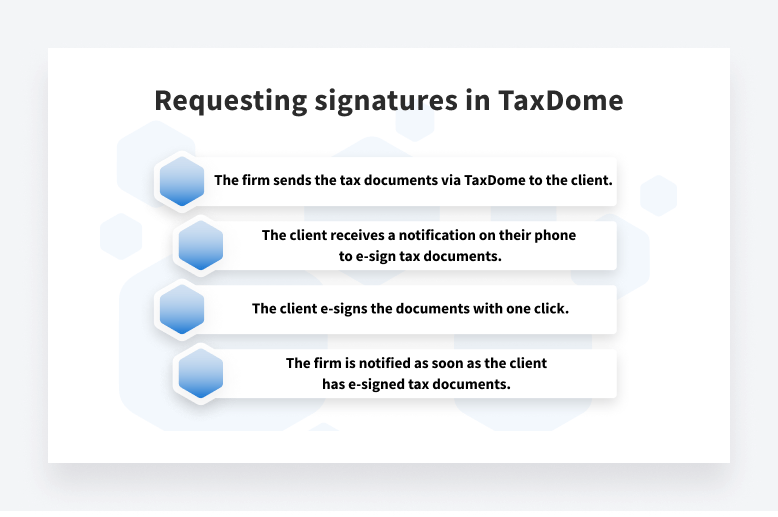
The simplest way to obtain and manage e-signatures from clients is by using an all-in-one tax software tool such as TaxDome. With TaxDome, the process is designed to be as simple as possible for both tax firm and client. Here is how the process works:
Requesting e-Signatures with KBA for 8879 Form
A KBA (knowledge-based authentication) is required to verify the identity of the taxpayer when signing IRS forms. A KBA can be completed with either a physical signature or by e-signing with a tool that supports KBA. With TaxDome, firms can request a KBA for just $1 and one extra click.
Let’s picture how the process of requesting a KBA signature may look like:
- A tax preparer has prepared an 8879 form that requires KBA. They click to print it into TaxDome, so that they’re able to send it to the client right away.
- The preparer can request an e-signature or send the document to the client for approval first.
- When requesting an e-signature for both client and spouse, the preparer toggles the KBA.
- The client is notified on their phone or via email that a new document is awaiting for their approval or e-signature.
- As soon as clients log into your portal and click the notification, they will be directed to the page to e-sign the 8879 form.
- To provide a KBA, clients will be required to enter their SSN and details. Everything happens within one window in TaxDome—no back and forth.
- Once the client signs, your firm will be notified.

How to Get Clients on Board with e-Signatures
While there are a number of younger clients who will be able to adapt easily to e-signatures, some older clients may need assistance in order to understand or trust the e-signature process. Here’s how you can convince them to use e-signatures:
Explain the convenience of the process
Whether a client is young or old, they will want to use the fastest and the most efficient way to sign off their tax forms. Therefore, it is important to stress to clients that the e-signing process is the easiest way to legally sign tax forms. Be sure to compare the ease of use of e-signatures with physically signing and mailing, scanning, or faxing tax forms.
Stress the legitimacy of e-signatures
It is a good idea to explain to your clients that e-signatures are now an acceptable way to sign tax forms. When talking to your client, you can show them any forms of websites from the IRS that talk about the use of e-signatures. You can use this IRS link on e-signing certain forms as a starting point.
Talk them through the e-signature process
If the client is unfamiliar with new technology, then it is a good idea to invest time in talking them through the process. You can explain how easy and secure the process is and the amount of time that will be saved by using e-signatures going forward.
Record a short video tutorial that can be emailed to clients during tax season
If you have a growing tax firm with a number of clients, then creating a video tutorial about e-signatures may be your best route. Be sure to have the video produced and ready to send during tax season.
See TaxDome in action during a live demo to discover why more and more tax accounting firms are relying on TaxDome.

Lisa manages TaxDome’s blog strategy, oversees email communications, and improves platform performance through review analysis and optimization, focusing on aligning messaging with user needs and strengthening brand positioning in the accounting industry.

Get your free guide

Thank you!
The guide copy has been sent to your email. Please check your inbox!
Recommended articles
Top 13 secure file-sharing tools for accountants
Best document management software for accountants in 2026: the ultimate guide

Top 15 Excel functions for accountants: take your Excel skills to the next level!