 US – English
 UK – English
 Canada – English
 Australia – English
 Danmark – Dansk
 DACH - Deutsch
 France – Français
 España – Español
 Sverige – Svenska
 Italia – Italiano
 Nederland – Nederlands
 Portugal – Português
 Suomi – Suomi
 Norge – Norsk
 日本 – 日本語
 Romanian – Română












Accounting RPA: a practical guide for growing firms

Run your entire firm on one platform
Accountants today are expected to do more with fewer resources, tighter deadlines, and rising client demands. And the most effective way to keep up is to offload routine, manual tasks to software that never sleeps.
In this article, we’ll explore how RPA in accounting works, why it’s gaining traction, which processes firms are automating, and how to start implementing it into your own workflow.
Key takeaways
- RPA mimics human actions in software — clicking, copying, downloading, and organizing — based on clear, rule-based instructions.
- It’s best used to automate processes that span multiple tools and require repetitive, manual input.
- While RPA can connect the dots, the better long-term solution is a unified practice management system with automation built in from the start.
Table of сontents
- What is robotic process automation?
- How is RPA different from AI or regular automation?
- What are the real benefits of RPA for accounting firms?
- The most common RPA use cases for accounting firms
- How to start using RPA in your accounting workflow
- Skip the patchwork. Start with everything in one place.
Table of сontents
- What is robotic process automation?
- How is RPA different from AI or regular automation?
- What are the real benefits of RPA for accounting firms?
- The most common RPA use cases for accounting firms
- How to start using RPA in your accounting workflow
- Skip the patchwork. Start with everything in one place.
What is robotic process automation?
Robotic process automation (RPA) is software that mimics the way people do repetitive tasks on a computer. It clicks, copies, pastes, downloads, and organizes like a reliable team member who works around the clock, never makes mistakes, and doesn’t need supervision. Think of it as a virtual assistant that handles the busywork while your team focuses on more valuable tasks.
In the accounting industry, these tools can log into client portals, pull bank statements, rename files by date, and drop them into the right folders. They can even flag inconsistencies for review. But they won’t improvise. RPA bots follow the exact workflow you build for them, step by step.
Say you’re reconciling transactions across dozens of clients. Instead of losing hours to manual matching, an RPA tool can handle the bulk in minutes and pass your team a clean report. It’s like adding capacity without hiring a single person.
How is RPA different from AI or regular automation?
Robotic process automation often gets lumped in with automation and artificial intelligence (AI), but they’re not the same thing. Each serves a different role in accounting tech, and knowing the difference matters when you’re deciding what to implement.
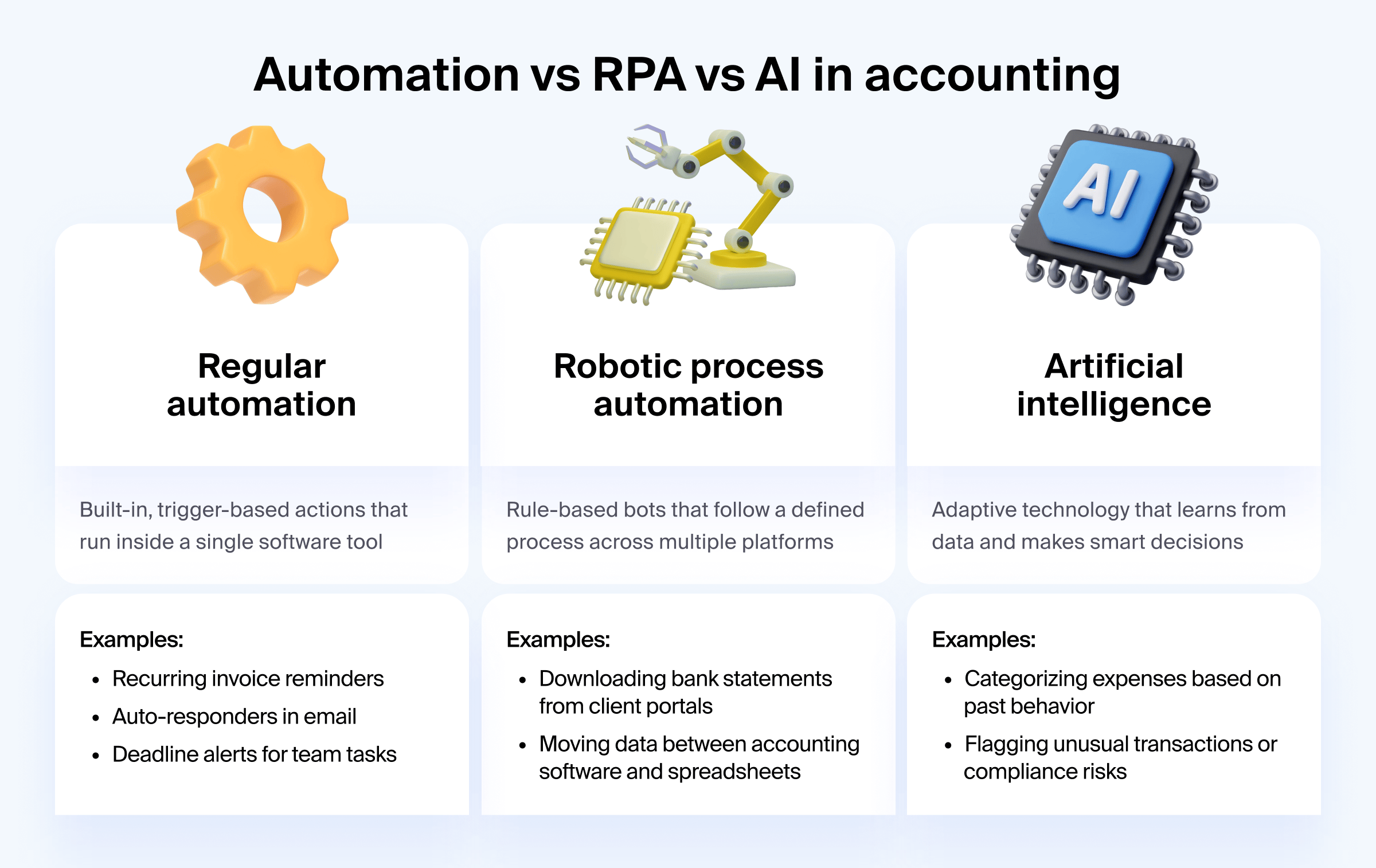
- Automation is trigger-based and often built into the software you already use. It handles one step or a sequence of steps inside a single platform.
- RPA is process-level automation. It follows clear, rule-based instructions and executes them across different platforms. But it doesn’t learn or adapt.
- AI, on the other hand, learns from data and makes decisions. It learns patterns, analyzes data, and recommends next steps based on context.
Let’s say your firm receives client receipts via email. Automation might send a confirmation message. RPA could download the attachments, rename them, and move them to the right folder in your document system. AI could then scan the receipt details, categorize them, and suggest how they should be coded — all while learning from your past decisions.
Each has a place. The magic is in knowing when (and how) to use them together.
What are the real benefits of RPA for accounting firms?
RPA creates real operational lift for firms that are growing fast and managing complex workloads. Here are the core benefits:
- Higher capacity, same team: Bots handle the repetitive, low-value tasks, freeing up your staff to focus on more complex work without hiring additional help.
- Fewer mistakes: Manual errors often come from rushed or repetitive tasks. With RPA, every step runs exactly as designed — no skipped clicks, no wrong file names, no forgotten steps.
- Increased client satisfaction: Faster turnarounds and more consistent communication all add up to a better experience on the client side without extra effort from your team.
- Better visibility and control: With RPA handling the manual steps, you can focus on reviewing, analyzing, and advising — the strategic work CPAs and firm leaders are best equipped to deliver.
The most common RPA use cases for accounting firms
RPA delivers the biggest returns when it’s applied to full processes. For accounting teams handling high-volume, deadline-driven work, these are the areas where robotic process automation consistently saves time, reduces errors, and adds capacity:
Bank reconciliation
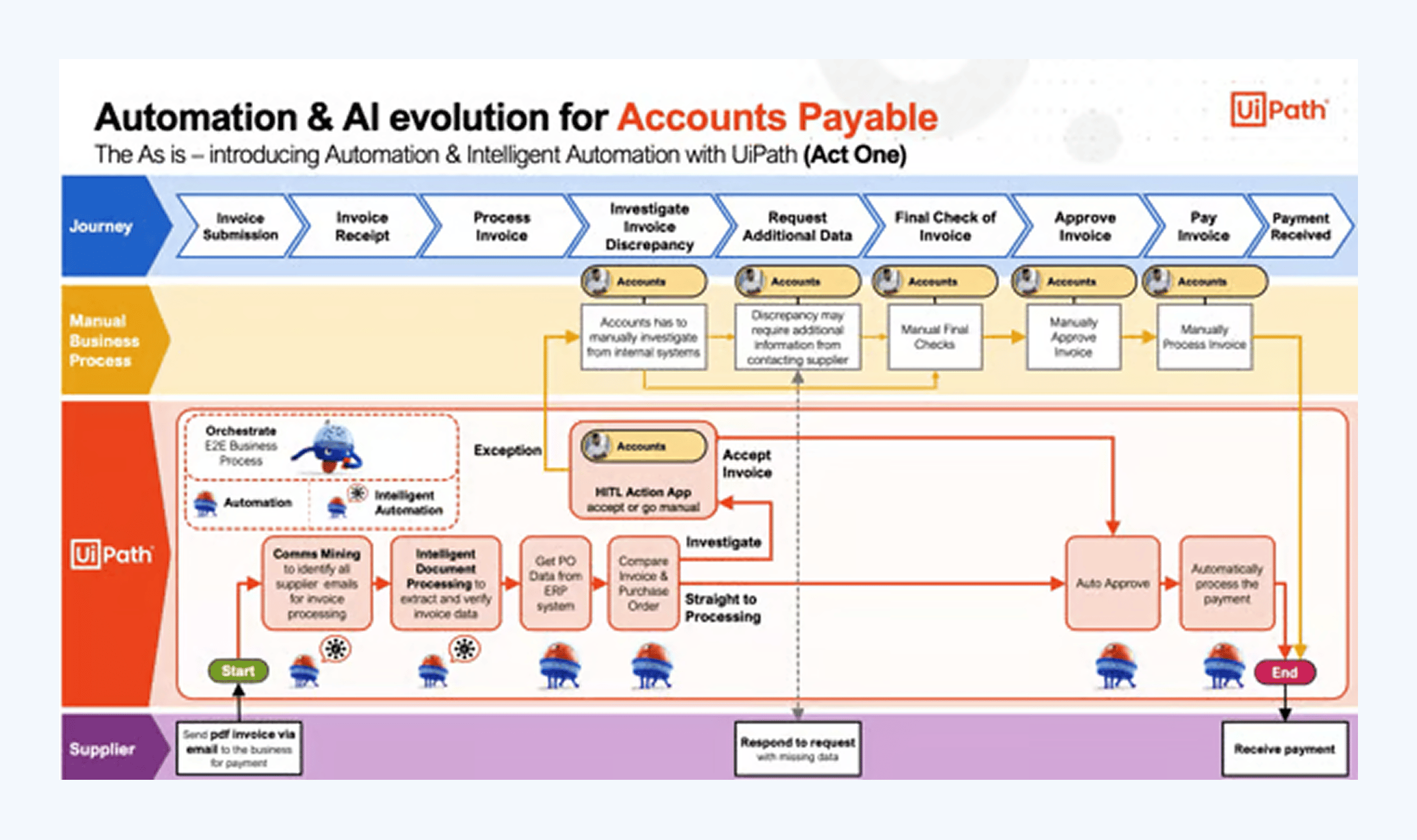
Bots can log into client bank portals, download monthly statements, and import them into your accounting software. From there, they can match transactions against the general ledger, flag anything that doesn’t align, and even push exceptions to a shared spreadsheet or task tracker. If your team spends hours per client reconciling accounts, RPA cuts that down to minutes while keeping a full audit trail.
Invoice processing and accounts payable
RPA can monitor an inbox for incoming vendor invoices, extract key data (vendor name, amount, due date), and log it into your accounting platform. It can check for missing approvals, match invoices to POs, and route exceptions to the right reviewer. Once approved, it can trigger payment and archive the invoice in your cloud storage, fully named and filed.
Month-end close and reporting
Closing the books involves dozens of repeatable steps: confirming balances, saving backup reports, checking that all accounts are reconciled, and populating close checklists. RPA can automate this flow by pulling reports from your accounting system, comparing them to last month’s numbers, and creating folders with all relevant files. If something’s missing — like an unreconciled account — it can alert the team before the final review.
Tax document handling and prep
Every tax season, your team collects 1099s, W-2s, and supporting documents from dozens of portals and email threads. RPA bots can log into those portals, download the right files, rename them with the client name and year, and store them in the right folder. They can also extract data from PDFs and pre-fill tax templates or organizers — giving your team a head start before prep even begins.
See more real-world use cases of robotic process automation in finance and accounting:
How to start using RPA in your accounting workflow
You don’t need a full digital overhaul to bring robotic accounting into your firm. Here’s how to get started:
1. Map your recurring workflows
Start by listing the processes your team repeats daily or weekly like reconciliations, document collection, or invoice tracking. Focus on workflows that eat up time but rarely change.
2. Identify rule-based tasks
Look for steps that follow the same logic every time. These are your best candidates for automation. Think downloading files, renaming documents, copying data, or sending reminders.
3. Choose the right RPA or low-code tool
There’s no one-size-fits-all. Tools like UIPath offer powerful RPA capabilities, while platforms like Zapier, Make, or built-in automation in your practice management system, such as TaxDome, may be all you need to get started.
4. Start small and measure results
You don’t have to start with a full-scale RPA service. Pick one workflow and track the time you save. This helps build internal buy-in and gives your team a clear win to build on.
5. Upskill your team
You don’t need coders, just people who understand how your processes work. A process-aware team is your biggest asset when scaling automation.
Skip the patchwork. Start with everything in one place.
RPA platforms can automate across disjointed systems, but they come with high costs, steep learning curves, and a patchwork approach to fixing what’s fundamentally a workflow problem.
If your processes are scattered across email, spreadsheets, storage folders, and separate tools, robotic process automation might help connect the dots. But instead of paying for a separate RPA service, you can adopt a platform that handles end-to-end workflows natively.
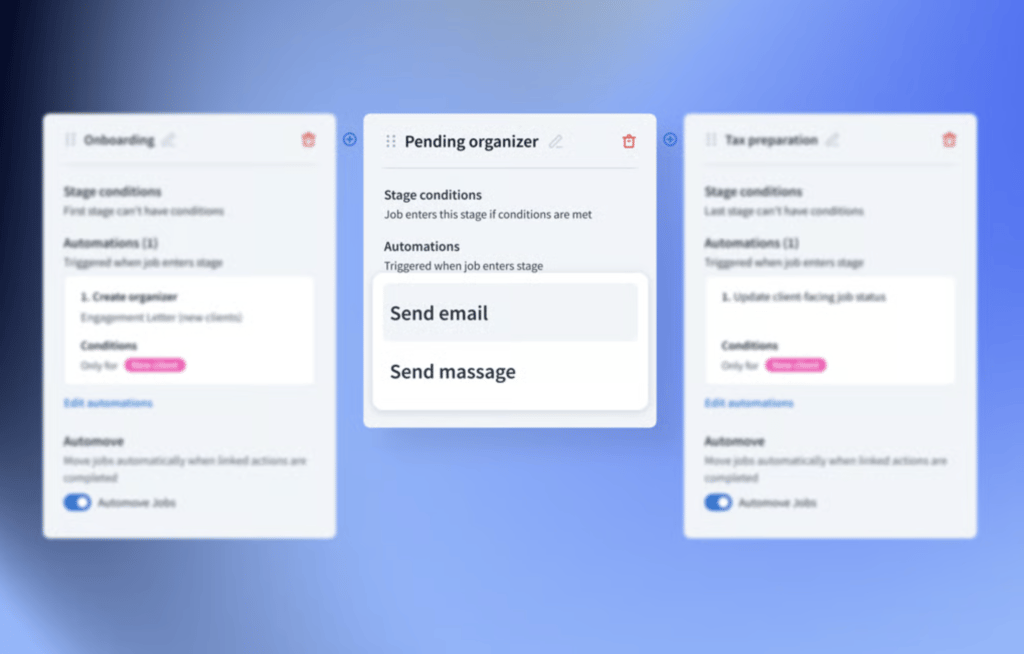
TaxDome gives you this opportunity. It combines everything — client communication, task management, document handling, and e-signatures — into one platform, with automation woven into every step.

Mari develops TaxDome content by combining customer insights, industry research, and real-world trends. Her structured, automation-driven approach ensures messaging is clear, relevant, and supports more connected and efficient accounting firms.

Get your free guide

Thank you!
The guide copy has been sent to your email. Please check your inbox!
Recommended articles

Niche Business Accounting Report statistics: what business clients will pay for specialized expertise

Buy Now, Pay Later: offer clients payment flexibility

Top AI tools for accountants in 2026: key features and use cases compared