 US – English
 UK – English
 Canada – English
 Australia – English
 Danmark – Dansk
 DACH - Deutsch
 France – Français
 España – Español
 Sverige – Svenska
 Italia – Italiano
 Nederland – Nederlands
 Portugal – Português
 Suomi – Suomi
 Norge – Norsk
 日本 – 日本語
 Romanian – Română









7 Best Invoice Automation Software for Accounting Firms (2026)
Run your entire firm on one platform
Accounting firms understand the implications of late invoice payments better than most — and the value of tools that boost cash flow. Somewhat ironically, the billing cycle for accounting services is particularly vulnerable to late payments and most invoicing software is designed for general businesses, not the needs of accounting firms.
We’ve carefully selected the best invoice automation systems currently on the market for accounting firms. With these tools, your team will spend less time raising invoices and chasing payments manually, so they can focus on billable work while the invoices take care of themselves.
Table of сontents
- What is invoice automation software, and what should accounting firms look for?
- The 7 best invoice automation software for accounting firms
- TaxDome: best for firms that want billing tied to client workflows
- Rillion: best for high-volume and multiple-entity AP automation
- FreshBooks: best for straightforward recurring client invoicing
- Melio: the affordable AP and AR solution for modern businesses
- QuickBooks Online: best for firms already deep in the QBO ecosystem
- BILL: best for accounting firms managing client AP/AR services
- Zoho Invoice: best for budget-conscious firms wanting a free invoicing baseline
- FAQ: invoice automation software for accounting firms
- Put the days of chasing payments behind you with invoice automation software
Table of сontents
- What is invoice automation software, and what should accounting firms look for?
- The 7 best invoice automation software for accounting firms
- TaxDome: best for firms that want billing tied to client workflows
- Rillion: best for high-volume and multiple-entity AP automation
- FreshBooks: best for straightforward recurring client invoicing
- Melio: the affordable AP and AR solution for modern businesses
- QuickBooks Online: best for firms already deep in the QBO ecosystem
- BILL: best for accounting firms managing client AP/AR services
- Zoho Invoice: best for budget-conscious firms wanting a free invoicing baseline
- FAQ: invoice automation software for accounting firms
- Put the days of chasing payments behind you with invoice automation software
What is invoice automation software, and what should accounting firms look for?
Invoice automation software handles the most time-consuming aspects of billing and payments. For accounting firms, this typically involves generating and sending invoices to clients automatically, while many tools can also collect payments, send reminders, and track cash flow.
Unlike generic invoicing apps for typical businesses, invoice automation tools for accounting firms can support one of two distinct roles:
- Billing clients: automatically create and send accurate invoices to clients (some tools can also record payments, monitor cash flow, and support other features)
- Invoicing services for clients: manage invoices on behalf of clients for accounts receivable (AR) and/or accounts payable (AP)
Given that every accounting firm needs to bill its clients, most of the tools recommended in this article support the first role. That being said, we’ll also look at a couple of tools that support firms that provide invoicing services to clients.
Key considerations for choosing invoice automation software
For billing clients, accounting firms should prioritize five key considerations when choosing invoice automation software:
1. Workflow and job integration
Can you set invoices as a workflow stage, automatically raising them and setting payments as a dependency for the next step in the workflow? This is the difference between a tool that makes it easier to raise invoices and one that fully automates invoicing on a cycle that suits you.
2. Automated payment collection and reminders
Automatically raising invoices is great, but what happens next? To get paid, you need a convenient payment solution that makes it easy for clients to pay invoices on time, supported with automatic reminders that give them a gentle nudge after a busy day.
3. Client portal and self-serve payments
Relying on email delivery leaves your invoices sitting in busy inboxes, while third-party payments solutions add extra logins, security checks, and other inconveniences to every payment. The alternative is one app where clients receive all invoices and reminders, with built-in payments so clients can pay bills with a single click and get back to business.
4. Time tracking and automatic billing
Accounting work can be unpredictable, but you shouldn’t have to rely on guesswork to automate invoices when you don’t know how long a job will take. For the best of both worlds in flexibility and automation, choose a system that can track the time you spend on jobs and automatically generate accurate invoices for each job.
5. Reporting and reconciliation
A lot can happen between the moment you raise an invoice and the payment lands in your account. Without solid reporting and reconciliation features, invoice automation can force you to sacrifice insight for convenience. Look for a system that helps you track payments, monitor cash flow, and automate reconciliation.
You’ll find plenty of invoice automation tools that satisfy one or two of these considerations for an accounting firm. A complete practice management platform like TaxDome, with automatic billing and invoicing built-in, is more likely to satisfy them all.
The 7 best invoice automation software for accounting firms
With so many invoice automation tools on the market now, we realize it’s only getting harder to choose the right tool for your needs. So, we’ve carefully selected the top invoicing tools currently available for the following use cases:
- TaxDome: best for firms that want billing tied to client workflows
- Rillion: best for high-volume and multiple-entity AP automation
- FreshBooks: best for straightforward recurring client invoicing
- Melio: best for affordable AP and AR in one place
- QuickBooks Online: best for firms already deep in the QBO ecosystem
- BILL: best for accounting firms managing client AP/AR services
- Zoho Invoice: best for budget-conscious firms wanting a free invoicing baseline
Before we look at each product individually, here’s a quick summary of how they compare on key features.
| TaxDome | Rillion | FreshBooks | Melio | QuickBooks Online | BILL | Zoho Invoice | |
| Invoice automation | ✅ | ✅ | ✅ | ✅ | ✅ | ✅ | ✅ |
| Workflow / job integration | ✅ | ❌ | ❌ | ❌ | ❌ | ❌ | ❌ |
| Document locking | ✅ | ❌ | ❌ | ❌ | ❌ | ❌ | ❌ |
| Client portal payments | ✅ | ❌ | ⚠️ | ⚠️ | ⚠️ | ⚠️ | ⚠️ |
| Time and billing | ✅ | ❌ | ✅ | ❌ | ⚠️ | ❌ | ✅ |
| Recurring billing | ✅ | ⚠️ | ✅ | ⚠️ | ✅ | ⚠️ | ✅ |
| Reporting and reconciliation | ✅ | ✅ | ⚠️ | ✅ | ⚠️ | ⚠️ | ❌ |
While all seven products offer invoice automation, the surrounding features vary greatly. For example, TaxDome is the platform that allows you to automatically raise invoices as workflow stages and lock documents with invoice payments as variables. It’s also the only system that gives you a fully featured client portal and app designed to simplify payments for your firm and your clients equally.
1. TaxDome: best for firms that want billing tied to client workflows
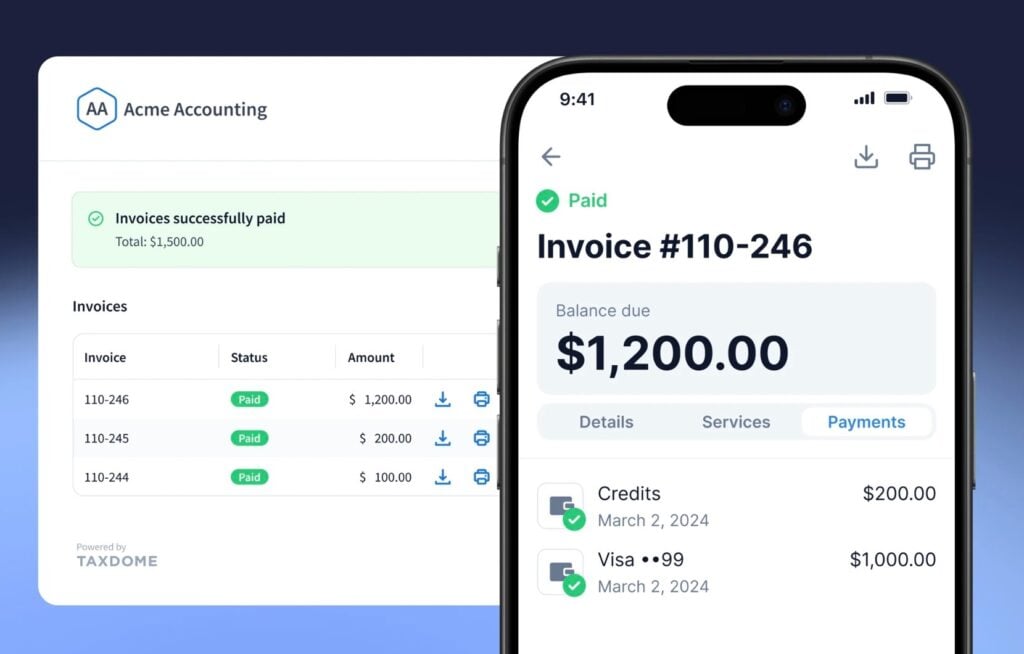
TaxDome is the only invoice automation software for accounting firms that ties billing directly to client workflows and service delivery. Instead of raising invoices after the work is done, and relying on third-party payment solutions, you can fully automate invoicing, with a frictionless payment experience throughout the client relationship.
You can automatically raise invoices at any workflow stage for pre-payments, partial payments, and recurring billing. If you set invoice payment as a dependency, the workflow automatically restarts once the payment clears, without your team having to follow up on anything.
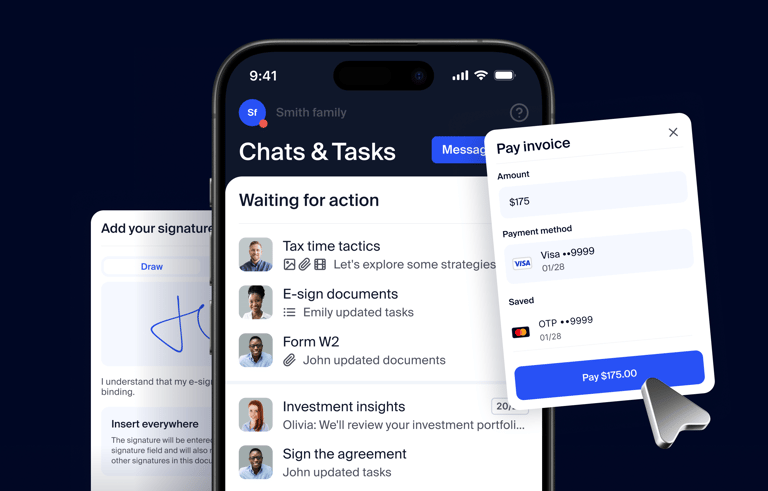
Clients receive invoices in the same portal and mobile app they use to interact with your firm, with built-in payments and automatic reminders. You don’t have to worry about invoices getting lost in inboxes or competing for attention with other emails anymore.
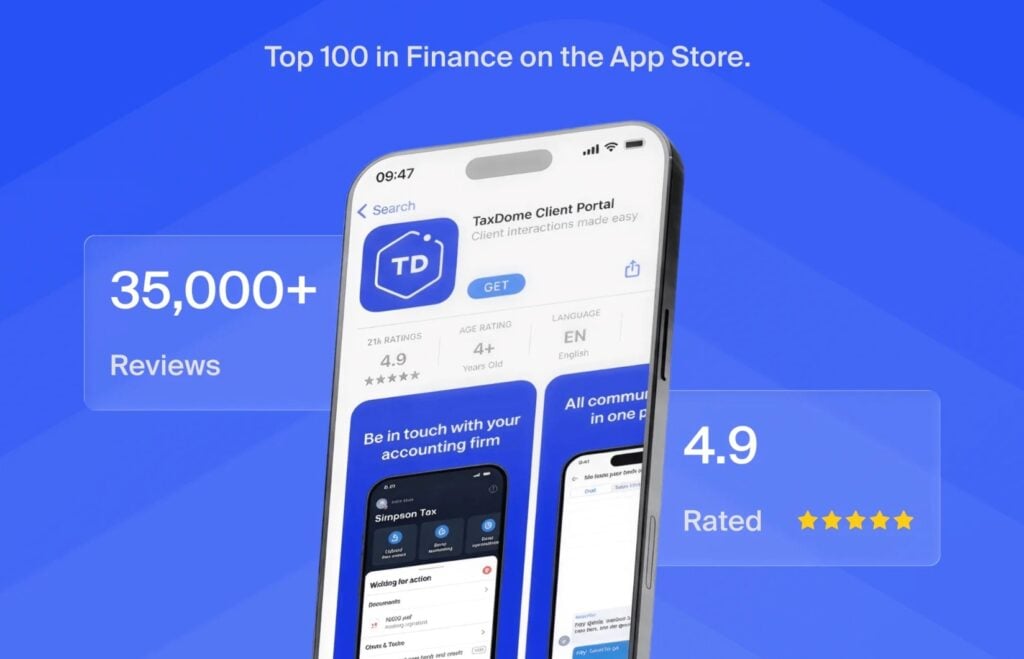
TaxDome removes the manual bottlenecks of billing and invoicing for your firm. Crucially, it also incentivizes clients to pay faster by removing the hassle of payments on both sides, as part of the client experience rated 4.9/5 stars by 38,000+ accounting clients around the world.
TaxDome’s key features:
- Automatic invoicing: generate invoices based on actual hours and services delivered
- Recurring billing: automate repeat billing for retainers and subscription pricing
- Workflow-triggered invoices: auto-create an invoice when a client job reaches a set stage
- Document gating: hold a client’s tax return or files until their invoice is paid
- Automated reminders: chase overdue invoices on a schedule without manual follow-up
- Time tracking: track billable hours for accurate invoicing and performance insights
- Reporting and reconciliation: track billed, paid, and outstanding amounts and reconcile payments back to your books
- TaxDome Payments: clients pay by card or ACH in the same portal where they sign and upload documents
- Client app: send invoices directly to clients in the same app where they upload and sign their documents, with built-in payments fully supported
Starting price: from $700/year, visit TaxDome’s pricing page for more info.
| 👍 Pros | 👎 Cons |
| Complete invoicing automation | Annual billing only |
| Invoices built into workflows | TaxDome Payments currently only available in the US |
| One client app for all invoices and payments | |
| 2.5x faster payments with document gating | |
| TaxDome Payments fully integrated into the system |
Who should use TaxDome? Accounting firms of all sizes that want to fully integrate invoicing into workflows and the client experience. Where most invoice automation tools speed up the billing process for firms, TaxDome is the platform that truly incentivizes clients to pay faster.
In our first Accounting Industry Index report, firms linking deliverable documents to invoices in TaxDome collect payment 2.5x faster — 4.4 days on average, compared to 11 days for firms that don’t.
2. Rillion: best for high-volume and multiple-entity AP automation
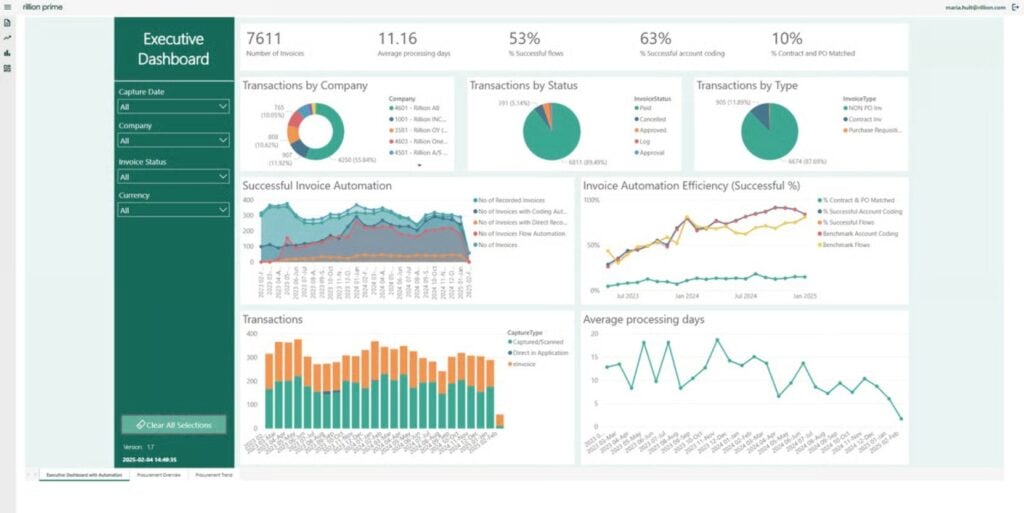
Rillion is an AI-powered accounts payable (AP) and invoice automation platform that helps finance teams digitize the entire AP workflow.
The platform’s built-in AI reads and codes invoice data with over 95% accuracy, predicting the right approval path to keep payments moving without the manual back-and-forth. Approvers can review and approve invoices on desktop or mobile, with all activity synced through 50+ leading ERPs, including NetSuite, Sage, Microsoft Dynamics, and SAP.
Rillion also makes it easy to manage AP across multiple entities, locations, or business units from one centralized dashboard. Your team will see faster month-end closes, fewer errors, and complete control over spend.
Rillion’s key features:
- AI-native invoice capture: intelligent invoice capture extracts data across invoice formats with over 95% accuracy and suggests correct general ledger codes based on past patterns
- 3-way purchase order matching: increase accuracy and compliance with automated 3-way PO matching
- Approval workflows: AI-powered approval workflows with customizable rules and role-based approvals, including automated reminders for pending approvers
- Automated payments: secure virtual cards and automated reconciliation
- In-depth reporting: advanced reporting and analytics for spend visibility across entities
- Multi-entity management: approve invoices, manage spend, and gain real-time visibility across multiple companies or locations from one screen
- Virtual card payments with rebates: securely pay vendors using virtual cards, reducing fraud risk
- Riley, the AI assistant: ask the built-in AI questions about invoices, suppliers, or workflows and get instant answers
Starting price: Rillion doesn’t disclose pricing on its website, so you have to book a demo and speak to its sales team about pricing.
| 👍 Pros | 👎 Cons |
| AI invoice capture and coding at 95%+ accuracy | No public pricing; a demo is required for a quote |
| Manages AP across multiple entities from one dashboard | Built for bill processing rather than billing your own clients |
| Syncs with 50+ ERPs, removing double entry | Heavier than small or low-volume firms need |
| Strong high-volume automation with 3-way PO matching and AI approval routing |
Who should use Rillion? Mid-to-large accounting firms handling AP services for clients and mid-market companies processing 24,000+ invoices annually, particularly in the healthcare, manufacturing, and hospitality industries.
3. FreshBooks: best for straightforward recurring client invoicing
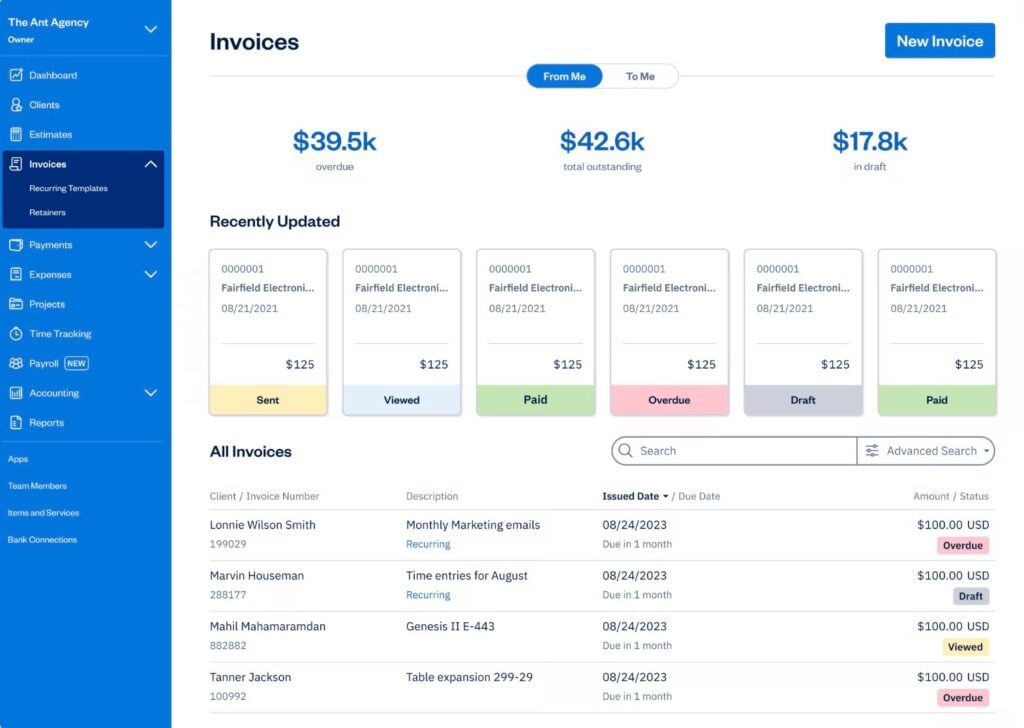
FreshBooks is cloud-based invoicing and accounting software built for freelancers, solo professionals, and small service businesses, with recurring billing, online payments, and time tracking at its core.
It’s a good fit for solo accountants and small teams, although it lacks the wider automation features of TaxDome. You can’t link invoices to workflow stages or gate documents for fully automated invoicing, and you don’t get the same flexibility in billing options.
Key features:
- Recurring invoices: auto-send on a schedule with card-on-file charging
- Automated reminders: chase overdue invoices and apply late fees
- Online payments: clients pay by card, ACH, Apple Pay, Google Pay, or Buy Now Pay Later
- Time and expense billing: turn tracked hours and client expenses into invoices
- Upfront deposits: request deposits on estimates before starting work
- Client retainers: fixed-fee retainers with scheduled hours and summary reports
Starting price: from $23/month, visit FreshBooks’s pricing page for more info.
| 👍 Pros | 👎 Cons |
| Easy to use, even for non-accountants | Limited invoice customization |
| Responsive, well-rated customer support | You lose access to invoices and data if you cancel |
| Fast, time-saving invoicing | Costs climb as you add clients or users |
Who should use FreshBooks? Solo accountants and small teams that bill their own clients and want simple, reliable invoicing, recurring billing, and online payments without a full practice platform.
4. Melio: the affordable AP and AR solution for modern businesses
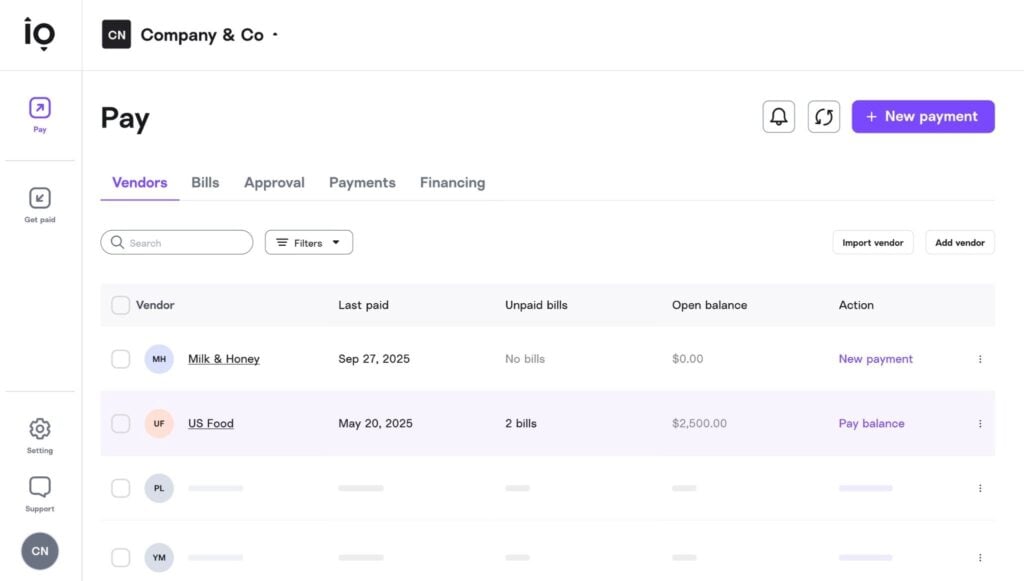
Melio is a vendor payments platform that simplifies AP and AR for the modern business. For companies, the product has two core use cases: paying bills and getting paid by customers or clients. Internal finance teams can automate both AP and AR workflows from one platform, supported by AI data capture to verify bills and create invoices faster.
The platform also has a dedicated solution for accounting firms to manage AP and AR on behalf of clients.
Key features:
- Pay and get paid in one place: collect by shareable link and pay vendors from one dashboard
- Flexible payment methods: free ACH, card, check, or wire, even where cards aren’t accepted
- Multi-client management: handle AP and AR across clients, with a dedicated accountant plan
- Accounting sync: two-way sync with QuickBooks Online, Desktop, and Xero
- Bill capture and approvals: scan or email in bills and route them through approval workflows
Starting price: free plan available, paid plans from $25/month. Visit Melio’s pricing page for more info.
| 👍 Pros | 👎 Cons |
| Easy to use with little setup | Customer support can be slow |
| Free ACH and no subscription to start | Payments can take longer than expected to arrive |
| Flexible ways to pay and get paid | Limited approval and permission controls |
| Two-way sync with QuickBooks and Xero | Light on features beyond payments |
Who should use Melio? Small companies that want an affordable platform for managing bill payments and invoicing in one place. Melio is also a solid option for solo accountants and small firms that want a dedicated system for managing AP and AR on behalf of clients. That being said, separating this from other practice management workflows isn’t always ideal.
5. QuickBooks Online: best for firms already deep in the QBO ecosystem
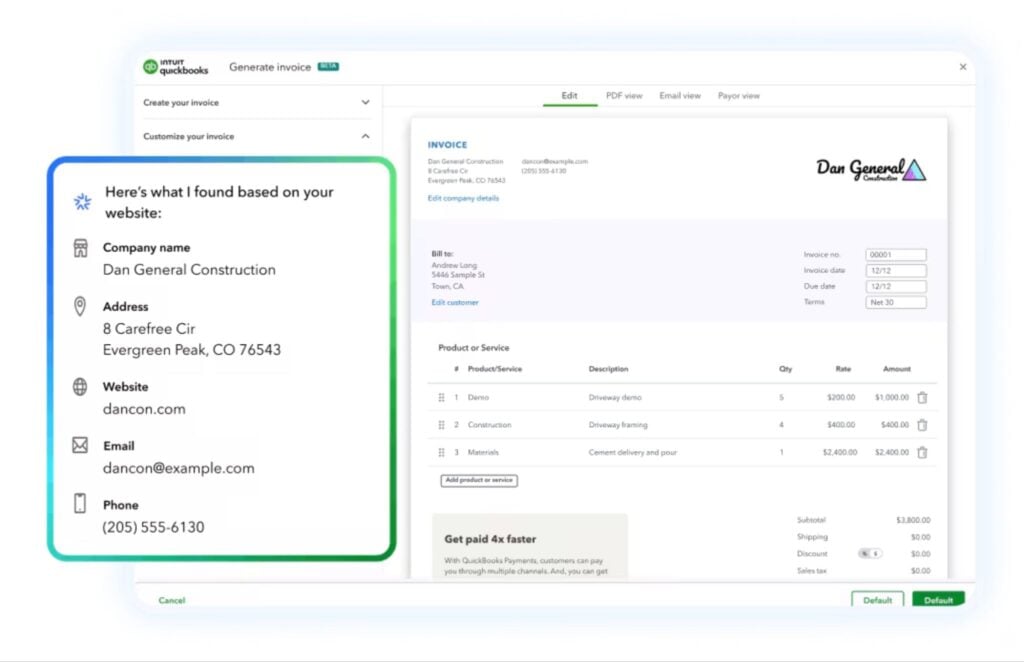
QuickBooks Online is the leading accounting software platform for small businesses in the US, with built-in invoicing and payments. Intuit’s latest AI tools assist with invoicing, reconciliation, and reporting. It can also help deal with common problems, such as AR/AP aging issues and duplicate transactions.
These AI-powered features make QuickBooks Online a more valuable tool for managing AR and AP on behalf of clients. However, it’s limited as an internal system for accounting firms to invoice their clients and manage payments. You can’t link invoices to workflow stages or gate documents to payments, and invoice delivery still relies on email or SMS.
Key features:
- AI-assisted invoicing: automatically create and send invoices from QuickBooks Online
- Online payments: take card, ACH, Apple Pay, or PayPal through QuickBooks Payments
- Automated reminders: schedule reminders before and after the due date
- Recurring invoices: set up repeat invoices with autopay
- Auto-reconciliation: payments post and reconcile to the books on their own
- Batch and progress invoicing: bill in stages or in bulk on higher tiers
Starting price: from $38/month, visit QuickBooks Online’s pricing page for more info.
| 👍 Pros | 👎 Cons |
| Built-in invoicing and payments | Limited features for invoicing clients |
| Payments automatically recorded in QBO | Invoice delivery limited to email and SMS |
| Solid option for managing AR and AP on behalf of clients using QBO | Limited automation for recurring services |
| Complaints about customer support |
Who should use QuickBooks Online? Firms managing AR and AP on behalf of clients using QuickBooks Online. Firms that want to invoice their clients and manage payments are better off integrating QBO with a practice management platform like TaxDome.
6. BILL: best for accounting firms managing client AP/AR services
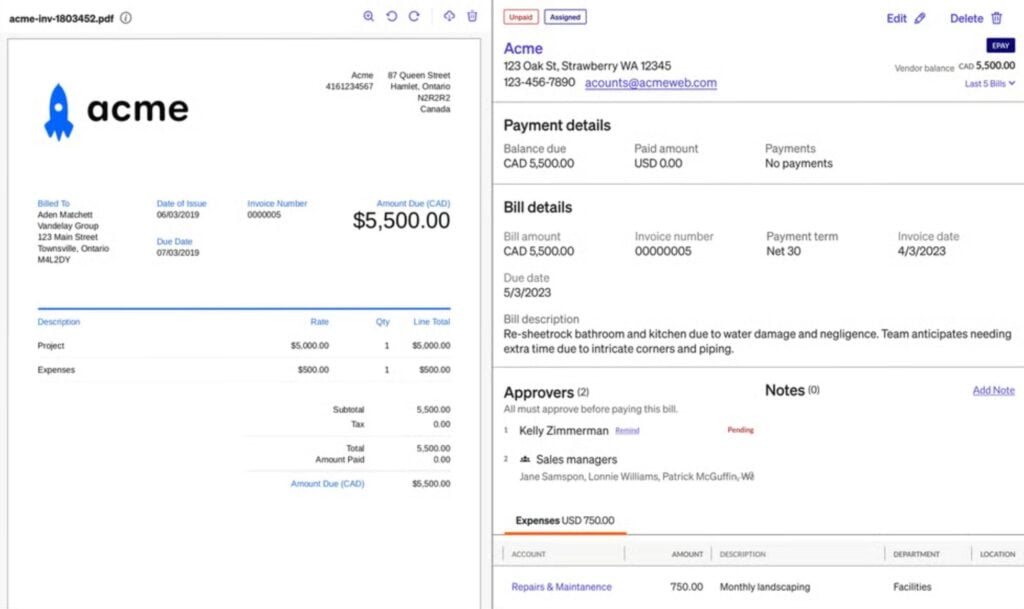
BILL is a financial operations platform that automates accounts payable, accounts receivable, and spend management for businesses. It also offers a dedicated solution for accounting firms, especially for managing AR and AP on behalf of clients.
So, rather than a solution for firms invoicing their own clients, BILL is more suitable for firms that want a dedicated platform for managing AP/AR client services. This puts it in direct competition with Melio rather than the likes of TaxDome or FreshBooks.
Key features:
- AI invoice capture: read, code, and flag duplicate bills automatically
- Approval workflows: route bills to the right approvers by custom rules
- Flexible payments: pay vendors by ACH, check, card, virtual card, or international wire
- AR automation: send invoices, chase with reminders, and collect by ACH or card
- Accountant Console: manage AP and AR across all clients from one login
- Two-way sync: connect with QuickBooks, Xero, Sage Intacct, and NetSuite
Starting price: from $49/month, visit BILL’s pricing page for more info.
| 👍 Pros | 👎 Cons |
| Strong AP automation that saves real time | Customer support is widely criticized |
| Clean, easy-to-use interface | Per-user pricing plus transaction fees get expensive |
| Solid approval controls and audit trail | Sync errors with accounting software are common |
| Centralized management across many clients |
Who should use BILL? Accounting and bookkeeping firms that want to offer bill pay and collections to clients as a recurring service, managing AP and AR across many clients from one place. It fits firms building advisory services around payments, less so a firm’s own client billing.
7. Zoho Invoice: best for budget-conscious firms wanting a free invoicing baseline
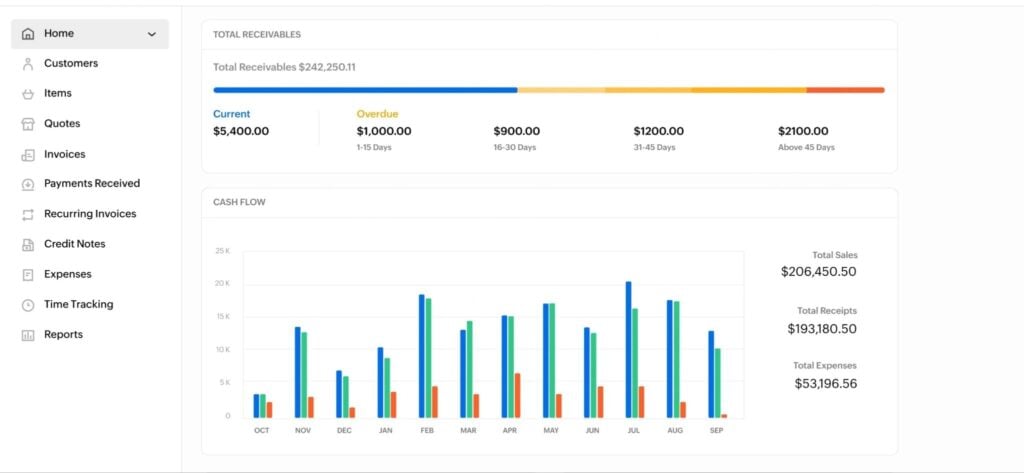
Zoho Invoice is free cloud invoicing software for freelancers and small businesses, covering invoicing, online payments, recurring billing, and time tracking at no cost.
It suits solo practitioners and very small firms billing their own clients, with an impressive offering for a free tool. You get recurring invoices, automated reminders, a client portal, and time-to-invoice billing as standard. The trade-offs are that it is an invoicing tool rather than a practice platform, with no engagement workflows or client document management, and it sits inside the wider Zoho suite, so growing into full accounting means moving to Zoho Books.
Key features:
- Recurring invoices: auto-bill clients on a schedule with saved-card auto-charge
- Automated reminders: chase due and overdue invoices without manual follow-up
- Client portal: clients view, pay, and accept estimates and download statements
- Online payments: collect through 10+ gateways including Stripe, PayPal, and Square
- Time and project billing: track hours and convert them into invoices
Starting price: Zoho Invoice itself is free, but works best when integrated with paid Zoho tools.
| 👍 Pros | 👎 Cons |
| Free invoicing tool for solos and freelancers | Limited features outside of invoicing |
| Quick to set up and easy to use | Invoice delivery limited to email |
| Recurring invoices and reminders | Customer support can be slow |
| Free plan caps your annual invoices |
Who should use Zoho Invoice? Solo practitioners and very small firms that want professional invoicing at no cost, especially those already using other Zoho products, when the priority is clean, free billing rather than a platform tied to client work.
How to choose the right invoice automation software for your firm
Choosing the right invoice automation software largely depends on your use cases.
If you want invoice automation that makes billing effortless for your firm and clients, then TaxDome is the clear winner. You can automatically generate accurate invoices and deliver them directly to clients in the same portal they use to upload and sign documents. Direct delivery and built-in payments make it easy for clients to pay, while creating invoices as workflow triggers and gating documents incentivizes clients to pay on-time.
For running AP and AR services for clients, BILL and Rillion are the most capable products for an accounting firm. Both manage payables and receivables across many clients from one dashboard, with AI capture and approval workflows handling the volume. Melio offers an affordable alternative for managing accounts on behalf of clients.
For solos and small teams looking for a simple, affordable invoicing system, FreshBooks, Zoho Invoice, or Melio are the top contenders. FreshBooks does polished recurring invoicing, Zoho Invoice gives you a free baseline, and Melio handles fast, fee-free collection.
If you already run your firm’s books in QuickBooks, then QuickBooks Online‘s built-in invoicing and reminders may be enough on their own. That saves a second subscription, as long as you do not need billing tied to your client work.
FAQ: invoice automation software for accounting firms
What is invoice automation software?
Invoice automation software reduces the manual workload of creating and sending invoices. Some tools can fully automate this process and support wider features, including payments, cash flow tracking, and reporting. The full depth of features varies significantly across providers, so it’s worth considering your priorities and use cases carefully.
Can invoice automation software integrate with my existing accounting tools?
This depends on which accounting software you use and the invoice automation tool you choose. Confirm the native integration options supported by the invoice automation tools you’re considering before you commit.
What makes TaxDome different from standalone invoicing tools?
TaxDome fully integrates billing and invoicing into your workflows and the client experience. You can automatically raise invoices at any workflow stage and set payments as dependencies for the next, with TaxDome Payments removing the friction of payments for clients. No other platform makes invoicing and payments as easy for firms and their clients.
Is there invoice automation software specifically built for accounting firms?
Yes. TaxDome is built to address the invoicing and payments needs of accounting firms and their clients throughout the relationship. Where most tools rely on email delivery and third-party payments solutions, TaxDome delivers invoices directly to clients with billing options that support accounting service delivery.
How much does invoice automation software cost for small firms?
Standalone invoicing tools for small firms typically range from free to around $80 per month. A complete practice management system that fully incorporates invoice automation into workflows and client relationships costs more, but replaces dozens of tools with one software fee.
What is document locking in invoicing software?
Document locking holds a client’s deliverable, such as a tax return or financial statement, until their invoice is paid. The file stays visible but inaccessible until payment clears. It gives firms a direct way to reduce late payments without manual follow-up. We’ve seen a 2.5x increase in the speed of client invoice payments for firms locking deliverable documents to invoices.
Put the days of chasing payments behind you with invoice automation software
Cash flow doesn’t have to feel like an uphill struggle of constantly chasing late payments. Invoice automation software bills your clients automatically and does the chasing for you, so your team can focus on billable work. That’s more revenue per month for the firm, and more payments hitting your account, on time.
Most invoice automation tools can do these basics: raising invoices and sending reminders automatically. This is already a meaningful improvement over manual processes, but accounting firms need more than the standard automation features.
You need quick payment up front for fixed-fee services, and timely payments for recurring and ongoing work. You don’t want to wait until the work’s done to bill clients, and then have to wait for them to find the time to pay their bill along with their other expenses. You want flexible billing options for different service types and a payments system that actually incentivizes clients to pay — and makes it easy for them to do so.
This is why we’ve fully integrated invoice automation into TaxDome workflows and the same app your clients use for all interactions with your firm. You can automatically raise invoices at any stage of workflows and service delivery, with a built-in payments system that encourages clients to pay when their motivation is highest, not after the work is already done.

Aaron produces practical content for TaxDome, drawing on 11 years in SaaS copywriting and marketing. He helps accounting and tax professionals get the most from TaxDome and other tools, making complex topics clear and actionable.
Get your free guide
Thank you!
The guide copy has been sent to your email. Please check your inbox!
Recommended articles

Top AI tools for accountants in 2026: key features and use cases compared

Why accountants are quitting: inside the forces reshaping the profession

How to start a virtual bookkeeping business from scratch