 US – English
 UK – English
 Canada – English
 Australia – English
 Danmark – Dansk
 DACH - Deutsch
 France – Français
 España – Español
 Sverige – Svenska
 Italia – Italiano
 Nederland – Nederlands
 Portugal – Português
 Suomi – Suomi
 Norge – Norsk
 日本 – 日本語
 Romanian – Română












Accounting invoice template: a guide to efficient billing and record-keeping

Run your entire firm on one platform
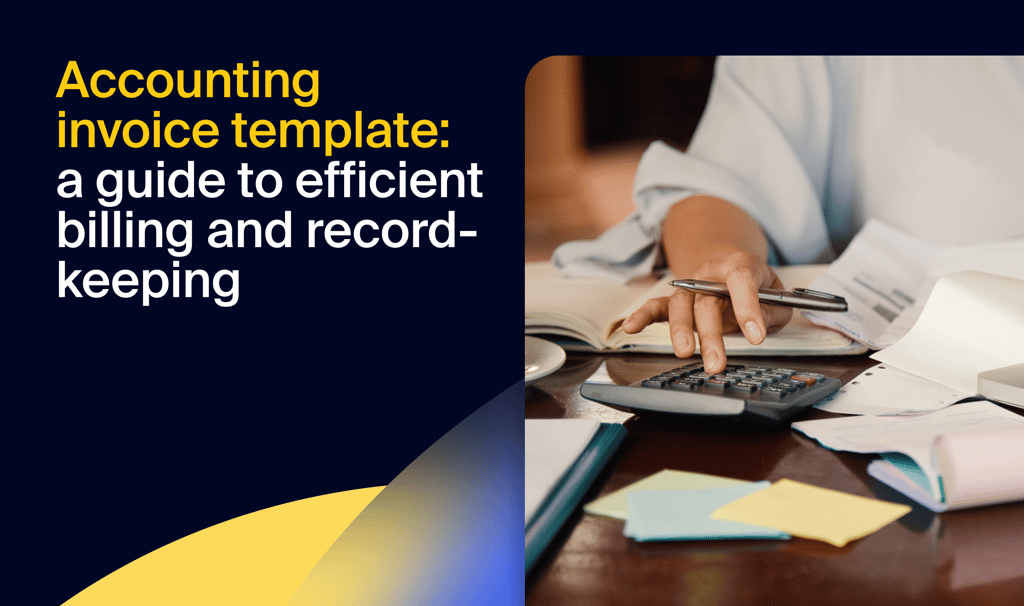
Invoicing might not be the most exciting part of running an accounting firm, but it’s certainly one of the most important. After all, invoices help you maintain accurate accounting records and get paid on time.
Creating an invoice from scratch each time you’ve finished a job is highly inefficient, however. This is where an accounting invoice template comes in handy. Using a template, you can take the hassle out of billing, get paid faster, and save precious time.
In this article, we’ll explore everything you need to know about invoice templates — from key components to best practices. And to save you time, we’ll give you access to a free template that you can download and use today.
Table of сontents
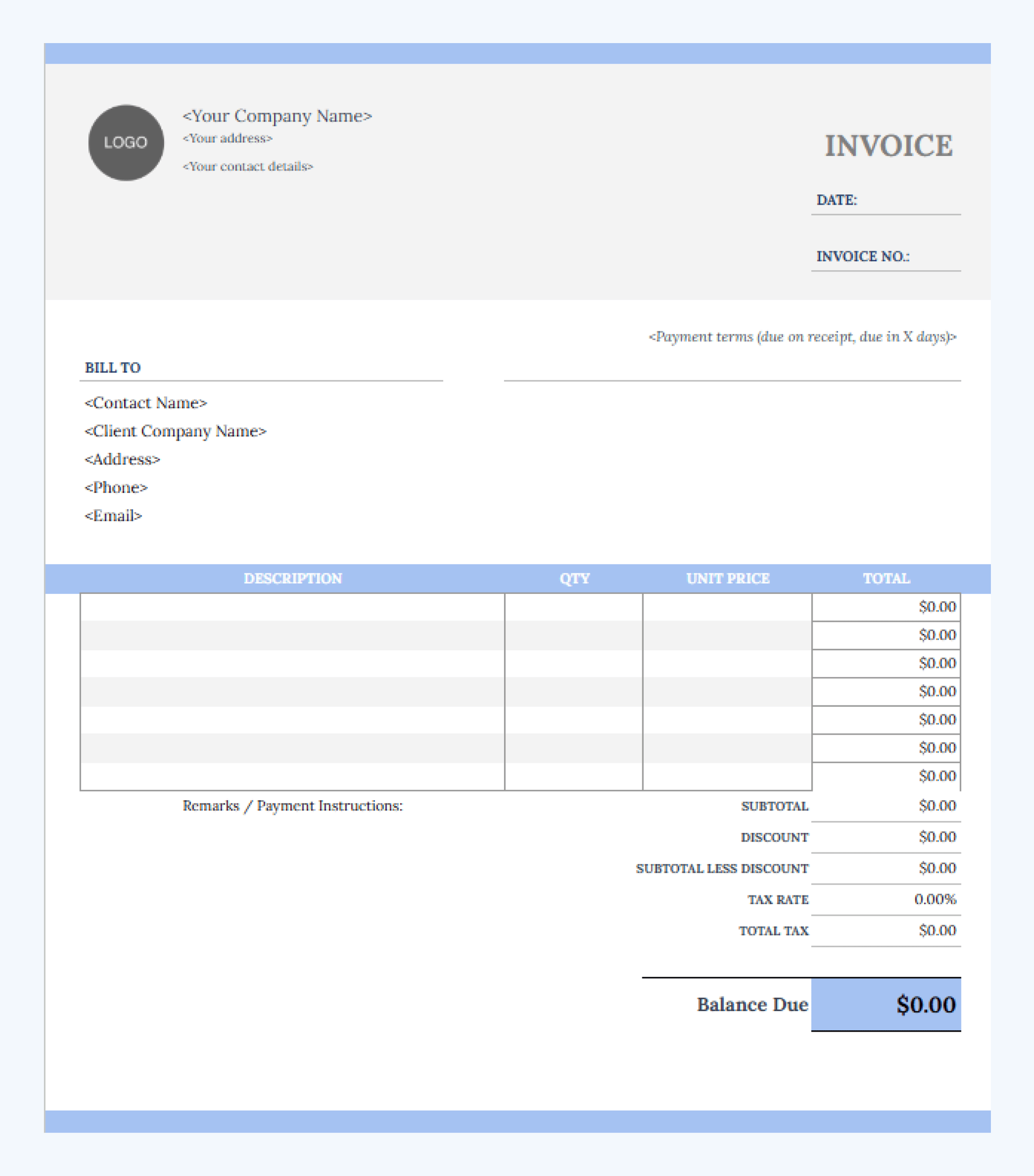
Free accounting invoice template
To use our sample invoice template, simply click on the link below, go to File, and then click Make a copy.
You can then customize the template to suit your needs, including your firm logo, name, and details. You can also change the font and color scheme. The functions are all set up for you, including discounts and tax rates.
Download our free accounting invoice template>>
If you’re looking for other templates to streamline your accounting workflows, we’ve got you covered. Check out these articles to explore a range of templates, checklists, spreadsheets, and other valuable free resources.
Key components of a professional invoice template
Invoices should be as simple as possible. You should include all the information that clients need to understand who you are, how much they owe you, and for what services. You’ll also need a way to quickly identify and track your invoices.
With that in mind, here are the key components to include in your invoice templates:
- Your business name and contact details. Clients need to know who they are paying. Your invoice template should clearly state your company name and address, as well as a phone number and email address in case they need to get in touch. Including a company logo adds a touch of professionalism.
- Client information. Next, you should include your client’s name, business details, and contact info to ensure the invoice reaches the right person.
- Invoice number and date. Each invoice you send needs a unique invoice number to help you identify it and reference it. Adding a date will also help you and the client see when the invoice was sent.
- List of services. Make sure you provide detailed information about the accounting or bookkeeping services you are charging the client for, including descriptions, quantities/hours, rates, and costs. Itemize separate services to give the client a full breakdown of what they owe.
- Payment terms. Specify when the client should pay the invoice. This could either be a set date or a standard term, such as within 14 days of receipt. Also, make sure you include information about payment methods (bank transfer, credit card, PayPal, etc.), as well as any fees for late payment.
- Taxes and discounts (if applicable). If you charge VAT, GST, or other taxes separately, your invoice should clearly state the amounts. You should also list any discounts offered to the client.
How to fill out an accounting invoice
Filling out an invoice requires careful attention to detail. If you’re using an accounting or bookkeeping invoice template, some information will remain the same across all emails — e.g. your business name and contact details. Other information will need changing each time, such as the invoice number, services provided, and payment amount.
The more you can automate this process, the better. If you’re using a template, tools like Excel or Google Sheets will allow you to add functions that calculate total amounts. This reduces the risk of human error while saving you time. Check out this article to explore the top Excel functions for accountants.
Once everything is filled in, make sure you double-check the information for accuracy before sending. Invoicing errors can cause all sorts of problems, leading to wrong amounts charged and damaged client relationships. With this in mind, here are some common mistakes to avoid:
- Missing key details, such as invoice numbers or due dates
- Providing vague service names or descriptions
- Incorrect calculations caused by manual data entry
- No payment instructions, leading to payment delays
- Forgetting to send follow-up emails if a payment is overdue
When and how often should you invoice your clients?
When it comes to when and how often you invoice, there’s no single right answer. It often depends on the type of services you are offering and how often you work with the client.
For example, if you’re doing a one-off tax return, it makes sense to invoice as soon as the job is done to avoid payment delays. If you’re providing ongoing services, such as monthly bookkeeping or payroll, it makes sense to invoice at the end of each month. For ongoing services where the amount is set in advance, you can even set up recurring invoice schedules.
Some companies process payments only on certain days of the month. To get paid faster, it might be worth checking in with clients about their internal payment schedules — and then aligning your invoices accordingly.
Free templates vs practice management software
Using our free accounting invoice template is a quick and easy way to streamline your billing process. That said, it still involves manual data entry. What’s more, invoices can be difficult to track when using templates. This makes it complicated to keep up with overdue payments.
If you’re serious about driving efficiency, accuracy, and quality, you need accounting practice management software — like TaxDome. With TaxDome, you can transform the way you invoice clients, enabling you to:
- Automate entire accounting workflows, including invoicing and reminders
- Create accurate invoices from time data
- Set up recurring invoices and payments
- Lock documents to invoices — so clients can only view files once they’ve paid
- Accept payments anywhere, anytime via Stripe
- Add custom design elements to your invoices, including logos and color schemes
With all this functionality alongside a suite of tools designed to streamline your operations, can you afford to continue using free invoice templates and manual processes?

Nicholas produces TaxDome content focused on how technology improves accounting workflows and everyday firm operations.

Get your free guide

Thank you!
The guide copy has been sent to your email. Please check your inbox!
Recommended articles
Your guide to writing an accounting engagement letter (with template)

How to create an accounting business plan: expert guide with template
Free bookkeeping service agreement template: key elements and common mistakes