Firm management

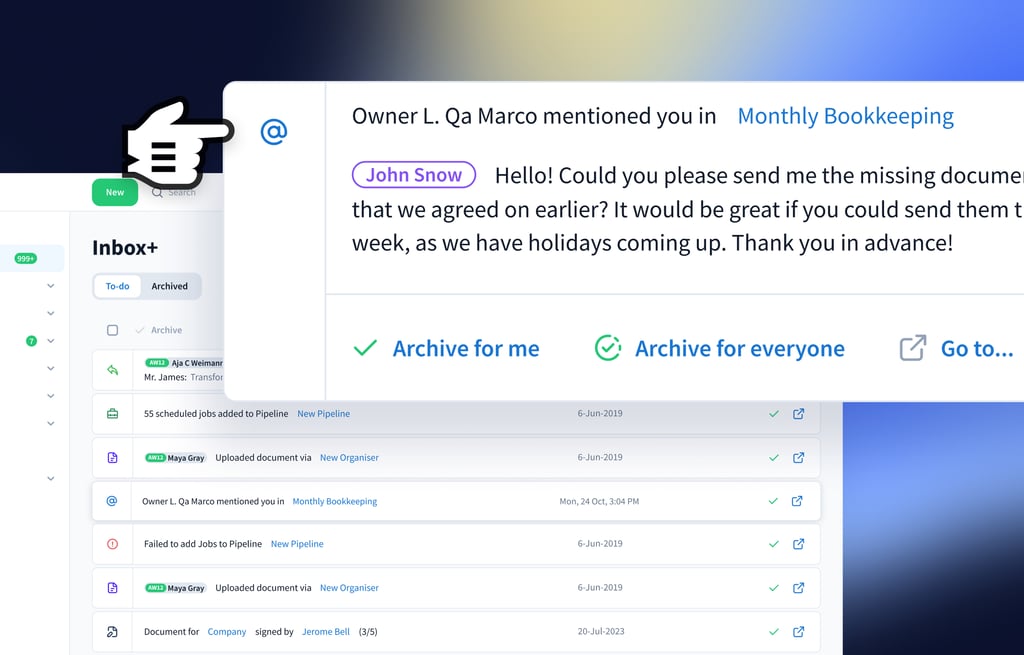
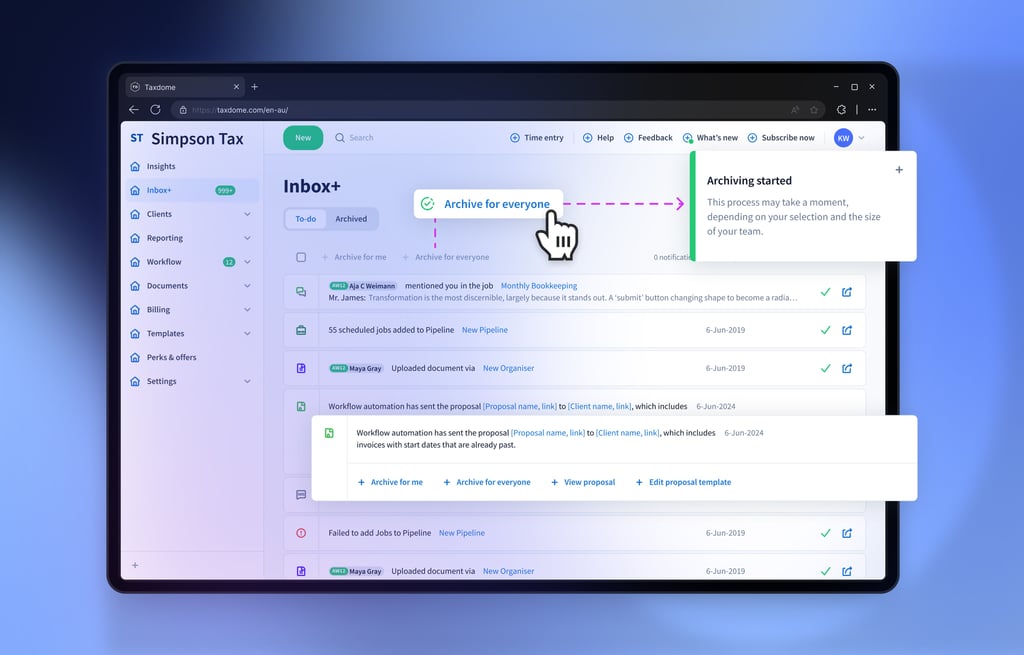
Inbox+ keeps you updated on all firm and client notifications

Your notification center of all emails, messages, tasks, and activities relating to any job or client.
Industry leader trusted by 10,000+ firms

Uncover success stories and experiences
shared by our valued customers

R.S.

Russel Hoskins,
partner of Hoskins Quiros Osborne & LaBeaume, CPA (17+ staff)

“You got an excellent app and you’ve improved it a couple of times.”
J.M.

Jake Mitrovic,
President of Pinnacle Accounting, Inc.

“All employees are working remotely and 99.5% of clients use the tool to work with us. We are getting compliments from our clients all the time and our business can be scaled thanks to TaxDome.”
E.G.

Eric Gray,
CEO

“The task creation when a job goes from one stage to another removes the need to initiate conversations internally. TaxDome alerts one of our staff members: now it’s your turn to work on this project. And it keeps us rolling all the time.”
B.P.

Brittany Pullin,
Manager and sales tax associate at Tax Man To You, LLC

“Tax Man To You has built team management processes and scaled the business 2x, bringing in new staff and clients using TaxDome.”
Readers Choice 2026

Winner Comprehensive Firm Workflow Solution

TaxDome – Momentum Leader, G2 Winter 2024
TaxDome – Accounting Practice Management Leader, G2 Winter 2024
TaxDome – Small Business Leader, G2 Winter 2024
TaxDome – Users Love Us, G2 Award
TaxDome – High Performer Americas, G2 Winter 2024
TaxDome – Small Business Leader Americas, G2 Winter 2024

Receive timely updates with Inbox+

Make use of Inbox+ features to keep yourself updated when your team or clients complete important actions. Receive timely notifications when a client sends a message, completes a task, fills out an organiser, or engages in any other activity, all delivered to one convenient place.

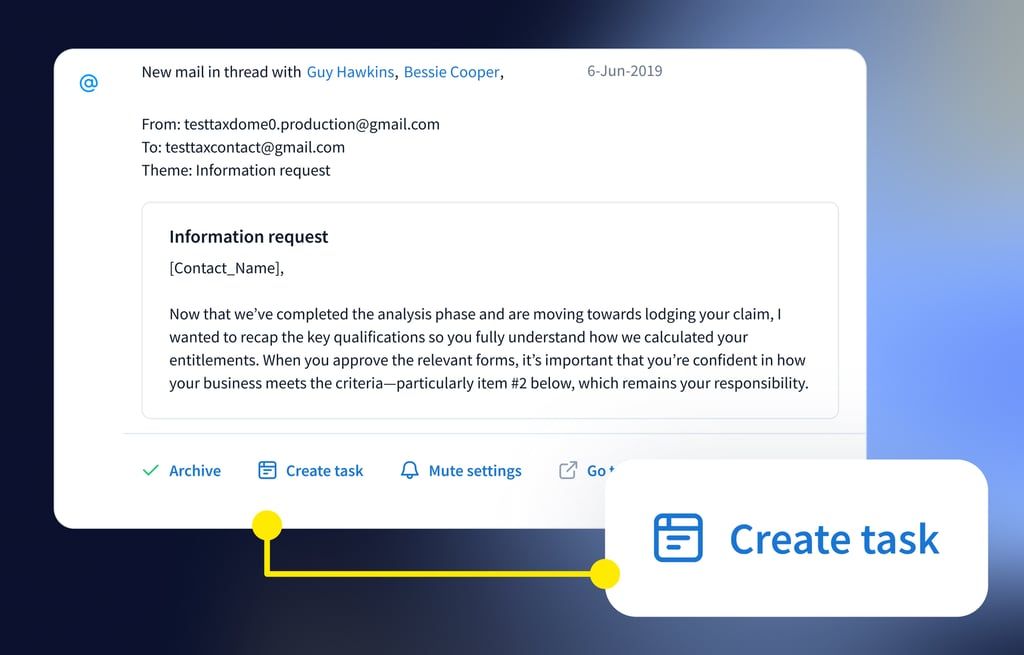
Creating tasks on the spot

Create a task or follow-up from any email

Chat updates

Get notified about all the chat actions and use @mentions for effective teamwork

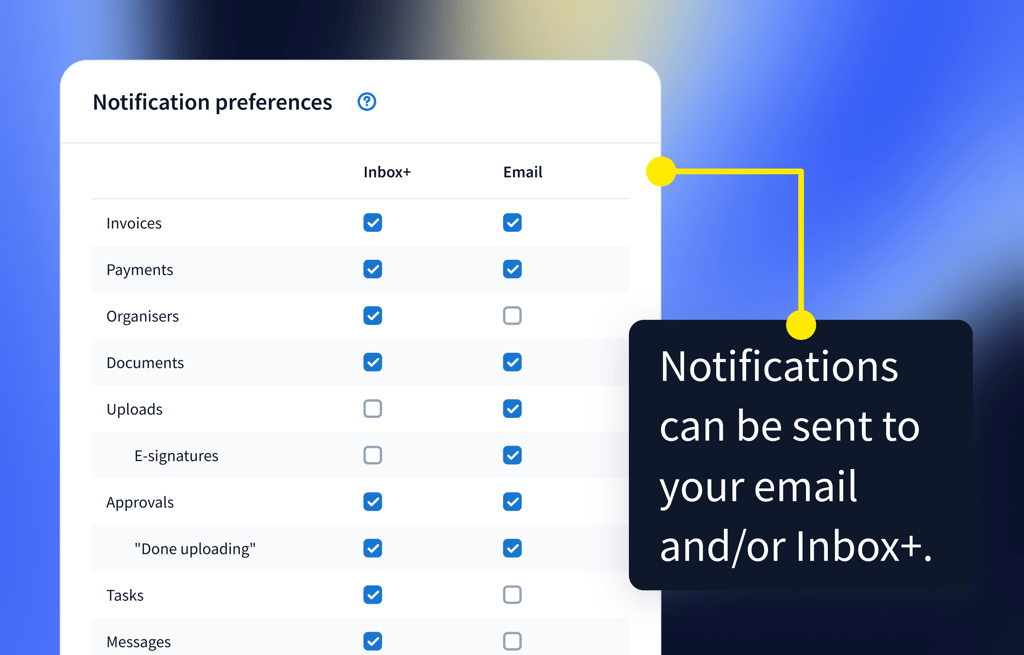
Notification preferences

Get as many or as few notifications by toggling them on and off

Bulk actions

Simplify your work with bulk actions for notifications

Frequently asked questions

Which clients will I receive notifications for?

You will receive notifications for all clients you follow. You can customise the type of notifications and where you receive them (Inbox+, email, or both) — in your personal settings.

What kind of notifications can I receive?

You can receive notifications for chats, emails, contracts, invoices, jobs, tasks, mentions, document uploads, e-signatures, and more. You have full control over the notifications you receive and through which medium you will receive them. 


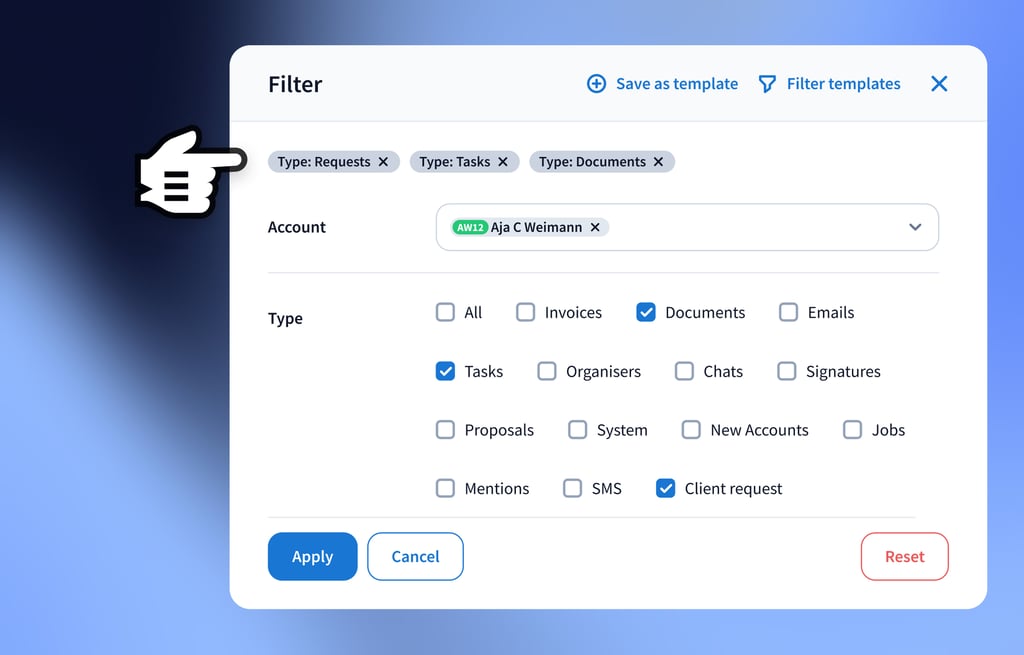
You can filter the notifications by client, type of notification and more. You can also access the full history of notifications in the archived tab.

Will all of my emails go through TaxDome or just emails TaxDome recognises as being from clients?

Emails are automatically filtered for you in the client profile. For each contact, you can indicate which email addresses you wish to sync. For all synced email addresses, you will see the entire communication history and receive notifications in Inbox+ (the smart notification center). In future releases, we will also add the ability to view all emails, not just those linked to existing accounts.

Can I sync my Office 365 email?

You can sync any email address from any provider. We have instructions on how to sync Outlook, Office 365, Yahoo, Gmail, iCloud, and all other IMAP email accounts. See email sync.

How can I see all emails from both parties of a married couple in one account if they use multiple email addresses?

You can include both members of a married couple under a single account. If each person has two email addresses, all four can be added to the client account. You control the toggle for each email address, determining which ones they can use for logging in, receiving notifications, and getting emails.

Can I turn emails into actionable tasks?

When you receive an email from a client, you can turn it into a task right in your notification center (Inbox+).

See TaxDome in action with a free demo
If the form doesn’t load, please call us at +64 9 802 3053 or email [email protected] — we’ll help you schedule a meeting.