Client management

Global Communication: every email and chat, in one actionable omnichannel team inbox

When you’re managing high volumes of client communication across different channels, it’s essential to avoid missed messages and bottlenecks. Global Communication brings every email and chat, into one centralised, actionable workspace.
Triage communications, respond faster, scale your operations

See and respond to every message faster, assign threads for clear ownership, and seamlessly manage client communication at scale.

Firm-wide visibility across every client conversation

Unify email and chat, in one shared inbox. Give your team full visibility and context in one place.

Clear ownership of every thread

Assign or self-assign threads in just a few clicks, so no message gets missed and your team responds faster.

Smart team collaboration behind the scenes

Use internal comments within threads to align on next steps, flag issues, and co-draft replies, without switching tabs or tools.

Advanced filters and visual indicators

Find the threads you need fast, and stay informed on where each thread stands at a glance. 

Clear inbox, clear mind: move your firm toward Inbox Zero
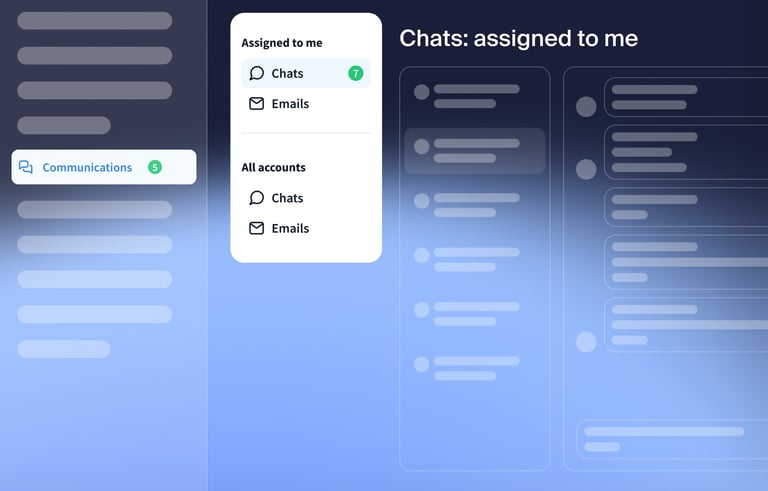
Bring order to communication overload

Centralize every client conversation into a single inbox, with each thread assigned an owner, keeping conversations organised and messages moving forward.

Strengthen firm-wide alignment and collaboration

Keep everyone aligned on context across roles and departments, and collaborate in one place using internal comments, giving your team the clarity and confidence to respond faster.

Gain full control — and a lighter firm inbox

Get full visibility into every client conversation, what’s been handled, and which threads need attention, all without micromanaging your team.

Bring every client conversation into one view

Unify email and chat, into a single actionable inbox — and empower your team to respond faster with total clarity.

Frequently asked questions

How does Global Communication help growing firms manage client communication?

It centralises every email and chat, into one actionable inbox, providing firm-wide visibility, context, and ownership.

Can we assign conversations to specific team members?

Yes — threads can be assigned to staff, ensuring clear ownership and prompt handling of every client message.

How does Global Communication improve response times?

It’s an omnichannel inbox that eliminates context switching and unclear thread ownership, helping teams respond faster and with full confidence.

Can teams collaborate internally on messages?

Yes — internal comments within threads allow teams to discuss, clarify, and coordinate responses behind the scenes, speeding up their workflow and keeping all internal conversations in one secure place. 

How does this differ from Inbox+?

Inbox+ is built for awareness. Think of it as your quick-stop hub for all notifications and system activity.

Global Communication is built for action, giving your team a centralised, collaborative workspace to manage every client conversation.

Does this support multi-location or cross-department teams?

Yes — Global Communication helps firms with multiple locations, roles, and service lines by giving full visibility into client communication, complete context, and a clear owner for every thread, all in one place.

Can staff filter by their own assigned threads?

Yes — filtering by assignee lets each team member focus on the conversations they’re responsible for.

How does Global Communication improve the client experience?

It helps firms make sure that every message gets seen, assigned, and resolved quickly, creating consistent client communication at scale that feels intentional and builds trust.

See TaxDome in action with a free demo
If the form doesn’t load, please call us at +1-833-TAX-DOME or email [email protected] — we’ll help you schedule a meeting.